Black and White read every pixel as a blend of "black" and "white", and took for those the mean luminance of
the image's black and white pixels. In blurred or scanned line art most black pixels are part paper, so the
mean black was a gray: the middle of every line counted as more than all ink, and by how much changed as the
line crossed the pixel rows, which put a ripple on its edges that the fit then followed with anchors.
- Black is the image's darkest black (the 2nd percentile of its black pixels' luminance).
- White is the lightest pixel within a few pixels of each crack: the paper as it is there. A scan's paper is
darker in one corner than in another, and read against the image's lightest white it counted as part ink.
On each preset's own inputs, all sizes and variants (docs/image-trace-quality.md), before -> after:
- Line Art: 78 -> 46 anchors, outlines 0.093 -> 0.055 px off on average (blurred lines 168 -> 53 anchors,
scanned 199 -> 70); before sub-pixel edges it was 25 anchors and 0.158 px off
- Technical Drawing: 56 -> 46 anchors, 0.092 -> 0.084 px off
- Sketched Art: 0.197 -> 0.186 px off; Default 0.092 -> 0.090; Black and White Logo 0.063 -> 0.059 with
27 -> 29 anchors
Not kept: reading lines up to six pixels deep by their ink's centroid and width, and a looser tolerance for
straight runs, neither of which measured better.
The font scan read /usr/share/fonts, /usr/local/share/fonts, ~/.fonts and the
XDG data folders. Packages add folders outside those to fontconfig's
configuration (TeX Gyre under /usr/share/texmf/fonts), so fc-list and other
apps showed fonts VectorCraft didn't have. The scan now also reads the <dir>
folders of /etc/fonts/fonts.conf and the files it includes (conf.d, the user's
own), as the fontconfig documentation describes them. The files are read as
they are: no library is linked and no program is run.
A drag near an anchor refitted the whole segments on either side of it, so a
short drag over a small bump on a long side turned the side into a curve from
end to end. The segments leading into the anchors under the drag are now split
where they enter the tool's reach, and only what is in reach is refitted.
A <textPath href="#id"> pointing at a basic shape imported as point type
with "textPath has no usable path", as only <path> was followed. SVG 2
allows any basic shape, and Inkscape writes one whenever text is put on
a circle. The shape now becomes its equivalent path as SVG 2 defines
it: circles and ellipses start at 3 o'clock and rounded rects after the
top-left corner, all clockwise; lines, polylines and polygons follow
their points. The shape's transform applies as for a <path>. Shapes
that render nothing (zero radius or size) still fall back to point
type with the warning.
Fixes#1527
Live Corners cut a corner between a curve and another side with the handles of
the arc between straight sides. The curve has turned by the time the cut meets
it, so those handles reached past where the tangents at the cut's ends cross,
and from a middling radius on the cut bulged out of the shape or looped. Each
handle is now the share an arc takes of its tangent up to that crossing.
Corners between straight sides are cut as before.
A PDF-compatible .ai keeps its art past the artboard edge unclipped (#646),
and its pages are laid out in a row 36 pt apart. Art that a page draws far
to the left of its artboard (notes beside a design, say) then lay over the
page before it. There it was taken for that page's art: the check against
the editing data found art its layers don't have and opened the file as
its PDF part, without the art outside its artboards, and place_pages left
that art behind when it moved the pages.
Such a page now moves right until its art clears the art before it.
Plain PDFs (clipped to the page) keep the 36 pt gap.
Every colour layer took a mask, component labels, a fill stack and an edge map the size of the whole image,
and as many layers were traced at once as the machine has cores.
- A layer is traced within the box its pixels lie in.
- The stack that fills components holds `u32` indices (a mask has at most 64 million pixels).
- Layers are traced as many at a time as fit in half a gigabyte (about ten bytes a pixel of the largest
layer's box each), on however many cores.
Peak memory above the image itself, photo-like image (docs/image-trace-quality.md), before -> after:
- 16 megapixels: High Fidelity Photo 3,856 -> 880 MB (2.85 -> 3.65 s), Low Fidelity Photo 1,972 -> 754 MB
(1.49 -> 1.80 s), 16 Colors 1,625 -> 298 MB, Shades of Gray 852 -> 407 MB, Default 256 -> 199 MB
- 4 megapixels: High Fidelity Photo 981 -> 643 MB, 16 Colors 408 -> 122 MB, times unchanged
The traces are the same, path for path.
An image whose decode needs more than the 2 GiB allowance (512 MB on the web) is not drawn.
A raster export says so since #1517; on screen it was still blank with no word. Open and
Place now carry a warning for it, and the Links panel's row a note (links.list: note).
Paste read PDF only from the Windows clipboard and EPS nowhere, so on macOS a copied
equation or drawing pasted nothing new (the last thing copied in the app came back).
- macOS: the pasteboard's PDF, EPS and SVG are read, ahead of text and bitmaps.
- Windows: EPS is read beside PDF.
- Everywhere: an .eps file copied in a file manager pastes.
- clipboard.importEps loads an EPS into the clipboard as document.open reads one.
A group has no paint of its own, so a compound path made of one (outlined type) had none
and drew nothing until a fill was set. The paint now comes from the backmost path, or
from the compound path that painted it.
Complete Polish catalog (4,492 rows): every menu string, tl! literal,
plural and status/error message, enforced by the existing completeness
tests (complete_menus, KEEPS_MENU_NAMES, COMPLETE_MESSAGES).
- pl.tsv: clean-room translation from the English meaning, following
common Polish desktop-software conventions (obszar kompozycji for
artboard, obszar roboczy for workspace, obrys, wypełnienie, próbki…)
- plural_polish: one / few (2–4, not 12–14) / many (0, 5–21, 25…)
- every pl-* locale (pl-PL, pl_PL.UTF-8) resolves to it
- tests: Polish plural forms, vocabulary, nested message translation;
Polish letters in the bundled-font coverage test
- docs: README, development.md, localization-parity.md
Drafted with AI assistance; native review welcome.
Co-Authored-By: Claude Opus 5.5 <noreply@anthropic.com>
Claude-Session: https://claude.ai/code/session_01DukHNvUY45rjRnvtz91x33
SaveOptions::for_doc chose pretty-printed JSON by the object count in
the layers alone. A document with few layer objects but many anchors,
or with its art in symbols, patterns or graph designs, was therefore
written pretty, about ten times the compact size: every anchor's "p",
"in" and "out" spread over several indented lines.
A document is now pretty only when it has at most PRETTY_MAX_OBJECTS
objects and its compact JSON is at most PRETTY_MAX_BYTES (1 MiB). The
size is measured by serializing into a writer that stops at the limit,
so a large document costs at most 1 MiB of extra serializing. Small
documents stay readable and diffable.
Fixes#1484
Each region's outline was fitted on its own, so the edge between two regions was fitted twice, a little
differently, and left hairline gaps and overlaps.
- An outline is cut at its junctions: the pixel corners where three or more regions meet, where two parts of a
region touch by a corner only, and where an edge reaches the image's border (each side of the image is a
neighbour of its own, so the image's corners stay exact). A junction lies where the edges around it say, the
same for every region around it.
- Each piece between two junctions is the whole edge between two regions. Both get exactly the same points for
it (shifts are rounded to 1/1024 px so that the two sides agree to the last bit; whether a piece is hard is
decided by the piece alone) and it is fitted the same way from either side (from its end further left), so it
is one and the same curve in both paths. A loop without junctions is fitted clockwise from its leftmost point:
a shape's outline and the hole it leaves in the shape around it are one curve too.
- Stacked layers (Overlapping) share no edges and are cut at the image's border only.
On each preset's own inputs, all sizes and variants (docs/image-trace-quality.md), before -> after:
- Default: gaps 22.2 -> 0.8 px, overlaps 22.4 -> 0.5 px
- 3 Colors: gaps 48.6 -> 0.0, overlaps 29.4 -> 0.0; outlines 0.087 -> 0.104 px off on average
- 6 Colors: gaps 39.0 -> 0.2, overlaps 35.7 -> 0.3; 0.137 -> 0.140 px off, largest 1.09 -> 1.34
- 16 Colors: gaps 34.5 -> 0.2, overlaps 26.4 -> 0.2; 0.133 -> 0.141 px off, largest 1.09 -> 1.31
The public 3D and Materials panel options list Depth, Twist, Taper and Cap
for every 3D type; Inflate had only Depth.
- Twist (0° to 360°) and Taper (1–100 %) turn and scale the back about the
shape's centre, as Extrude & Bevel's do: a puffed back is turned and
lowered in proportion, and the sides follow in slices.
- Cap: Solid closes the back; Hollow leaves it off, so the inflated front is
a shell open behind. The documentation doesn't say what Cap means for
Inflate; this reading is stated in docs/three-d.md.
- The dialog's Object tab shows them in the documented order (Depth, Twist,
Taper, Cap), then Volume and Both sides.
At 0 % volume a twisted, tapered Inflate has the extrusion's outline from
every side (tested).
A twisted, tapered, hollow Inflate draws on the canvas exactly as it
exports, and expands to faces with their own ids (tested). ROADMAP and the
parity pages list the new options; the 3D score stays at ~25 %.
A twist bends the strip between two slices into a saddle; its normal came
from one corner's triangle, which leaned so far back that from about 60° of
twist every wall was taken for facing away and dropped, leaving the front
cap alone. Each strip now takes the whole quad's average normal (Newell's),
as Inflate's facets do. A test checks the faces kept against each strip's
average normal oriented away from the axis, for twists up to 300° and four
views.
The public 3D and Materials panel options give Twist as up to 360°; it took
-360° to 360°. Values beyond either end now hold at that end (the effect is
a day old, so only fresh files carry a negative twist).
On macOS, native_menu::sync reads every row of the menus (each
command's enabled and checked state, and each label) whenever
state_hash changes, and the macOS backend updates the AppKit items
whose label, enabled or checked state changed. The hash included the
active document's revision, and Session::preview makes a new revision
at each step of a drag, so the app read every row again at each step
of a move, scale or shape drag. In a release build on an M2 Max, that
took about 1.5 ms a step with one object selected, and 13.8 ms a step
with 5,001 objects selected.
While an interaction is open, state_hash leaves the revision out.
Move, scale and shape drags, dialog previews and the font menu's
preview are interactions. The menus are read when an interaction
begins and again on the frame it ends: when a drag's button is
released, when Escape cancels a drag, when a move is dragged onto a
panel, when a dialog's preview is applied or canceled, when the font
menu's preview ends, or when a control request such as
ui.dialog.cancel ends it. They are still read on a click or a key
press during an interaction.
docs/development.md says when the menus are updated during an
interaction.
Offset Path, Outline Stroke, the Pathfinder panel, Clean Up, Make
Blend, Rasterize and the other commands that #1429's table marks 3,
except Split Into Grid, added, removed or replaced their objects one at
a time, and so did Remove Anchor Points, Redefine Symbol and the
removal of Shaper groups whose source art is gone. Each insertion or
removal moved the later objects of the layer or group. The lookups by
id that followed walked the tree, and every fourth walk rebuilt the
lookup cache. On 25,000 rectangles a release build of vectorcraft-cli
took 29.1 s for Offset Path.
These commands now make their edits with Document::wrap,
Document::insert_beside and Document::remove_many, in one pass over the
children of each layer or group, and Outline Stroke and Expand write
each new object into the place of the object it replaces. A list that
holds an object twice, or an object and another inside it, and that was
edited without an error before, is still edited one object at a time.
The documents, selections and undo steps are the same. On the same
rectangles Offset Path now takes 1.3 s.
Docs: docs/target-app-parity.md.
These commands removed, moved or copied one row or object at a time:
the Layers panel's Delete Selection, Duplicate Selection, Collect in
New Layer, row drags, Merge Selected, Flatten Artwork and Release to
Layers, and Cut Artboard, Duplicate Artboard and the Artboard tool's
Alt-drags that copy art. Each edit moved the later rows of the same
layer or group to other indices. The next lookup by id then walked the
tree, and after every fourth such walk Document::index_path rebuilt
the whole lookup cache. Release to Layers also walked the document
twice for each new layer to name and color it. With 25,000 rectangles
in one layer, a release build of vectorcraft-cli took 11.9 s for
Duplicate Selection and 17.7 s for Release to Layers.
The commands now remove, move and copy the rows in one pass over each
layer or group, with Document::remove_many and Document::wrap, and
with copy_above, the copy pass of duplicate_in, which Duplicate
Selection and the artboard copies now share. Release to Layers names
its new layers from one walk of the document. Merge Selected checks
the target layer's objects against a set of the listed rows, and
Delete Selection checks the top-level layers against such a set. In a
document whose ids are unique, the rows keep their order, new rows and
layers take the same ids, names and colors, and the selection, the
undo step and the journal are the same. A release build with this
change takes 98 ms for Duplicate Selection and 26 ms for Release to
Layers.
Docs: docs/target-app-parity.md.
The renderer decoded images with the decoder's default 512 MB allocation
limit, so a 300 ppi roll (6614 x 59055 px, 1.56 GB as RGBA) that opens and
exports to PDF fine drew nothing in a raster export - a fully transparent PNG,
exit code 0, no warning. It now decodes with the allowance opening has (2 GB,
512 MB on the web), shrinks an image past a pixmap's 65535 px side to fit
instead of dropping it, and counts any image it still can't decode: a raster
export that drew fewer images than it should says so in its warnings.
Co-Authored-By: Claude Opus 5.5 <noreply@anthropic.com>
Trim decoded the image with the decoder's default 512 MB allocation limit, so
a 300 ppi roll (6614 x 59055 px, 1.56 GB as RGBA) that opens fine failed with
"the image's pixels can't be read". It now decodes with the allowance opening
already has (MAX_RASTER_ALLOC: 2 GB, 512 MB on the web). A CMYK image, kept as
its ink amounts, has no alpha: trim leaves it alone (trimmed: false) instead
of failing to decode it.
Co-Authored-By: Claude Opus 5.5 <noreply@anthropic.com>
Rewords French entries to the feature names French-speaking users of vector illustration software know, as the catalog header asks: Repères commentés, Sélection directe progressive, Trait for Line Segment, Déformation for Shear, Associer for Group, Annuler for Release in the Make/Release submenus, Étape de dégradé, Redéfinir les couleurs de l'illustration, the graph and symbolism tool names. 27 terms are attested in Adobe's public French help pages; the others come from the reviewer's knowledge of the French interface. The eight strings pinned by french_reads_as_french and the MENU_KEEP_AS_IS strings are untouched. Keys with two meanings (Trim, Crop, Merge, Outline, Gradient) are left unchanged: they need @id entries.
Adds the 423 keys that other catalogs translate and fr.tsv lacked. The 19 MENU_KEEP_AS_IS strings stay out of the catalog, as the menu tests require. Entries follow the existing catalog's wording and typography (no-break space before : ; %, typographic apostrophe); placeholders, edge spaces, trailing ellipses and plural forms are preserved.
On Windows, perf printed "load average ?": load_average runs sysctl
or reads /proc/loadavg, and Windows has neither. The warning for a
busy machine could not print, so a run over budget on a busy machine
failed, where macOS and Linux warn and exit 0. perf --deep printed no
memory rows, because rss_mb runs ps. --help did not list --deep.
On Windows, perf now reads GetSystemTimes twice, one second apart,
and its first line gives the cores busy on average over that second
where macOS and Linux give the load average. It warns above three
quarters of the cores, as on macOS and Linux: with all 32 logical
processors of a test machine kept busy, the line read "cores busy
32.0" and a run with three budgets over exited 0. The --deep memory
rows give the working set (GetProcessMemoryInfo). Both calls use
winsafe 0.0.29, which Cargo.lock already lists for the desktop app;
the CLI depends on it on Windows with the kernel and psapi features.
The help lists --deep and says that a run over budget on a busy
machine exits 0. perf's report on macOS and Linux does not change.
A photo's noise is as large as the step from one palette colour to the next, so noise decided pixel by pixel
which of two neighbouring colours a pixel got: tens of thousands of specks, or (since the palette change)
neighbouring tones merged into one.
- A continuous-tone image (eight colours leave much of it unsaid; flat art, however noisy or unevenly lit, is
not one) is smoothed before it is quantised: three rounds of a small bilateral filter, which averages noise
away within a tone and keeps the edges between tones where and as sharp as they were.
- With Method: Overlapping, layers are stacked by lightness, from the largest colour's end of the scale,
instead of by area. Each layer reaches under those above it, so where two colours meet every layer between
them in the stack ends on that same edge and shows through its anti-aliasing: by area that was an unrelated
colour's hairline around every region; by lightness it is a neighbouring tone.
- Ignore White with Overlapping: no layer reaches under the white that is left out.
On each preset's own inputs, all sizes and variants (docs/image-trace-quality.md), before -> after:
- High Fidelity Photo: colour error 2.37 -> 1.75 (2.30 at the baseline), edge error 2.59 -> 1.98, 639 -> 121
paths (3,653 at the baseline), 25,604 -> 9,818 anchors, specks 152 -> 10; a 16 megapixel photo-like image is
traced in 3.5 s (31,131 paths) where it was refused
- Low Fidelity Photo: colour error 2.67 -> 2.45, 55 -> 37 paths
- Shades of Gray: 73 -> 17 paths, colour error 9.33 -> 9.26
- The other presets' numbers are unchanged
egui reports drag_started only once the pointer is past its drag
threshold, farther from the press than the ruler's 5 px hit tolerance,
so hit-testing the current pointer usually missed the stop. Hit-test the
press origin instead, falling back to the pointer position.
Fixes#1458
Co-Authored-By: Claude Opus 5.5 <noreply@anthropic.com>
The theme's widget fill matches the dialog background, so the sliders of
Save for Web, the raster export options, Preferences and the opacity
popup showed only their handle. They share one slider widget now, with a
visible rail filled up to the handle.
In Outline view a template layer drew as outlines like any other, so a
picture placed to be traced turned into a box. It now keeps drawing in
Preview (dimmed as before) while the other layers are in outline.
Color and Grayscale chose their colours from every pixel, so the blends along anti-aliased edges took palette
entries and traced as slivers, and with more colours asked for than the art has, k-means split flat colours
along their noise and the halves traced as specks all over each other.
- The palette is made from the picture's own colours: a pixel that lies between the pixels on opposite sides
of it is a blend and counts for nothing (lines one pixel wide and noise are no blends).
- Colours that noise made of one colour merge: close colours whose pixels are mixed through each other. The
bands of a gradient keep to themselves and stay apart.
- A blend pixel whose nearest palette colour is a third colour (halfway from navy to yellow lies an olive that
is nearer to a green elsewhere) goes to the nearer of the two colours it lies between.
- Boxes are cut where their two sides differ most (Otsu's criterion) instead of at the median, which split the
largest colour of flat art along its noise and left two smaller colours in one box.
- Colours are compared in Oklab when pixels are assigned and in k-means.
On each preset's own inputs, all sizes and variants (docs/image-trace-quality.md), before -> after:
- 16 Colors: 69.9 -> 4.2 paths, 1743 -> 66 anchors, outlines 5.08 -> 0.13 px off on average (largest 85.9 ->
1.09), kinks 1376 -> 4.4, paths in a colour the art doesn't have 5.9 -> 0
- 6 Colors: 21.2 -> 4.0 paths, 4.44 -> 0.14 px off; 3 Colors: colour error 4.86 -> 0.43, 0.33 -> 0.09 px off
- High Fidelity Photo: 3636 -> 639 paths, 81,597 -> 25,604 anchors, colour error 2.50 -> 2.37; a 1 megapixel
photo-like image 1.98 -> 0.42 s (51,389 -> 4,298 paths), a 4 megapixel one traced (27,583 paths) where it was
refused
- Low Fidelity Photo: 128 -> 55 paths, colour error 2.59 -> 2.67; Shades of Gray: 91 -> 73 paths, 9.29 -> 9.33
text.create, text.createInPath, text.setText and text.setStyle answer with
overflow: [id…] for the area type and type on a path whose text doesn't fit (left
out when all fits), and MCP add_text with overflow: true. add_text takes area
type's fit and fitMinPercent.
A point outside the grid can be nearer an edge further along the grid's side than one
straight ahead of it; the search stopped a ring early there. The bucket lookup is one
function.
One message translated when #1302 was merged addressed the user with
the formal verb form ("csatolja"); the catalog uses the informal second
person throughout ("csatold").
Extrude & Bevel, Inflate and Rotate sampled every curve at sixteen points and
refused a shape past 1,024 points, about 64 curves: outlined words reached
that quickly, and Rotate refused them although it only turns the outline.
- Each curve takes as many straight pieces as keep it within 1/2000 of the
shape's size (at least 0.05 pt), by Wang's bound: 1 to 32.
- Extrude & Bevel and Inflate take up to 2,048 points, Rotate 65,536.
- Inflate's distance and crossing tests use a bucketed edge index, and
cells no edge crosses skip clipping: about 80 ms at 2,000 points (it was
over 600 ms with the old search; 95 ms at the old 1,024-point limit).
Revolve's own sampling is unchanged.
Selected text in a numeric or text field was drawn in the accent colour on the accent-tinted
selection, in every brightness. The fields that draw their own frame (panel and Control bar fields,
dialog fields, the hex field) now draw it in the strong text colour.
File > Place, Relink and Open refused a grayscale TIFF whose pixels carry an alpha channel or
another extra channel: the image decoder reads neither. They are now read like CMYK TIFFs with
alpha: the first extra sample is the transparency when the file says it is alpha (associated alpha
divided back out), and other channels are left out.
Object > Path > Split Into Grid took a number of rows and columns and one gutter, and split each
selected path on its own. The dialog now has the documented options, the rows beside the columns:
number, height or width, gutter and total, with Add Guides and Preview. Several selected paths
become one grid over them all, painted as the topmost one, as documented.
object.path.splitIntoGrid takes rowGutter and columnGutter (gutter still sets both), totalHeight
and totalWidth, height and width (the size of each row and column, which sets the total) and
addGuides, which adds ruler guides along the row and column edges on the grid's layer.
Behaviour reference:
https://helpx.adobe.com/illustrator/desktop/manage-objects/edit-objects/divide-or-split-objects.html
On each pointer move of an Alt-drag with the Selection, Direct
Selection, Group Selection, Rotate, Scale, Reflect or Shear tool,
Session::preview put the drag's snapshot back and ran object.transform
with copy again, and duplicate_in copied every selected object again.
The Move, Rotate, Scale, Reflect and Shear dialogs with Copy and Preview
on copied every selected object again on each change of a value.
The interaction now keeps the untransformed copies that its first
preview with copy makes of the snapshot. Each later preview that
copies the same objects of the same snapshot transforms only those
copies. The copies keep their ids, and the document, the selection,
the undo step and the journal are the same as before. With 25,000
rectangles selected, a release build of vectorcraft-cli took a median
of 138.5 ms for each Alt-drag move after the first preview and takes
105.7 ms with this change.
Docs: docs/target-app-parity.md.
Adds 127 Czech entries the Hungarian/Spanish/German catalogs already
have: tool short names, recolor and swatch library labels, print/PDF
preset names and their differences lines, pie graph options, counts
and the about-box credits. "Reset <workspace>" entries keep the
built-in workspace names in English as MENU_KEEP_AS_IS requires.
Also [Default] -> [Výchozí] in the protected-preset hint, matching the
existing [Default] entry.
Co-Authored-By: Claude Opus 5.5 <noreply@anthropic.com>
Each crack between an inside and an outside pixel is moved to where the pixels across it say the edge is (the
blend of the two tones in the column of pixels across the crack; a thin line by the centroid and sum of its
tone; hard-edged images are read as staircases), and the outline is fitted as Flat Logo mode fits its own:
corners put back, straight runs as lines, a round outline as a circle, the rest as few curves as Paths allows.
Snap Curves To Lines straightens slightly curved runs and makes arcs. A fit that strays from its outline
gives way to a plainer one, and at last to the outline's own points.
On each preset's own inputs, all sizes and variants (docs/image-trace-quality.md):
- Default: outlines 0.313 -> 0.091 px off on average, largest 1.51 -> 1.02; edge error 17.2 -> 10.1;
gaps between abutting paths 63.5 -> 22.2 px, overlaps 67.0 -> 22.4 px
- Black and White Logo: 0.270 -> 0.064 px off, kinks 15.3 -> 0.3, anchors 3.78 -> 2.73 times the art's
- Technical Drawing: 0.201 -> 0.086 px off; Line Art: 0.158 -> 0.093
- Worse: anchors on blurred and scanned thin lines (Line Art 25 -> 77 on average), High Fidelity Photo
(colour error 2.30 -> 2.50, anchors 46,866 -> 81,597, 1 megapixel photo-like image 0.37 -> 1.98 s)
Bevel Shape, Space, Bevel Inside, Bevel both sides and Presets, as the public 3D and Materials panel
options page names them. The 3D effects' error messages get rows in the twelve complete catalogs.
The three 3D types besides Revolve, as live effects in the three-d crate,
drawn as shaded vector faces by the canvas, SVG/PDF export and Expand
Appearance alike, from the public 3D and Materials documentation:
- Extrude & Bevel: depth (0-2000 pt), twist, taper, solid or hollow caps,
and bevels in six original cross-sections (classic, rounded, cove, step,
ogee) with width, height, repeat, spacing, inside and both sides.
- Inflate: the shape as a membrane under pressure (a Poisson solve held at
zero along the outline and holes), so it rises vertically from the edge
and rounds without creases; volume, depth and both sides. Steep cells
near the outline are refined without cracks.
- Rotate: every fill and stroke turned in 3D and shaded as one plane.
All three share Revolve's view and lighting parameters, the rotation and
light gizmos (turning about the art's centre) and a dialog with Object,
Rotation and Lighting tabs, with Position presets (Front ... Isometric
Bottom, our own values). An object takes one 3D effect. Inflate cuts the
grid cells that straddle a hole's edge with pathops, hence the new
pathops -> three-d layer order.
Docs: docs/three-d.md, mcp.md, and the 3D rows of the parity docs.
The renderer kept the rasters of an object's drop shadows, outer glows
and filtered content (Gaussian Blur, Feather and the Photoshop-style
filters), and drew them again while the object, the zoom and rotation
and the ink plane stayed the same. The content drawn into a raster also
reads things outside the object: patterns, symbols, brushes, images,
document, layer and color settings, the knockout a group inherits, the
fonts, and the options the frame is drawn with. When one of them
changed, a renderer that had drawn the object went on drawing the
raster it had kept, made from the old values.
Each kept raster now records what its content was drawn from: which of
those things the object reads, found by walking the object when the
raster is made, and a hash of their values then. The renderer draws
the raster only while that hash is the same in the current frame. Once
a frame, the renderer hashes the document's patterns, symbols and
images. It hashes their art and pixels by the addresses of their
shared values, and it keeps weak references to those values while a
raster made with them is kept, so no other value can take one of those
addresses. A filtered raster also records the color channels its
filters split, and under De-Interlace the raster resolution.
A temporary release test timed the inputs of 400 kept rasters at about
10 microseconds a frame.
Opening an EPS whose threaded area type frame has a control point at
x = 8e115 failed with an internal error ("capacity overflow").
`eps_text_frames_never_panic` in `import_fuzz` found it with
PROPTEST_CASES=20000. Text layout flattens a frame to within 0.1 pt,
and for such a curve kurbo 0.13.1's `flatten` calls `reserve` for
`usize::MAX` quadratic pieces. Laying out text around a wrap shape with
such a curve failed the same way. Laying out type on a path along such
a curve panicked in kurbo's `solve_itp` ("attempt to shift left with
overflow") in builds with overflow checks, and in a release build it
did not finish within 20 s. Laying out area type in a triangle frame
that comes to a point at its top, at y = 1e20, did not finish either:
adding a lead to a baseline that large leaves the baseline where it is.
Text layout now leaves out a frame, a text wrap shape or the path of
type on a path that has a coordinate beyond 1,000,000,000 pt either
way, control points included, or a NaN coordinate in an anchor point.
Such a frame or path holds no text, and such a wrap shape is ignored.
PDF export uses the same bound (`MAX_COORD` in
`crates/pdf/src/export.rs`).
Text layout also steps a line down a frame cell at most 100,000 times
to find room for it. In a cell taller than 100,000 leads, a step is the
cell's height divided by 100,000; in a shorter cell, a step is one
lead, as before. Before this change, in a dev build, with triangle
frames that come to a point at their top, laying out text in one
2,000,000,000 pt tall took 9.8 s, and laying out a paragraph whose
Space Before is -1e300 pt in one 1,000 pt tall did not finish within
20 s.
The layout drops lines that overflow an area frame vertically, so counting
the first paragraph's laid-out lines cannot see a wrapped second line
when the frame holds only one. The bisection then found every tracking
"one line" and ran to its 2000 ceiling, which spread the line far past the
frame (most glyphs clipped away) while the command reported success.
one_line now asks whether the first line reaches the end of the first
paragraph, which holds regardless of dropped overflow lines. Regression
test: area 240x50 at size 36 previously returned tracking 1999.9, now
fills the width (avail - w < 5) with the paragraph on one line.
crates/trace/tests/quality draws its inputs from known vector art (no image files), traces them with every
built-in preset and measures fidelity, distance from the true outlines, economy, artefacts, time and memory.
docs/image-trace-quality.md records the numbers on main before any change, beside the same measures of an
open tracer run as a black box. No change to the tracer.
Delete, Cut, Group, Make Compound Path, Make Clipping Mask, Send to
Current Layer, Ungroup and Release Compound Path removed, inserted or
moved one object at a time. duplicate_in inserted one copy at a time;
Duplicate, Copy in the Move, Rotate, Scale, Reflect and Shear dialogs,
Transform Again after a copy, Transform Each with Copy, the perspective
copies and each move of an Alt-drag call it. Each insertion or removal
moved the later objects of the same layer or group to other indices.
The next lookup by id then walked the tree, and after every fourth such
walk Document::index_path rebuilt the whole lookup cache. Each command
did work that grew with the number of objects times the size of the
document: with 25,000 rectangles selected, a release build of
vectorcraft-cli took 7.2 s to group them and 11.5 s to copy them with
object.transform.
Document::remove_many, Document::wrap and Document::insert_beside
remove nodes, wrap them in a new node, or put nodes directly above or
in place of their anchors, in one pass over the children of each
parent. Each finds the nodes with one index_paths call, checks every id
before it changes anything, and clears the lookup cache once. The
commands above use them. The objects keep their order, the copies take
their ids in the same order, and the selection, the undo step and the
journal are the same. duplicate_in still copies one root at a time when
a root is listed twice or lies inside another root. A release build
with this change groups the 25,000 rectangles in 27 ms and copies them
in 121 ms.
Docs: docs/target-app-parity.md.
The check added for #1396 dropped the inner contour only when the path itself fell in the hole, which takes a stroke more than twice as wide as the shape. Between one and two times the size (a 30 pt ellipse with a 50 pt stroke), and on rectangles with round or bevel joins, the hole stayed.
An offset contour is now left out when no point of it lies half the weight from its subpath: it is then nowhere the edge of the stroke. Subpaths are judged one by one, and only when the stroke is at least as wide as the subpath's bounds, so ordinary strokes take the same single call as before.
A closed path stroked wider than it is came back as a ring, because the inner offset crossed the middle. When that outline no longer covers the path, the outer contour is kept so the stroke paints solid.
With Double Click To Isolate on, the Selection tool isolated groups only. A
double-click on a single path, compound path, image, mesh or placed file now
isolates it too, as the public documentation describes. Type still switches to
the Type tool; blends, envelopes, repeats and symbol instances keep their own
editing modes.
While a single object is isolated only it is hit, marqueed and taken by Select
All, new art goes beside it in its group or layer, and a double-click on the
empty canvas leaves with it selected. object.isolate accepts any object except
type.
The renderer drew each symbol instance by copying its symbol's art,
staining the copy for a stained instance and moving every object in it
by the instance's transform, in every frame. The copies were new
nodes, so the caches the renderer keys by a node's address (cull
bounds, path geometry, glyph layouts, live-effect geometry) missed for
every object of every instance, and the copies stayed in those caches
until they were pruned. Stroke outlines missed as well, because their
cache uses an entry only when the entry holds the node being drawn.
The renderer copied and moved the art of inline graphics in type the
same way.
The renderer now keeps the art it places in a frame cache with a
64 MiB budget, under the address of the symbol's art, the transform,
whether strokes scale with it, and the instance's stain. When the art
is a group or a layer without an appearance of its own, the renderer
copies none of it in a frame whose instances and symbols did not
change, and the objects in it hit the caches keyed by their own
address (cull bounds and paths, glyph layouts, live-effect geometry).
The stroke-outline cache keys a stroke by its address in the
appearance. In the art placed for an unstained instance, each object
without a gradient fill or stroke shares its appearance with the same
object in the symbol's art. When a symbol has two or more unstained
instances, the renderer therefore still outlines the strokes of those
objects again for each instance in every frame. Moving or restaining
an instance, or editing its symbol's art, places that art again, and
the other instances keep theirs. Other art is placed again in every
frame, as before, and so is art that holds a symbol instance, type
with an inline graphic, an image, a placed document, a blend, an
envelope, a repeat or a raster effect. Art that holds type is placed
again when the fonts change.
vectorcraft-cli bench of a symbol of eight paths (three filled and
stroked, two only filled, three only stroked) shown by 2,000
unstained instances took 51.6 ms a frame on main and 32.3 ms with
this change, at 2880x1800 on 8 threads; the same paths in 2,000
groups took 26.0 ms. The peak working set of a bench run at that size
went from 150 MiB to 83 MiB. In the tests, a renderer that keeps
placed art draws the same pixels as a new renderer, and instances
draw the same pixels as groups of their placed art.
Each pointer move of a drag applies the move to the interaction's
snapshot, so the dragged object is a new node in every frame. The
renderer kept the rasters of an object's drop shadows, outer glows and
filtered content (Gaussian Blur, Feather and the Photoshop-style
filters) only for the same node, so every frame of a drag ran those
effects again. On main, a moved frame of texture_drag_perf (a CMYK
rounded rectangle at 190.07% and DPI 1.5 in an 1800 x 1500 view) took
112 to 197 ms in a release build.
The canvas now renders with RenderOptions::interacting while a drag or
a dialog's preview is in progress. When an object misses its cached
raster in such a frame, the renderer takes the raster an earlier frame
made for an object with the same id, slot and ink at the same zoom and
rotation, made by the same effects from content of the same size (to
within 0.000001 pt). It draws the object's content into a raster
placed as that one was and compares the pixels byte for byte (only the
alpha under a shadow or glow). For Feather it also compares the points
of the clip outline, to within 0.000001 pt. When they match, the old
raster is drawn at the new place, rounded to a whole pixel, as a pan
draws a cached raster. Content under De-Interlace never takes a moved
raster, and a raster made over moved rasters counts as moved itself.
A frame rendered without interacting never draws such a raster, or a
raster made over one: the frame after the drag runs the effects again
and draws what a fresh renderer draws. The canvas's cache key includes
whether an interaction is in progress. On the desktop, the canvas
sends the frame after an interaction to the render worker when the
frame shown drew moved rasters. Each cached raster keeps the content it
was made from, within the existing 512 MiB budget. The pixels kept
with a filtered raster take as many bytes as the raster, and the alpha
kept with a shadow or glow takes a quarter as many as the shadow.
texture_drag_perf now renders a drag's frames as the canvas does, then
the frame after the drag, and that frame once more with every raster
cached. A moved frame now takes 20 to 26 ms, close to the 18 to 25 ms
of the cached frame; the frame after the drag takes 110 to 189 ms.
Docs: docs/target-app-parity.md.
--control took the next argument as its port and dropped it when it wasn't a number, so the app
started without a control server and `--control --automation-read-root DIR` opened DIR as a
document. automation_args::ControlArg now reads --control <port> or --control=<port> once and
requires a port from 1 to 65535; VECTORCRAFT_CONTROL_PORT must be one too, checked only when
--control isn't given so --control and --version win over a bad value. Errors go through the
same exit as the root flags (#1157).
Tests: unit tests in automation_args.rs; tests/automation_args.rs runs the binary for each bad
form and checks the exact message and a prompt failing exit.
Co-Authored-By: Claude Opus 5.5 (1M context) <noreply@anthropic.com>
Area type whose frame is too short for a line of the font it shows in here
drew nothing: a font that isn't available shows in the fallback font, whose
line may be taller than a frame made for one line of the file's font (overset
type isn't drawn). Where the file itself lays lines out in the frame, the
frame of the imported text object is made taller, from its top, by what its
first line needs, and the open result says how many frames were.
- The type in a text object's drawn look (1 /FreeUndo) is a story of the
undo-free text document, which counts its stories on its own. It was read
as the story of that number in the text document, so a label could show
another object's text in another object's frame. The object itself, which
follows the look, is the type now.
- The page's type of a text object on a hidden layer stays with that object
(hidden) instead of going to the nearest text object that shows.
- The type on the page of a later artboard is matched where the layers have
that artboard, not by the first page's place.
The editing data places a gradient with matrices after Bg: Xm for a linear
gradient's whole ramp and one Bm for each pair of stops next to each other.
The reader kept the last Bm, so a gradient of three stops drew only its last
part. It now uses Xm (or, without one, the span of the Bm's from the first
stop to the last), and a radial gradient's one Bm as before. The angle and
length are in the matrices, so Bg's own numbers are used only without them.
An object's own note of its gradient after it (Bb, Bg, BB with no path) no
longer becomes the fill of the next path.
A dialog opened by a click is drawn in the frame of that click, and in that
frame egui takes the focus from any field the click missed. The first time a
dialog's window shows, that frame only measures it, so its first field took
the focus a frame later and kept it; every later time the field took it in
the click's frame and lost it at once. The field now takes it the frame after
the click.
A .ai file with placed files opened from its PDF part (no guides, no sublayers,
no hidden objects), because the editing-data reader stopped at them.
- Lexer: a placed file's preview section is one token (it was skipped).
- Reader: %AI5_BeginPlace ... ~ becomes a linked image with the file's path,
showing the preview the data keeps of it (premultiplied ARGB, capped at
MAX_PIXELS, its rows checked against the bytes there), in its place: the
matrix takes the file's pixels from the canvas, where they start at the point
of art space's origin. A placed file without a preview, a path or a matrix
still makes the file open from its PDF part.
- The open result lists one warning saying linked pictures show the
low-resolution preview until their files are found (rows in the catalogs).
- Engine: a link nothing is known of whose image shows a preview is read where
it is found as the document opens, into the image's bounds, and isn't
reported as modified.
- Tests: lexer, reader (hand-written data), engine open with the link missing
and found, fuzz tokens.
- Docs: file-format-parity, target-app-parity, gaps, ROADMAP.
A PDF-compatible .ai opens on its trim boxes, its editor's artboards,
with the bleed boxes round them as the document's bleed (#1349). A PDF
saved with its editing data (#1345) keeps that data under
AIPDFPrivateData keys, which has_illustrator_data didn't look for, so
such a PDF with a bleed still opened on its crop box: the artboard took
the bleed in and the editing data was refused as being for a different
page. has_illustrator_data now finds either key. has_private_data, which
also decides how a page is clipped, is unchanged.
Test: a_file_with_a_bleed_opens_on_its_artboard_with_the_bleed_round_it
(the .ai case, and the same hand-written file with AIPDFPrivateData).
A character missing from every installed font was remembered as missing for the whole
session, so installing a font that has it didn't help until a restart. A rescan of the
font folders now forgets those misses, and a search a rescan overtook doesn't record one.
Taken from #992 by sanyamsingh001, without its font file probe.
Co-authored-by: sanyamsingh001 <314051937+sanyamsingh001@users.noreply.github.com>
A background drawn at the artboard's own position could sit 3e-14 pt outside it and
stay behind when the artboard moved, was copied or scaled its art. Art within a
millionth of a point of the artboard's edges now counts as inside it.
The fix and both tests are from #1295 by Luca Lorenz, without its change to art that
only partly overlaps the artboard.
Co-authored-by: Luca Lorenz <lucalorenzetti1993@gmail.com>
Its View row asked for the row's whole width for its menu before its label was laid out, so
the row ran past the panel, the panel's content grew and the start of every label was cut off.
The buttons were placed (WIDTH - 36) / 2 from the panel's content edge, but
the docked panel's content is narrower than WIDTH: the 1.5 pt frame stroke on
both sides and the 1 pt separator line egui reserves on the right leave 44 pt.
So the single column sat 6.5 pt from the left border and 1.5 pt from the right
(2.5 pt right of centre), and the double column's second button ran over the
right border. Centre each row on the panel's inside instead, and widen the
double column to 80 pt so its two buttons fit with 2 pt either side.
Unlocked rectangle corners now each use their own radius and type (top left,
top right, bottom right, bottom left) instead of all following the first one,
and straight corners are cut across instead of rounded. patchy-shapes.af now
matches its embedded thumbnail (mean difference 1.91 -> 0.24) with no warning.
Co-Authored-By: Claude Opus 5.5 <noreply@anthropic.com>
In builds with overflow checks (`cargo run`, `cargo test` and
`cargo xtask ci`), PDF export aborted the process when a number it
wrote rounded to -2,147,483,648 as an f32. pdf-writer 0.15 writes
-2,147,483,648.0 as an integer, and `Limits::register_int` overflows
when it takes the absolute value. krilla 0.8.2's `Surface` then fails
an assertion in its `Drop` while that panic unwinds.
`svg_hostile_markup_never_panics` in `import_fuzz` hit it with type
shifted 2,147,483,649 pt down. Paths, gradients, dash offsets, images
and artboards that far out hit it too, and so does a group around a
stroke wide enough to reach that far. Release builds have no overflow
checks.
PDF export now leaves out art whose coordinates or transform entries
lie beyond 1,000,000,000 in its own space or in the content stream it
is drawn into, and glyph lines whose spacing lies beyond 1,000,000,000
thousandths of an em. That covers paths and clipping paths, glyph
lines, images, gradients, strokes whose width, caps or miter spikes
reach that far, and the art and marks of a page whose artboard lies
that far, which is written blank. A dash offset beyond the bound is
written as its remainder after whole periods of the pattern.
The type's transform is now pushed inside the form that marks a fill
or stroke of type to overprint. The exporter checks what that form
holds through the type's transform, as it checks the same fill or
stroke without overprint.
Its samples follow a %%BeginData comment that comes after the %_ prefix, where the lexer
took it for a comment later in a line and read the samples as tokens: the rest of the file
was misread ("U closes something it didn't open") and the file opened from its PDF part.
A click with the Polar Grid tool opens the shared shape dialog (width, height, concentric and
radial dividers), as the Rectangular Grid tool does, and keeps the divider counts as the tool's
options.
Rounding a single corner is done by selecting that corner, then
dragging its widget: a drag on a path selected whole rounds every
corner with both tools, as before. What was missing is selecting the
corner on the widget itself. With the Direct Selection tool a plain
click on a corner widget (press and release, no drag) now selects that
corner, as a click on the corner's anchor does; Shift-click toggles it.
The widget is then the only one showing, and the next drag on it rounds
that corner alone.
Unchanged: Alt-click cycles the corner kind, the Selection tool's click
on a widget does nothing, corners picked by their anchors edit together.
Test: corners::tests::a_click_on_a_widget_with_direct_selection_selects_its_corner.
Co-Authored-By: Claude Fable 5.1 <noreply@anthropic.com>
Object › Align ran object.align without to, so it aligned to the key
object while there was one and otherwise to the selection. With Align
to Artboard chosen it aligned two objects to the selection's bounds,
and it left a single selected object where it was, while the align
buttons of the Align panel, the Control bar and the Properties panel
move that object to the active artboard. The Align To choice was kept
in egui's temporary memory, so it went back to Align to Selection at
each launch, and ui.inspect did not report it.
The choice is now the UiState field align_to, which the desktop app
saves with its preferences and ui.inspect reports. A saved value other
than "artboard" reads as Selection, and the other preferences still
load. Object › Align now sends the to that the align buttons send: the
artboard when one object is selected, else the key object while there
is one, else the Align To choice. With anchor points selected it sends
its parameters as before, and the points align to their own bounds.
While one object is selected, the Align To row shows Artboard. Agents'
object.align calls without to keep the engine's default.
Docs: docs/control-protocol.md, docs/target-app-parity.md.
Preferences › Appearance of Black › On Screen was stored and never read.
Display All Blacks Accurately (the default) shows pure CMYK black, black
ink alone at 100%, through the working CMYK profile, a dark grey, as the
canvas always did. Display All Blacks as Rich Black now shows it on the
canvas as RGB black: fills, strokes, type, gradient stops, effect colours
and pattern tiles, and in CMYK documents drawn by ink planes a pixel
whose inks come out as black ink alone. Rich blacks, black tints and
placed images show the same either way; exports and printing are
unchanged (Printing / Exporting is a separate option).
The renderer gets RenderOptions::rich_black, painted with a new
Ink::RichBlack (screen colours with pure black as RGB black) and applied
by ink::compose. The canvas sets it from blackOnScreen and keeps it in
its cache key, so changing the preference redraws.
A headless frame test reads the canvas raster: K100 shows its profile
grey by default, RGB black with rich, a rich black unchanged, and grey
again with accurate. A render test covers the opaque and ink-plane paths
and checks that rich blacks, tints and images don't change.
Docs: docs/mcp.md (blackOnScreen), docs/target-app-parity.md,
docs/gaps.md, docs/ui-parity.md.
Co-Authored-By: Claude Opus 5.5 <noreply@anthropic.com>
With anchors of one path direct-selected and another object selected
whole, the arrow keys (object.nudge), path.moveAnchors and a Direct
Selection drag of the selected anchors moved that object without its
pattern tiles, whatever General › Transform Pattern Tiles was set to.
When the same object was selected on its own, the arrow keys and a
Direct Selection drag followed the preference. path.moveAnchors left
the tiles in place in that case too.
path.moveAnchors now follows the preference for the objects it moves
whole, as the transforms, Align and Distribute do. path.moveAnchors
and object.nudge also take a `patterns` param for one call. When those
objects use a pattern, the journal records the choice, and a recorded
action plays back with it. Partly selected paths still move only their
selected anchors.
Docs: docs/mcp.md (transformPatternTiles), docs/target-app-parity.md.
These commands moved selected objects into a hidden or locked layer,
or hid them, and left them selected, with the key object still set
when it was one of them:
- a row dragged into a hidden layer or group (layer.move);
- node.move into a hidden or locked layer or group;
- Merge Selected into a hidden or locked layer;
- Flatten Artwork into a locked layer;
- Collect in New Layer, when the topmost row it collects is in a
hidden or locked layer;
- applying a data set that hides bound objects (dataset.select,
dataset.next, dataset.prev).
They now call Selection::deselect_uneditable after the change, as
layer.setProps, layer.hideOthers and layer.lockOthers do. Every
selected object left hidden or locked is deselected, and the key
object is cleared when it is one of them. Undo restores the objects
and selects them again with the key object. A row drag into a hidden
layer and node.move into a hidden or locked layer still succeed. The
params text of layer.move, node.move, layer.merge, layer.flatten,
layer.collectInNew and dataset.select describes the deselection.
The Layers panel section of docs/mcp.md said that node.move has the
same rules as layer.move; it now says that node.move also moves a row
into a locked layer or group, which layer.move refuses.
Docs: docs/mcp.md, docs/target-app-parity.md.
A PDF saved with the reference app's editing data keeps that data in
streams named AIPDFPrivateData1, AIPDFPrivateData2, ..., where a .ai
file uses AIPrivateData1, AIPrivateData2, .... illustrator_data read
only the .ai names, so such a PDF opened like any other PDF: plain
groups opened ungrouped, and hidden objects and guides were missing. The
import gave no warning that the PDF's editing data went unread.
illustrator_data now reads the AIPDFPrivateData streams when the file
has no AIPrivateData1, and the PDF opens from its editing data as a .ai
file does. editingData: false still opens it like any other PDF.
has_private_data still looks for AIPrivateData keys only.
layered_ai also returns whether it read the layers. When it did, art
reaching past a PDF's page opens whole, and through_editing_data drops
the PDF importer's note that such art was clipped (PAST_PAGE_NOTE, now
public) as it drops the off-artboard note. When it didn't, both notes
stay. On main, a .ai whose editing data can't be decoded or has no
layers opened from its PDF part without the off-artboard note.
testkit::ai::pdf writes the .ai file of testkit::ai::ai with the PDF
key names. The editing-data tests open it as a PDF, and the import fuzz
test opens the damaged sample as a PDF too.
Docs: the document.open params, docs/mcp.md,
docs/file-format-parity.md, docs/gaps.md (G9: the export direction of
#868 remains), one evidence line in docs/target-app-parity.md, and #868
moved from layer structure to editing data in the File formats row of
docs/target-app-parity.md and in docs/roadmap.md.
A PDF-compatible .ai with a bleed writes its PDF part's page as the
artboard grown by the bleed: the crop box takes the bleed in, the trim
box is the artboard and the bleed box the bleed. The importer made the
crop box the artboard, so the bleed opened as more white page with no
bleed guide; and since the editing data's artboard no longer matched
that page, its layers weren't read either ("its editing data is for a
different page").
Opening a PDF-compatible .ai with the crop box (the default) now takes
its trim boxes as the artboards. Any import on the trim boxes (Crop To
› Trim, for a PDF too) sets the document's bleed to how far the bleed
boxes reach past them on each side (ISO 32000-1, 14.11.2), kept to
0–72 pt, and the document read from the editing data keeps it. Art in
the bleed shows outside the artboard, within the bleed guide. Plain
PDFs still open on their crop box by default, and Place is unchanged.
Co-Authored-By: Claude Opus 5.5 <noreply@anthropic.com>
A PDF, and the PDF part of a PDF-compatible .ai, writes a shape filled
with a gradient as a clip followed by a shading fill: the shape, W n,
then sh, which fills the clip's bounds. The importer kept that as a
clip group of the shape (a clipping path) and a rectangle the size of
its bounds filled with the gradient. The Shape Builder skips clipping
paths, so it built its pieces from the rectangles: two overlapping
gradient-filled diamonds gave three rectangles. The Fill swatch showed
? for such a selection, since it held groups.
A clip whose only content is one rectangle covering the clip, filled
with a gradient placed on the page and nothing else, now comes in as
one path: the clip's outline, its subpaths closed, with the
rectangle's fill, opacity, blend mode and mask. It draws as before and
edits like a gradient-filled path drawn in the app. Clips holding
anything else (a flat colour, several objects, a gradient that doesn't
cover the clip, a shading that doesn't extend past its ends) stay clip
groups.
Tests: a diamond clipping a shading imports as one closed path of four
anchors with the linear gradient where it was, and a gradient covering
only part of the diamond or a flat colour stay clipped. Two overlapping
diamonds in a hand-written PDF, clicked on their overlap with the Shape
Builder, give what is left of each (9000 pt² each) and the overlap
diamond (3000 pt²), each with its gradient; main gave three rectangles
of 12000 pt².
Co-Authored-By: Claude Opus 5.5 <noreply@anthropic.com>
Add a Korean catalog (crates/ui-egui/src/i18n/ko.tsv, 4,151 rows) covering
every menu string, every tl! literal and the status and error messages, and
register `ko` in i18n::LANGUAGES (plural_none; every ko-* locale resolves).
- tests: korean_reads_as_korean, ko locale tags, ko in KEEPS_MENU_NAMES and
COMPLETE_MESSAGES; is_cjk covers Hangul so the bundled-font glyph check
leaves Hangul to installed fonts, as it does CJK without craft-fonts.
- Hangul is drawn with an installed system font on the desktop; the web
build still needs a Korean UI face in craft-fonts.
- docs: localization-parity (Korean row, 12-language score 54% -> 63%,
60-100 h), ROADMAP, README, development.md, gaps.md G16,
target-app-parity.
Clean-room: written from the meaning of the English strings in ordinary
Korean vocabulary; no other product's Korean localisation was used.
AI-drafted; native-speaker review welcome.
Co-Authored-By: Claude Opus 5.5 <noreply@anthropic.com>
A CMYK page with transparency is drawn through an alpha soft mask that covers the page (a
non-isolated group). Its cover was black: opaque as alpha, but nothing shows in a reader that
takes the mask's luminosity. A white cover is the same mask either way.
Setting a tiling pattern went through every pattern made so far to
find one with the same PaintProc, cell and color, and went through the
document's patterns again to name a new one. Each spot ink was looked
up in the list of every ink used. When the reading ended, each ink and
each pattern became a swatch after a search of all the swatches, and
the second object of each clipping group of two was looked up in the
list of every shading painted. For a file that makes n of any of these,
the searches did work that grows with n squared: a dev-profile build of
vectorcraft-cli info took 99 user CPU seconds on a file that makes
160,000 tiling patterns, 35 on one that uses 160,000 spot inks, and 3.2
on one that paints 160,000 shadings through clips.
The patterns are now kept in a hash map, under a hash of the
PaintProc's storage, the cell, and the color, tint and swatch that an
uncolored pattern is set in. A lookup compares the patterns under the
same hash, with the comparison it made before. The inks are kept in a
map by name, and the shadings are kept in a set. The swatch names go
in a set while the swatches are made. The reader's document gets its
patterns only from tiling, so the name search always ended at Pattern
n+1 after n patterns, and that name is now made directly. A pattern
whose cell has a NaN corner never compared equal to another, and it is
no longer kept for lookups. The three files now read in 1.3, 0.6 and
0.9 user CPU seconds, and the documents read are the same as before.
Tests: a program that makes 200,000 tiling patterns and uses 200,001
spot inks reads within 20 seconds, with the patterns named in order;
a pattern made again from its prototype, and an uncolored pattern set
again in a color it was set in, are the same pattern.
The details name the copy's images, so the new document written before them paired with the old
details lost the images placed since the last copy (and a first copy lost all of them). Until the
new document is in, the details name the old and the new images.
Save serializes JSON straight into the compressor and writes images from their Arc into the
file; open reads each image into its own buffer, and NodeKind reads its tag first instead of
buffering every node. Already-compressed images are stored rather than deflated again in the
same gzip stream. Limits apply per section, so any file VectorCraft writes opens again. Data
Recovery writes each image once, content-addressed, instead of every interval. Native files open
on a background thread. Files stay readable by main both ways; JSON-only saves are identical.
Co-Authored-By: Claude Opus 5.5 <noreply@anthropic.com>
Claude-Session: https://claude.ai/code/session_01VmMmc1J8XeNLxhRihWv9cc
Rarely set fields move into one optional boxed NodeExtras, and large NodeKind payloads (images,
live shapes, blends, envelopes) are boxed. Every object, and every undo step that copies it,
shrinks: a 50k-path move keeps ~24.5 MB per step instead of ~40 MB. Files stay byte-identical
(Node keeps its flat JSON through a borrowed Serialize and a from-wire Deserialize, no flatten),
and loading is slightly faster. Undo and redo reuse their step's size estimate instead of
walking the document again (8.3 -> 5.6 ms for a 50k-path move).
Co-Authored-By: Claude Opus 5.5 <noreply@anthropic.com>
Claude-Session: https://claude.ai/code/session_01VmMmc1J8XeNLxhRihWv9cc
# Conflicts:
# crates/engine/src/cmd/graph.rs
# crates/svg/src/export.rs
Text geometry, clips, clip paints, effect art, brushes, live effects, pattern tiles and freeform
grids were capped by entry count and cleared wholesale on overflow, so a document past the cap
(e.g. more than 4,096 type objects) recomputed every entry on every frame. A FrameCache keeps
per-entry byte sizes and last-used frames, drops the least recently used entries of earlier
frames, and sweeps stale ones. Text geometry keeps its glyph outlines once instead of twice.
Co-Authored-By: Claude Opus 5.5 <noreply@anthropic.com>
Claude-Session: https://claude.ai/code/session_01VmMmc1J8XeNLxhRihWv9cc
The navigator re-rendered the whole document on the UI thread on every revision, including
each drag step, and layer thumbnails re-rendered whole layers the same way. Both now keep the
last image while an interaction runs, render on a background worker once the document settles
(synchronously on wasm and in tests), and turn on image mips. Thumbnails are keyed by node id
with a Weak, not by a reusable address.
Co-Authored-By: Claude Opus 5.5 <noreply@anthropic.com>
Claude-Session: https://claude.ai/code/session_01VmMmc1J8XeNLxhRihWv9cc
History was limited by step count only; a whole-selection move of 50k paths keeps ~40 MB per
step. Steps now carry a size estimate (only unshared subtrees are visited) and the oldest are
dropped beyond a byte budget, keeping the last 8. Documents entering history drop their id
index, selections are shared between steps, the command journal is bounded (held while an
Action records), and document resources are copy-on-write. Saved files are byte-identical.
Co-Authored-By: Claude Opus 5.5 <noreply@anthropic.com>
Claude-Session: https://claude.ai/code/session_01VmMmc1J8XeNLxhRihWv9cc
Decoded images were kept per Renderer at full resolution and never evicted, so the canvas,
render worker, thumbnails and panels each held their own copy (96 MB per 24 MP photo).
They now live once in a process-wide LRU store keyed by content, with optional mip levels
(RenderOptions::image_mips, off by default so exports stay identical). Thumbnail renders
now sweep their caches, and shadow/effect rasters share a 512 MiB budget and match by Arc.
Co-Authored-By: Claude Opus 5.5 <noreply@anthropic.com>
Claude-Session: https://claude.ai/code/session_01VmMmc1J8XeNLxhRihWv9cc
Simplify and Add Anchor Points edited the document whenever the
selection held a path, so a call that changed no path still recorded
an undo step, emptied Redo, marked the document modified and turned
the selected live shapes into plain paths. OK in the Simplify dialog
did the same. Simplify at its default options leaves a rectangle, a
star, a line and a path with one anchor as they are, and Add Anchor
Points leaves a path with one anchor as it is.
Both commands go through edit_paths, which now computes the new paths
before it edits the document. When no path changes, the command
returns without editing the document, and the reply
({ids, before, after}) has the same form and counts as before. When
some paths change, the command replaces only those paths and records
one undo step, so a path that Simplify leaves as it is keeps its live
shape.
One line in the evidence list of docs/target-app-parity.md names the
commands.
Disable, Enable, Unlink and Link Opacity Mask and Opacity Mask Options
(transparency.setOpacityMask) edited the document whenever a target
had an opacity mask, even when every mask already had the flags the
call set. Such a call recorded an undo step, emptied Redo and marked
the document modified.
When every mask a call acts on has those flags already, the call now
returns without editing the document, whether it acts on the
selection, on id or ids, or on the object whose mask is being edited.
The reply is still null, and the journal still records the call. A
call that changes a flag on any of the masks is still one undo step.
One line in the evidence list of docs/target-app-parity.md names the
commands.
setdash took a dash array of any length, and the graphics state kept
a copy of it. gsave, gstate, currentgstate and setgstate copied the
whole pattern with the state, currentdash made an array of it, and
each stroke and strokepath copied and scanned it. Each of these
counted as one operation against the operation budget. Under a
pattern of 1,000,000 entries, a pass of gsave grestore took 0.38 ms
of user CPU time, and a pass of strokepath on a line took 2.05 ms.
Loops of the two would reach the budget after about 1.6 and 2.8
hours.
setdash now raises limitcheck for a pattern of more than 65,535
entries, the most elements an array has in a typical PostScript
implementation (PostScript Language Reference, third edition,
Table B.1). Saved and copied graphics states share the pattern.
setdash and each stroke count each entry they read or copy as one
operation, and currentdash counts the array it makes against the
memory budget. Under a pattern of 65,535 entries, loops of setdash,
currentdash, stroke and strokepath now run out of the operation
budget, or the memory budget for currentdash, after 0.08 to 0.31
seconds of user CPU time.
Tests: a pattern of 65,535 entries is set, and a pattern of 65,536
entries stops the reading with limitcheck. Under a pattern of 65,535
entries, 4,000,000 passes of gsave grestore and 2,000,000 passes of
gstate currentgstate setgstate finish, and loops of setdash,
currentdash and strokepath run out of a budget. The test of these
loops reads each program on a thread of its own and fails when no
result arrives within 20 seconds.
These commands edited the document even when nothing changed, so the
call recorded an undo step, emptied Redo and marked the document
modified:
- Fill, Stroke, None, Apply Last Color and Apply Last Gradient with the
paint the objects have already, also on characters selected with the
Type tool.
- stroke.set and stroke.setAdvanced with the options the strokes have
already.
- paint.editGradient, paint.setGradientGeom and the freeform point
commands when the gradient comes out as it was.
- Invert and Complement on the Appearance panel's selected row when no
color changes.
- Swap Fill and Stroke and Default Fill and Stroke when every object
comes out as it was.
- appearance.setItem with the values the item has or an index no
object has, and transparency.set with an item and the values that
item has; appearance.removeItem with indices past every stack;
appearance.moveItem, Reduce to Basic Appearance, Clear Appearance,
the Eyedropper (appearance.copyFrom) and appearance.transfer when
every object comes out as it was.
These commands now return without editing the document. The replies
have the same form as before. On a graph's series or labels, a fill or
stroke that the art has already still records one undo step when the
graph does not keep that paint for them (for example after the
Eyedropper painted the art), and the graph then keeps it.
The Eyedropper test whose second copy changed nothing gives its target
a green fill first, which the copy turns red again.
One line in the evidence list of docs/target-app-parity.md names these
commands, apart from Invert and Complement.
The operation budget counted each operator once, however long a path
it made or read. arc and arct with a huge radius make up to about a
million curve segments, strokepath makes a piece for each dash, and
rectfill makes five path elements for each rectangle in an array.
pathbbox, clip, clippath, shfill, pathforall, gstate, currentgstate
and setgstate read or copy the whole current path or clip path, and
in an encoded user path a byte of the operator string can repeat the
next operator up to 223 times. In a loop, each pass counted a few
operations. vectorcraft-cli info was still reading each of 15 files
that run one of these in "loop" when "timeout 300" stopped it, after
28 to 128 seconds of user CPU time. With a radius of 50 instead of
2.9e30, the loop of arc ran out of the budget after 6.9 seconds of
user CPU time.
Each of these operators now counts the path elements it makes, reads
or copies as one operation each. Making or reading an element took up
to about as long as an operation in a loop of pop, and copying one
took less. strokepath also counts each entry of the dash pattern in
each period of the path. An encoded user path counts each entry of its
data array, each byte of its operator string and each operator it
runs. The 15 loops now end with "the program runs too long" after 0.06
to 2.35 seconds of user CPU time, and the loop of arc with a radius of
50 ends after 1.9 seconds of user CPU time.
Tests: a loop of each of these operators runs out of the operation
budget. The loops cover arc and arct with a huge radius, strokepath
with a fine dash and with dashes of length zero, rectfill with 2,000
rectangles, the eight operators that read or copy a path of 10,001
elements, and uappend on three encoded user paths. The tests read each
program on a thread of its own and fail when no result arrives within
20 seconds.
A shading's Function can be an array of functions. eval evaluated every
entry of an array and the arrays inside it, with only a depth limit. An
array of 100 entries that all refer to the same array one level down,
nested that way a few levels deep, is small in memory, but each
evaluation visited about 100^levels functions, and a gradient samples
such a function 33 times. vectorcraft-cli info on a file with four
levels of 100 shared entries had used 90 CPU seconds, with a 12 MiB
resident set, when "timeout 120" stopped it. eval also counted nothing
against the operation budget: a loop that paints an axial or radial
shading counted a few operations a pass, however many functions each
pass evaluated. On a file that paints a gradient of one Type 2 function
with N 2 in "{ sh shfill } loop", vectorcraft-cli info ran for
209 CPU seconds, and its resident set reached 4 GB before the program
ran out of the operation budget.
eval now counts the functions one evaluation visits, as linear_points
counts its nodes, and raises limitcheck past 257. The PostScript
Language Reference defines a shading's function as one function
dictionary or an array of one for each color component. The reader
allows 32 components, and the depth limit allows each entry a chain of
8 functions. An array with more entries than the visits left raises
limitcheck before it is copied. Each function visited counts 8
operations against the budget: one visit took as long as 6 to 10
operations, measured with loops of pop and of a name lookup.
Tests: a shading over four levels of 100 shared entries raises
limitcheck, and the square drawn before it stays; a shading over one
array of 256 entries is drawn as a gradient, and one over 257 entries
raises limitcheck; a program that paints 2000 shadings over the
256-entry array runs out of the operation budget. The test reads each
program but the last on a thread of its own and fails when no result
arrives within 20 seconds.
Select All, All on Active Artboard and Inverse select from selectable:
the visible, unlocked objects on visible, unlocked, non-template
layers and sublayers, or in isolation mode the visible, unlocked
objects in the isolated group or layer and in its visible, unlocked,
non-template sublayers. Other Select menu commands did not use it:
- Clipping Masks, All Text Objects, Stray Points and Open Paths
selected hidden and locked objects and the objects in hidden or
locked groups and sublayers.
- Point Text Objects, Area Text Objects, Brush Strokes, Bristle Brush
Strokes and the Same commands for symbols, fonts and text colors
checked an object's own flags and its layer's, but not those of the
groups and sublayers between them.
- Next Object Above and Below selected the object beside the selected
one even when it was hidden, locked or a sublayer.
- A saved selection picked from the Select menu selected again the
objects hidden or locked since it was saved.
- Direction Handles direct-selected the hidden and locked paths in a
selected group.
- In isolation mode, the commands in the first two bullets, the other
Same commands, All on Same Layers and a recalled saved selection
selected art outside the isolated group or layer. Next Object Above
and Below and Direction Handles did so only when the selection
already held something that was not inside the isolated group or
layer.
In isolation mode selectable checked the flags of the isolated group's
or layer's objects and sublayers, but not those of the group or layer
itself or of the groups and layers it is in. Select All, All on Active
Artboard and Inverse still selected the isolated group's or layer's
objects after it, or a group or layer it is in, was hidden or locked.
In isolation mode selectable now returns nothing while the isolated
group or layer, or a group or layer it is in, is hidden, locked or a
template layer. walk_selectable visits the objects selectable returns
and the objects inside them, leaving out hidden and locked objects
with what they hold. It visits nothing in a hidden, locked or template
layer, sublayer or group. The commands in the bullets above now select
from it. All on Same Layers takes the objects on the selected objects'
layers that selectable returns. Next Object Above and Below pass over
the objects walk_selectable leaves out, and leave the selection as it
is when none is left in that direction.
The params texts of Direction Handles and Recall Selection,
docs/mcp.md (Object selection, Saved selections) and one line in the
evidence list of docs/target-app-parity.md describe the change.
Overnight doc conflicts were resolved by keeping both sides, which left two or three copies of
some milestone and parity rows (M1–M3, M5–M7, M14; six area rows; one type row). Each is now one
row with every note. The 2026-10-12 progress row takes the 30 PRs landed since and the Film
Grain row that #1282 added separately.
A subpath that geometrically closes (e.g. an ellipse outline) was always emitted
with SPLINE group 70 = 8 (planar only). Autodesk's DXF reference defines bit 0
of group 70 as 'closed', and CAM software such as VCarve relies on it to treat
the cut as a pocket or profile rather than asking the operator to join endpoints.
Now `self.e.int(70, if sub.closed { 8 | 1 } else { 8 })`.
Test: extend lines_are_lwpolylines_curves_splines_and_fills_hatches to assert
the existing closed ellipse's SPLINE group 70 is '9' (1 closed + 8 planar).
These commands edited the document even when nothing changed, so the
call recorded an undo step, emptied Redo and marked the document
modified:
- Change Case to the case the text has, Smart Punctuation on type with
nothing left to change or on a selection with no type in it, and
Find and Replace when every match is replaced with the text it is.
All three rewrite the text runs through edit_runs, which now edits
only when a run changes.
- Convert To Area Type with no point type among the objects, and
Convert To Point Type with no area type among them.
- Type on a Path Options given the values the type has, without Flip:
OK in the dialog with nothing changed, or a Type on a Path effect
the type has.
- Fill with Placeholder Text on type that holds its placeholder text
already.
- type.insert with an empty text on type that ends with a run of
text.
These commands now return without editing the document. The replies
have the same form as before. A call that changes something still
records one undo step.
One line in the evidence list of docs/target-app-parity.md names every
command above except type.insert.
An image larger than the tracer's 64 megapixels was refused. It is now
decoded and box-filtered down to the largest size of its aspect within
64 megapixels, and the traced paths are mapped back to the image's own
size. Images over 192 megapixels are still refused from their header,
before decoding.
Co-Authored-By: Claude Opus 5.5 <noreply@anthropic.com>
Claude-Session: https://claude.ai/code/session_01XbTizgRsDpFPjtBgZAvfrZ
moveto, lineto and curveto check that the current path holds fewer
than 1,048,576 elements before they add one, and they stop the reading
with "a path has too many points" when it is full. closepath added its
element without that check. In an encoded user path, a byte of 255
runs the next operator 223 times. vectorcraft-cli info on a 622-byte
file with one uappend that runs closepath 11,150,000 times peaked at a
memory footprint of 601.9 MiB and reported "the file draws nothing".
The string operator makes strings of up to 4 MiB, and one uappend of
an operator string that long would add about 468 million elements of
56 bytes, about 24 GiB.
closepath now makes the same check before it adds its element, in the
closepath operator and in the ClosePath arm of append_user. On the
file above, the reading now stops with "a path has too many points",
and vectorcraft-cli info peaks at 62.0 MiB. A path below the limit
closes as before.
Tests: a moveto followed by 1,100,000 closepaths, and a uappend that
runs closepath 1,059,250 times, are each read between two squares.
Each reading stops with "a path has too many points" and keeps only
the first square.
Each tool switch builds a new tool, and a new Artboard tool started on
Artboard 1 whatever artboard was active. With Artboard 2 active, after
the tool was chosen with Shift+O, its toolbar button, Edit Artboards in
Properties or Document Setup, or the Artboards panel menu's Artboard
Options…, the canvas outlined Artboard 1, and Delete, Cut, Copy, the
Transform panel and Artboard Options acted on Artboard 1. The first
pointer event over the canvas, a hover included, then made Artboard 1
the active artboard for Align to Artboard and Paste in Place too.
VectorcraftApp::select_tool now starts a newly chosen Artboard tool on
the active artboard, as the Artboards panel row's Options button does.
Choosing the tool again while it is in use leaves it as it was, and the
artboards Shift-clicked into its selection stay selected.
The test makes Artboard 2 active, chooses the tool with tool.select,
and checks the tool's active option, Artboard Options, a hover over
Artboard 1 and Delete. It then presses Shift+O with two artboards
selected and checks that both stay selected.
Docs: docs/mcp.md (tool.select), docs/target-app-parity.md.
Add the Hungarian catalog (4,524 rows): every menu string, every `tl!`
literal, the contextual and `@id` rows, the plurals and the status and
error messages, written from the meaning of the English labels in
general Hungarian vector-illustration vocabulary. Conventions are in the
header of `hu.tsv`.
- Register `hu` ("Magyar") in `i18n::LANGUAGES` as a complete language
with `plural_none` (a count takes the singular); every `hu-*` locale
resolves to it.
- Tests: Hungarian joins the menu-label, menu-string, `tl!`-literal and
message coverage checks; `hungarian_reads_as_hungarian` pins the core
vocabulary, the plural, the `file.close` override and a nested
message; ő ű Ő Ű are checked in the bundled UI fonts.
- README, ROADMAP, docs/development.md and docs/localization-parity.md
list Hungarian.
Localize native/web file filters, diagnostic labels, numbered presets
and contributor tooltips with English fallback and Czech plural forms.
Fix gradient adjective agreement and disambiguate Japanese printer marks
in PDF/Print choices and summaries. Keep file extensions and names intact.
Add Czech catalog rows and regression coverage; update localization evidence.
Co-Authored-By: Claude Opus 5.5 <noreply@anthropic.com>
Find in Folder… in Linked File Not Found and in the Links panel menu
looks in a folder the user picks, and in its subfolders, for the files
with the names of missing linked files, in any letter case. In the
Links panel menu it looks for the selected linked files when there are
any. It uses the folder search of the Missing Fonts dialog. Find
Linked Files lists each file it looks for with the files found for it.
A file with the size and contents saved with the link comes first. A
file of the saved size comes next when the link saved no hash or the
file is larger than 1 GB, and any other file of the name comes last.
Within each group, a file named in the same letter case comes first.
Then each file's folder names are compared with the saved path's, from
the innermost outward, up to the first one that differs, and a file
with more matching names comes before one with fewer. A file is chosen
when it is the only file found, or the only one with the saved
contents, and the user can choose another file or Don't Relink.
Relink relinks each file chosen, and each relink is one undo step.
With Copy into the document's folder, which shows for a saved
document, each image's file is copied next to the document first. The
file's name, then Name 2.png, Name 3.png and so on, are tried in turn
until one is free, which gets the copy, or is a file with the same
contents, which is used. A placed document is relinked where its file
is. The status line names the first file that fails to relink, and the
other files still relink. When Find Linked Files opens from Linked
File Not Found, the missing files left without a choice, and any that
fail to relink, go back to that dialog. On the web, Find in Folder… is
disabled in the Links panel menu, and links.findFiles can't start a
search.
- links.findFiles searches on separate threads and returns at once;
links.findFiles {} reports the search, and {stop: true} stops it. It
looks for at most 1,000 linked files at once: the active document's
missing ones, or those of the objects it is given. It hashes a file
only when a link of its name saved the file's size and a hash, and
only when the file is 1 GB or smaller. It ends once every linked
file has its same file, and it searches only the folders
text.findFontFiles may search, with the same maxSeconds, depth and
count limits.
- links.relink {copy} copies the file it is given into the saved
document's folder and links images to the copy; a call that includes
a placed document fails. Each name it writes is checked against the
automation write root. text.addFontFiles and links.relink {copy}
make their copies with fileio::copy_new, which never replaces a
file. The text.addFontFiles params text and docs/mcp.md say which
names are tried for a copy.
- vectorcraft-doc adds links::hash_reader, which hashes what a reader
reads as hash_bytes hashes bytes.
- ui.findLinksInFolder is the Links panel's Find in Folder… for agents;
docs/control-protocol.md lists the dialog's fields.
Docs: docs/mcp.md, docs/control-protocol.md, docs/target-app-parity.md.
A click on a Layers row runs layer.setCurrent, which makes the row's
layer current whether it is hidden or locked and keeps the selection.
Object › Arrange › Send to Current Layer then moved the selected
objects into that layer, or into a sublayer of a hidden or locked
layer, and left them selected. In that case drawing, typing and
pasting put new art on the topmost layer that is shown and unlocked,
and since #1039 they fail with "the target layer is locked or hidden"
when no layer is shown and unlocked.
Send to Current Layer now fails with that error when the current layer
is hidden or locked, or is inside a hidden or locked layer. It makes
the check that DocState::target_parent makes for new art
(Document::is_editable) before it moves anything or records an undo
step. The objects stay where they are and stay selected. The message
already has a row in the cs, de, es, fr, it, ja, pt-br, ru and uk
catalogs.
Docs: docs/target-app-parity.md.
Transform Again kept only the last transform's matrix and its Copy
flag. After a Selection tool handle drag resized area type, Transform
Again scaled the type instead of resizing the type area again. After
Move, Rotate, Scale, Reflect or Shear with Transform Patterns set
differently from General › Transform Pattern Tiles, Transform Again
followed the preference, and after a scale whose strokes or corners
param differed from Scale Strokes & Effects or Scale Corners, it
followed those preferences. A recorded Transform Again played back
with the preferences in effect at playback, although its step records
the strokes, corners and patterns values it used.
last_transform now keeps the options with the matrix, as
last_perspective keeps the perspective.transform params.
apply_transform stores the copy, typeAreas and patterns values a
transform command used, and strokes and corners when it scales.
commit_interaction stores the params of a drag's last object.transform
preview with the values that preview noted. object.transformAgain
passes the options to the transform it repeats, and a true or false
value given in its own params under one of those names takes
precedence. A recorded step plays back with the values it records.
Three engine tests fail without the change: Transform Again after a
handle drag on area type, Transform Again after a Move with patterns:
false while Transform Pattern Tiles is on and after a Scale with
strokes: true while Scale Strokes & Effects is off, and a recorded
Transform Again played back with Transform Pattern Tiles on.
Docs: docs/mcp.md, docs/ui-parity.md, docs/target-app-parity.md.
Preferences › Guides & Grid › Gridline every and Subdivisions set the
grid of the documents that were open when either value changed, and of
no other document. A document made with File › New, or opened from a
file VectorCraft reads no grid from (SVG, PDF, EPS, .ai and the other
imported formats), got a 72 pt grid with 8 subdivisions, whatever the
preferences were set to. After a restart the saved values applied to no
document, because the desktop app restores the preferences at launch,
before any document is open.
file.new now gives a new document the preferences' grid, and
document.open, file.newFromTemplate and file.revert give it to a
document read from such a file. A native file, and the native document
that an SVG, PDF, .ai or EPS file carries, keep the grid they were
saved with. Changing either preference still sets the grid of every
open document.
Docs: docs/mcp.md (gridlineEvery, gridSubdivisions),
docs/target-app-parity.md.
With Smart Guides off, the Selection tool grabbed the selection by the
pressed spot, so Snap to Point brought the pointer onto another anchor
while the object's own anchor stayed a few pixels off. A press within
reach of an anchor now grabs the object by that anchor (Smart Guides on
or off, also without a hover event first), and the arrow turns hollow
over such an anchor while Snap to Point is on.
Fixes#1274
Co-Authored-By: Claude Opus 5.5 <noreply@anthropic.com>
Fixes#1273. A selected group or compound path shows its paths' anchors
with the Pen, but Pen + Alt only looked at paths selected directly, so an
Alt-click there started a new path instead of converting the anchor.
Co-Authored-By: Claude Opus 5.5 <noreply@anthropic.com>
Add deterministic document-space grain, highlight controls and a live
dialog with preview, cancel, undo and appearance editing. Preserve
coverage, support existing native and raster export paths, translate
new labels and update parity documentation.
Validate the tonal curve, stationarity, subpixel strength, zoom filtering
and tile seams. Full cargo xtask ci passes all seven gates.
The follow-up #966 left room for. With automatic kerning, horizontal type
with Proportional Metrics also applies `apkn`, and vertical type applies
`vkrn` and `vapk` along with `vpal`. Manual kerning turns them off, as it
turns off `kern`.
Vertical kerning used to cancel out: both top-to-bottom shapings had
harfrust's default `vkrn`. The baseline now has neither `vpal` nor the
kerning, so their difference carries both. A third shaping (`vpal` alone)
tells which advances `vpal` itself changed, and mojikumi steps aside only
for those. Vertical type without Proportional Metrics isn't kerned, as
before.
Co-Authored-By: Claude Opus 5.5 <noreply@anthropic.com>
The endpoints of a selected segment are hollow, so select.anchors and select.anchorsMany now
start from no anchors of that path instead of toggling the endpoint off.
select.anchors in toggle and add mode now starts from all of a path's
anchors when the path is selected as a whole, as select.anchorsMany does.
Before, Shift-clicking an anchor of a fully selected path left only that
anchor selected.
Follow-up to #1237 / #1254.
Co-Authored-By: Claude Opus 5.5 <noreply@anthropic.com>
The colour histogram used the top 5 bits of each channel, so tones less
than 8 values apart always shared a bin and could never get their own
palette entry, however many colours were asked for. A dark, low-contrast
photo (a book-cover texture with RGB 33..66) traced to 5 colours when 12
were requested, and eight grey stripes 32..39 traced to one:
vectorcraft-cli run --in stripes-32-39.png --cmd select.all \
--cmd imageTrace.makeAndExpand \
--params '{"params":{"mode":"color","colors":8,"noise":0,"method":"overlapping"}}'
-> {"anchors":4,"colors":1,"id":4,"paths":1}
The histogram keeps its 32x32x32 bins, now fitted to each channel's range
among the opaque pixels: a channel spanning at most 32 values keeps every
value apart, a full-range channel keeps the old 5-bit bins.
Co-Authored-By: Claude Opus 5.5 <noreply@anthropic.com>
Drop a failed control connection and reconnect for the next request, never resend an operation that may already have completed.
A loopback regression applies a rectangle then drops its reply. It reproduces two edits before the fix and verifies one edit, an error, and successful inspection afterward.
paint.setFill {"color": {"c": 18.16, "m": 13.39, "y": 13.9, "k": 0.79}} stored
K 79 %: recolor.colors listed the colour as "cmyk 18.16 13.39 13.9 79" and the
exported PDF printed it as a dark grey. color_value chose the scale for each
component on its own (above 1: percent, else a fraction), so a percentage of
1 or less beside larger ones became a fraction.
A {c, m, y, k} object now takes percent for every component as soon as one is
above 1, and fractions only when all four are within 0..1, as before.
Co-Authored-By: Claude Opus 5.5 <noreply@anthropic.com>
The branch was cut from an older main, so its commit also removed four engine tests (stroke and
paint rejection, malformed anchor selection, bad anchors in path commands), the newer
window.panel.float/dock parameter docs and the un-collapse on showing a floating panel. This puts
them back and adds the Horizontal & Vertical Align Center label to the complete catalogs.
Object › Graph › Data (and the graph tool after drawing) opens the
Graph Data window as a worksheet, as
https://helpx.adobe.com/illustrator/desktop/automate-visualize-data/visualize-data/add-graph-data.html
and
https://helpx.adobe.com/illustrator/desktop/automate-visualize-data/visualize-data/adjust-column-width.html
describe, in place of a free-text CSV field.
- The first row holds the series labels, the first column the category
labels, the other cells the values. A click picks a cell, edited in
the entry box above the sheet: Tab enters it and moves right, Enter
down (Shift: the other way), the arrow keys move between cells.
Pasting tab- or line-separated text fills cells from the picked one.
- Import Data reads a tab-separated text file (UTF-8, or UTF-16 with a
byte-order mark), at most a graph's 10,000 × 256 cells.
- Transpose row/column and Switch x/y (scatter graphs) rearrange the
sheet; Revert reads the graph's data again; Cell Style sets the
decimals shown and the columns' width. Apply redraws the graph and
leaves the window open.
- The sheet reads and writes the graph's series, categories and rows
(not CSV), so labels with commas, quotes or `|`, blank labels and
graphs without category labels come back as they were.
- Only the cells in view are drawn, read in place, so a full-size sheet
stays responsive.
Own choices, as the pages don't say: Number of Decimals only changes
what the sheet shows; Transpose is off when it would make more series
than a graph holds; the arrow keys move between cells rather than the
caret. Dragging a column's edge to resize it isn't supported yet.
Text formatted in a graph, as
https://helpx.adobe.com/illustrator/desktop/automate-visualize-data/visualize-data/format-the-text-in-graphs.html
describes (the whole graph with the Selection tool, or labels picked
with Group Selection, through the Character and Appearance controls),
now survives the graph being drawn again from its data.
- A graph keeps a character style per kind of label: value axis
numbers, category labels (category axis, radar spokes, pie names)
and legend labels (beside or across the top, or in wedges).
- text.setStyle, text.setFormat and fill/stroke changes on a graph's
labels apply the same change to their kind's kept style, so only what
the user changed is kept and every label of that kind follows. A
change to part of a label's text isn't kept.
- Labels are told apart by where the graph draws them, not by their
text, so a category named "2" and the value axis' 2 stay apart.
- Label spacing follows a kept size (legend rows, offsets from the axes
and wedges), so bigger labels don't overlap; at 9 pt it's as before.
Wedge labels stay white on dark wedges unless given a colour.
- A kept style from a file is held to the Character controls' limits.
Own choice, as the page doesn't say what happens on a data change:
formatting one label formats its whole kind, since the labels are drawn
again from the data. Other ways of restyling text (eyedropper,
character styles, Find Font) aren't kept yet. New fields are written
only when set; graphs without kept formatting draw the same art as
before.
Graph Type's column, bar and cluster widths from 1% to 1000%, overlapping
past 100%, the overlap order, and Draw Filled Lines, as
https://helpx.adobe.com/illustrator/desktop/automate-visualize-data/visualize-data/format-columns-bars-and-lines.html
describes.
- Column and cluster widths take 1–1000% and are drawn as set: past
100% columns (or clusters) overlap. The legend moves past columns
that reach beyond the plot.
- firstColumnInFront draws the first series over the others (in each
layer); firstRowInFront draws each series' first category over the
next. Across series the series order decides, so each series stays
one group for Group Selection.
- filledLines draws the connecting lines of line, scatter and radar
graphs as 3 pt bands filled with the series colour (set as a fill or,
on a thin line, a stroke) with a thin black outline. A run with no
outline to make, or a graph past 20,000 data points, keeps thin lines.
- The Graph Type query lists the overlap options only for graphs with
columns or bars, and filled lines only for graphs with lines.
Own choices, as the page doesn't say: both overlap options start off
(today's order), and the band is 3 pt wide. New fields are written only
when set. Graphs with default options draw the same art as before.
Graph Type's Add Drop Shadow, as
https://helpx.adobe.com/illustrator/desktop/automate-visualize-data/visualize-data/add-drop-shadows.html
describes, and Add Legend Across Top, as
https://helpx.adobe.com/illustrator/desktop/automate-visualize-data/visualize-data/change-the-position-of-legends.html
describes.
- dropShadow: a shadow behind each column, bar, stacked segment, line
(line, scatter and radar) and pie wedge, just behind the series of
its layer, so areas and columns drawn in front don't hide the shadows
of the layer behind them.
- legendAcrossTop: the legend's swatches and labels left to right from
the plot's left edge, wrapping at the plot's width, the last row just
above the plot and anything drawn over it (radar and stacked-pie
labels).
Own choices, as the pages don't say: a shadow is a black copy 2 pt down
and right at 35% opacity; markers, areas and legend swatches cast none,
nor do stacked segments of 0; a graph with more than 200,000 shadowed
marks draws none.
New fields are written only when set. Graphs with default options draw
the same art as before.
Graph Data's Transpose row/column and Switch x/y, as
https://helpx.adobe.com/illustrator/desktop/automate-visualize-data/visualize-data/add-graph-data.html
describes, a `|` in a label as a line break, as
https://helpx.adobe.com/illustrator/desktop/automate-visualize-data/visualize-data/add-graph-labels-and-data-sets.html
describes, and the pie graph options of
https://helpx.adobe.com/illustrator/desktop/automate-visualize-data/visualize-data/format-pie-graphs.html
- graph.setData {transpose: true} swaps rows and columns (after any new
data in the same call); a graph with more categories than a graph can
have series (256) is refused rather than cut. {switchXY: true} swaps
each scatter series' y and x columns, labels included.
- A `|` in a category or series label starts a new line: legend rows
grow with their lines, labels beside an axis or in a wedge centre
theirs. A label of only `|` is blank.
- Pie graphs: pieLegend none|standard|wedges (Legends in Wedges puts the
series labels inside their wedges, in white on dark wedges, drawn over
the pies), piePosition ratio|even|stacked and pieSort all|first|none,
as dropdowns in the Graph Type dialog, which lists them for pie graphs
only.
Own choices, as the page doesn't say: Position and Sort keep today's
drawing by default (Even, None); Ratio sizes pies by area, the biggest
keeping the full size; Stacked pies share a centre, each drawn as the
ring outside the next smaller one so none covers another, with their
names over them.
New fields are written only when set. Graphs with default options draw
the same art as before.
The Graph Design dialog lists the designs with a preview of the
selected one and has New Design, Rename, Delete Design, Paste Design
and Select Unused, as the Graph Design dialog of
https://helpx.adobe.com/illustrator/desktop/automate-visualize-data/visualize-data/reuse-graph-designs.html
works; the Marker dialog lists the designs.
graph.design takes them as params:
- new: name or true (the selected art, named "New Design", numbered
when that's taken);
- rename + to: the graphs drawing the design follow it to its new name;
- delete: a name or a list of names;
- paste: as before;
- no params or selectUnused: the designs, and those no graph draws with.
The engine's drawing is unchanged.
Graph designs are named art a graph draws in place of its default
marks. Marker designs follow
https://helpx.adobe.com/illustrator/desktop/automate-visualize-data/visualize-data/apply-marker-designs-to-graphs.html
and the Graph Design dialog
https://helpx.adobe.com/illustrator/desktop/automate-visualize-data/visualize-data/reuse-graph-designs.html
- graph.design saves the selected art as a named design (Save Design),
pastes a copy of a design into the document, selected, to edit and
save again (Paste Design), and deletes one; graphs drawing a deleted
design go back to their default marks.
- graph.marker draws the data points and legend swatches of the series
picked with Group Selection (or listed, or every series) with a
design: its backmost object is scaled to fill the default marker's
square, strokes, effects and pattern tiles scaling with it. Line,
scatter and radar series; null goes back to the default square.
- Object › Graph › Design… and Marker… open dialogs listing the
document's designs.
Own choices, as the pages don't say: the backmost object's bounds, not
only a rectangle's, set the size (a single object uses its own bounds);
Delete Design manages the list; a design keeps its own paint, so
painting a series doesn't recolour it.
Designs are stored in a new `graphDesigns` list and series designs in
`seriesMarkers`, written only when present. A graph saved as a design is
kept as the plain art it draws. A design holds at most 2,000 objects, a
document 1,000 designs, and a graph whose designs would draw more than
200,000 objects draws default squares; a file's designs are tidied the
same way on open. Global swatch edits, image relinking and placed
documents see design art like symbol art. Graphs without marker designs
draw the same art as before.
These strings reach tl!/tr at render time but had no Czech entry; several are passed through variables or helpers, so the literal-based coverage test does not see them.
Co-Authored-By: Claude Opus 5.5 <noreply@anthropic.com>
The key "Add" is shared by Effect > Pathfinder > Add (PathfinderOp::Unite),
the File Info button and a label in the raster effects dialog. One plain row
cannot fit all three: "Přidat" is right for the button, but the Pathfinder
effect unites shapes, so it reads "Sjednotit".
- cs.tsv: `@id pathfinder.add` = "Sjednotit"; the plain "Add" row stays
"Přidat".
- menus.rs: Effect menu items all run effect.apply / effect.dialog, so the
command id cannot tell them apart. effect_item_label() looks the effect's
own id up first (an @id row), and "Last Effect: {name}" does the same.
- appearance.rs: the Appearance panel's effect labels use the same lookup.
- i18n/tests.rs: an @id row may now name an effect id as well as a command
id; czech_reads_as_czech pins Add and pathfinder.add.
No other catalog has an @id row, so their behaviour is unchanged.
Co-Authored-By: Claude Opus 5.5 <noreply@anthropic.com>
On Windows the Hand tool, Space and the Zoom tool showed the wrong
cursors: winit maps egui's Grab and Grabbing to the four-headed move
cursor (IDC_SIZEALL) and has nothing for ZoomIn/ZoomOut, so the hand
appeared as arrows and the magnifier not at all. Those four were the
only tool cursors left to the system.
They are now vector glyphs like the others (an open and a closed hand,
a magnifier with a plus or a minus), shown as OS cursors on the desktop
and painted on the web, and the canvas routes the Space, Hand and Zoom
states through the same path as the tool cursors.
Tests: the glyphs rasterize at every scale with the others; only the
busy states stay system cursors.
Co-Authored-By: Claude Fable 5.1 <noreply@anthropic.com>
Clicking an anchor of a path selected whole (or one of several selected
anchors) with the Direct Selection tool left the selection as it was,
so the clicked anchor never became the selected one and Live Corners
and the anchor controls kept acting on every corner. A plain click now
selects that anchor alone, as the public documentation describes (a
click selects the anchor point, Shift-click adds others):
https://helpx.adobe.com/illustrator/desktop/draw-shapes-and-paths/modify-paths/select-anchor-points-in-paths.html
The press keeps the selection so a drag still moves every selected
anchor with the one held; only the release without a drag narrows it.
Shift still toggles, Alt still picks the whole path, and an anchor that
wasn't selected is still selected on the press.
Test: direct::tests::a_click_on_a_selected_anchor_selects_it_alone.
Co-Authored-By: Claude Fable 5.1 <noreply@anthropic.com>
`enveloped_type_exports_distorted_in_every_format` exports each format
twice and compares the two files without the lines that contain
`CreationDate` or `ModDate`. Two other lines of the PDF also change
with the time it was written. The XMP packet is one line that holds
`xmp:CreateDate`, `xmp:ModifyDate` and the file ID, and the trailer
holds the file ID as `/ID`. The file ID is a hash that krilla computes
over the bytes written before it, which include the dates. When the
two PDF exports were written in different seconds, these two lines
differed, and the test failed at "pdf exports are repeatable".
The comparison now also drops the lines that contain `xmp:CreateDate`,
`xmp:ModifyDate` or `/ID[`. A new check writes the PDF that
`document.export` writes, with its creation time set to Unix seconds 0
and then 1, and asserts that the comparison's filter leaves the two
files equal.
The engine's guard turns a panic inside a command into
EngineError::Internal and rolls the document back. The panic checks in
command_sweep.rs counted that error like any other error. They include
probe, which the empty-params, junk-params and structured-junk sweeps
call. The tests in import_fuzz.rs that open, place or paste a file
through a command counted it the same way. None of them reported the
panic.
Each of these checks now passes the command's result through no_panic,
which the library file tests in import_fuzz.rs already use, and the
change adds a copy of it to command_sweep.rs. A case whose command
panics now fails. The panic from no_panic reads "<command> panicked:
<message>", and the checks that print a panic's message show it. Each
check handles any other error as before.
The command palette listed select.key as Set Key Object. A pick runs
the command without an id, which cancels the key object (#541).
select.key is now labeled Cancel Key Object, the label of the Align
panel menu item that also cancels the key object. The palette lists
it once, and engine.commands reports the new label. The params text
and docs/mcp.md say that select.key {id} makes id the key object, and
that select.key {}, or an id that names no selected object, cancels
it. The Set Key Object rows are removed from the 10 catalogs that
had one.
Docs: the select.key params text, docs/mcp.md,
docs/target-app-parity.md.
# Conflicts:
# crates/engine/src/cmd/select.rs
# docs/mcp.md
# docs/target-app-parity.md
Agents could set and clear the key object but not read it:
document.inspect, the control channel's ui.pointer reply and the
headless pointer_gesture reply left it out, and select.key returned
null. select.key with an id that was not selected, or with a value
that is not an id, such as "x", cleared the key without an error. A
compound-path member or an object inside a selected group could become
the key.
select.key now checks its id as select.set, select.add and
select.toggle do (#784). It returns an error for an id that is not a
selected top-level object and leaves the key as it was. Layers,
compound-path members and objects inside another selected object are
not top-level objects. select.key {id: null} used to clear the key and
is now an error; select.key {} still clears it. select.key returns
{key}, and document.inspect and both pointer replies include the key
object as "key".
In isolation mode a Selection-tool click can pick an object that
select.key does not accept as the key: a sublayer inside an isolated
layer, a member inside an isolated compound path, or an object in an
isolated group that is also selected. The tool no longer sends
select.key {id} for such an object. When the object is already the
key, the tool still sends select.key {}, which clears the key.
A recorded action whose select.key step names an object that is not a
selected top-level object when the action plays now fails and is
rolled back, as an action with a select.set step naming a deleted
object has failed since #784.
Docs: docs/mcp.md, docs/control-protocol.md, docs/target-app-parity.md.
With two or more objects selected and no key object, a click on Align
to Key Object in the Align panel stored Key as the Align To choice and
set no key. The align buttons of the Align panel, the Control bar and
the Properties panel then ran object.align with to: "key", which fails
with "no key object". Distribute Spacing sent the panel's spacing
value and kept the leftmost or top object in place. The stored Key
stayed until Align to Selection, Align to Artboard or Cancel Key
Object was chosen.
The button now runs select.key on the topmost selected object, the
last in paint order, whatever order the objects were selected in, and
the canvas draws that object with the key-object outline. The align
buttons in all three places and Distribute Spacing then use that key,
and Cancel Key Object clears it. A key that is already set stays the
key. With fewer than two objects selected the button is disabled, as
the Distribute buttons are. The button stores no choice, so once the
key is cleared by Cancel Key Object, by a click on the key object or
by another selection, Align To shows the stored Selection or Artboard
choice again. Cancel Key Object no longer sets that choice to
Selection.
Docs: docs/target-app-parity.md.
Since #1035 moved linesweeper to 0.5, the sweep can cut the paths
through one crossing at points more than its tolerance (eps) apart.
The planar map merged a point only into a vertex within eps of it, so
the two passes of an open path could end on two different vertices,
and it kept them as two edges with different ends. Past the crossing,
shape_builder then returned a line's loose end as one piece that runs
out to the line's end and back, and an extra piece of the line it
crosses, about 1.4e-6 long. In live_paint, the face around the loose
end ran out along it and back, and FaceMerger::merge of the faces
returned a second subpath along it. pieces_cut_out_of_their_inputs
fails on main for such an input.
The map now joins the ends of pieces whose middles and ends lie within
16 eps of each other. The two passes then share their ends and become
one edge. The new test is the failing input proptest saved for the
property. Lines that slope close to -1/32 in the document are nearly
level in the sweep's frame, and the change does not cover all of them.
artboard.move with moveArt (the Artboard tool's drag of one artboard or
several and, with copy, its Alt-drag), artboard.duplicate with art and
artboard.rearrange with moveArtwork moved the art, or its copies,
without their pattern tiles, whatever General › Transform Pattern Tiles
was set to. They now follow the preference as the transforms and
artboard.setProps do: with it on, pattern fills and strokes move with
the art. Each also takes a `patterns` param for one call. When the art
uses a pattern, the journal records the choice, and a recorded action
plays back with it.
Docs: docs/mcp.md (transformPatternTiles, artboard copies),
docs/target-app-parity.md.
# Conflicts:
# crates/engine/src/cmd/menucmds.rs
These commands edited the document even when nothing changed, so the
call recorded an undo step, emptied Redo and marked the document
modified:
- All Artwork Above and Other Layers (Object › Lock and
Object › Hide) with nothing to lock or hide: no object above the
selection, no other layer, or every one already locked (Lock) or
hidden (Hide).
- Transform Each with no object to transform, and without Copy when
both scales are 100% and there is no move, rotation or reflection.
- Rearrange All Artboards when no artboard moves, or with no artboard.
- stroke.widthPoint.set and stroke.widthPoint.copy when the profile
comes out as it was, and stroke.widthProfile.set with the profile the
strokes have already.
- Liquify when the stroke reshapes no path, and Puppet Warp given the
pins the art holds already (rest: true), or without rest when every
pin stays where it is and turns the art by 0° or is free.
- Define Perspective Grid with the grid the document has, Attach to
Active Plane with no object, Release with Perspective on art that is
not in perspective, Move Plane to where the plane is, without copies,
and Move Plane to Match Object when the plane is there and active
already.
- Move, Nudge and Transform in Perspective without Copy when no object
moves (1e-9 pt or less along the plane or its normal, Snap to Grid
included, or the identity), and Transform Again after one.
These commands now return without editing the document. The replies
have the same form as before. Transform Each with Copy and no object
to transform no longer empties the selection. Puppet Warp without rest,
with every pin where it is and turning the art by 0° or free, no longer
turns a live shape into a plain path. All Artwork Above still deselects
selected objects that are hidden or locked. Width Point counts a change
of 1e-9 or less in a point's place or width factor (its width over half
the stroke weight) as none. OK in Width Point Edit with the widths it
shows, with or without Adjust Adjoining Width Points, records no undo
step. After a move in perspective that moved nothing, Transform Again
repeats the identity.
One line in the evidence list of docs/target-app-parity.md names the
commands.
Every edit of an object copied its whole appearance (its fills, strokes and effects, about
540 bytes for a basic object) into the new node, though a move leaves it as it is. Over 45
whole-selection moves of 10,000 paths, undo history grew by 589 MB; now 349 MB (41 % less), and
a nudge or a drag of the selection takes 12 ms instead of 15.
- Node::appearance is a vectorcraft_doc::Shared<Appearance>: copy-on-write. A clone shares it,
and the first change through DerefMut copies it (Arc::make_mut). Reads, writes, equality (also
against a plain Appearance) and the saved form are those of the Appearance itself, so call
sites read and change it as before. Sites that build or assign a whole appearance add .into(),
and the few that need a plain copy take (*n.appearance).clone().
- Node::transform changes the appearance only when it has gradients to transform, and pattern
paints are transformed only when there are some: a move no longer copies an appearance it
doesn't change.
The workspace suite (5,301 tests) and clippy pass with the change; the doc and engine suites
pass again after the transform guard.
Co-Authored-By: Claude Opus 5.5 <noreply@anthropic.com>
Claude-Session: https://claude.ai/code/session_01VmMmc1J8XeNLxhRihWv9cc
At 50,000 paths unless noted, against main:
- Pathfinder Outline (300 paths): 145 → 7.5 ms. Each segment was tested against every junction
of the arrangement, and each chain against every chain kept so far. Now a segment tests only
the junctions inside its control box (junctions are sorted by x; a point within reach of a
curve is within reach of that box), with the same nearest-point test. Coincident chains are
found through a grid on their midpoints, taking the first match in the same order a scan does.
- export SVG: 267 → 176 ms. Path data is written straight into one string (`push_num`, the
same digits and trimming as `fmt_num`) instead of a string per number, point and segment.
- open .vectorcraft: 239 → 195 ms. The JSON was parsed once only to find where it ends:
- A file with no NUL has no data after it.
- Otherwise the marker (which holds the first NUL, as JSON can't) is taken when it directly
follows the JSON's last byte, as the writer puts it.
- Anything else takes the old parse.
`perf --deep` prints output hashes of an SVG export and a save → open → save round trip; main
and this branch print the same ones. pathfinder_pinned (Outline included) passes, and so do the
pathops, format and svg suites (345 tests).
Co-Authored-By: Claude Opus 5.5 <noreply@anthropic.com>
Claude-Session: https://claude.ai/code/session_01VmMmc1J8XeNLxhRihWv9cc
Trim, Merge and Crop walk the arrangement once per input shape, and every walk tested each edge
side with a coverage mask built from a winding vector with one slot per input. On 300 paths,
against main:
- Trim: 362 → 31 ms
- Merge: 366 → 31 ms
- Crop: 303 → 28 ms
- Unite, Intersect, Exclude, Minus Front and Minus Back: unchanged or a little faster
- Multi, the arrangement's winding, keeps only the non-zero windings as sorted (input, winding)
pairs, added in place. A face is covered by a few inputs, so a test reads a few entries
instead of one per input. The winding arithmetic is unchanged.
- Arrangement::covered lists the inputs that cover a face (the true entries of its coverage
mask). Trim, Merge, Crop, Minus Front, Minus Back, Intersect and Exclude test that list; each
test's old mask form is in a comment beside it. mask() still builds the same mask for the rest.
pathfinder_pinned hashes the output of all ten operations on 2, 5, 12 and 30 overlapping
ellipses, rectangles and stars (even-odd and non-zero, shared keys for Merge). The 40 hashes were
computed with main's dense windings, and the new code gives every one of them. A wrong Crop test
fails it. The pathops suite (103 tests) passes.
Co-Authored-By: Claude Opus 5.5 <noreply@anthropic.com>
Claude-Session: https://claude.ai/code/session_01VmMmc1J8XeNLxhRihWv9cc
The previous commit rebuilt the cache as soon as a cached path went stale, and built it as one
Vec path per node, hashed with SipHash. An edit that removes many objects one by one
(Pathfinder Unite of 1,000 paths) went stale on every removal, and Unite took 105 ms instead of
42 ms.
- The cache is now one flat table of (parent entry, index among siblings) with a one-multiply
id hasher, so a rebuild is about one walk and allocates nothing per node.
- A stale path walks, as an id the cache doesn't have does, and rebuilds only after a few.
Either way a lookup stays within a small factor of a walk.
At 1,000 paths, Unite takes 45 ms against main's 42. At 100,000 paths the gains of the cache hold:
hit test 1.7 → 0.36 ms, handle drag 6.5 → 2.7 ms per move. The cached-lookup tests pass unchanged.
Co-Authored-By: Claude Opus 5.5 <noreply@anthropic.com>
Claude-Session: https://claude.ai/code/session_01VmMmc1J8XeNLxhRihWv9cc
A lookup by id walked the tree, so every edit, click and pointer move of a single object cost
time in proportion to the whole document. At 100,000 paths:
- hit test, per click: 1.85 → 0.35 ms
- handle drag, 5,000-anchor path, per move: 6.5 → 2.6 ms
- segment drag, per move: 5.8 → 2.7 ms
Document keeps every node's index path in a cache (id_index, never saved). The tree is edited
through public fields in many places, so the cache isn't kept in step with it; it is checked
instead. A cached path is used only while the node at that path still has the id, a check as deep
as the tree. A path that doesn't check out rebuilds the cache, and an id it doesn't have walks,
as before. A rebuild costs a few walks, so it happens only after a few such misses, which keeps
any edit pattern within a small factor of the walk. Ids that appear more than once are never
cached, so they keep their first place in tree order. index_paths uses the cache for small
batches and one walk for large ones.
The one case that answers differently from a walk: a second node with an existing id put in the
tree after the cache was built, earlier in tree order. The lookup then returns the original node,
also one with that id. The app doesn't make such nodes; damaged files with duplicates are cached
afresh when opened.
cached_lookups_follow_any_edit_of_the_tree checks index_path, node and index_paths against a
walk after inserting at the front, removing, swapping, moving between layers, deleting a layer,
and in a clone sharing the cache. Using cached paths without the check fails it. The doc and
engine suites (2,002 tests) pass.
Co-Authored-By: Claude Opus 5.5 <noreply@anthropic.com>
Claude-Session: https://claude.ai/code/session_01VmMmc1J8XeNLxhRihWv9cc
The automatic rasterizer thread count was one per core up to 4. On a 10-core Apple M2 Pro, 8
workers are faster (9 are slower again), and vello_cpu draws the same pixels with any number:
- fit page, 50,000 paths: 66.7 → 56.6 ms; after a pan 66.4 → 51.2 ms
- 400 % zoom, 50,000 paths: 17.8 → 15.7 ms (back under its 16 ms budget)
- fit page, 100,000 paths: 137 → 105 ms; 400 % zoom 33.0 → 25.8 ms
Machines with 5 cores or fewer keep their count, and Preferences → Performance and
VECTORCRAFT_RENDER_THREADS still override it. pixels_do_not_depend_on_the_thread_count renders
a page of live effects and 400 overlapping translucent objects with 0, 1, 4 and 8 workers and
gets the same pixels.
Co-Authored-By: Claude Opus 5.5 <noreply@anthropic.com>
Claude-Session: https://claude.ai/code/session_01VmMmc1J8XeNLxhRihWv9cc
A node with live geometry effects (Offset Path, Outline Stroke, Warp, Transform, Roughen…) had
them computed again on every frame: Offset Path's curve offsetting and boolean sweep for every
object, every time the canvas redrew. Rendering 2,000 paths that each have Offset Path, warm:
175 → 11.8 ms.
The renderer keeps each node's effected geometry, and each appearance item's own geometry
effects on it, keyed by the node's Arc identity like its other per-node caches. The entry keeps
the Arc alive, so a hit is exact and an edited object (a new node) gets new geometry. Only the
node draw_arc is drawing uses the cache: its path comes from the node alone, so its effects give
the same result every frame. Entries not drawn for three frames are swept like the rest.
cached_effect_geometry_draws_the_same_pixels renders a page of Offset Path, Roughen + Drop
Shadow, Warp + Outline Stroke and Transform objects (with item-level Offset Path) cold, warm,
after a pan and with a fresh renderer, and gets the same pixels each time; after an edit, the
warm renderer draws what a fresh one does. Keying the cache by node id instead of identity fails
it. The render suite (216 tests, golden images included) passes unchanged.
Co-Authored-By: Claude Opus 5.5 <noreply@anthropic.com>
Claude-Session: https://claude.ai/code/session_01VmMmc1J8XeNLxhRihWv9cc
Every lookup by id walked the whole tree, and the edit path did one per selected id, so editing
a selection of n objects cost O(n²). Measured with the new `perf --deep` rows at 25,000 paths:
- Select All: 458 → 3.5 ms
- nudge the selection: 3,517 → 34 ms
- drag it with the Selection tool, per pointer move: 3,413 → 35 ms
- undo / redo: 407 → 3.1 ms
- vectorcraft_doc: Document::index_paths (every id's index path, in one walk; the first in tree
order for a duplicated id, as index_path), node_at, node_mut_at (copy-on-write, as node_mut)
and ancestry_at.
- apply_transform, roots_of, transform_patterns, doc_sane, Selection::prune and
Document::paint_order look their ids up with one walk instead of one each.
- Selection::set dedups with a hash set instead of Vec::contains per id.
- vectorcraft-cli perf --deep: tracked rows for editing a whole selection (select, nudge, drag,
undo, redo), live effects, every Pathfinder operation, typing in a long story, and memory.
tests_lookups checks the batched lookups against the one-id ones on nested trees with missing and
duplicated ids; storing the last duplicate instead of the first fails it. The doc and engine
suites (2,000 tests) pass unchanged.
Co-Authored-By: Claude Opus 5.5 <noreply@anthropic.com>
Claude-Session: https://claude.ai/code/session_01VmMmc1J8XeNLxhRihWv9cc
On a hybrid laptop whose Wayland compositor runs on the discrete GPU
(Hyprland with AQ_DRM_DEVICES naming the NVIDIA card first), the built-in
panel still hangs off the integrated GPU, so the display rule put it first,
and the window stayed empty: the compositor took the frames and showed
nothing, with no error, so neither the restart on a failed adapter (#502)
nor the first-frame watch (#964) noticed.
Which GPU drives a display stands in for which GPU the compositor draws
with. Under Wayland the compositor says so itself: the main_device of its
linux-dmabuf feedback (version 4), the device it imports client buffers on,
which Mesa's Vulkan device-select layer reads for the same purpose.
compositor_gpu.rs asks for it on a short-lived connection, maps the dev_t
to PCI ids through /sys/dev/char, and under Automatic adapter_order ranks
that adapter ahead of the display GPUs. No answer (X11, an older compositor,
a GPU no adapter matches) leaves the existing rules in charge; a user's own
choice, WGPU_ADAPTER_NAME and the restart skip list still come first.
wayland-client and wayland-protocols are already in the tree through winit;
they become direct Linux-only dependencies.
Adds the Character panel menu's Digits option (with the Middle Eastern /
Indic options, beside Paragraph Direction in the Paragraph panel) as a
character attribute: CharStyle::digits, saved only when set, with
text.setFormat {digits} and text.setRangeStyle {id, start, end, digits}
("default" | "arabic" | "hindi" | "farsi"; a bad value is an error).
Shaping draws every digit of the Western, Arabic-Indic (U+0660–U+0669)
and Eastern Arabic-Indic (U+06F0–U+06F9) sets in the chosen system,
whatever was typed, before font fallback, so a font without the
Arabic-Indic digits gets a fallback for them. The text, its clusters,
the caret, selection and search stay as typed, as with All Caps; SVG
export writes the digits as drawn.
Catalog rows for Digits, Arabic, Hindi and Farsi in the ten translated
languages. Docs: docs/mcp.md (Digits), type-parity.md (digit types
done; Character Direction, kashidas, composers and the split caret
still missing), target-app-parity.md and gaps.md.
Behaviour from the public documentation (a character-level option with
the values Arabic, Hindi and Farsi in the Character panel menu):
https://helpx.adobe.com/indesign/desktop/language-and-proofing/arabic-and-hebrew/choose-digit-types.html
Tests: doc (the mapping and serialization), text (glyphs of "page 3" in
Hindi/Farsi equal the typed Arabic-Indic digits' on the typed clusters;
skips without a font covering the three sets), engine (setFormat,
setRangeStyle, undo, error), svg (digits written as drawn), ui-egui
(the menu shows with the Indic options).
Co-Authored-By: Claude Fable 5.1 <noreply@anthropic.com>
The language switcher shows every language in its own name in every UI
language (language_and_appearance_are_in_the_app_menu), so "English" stays
"English" like in the other catalogs. "List Folder" is the file.list command
that arrived with #1181 and is a menu string the complete catalogs translate.
Co-Authored-By: Claude Opus 5.5 <noreply@anthropic.com>
Own entry only, as AGENTS.md describes: credited by the name on my public
GitHub profile (sync_github_name), otherwise by @username.
Co-Authored-By: Claude Opus 5.5 <noreply@anthropic.com>
Changes from an independent review pass over the Czech catalog. Short keys
shared between a menu and a dialog got the wording that fits both places
(All = "Vše", Add = "Přidat", Type: = "Typ:", Center = "Střed", Edge =
"Okraj", Advanced = "Rozšířené"); sentences that built a plural from a bare
count now read "Počet ...: {count}"; "Offset Path" is "Odsadit cestu", the
New... button is named consistently in the preset hints, "resolve" is not
translated as "rozlišit", and the rendering intent is "Záměr vykreslení".
Strings that need a context in the code to be right everywhere (Scale as a
dialog title, Random/Uniform as check boxes, Subset fonts below) are left as
they are.
Co-Authored-By: Claude Opus 5.5 <noreply@anthropic.com>
Object › Expand, Expand Appearance and the rest of the catalog say
"Rozložit"; three older rows said "rozšířit" (widen) for the same
command: Expand Shaper Group and the two Revolve notes about expanding.
Co-Authored-By: Claude Opus 5.5 <noreply@anthropic.com>
Czech is in COMPLETE_MESSAGES, so a new status or error message needs a
cs.tsv row too. czech_reads_as_czech checks the vocabulary (Nástroj
Pracovní plocha, Vzorník, Operace s cestami, Tah, Výplň), the three
plural forms of a layer count, the axis context and a nested message;
czech_plurals_have_three_forms now also runs every @plural row through
trn for one, few and other counts.
Co-Authored-By: Claude Opus 5.5 <noreply@anthropic.com>
The Czech catalog covered every menu label (726 rows); panels, dialogs,
tooltips and status messages fell back to English. It now has a row for
every key of the complete catalogs: every menu string and tl! literal,
the 13 plurals in one/few/other form, the axis/effect/lighting/theme
contexts and every @msg status and error message (3,404 rows added,
4,130 in all). The existing rows are kept as they were; the header says
how the new ones were written and lists the vocabulary.
With the catalog complete, Czech sets complete_menus, so the coverage
tests now hold it to every menu string and tl! literal.
Written clean-room from the meaning of the English text, drafted with AI
assistance; not yet reviewed by a native speaker.
Co-Authored-By: Claude Opus 5.5 <noreply@anthropic.com>
The leading of a text object made from the file's text document was the
distance between the first two lines of the file's own layout. Those lines
are where the paragraph spacing has put them, and the text object applies
that spacing again, so paragraphs with a space after (or before) came in with
their lines too close (negative space) or too far apart (positive).
The leading is now that distance less the space after the paragraph before
and the space before the paragraph after; two lines of one paragraph have
none between them.
Tests on synthetic stories: negative and positive spacing, a frame scale,
line breaks inside a paragraph, a single line.
Co-Authored-By: Claude Sonnet 5.5 <noreply@anthropic.com>
The private data a .ai file opens with names fonts by PostScript name, and
the importer split the name at its first hyphen: rounded-x-mplus-1c-black
became the family "rounded", style "x-mplus-1c-black", which no font has,
so the type fell back to Source Sans 3 although Rounded-X M+ 1c is
installed. An installed or bundled face of that exact PostScript name now
gives its own family and style; other names split as before.
Co-Authored-By: Claude Opus 5.5 <noreply@anthropic.com>
Read through its editing data, a .ai put the copies of area type and type
on a path on top of their original: the text document's frame of a copied
object keeps the original's path (with a matrix of its own that isn't
understood yet). The object's `/Art` path, which the layers' data keeps
for each text object, is where the file places it: area type and type on
a path now take it as their frame or path, by story and frame.
On a file of cards made by copying one, the type laid out from the text
document now lands on each card (515 text objects where its PDF part has
them, against 467, many on one card, before).
Co-Authored-By: Claude Opus 5.5 <noreply@anthropic.com>
With Smart Guides on, a selection moved by the Selection tool only lined
its bounds up with the other art: grabbed by an anchor and dropped near
another object's anchor, it could stop a fraction of a point beside it
where an edge lined up instead. When the grabbed point comes within the
snapping tolerance of an anchor or a centre, it now lands on it, as
Smart Guides' anchor snapping does.
With anchor points selected by Direct Selection, the Align buttons moved
the whole path, so two points couldn't be lined up. As in Illustrator,
they now align the selected points: to the points' own bounds (Align To
Selection) or to the artboard. A path selected whole still aligns as an
object.
wgpu's default DX12 shader compiler loads whichever dxcompiler.dll the
DLL search path finds first; VectorCraft ships none, so it was another
program's, and one without its dxil.dll warns that the DXIL is unsigned.
wgpu takes the warning for a compile error, the device is lost before
the first frame, and the app falls back to OpenGL. FXC (d3dcompiler_47,
part of Windows) compiles everything the window needs, as LightCraft
does since its #484; WGPU_DX12_COMPILER still picks another.
tests_place::a_file_placed_while_idle_follows_its_changes failed at
random in CI (twice on 2026-10-11): while the link scan ran on its
worker thread, the test's clock moved on by whole simulated seconds per
5 ms of real time, so on a busy machine the 10 simulated seconds ran out
before the scan had read the changed file. The clock now waits for the
scan (up to 20 real seconds).
Make Compound Path kept each path's direction under the non-zero fill
rule, so a shape drawn inside or across another, running the same way,
left the overlap filled instead of making a hole. The paths in front of
the backmost one now run against it, so where they overlap it they cut
holes, as users expect from a compound path.
Releases pinned craft-fonts at its first commit, with the Japanese fonts
only. The pin moves to its current main, as PdfCraft, LightCraft and
WordCraft have moved theirs: desktop builds embed Noto Sans Thai, Noto
Sans Arabic and Noto Sans CJK SC too (the web build still embeds only
the UI font and fetches Thai and Arabic beside the wasm). Packages
already copy every embedded font's licence.
The Thai loanword test no longer assumes the bundled fonts' widths: it
checks that no line ends inside โปรแกรม, whichever Thai font sets it.
Co-Authored-By: Claude Opus 5.5 <noreply@anthropic.com>
Ctrl/Alt+arrows and double-click treated a run of Thai (Lao, Khmer,
Myanmar) without spaces as one word, and stopped at a word's tone and
vowel marks, which didn't count as part of a word. They now stop at the
word boundaries the line segmenter finds in those scripts (shared with
line breaking, so no more data ships), and combining marks count as
part of a word, also for combining accents in other scripts.
Co-Authored-By: Claude Opus 5.5 <noreply@anthropic.com>
The web build has no installed fonts, so Thai there showed as empty
boxes. With a craft-fonts checkout that has Noto Sans Thai, its Thai
font joins the document font database after the Arabic ones (the
fallback for Thai where no Thai font is installed) and the web build
fetches it before the app starts, as it does Noto Sans Arabic.
Co-Authored-By: Claude Opus 5.5 <noreply@anthropic.com>
The font menu's script filter offered Japanese and Latin only, so Thai
fonts had to be found by name among every installed family. It now has
Thai too: the families whose character map has Thai. Latin lists the
families with neither Japanese nor Thai.
Co-Authored-By: Claude Opus 5.5 <noreply@anthropic.com>
These scripts don't separate words with spaces, and lines only broke at
spaces, hyphens and CJK characters, so a Thai paragraph in area type ran
on to the next space (or was cut wherever it overflowed). Each
paragraph's glyphs now carry the word ends ICU4X's line segmenter finds
in text of those scripts (its dictionaries on the desktop, its far
smaller LSTM models on the web), and a line may break after them as
after a space. Other text keeps its own breaks, and clusters (a
consonant with its vowel and tone marks) still never split.
Co-Authored-By: Claude Opus 5.5 <noreply@anthropic.com>
Two branches' status lines both landed in a merge; they are one line
again, naming both changes.
Co-Authored-By: Claude Opus 5.5 <noreply@anthropic.com>
The Type tool's Left and Right arrows and Delete moved one code point at
a time, so the caret could stop between a Thai consonant and its vowel
or tone marks (or inside an accented letter or emoji sequence), where
typing or deleting splits the cluster. They now step over extended
grapheme clusters. Backspace still takes back one character at a time,
as Thai typists expect for a mistyped tone mark.
Co-Authored-By: Claude Opus 5.5 <noreply@anthropic.com>
Thai typed in a font without Thai glyphs (Source Sans 3, a Latin font)
took the first loaded face that had them, or the first installed file
that did, in path order: on one Windows machine a display face (Kanit)
rather than Leelawadee UI. Characters of Thai, Lao, Khmer and Myanmar
now try fonts made for their script first, installed ones loaded on
demand (Leelawadee UI, Tahoma, Thonburi, Sukhumvit Set, Noto Sans Thai,
the TLWG fonts for Thai), then the fallback as before. Latin beside
them keeps the font chosen.
Co-Authored-By: Claude Opus 5.5 <noreply@anthropic.com>
An agent driving VectorCraft over the confined MCP server had no way to
see which files it was given, so it guessed names. `file.list {path}`
lists a folder's files (with their sizes) and folders by name, held to
the automation read root like every read; links are listed as links and
not followed. At most 5000 entries, with `truncated` saying when there
were more.
Co-Authored-By: Claude Opus 5.5 <noreply@anthropic.com>
An agent's build over MCP left one undo step per batch step (about 280
for one job). `command_batch` takes `atomic: true` (and an optional
`label` naming the step) to make the whole batch one undo step. It runs
the batch in an undo group, opened and closed by the new commands
`edit.undoGroup.begin {label?}` and `edit.undoGroup.end {cancel?}`, so
every backend (headless or the connected app) supports it.
Co-Authored-By: Claude Opus 5.5 <noreply@anthropic.com>
The report module moves to cmd/rasterfx/report.rs (the crate's foo.rs +
foo/ layout instead of #[path]). An object is the document's when its id
is below the document's next id, so building the report no longer walks
the whole document (and its symbols and patterns) on every PDF, SVG,
print and clipboard export. The parity docs say what changed in the
status line and one evidence bullet instead of a separate paragraph.
Co-Authored-By: Claude Opus 5.5 <noreply@anthropic.com>
The 64 million pixel cap can silently lower raster-effect resolution. Report each original object's id and name with requested and achieved ppi through the existing export warnings, retaining the lowest resolution across its images.
Keep the cap and rendering unchanged, cover capped and uncapped exports, and record the evidence without changing parity scores.
DXF already outlines type unless preserve: editability, so say so next to
the outlineText flag; reword the new-art sentence and point to paint.default.
Co-Authored-By: Claude Opus 5.5 <noreply@anthropic.com>
Omitted paint fields keep the current appearance, so agents can get a black outline when they only set a fill. Document the initial white fill and 1 pt black stroke and recommend explicit paint for outline-free art.
Clarify SVG/SVGZ outlineText versus PDF options.advanced.outlineText and PDF's live-text default, noting DXF also accepts the top-level flag. Descriptions and documentation only; drawing and export behavior are unchanged.
render_preview only rendered the first artboard, so an agent couldn't
look at pages 2 and on of a multi-artboard document without switching
to screenshot. It now takes an optional 0-based `artboard` (as
screenshot does) and refuses an index the document doesn't have.
Co-Authored-By: Claude Opus 5.5 <noreply@anthropic.com>
A path of several subpaths (an SVG `d` with several `M`s, PDF paths, a
path drawn in one go over MCP) is a compound path in Illustrator, and
Object › Compound Path › Release splits it into separate paths. Here
Release only acted on compound path objects, so such a path couldn't be
broken apart. Release now gives each subpath a path of its own, with the
path's paint, in stacking order; the first keeps the path's id. One undo
step, as before.
Co-Authored-By: Claude Opus 5.5 <noreply@anthropic.com>
Hide Others, Lock Others and Outline Others left the layer they keep as
it was, so Alt-clicking the eye of a hidden layer hid everything and
Alt-clicking a locked layer's lock left it locked. As Illustrator's
Layers panel does, the layer clicked now shows (unlocks, previews) while
the others hide (lock, outline), in the same undo step.
Co-Authored-By: Claude Opus 5.5 <noreply@anthropic.com>
The Anchor Point tool drags any segment of a selected blend's spine into
a curve, straight ones too, and Direct Selection reshapes a curved spine
segment as it does a path's (a straight one it leaves, as on paths). Both
run the new `object.blend.spine.reshapeSegment`, which bends the segment
with the same math as `path.reshapeSegment`, now shared as
`SubPath::bend_segment`.
Co-Authored-By: Claude Opus 5.5 <noreply@anthropic.com>
Only the Mesh tool drew a gradient mesh's grid, so with the Selection
or Direct Selection tool a selected mesh showed no outline and no
points, and its points couldn't be seen to be clicked. The selection
highlight now draws a gradient mesh's lines and points, as it already
did for mesh envelopes.
Co-Authored-By: Claude Opus 5.5 <noreply@anthropic.com>
winit 0.30 delivers no file drops on native Wayland. The new Linux Display
Server preference (Automatic / X11 (XWayland), shown on Linux only, read at
startup) has winit open the window on X11 when the session is Wayland,
DISPLAY is set and the X11 libraries winit loads are installed (ldconfig
check ported from PhotoCraft); otherwise the window opens on Wayland and
the log says why. README, development notes, parity docs, ROADMAP and the
complete catalogs updated.
Co-Authored-By: Claude Opus 5.5 <noreply@anthropic.com>
A marquee drawn wholly inside a filled shape counted as touching it, so
a marquee over a background (the usual way to pick small objects off it
in Outline view) selected the background too. As in Illustrator, the
marquee now needs the path itself: an anchor inside it or a segment
crossing its edges.
Co-Authored-By: Claude Opus 5.5 <noreply@anthropic.com>
Object › Path › Offset Path (and `ui.menuDialog` for it) opens on the
offset, joins and miter limit of the last time OK was pressed, as in
Illustrator, instead of 10 pt and Miter every time. The values are kept
with the rest of the remembered dialog options.
Co-Authored-By: Claude Opus 5.5 <noreply@anthropic.com>
Effect › Distort & Transform › Zig Zag… lays out its options the way
Illustrator's dialog does: Size and Ridges per segment each have a
slider beside their field, Relative / Absolute are radio buttons under
Size, and Points offers Smooth and Corner as radio buttons instead of a
dropdown. The label reads "Ridges per segment".
Co-Authored-By: Claude Opus 5.5 <noreply@anthropic.com>
A corner is now any anchor that isn't smooth where two sides meet at an
angle, straight or curved, as in Illustrator. The cut meets each side at
its setback measured along the curve, leaves both sides along their
tangents there, and each curved side is trimmed to what the cuts at its
ends leave of it. The largest radius is still the one taking the cut
halfway along the shorter side, measured along the curve. Corners
between straight sides draw exactly as before.
Co-Authored-By: Claude Opus 5.5 <noreply@anthropic.com>
A property test of the importers (import_fuzz) crashed CI with
STATUS_STACK_BUFFER_OVERRUN: a shape with coordinates in the 1e20s from a
mutated file made vello_cpu either panic in flatten_simd on a rayon
worker (rayon then aborts the process, so the engine's panic guard never
sees it) or ask for a 132 GB allocation, which aborts too. A malformed
file could end the app and lose the user's work.
draw_shape now leaves a shape undrawn when its control points, through
the view, aren't finite or reach past 1e10 pixels, or a visible stroke
is that wide (MAX_DEVICE). A document's art stays within 4 million
points, 2.6e9 pixels at the closest zoom, and vello was checked safe
with 90,000 random shapes within 1e9 pixels and 30,000 within 1e12.
Co-Authored-By: Claude Opus 5.5 <noreply@anthropic.com>
The Artboard tool and the Artboards panel only ever had one artboard
selected, so Shift-clicking another didn't add it. As in Illustrator:
- Artboard tool: Shift-click adds an artboard to the selection (it
becomes active) or takes one out; a plain click on a selected one keeps
the selection, so a drag moves them all (Alt copies them all, the
copies becoming the selection), and Delete removes them all, one
artboard always staying. The other selected artboards show dashed
bounds; `selected` is a tool option.
- Artboards panel: with the Artboard tool, Shift- or Ctrl/Cmd-click on a
row adds or removes it, every selected row is highlighted, and Delete
Artboard removes them all.
- `artboard.move` and `artboard.delete` take `indices` besides `index`:
several artboards in one undo step, each with its art (an object moved
once where artboards overlap).
Co-Authored-By: Claude Opus 5.5 <noreply@anthropic.com>
Mask art that is all visibility:hidden imports as nothing, and opacity_mask
then returned no mask: the object was drawn whole. An empty mask is what the
file means (black all over); the renderer and the PDF and SVG exports already
draw empty mask art by its clip and invert options.
The canvas built its peniko gradients premultiplied (peniko's default), while
Gradient::sample, the PDF export (shading plus SMask) and SVG viewers blend
colour and opacity separately: a transparent white stop into black drew grey
127 halfway instead of 191. Opaque gradients are unchanged.
On main, cargo xtask wasm printed two dead-code warnings in
vectorcraft-ui-egui, and this clippy run reported the same two as
errors:
cargo clippy --target wasm32-unknown-unknown -p vectorcraft-web -- -D warnings
ask_update_changed (dialogs/missing_links.rs) is called only from
tick_link_updates, and is_c_locale (i18n/mod.rs) is called only from
detect_system_lang. Both callers are compiled only for native targets.
Each function now has the same #[cfg(not(target_arch = "wasm32"))]
attribute as its caller. Native builds compile both functions as
before.
Remove Noise merged each small component into its most common neighbour
in one pass. When a speck was merged into a small region that was itself
merged away later, the region's flood fill skipped the speck's pixels
(already seen), so they stayed behind as a new island of the region's old
label. Higher Noise values merge more regions, so they left more such
islands: on noisy images the path count rose with Noise (70 -> 126 -> 206
paths from Noise 50 to 200 on one test image). denoise now repeats its pass
until one changes nothing; each merge joins two components, so it ends
(with a cap of 64 passes as a backstop). Labels shorter than w x h are left
alone instead of indexed past their end.
Tests: the minimal one-row case, a property test on random blocky noise
(no mergeable region under the minimum is left, and a larger minimum never
leaves more regions), and two noisy images whose path count must not rise
with Noise (both fail without the fix).
Co-Authored-By: Claude Opus 5.5 <noreply@anthropic.com>
The MSI's wizard now has a Shortcuts page between the install folder and
Ready, with a ticked "Create a desktop shortcut" box (the Start Menu
shortcut is always installed, as the page says). The box sets the secure
INSTALLDESKTOPSHORTCUT property; the shortcut's component is installed
only with it, on the common desktop of this per-machine install, and is
removed with the app. msiexec /qn installs it too unless
INSTALLDESKTOPSHORTCUT="" is passed.
Co-Authored-By: Claude Opus 5.5 <noreply@anthropic.com>
Icons are drawn in the theme's colour. The Selection tool's filled arrow
therefore came out light in the dark themes and the Direct Selection
tool's hollow one dark, so they looked swapped to anyone who knows the
black Selection and white Direct Selection arrows (reported by a user).
Both arrows now paint a fill in a fixed colour (black, white;
dc-arrow-fill.svg, original) under their outline in the theme's colour.
Co-Authored-By: Claude Opus 5.5 <noreply@anthropic.com>
The ••• button at the bottom of the toolbar no longer opens All Tools as a
centred dialog. It opens the All Tools drawer beside the toolbar, next to the
button. Escape or a click outside closes it; a click in the toolbar doesn't.
Tools that are already in the toolbar show dimmed in the drawer.
While the drawer is open the toolbar can be edited, as the public
documentation describes:
- drag a tool from the drawer onto a toolbar button's top or bottom edge
(left or right edge in two columns) to put it in its own slot there;
- drag it onto a button's middle to add it to that button's group;
- drag a toolbar button into the drawer to take its tool out;
- drag a toolbar button to another place in the toolbar to move its tool.
A line or outline shows where the tool will go, and the dragged tool follows
the pointer. While the drawer is closed the toolbar can't be edited.
The Basic and Advanced toolbars each keep their own edits in
UiState::toolbar_edits, which is saved with the preferences. It is serde
default, so older preferences still load, and a hand-edited file is cleaned
up when it loads. An edit that brings back the default toolbar clears the
saved edits. New UI commands toolbar.addTool {tool, slot?, place?},
toolbar.removeTool {tool, group?}, toolbar.reset and
window.editToolbar {open?} let MCP and the control channel make the same
edits. The drawer also has a Reset button.
The drawer moved from dialogs/all_tools.rs into the new edit_toolbar.rs. It
is tested with headless egui frame tests driven by pointer events (placement,
Escape, click outside, dimming, drag and drop in each direction, the locked
toolbar), along with command, persistence and drop-zone tests. The three new
command labels are translated in every complete catalog, and the error
messages reuse existing translated templates.
Co-Authored-By: Claude Opus 5.5 <noreply@anthropic.com>
A star's inner radius was always half its outer one while drawing, so
its ratio couldn't be changed. As Illustrator documents for the Star
tool: Ctrl/Cmd during the drag keeps the inner radius where it is while
the outer one follows the pointer (the new ratio stays once the key is
let go, for the rest of the drag and the next stars), and Alt keeps the
star's shoulders straight (each point's sides in line with the next
points', a ratio of cos(2π/n)/cos(π/n); five points or more).
Co-Authored-By: Claude Opus 5.5 <noreply@anthropic.com>
Placing an SVG fitted and centred it by its art's bounds whatever `crop`
said, so art drawn on a shared canvas lost its place and scale, and
`crop: "crop"` and `crop: "bounding"` gave the same result without a
warning. With `crop: "crop"` given, an SVG is now framed and clipped by
its viewBox (its artboard, as File › Open has it), as a PDF is by its
page: `rect` and `at` fit and centre that frame. By default, as
Illustrator places an SVG, and with "bounding", it is still its art's
bounds.
Co-Authored-By: Claude Opus 5.5 <noreply@anthropic.com>
A browser's Copy Image puts the picture on the clipboard with text next
to it. Paste already took the picture when that text was only the
image's address (#597), but some browsers (seen on Fedora with KDE) put
the image's HTML there instead, `<img src="…" class="…" style="…">`,
which isn't an address, so the markup was pasted as type.
names_a_picture also takes markup whose only content is <img> elements
(no text outside its tags) as naming the picture, and Paste then reads
the bitmap. Markup with words in it, and an address alone, still paste
as text.
Co-Authored-By: Claude Opus 5.5 <noreply@anthropic.com>
The Fill/Stroke proxy stayed 36 pt and the Color, Gradient and None
buttons 7.5 pt in both toolbar layouts, so in two columns they sat small
in a wide strip and were hard to hit (in one column too). The proxy is
now 54 pt in two columns, the three buttons 11 pt in one column and
17 pt in two, and in two columns Draw Normal, Draw Behind and Draw
Inside sit side by side, each setting its mode (view.drawMode {mode}),
as Illustrator's two-column toolbar shows them; one column keeps the
button that cycles them.
Co-Authored-By: Claude Opus 5.5 <noreply@anthropic.com>
The snap targets of a copy were gathered when Alt went down, from the document
as previewed, where the original had already moved with the drag, so the
original was never a target where it stays. Now both target sets (for a move,
and for a copy, which includes the original) are gathered when the drag
begins, and Alt picks between them each frame: for Direct Selection drags by
an anchor and for whole-object moves (the Selection tool's, and Direct
Selection's from a segment or fill).
Co-Authored-By: Claude Opus 5.5 (1M context) <noreply@anthropic.com>
Character tightening and optical kerning space each glyph differently, as
Japanese titles often are. The importer evened a line out with one
tracking value (type on a path took none), leaving glyphs up to an eighth
of an em out of place. When the file's font is installed and one value
can't place every glyph, each character now keeps its own tracking,
measured along the baseline (along the path for type on a path).
Glyphs closed up by up to half an em (the proportional widths of CJK
punctuation) also continue their line instead of starting another.
Co-Authored-By: Claude Opus 5.5 <noreply@anthropic.com>
Pressing an anchor of paths that are all selected whole now moves them as
objects held by that anchor, so Alt pressed or released during the drag turns
the copy on and off (the original shows or not), as with the Selection tool.
The anchor keeps snapping all along, onto the original only while a copy
leaves it behind. With only some anchors selected the drag still moves just
those.
A committed move drag is now named for what it did in the end (Copy or Move),
for the Selection tool too.
Co-Authored-By: Claude Opus 5.5 (1M context) <noreply@anthropic.com>
Alt-dragging a path by an anchor moved the copy with whole-object snapping
(bounds only, from the press point), so the anchor couldn't land exactly on
another anchor. Now the pressed anchor (its own coordinates, not the pointer's)
snaps as a dragged anchor does: onto other paths' anchors and segments and
Smart Guides, and onto the original the copy leaves behind. The history says
Copy for an Alt-drag.
Co-Authored-By: Claude Opus 5.5 (1M context) <noreply@anthropic.com>
Alt-pressing a segment already picked the whole path and Alt-drag copied it,
but a press on an anchor ignored Alt and only moved the selected anchors. Now
Alt on an anchor picks the whole path too, so Alt-drag duplicates it as the
Selection tool's does.
Co-Authored-By: Claude Opus 5.5 (1M context) <noreply@anthropic.com>
A path with all its anchors selected is stored whole (no partial entry), so
pressing one of its anchors looked unselected and replaced the selection with
that anchor alone; the drag then moved just it. Now an anchor of a path
selected whole counts as selected: the press keeps the selection and the drag
moves every anchor. Shift-press still deselects that one anchor.
Co-Authored-By: Claude Opus 5.5 (1M context) <noreply@anthropic.com>
The second half of #966. With Proportional Metrics on, a vertical segment is
also shaped top to bottom, with and without `vpal`: the difference gives
each glyph's change of advance down the column and its x and y placement.
An upright glyph (not tate-chu-yoko) in a font with vertical metrics takes
them on top of its cell, so it moves with its shorter cell; a font without
vertical metrics keeps `upright_cell`'s cell, and with the switch off
nothing is shaped twice and the column is as before.
As in horizontal type, Line-end Punctuation Half Width takes nothing more
off the punctuation `vpal` re-spaced and trims the punctuation it leaves
full height as before. Docs: mcp.md, and Proportional Metrics leaves the
missing lists in gaps.md, type-parity.md and target-app-parity.md.
Co-Authored-By: Claude Opus 5.5 <noreply@anthropic.com>
After linesweeper 0.5 (#1028 on main), uniting the faces of a grid of
lines could split the merged strip again even with their corners shared
exactly: a sweep over seven or more faces moved shared vertices by about
1e-6 (within its eps) and the edges between faces no longer cancelled.
Faces cut by open paths now merge like closed shapes' faces already do
(FaceMerger::exact): in the planar map itself. build() is split into
map() (the graph and its faces) and build(); Map::merge traces the
boundary of the picked faces along the map's own edges, dropping the
edges between two picked faces and the loose ends inside them, so no
sweep runs on the result. FaceMerger finds each face again by a point
inside it, checks the area, and keeps the boolean union as a fallback.
Tests: the regression test merges through FaceMerger; a grid test
covers a ring with its hole, cells touching at a corner, a loose end,
and that the map path (not the fallback) produced the result.
Co-Authored-By: Claude Opus 5.5 <noreply@anthropic.com>
The planar map merged sweep endpoints within eps into one vertex id but
kept each segment's own copy of the coordinates, so faces meeting at a
vertex could disagree on that corner by ~1e-13. Uniting them then failed
to cancel their shared edge, and a merged strip came back as several
touching subpaths whose stroke drew the inner edges as leftover lines.
Pin every edge's ends to its vertex's canonical position, so faces share
their corners bit for bit. Regression test from the reporter's grid.
Co-Authored-By: Claude Opus 5.5 <noreply@anthropic.com>
The crash: rfd's blocking dialog ran -[NSSavePanel runModal] inside
winit's event handler; when a resize of the panel ends, AppKit runs the
closures winit queued meanwhile, and winit's re-entrancy panic fires
inside an Objective-C block, where it can't unwind, so the app aborts.
As PhotoCraft (#673) and PdfCraft (#145) ship it:
- macOS: picks::ask shows an rfd::AsyncFileDialog as a sheet on the
window (beginSheetModalForWindow returns at once); a waiter thread
sends the paths and wakes the window. A pick asked outside an entry is
refused and logged instead of running a modal. Linux keeps its thread
(#592) and now also wakes the window; Windows is unchanged.
- Nine paths that asked outside an entry now run as entries: Load
Profile, Swatches and Graphic Styles Other Library, the shortcut
editor's Import and Export, and the presets dialogs' Export.
- While a dialog is open: the macOS menu bar is inert except Hide, Hide
Others and Minimize; Quit, Close, Close All and the close button are
refused; Finder/Dock opens and the IME discard wait; another dialog
is refused with a status message. The answer re-activates the
document that asked (by uid) and Save Changes finds its document by
uid; a frame guard clears a stale picks entry after a recovered panic.
- ui.inspect reports fileDialog.
Squashed onto current main by the maintainer (with main's automation
sandbox wrappers and font-name menus kept).
Co-Authored-By: Claude Opus 5.5 <noreply@anthropic.com>
The paragraph alignment shortcuts were missing. Cmd/Ctrl+Shift+L, C and
R align the selected type's paragraphs left, centred and right, J
justifies them with the last line aligned left and F justifies all
lines; while the Type tool edits text they act on the paragraphs its
selection touches, through the Paragraph panel's own path. They are UI
commands (type.alignLeft, …), listed in Keyboard Shortcuts, and enabled
while type is selected.
Co-Authored-By: Claude Opus 5.5 <noreply@anthropic.com>
The name was placed at the top-left corner of the artboard's bounding box
on screen, which a rotated view (Rotate View) turns away from the
artboard's own corner, so the name floated off beside it. It now sits
above the artboard's top-left corner as the view maps it, no wider than
the artboard's on-screen width.
Co-Authored-By: Claude Opus 5.5 <noreply@anthropic.com>
swatch.library.save replied with the number of solid colors and
gradients it was asked to save, including the gradients the format
leaves out. For a new document saved as .ase, count was 50 and the file
held 46 colors. The .gpl and .ase writers keep solid colors only, and
the CSS writer leaves freeform gradients out.
count is now the number of swatches written. The new
PaletteFormat::holds returns whether a file of a format keeps a swatch
with a given paint, and swatch.library.save counts the swatches for
which it returns true. The reply has the same fields as before.
Tests: after a freeform gradient is added to a new document's swatches,
the test checks that count has these values: 51 for .vcswatches, 46 for
.gpl and .ase, and 50 for CSS. Each file holds that many swatches.
Docs: docs/mcp.md.
Object › Lock › All Artwork Above and Object › Hide › All Artwork Above
lock or hide the objects that are above the selection in its layer and
overlap it. Such an object can be a group or a sublayer that holds
another selected object. The commands left that object selected, the
key object included. Align then moved the locked object, or aligned
the other selected objects to the hidden key object. object.lock and
object.hide clear the selection, and layer.setProps, which the Layers
panel's eye and lock columns run, deselects what it hides or locks.
Both commands now deselect every selected object that is locked or
hidden after the command, as layer.setProps does, and clear the key
object when it is one of them. Undo selects the objects again and
restores the key object.
Docs: the object.lock.above and object.hide.above params text,
docs/target-app-parity.md.
object.align, object.distribute and object.distributeSpacing moved
objects without their pattern tiles, whatever General › Transform
Pattern Tiles was set to. They now follow the preference as Move,
Nudge and the Selection tool do: with it on, pattern fills and strokes
move with the art. Each also takes a `patterns` param for one call, as
the transforms do. When the art uses a pattern, the journal records the
choice, and a recorded action plays back with it.
Docs: docs/mcp.md (transformPatternTiles), docs/target-app-parity.md.
object.setProps with visible: false or locked: true left the objects
it hid or locked selected, the key object included, and kept selected
objects inside a group or layer it hid or locked. Align then moved a
locked object, and aligned the other objects to a hidden key object.
object.lock and object.hide clear the selection, and layer.setProps,
which the Layers panel's eye and lock columns run, deselects what it
hides or locks.
After a call with visible: false or locked: true, object.setProps now
deselects every selected object that is then hidden or locked, as
layer.setProps does: the selected objects it hides or locks, selected
objects inside them, and selected objects that were hidden or locked
before the call. It clears the key object when the key is one of
them. Undo selects them again and restores the key object. A call
with visible: false or locked: true that changes nothing records no
undo step and still deselects them, as object.lock and object.hide
do. A call that sets neither, such as an opacity change from the
Control bar or the Transparency panel, leaves the selection as it is.
Docs: the object.setProps params text, docs/mcp.md, docs/target-app-parity.md.
object.align with neither horizontal nor vertical returned success
and moved nothing. The command palette, and a key bound to it in
Keyboard Shortcuts, run it with no params. It now returns
"give horizontal or vertical", as object.distribute already did.
An action recorded while Align ran from the palette or a bound key
contains an object.align step with no params. Playing that action now
fails at that step, and command.batch rolls back the whole action.
Values outside a parameter's choices were read as another choice or
ignored. Align ignored an unknown horizontal or vertical and aligned
to the selection for an unknown to value. Distribute read an unknown
direction as center. Distribute Spacing and Shear read any axis other
than "vertical" as horizontal, and Reflect read any axis other than
"horizontal" or a number as vertical. A bounds or to value that was
not a string fell back to the default, and a spacing that was not a
number gave automatic spacing. The commands now return an error that
names such a value, before they move anything or record an undo
step. When a to, bounds, axis or spacing value is missing or null,
the command uses the parameter's default: Distribute Spacing without
an axis spaces the objects horizontally.
The run_command description and docs/mcp.md showed object.align with
an align param it does not have; they now use horizontal. The new
status-bar messages have rows in the de, es, fr, it, ja, ru and uk
catalogs.
Docs: docs/mcp.md, docs/target-app-parity.md.
Align to Artboard aligned the selection to the artboard under its
center, or to the first artboard when no artboard was under the
center. A press with a selection tool inside an artboard makes that
artboard the active one (#693). With the Selection tool, a
Shift-click on an empty spot inside an artboard also makes it active
and keeps the selection. Align to Artboard did not use the active
artboard.
object.align takes artboard, a 0-based artboard index, and uses it
when its to param is "artboard". The app passes its active artboard,
the one the Artboards panel highlights, to each object.align it runs
that names none, as it does for Paste in Place, Paste in Front, Paste
in Back (#693) and Select › All on Active Artboard (#1006). MCP calls
in remote mode also get it. Without artboard (headless MCP and the
CLI), or with an index the document doesn't have, object.align aligns
to the artboard under the center of the selection, or to the first
artboard when no artboard is under the center.
command.batch takes artboard too, and the app passes it the active
artboard. The batch passes it on to each step of these five commands
that names none, when the step runs. When the document a step runs in
has no artboard at that index (for example, after an earlier step
deleted the active artboard when it was the last one), the step gets
that document's last artboard. A step in a document that an earlier
step opened, created or switched to gets the same index, not that
document's own active artboard.
With Align to Selection, one selected object aligned from the Align
panel, the Control bar or the Properties panel is aligned to the
active artboard too, unless it is the key object.
Recorded actions leave out the artboard that the app passes to these
commands and to the batch. The Actions panel plays an action as a
batch. Its Align to Artboard, All on Active Artboard and in-place
paste steps that name no artboard use the artboard that is active
when it plays, and the default Center on Artboard action now centers
on the active artboard. In-place paste steps recorded since #693 and
before this change still paste onto the artboard that was active when
they were recorded.
Tests cover object.align with and without artboard on three artboards;
a Shift-click that makes an artboard active, after which Align to
Artboard aligns to that artboard but keeps an artboard the call names;
a batch that passes its artboard to each step when the step runs,
after a step deletes the last artboard and in a new document; recorded
actions that leave the artboard out; and recorded Align to Artboard
and Paste in Place steps and the default Center on Artboard action,
which play on the artboard that is active when they play.
Docs: docs/mcp.md (Align to Artboard), docs/target-app-parity.md.
Selecting two objects, clicking one to make it the key object and then
Shift-clicking the other left the remaining object as the key. The
canvas still drew that object with the thick key-object outline. The
Align panel aligned the object to itself, so the object did not move.
The key is now cleared after any change that leaves no other selected
object outside it, such as a Shift-click, or hiding or deleting the
other object's row in the Layers panel. On a single selected object,
or on a group selected with only its own members, select.key sets no
key.
With one object selected and Align to Key Object chosen, the Align
panel, the Control bar and the Properties panel ran object.align with
to: "key", which fails with "no key object" when the selection has no
key. All three now align a single selected object to the artboard
whatever Align To is set to.
Docs: docs/target-app-parity.md.
With a document open, the desktop app ran File › Place on a swatch or
graphic style library, a Libraries panel file, a presets file or a
plug-in dropped on it. A desktop drop has no position, and without one
the app opened only documents and ran File › Place on every other file.
On the web, the app also ran File › Place on these files when they were
dropped on the canvas. File › Place can't read them, and the drop
failed with "Couldn't place X: ... not a format VectorCraft reads".
VectorcraftApp::drop_target now returns Open for these files, with or
without a drop position, and they open as File › Open opens them:
plug-ins are installed, presets are imported, swatch and graphic style
libraries open in the library panel, and a Libraries panel file is
added to the Libraries panel as a new library. A dropped library,
presets file or plug-in that has a path is added to Open Recent Files
when it opens, as File › Open adds it. io::opens_as returns the kind of
each of these files from its extension, and drop_target and
io::open_bytes both call it. The rules from #472 still apply to
documents, pictures and text. On the web the browser gives no file name
before the drop, so the app still outlines the canvas while such a file
is dragged over it.
Tests: drop_target returns Open for each of the eleven extensions, with
no position and with a position on the canvas. A .gpl dropped through
the desktop drop path loads in the library panel and is added to Open
Recent Files, and a .vclibrary dropped the same way becomes a new
library in the Libraries panel.
Docs: docs/control-protocol.md (file.place), docs/development.md
(Drag-and-drop), docs/target-app-parity.md (Evidence, UI).
`hdiutil makehybrid -hfs` gave every file in the image a
com.apple.FinderInfo, which `codesign --verify --strict` rejects as
"Finder information, or similar detritus" on the app in the DMG and on
copies installed from it, so compliance and MDM checks reported the
notarized app as damaged. As PdfCraft did (storytold/pdfcraft#823,
shipped in PdfCraft 0.6.0), the DMG is now made with
`hdiutil create -srcfolder -fs HFS+ -format UDZO`, retried when a CI
runner's device is busy, and the app mounted from the finished DMG must
pass `codesign --verify --strict --deep` before the release goes on.
Co-Authored-By: Claude Opus 5.5 <noreply@anthropic.com>
Since #1025 reads global colours, more Illustrator EPS files open through
their layers, and for one reported file that gave a worse result than its
page did in 0.8.0:
- the page became the editing data's artboard (344 pt tall) instead of the
file's own bounding box (358 pt), cutting off art reaching above it. An
EPS whose page is its art's box now keeps that page on the layers path
too, as it does on the page path.
- prune_unseen took out text objects the page does draw: a red stroke
stacked over a dark red one differs from it by less than the lightness
margin, so the page looked no different without it. Pruning now weighs
each text object by colour (any of red, green, blue more than 64 apart);
the page check itself still compares by lightness, so colours written
as their CMYK equivalents still match.
Co-Authored-By: Claude Opus 5.5 <noreply@anthropic.com>
stroke.widthPoint.set and .copy read `index` with `as_u64() as usize`:
a malformed index ("bad", -1, 1.5) was taken as no index, so set added a
new point instead of failing, and a huge one wrapped round on wasm32.
They now read it through point_indices, as remove does since #1079:
anything but an index of an existing point is "no such width point".
A null index is still no index (set adds a point).
Co-Authored-By: Claude Opus 5.5 <noreply@anthropic.com>
The theme leaves egui's own checkbox without an outline while inactive,
so an unchecked box was invisible and a checked one a bare tick. #1080
moved Preferences to widgets::check; the remaining ui.checkbox uses
follow: the Properties panel's Snap to Point, Snap to Grid and Scale
Strokes & Effects, Revolve's Keep visible surfaces and Shading, Save
options, Export for Screens, the Variables dialog and plug-in forms.
widgets::check_name shows a document's name (an artboard's, an asset's)
as it is, never translated; the check and radio rows translate their
labels in the public functions, so choice_row draws text as given.
Co-Authored-By: Claude Opus 5.5 <noreply@anthropic.com>
point_indices moves from freeform.rs to the cmd param helpers so
stroke.widthPoint.remove parses `index` and `indices` with it, and a
malformed entry reports the translated "no such width point".
Co-Authored-By: Claude Opus 5.5 <noreply@anthropic.com>
The new id errors reuse messages the catalogs already translate
(`ids` must be an array of object ids, object ids are non-negative
integers, no such layer or object), so complete_languages_translate_every_message
keeps passing.
Co-Authored-By: Claude Opus 5.5 <noreply@anthropic.com>
When a .ai's layers can't be read from its editing data yet, it opens as
its PDF part, which lists the artboards as pages; those were laid out in
a row, so a grid of artboards (or any other arrangement) was lost. The
editing data's artboards are now read even then (ai::artboards, as far
as the reader gets) and, when there are as many as pages and of the same
sizes, each page goes where its artboard is, with the art on it (the art
of a page: the objects mostly on it, else nearest it). Otherwise the
pages stay in a row as before.
Co-Authored-By: Claude Opus 5.5 <noreply@anthropic.com>
Align and Distribute Spacing move a selected compound path or group as
one object, and they found the key object only when its own id was
among the objects they move. When the key was inside a compound path
or a selected group, aligning to the key moved that compound path or
group like any other object, and the key moved with it. In that case,
Distribute Spacing with a spacing held the first object still instead
of the key.
The key object can end up inside a selected group or a compound path.
Dragging its row into a group in the Layers panel (layer.move) keeps
the selection and the key. A Selection-tool Shift-click on that group,
when it is unselected and directly in a layer, then adds it to the
selection (select.toggle) and keeps the key. Other ways of adding the
group keep the key as well: a Shift-click in the Layers panel's
selection column or on the group's target circle, a Group Selection
click that hits the key itself, select.add, and select.anchors or
select.anchorsMany in add or toggle mode. In isolation mode, a
Selection-tool click on one of several selected objects in the
isolated group makes that object the key. In an isolated compound
path, the same click on the outline of a selected member makes that
member the key.
Align to the key object and Distribute Spacing with a spacing now keep
in place the selected object that is the key or contains it. Both
commands look for that object among the key and its ancestors, so a
group around the key's group also stays in place. Aligning to the key
still lines the others up with the key's own bounds.
Docs: docs/target-app-parity.md.
arc raised its second angle by 2π in a loop until it was no longer
below the first, and arcn lowered it the same way. For an angle of
1e18 degrees that loop takes about 3e15 steps: vectorcraft-cli info
was still reading an EPS file with "newpath 100 100 50 1e18 0 arc
stroke" when "timeout 20" stopped it. For 1e308 the loop never ends:
from 2^56 radians (about 4.1e18 degrees) up, adding 2π leaves a double
unchanged. The import fuzz test eps_hostile_programs_never_panic builds
programs from tokens that include arc, arcn, 1e308 and 1e15.
arc now raises the second angle by multiples of 360 until it is at
least the first, and arcn lowers it until it is at most the first, as
the PostScript Language Reference defines them. The code works out both
sweeps from the remainders of the two angles after whole turns, and it
places the first endpoint at the remainder of the first angle. Ordinary
angles give the same arcs as before, apart from rounding in the last
digits. One case changes: when raising (arc) or lowering (arcn) the
second angle by whole turns makes it equal to the first, as in
60 -300 arc or -60 300 arcn, rounding sometimes made the old loop add
another turn and draw a full circle. Those arcs are now empty, as the
PostScript Language Reference defines them.
Tests: 1e18 0 arc, 1e308 0 arc, 0 1e18 arcn and 0 1e308 arcn draw the
arc between the angles' remainders and leave the current point at the
second angle. The test reads each program on a thread of its own and
fails when no result arrives within 20 seconds.
A malformed id gets the existing object-id message, and a listed anchor
that is not a corner the existing "give corners of the path" one, so
only the malformed-list message is new (translated in every catalog
that covers messages).
Co-Authored-By: Claude Opus 5.5 <noreply@anthropic.com>
The sweeps `every_command_with_junk_params` and
`fuzzed_calls_keep_documents_serializable` skipped every case that set
`object.scale`'s `sx`, `object.transformEach`'s `scaleH` or `scaleV`,
`object.distributeSpacing`'s `spacing`, or `artboard.setProps`'s `x`,
`y`, `width` or `height`. The comment above `KNOWN_BUGS`, the list of
those (command, param) pairs, referred to `#[ignore]`d repro tests, but
`bug_huge_transform_makes_document_unloadable` and
`bug_artboard_huge_props_break_svg` have no `#[ignore]` and run with the
other tests. Since 42df20ca, the commit that added the list,
`Session::edit` returns an error when an edit leaves an artboard or a
selected object with coordinates that are not finite or exceed
`MAX_COORD`, and `object.transformEach` clamps `scaleH` and `scaleV`.
The list and its two checks are removed, so both sweeps run those
cases.
parse_freeform and paint.freeform.addLine share point_indices, which also
keeps addLine from wrapping a huge index round on 32-bit targets (wasm).
The new messages are in the catalogs that translate every message.
Co-Authored-By: Claude Opus 5.5 <noreply@anthropic.com>
Text Wrap and the variable bindings share checked_ids_or_selection in
cmd/mod.rs instead of each keeping its own copy.
Co-Authored-By: Claude Opus 5.5 <noreply@anthropic.com>
The drawer width is worked out from the tool cell, and the new test no
longer sits between the existing test and its doc comment.
Co-Authored-By: Claude Opus 5.5 <noreply@anthropic.com>
crates/text/build.rs (craft_fonts.rs) and crates/ui-egui/build.rs (credits.rs) wrote their
output on every run. Where cargo's recorded times lose their sub-second part (an ecryptfs home
directory, as Mint and Ubuntu offer at install), a file written just before its crate compiles
reads as newer than that compile, so the next build compiled the crate and everything above it
a second time: a full app rebuild for nothing after any build-script rerun. Unchanged output is
now left alone.
Co-Authored-By: Claude Opus 5.5 (1M context) <noreply@anthropic.com>
A .ai or PDF whose spot colours are defined in Lab opened them wrong:
- the PDF part gives such an ink an ICC Lab profile as its alternate
space ([/ICCBased profile], 3 components), which was read as RGB, so
the Lab values were clamped into wildly wrong colours (PANTONE 249 C
came in yellow). A profile whose Alternate is [/Lab ...], or whose
header names the Lab data colour space, is now read as Lab;
- the editing data writes them as `c m y k L a b (name) tint 2 Xx`,
type 2 being Lab, and only the CMYK equivalent was read. Type 2 now
gives the Lab colour, in the swatches and on the art.
Co-Authored-By: Claude Opus 5.5 <noreply@anthropic.com>
These Object commands edited the document even when nothing changed, so
the call recorded an undo step, emptied Redo and marked the document
modified:
- object.align, object.distributeSpacing and object.distribute (three
or more objects) when no object moves. With one object selected,
Object › Align aligns it to its own bounds, so it recorded a step
every time. Calls on objects that were already aligned or evenly
spaced also recorded a step, including objects that an earlier Align
or Distribute left a rounding error away from the position the next
call computes.
- Move, Rotate, Scale, Shear, Transform and Nudge by an identity
transform without a copy, Transform Again after one, Set Bounds with
the current position and size, and a Selection tool drag that ends
where it started.
- Nudge by 0 with anchors direct-selected or with only ruler guides
selected, and Transform with nothing selected or with ids that name
no object, with or without a copy.
- Bring to Front and Bring Forward on objects already in front, Send to
Back and Send Backward on objects already at the back, and Send to
Current Layer on objects already on top of the current layer.
- Ungroup, Release Compound Path and Release Clipping Mask with none of
their objects selected, and Expand Shape with no live shape selected.
- Lock with every selected object already locked, Hide with every one
already hidden, Unlock All with nothing locked and Show All with
nothing hidden.
- object.setProps with the values the objects already have, or with no
object.
- object.setLiveShape with the values the shape already has: a
polygon's sides, angle, radius or equal sides, or a side length that
gives exactly its current radius; an ellipse's pie, including Invert
Pie on a whole ellipse; and a corner radius or kind that the corners
already have.
These commands now return without editing the document, and Align and
Distribute count a move of 1e-9 pt or less on both axes as none. Such a
call records no undo step, keeps the step to redo and leaves the
document unmodified. In these cases Ungroup no longer resets the
selection, and Release Compound Path, Unlock All and Show All no longer
empty it. A Transform with a copy of no object keeps the selection.
Lock and Hide still deselect the objects. A Nudge by 0 no longer
expands a live shape whose anchors are direct-selected. The replies
have the same form as before. An identity transform still sets what
Transform Again repeats. The journal still records each call, so the
Actions panel records it as before.
When every value given to Set Bounds is the current one, it now applies
the identity transform instead of the transform computed from those
values, which can differ from the identity by a rounding error on a
rotated object or with Use Preview Bounds.
When a drag comes back to its start, the identity preview no longer
edits the document. Session::preview now advances the revision when it
undoes the previous preview, so views redraw that drag.
The undo and redo row of docs/mcp.md now notes that many calls that
change nothing record no undo step, so undo after one undoes the step
before it.
A character attribute (Character panel menu with the East Asian options;
`text.setFormat` / `text.setRangeStyle {proportionalMetrics}`), saved only
when on. In horizontal type it applies `palt`; vertical type sets as before
until the vertical shaping change (`vpal`) follows.
Line-end Punctuation Half Width takes nothing more off the punctuation
`palt` re-spaced (the flush opening bracket, consecutive punctuation, the
line-end half width): the segment is shaped once more without `palt`, and
the glyphs whose advance differs are marked. Punctuation the font leaves
full width is trimmed as before. SVG writes `"palt" 1` with the
character's other features.
Co-Authored-By: Claude Opus 5.5 <noreply@anthropic.com>
After scaling 12 pt type 2x, the Character panel still showed 12 pt and
typing 10 pt gave 20 pt type. Character controls and text commands now
work in document points: the size, leading and baseline shift shown and
set are the stored ones times the text's scale along its em height, and
horizontal scale includes the ratio of the transformed em axes. Rotation,
reflection and shear stay in the transform, so text remains editable.
Groups' text counts, keyboard increments use the same units, Shrink
Text to Fit works in document tenths, and a collapsed transform rejects
dimensional edits without touching the document.
text.getRange takes effective: true for the document-space values.
Choosing a fill or stroke (Color panel, Swatches, the proxies) while the
Type tool had a few characters selected painted every run of the type
object. As in Illustrator, it now goes to the selected characters only:
the runs are split at the selection's ends and the paint is placed on
the runs in between, as one undo step; a stroke gets a 1 pt weight
where it had none. With only a caret, or with explicit ids or an item,
paint.setFill/setStroke behave as before.
Co-Authored-By: Claude Opus 5.5 <noreply@anthropic.com>
- Version 0.8.0 -> 0.9.0 (cargo xtask version set; Cargo.lock refreshed).
- release.yml: new linux-riscv64 job, ported from GridCraft. Cross-compiles
riscv64gc-unknown-linux-gnu on ubuntu-24.04 against riscv64 -dev packages
from ports.ubuntu.com (the same set the linux job installs), packages a
tar.gz, and runs vectorcraft-cli --version under qemu-riscv64. The draft
release job now needs it, so its tarball is uploaded and in SHA256SUMS.
- packaging/linux/package.sh: CROSS_ARCH / CROSS_TARGET / CROSS_COMPILE /
EMULATOR support, as in GridCraft.
- docs/releasing.md: list the riscv64 artifact.
Checked locally: cargo check -p vectorcraft -p vectorcraft-cli --target
riscv64gc-unknown-linux-gnu, cargo fmt --check, actionlint, shellcheck.
Co-authored-by: Claude Opus 5.5 <noreply@anthropic.com>
A .ai in PostScript form went only to the PostScript interpreter, which
stopped on the first operator its missing prolog would define
(`Adobe_packedarray`, `Lb`, `Np`): files from Rhino and other CAD apps name
the procsets without including them.
- Such a program is its own editing data: when it has layers
(`%AI5_BeginLayer`) and no private data, the editing-data reader reads it,
compared with the page when the program runs, from the layers alone when
it can't be run. If the layers can't be read either, the error says why.
- The reader takes the legacy ten-operand `Lb`, ignores flatness `i`, and
uses the bounding box as the page when nothing else says where it is.
- Tests on synthetic files; fuzz fixture and hostile-program layers added.
Co-Authored-By: Claude Opus 5.5 <noreply@anthropic.com>
# Conflicts:
# ROADMAP.md
# docs/file-format-parity.md
# docs/gaps.md
The editing-data reader stopped on `Xk`/`XK` (global process colours) and
on `p`/`P` (pattern fills), so the file fell back to its PDF part, which has
only the top-level layers.
- `Xk`/`XK` read like `Xx`: a global swatch (not a spot ink), linked at its tint.
- `%AI3_BeginPattern` sections are read by a reader of their own into
pattern swatches (tile from `(name) llx lly urx ury`, art in pattern space);
`p`/`P` fill or stroke with them, placed by the operator's matrix. A pattern
it can't read whole still makes a fill with it unreadable, as before.
- Tests on synthetic editing data; fuzz tokens and fixture extended.
Co-Authored-By: Claude Opus 5.5 <noreply@anthropic.com>
- Guides on a hidden or locked layer leave the selection (Selection::prune,
run after every edit and selection change), their Layers rows neither
select nor drag them, and guide.move / guide.remove / guide.setLayer
refuse them; guide.setLayer refuses a locked target layer, as dragged
rows are refused there.
- A new guide goes where new art goes (the current layer, else the top
shown and unlocked one; refused when there is none), so it never lands
on a hidden layer and vanishes.
- Layer commands keep guides with their layers: Duplicate (and Alt-drag
copies of rows) copy a layer's guides onto the copy, Merge Selected and
Flatten Artwork put the merged layers' guides on the merged layer and
Flatten discards a hidden layer's. One shared doc predicate for "the
layer a guide is on"; the deleted-layer cleanup moves into the doc.
- Tests: engine tests for the above and their undo, a doc check that an
old guide reads with no layer and none is written, and a headless
Layers panel test of guide rows (select, drag to another layer, locked).
- Translations for the new message; docs and a ROADMAP progress line.
Co-Authored-By: Claude Opus 5.5 <noreply@anthropic.com>
Guide rows in the Layers panel drag (the selected guides when the row is
one of them) onto any row of another layer, which lights up, and go to
that layer in one undo step (guide.setLayer takes indexes). Guides on no
layer, from files saved before guides had layers, go on the top visible,
unlocked layer when a document opens or is reverted.
Co-Authored-By: Claude Opus 5.5 <noreply@anthropic.com>
Claude-Session: https://claude.ai/code/session_01CC5DiGJEZ5ADaQMBEQk4W1
A ruler guide goes on the current layer (guide.add {layer}), shows,
hides, locks and is deleted with its layer, is listed in the Layers panel
as a row that selects it, and moves to another layer (guide.setLayer).
Guides on a hidden layer neither show nor snap; those on a locked layer
can't be picked.
Co-Authored-By: Claude Opus 5.5 <noreply@anthropic.com>
Claude-Session: https://claude.ai/code/session_01CC5DiGJEZ5ADaQMBEQk4W1
A dock column's groups scroll under its top strip, each open panel at
least 160 points tall, instead of running off the bottom of the window.
Drop zones in a column only use the part of a group in view.
Co-Authored-By: Claude Opus 5.5 <noreply@anthropic.com>
Claude-Session: https://claude.ai/code/session_01CC5DiGJEZ5ADaQMBEQk4W1
A group's upper half inserts the dropped groups right above it and its
lower half right below it, in floating sets and dock columns alike, and a
dock column's room under its groups puts them at its bottom; the edge
bands were too thin to hit, and the one above a dock column's top group
lay outside the column. The tabs a drop stacks panels with now light up
over the panels.
Co-Authored-By: Claude Opus 5.5 <noreply@anthropic.com>
Claude-Session: https://claude.ai/code/session_01CC5DiGJEZ5ADaQMBEQk4W1
A floating set dropped on the left edge of the icon column or of a dock
column docks as a new dock column there, building a multi-column dock.
Its groups stack, take tabs and tear out as in a floating set; the strip
along its top floats the column again and its × docks its panels where
they live. Popped-out icon panels open left of the dock columns. Columns
are kept in preferences and workspaces; window.panel.dock takes column.
Co-Authored-By: Claude Opus 5.5 <noreply@anthropic.com>
Claude-Session: https://claude.ai/code/session_01CC5DiGJEZ5ADaQMBEQk4W1
Floating panel groups dropped on another group's top or bottom edge join it
in a set: the groups stack top to bottom, move together by the top group's
title bar (whose × docks them all), and a group dragged by its tab strip
leaves the set. A double-click on a tab collapses a group to its tabs.
Sets and collapsed groups are kept in preferences and workspaces, and
window.panel.float takes below, above and collapsed.
Behaviour from public documentation:
https://helpx.adobe.com/illustrator/using/workspace-basics.html
Co-Authored-By: Claude Opus 5.5 <noreply@anthropic.com>
Claude-Session: https://claude.ai/code/session_01CC5DiGJEZ5ADaQMBEQk4W1
The sweep under Offset Path (linesweeper 0.4) never finished on some
miter offsets: on the reported glyph and on a synthetic outline it kept
allocating until the app ran out of memory. linesweeper 0.5 fixes that
infinite loop ("Fixed an infinite loop", 0.5.0 changelog), and builds
without changes.
0.5 can hand back a curve piece that doesn't follow the input curve it
was cut from. In the Shape Builder rosette test, a contour runs out along
one petal and back by such a piece, which became a 59 x 4 pt hole in the
merged shape. Tidy::repair rebuilds a piece that strays from the one input
curve through both its ends as that curve's exact sub-curve (input curves
are indexed by their bounds' left edge, so it stays cheap). The there-and-
back then encloses nothing and is dropped as a sliver. Pieces on their
curve, and pieces whose ends two input curves pass through (a real lens),
are left alone.
Co-Authored-By: Claude Opus 5.5 <noreply@anthropic.com>
The Transform panel has both options; the Properties panel's Transform
section had no way to them. A More Options button after the flip buttons
now opens a popup with the two (the scaleCorners / scaleStrokes prefs),
open while they are toggled.
Co-Authored-By: Claude Opus 5.5 <noreply@anthropic.com>
With art selected the picker changed it only on OK. Each new colour now
previews paint.setFill / paint.setStroke on the selection through the
session interaction (the spec is preview: true): OK keeps the last one as
one undo step, Cancel puts the art back. Nothing previews until the colour
first changes, nor without a selection (the colour then only becomes the
default paint, on OK).
Co-Authored-By: Claude Opus 5.5 <noreply@anthropic.com>
Lucide names its flip icons for their mirror line: flip-horizontal-2
draws a horizontal line with triangles above and below (the top-bottom
flip). The Properties and Transform panels showed it on the left-right
flip, and the other on the top-bottom one. Swapped back, with a comment.
Co-Authored-By: Claude Opus 5.5 <noreply@anthropic.com>
Beside every corner of the bounding box the curved rotate cursor bowed
up. It now bows from the box's centre toward the pointer, in 45° steps
(Cursor::RotateToward, made by Cursor::rotate_about): at the top right
it opens toward the bottom left, at the bottom right toward the top left.
The Selection tool shows it over the rotate zone and while rotating (it
follows the pointer round), and Free Transform does the same.
Co-Authored-By: Claude Opus 5.5 <noreply@anthropic.com>
fill_contains promised to close open subpaths (as their fill does) but
counted kurbo's winding, which leaves the closing edge out: a point beside
it read as outside. An open path (an anchor deleted from a closed one) lost
its fill clicks on that side, and a reflection moved the edge across, so it
looked like Reflect broke selection. Open subpaths are now closed by a
straight line back to their start before the winding is counted; closed
paths are borrowed as they are.
Tests: the open path from the report, on both sides and even-odd; reflected
shapes, imported SVG hearts, a selected shape dragged by its fill.
Co-Authored-By: Claude Opus 5.5 <noreply@anthropic.com>
A Shift-click on a guide adds it to the selected art (guide.select
toggle keeps the art), and Shift-adding or -removing art keeps the
selected guides; a new selection still clears them. With both selected,
Delete deletes the art and the guides in one undo step (not when ids are
given).
Co-Authored-By: Claude Opus 5.5 <noreply@anthropic.com>
Claude-Session: https://claude.ai/code/session_01CC5DiGJEZ5ADaQMBEQk4W1
A PDF that names a font without embedding it (here a standard Helvetica)
is drawn with a stand-in, so comparing its glyphs with the installed
family's styles picks whichever style happens to look most like the
stand-in: with a large Helvetica family installed, Helvetica became
Helvetica CE Medium (tests_import_fidelity::text_becomes_point_type
failed on such a Mac). Fonts without a font program now keep the face
their name resolves to; embedded fonts are still compared as before.
Co-Authored-By: Claude Opus 5.5 <noreply@anthropic.com>
Claude-Session: https://claude.ai/code/session_01CC5DiGJEZ5ADaQMBEQk4W1
The link watch wakes the app every two seconds only while the last look
found links (068a934, #967). A file placed less than two seconds after a
look that found none asked for no more frames, so while the window sat
idle nothing stamped it; a change made meanwhile was taken for the file
as first seen and never acted on. The watch now remembers the active
document's uid and revision at each look and, when they differ on a
later frame, asks for one wake when the next look is due. There is
still no per-frame walk of the links, and no two-second wakes for a
document without links.
Co-Authored-By: Claude Opus 5.5 <noreply@anthropic.com>
$INSUNITS 22, 23 and 24 (US survey inch, yard and mile, as Autodesk's INSUNITS reference
lists them) had no size or name, so the drawing opened as unitless (millimetres, or inches
with $MEASUREMENT 0) and document.dxfInfo said Unitless.
They now derive from the US survey foot (1200/3937 m) like code 21, with their names.
The test reads each survey code's unit name and default scale and opens a survey-inch line at
7200.0144 pt.
Co-Authored-By: Claude Opus 5.5 <noreply@anthropic.com>
# Conflicts:
# ROADMAP.md
A root such as width="96pt" height="96" took CSS pixels (0.75 pt) along x and points along y,
so a square came in 24 x 32 pt and the artboard 96 x 96 instead of 96 x 72; with a viewBox the
art was stretched too.
When either root side is absolute, both axes now take CSS pixels at 96 per inch (usvg already
parses at that resolution): the unitless or px side is the same CSS length it would be in a
browser. The root scale is one number.
The test opens width="96pt" with height 96, 96px and 72pt, and width 128 with height 72pt: a
96 x 72 artboard and a 24 x 24 square; with viewBox 0 0 32 32 a 72 x 72 square at x 12 (meet),
and with preserveAspectRatio="none" the whole artboard.
Co-Authored-By: Claude Opus 5.5 <noreply@anthropic.com>
# Conflicts:
# ROADMAP.md
Cursor::precise listed every Pen state but PenJoin (added later, #794), so with Use Precise
Cursors on the Pen still showed its join badge over another open path's end.
PenJoin is a crosshair too under the preference.
The Pen join test now also checks the pointer over the other path's end is the crosshair with
the preference on (and PenJoin with it off, as before).
Co-Authored-By: Claude Opus 5.5 <noreply@anthropic.com>
# Conflicts:
# ROADMAP.md
shapes::polar_grid drew at least one radial divider (`radial.max(1)`), so radial 0, which
the command and the Polar Grid tool (Left arrow while dragging) accept, still drew a spoke.
Zero now draws none; the loop never divides by it.
The test checks 0, 1 and 2 radial dividers with no concentric ones give 1, 2 and 3 paths.
Co-Authored-By: Claude Opus 5.5 <noreply@anthropic.com>
# Conflicts:
# ROADMAP.md
Reversal read the midpoints after Gradient::reverse had reordered the stops, so each stop
took the wrong segment's midpoint: red-to-blue with its midpoint at 20% reversed to a 50%
midpoint instead of 80%, moving the transition.
Gradient::reverse now mirrors each segment's midpoint with it, so a reversed gradient is the
same ramp the other way round; paint.editGradient's own (wrong) pass is gone, and the SVG
importer's reflect spread, which had a correct copy of the same mirroring, uses it too.
Tests: two- and three-stop gradients with off-centre midpoints sample the same reversed (t vs
1 - t) and come back after two reversals; paint.editGradient reverse turns a 0.2 midpoint into
0.8.
Co-Authored-By: Claude Opus 5.5 <noreply@anthropic.com>
# Conflicts:
# ROADMAP.md
The menu item sends no artboard, so the engine fell back to the first one even with another
active in the Artboards panel.
The frontend fills in the active artboard (the view's, as the Artboards panel and navigator
show it) for select.allOnArtboard, as it already did for Paste in Place / in Front / in Back
(#693); the two now share one block, and the index is kept within the artboards. An explicit
artboard still wins; the engine is unchanged.
The test makes artboard 2 active, then 1, and invokes the menu item each time, then passes
artboard 1 explicitly with artboard 1 active.
Co-Authored-By: Claude Opus 5.5 <noreply@anthropic.com>
# Conflicts:
# ROADMAP.md
`run` reported "Broken pipe" (on Windows "The pipe is being closed") and exited 1 when the
reader of its stdout went away, unlike `commands` and the other subcommands, which end quietly.
Its step printer now treats a closed pipe as the end of output, not an error: the remaining
steps still run (an export is still written), unprinted, and the run exits 0. Other write
errors and failing steps still fail.
The test runs document.json, a rectangle and an SVG export with stdout closed: status 0, empty
stderr, the SVG written; `run --cmd not-a-command` still fails.
Co-Authored-By: Claude Opus 5.5 <noreply@anthropic.com>
# Conflicts:
# ROADMAP.md
The desktop app's ui.render (MCP `screenshot` when connected) always rendered the first
artboard and ignored `artboard`, which the headless backend honours.
It now renders the 0-based `artboard` (the first without one, an error for one that doesn't
exist), as headless does. control-protocol.md and the control.rs list show the parameter.
The test drives ui.render through the control channel on a 64 x 64 and a 96 x 48 artboard:
no index and 0 give 64 x 64, 1 gives 96 x 48 (48 x 24 at scale 0.5), 2 is an error.
Co-Authored-By: Claude Opus 5.5 <noreply@anthropic.com>
# Conflicts:
# ROADMAP.md
add_text passed `color` to text.create only, and text.createInPath built its own character
style without a colour, so type on a path and path-based area type took the current fill.
text.createInPath now uses the same new-type style as text.create (size, font, style, color,
else the current fill), and add_text sends `color` on both routes.
The MCP test draws a blue rectangle (the current fill), turns it into on-path and area type
with color #ff0000, and reads red back through inspect_document.
Co-Authored-By: Claude Opus 5.5 <noreply@anthropic.com>
# Conflicts:
# ROADMAP.md
With every layer hidden or locked, the insertion layer fell back to the top layer anyway, so
drawing a shape, typing, pasting, making a graph, a flare, a grid, trim marks or a symbol put
the art on a hidden or locked layer: invisible, or unselectable by Select All. Illustrator
refuses to draw on a locked or hidden target layer (public forum answers, e.g.
https://community.adobe.com/t5/illustrator/can-t-draw-a-new-object-in-my-document/m-p/11107182).
DocState::target_parent is insertion_parent for new art, failing with "the target layer is
locked or hidden" when it would be a layer that isn't editable; those creation paths use it.
Another layer that is shown and unlocked still takes the art, as before. The message is in the
de, es, fr, it, ja, ru and uk catalogs. File > Place is left as it is (another branch reworks
it).
The test hides, then locks, the only layer: an ellipse, a polar grid, text and a paste each
fail with the message and leave the document unchanged; a new layer then takes a rectangle.
Co-Authored-By: Claude Opus 5.5 <noreply@anthropic.com>
# Conflicts:
# ROADMAP.md
Character and paragraph styles checked a new attribute against the keys its base style
serializes, and the JSON leaves out Auto leading and kerning, no mojikumi and other defaults.
So charStyle.new / setAttrs refused leading or kerning, paraStyle.new refused mojikumi, and a
style captured from text with explicit leading failed to apply to Auto-leading text, to
duplicate or to come back out of a library.
The check now also accepts every field name the style type deserializes (read from serde's
derive), still refusing unknown keys and the file-only justify_auto.
The test creates and edits styles with kerning, leading, small caps, mojikumi and direction,
applies a captured leading style to fresh text with and without Clear Overrides, duplicates it,
uses it from a library, and checks `nope` and `justify_auto` are still refused.
Co-Authored-By: Claude Opus 5.5 <noreply@anthropic.com>
# Conflicts:
# ROADMAP.md
Asset Export, File › Export, Save for Web and Object › Rasterize drew
each shape with its own smoothed edge, so where two shapes met edge to
edge (Divide, Shape Builder, abutting art) both half-covered the pixels
on the line and the background showed through as a thin ghost border.
With Art Optimized (the default) these now supersample, as the option's
name in Illustrator says: the art is drawn with hard edges at four times
the size (three or two times for large images, within a 40-megapixel
budget and the renderer's 65,535-pixel side) and each block averaged
into one pixel. Pixels shared by two shapes are fully owned by one or
the other at the finer size, so no seam is left, and the outer edges
are still smooth. The canvas keeps shape-by-shape smoothing for speed;
None and Type Optimized are unchanged.
RenderOptions::supersample turns it on (exports and Rasterize set it).
A render test checks two triangles sharing a diagonal: a seam with
shape-by-shape smoothing, none supersampled, and the factor's limits.
Co-Authored-By: Claude Opus 5.5 <noreply@anthropic.com>
The headless test taken from #1015 set `RawInput::modifiers`, which egui
0.36 doesn't have, and clicked left of the spinner (the right-aligned
label's text ends before its box). Modifiers now come as
`ModifiersChanged` events, as the Appearance panel tests send them, and
the click is placed from the field's text. It also checks Ctrl/Cmd steps
a tenth. It fails with the spinner ignoring modifiers (15 pt for 24).
rustfmt.
Co-Authored-By: Claude Opus 5.5 <noreply@anthropic.com>
The PR kept a field's integer kind only while its value had been an
integer: typing 2.5 in Columns and then 3 sent 3.0, and the mosaic fell
back to 10 × 10 again. A whole number typed in any command dialog is now
an integer (`typed_number`) whatever the field held before; commands
that take any number read integers as well, and a fraction stays one.
Test: Object › Create Object Mosaic… opened from its menu item, 3 typed
over Columns and Enter makes a 3 × 10 mosaic (it made 10 × 10 before,
#1000).
Co-Authored-By: Claude Opus 5.5 <noreply@anthropic.com>
Same checks in a third of the code; the corners destructure into the
four points instead of being indexed.
Co-Authored-By: Claude Opus 5.5 <noreply@anthropic.com>
The PR added `checked_anchor_from_json` next to the lenient
`anchor_from_json` and dropped path.rs's import of the latter, which
`path.appendAnchor` still called, so the engine didn't compile.
`anchor_from_json` is now the strict parser itself (handles through
`finite_numbers`), used by path.create, path.setAnchors and
path.appendAnchor alike: the Pen's appended anchor with a malformed
handle fails too instead of losing the handle. Tests: a non-boolean
`closed` and a malformed appended handle change nothing. rustfmt.
Co-Authored-By: Claude Opus 5.5 <noreply@anthropic.com>
`text.reshapeArea` read its anchors with the lenient `parse_refs`, so a
malformed reference among good ones moved only the good ones. It now
uses `checked_refs` as well, and `parse_refs` (no other user) goes.
Test: a mixed list fails without moving anything.
Co-Authored-By: Claude Opus 5.5 <noreply@anthropic.com>
A rejected Stroke panel edit with nothing selected leaves the next
object's stroke as it was; an accepted one sets its weight and dashes.
Co-Authored-By: Claude Opus 5.5 <noreply@anthropic.com>
- `finite_numbers::<N>` (cmd/mod.rs) reads an array of exactly N finite
numbers, nothing dropped or padded; `rect` uses it, and the rect cut,
Free Distort and anchor handles reuse it in the PRs stacked on this one.
- `at` is parsed once (`at_param`) instead of point_param plus a second
shape check that indexed the params; `at: null` means no position, as
null does for the other optional params, and gets a test.
- rustfmt.
Co-Authored-By: Claude Opus 5.5 <noreply@anthropic.com>
Eight raster effects on the pixel-filter pipeline
(vectorcraft_effects::pixel::brushstrokes), under a new Effect › Brush
Strokes submenu between Blur and Distort in the Raster Effects section:
- Accented Edges (edgeWidth pt 1..14, default 2; edgeBrightness 0..50,
38; smoothness 1..15, 5): the edges of the softened object painted
towards white chalk at high brightness or black ink at low brightness;
Smoothness also leaves the faint edges out. The shape stays as it was.
- Angled Strokes (directionBalance 0..100, 50; strokeLength pt 3..50, 15;
sharpness 0..10, 3): light areas in right diagonal strokes, dark areas
in left diagonal ones; 0 makes every stroke a left diagonal, 100 every
stroke a right diagonal. Sharpness brings detail and bristles back.
- Crosshatch (strokeLength pt 3..50, 9; sharpness 0..20, 6; strength
1..3, 1): the detail kept under pencil hatching along both diagonals,
Strength passes of it, the edges roughened.
- Dark Strokes (balance 0..10, 5; blackIntensity 0..10, 6;
whiteIntensity 0..10, 2): short strokes towards black in the dark
areas, long strokes towards white in the light areas.
- Ink Outlines (strokeLength pt 1..50, 4; darkIntensity 0..50, 20;
lightIntensity 0..50, 10): black outlines over the edges, ink hatching
in the shadows, shadows darkened and highlights lightened.
- Spatter (sprayRadius pt 0..25, 10; smoothness 1..15, 5): each pixel
shifted by noise up to 0.4 x the radius; Smoothness makes the grains
larger and smoother.
- Sprayed Strokes (strokeLength pt 0..20, 12; sprayRadius pt 0..25, 7;
strokeDirection Right Diagonal, Horizontal, Left Diagonal or Vertical):
strokes along the direction, scattered by up to 0.3 x the radius.
- Sumi-e (strokeWidth pt 3..15, 10; strokePressure 0..15, 2; contrast
0..40, 16): wet strokes, ink bleeding from the darks along paper
fibres, more ink with pressure and an S-curve contrast for rich blacks.
It works in value only: hues and saturation stay, and so does the
object's shape (no fringe in the transparency).
A stroke averages the colour along a segment through the pixel (16
samples at most, the art softened first when they lie more than a pixel
apart); strokes lie in rows around the object's centre, each row
starting at random and each stroke shifted along itself, with streaked
noise for the bristles. Everything is in document space, so the effects
look the same at any zoom or resolution, move with the object and draw
the same every time; outsets and reaches are exact. On a 2000 x 2000
raster in release the slowest settings take 0.3-2.0 s (Crosshatch at
50 pt with 3 passes the most).
Shared helpers instead of copies: edges::sobel (Glowing Edges now uses
it, unchanged), distort::displace and texture::Tones are pub(super).
Catalogue rows with parameter docs, menu entries, Sprayed Strokes'
direction dropdown, translations (de, es, fr, it, ja, ru, uk, zh-hans,
zh-hant; menu labels in cs and pt-br), tests (parameters and clamping,
outsets and reaches, each filter and option showing, chalk and ink on
the edges only, shadows and rich blacks, Sumi-e keeping the shape and
hues, hatching keeping the tone, strokes smearing along their direction,
Spatter's radius, resolution and move invariance, canvas, multithreaded,
PDF and SVG, the command sweep with junk parameters, the menu) and
ROADMAP.
Behaviour from public documentation only:
https://helpx.adobe.com/photoshop-elements/using/brush-stroke-filters.htmlhttps://www.computerhope.com/jargon/p/photoshop-sprayed-strokes.htm
Co-Authored-By: Claude Opus 5.5 <noreply@anthropic.com>
Progress docs per craftrules standards/progress-docs.md: target-app parity, gaps, roadmap with alpha gate, readiness by audience (full / mainstream / essentials) with Opus 5.5 hours, and feature, format, hardware, UI and localization parity docs.
Co-Authored-By: Claude Opus 5.5 <noreply@anthropic.com>
The Revolve dialog and gizmo strings in German (the catalog landed after
this branch was written), with Kreiseln and Aussehen umwandeln as the
catalog already names them. Intensity, which main's Texture filters
added meanwhile, is kept once per catalog. README's missing list says
what 3D still lacks beyond the initial Revolve.
Co-Authored-By: Claude Opus 5.5 <noreply@anthropic.com>
With High Performance chosen on a hybrid laptop, the window's first
frame never reached the screen: no error, no panic, the app stayed in
the background without a window and the log stopped after "rendering
with". The start-up recovery of #502 only saw failures.
A watch thread now gives the first frame 20 seconds from the app's
creation (after the files named at the start opened). When the second
frame hasn't begun by then, so the first was never presented, the app
starts again without that adapter, as it does after a graphics failure,
and this process ends. A window minimized at the start isn't counted.
When the hung processor was chosen in Preferences, the status bar's
note after the restart points to Automatic.
docs/development.md explains it and how to recover from a Graphics
Processor choice that doesn't work; ROADMAP Last updated.
Co-Authored-By: Claude Opus 5.5 <noreply@anthropic.com>
As Window's other panel items do, and as the reference's Window menu has
it, Window › Variables is the panel itself instead of a submenu of
eighteen commands. The panel menu gains Make Text Dynamic, Make
Visibility Dynamic, Unbind Variable and Delete Variable beside the
bottom bar's buttons, which share one reading of what the selection
allows; every command stays in the command palette. The labels only
the submenu used leave the catalogs.
Co-Authored-By: Claude Opus 5.5 <noreply@anthropic.com>
- Dataset and variable names are the user's: the panel's Data Set dropdown and
the dialogs' name dropdowns show them as they are instead of translating
them; the dialog's Kind dropdown shows translated kind names.
- Choosing the empty option in a dialog dropdown picked the first name.
- The panel reads the art once per frame for every row's italics, the dialog
no longer clones the document's variables every frame, and slices are
matched instead of indexed.
- "No document" and "Define a variable first" go through tl!, and the dialog
headings Variable Options / Edit Data Set, Text and Visibility have rows in
every complete catalog; the unused "{name} · {kind} · {count}" row is gone.
- German rows for every Variables string (the catalog predates this branch).
Co-Authored-By: Claude Opus 5.5 <noreply@anthropic.com>
- A visibility variable could hide an object but never show it again: dataset
application, capture and binding refused any object that wasn't visible
(`is_editable`), so a row that hid an object left it hidden for good and a
capture after hiding it in the Layers panel didn't record it. They now use
`Document::variable_target`, which ignores the object's own visibility
(locked art and art on hidden or locked layers are still skipped).
- Renaming a variable renamed the active dataset when the two shared a name,
leaving it pointing at a dataset that doesn't exist.
- `variable.delete` and `dataset.delete` without `names` act on the
highlighted variable and the active dataset, so Window > Variables > Delete
Variable / Delete Data Set no longer fail with "missing `names`".
- `ids` is checked like other commands' explicit targets (a non-list no longer
falls back to the selection, bad ids are errors), names are trimmed and
capped at 255 characters, and the bind checks are shared by Bind and Make
Dynamic.
- Make Dynamic's fallback name no longer becomes " 2" for unnamed art.
- `dataset.list` reads the art once for every row's drift check, and
`Variables::prune` looks names up in a set.
Co-Authored-By: Claude Opus 5.5 <noreply@anthropic.com>
Select Bound Object ran variable.unbind on the selection, so choosing it silently
removed the bindings; Delete Variable and Delete Data Set deleted every row. Now
the panel keeps a highlighted variable row (a click highlights and selects what
it drives, as the reference panel does): Select Bound Object selects what the
highlighted variable drives via select.set, Delete Variable deletes only it, and
Delete Data Set deletes only the current set. Variable Options and Rename Data
Set open their dialogs preselected with the highlighted variable / active set
(the double-click used to invoke variable.rename with a bare name, which only
errored). Unbind enables only over a bound selection; Make Text Dynamic only for
exactly one type object.
The highlight is per-document session state with its own command
(variable.highlight, no undo step, like layer.highlight): rename carries it,
delete clears it when stale. New engine tests (18) and panel tests cover the
reviewer's regression case, verified to fail on the old wiring.
Opening the panel from the Window menu worked, but collapsing the dock did not
show it: `ICON_PANELS` only registers a panel (so `window.panel` finds it) while
`ICON_PANEL_GROUPS` is what the collapsed column actually draws, and `variables`
was in the first list only. Sixteen panels are registered without a group; for
the ones meant to live in the column, the entry in `ICON_PANELS` alone is not
enough.
`variables` gets a row of its own at the bottom of the column, where the
reference app keeps it. Both lists now say which is which, so the next panel
does not repeat this, and a test asserts a registered panel reaches the column
(it fails without the group entry) and that every grouped id names a registered
panel with an icon.
`floating.rs`'s icon test counted the column's icons, which only means
"one left" while the column is tall enough to show them all — past that, one
scrolling into view replaces the one that left. It runs on a window tall enough
for every icon now, and checks the count is the number of registered groups'
icons rather than a number that happens to pass.
Dragging a panel into the icon column still doesn't work, and is not something
this PR changes: tearing a panel off makes it float, for every panel. Docking it
back into the column would be a dock feature of its own.
cargo xtask ci: all 7 steps pass on Rust 1.99.
The engine side was called a solid base, but the panel could only list and
apply: variables and datasets were made through commands, which most people
won't find. The reference app's Variables workflow is now what the panel does,
and every button runs a `variable.*` / `dataset.*` command, so the panel and an
agent drive the document the same way.
New commands (all also in Window › Variables, the palette and over MCP):
- `variable.makeTextDynamic` / `variable.makeVisibilityDynamic`: define a
variable of that kind over the selection, named after what it drives, and
bind it — one step, as the panel's two buttons.
- `dataset.capture`: record what the bound objects hold right now as a new row
("Data Set 1"… ) and make it active. This, rather than typing values, is how
rows are made: change the art, then capture.
- `dataset.update`: write what the art holds now into the active row. Without
an active row it says so rather than picking one.
- `variable.rename` / `dataset.rename` (Variable Options…, Rename Data Set…):
a name is how a variable is referred to, so renaming carries its bindings and
its values in every row with it.
- `dataset.list` reports `matches` per row: whether the art still holds what
that row says.
`Document::captured_values` is the one place that reads a bound object's value,
so capture, update and the drift check can't disagree about what the art says.
Panel: the current data set across the top as a dropdown with ◀ ▶; variable
rows with their kind's icon and the name of the object they drive ("Multiple
objects" when it is more than one), a click selecting it and a double click
opening Variable Options; a dataset row in italics once an edit has moved the
art away from what it says; Make Text/Visibility Dynamic, New, Unbind and Delete
below, Capture and Update on a second line; and a (≡) menu with the same
commands for the ones that act on a row rather than the selection.
Checked on Rust 1.99 (the current stable), which is what the review asked for:
cargo xtask ci, all 7 steps pass.
`bindings` mapped an object id to a single variable name, so binding an object
to a second variable silently dropped the first — a binding lost with nothing
to show for it. The reference app binds the selected object to the selected
variable, one click at a time, and nowhere says a second binding replaces the
first (https://helpx.adobe.com/illustrator/desktop/automate-visualize-data/
automate-actions/work-with-variables.html), so this allows several instead.
`bindings` is now a set of variable names per object. `dataset.select` walks
them in the order the variables are defined, which keeps two text variables on
one object deterministic (the later one's value is what is left, and `applied`
counts both). `variable.bind` reports `bound` (added) and `already` (was there
already); `variable.unbind` takes an optional `variable` to drop one binding
instead of all of them.
This is done before the field ships rather than after: `variables` has never
been in a released file, so the shape can still change for free. Once a version
with it is out, the same change would need a format version bump and a
migration, since `crates/format` keeps every version from 1 loading.
A strict superset of what worked before: every binding a document had is still
there and still applied, in the same order.
cargo xtask ci: all 7 steps pass.
Review of #761 turned up three real defects and a feature that was visible
but not usable. All of it is fixed here, each defect with a regression test
that fails without the fix.
- A binding outlived the object it named. Deleting art left its entry in
`variables.bindings` forever: it counted as a skip in every dataset
application, `variable.list` counted it, and the saved file grew with every
delete. `Document::prune_variable_bindings` now lets them go after each
edit, as `prune_assets` does for Asset Export's.
- `Variables::prune` cleared `active_dataset` by comparing it against the
*variable* names being deleted. A dataset named like a variable lost its
active state when the variable went. The two are separate namespaces; the
block is gone (dataset.delete already did it right).
- `variable.delete` reported the number of names asked for, not the number
deleted, so deleting a name that was not there still said `deleted: 1`.
- `dataset.set` (new): a dataset's values could only be set when it was
created, so changing one meant deleting and rebuilding the row — losing its
place in the list and the active one. This replaces the row's values and
reports what it dropped.
- Window › Variables, and dialogs for the "…" commands. Every command had an
empty menu path and the command palette runs those with `{}`, so nothing
could be defined from the UI at all. The commands now carry their menu
path, the "…" ones open a Variables dialog (a name and a kind; a name and a
field per variable, its kind's editor), and `dataset.set` opens with the
row's own values.
- Locked art is neither bound nor rewritten by a dataset, and says so.
- `set_plain_text` told a node that existed but was not type that it was
missing.
- The panel had Document Info's icon, so the two were indistinguishable in
the collapsed column; it gets its own, plus New/Delete buttons, and its
rows say what their count is.
Format round trips now cover variables (the testkit fixture defines both
kinds, binds them and applies a row), and ROADMAP/README no longer list the
feature as missing.
cargo xtask ci: all 7 steps pass.
Three raster effects on the pixel-filter pipeline
(vectorcraft_effects::pixel::distort), under a new Effect › Distort
submenu between Blur and Pixelate in the Raster Effects section (the
vector Distort & Transform stays its own submenu):
- Diffuse Glow (graininess 0..10, default 6; glowAmount 0..20, 10;
clearAmount 0..20, 15): the highlights, softened over 2 points, glow
white from the brightness Clear Amount leaves clear; white grain as
dense as Graininess says is sprinkled over the object, thicker in the
glow. Transparency stays as it was.
- Glass (distortion 0..20, 5; smoothness 1..15, 3; texture Blocks,
Canvas, Frosted or Tiny Lens, default Frosted; scaling % 50..200, 100;
invert): the object seen through a glass surface; each pixel takes the
colour the surface's slope bends it to, sampled between pixels. Slopes
are taken over a span Smoothness widens. The surfaces are made in code
(Canvas is Texturizer's weave); Load Texture is left out.
- Ocean Ripple (rippleSize 1..15, 9; rippleMagnitude 0..20, 9): smooth
noise ripples about Ripple Size + 2 points across shift the object by
up to 0.03 x magnitude x their size.
The shifts are capped, so the effects' outsets and reaches are exact,
and every surface lies in document space around the object's centre:
the same at any zoom or resolution, moving with the object, identical
on every redraw.
Catalogue rows with parameter docs, menu entries, the Texture dropdown,
translations (and German's missing Canvas), tests (parameters and
clamping, outsets, each texture and Invert, the ripples' reach, the glow
and its grain, resolution and move invariance, canvas, multithreaded,
PDF and SVG, the command sweep with junk parameters, the menu) and
ROADMAP.
Co-Authored-By: Claude Opus 5.5 <noreply@anthropic.com>
Short and Full Width, the Graph Type dialog's new Length choices, in the
complete catalogs (None was there). The Value Axis dropdown keeps the
one that landed with #971. ROADMAP Last updated.
Co-Authored-By: Claude Opus 5.5 <noreply@anthropic.com>
Each axis now takes its own tick marks, and the value axes a prefix and
suffix for their numbers:
https://helpx.adobe.com/illustrator/desktop/automate-visualize-data/visualize-data/change-graph-value-axes.html
- Value axes (the left one, or a bar graph's bottom one, and the right
one): tick marks of no, short or full length, and a count per
division; labels stay at the divisions.
- Category axis: the same, at the labels or, with Draw Tick Marks
Between Labels, between them (halfway between labels when they sit
at the plot's edges).
- Add Labels: prefix and suffix per value axis ($, %).
- The Graph Type dialog offers the lengths and value axis sides as
choices, and counts it sends back as floats are read.
Own choices, as the page doesn't say: the lengths are none, short (the
4 pt ticks as before) and full (across the plot); category axes start
with no tick marks, as they had none before. Counts are capped at 20
per division and 10,000 category tick marks, affixes at one line of 64
characters. A full-length tick on the zero line or an axis line is left
out.
The legend moves past a bar graph's last value label when a suffix
runs it into the legend's gap. New fields are written only when set;
graphs with the default options draw the same art as before.
The generic Graph Type dialog showed `valueAxis` as a text field. It now
lists On Left Side, On Right Side and On Both Sides, translated in the
complete catalogs, with a test that the choices match the command's
params and that OK moves the axis. ROADMAP Last updated.
Co-Authored-By: Claude Opus 5.5 <noreply@anthropic.com>
The value axis can now go on the left side (as before), the right side
or both sides of column, stacked column, line, area and scatter graphs:
https://helpx.adobe.com/illustrator/desktop/automate-visualize-data/visualize-data/change-graph-value-axes.html
With the axis on both sides, Separate Scales gives the series assigned
to the right axis a scale of their own there, with its own tick values
(rightTicks, rightAxisMin, rightAxisMax):
https://helpx.adobe.com/illustrator/desktop/automate-visualize-data/visualize-data/assign-different-scales-to-value-axes.html
- A series goes on an axis with Group Selection (or `seriesIndexes`)
and `valueAxis` left or right. Without separate scales both sides
show the one scale.
- Each axis stacks its own stacked columns and areas; stacked columns
of the two axes take a slot of the cluster each instead of covering
each other.
- An axis with no series of its own shows the other one's scale. The
right scale's zero gets a line of its own when it isn't the left's.
- The right axis' labels push the legend further right.
- With series on both axes picked, the Graph Type query returns no
value axis, so the dialog's OK leaves each series where it is.
- Graph Data drops right-axis assignments for series the new data no
longer has.
Own choices, as the pages don't say: bar graphs keep their value axis
along the bottom, and scatter graphs draw every series on one scale.
New fields (valueAxis, separateScales, rightSeries, rightTicks,
rightAxisMin, rightAxisMax) are written only when set, so other files
are unchanged and older versions draw the left axis as before. Graphs
with the axis on the left draw the same art as before.
Pixelate, Texture and Video raster effects, Libraries groups, search,
import and export, Update Changed Links, System Title Bar, Scatter, Art
and Pattern Brush Options with Colorization, and the PSD messages, in
the catalog's own conventions. ROADMAP Last updated.
Co-Authored-By: Claude Opus 5.5 <noreply@anthropic.com>
Add the German catalog: every menu string, every `tl!` literal, the plural
forms and the status and error messages (3,818 rows), written from the meaning
of the English labels in the vocabulary German-speaking users of vector
illustration software know (Zeichenfläche, Farbfelder, Kontur, Fläche, Pfad,
Ankerpunkt, Ebene, Verlauf, Deckkraft). Conventions are in the header of
`de.tsv`.
- Register `de` ("Deutsch") in `i18n::LANGUAGES` as a complete language; every
`de-*` locale (`de-DE`, `de-AT`, `de-CH` …) resolves to it.
- Tests: German joins the menu-label, menu-string, `tl!`-literal and message
coverage checks; `german_reads_as_german` pins the core vocabulary, the
plurals, a nested message, the joined "…format" style names and the theme
context ("Erscheinungsbild" vs the Appearance panel's "Aussehen"); ä ö Ä Ö ß
are checked in the bundled UI fonts. The "unsupported locale" cases use
Dutch now that German is supported.
- README, ROADMAP and docs/development.md list German.
Co-Authored-By: Claude Opus 5.5 <noreply@anthropic.com>
- Preferences hides System Title Bar on macOS and the web, where it did
nothing (it fell through to the plain checkbox row), and lists it with
the window options instead of under Language.
- The next-launch note reuses "Applies the next time VectorCraft starts."
instead of a second wording in every catalog.
- A new window title asks for one more frame: AppKit lays the title bar
out again for it, and the next frame centres the window buttons (#968).
- The menu bar drops the bold branch for the VectorCraft menu it no
longer shows; theme is imported where the tests use it.
- Docs: Language is Preferences › User Interface › Language (VectorCraft
› Language on macOS); the control protocol describes System Title Bar;
ROADMAP Last updated.
Co-Authored-By: Claude Opus 5.5 <noreply@anthropic.com>
AppKit places close, minimize and zoom in a standard title bar, shorter
than the 44-point app bar they sit over, so they rode high on it. They
are now moved to the middle of the bar, inset from its left as far as
from its top, with the title bar container made as tall as the bar so
they stay clickable. AppKit lays the title bar out again on resize and
when leaving full screen, so the placement runs every frame and sets a
frame only when it is out of place. The app bar keeps the room the
buttons take, measured, instead of a fixed 78 points.
Co-Authored-By: Claude Opus 5.5 <noreply@anthropic.com>
The effect dialog showed Inner Glow's `source` as a text field, so the
only way to pick Center was to type the parameter value. It now lists
Center and Edge like the other fields that pick one of a few values.
Co-Authored-By: Claude Opus 5.5 <noreply@anthropic.com>
The link watch checks the active document's linked files every two
seconds and as the window comes back to the front, so the separate check
on focus that #925 added (missing_links::after_focus and its asked-files
set) goes: with both, a change was acted on twice. The watch also
walks the document's links only when a look is due, not every frame, and
wakes the app every two seconds only while the document has links. The
doc comments of status and links::groups are back on their functions.
Co-Authored-By: Claude Opus 5.5 <noreply@anthropic.com>
Linked files another app changes while their document is open now follow
Preferences > File Handling > Update Links, as they do when it opens:
Automatically reads them again (an Update Links undo step), Ask When
Modified offers to (a question worded for files changed on disk while
working), Manually leaves them modified in the Links panel.
The desktop app stamps the active document's linked files (size +
modification time) on a worker thread every two seconds and when its
window comes back to the front; no look starts while a dialog is open.
Stamps are kept per document; a change is acted on once; a file still
being written is tried again. links.updateChanged reads changed files
again regardless of the preference (CLI, MCP).
New strings translated in all ten catalogs; ROADMAP updated.
Co-Authored-By: Claude Opus 5.5 <noreply@anthropic.com>
Graph Type on series picked with Group Selection (or listed in the new
`seriesIndexes` param) now sets the type of those series only, so a
column graph can carry a line series:
https://helpx.adobe.com/illustrator/desktop/automate-visualize-data/visualize-data/combine-different-graph-types.html
- Column, stacked column, line and area mix on the vertical value axis;
bar and stacked bar on the horizontal one. Scatter, pie and radar take
no other type. The help page doesn't list which types mix, so this is
our own choice: types that share the value axis.
- Stacked columns take one slot of the column cluster (a graph of
stacked columns only is unchanged); stacked series stack with each
other, areas with each other, and the value axis covers both totals.
- Areas draw at the back, lines in front of columns. Category labels,
areas and lines sit at the category centres once a series that isn't
edge to edge is in the graph.
- With only series selected, the Graph Type query returns their type,
so the dialog's OK keeps it, and they stay selected after the change.
An explicit `id`, or anything else in the selection, is the whole
graph, as before.
- A series given the graph's own type follows the graph again. A type
the graph's type can't take is drawn as the graph's and kept.
Series types are stored in a new `seriesKinds` field, written only when
a series has its own type; versions that don't know it draw the whole
graph as the graph's type. Graphs of one type draw the same art as
before.
Six raster effects on the pixel-filter pipeline
(vectorcraft_effects::pixel::texture), under a new Effect › Texture
submenu between Sharpen and Video in the Raster Effects section:
- Craquelure (crackSpacing pt 2..100, default 15; crackDepth 0..10, 6;
crackBrightness 0..10, 9): the object on relief plaster that cracks into
plates about Crack Spacing apart (a Voronoi network over jittered points)
and along the quarter, half and three-quarter contours of its softened
tones. Depth sets how dark and wide the cracks are and how high the
plates' bevels and the tones stand (lit from the top left); Brightness
how brightly the surface is lit.
- Grain (intensity 0..100, 40; contrast 0..100, 50 = unchanged; grainType
Regular, Soft, Sprinkles, Clumped, Contrasty, Enlarged, Stippled,
Horizontal, Vertical, Speckle; default Regular): coloured 1-point grains,
smooth ones, clumps, 2-point grains, streaks along rows or columns, dark
specks; Sprinkles and Stippled use the background colour, white.
- Mosaic Tiles (tileSize pt 2..100, 12; groutWidth 1..15, 3; lightenGrout
0..10, 9): irregular tiles bevelled at their edges, with sunken grout half
a point wide per step, lightened as Lighten Grout says.
- Patchwork (squareSize pt 0..10, 4; relief 0..25, 8): squares filled with
the colour around their centres, raised to heights that follow the
highlights and shadows, a little more or less at random.
- Stained Glass (cellSize pt 2..50, 10; borderThickness 1..20, 4;
lightIntensity 0..10, 3): single-coloured panes leaded in the foreground
colour (black, half a point per step), lit from behind at the object's
centre and fading out towards its corners (PixelSpace gains `extent`).
- Texturizer (texture Brick, Burlap, Canvas, Sandstone, default Canvas;
scaling % 50..200, 100; relief 0..50, 4; lightDirection Bottom, Bottom
Left, Left, Top Left, Top, Top Right, Right, Bottom Right, default Top;
invert): the object on a surface in relief. The four surfaces are height
fields generated in code (bricks in stretcher bond, plain weaves coarse
and fine, octaves of smooth noise); no image files. Load Texture is left
out.
Every pattern lies in document space around the object's centre, so the
result is the same at any zoom or raster resolution, moves with the object
and is identical on every redraw (hash noise of cell indices); slopes are
taken in document units. Work per pixel is bounded (a 5 x 5 cell search,
four or five height samples, box blurs); parameters are clamped to their
ranges and finite-checked. The Pixelate helpers (Place, the cell search,
the softened colours) are shared, Mezzotint uses the shared smooth noise,
and the effect dialogs' dropdowns translate their labels in an "effect"
context where the plain word means something else (Soft, Horizontal and
Vertical are type settings in Japanese and Chinese).
Catalogue rows with parameter docs, outsets and reaches, menu entries,
dropdowns (Grain Type, Texture, Light Direction), translations, tests
(parameters and clamping, cracks and contours, ten distinct grains, tiles
and grout, squares in relief, leaded panes and the centre light, the
textures lit and inverted, the same at twice the resolution and when
moved, canvas, multithreaded, PDF and SVG, the command sweep with junk
parameters, the dialogs and the menu) and ROADMAP.
Co-Authored-By: Claude Opus 5.5 <noreply@anthropic.com>
The app already finds an installed font for CJK (and other) characters
the UI fonts lack, the first time a frame paints one (ui_fonts): reading
a system CJK font at every startup duplicated that, cost a font file's
read and memory for interfaces that never show CJK, and broke its test.
Co-Authored-By: Claude Opus 5.5 <noreply@anthropic.com>
- Wrap remaining hardcoded UI labels and buttons with tr()/tl!() calls
- Add missing Simplified and Traditional Chinese translations
- Add entries to other language catalogs for consistency
Artboard names are drawn at a fixed screen size above each artboard, so
zoomed out, where artboards shrink on screen, the names ran past them
and over their neighbours. A name is now no wider than its artboard on
screen, ending in an ellipsis when longer, and an artboard narrower
than 24 px shows none.
Co-Authored-By: Claude Opus 5.5 <noreply@anthropic.com>
A graph's data can now hold blank cells: an empty CSV cell, a null in
`rows` (any cell that isn't a finite number), the rest of a short row,
or a row that has only a label.
- Columns, bars and stacked segments leave a blank cell out instead of
drawing a zero-height mark.
- Line and scatter graphs break their lines around it and draw no
marker there; the value axis ignores it.
- Area, pie and radar graphs draw it as 0, which is what it adds to
them.
The help pages don't describe blank cells, so this is our own choice:
a cell with no value has nothing to draw, which also matches how a
series with a missing year reads in a report.
In the file a blank cell keeps a 0 in `rows` and is listed in a new
`blanks` field ([category, series] pairs, written only when there are
any). A version that doesn't know blanks ignores the field and reads
the zeros, so files still open there, and files without blanks are
unchanged.
A number in straight quotes is a label, as the help page on graph
labels says (a year as a category name, for one). The CSV reader used
to strip the quotes first and read it as a value. Label columns are now
decided for the whole column: once any row starts with a label, every
row's first cell is its label, so a row with an empty label no longer
shifts its values one place left. The data window writes a header row,
labels that are empty, read as numbers or have spaces around them in
quotes, and blanks as empty cells, so they come back as they were.
graph.setData {} returns blanks in `rows` as null, so the rows it
returns can be edited and sent back. A label-only row keeps its place
with blank values; a row with neither a value nor a label is dropped,
and a first row that is a label followed by empty cells (`Year,,`) is
still read as a header with no series names.
The data grid is built in full for drawing and for the data window, so
it now stops at 10,000 categories of 256 series, which keeps a file
with one very long row from allocating without bound.
Behaviour (quoted labels): Add graph labels and data sets:
https://helpx.adobe.com/illustrator/desktop/automate-visualize-data/visualize-data/add-graph-labels-and-data-sets.html
A /ForeignObject (non-native art: the content of a placed PDF, which
Illustrator shows but doesn't edit) was left out with a note. The
letterhead of #861 keeps its fan of swooshes that way: a radial gradient
in a 3-point PDF, scaled 271 times and clipped by the swoosh paths, so
the page lost its main graphic.
The reader now decodes the object's ASCII85 /Data, has the PDF importer
read the PDF, and fits its art to the object's box as a group named
"Non-native art": /Bounds measured from /Origin with y down, then
/RTransform, which lands exactly on the clipping paths around both
objects of that file; the PDF's content is kept in its own y-up
coordinates, so it is flipped into the box. Ids are the document's and
the PDF's swatches stay unlinked; its images join the document by
content key. A PDF that can't be read is left out with a note, as
before.
The EPS crate now uses the PDF crate (same layer; allowed in the layer
check like render and metafile).
Co-Authored-By: Claude Fable 5.1 <noreply@anthropic.com>
Claude-Session: https://claude.ai/code/session_017ZwZjADUZP4VzvrFGpiZch
Double-clicking a Scatter, Art or Pattern brush in the Brushes panel (or the
panel menu's Brush Options...) now opens its options dialog, as Calligraphic
and Bristle brushes already did. OK runs brush.options and every stroke
painted with the brush redraws.
- Scatter Brush Options: Name; Size (10-1000 %), Spacing (10-10000 %),
Scatter (-1000-1000 %) and Rotation (-180-180 deg), each Fixed (the first
value), Random (between the two values) or Pressure (the first value at
the lightest pen pressure, the second at the heaviest); Rotation relative
to Page or Path. Scatter brushes now keep these modes (`modes`); brushes
saved before keep their look (Random where the two values differ).
- Art Brush Options: Name; Width (1-1000 %); Scale Proportionately, Stretch
to Fit Stroke Length or Stretch Between Guides with the guides' Start and
End (% of the art length); the four Directions; Flip Along and Across.
- Pattern Brush Options: Name; Scale (1-10000 %), Spacing (0-10000 %); the
five tiles (Outer Corner, Side, Inner Corner, Start, End) drawn with their
art or None; Flip Along and Across; Stretch to fit, Add space to fit or
Approximate path.
- All three: Colorization (None, Tints, Tints and Shades, Hue Shift with its
Key Color picked from the art's colours, the most used one by default) and
a live preview of a stroke painted with the edited brush.
Brush definitions from files and commands are now kept within these ranges
(Brush::sanitize, also for Calligraphic and Bristle values); unknown modes,
directions, fits or colorization methods are refused. The brush.options and
ui.brushOptions docs list the new params and fields. Tests: the brush model
(modes, pressure, sanitizing, art colours), engine params reaching the
brush and strokes redrawing, junk params in command_sweep, and headless
dialog tests for each dialog.
Co-Authored-By: Claude Opus 5.5 <noreply@anthropic.com>
New line graphs put their points at the centres of their categories, the
option's default in the reference app; graphs saved before the option
existed were drawn edge to edge and keep it (a field default of its own).
Co-Authored-By: Claude Opus 5.5 <noreply@anthropic.com>
Line graphs take the Edge-to-Edge Lines option (`edgeToEdge` on
graph.setType). On, the lines run across the whole plot, which is how
they always drew and stays the default, so existing graphs and files
look the same. Off, the points sit at the centres of their categories,
like the columns of a column graph, so a line graph lines up with a
column graph of the same size. The page describes only what the option
does when on; the off position is its opposite.
Radar graphs drew their ring and markers whatever Mark Data Points and
Connect Data Points said. They now follow both, like line and scatter
graphs.
Behaviour: Format columns, bars, and lines, Graph Type options for
line, scatter and radar graphs (Mark Data Points, Edge-to-Edge Lines,
Connect Data Points):
https://helpx.adobe.com/illustrator/desktop/automate-visualize-data/visualize-data/format-columns-bars-and-lines.html
The corner widgets only showed when the selection was exactly one path.
Now every selected path that has them shows its widgets: live rectangles
and polygons with the Selection tool, any path with Direct Selection,
each with its own corners (all of a path selected whole, the
Direct-Selected ones otherwise). Dragging any widget rounds every shown
corner of every path in one step, Alt-click cycles their kind, and the
red limit outline covers them all; a double-click opens Corners for the
path it was on. Each widget is drawn in its own layer's colour.
object.setLiveShape takes items: [{id, corners?}], several objects each
with its own corners, which the drag sends.
Co-Authored-By: Claude Opus 5.5 <noreply@anthropic.com>
Search: a search field at the top of the Libraries panel filters the
current library's colours, character and paragraph styles and graphics
by name, ignoring case; groups without a match are hidden, groups with
one open, and a search nothing matches says so ("No results").
Groups: items can be put in user-named groups, kept in the library file
(`groups: [{name, items: [{kind, item}]}]`, left out when there are
none, so files written before groups load as they are). New commands:
library.createGroup {library?, name?, items?}, library.renameGroup
{library?, group, name}, library.deleteGroup {library?, group} (its
items stay, ungrouped) and library.moveItem {library?, kind, item,
group?}. An item is in one group at most; deleting an item takes it out
of its group. The panel shows each group as a collapsible section with
its item count after the ungrouped items (rename and delete on its
context menu), each item's context menu has Move to Group (No Group,
the groups, New Group...), and a New Group button sits in the footer.
library.get lists the groups, library.list counts them. The generic
command dialog takes fixed params in `__params` for this.
Export / import: library.export {library?, path?} writes a library
(colours, styles, graphics with art and thumbnails, groups) as a
.vclibrary file, the JSON the library folder keeps (without a path:
{data}); library.import {path | data | dataBase64, name?} adds one as a
new library, made current, numbered on a name clash ("Brand (2)").
The panel menu has Import Library... and Export Library..., through the
app's file dialogs (the web downloads, and picks through File > Open,
which now lists Libraries files). Imported and folder files are made
safe: at most 10,000 items of a kind and 1,000 groups, names clipped and
made unique, sizes finite, thumbnails kept only when their PNG header
says at most 1024 px a side, group entries naming missing items or
unknown kinds dropped; a file over 512 MB or that isn't a library is an
error. Paths go through the engine's file helpers (automation roots).
The importer is fuzzed (import_fuzz: garbage and mutated libraries).
Also fixed: the third graphic added to a library got the second's id
(`graphic-2` twice).
Docs: the commands' params docs, docs/mcp.md, ROADMAP.
Co-Authored-By: Claude Opus 5.5 <noreply@anthropic.com>
Adds the Video group to the raster effects, after Sharpen:
- De-Interlace…: Eliminate Odd or Even Fields, Create New Fields by
Duplication or Interpolation. The fields are the rows of the document's
raster grid (Document Raster Effects Settings › Resolution, carried to
the filters as PixelSpace::line) counted from the top of the page, so
the result is the same at any zoom and moves with the page. A line
taken out copies the line above (the one below at the top), or takes
the average of the two.
- NTSC Colors (no options, applied at once): colours a composite
television signal can't carry, with luma plus chroma past 110 % of white
or luma minus chroma below -20 % in YIQ, have their chroma cut to fit,
keeping their luma. Saturated yellow, cyan and pure red lose some
saturation; legal colours stay as they are.
Catalogue rows with parameter docs, dialog dropdowns, menu, translations,
tests (effects, canvas, command sweep junk, menu) and ROADMAP.
Co-Authored-By: Claude Opus 5.5 <noreply@anthropic.com>
In a PDF (or the PDF part of an .ai file), a glyph of a subset font that
no ToUnicode map, CID table or character map of the font program names
was drawn as outlines, so one text object came in split: "RADA" as the
type "ADA" plus the R's outline.
Such a glyph is now looked for in the installed face of the font's name:
the first character (of those single-byte fonts encode: ASCII, Latin-1,
Latin Extended-A, punctuation, the euro and trade mark signs, fi and fl)
whose glyph draws the same outline, point for point within 2/1000 em,
names it. A subset carries the font's own outlines, so an installed copy
of the same font finds every glyph. Other versions of the font, empty
glyphs and glyphs that are no character still keep their outlines, with
the warning as before. Results are cached per glyph.
Co-Authored-By: Claude Opus 5.5 <noreply@anthropic.com>
A Direct Selection (or Group Selection) marquee only gathered the
anchors of paths, so type, images, symbols and other objects without
anchors to pick were never selected by it. They are now selected whole
when the marquee touches them, as with the Selection tool, next to the
path anchors it holds; locked and hidden objects stay out.
Co-Authored-By: Claude Opus 5.5 <noreply@anthropic.com>
File › Place and File › Open read PSD and PSB files: the merged image
every such document carries after its layers, which is what a linked PSD
shows. A placed PSD links like any image, so the Links panel updates and
relinks it, and it is sized by its ResolutionInfo resource.
The reader is written from the public file format specification. It
reads Bitmap, Grayscale, Duotone, Indexed, RGB, CMYK (through the colour
settings' CMYK) and Lab, at 1, 8, 16 and 32 bits per channel (32-bit
values are linear), raw, PackBits or zipped with or without prediction.
A document with transparency stores its merged image on white with the
alpha in the first extra channel. It comes back with straight colours,
also for 16- and 32-bit files, which say so in their Lr16/Lr32 block.
Multichannel files are refused with a message. The file is untrusted:
every read is bounds-checked and the image's size is checked against
the decode budget before anything is allocated.
PSB is a read-only format of its own, so exports never write a PSD under
a .psb name. The desktop packaging still doesn't associate either
extension with VectorCraft (UNASSOCIATED_EXTS): they belong to raster
editors. Layers (import options) are left for later.
Co-Authored-By: Claude Opus 5.5 <noreply@anthropic.com>
With the Gradient tool active, the Properties panel shows a Gradient
section: the type buttons (Linear, Radial, Freeform) and, for a
freeform gradient, Draw: Points or Lines as radio buttons. The Gradient
panel and the Properties panel share the type row and the draw mode
change.
Co-Authored-By: Claude Opus 5.5 <noreply@anthropic.com>
Both fields read their text from the tab stop again every frame, so each
keystroke was lost before Enter or a click away could apply it: the
field seemed to clear itself while typing. They now use the panels' text
field, which keeps the text being typed until it is committed. The
leader keeps spaces (". " for spaced dots), up to eight characters.
Co-Authored-By: Claude Opus 5.5 <noreply@anthropic.com>
With both axisMin and axisMax set, the value axis now runs exactly from
one to the other, split into the tick count (5 when automatic). Before,
the override went through the same rounding as the calculated axis, so
asking for 0 to 12000 drew 0 to 12500 and the columns came out shorter
than the data. With only one bound set the axis is still calculated
around the data, as before.
Ticks are now counted from the minimum instead of added up, so the last
tick lands on the maximum (an offset range like 1e10..1e10+1 lost it to
rounding) and a step too small for the range can't loop forever. An
override too wide for f64 used to give a NaN axis and an internal error
in graph.setType ("min > max, or either was NaN"); it now falls back to
the calculated axis.
graph.setType {} also reports axisMin and axisMax.
Behaviour: Change graph value axes, Tick Values > Override Calculated
Values (minimum, maximum and divisions):
https://helpx.adobe.com/illustrator/desktop/automate-visualize-data/visualize-data/change-graph-value-axes.html
Preferences › File Handling › Update Links only acted when a document
opened, so a linked image edited in another app while VectorCraft stayed
open kept its old pixels until Update Link in the Links panel, even with
Automatically chosen.
When the window comes back to the front, the active document's links
are now checked. With Automatically, changed files are read again; with
Ask When Modified, they are offered for update, once per change of a
file (keyed by path, size and modification time, since two saves can
share a time); with Manually, the Links panel shows them as modified.
Nothing is asked while a dialog is open.
Co-Authored-By: Claude Opus 5.5 <noreply@anthropic.com>
Four Photoshop-style raster effects on the pixel-filter pipeline
(vectorcraft_effects::pixel::pixelate), under a new Effect › Pixelate
submenu between Blur and Sharpen in the Raster Effects section:
- Color Halftone (maxRadius 4..127, default 8; channel1..channel4 screen
angles -360..360, defaults 108/162/90/45): each colour channel is
screened at its angle in square cells sized so a dot of Max. Radius
fills one; each cell's dot covers the share of the cell that is the
channel's coverage-weighted mean there (white stays white, black
black). RGB documents screen R, G, B (channels 1 to 3); CMYK documents
screen C, M, Y, K inks (channels 1 to 4), also when they are drawn ink
plane by ink plane (the K plane uses channel 4).
- Crystallize (cellSize 3..300, default 10): every pixel takes the
colour at the nearest of one jittered point per cell (exact Voronoi
over a 5 x 5 neighbourhood, pruned by distance).
- Mezzotint (type: Fine/Medium/Grainy/Coarse Dots, Short/Medium/Long
Lines, Short/Medium/Long Strokes; default Fine Dots; a dropdown in the
dialog): each channel is turned fully on or off against its own random
threshold pattern, so the object becomes pure colours.
- Pointillize (cellSize 3..300, default 5): one dot of random size per
cell at a jittered point, coloured by the softened object there and as
opaque as the object at its centre, stacked in random order over a
white canvas where the object is.
Lengths are in points (Scale Strokes & Effects scales them) and every
pattern lies in document space around the object's centre, so the
result is the same at any zoom or raster resolution, moves with the
object, and is identical on every redraw (hash noise of the pattern's
cell indices, no state). Work per pixel is bounded whatever the
parameters, which are clamped to their ranges and finite-checked; the
halftone's cell grid is capped by the raster's size and a screen finer
than 3 pixels leaves the image as it is (its average). PixelSpace gains
`channels` so the renderer tells the filters what the channels hold.
Catalogue rows with parameter docs, outsets and reaches for cropping,
menu entries, dialog labels (Max. Radius, Channel 1-4, Cell Size), the
Mezzotint Type dropdown, translations, and tests: parameters and
clamping, tone and coverage, CMYK inks, polygon crystals, pure-colour
mezzotints with ten distinct patterns, dots on a white canvas, the same
result at twice the resolution and when moved, the canvas, PDF and SVG
through the engine, the command sweep with junk parameters, the dialogs
and the menu.
Co-Authored-By: Claude Opus 5.5 <noreply@anthropic.com>
Cap the stops taken from a stitching function (1024), bound linear_points by
depth and by a shared visit count, and stop eval from copying the whole
Functions array on every call.
Co-Authored-By: Claude Sonnet 5.5 <noreply@anthropic.com>
Painting looked up each selected object's graph by walking up through
parent_of, a search of the whole document per level, so a fill or stroke
change on a large selection grew with the square of the document. The
series art of every graph is now mapped in one pass, and documents with
no graph skip the lookup.
A series index comes from the file: one past the graph's series grew the
graph's series paints to that length. Such a group is no longer taken
for a series.
Co-Authored-By: Claude Opus 5.5 <noreply@anthropic.com>
Group Selection's fill and stroke on a graph series are kept on the graph,
separately per series, and reapplied when its data, type or size changes,
and through save, open and undo.
Effect › Distort & Transform › Transform… was a plain list of fields.
It now has Transform Each's layout: Scale and Move with sliders, Rotate
with an angle dial, then Copies, Reflect X and Y, the reference point and
Random, kept with the effect so editing it from the Appearance panel
shows them again.
- The effect scales, rotates and reflects about the chosen point of the
9-point grid (`reference`, the centre by default).
- Random takes a share of each value, drawn from the object's id: each
object varies its own way and keeps its result on every redraw; a
group's members move together.
- Copies stop before one reaches past 1e9 pt, and the scale and move are
capped, so large values can't overflow.
- Transform Each and the effect share the sections and options code; the
angle dial is a new widget.
- A plain number field now takes the focus when it is a dialog's first
field, so both dialogs open with Scale › Horizontal ready for typing.
Transform Objects, Transform Patterns and Scale Strokes & Effects are not
in the effect yet: the geometry effects reshape paths only.
Co-Authored-By: Claude Opus 5.5 <noreply@anthropic.com>
vectorcraft-cli mcp and vectorcraft --control take the flags PhotoCraft
takes. While roots are in force, every path a command reads (open, place,
relink, SVG image links, library and profile loads, plug-ins, preset
imports, font searches) must lie inside the read root and every path it
writes (save, export, package, Export for Screens and for Web, print to
file, captures, library saves) inside the write root. Paths are made
absolute, links are followed (a missing file's nearest folder's), and the
result is compared by whole components, ignoring case on Windows; `..`
below a missing folder, dangling links and device names are refused. A
root left out grants none of its access; without the flags nothing
changes.
The checks live in one place, vectorcraft_engine::file_access, consulted
by the engine's file helpers and the app's file services. The headless
server confines its whole process; the app confines control requests,
the frames carrying input they inject and the background saves they
start, leaving the person at the keyboard and the app's own folders
alone. The screenshot tool now has the backend write its file.
Co-Authored-By: Claude Opus 5.5 <noreply@anthropic.com>
Display Print Size at 100% Zoom divided an assumed 96 pixels per inch by
the display's scale factor, so on a scaled display (150%, Retina) a
document inch came out a fraction of an inch. Nothing measures the
screen's real density, so an inch is now 96 screen points, the reference
density display scaling is set against, at any scale factor. The unused
screen_ppi and pixels_per_point fields go.
Co-Authored-By: Claude Opus 5.5 <noreply@anthropic.com>
* docs: register the MCP server from an installed release
Co-Authored-By: Claude Opus 5.5 <noreply@anthropic.com>
* docs: drop the third-party link; the Windows path is the default install folder
Co-Authored-By: Claude Opus 5.5 <noreply@anthropic.com>
* docs: drop the third-party link; the Windows path is the default install folder
Co-Authored-By: Claude Opus 5.5 <noreply@anthropic.com>
* docs: drop the third-party link; the Windows path is the default install folder
Co-Authored-By: Claude Opus 5.5 <noreply@anthropic.com>
---------
Co-authored-by: Claude Opus 5.5 <noreply@anthropic.com>
The Profile menu's preview drew a stroke's width profile assuming its
widths stay within the stroke weight. A profile made with the Width tool
can be many times wider, so its silhouette spilled over the Stroke panel.
It is now scaled to the preview by its widest point and clipped to it.
Co-Authored-By: Claude Opus 5.5 <noreply@anthropic.com>
A number field with a spinner and a preset list (stroke weight, font
size, leading…) was three boxes side by side: the field came out a
point taller than the spinner and the chevron, and each joint had two
borders. The field is now exactly as tall as the other controls of a
row, with its text centred, and the three parts share their borders.
num_field draws its box with the panel text fields' code instead of a
copy of it.
Co-Authored-By: Claude Opus 5.5 <noreply@anthropic.com>
Double-clicking a tool's button (or tool.options {tool}) now also opens:
- Artboard tool: Artboard Options of the active artboard (the Artboard
tool's while it is in use, else the window's);
- the graph tools: Graph Type for the selected graph (an error without
one), the dialog Object > Graph > Type opens;
- the Symbolism tools: Symbolism Tools Options with the brush the eight
tools share (Diameter, Intensity, Symbol Set Density);
- Magic Wand: the Magic Wand panel.
The Object > Graph dialogs' opener is shared with the toolbar. The new
labels are translated in the eight complete catalogs.
Co-Authored-By: Claude Opus 5.5 <noreply@anthropic.com>
The Flare tool keeps its options (Center: Diameter, Opacity, Brightness;
Halo: Growth, Fuzziness; Rays: on/off, Number, Longest, Fuzziness; Rings:
on/off, Path, Number, Largest, Direction) as persistent tool options,
saved with the preferences. The next flare dragged out uses them (the drag
still sets the centre and diameter, and Up/Down the ray count), a click
with the tool opens them filled in, and double-clicking the tool (or
tool.options {tool: "flare"}) opens them to edit: OK keeps them and draws
nothing. Before, the click dialog was the generic parameter form with
fixed defaults and the drag always used the command's defaults.
The new Flare Tool Options dialog lays the four groups out in two
columns; Rays and Rings have their checkboxes, and every value is kept
within its range. Its labels are translated in the eight complete
catalogs.
Co-Authored-By: Claude Opus 5.5 <noreply@anthropic.com>
A selected live polygon now shows Illustrator's Polygon Properties in the
Transform panel and the Properties panel's Transform section: side count,
angle, corner type and radius, radius, side length and Make Sides Equal
(enabled once an uneven scale has made its sides differ). Before, only the
side count and corner radius were there.
object.setLiveShape takes polygonAngle (degrees counterclockwise),
polygonRadius and sideLength (points, centre to vertex / side) and
makeSidesEqual, which drops the uneven scale and shear and keeps the
polygon's centre, angle and mean radius. Each call is one undo step; a
radius or length that isn't a number above 0 is an error. A star stays a
plain path, as in Illustrator.
Co-Authored-By: Claude Opus 5.5 <noreply@anthropic.com>
Clicking an object's target circle in the Layers panel always replaced
the selection, so several objects couldn't be picked there. Shift-click
now adds the object (a layer: its art) to the selection, or takes it out
when it is selected already, as in Illustrator; nothing stays targeted
then. layer.target takes add: true for it.
Co-Authored-By: Claude Opus 5.5 <noreply@anthropic.com>
Select › Reselect repeated the last selection command, but a Select Same
command needs a selected object to compare with, so after Deselect it
failed with "nothing selected". Reselect now remembers the objects that
were selected when the command ran and, with nothing selected, takes the
reference from those still in the document.
Co-Authored-By: Claude Opus 5.5 <noreply@anthropic.com>
Double-clicking a brush in the Brushes panel (or the panel menu's Brush
Options…) opens its options. Calligraphic Brush Options: Angle,
Roundness and Size, each Fixed, Random or Pressure with its Variation,
over live previews of the nib and of a stroke. Bristle Brush Options:
Shape and the bristle sliders. OK runs brush.options; strokes painted
with the brush update.
The Paintbrush records the pen pressure along a stroke (path.freehand
takes [x, y, pressure] points), and a Calligraphic brush with Pressure
variation changes its nib along the stroke, from the value less the
variation at the lightest pressure to the value plus it at the heaviest.
Brushes saved before keep their Random variation. Pen pressure doesn't
reach the app on macOS yet (winit 0.30 reports none there).
Co-Authored-By: Claude Opus 5.5 <noreply@anthropic.com>
Dragging anchors with Direct Selection snapped to points, paths and
Smart Guides, but with Shift held the move kept its 45° angle and
snapped to nothing. The grabbed anchor now slides along the constrained
line onto the anchors, paths and alignment lines that cross it, as the
drawing tools' Shift does (counted from General › Constrain Angle).
Co-Authored-By: Claude Opus 5.5 <noreply@anthropic.com>
With General › Zoom with Mouse Wheel, each wheel notch's zoom was
applied on the frame it arrived, so the view jumped a step per notch
while scrolling glides over a few frames. A mouse wheel's notches now
glide in (what is left shrinks by e every 50 ms), ending at the same
zoom; a trackpad's fine steps still apply at once.
Co-Authored-By: Claude Opus 5.5 <noreply@anthropic.com>
On macOS the Open and Save panels ran modally on the UI thread, inside
the window's event handler. Resizing the panel delivered window events
to that handler again, and the app crashed when the mouse was released.
They now open from a thread of their own, as on Linux (#592): rfd runs
the panel on the main thread from the run loop, outside the handler, and
the app picks the answer up when it comes.
Co-Authored-By: Claude Opus 5.5 <noreply@anthropic.com>
The art that goes with an artboard (Duplicate Artboard and Copy/Cut with
art, the Artboard tool's Move/Copy Artwork with Artboard, and moving an
artboard by its X and Y) was found with a half-open containment test, so
an object whose right or bottom edge lay exactly on the artboard's was
left behind. Its edges now count as inside.
Co-Authored-By: Claude Opus 5.5 <noreply@anthropic.com>
The renderer composited in 8-bit integers, so where a partly transparent
anti-aliased edge crossed opaque art (or a background colour) the result
came out at alpha 254 on some pixels, and PNG, TIFF and WebP files were
written with an alpha channel. Raster exports (and Save for Web) now
composite in floating point (vello_cpu's f32 pipeline, enabled as a
feature), offscreen groups, masks and patterns included; the canvas keeps
the faster 8-bit path.
Co-Authored-By: Claude Opus 5.5 <noreply@anthropic.com>
The Curvature tool only edited the path it was drawing. It now edits any
selected path, whatever drew it, keeping its shape except where edited:
a click on a point makes it the current (direct-selected) point and a
drag moves it, re-curving only its two segments (the neighbours keep
their handle directions); Alt-click or double-click toggles it smooth or
corner and Delete removes it; a click on a segment adds a smooth point
without changing the shape, and a drag moves it in the same undo step.
With an end of an open path current, clicks go on from it (the old
segments keep their shape) and a click on the other end closes it.
The edits go through a new path.curvatureEdit command (move, insert,
extend, close), path.convertAnchor and path.removeAnchor, one undo step
each. The tool now claims Delete/Backspace while it has a point to
remove, so the key no longer deletes the whole path.
Co-Authored-By: Claude Opus 5.5 <noreply@anthropic.com>
The ROADMAP's last-updated line names this batch's fixes and the two
community PRs that didn't add themselves (#792, #765); the platforms
paragraph says Windows starts on Direct3D 12 and loads no Vulkan driver
unless asked (#806); the guides row has ruler guides with Smart Guides
on and the hover labels (#812). Window › Swatch Libraries › Other
Library's description lists .acb color books (#831).
Co-Authored-By: Claude Opus 5.5 <noreply@anthropic.com>
With Smart Guides on, hovering the Selection tool near an object's centre
or one of its anchors now labels it ("center", "anchor"), as
Illustrator does, and a press there grabs the object by that point, so
the point follows the pointer and snaps.
Co-Authored-By: Claude Opus 5.5 <noreply@anthropic.com>
A raster effect painted below its object (Drop Shadow, Outer Glow) is
written as an image under the object's vector art. The image was
rendered over nothing and placed with Normal blending, so a Screen glow
or a Multiply shadow came out as Normal in the PDF. Each image is now
composited with its effects' blend mode, one image per mode when an
object's shadows and glows use several.
Co-Authored-By: Claude Opus 5.5 <noreply@anthropic.com>
Drawing with Smart Guides on ignored the ruler guides: only with Smart
Guides off did Snap to Point use them (a vertical guide seemed to work
when it lay on the artboard's centre line, which Smart Guides follow).
With Snap to Point on, the ruler guides now pull drawn and dragged
points with Smart Guides on too, also while a point slides along a
construction guide or Shift's angle, as in Illustrator.
Co-Authored-By: Claude Opus 5.5 <noreply@anthropic.com>
A run (vectorcraft-cli run, the MCP command_batch tool) had no way to use
an id an earlier step returned. A parameter string that is exactly
$N.path or $last.path now takes that value from step N's result
(0-based), e.g. {"id":"$1.id"}; $$ starts a literal $, and a
reference to nothing fails the step. Objects given to a command are now
used as given: an ids element or id that isn't an object id (or an
unresolved reference) fails instead of the command acting on the
selection. text.setRangeStyle styles the selected type object when no
id is given, as text.setStyle does.
Co-Authored-By: Claude Opus 5.5 <noreply@anthropic.com>
Opening a file that fails (File › Open, Open Recent, the Home screen, a
drop, the Finder or the command line) only set the status bar's
message, which is easily missed: it looked as if nothing happened. A
dialog now says "Can't open “name”." with the reason, as well. An
agent's file.open {path} still just answers with the error.
Co-Authored-By: Claude Opus 5.5 <noreply@anthropic.com>
Color books such as the Pantone books a user owns (.acb) couldn't be
opened. They are now read (never written), from public descriptions of
the format: their RGB, CMYK or Lab colors, named with the book's prefix
and suffix ("PANTONE 185 C"), as spot colors unless the book marks
them as process colors, leaving out the pages' unnamed padding. They
open from Window › Swatch Libraries › Other Library…, File › Open and
the user library folder like .ase files.
Co-Authored-By: Claude Opus 5.5 <noreply@anthropic.com>
While a group or layer was isolated, clicks, hovers and drags still
reached the art outside it, and that art drew as usual. Now only the
isolated container's contents hit: the art around it is locked and
clicks pass through it. On the canvas it draws at half opacity, above
the group as well as below, each run of it as one dimmed layer.
Co-Authored-By: Claude Opus 5.5 <noreply@anthropic.com>
With type selected, the Properties panel's Paragraph section had only
Align Left, Center and Right. It now has the Paragraph panel's seven
alignments (the justified ones too), its Hyphenate checkbox and a "…"
button that opens the Paragraph panel, as Illustrator's does.
Co-Authored-By: Claude Opus 5.5 <noreply@anthropic.com>
Align to Key Object and Align to Artboard worked only from the Align
panel's own buttons: the Control bar's and the Properties panel's align
buttons always aligned to the selection (one object to the artboard).
They are now one set of buttons that follow Align To (and the key
object), and the Properties panel's Align section gets the "…" button
that opens the Align panel for Distribute and Align To.
Co-Authored-By: Claude Opus 5.5 <noreply@anthropic.com>
In the gradient stop popover (and the Color panel), clicking a recent
colour replaced the whole gradient with that colour, while the sliders,
spectrum and Black and White chips recoloured the selected stop. The
recent colours now go through the Color panel's target like the chips.
The Swatches panel's recent colours still paint the fill or stroke, as
its swatches do.
Co-Authored-By: Claude Opus 5.5 <noreply@anthropic.com>
Opened from a stop on the Gradient tool's annotator, the colour popover
appeared just below and right of the stop, over the very art whose
colour it changes. It now opens beside the selected art, on the first
side with room for it (right, left, below, above), and beside the stop
only when there is none.
Co-Authored-By: Claude Opus 5.5 <noreply@anthropic.com>
With Rotate View, each ruler measured document x (or y) along a line
that crossed both axes: its ticks covered only a short stretch and the
numbers bunched up. Each ruler now measures along its own edge in the
canvas's coordinates turned with the view, so it is ticked over its
whole length at every angle, and reads x and y as before at 0°.
Co-Authored-By: Claude Opus 5.5 <noreply@anthropic.com>
The dialog's W and H fields send decimal numbers (300.0) and the settings
wanted a whole u32, so the preview failed with "invalid type: floating
point". Pixel sizes now take any number and round it to whole pixels;
negative, huge and non-numeric sizes are still refused.
Co-Authored-By: Claude Opus 5.5 <noreply@anthropic.com>
With the Artboard tool, the active artboard's name was drawn twice: by
the canvas, as for every artboard, and by the tool, in blue and a little
higher. The canvas now leaves that one to the tool, which draws it where
the canvas names the others.
Co-Authored-By: Claude Opus 5.5 <noreply@anthropic.com>
Creating a Vulkan instance loads every installed Vulkan driver into the
process, and a faulty one (Intel's igvk64.dll) crashed VectorCraft
before its window appeared. On Windows the window now starts with
Direct3D 12, falling back to OpenGL, as PdfCraft does; WGPU_BACKEND
(e.g. vulkan) still chooses others.
Co-Authored-By: Claude Opus 5.5 <noreply@anthropic.com>
Before deciding to use the layers of an Illustrator file, the import
drew them again for each text object made from the file's text
document, to see whether the page draws it. When the layers differ from
the page by more than the check allows even with every such object
gone (taking one out only changes what is drawn in its box), the
layers aren't used whatever is taken out: that weighing is now
skipped.
Co-Authored-By: Claude Opus 5.5 <noreply@anthropic.com>
Gaussian Blur and Feather drew through a filter layer whose blur works on
a coarser grid tied to the canvas: the blurred art moved by up to about
a pixel, and its steps showed, as the view moved by parts of a pixel
(scrolling, zooming about the pointer). They now blur the content's own
pixels on the CPU, as the Photoshop-style effects already do: the same
look wherever the view is, cached while only the view moves.
Co-Authored-By: Claude Opus 5.5 <noreply@anthropic.com>
Raw app.quit closed the window and answered null at once, so a client
couldn't tell that a save prompt was waiting. It now runs the menu's
Quit: {"pending": "saveChanges"} while a modified document is asked
about, as file.close and file.closeAll answer and the protocol
documentation says; otherwise null, and the window closes.
Co-Authored-By: Claude Opus 5.5 <noreply@anthropic.com>
The effect versions of Offset Path, Zig Zag and Roughen showed Joins and
Points as free text fields. They now pick Miter, Round or Bevel and
Smooth or Corner, as Object > Path > Offset Path does. A size's
Relative / Absolute (Roughen, Zig Zag, Tweak) is a pair of radio
buttons, and the effect dialogs' other on/off options are checkboxes
that show when they are off too (they were invisible unchecked).
Co-Authored-By: Claude Opus 5.5 <noreply@anthropic.com>
Illustrator EPS and .ai type is made whole from the file's text
document, shown or hidden: point type, area type (a story in several
frames as threaded type that flows when the file opens) and type on a
path, with its fonts, size, leading, tracking, scaling, baseline shift,
fill and stroke colours (grey, RGB or CMYK), alignment, indents and
paragraph spacing. The page's drawing of that type, often in pieces, is
left out; where the text document can't say, type that shows still
comes from the page.
Co-Authored-By: Claude Opus 5.5 <noreply@anthropic.com>
The output multiplied the glow's colour by its opacity a second time, so outside the shape (where
the glow sets the opacity) it darkened as it faded and showed as a grey rim over a light
background. The test now checks that the fading glow keeps the edge's colour.
Co-Authored-By: Claude Opus 5.5 <noreply@anthropic.com>
The edge filter read `y * w + x` for x = w (the next row's first pixel)
and y = h at the raster's right and bottom edges; it now reads
transparency there, as the module documents. A test checks a solid square
glows alike on every side. Formatted with rustfmt, and the test uses
as_chunks for clippy 1.99.
Co-Authored-By: Claude Opus 5.5 <noreply@anthropic.com>
The report kept a placed document's LINKED FILES and FONTS inside its parent's list. Each document
now gets its own sections, the packaged one first and unchanged (no Document: line), then each
placed document's, headed by its file. Drops a debug_assert and an unneeded mut, runs rustfmt, and
documents the nested packaging in docs/mcp.md and the ROADMAP.
Co-Authored-By: Claude Opus 5.5 <noreply@anthropic.com>
package.rs: the collector takes main's font lookup (fonts found by any of their names, in the
version the type names, a missing style shown in its closest one, files named by packaged_name).
Co-Authored-By: Claude Opus 5.5 <noreply@anthropic.com>
Add Fonts adds only files a folder search found.
- macOS declares .suit as the extension of a font suitcase
(com.apple.font-suitcase), and the font scan reads a suitcase
whatever its name. A search considered only suitcases without an
extension. It now also considers files whose extension is .suit, in
any letter case, and reads one only when it is a suitcase font.
- Add Fonts copies at most 256 MB a file. A search also read larger
font files, and a search that found one for a font could end before
it found a smaller copy. A search now skips font files over 256 MB.
Docs: docs/mcp.md.
A folder search reads at most 8 MB of each font file. The suitcase
reader reads a suitcase font's resource fork whole, up to 256 MB.
Before this change, the search applied its limit to each font only
after that read. One search thread could read 256 MB from a single
suitcase and hold a copy of its fonts as well. The search now reads a
suitcase font only when its resource fork is 8 MB or less. The font
scan still reads each suitcase font's resource fork whole, up to
256 MB.
Docs: docs/mcp.md.
When a document opens with fonts that aren't available, fonts used
only in its symbols included, VectorCraft lists them in a Missing
Fonts dialog after the missing linked file questions, one document at
a time, with Find Fonts and Close. Find Fonts opens Type › Find Font
on the first missing font of the layers' type, to replace it. After
Find Fonts or Close the dialog doesn't open again for that open; when
another dialog replaces it, it opens again once that dialog closes.
Search Fonts Folder (the Fonts folder File › Package writes next to
the document) and Find in Folder… search a folder and its subfolders
for the fonts' files, and Add Fonts copies the files the user chooses
into a Fonts folder next to the preferences. The desktop app and
vectorcraft-cli read that folder with the system's font folders. Type
› Find Font has a Find in Folder… button too when fonts the document
uses are missing. The web app shows no dialog; a status message says
how many fonts aren't available.
- text.missingFonts lists each missing family and style once,
whatever version the document's type names, and leaves out CSS
generic families such as sans-serif. text.findFontFiles searches a
folder on up to 8 threads and returns at once; text.findFontFiles {}
reports the search, and {stop: true} stops it. A search reads only
what the font scan reads of font files (their table directories and
name, fvar and OS/2 tables) and, on macOS, of suitcase fonts, and
lists a file for a font only when the file makes the font resolve
exactly. It does not enter app packages, the Program Files and
ProgramData folders, the system's folders at the root of a volume,
the Shared and Public folders in Users, a home folder's Library,
AppData, Applications, snap and dot folders, a Library folder's app
data folders or the folders the environment names for apps, and it
skips other hidden folders and does not follow links below the
picked folder. It ends after 60 s by default, after 10,000,000
entries listed, with more than 1,000,000 folders waiting, after
10,000 font files read or 1,000 kept, or once every font has a file;
Stop and Close end it too.
- text.addFontFiles copies only files the last search found. Of
those, it copies only regular .ttf, .otf, .ttc, .otc, .woff and
.woff2 files and suitcase fonts with their resource fork, at most
256 MB a file and 1 GB in all. It never replaces a file: a file with
the same contents is kept, and when another file has that name, the
copy gets a number (Name 2.otf). The fonts are then scanned again,
and type set in them redraws.
- ui.missingFontsDialog and ui.findFontsInFolder open the dialog for
agents; docs/control-protocol.md lists its fields.
- File › Package gives a font file whose name has no font extension
the extension that matches its data (.ttf, .otf or .ttc).
- vectorcraft-text adds set_app_font_dir, which system_font_dirs
reads, WantedFonts, which reads a font file's names as the font scan
does, is_font_file and is_suitcase. #762 split its face reader, which
now takes read budgets: file_face_names_within tries the suitcase
reader first, and reader_face_names_within applies the budgets to
each font. vectorcraft-format adds write_new_with.
Docs: docs/mcp.md, docs/control-protocol.md, ROADMAP.
The PDF part of an .ai stands in for the editable document, whose art crossing
the artboard edge isn't clipped, so it keeps opening whole and editable (#646).
Plain PDFs still get the clip to the crop box. path_count is back to counting
every path: no clipping paths appear in the .ai cases it counts.
Co-Authored-By: Claude Opus 5.5 <noreply@anthropic.com>
A clip to the page box is dropped as redundant (by hayro, and by
push_clip_path), so art a file hides outside the page - a mock-up backdrop
thousands of points across, say - came in unclipped: it showed, and it sized
Fit to Artwork Bounds and CropTo::Bounding to metres. Viewers show a page
through its crop box, so each object reaching past it now keeps its own clip
to it, with a warning. Art inside the page is unchanged (no clip groups).
Co-Authored-By: Claude Opus 5.5 <noreply@anthropic.com>
A letterhead saved by Illustrator 28 without PDF compatibility wouldn't
open: "its editing data can't be read (it ends inside a layer)". Its
layer starts with a /ForeignObject (non-native art: the content of a
placed PDF), whose /Data entry is the PDF as ASCII85 in comment lines.
ASCII85 includes `_`, so about one line in 85 starts with `%_`, which
the lexer reads as hidden tokens; a `(` in such a line opened a string
that swallowed the dictionary's end, the rest of the art and the
layer's LB.
The reader now skips to the data's `~>` after `/Data ,` in a
/ForeignObject, as it already did for a /Binary dictionary's ASCII85,
and leaves the non-native art out with a note (nothing draws its PDF
from the editing data yet).
Co-Authored-By: Claude Fable 5.1 <noreply@anthropic.com>
Claude-Session: https://claude.ai/code/session_017ZwZjADUZP4VzvrFGpiZch
- Fit to Artwork Bounds fits the art exports draw: hidden objects and
layers, guides and template layers don't count, and the bounds stop at
a layer's clip.
- The comparison with the page catches an object one draws that the
other doesn't (pixels whose neighbours all differ, away from type), a
light colour against white, and, for an EPS whose page is its art's
box, art the layers print outside it.
- textAs: outlines opens a .ai whose type shows from its PDF part, which
has the outlines.
- document.open takes editingData: false to open an Illustrator EPS or
.ai as its page or PDF part only, for print pipelines.
Part of #637.
Co-Authored-By: Claude Opus 5.5 <noreply@anthropic.com>
On a desktop with a Ryzen integrated GPU without a monitor and an NVIDIA
card driving both monitors, Automatic (power saving on Windows) picked
the integrated GPU; Windows presented every frame across adapters and
the integrated GPU's driver reset, losing the graphics device or taking
every monitor down for minutes (same bug as pdfcraft#378).
Automatic now asks the system which GPU drives which display (Windows:
EnumDisplayDevices through winsafe; Linux: /sys/class/drm) and ranks the
GPU driving a display, and among those the primary display's, ahead of
the power preference. Where the system can't say, or no adapter's PCI
ids match (OpenGL, Metal), the order is the power preference's as
before, so nothing gets worse. Power Saving and High Performance chosen
by the user, and WGPU_POWER_PREF, keep ordering by kind alone.
The log now lists the display GPUs, which adapters drive a display, and
the adapter drawn on with the reason, the first question in every
black-window report. Tests cover the device-id parser, the rankings
(desktop with all monitors on the discrete GPU, hybrid laptop, a monitor
on each GPU, no match), the sysfs reader and a live EnumDisplayDevices
call.
Co-Authored-By: Claude Fable 5.1 <noreply@anthropic.com>
Claude-Session: https://claude.ai/code/session_017ZwZjADUZP4VzvrFGpiZch
The styles were stored on the text and written to SVG's text-decoration,
but the type was drawn without the lines. vectorcraft_text::decorations
now gives each underlined or struck-through stretch of a run on a line
its bar, placed and sized from the font's own underline and strikeout
metrics (with fallbacks for fonts that have none). The canvas, Create
Outlines, PDF export (outlined and real text) and SVG's outlined text
draw them in the run's paint.
Co-Authored-By: Claude Opus 5.5 <noreply@anthropic.com>
hyphenation_exceptions_override_the_pattern failed when the round-trip
test set the process-wide list at the same moment: words missing from the
thread's override fell through to the shared store.
Co-Authored-By: Claude Opus 5.5 <noreply@anthropic.com>
swatch.library.copyToUser {library} copies a library loaded from
another folder into the user library folder of the desktop app. A
.vcswatches, .gpl or .ase file is copied as it is; the swatches of a
document and a library loaded from the data or dataBase64 parameter are
written as a .vcswatches file. The copy gets a name that no file in the
folder has, and when a file with the same extension and bytes is
already there, that file is used. The library is then listed as User
Defined only. Until the app quits, commands given its loaded id use the
copy, unless another library is loaded under that id. Without a user
library folder (the web and headless sessions) the command is disabled.
A file with the same extension and bytes as a User Defined library
opens as that User Defined library. The unchanged original of a copied
.ase file is one such file. Graphic style libraries open the same way.
An ellipse kept pie angles in its model, but nothing drew or set them. Now
the Transform and Properties panels show Ellipse Properties with Pie Start
Angle, Pie End Angle and Invert Pie, as in Illustrator, and
object.setLiveShape takes {pieStart, pieEnd, invertPie}. The pie runs
counterclockwise on screen from the start angle (0 at 3 o'clock) to the
end angle and closes through the centre; 0 to 360 is the whole ellipse,
an end of 0 means 360, and Invert Pie swaps the angles to show the other
part. One undo step each; a bad angle is an error. The labels are
translated in every complete language. The on-canvas pie widget is still
to come.
Co-Authored-By: Claude Opus 5.5 <noreply@anthropic.com>
The toolbar's All Tools drawer listed the tools' names as plain buttons.
It now shows each tool with its icon and name in a grid, under the
toolbar's group headings (Select, Shapes, Draw, Modify, Type, Navigate,
Color) and headings for the tools only the Advanced toolbar shows
(Perspective, Symbols, Graph, Artboards, Slices). The active tool is
highlighted, a tool's tooltip gives its name and shortcut, and picking one
selects it and closes the drawer. The headings use labels translated
already.
Co-Authored-By: Claude Opus 5.5 <noreply@anthropic.com>
The toolbar and the dock's icon column scroll when the window is too
short for them. Their scroll bar was egui's floating one, which widens to
10 pt while scrolled or dragged and covered the group labels and the
icons' right edge. It now stays at most 4 pt wide (2 pt at rest), at the
column's edge.
Co-Authored-By: Claude Opus 5.5 <noreply@anthropic.com>
A font library can hold two versions of one family and style (a new
Montserrat-Bold.ttf beside an old montserrat.ttf). The font database kept
only the first one loaded, so type set in the other couldn't be matched
when a PDF or .ai was opened: it came in as outlines. Now every version
loads (the first stays the one family and style resolve to), PDF import
tries the other versions when the glyphs differ, and type set in a version
the family and style alone wouldn't pick names it in CharStyle::font_version
(left out when None, so documents without it are unchanged). Layout,
shaping, the substituted-glyph highlight, Find Font, Package and Document
Info follow it; changing the font clears it.
Co-Authored-By: Claude Opus 5.5 <noreply@anthropic.com>
Japanese now translates the status-bar and error messages (`@msg`
templates) like Spanish, French, Italian, Russian and Ukrainian do:
556 rows at the end of ja.tsv, the 498 message literals the test scan
finds plus the 58 that the other catalogs also carry (web start-up,
relinking, export notes, PostScript read errors).
`ja` joins COMPLETE_MESSAGES, so complete_languages_translate_every_message
keeps it complete. The registry comment, docs/development.md and the
ROADMAP line now list Japanese with the other five. The messages
themselves stay English for agents and MCP.
Co-Authored-By: Claude Sonnet 5.5 <noreply@anthropic.com>
- Artboard Options listed its fields by key (Height, Name, Width); it now
lists Name, then Width and Height.
- One-key tool and command shortcuts (V, P, X, D…) matched the character
typed, so with a layout without Latin letters (Persian, Arabic, Russian,
Greek…) they did nothing. When the text typed holds no ASCII character,
the key's position stands in: the V key selects the Selection tool
whatever it types. Latin layouts (AZERTY…) keep the letter typed.
Co-Authored-By: Claude Opus 5.5 <noreply@anthropic.com>
key_equivalents_run_through_the_normal_shortcut_path_once failed about one
full ui-egui run in four ("the menus weren't read again", 5 vs 4). Each
app mirrors its shortcut overrides into a process-wide store every frame,
bumping shortcut_editor::GENERATION, and the plug-in registry's revision is
process-wide too. Tests running alongside with other shortcuts flip them,
which rightly makes the menus read again. The test now checks two idle
frames during which those generations held still (trying up to 50 times),
so it still fails if idle frames re-read the menus on their own.
Co-Authored-By: Claude Opus 5.5 <noreply@anthropic.com>
As in Illustrator, the Pen shows its continue cursor over an end of any
open path, selected or not, and a click there selects the path and draws
on from that end (reversing it from its first end). While drawing, it
shows a join cursor over an end of another open path, and a click joins
the two into one path, in one undo step, which finishes the path.
path.join takes {ids: [a, b], ends: ["first"|"last", "first"|"last"]}
to join the ends asked for (the Pen's join); without them it joins the
selected paths' nearest ends as before. Joining a path with itself, or
anything that isn't a path, is an error.
Co-Authored-By: Claude Opus 5.5 <noreply@anthropic.com>
Object › Crop Image and the image's Crop Image buttons (Control bar,
Properties) now show a crop box on the selected image, as Illustrator
does, instead of cropping straight to the artboard (which did nothing for
an image inside its artboard). The box starts on the image's part over its
artboard; its handles and its inside drag it, always within the image, and
the image outside it is dimmed. The Control bar shows its X/Y/W/H with
Apply and Cancel; Enter applies and Escape cancels, both back to the
Selection tool. Apply runs object.cropImage {rect}, one undo step.
- tools: the Crop Image tool (cropimage.rs), with crop_box shared by the
tool and the Control bar.
- ui: ui.cropImage (enabled with an image selected), the Control bar's
crop fields and buttons, "Apply" translated (es, fr, it, ru, uk, ja,
zh-hans, zh-hant).
Co-Authored-By: Claude Opus 5.5 <noreply@anthropic.com>
craft-fonts main holds only Noto Sans Arabic so far (the other eleven are in
storytold/craft-fonts#11), and releases pin an older craft-fonts commit, so
say which builds list them.
Co-Authored-By: Claude Opus 5.5 <noreply@anthropic.com>
#763 landed beside #771 with five chunks_exact(4) calls in
crates/affinity/tests/raster.rs, which clippy 1.99's chunks_exact_to_as_chunks
rejects, so cargo xtask ci failed at clippy on main.
Co-Authored-By: Claude Opus 5.5 <noreply@anthropic.com>
File › Package and Document Info › Font Details looked fonts up with
FontDb::face and compared the face's family with the name the document
stores. A font a document named by another of its names (a PostScript
or localized name, as SVG and PDF files do) was reported as not
available and left out of the package, although the canvas drew it and
exports embedded it.
- Package and Font Details resolve fonts with FontDb::resolve, as
text.fonts and the renderer do. A style the family lacks is still
copied as its closest style; the report now names the style it
copies, and Font Details lists the font as substituted, with that
style's file and permission.
- FontFace::embeddable reads fsType as exports do (Embedding), so fonts
that allow bitmap embedding only (bit 9), or that set the restricted
bit together with reserved bit 0 (0x0003), are no longer copied.
Document Info's permission labels follow the same rule: when a font
sets more than one usage bit, the label names the most permissive
one.
- The Package dialog and its status line name the fonts it didn't copy.
The source audit linked commercial template listings and other pages it
didn't use, and described the environment it ran in. Keep the two sources
the corpus uses, say in a sentence what kinds of sources were left out and
why, and state plainly that reopening our output in Affinity is still to do.
Co-Authored-By: Claude Opus 5.5 <noreply@anthropic.com>
The font scan read only the macOS font folders and the Additional
Fonts Folder, so fonts that apps and font managers register with
CoreText from their own folders were missing from the font menus, and
exports set such type in the fallback font. CoreText's font manager
lists them with the installed fonts.
- `mac_fonts.rs` lists the files of the fonts the font manager has
available (`CTFontManagerCopyAvailableFontURLs`, through
objc2-core-text), keeping only file URLs as `open_documents.rs` does
(#433). The desktop app and `vectorcraft-cli` install it as they
install the DirectWrite lister on Windows, and the scan reads the
files outside the font folders in place.
- The scan leaves out faces with no outlines the font engine draws (no
glyf, CFF, CFF2 or VARC table), on every platform. CoreText lists
Apple's PingFang UI interface font (macOS 27), whose outlines are in
an hvgl table; if the scan cataloged it, PingFang SC would count as
installed, and Chinese characters in fallback text, Japanese kanji
included, would draw blank.
- Tests: the list holds the installed fonts by full path, a font
registered from another folder is listed while it is registered, and
a face without outlines the engine draws isn't cataloged.
The Save Swatch Library dialog lists Swatch Exchange (.ase) as a
format, and swatch.library.save takes format: "ase" or a path ending
in .ase. Each solid color keeps its model (RGB, CMYK, Lab or Gray) and
its type (spot, global or process), and color groups stay groups.
Gradients and patterns are left out, and a tint swatch is written as
the color it shows. Without a path or user: true, the command returns
the file as dataBase64.
A swatch exchange library opens under the name of its file. When Save
Swatch Library or Save Graphic Style Library saves to a file, the save
panel suggests the Name from the dialog as the file name, as a save to
User Defined does, and the web app downloads the file under that name.
A name made only of dots and spaces, such as "...", gives the file name
Library (Library.vcswatches) in place of a hidden file.
palette_io::write returns the file's bytes. A property test writes
generated libraries and reads them back, and an import fuzz test loads
mutated copies of a file the writer wrote.
Clippy 1.99.0 added `chunks_exact_to_as_chunks`, which fails `cargo xtask ci`
at its clippy step. Eight uses of `chunks_exact(_mut)` with a constant size now
use `as_chunks(_mut)` (stable since 1.88, within the 1.95 minimum): four in
crates/affinity, three in crates/effects and crates/engine tests, and two in
xtask's sha256. docs/development.md says the gate targets the current stable.
Co-Authored-By: Claude Sonnet 5.5 <noreply@anthropic.com>
References can share data, so a damaged fork could make the scan copy one
large resource up to 256 times: cap the total copied like the fork itself.
Off macOS no file has a fork, so the scan doesn't look at each font file twice.
Co-Authored-By: Claude Opus 5.5 <noreply@anthropic.com>
With View › Snap to Grid on, a selection moved with the Selection, Group
Selection or Direct Selection tool lands on the grid: on each axis,
whichever of its two edges and its centre is nearest a gridline (every
subdivision, 9 pt by default) moves onto it. Snap to Grid takes over from
Smart Guides and Snap to Point while it is on, as it does for drawn points.
Co-Authored-By: Claude Opus 5.5 <noreply@anthropic.com>
The test took the first installed family that isn't bundled and expected its
PDF text to stay live. The PDF doesn't embed the font, so the page draws a
stand-in and text stays live only where the installed font's glyphs match it.
With suitcase fonts now found, the first family on a Mac is a condensed
display face whose glyphs don't, so the importer rightly kept outlines and the
test failed. Which family comes first depends on the machine's fonts: the test
now tries up to 200 families and checks the first that stays live.
Co-Authored-By: Claude Sonnet 5.5 <noreply@anthropic.com>
Replace the Trunk post_build hook packaging/web/copy-fonts.sh with `cargo xtask web-fonts` (xtask/src/web_fonts.rs), so the web build only needs trunk, the wasm32 target and cargo, with no POSIX shell, and works the same on Windows.
The new task reuses crates/text/build/web_fonts.rs for list parsing and URLs, so build.rs and the copier can't disagree on fonts/<sha16>/<file>. It still does nothing without CRAFT_FONTS_DIR, checks each file's SHA-256 against the manifest, and copies the licence next to each face. A listed face that an older craft-fonts checkout lacks is now skipped with a warning, as build.rs does, instead of failing the build. A relative CRAFT_FONTS_DIR is resolved from the workspace root.
Update the references in Trunk.toml, fonts.rs, build.rs, craft_fonts.rs and web-fonts.txt, and document the web build's requirements in docs/development.md. Add tests for the copy, a hash mismatch and the no-op case.
Signed-off-by: Ahmed Moussa <moussa.ahmed95@gmail.com>
macOS lists fonts such as the ones Microsoft Office installs in
/Library/Fonts/Microsoft (Bookman Old Style, Impact, Georgia, Tahoma, ...) but
their files have nothing in the data fork and no font extension: the fonts are
`sfnt` resources in the resource fork. The font scan only read data forks of
.ttf/.otf/.ttc/.otc files, so those families were never cataloged and a file
using one (an EPS naming BookmanOldStyle-Bold) showed the font as missing.
The scan now catalogs a file with an empty data fork and a resource fork by
the fonts in that fork, and loading reads them the same way. The fork reader
(crates/text/src/suitcase.rs) follows Apple's published resource file format,
caps what a damaged fork can make it read and never panics. macOS only.
Tests: the fork reader on a synthetic fork built around a bundled font,
including truncated and garbage forks; a macOS scan of a suitcase file.
Co-Authored-By: Claude Sonnet 5.5 <noreply@anthropic.com>
Double-clicking the MSI used to flash a progress bar and close, so users couldn't tell it had
installed. It now opens a wizard: Welcome, install folder (remembered across upgrades), Ready,
progress, and a Finish page that says where to find the app with a ticked "Launch VectorCraft"
box. Every page names the full version, pre-release tag included. The wizard art is drawn from
the app icon at package time; msiexec /qn still installs silently.
Co-Authored-By: Claude Opus 5.5 <noreply@anthropic.com>
Each comparison of the layers' art with the page made a new renderer and
drew both again, so the page was drawn and every image decoded once per
text object weighed, plus once more for the final check. The page is now
drawn once, and the layers keep one renderer (with its decoded images)
across their draws. The page's images keep a renderer of their own, as
their keys can match the layers' without their pixels doing so.
Co-Authored-By: Claude Opus 5.5 <noreply@anthropic.com>
The Libraries panel was a placeholder: it invited dragging art onto it,
but nothing happened. It now keeps local libraries (no account, no
cloud), as Illustrator's Libraries panel does:
- drag art off the canvas (or a swatch) onto the panel to add it, or use
+ to add the selection's graphic, fill or stroke colour, character
style or paragraph style;
- drag a graphic onto the canvas (or double-click it) to place a copy,
click a colour to paint the selection through the active Fill/Stroke
proxy, click a style to apply it to the selected type;
- the library picker and the panel menu create, rename and delete
libraries; each is a .vclibrary file in a Libraries folder next to the
preferences (session-only in the web app, headless sessions and runs
without preferences).
Engine: library.list/get/setCurrent/create/rename/delete/add/use/
removeItem. A graphic is stored as a native document with a thumbnail:
adding copies as Copy does and placing pastes as Paste does, resources
and swatch-name conflicts included. Using a style adds it to the
document and applies it in one undo step.
Clipboard::to_document gave its layer the id u64::MAX, which made a
saved copy overflow Document::fix_next_id when read back; the layer now
takes an id above the objects', and fix_next_id saturates.
Co-Authored-By: Claude Opus 5.5 <noreply@anthropic.com>
Desktop builds made with CRAFT_FONTS_DIR now load craft-fonts' 12 Arabic families into the document font database. Noto Sans Arabic comes first and is the fallback for Arabic text. Cairo, Tajawal, Almarai, IBM Plex Sans Arabic, Noto Kufi Arabic, Amiri, Alexandria, Fustat, Reem Kufi, Aref Ruqaa and Gulzar can be picked by name from the font menus.
The web build doesn't embed these fonts because they would make the wasm too large. It fetches them from beside the wasm instead:
- crates/text/web-fonts.txt lists each face as startup or background.
- build.rs turns that list into vectorcraft_text::WEB_FONTS, with each face's URL (fonts/<sha16>/<file>) and SRI hash taken from the craft-fonts manifest.
- packaging/web/copy-fonts.sh, a Trunk post_build hook, copies the font files and their OFL licences there.
- apps/vectorcraft-web/src/fonts.rs fetches Noto Sans Arabic before the app starts, so Arabic text never shows as boxes. It loads the other faces in the background and logs `web font …` for any that fail.
Because fonts can now arrive after startup, the Type tool's layout cache also checks the font database's generation, so text lays out again when new fonts arrive.
_headers and .htaccess serve fonts/* as font/ttf and cache it as immutable. packaging/web/README.md and docs/development.md explain the fonts folder, and ROADMAP.md lists the Arabic typefaces under Type. Also adds Ahmed Moussa to contributors/people.toml.
Signed-off-by: Ahmed Moussa <moussa.ahmed95@gmail.com>
With more documents open than the tab strip holds, the tabs past its
right edge were cut off with no way to reach them. As in Illustrator, a
» button at the strip's right end now lists every open document (the
active one checked) and picks one, and the strip always shows the active
tab, starting later when it has to.
Co-Authored-By: Claude Opus 5.5 <noreply@anthropic.com>
skip_templates, which exports and thumbnails set, left template layers out
but drew guide paths as hairlines. It now skips guide paths too, as the
SVG, PSD and PDF exports and printing already do.
Co-Authored-By: Claude Opus 5.5 <noreply@anthropic.com>
A text matrix that shears the glyphs (type turned and slanted as a whole)
came in as point type turned by the baseline's angle only: the glyphs stood
square on the baseline, so the type drew somewhere else (60 pt type leaning
by 0.25 came back about 10 pt off its outlines). The placement now keeps the
slant (the em's lean along the baseline per unit of its height, the height
measured across the baseline), lines only join glyphs with the same slant,
and the type object's transform shears by it.
Co-Authored-By: Claude Opus 5.5 <noreply@anthropic.com>
The PDF writer defaulted to Convert Text to Outlines, so every glyph of
every page became a path: a text-heavy PDF grew several times larger on
export (a 7-page document went from 27 KB to 226 KB) and its text could
no longer be selected or searched. Illustrator's PDF presets embed font
subsets and keep live text; that is now the default too
(advanced.outlineText: false). Outlining stays available as an option,
fonts that can't be embedded still become outlines with a warning, and
printer's marks (page information) are drawn as shapes as before.
Co-Authored-By: Claude Opus 5.5 <noreply@anthropic.com>
`artboard.setProps {scaleArt: true}` maps the art fully inside a resized
artboard (as Move Artwork with Artboard gathers it) and its artboard guides
from the old rectangle onto the new one, each side by its own ratio, in one
undo step, and returns the ids scaled. Strokes, effects and corners follow
Scale Strokes & Effects and Scale Corners (`strokes`, `corners`), pattern tiles
Transform Pattern Tiles (`patterns`); locked and hidden art follows
`lockedAndHidden` (default: prefs moveLockedWithArtboard). The resolved choices
are journaled, so a replay scales the same objects the same way. A move that
keeps the size scales nothing.
The Artboard tool's `scaleArt` option (saved with `moveArt`) makes handle
drags proportional, as the public help describes, keeps them proportional at
the 1 pt minimum, and leaves the scaled art out of the Smart Guide targets.
Move and Scale Artwork with Artboard are check boxes in the Control bar and
Properties' Edit Artboards; the artboard size fields there and in the
Transform panel pass the option. Translated in the eight catalogs that have
Move Artwork with Artboard. docs/mcp.md and the ROADMAP updated.
Co-Authored-By: Claude Opus 5.5 <noreply@anthropic.com>
During a Selection-tool drag the bounding box and its handles stayed on
screen while the art moved, so the content looked as if it slid inside
a box of its own. The box now hides once a drag moves, scales or
rotates the selection, as in Illustrator, and comes back on release. A
press that hasn't moved, and a marquee, keep it. Tools gain
`transforming()` (Session::tool_transforming) for this.
Co-Authored-By: Claude Opus 5.5 <noreply@anthropic.com>
Designers coming from page layout apps expect Cmd+Shift+B to bold the
text they are editing. Type > Bold and Type > Italic switch the selected
type (or the Type tool's selection) to its family's own Bold or Italic
face, and back to the regular weight or upright face when it already is,
keeping the face's other words (a Narrow face stays Narrow). There is no
fake bold or slant: a family without the face is left as it is and the
status bar says so. While the Type tool edits text, Cmd+Shift+B and
Cmd+Shift+I apply them; elsewhere Cmd+Shift+B still hides the bounding
box. Both can be given other shortcuts in Edit > Keyboard Shortcuts.
Co-Authored-By: Claude Opus 5.5 <noreply@anthropic.com>
The Tabs panel's ruler was a fixed strip in the panel, at no relation to
the text on the canvas, so stops couldn't be placed by eye. Above Text
(Position Panel Above Text) floats the panel just above the selected
text, as wide as its ruler needs to put 0 on the text's left edge and
its marks at the canvas zoom: each stop sits over the column it sets.
Floating panel groups keep a width they are given.
Co-Authored-By: Claude Opus 5.5 <noreply@anthropic.com>
Such a file's PDF part is a placeholder page, which was refused. When
the file carries editing data, it now opens from that alone: its
structure as a PDF-compatible file's, its point type made from the text
document, and type it can't make (area type, type on a path) left out
with a note that marks the import as lossy. Without editing data, or
with pages picked or layers off, the placeholder is refused as before;
damaged editing data says so.
The page-order note is no longer given when the page has no type.
Co-Authored-By: Claude Opus 5.5 <noreply@anthropic.com>
Zstandard frames: the trailing zero padding is trimmed once, not looked
for again before each frame, and at most 4096 frames are read (more is
damaged data). A `]` finds its `[` from a list of where they are rather
than by scanning the operand stack back. Images are read up to 32
million pixels. Tests: thousands of tiny frames, and hundreds of
thousands of unmatched brackets, read in one pass.
Co-Authored-By: Claude Opus 5.5 <noreply@anthropic.com>
The cached entries' key includes two global counters that tests running
alongside bump (shortcut edits, plug-in installs), so the 'kept while the
language stays' check failed now and then. It now compares two lookups
only when the key didn't change between them.
Co-Authored-By: Claude Opus 5.5 <noreply@anthropic.com>
It was grey dashes only, which vanish on the grey pasteboard. It is now
dark dashes over a light line, so it reads on white artboards and on the
pasteboard alike.
Co-Authored-By: Claude Opus 5.5 <noreply@anthropic.com>
The layers reader of the editing copy (operators translated into
PostScript for the interpreter, any file with RGB colours, gradients,
transparency or images falling back to its page) is replaced by a reader
of the whole structure (import/ai): layers and sublayers with their
options, groups, compound paths, clipping groups and layer clipping,
names, hidden and locked objects, RGB, CMYK, grey, named and spot
colours, gradients, transparency, fill rule, overprint, embedded images
with their alpha channel, guides and every artboard, and objects drawn
as their look when they have several fills or strokes, effects or a
brush. Containers: Zstandard, zlib or plain data in EPS and .ai.
The text placement, the comparison with the page and the overwrite guard
stay around it. The page's type takes its text object's place without a
group; the comparison is by lightness, on nothing, without layers that
don't print. Symbols, pattern fills, placed files and unknown operators
make the file come in as its page where they show, and are left out of
layers that don't.
Co-Authored-By: Claude Opus 5.5 <noreply@anthropic.com>
With Line-end Punctuation Half Width, an opening bracket that starts a paragraph now drops the
half-em space before it, as one starting a wrapped line already does (#417): its face starts at
the first-line indent, JLREQ 3.1.5's Figure 71 ① (the principle JIS X 4051 adopts), as decided in
#633. Paragraph-start brackets in documents set with this mojikumi move half an em toward the line
start.
Two mojikumi tests used a bracket at a paragraph's start to test something else (consecutive
brackets, the Japanese–Latin space); they now set it inside the line.
Co-Authored-By: Claude Opus 5.5 <noreply@anthropic.com>
Paragraph panel › Kinsoku Set (with the East Asian options) and `text.setFormat {kinsoku}`, as
decided in #633:
- Hard: today's set, so existing documents don't change; the default, and not saved.
- Soft: as Hard, except that 々, the prolonged sound mark ー (JLREQ cl-10) and small kana (cl-11)
may start a line: JLREQ's level 3 line-breaking rules (Appendix C.3). Half-width forms aren't in
those classes and stay off the line start.
- None: no kinsoku.
The setting reaches every break the composers consider (greedy, every-line and hyphenation
points). Reset Panel returns to Hard.
Co-Authored-By: Claude Opus 5.5 <noreply@anthropic.com>
The engine refuses to write over the file a document was read from when
reading it left something out, unless acknowledgeLoss is passed. In the
app that surfaced as an error naming a parameter. File > Save, Save As,
Save a Copy, Save as Template and Export As now ask instead ("Replace
'a.eps', the file this document was opened from?", with what would be
lost), and OK repeats the command with acknowledgeLoss. Closing a
document whose save asks keeps it open, and so does Package.
Co-Authored-By: Claude Opus 5.5 <noreply@anthropic.com>
The README said 176 public documents in its provenance and 189 in its
limits. The thumbnail fitting was done on 176; the collection has since
grown to 189 distinct documents, and the reader opens all of them (298
files with duplicates, no failures). State both. PhotoCraft's copy of
the reader got the same fix in storytold/photocraft#1607.
Co-Authored-By: Claude Opus 5.5 <noreply@anthropic.com>
Claude-Session: https://claude.ai/code/session_01GQPh8UDgMyARR5Hat9UchC
- a story is read once however many text objects name it; the text objects, their pairs with the
page's type, the pieces of a line and a story's size are capped, and over a cap the layers aren't used
- the ASCII85 of the text document is bounded before it is decoded
- joining the pieces of lines that interleave no longer removes the wrong pieces
- a run length too large for the text saturates instead of overflowing
- a dictionary left open at the end of a layer, and layers nested deeper than are read, make the
file one that comes in as its page (they were silently dropped)
- a file whose editing data can't be decoded says so, and the notes about art that was too much or
too far away count as losses, so writing over the source asks first
- the private data of a .ai is inflated under a cap of its own (the PDF reader's decoder has none)
- the other writers (PDF, selection, office, print) ask before replacing a source that lost things,
and a recovered copy remembers that
Co-Authored-By: Claude Sonnet 5.5 <noreply@anthropic.com>
Type turned to outlines leaves its text object in the file, which the app that
wrote it doesn't draw (it paints every shown text object on the page). A text
object made from the file's text document that shows on the page's area where the
page has no type, and without which the layers look no worse against the page, is
left out, with a note.
Co-Authored-By: Claude Sonnet 5.5 <noreply@anthropic.com>
The pieces joined into one text kept the layout cached for the first piece, so the selection box covered only that piece.
Co-Authored-By: Claude Sonnet 5.5 <noreply@anthropic.com>
- A PostScript font name's shortened style words (Md, Lt, Bd, XBd, Cn, It, ...)
weren't matched to installed faces, so AkzidenzGroteskPro-Md came in as
the condensed face. They are spelled out before the face is looked up.
- A line the page draws in pieces (around kerning) came in as several text
objects ("swe", "ep"); the pieces that add up to one line of the file's
text object now join into one, with the line's spaces between them.
Co-Authored-By: Claude Sonnet 5.5 <noreply@anthropic.com>
Some files write a text object twice, once plainly and once as comments (and
others only as comments). Reading both made a second copy of the type, built from
the text document, over the page's own (wrong size and place). The commented copy
is now skipped when its story has a plain text object.
Co-Authored-By: Claude Sonnet 5.5 <noreply@anthropic.com>
An Illustrator EPS is a flattened page plus, after %%EOF, an editing copy of
the document; a PDF-compatible .ai carries the same in its private data.
Importing only the page lost layer names, order, visibility, hidden layers
and hidden objects and hidden text.
- eps: read the editing copy (Zstandard %AI24_DataStream, older zlib
%AI9_DataStream) into layers, sublayers, groups, compound paths, clip
groups and hidden objects, run by the existing PostScript interpreter.
Falls back to the page, with a warning, when a shown layer uses an
operator that isn't read or the art differs from the page by over 5%.
- eps: read the text document (ate.rs) to place type on hidden layers and
objects; the page's type is matched to the file's text objects by
position (pieces of a line included) and kept with the nearest one when
none claims it. Area type and type on a path are left out with a note.
- pdf/engine: .ai files go through the same reader.
- engine/cli: a file whose import left things out isn't overwritten unless
asked (acknowledgeLoss, --replace-lossy).
- eps: font names re-encoded with a *<n> suffix resolve to their family.
- i18n: es/it/ru for the new import messages; ROADMAP updated.
Container and text-document formats were inferred from user-owned files; the
Adobe file format specification was not read.
Co-Authored-By: Claude Sonnet 5.5 <noreply@anthropic.com>
Laser and cutter software skips HATCH entities, so shapes that were only
filled (type, traced art) reached it as nothing. Each filled area is now
written as its outlines (polylines and splines, in the fill's colour)
followed by the solid hatch; R12 keeps writing the outlines alone.
Co-Authored-By: Claude Opus 5.5 <noreply@anthropic.com>
A PDF or PDF-compatible .ai whose ToUnicode map gives some glyphs U+FFFD (as
some files do for the digits of an embedded CID font) imported those glyphs as
type showing the replacement character, so every digit came in as "�".
U+FFFD now counts as no mapping. Such a glyph takes its character from the
embedded font where it can (Adobe's CID tables for CID-keyed CFF, as before,
then the font program's own cmap), and otherwise keeps its outline from the
embedded font, so it looks as the file draws it. The import warns which font
had characters the file doesn't name.
Co-Authored-By: Claude Opus 5.5 <noreply@anthropic.com>
New from Template... and Save as Template opened their dialog in
~/Documents/VectorCraft Templates. On desktops whose documents folder has
another name (Italian ~/Documenti) or where the folder was never made, the
dialog started in a folder that doesn't exist and showed an error.
- The default Templates folder is now in the user's documents folder: on Linux
and the BSDs the one XDG_DOCUMENTS_DIR names in user-dirs.dirs, elsewhere
~/Documents.
- The folder a dialog starts in is made when missing; where it can't be, the
dialog starts in the nearest folder above it that exists, else home.
Co-Authored-By: Claude Opus 5.5 <noreply@anthropic.com>
A program that re-encodes a font in an EPS sets the copy under a name with a
`*<n>` suffix (`KBKNNM+RollerBabyBV*1`). The suffix was part of the family
name, so the installed font was never found and text fell back to a
substitute. The suffix is dropped when `*` is followed only by digits.
Co-Authored-By: Claude Sonnet 5.5 <noreply@anthropic.com>
The rotate cursor drew an arc with a large triangle under each end, both
pointing straight down and away from the arc, so it didn't read as an arrow.
Each end now has a slim arrowhead pointing on along the arc's tangent, with
the same halo as the other cursors.
Co-Authored-By: Claude Opus 5.5 <noreply@anthropic.com>
A fourth Image Trace mode for flat-colour logos. The existing tracer follows hard pixel
edges, so an outline can only be as good as the pixel grid; here each pixel is read as a
blend of the logo's flat colours, the blend is interpolated smoothly (cubic B-spline), and
every outline is placed where two colours are equally present, to a fraction of a pixel.
Outlines are then cleaned the way a person would:
- corners the blur rounded are put back (line fits either side of a bend, intersected);
- near-straight runs and near-circular arcs become exact lines and arcs (Snap Curves To Lines);
- the rest is fitted with as few cubic Beziers as the tolerance allows (Schneider);
- touching colours overlap by 0.06 px so no hairline gap opens between independent fits;
- shapes are painted biggest first; transparent areas fully enclosed by artwork (letters
knocked out of a badge, the counters of an "o") are painted white so the logo reads the
same on any background, or become real holes with Ignore White (each hole belongs to the
smallest outline containing it);
- an outline whose fit strays more than 1.4 px from the raw contour is fitted plainly.
Colours are found automatically (and completed from pixels no blend of the known colours
explains, so a small accent is not lost) or named with `logoColors: ["#rrggbb", ...]` (white is
always its own class; colours closer than 12 count as one; at most ten). Gradients and photos
are refused with advice to use Color (a flat-colour score of the solid areas, 0.93). A
hard-edged source with no anti-aliasing is softened by under a pixel and fitted with looser
snap tolerances. Images over 1024 px on the long side are averaged down first (further, if
they are busy enough to make the unmixing expensive) and the result is mapped back exactly.
More real outlines than we will fit are refused, not silently truncated.
Also: a "Flat Logo" preset, the mode in the Image Trace panel (Method hidden: it always
stacks), the command docs and MCP prompt, es/fr/it/ru translations for the two new messages
and the mode name, and the ROADMAP.
Never-crash: no unwrap/expect/panic, every size and float is bounded and checked, with
tests for degenerate and extreme input (NaN/infinite parameters, 0x0 and 1x1 images, sparse
outlines, an anchor budget, a 200,000-entry palette) and a 250-run randomised no-panic
property test. The B-spline interpolation follows Unser et al. and Thevenaz et al., and the
curve fitter follows Schneider (Graphics Gems); both are written from the papers.
Measured (local experiment, not in CI): a flat-colour logo's vector original rendered down
to a soft 199x100 px PNG and traced. Mean edge error vs the original at 1600 px wide:
built-in colour presets 2.5 to 3.4 px, Flat Logo 0.78 px (0.48 px from a crisp source);
region overlap 0.88-0.91 vs 0.966. About 0.1 s for a 200 px logo.
Tests: 60 new in the trace crate (unmix, field, contours, geometry, Beziers, corners,
outline fitting, palette, end-to-end on synthetic shapes made in code) and 3 in the engine.
cargo xtask ci passes (fmt, clippy, test, assets, brands, layers, wasm): 4,290 tests.
Co-Authored-By: Claude Sonnet 5.5 <noreply@anthropic.com>
The Transform fields were sized from the row's room, the rotation field was
70 pt, the corner radius 80, Opacity 64, the stroke weight 90 and Keyboard
Increment 80, so the fields didn't line up. One `panels::field_width`, the
Transform fields' width measured from the full row, now sizes all of them (and
the Edit Artboards fields, and the Transform panel's corner radius).
Co-Authored-By: Claude Opus 5.5 <noreply@anthropic.com>
Opening a PDF-compatible .ai (or a PDF saved with Preserve Editing) that has more than one
page showed the Import PDF dialog and imported pages, although the file carries its
VectorCraft document. Opening now restores that document (every artboard and layer) without
asking, as the engine already does when no pages are picked. Placing still asks for the page.
Co-Authored-By: Claude Opus 5.5 <noreply@anthropic.com>
The brands check keeps other products' names out of user-facing text; #694's
SVG warnings called Radial Blur, Smart Blur and Unsharp Mask "Photoshop-style
raster effects". They are "pixel effects" now.
Co-Authored-By: Claude Opus 5.5 <noreply@anthropic.com>
The Shaper fits a hexagon's rotation by scoring 0, 90, 180 and 270
degrees, but a hexagon at 180 is the one at 0 (and 270 the one at 90):
those pairs score the same up to rounding, so the platform's atan2 picked
between them. FreeBSD's libm gave 270 where Linux gives 90, failing
tilted_rectangles_ellipses_and_hexagons_snap_to_their_angle_steps on the
FreeBSD build+test job. Candidates a whole number of periods from an
earlier one are now dropped. A new test reproduces the flip on Linux
with the old code (180 instead of 0 at tilt -9).
Co-Authored-By: Claude Opus 5.5 <noreply@anthropic.com>
Claude-Session: https://claude.ai/code/session_01GQPh8UDgMyARR5Hat9UchC
- A press with a selection tool inside an artboard makes it the active one, as
the Artboard tool's does; before, only the navigator and the Artboards panel
changed it.
- Paste in Place, in Front and in Back take `artboard` (the UI passes the active
one): the objects go where they were on the artboard they were copied from,
on that artboard. Without it, they paste where they were, as before.
Co-Authored-By: Claude Opus 5.5 <noreply@anthropic.com>
Effect › Blur › Radial Blur (spin/zoom, draft/good/best) and Smart Blur
(Normal mode), Effect › Sharpen › Unsharp Mask: Photoshop-style filters in
vectorcraft_effects::pixel, run by the renderer on the object's pixels in
stack order with Gaussian Blur and Feather, cached while panning; lengths in
points, bounded work per pixel. PDF, Expand Appearance and SVG export write
the effected objects as images. Dialogs with preview (method/quality
dropdowns, fields in documented order), menu entries, translations, tests.
Co-Authored-By: Claude Opus 5.5 <noreply@anthropic.com>
Windows shows a window's big icon (ICON_BIG) in the taskbar and Alt+Tab.
eframe sets only the window icon (the small one, in the title bar), so the
taskbar showed a generic window instead of VectorCraft's icon. The app now sets
the big icon from the same 256 px image when the window is created.
Co-Authored-By: Claude Opus 5.5 <noreply@anthropic.com>
Cmd+, is how every Mac app opens its settings. It now opens Preferences on
macOS beside its own Cmd+K, unless a command or one of the user's shortcuts
already has the chord.
Co-Authored-By: Claude Opus 5.5 <noreply@anthropic.com>
The toolbar names its tool groups (Select, Shapes, Draw, Modify...). A new
preference, on by default, turns the names off for a cleaner toolbar: a faint
dash then separates the groups.
Co-Authored-By: Claude Opus 5.5 <noreply@anthropic.com>
Document tabs drew their close box before the title on every platform, the
macOS convention. On Windows, Linux and the web it now comes after the title,
as those platforms' tabs (and Adobe's own apps there) put it; macOS keeps it
before.
Co-Authored-By: Claude Opus 5.5 <noreply@anthropic.com>
- artboard.rearrange takes layout (gridByRow, gridByColumn, row, column;
byColumn stays as an alias of gridByColumn) and order (leftToRight,
rightToLeft); Columns is the row count of a grid by column and is
ignored by row and column. It returns {artboards, rows, columns}.
- A Rearrange All Artboards dialog: Layout and Layout Order toggles drawn
in code (widgets::layout_button, previewing the order), Columns/Rows,
Spacing, Move Artwork with Artboard and the artboard count.
- One click: Rearrange All in the Properties panel (Document section with
several artboards, Edit Artboards' Quick Actions); the Artboards panel's
Rearrange button and menu item now open the dialog too.
- Tests for every layout x order (artboards, art riding along, one undo
step), the dialog, the Properties button; the command sweep covers the
new params. Translations for ja, es, it, ru, fr, zh-hans, zh-hant and
pt-br; ROADMAP updated.
Co-Authored-By: Claude Opus 5.5 <noreply@anthropic.com>
The crate README now spells out the provenance the review on
storytold/vectorcraft#667 asks the owner to decide on: no Affinity
software; afread's MIT description re-described without translating
code; every structure confirmed on public files (CRC-32 per entry,
self-typed fields); semantics fitted to Affinity's own thumbnails; how
the sample documents were licensed; read-only.
Co-Authored-By: Claude Opus 5.5 <noreply@anthropic.com>
Claude-Session: https://claude.ai/code/session_01GQPh8UDgMyARR5Hat9UchC
Conflicts: ROADMAP (main's guides and file-format rows, with the Affinity
items kept); fileio/load.rs (main's physical-size raster documents, kept
visible to the Affinity preview fallback).
Co-Authored-By: Claude Opus 5.5 <noreply@anthropic.com>
Claude-Session: https://claude.ai/code/session_01GQPh8UDgMyARR5Hat9UchC
Preferences > User Interface > Canvas Color offered Match User Interface
Brightness and White only: with a dark interface the first is a high-contrast
dark canvas around the white page, and White hides where the page ends. Light
Gray, Medium Gray and Dark Gray keep the page's edge in view at a gentler
contrast.
Co-Authored-By: Claude Opus 5.5 <noreply@anthropic.com>
VectorCraft found fonts only in the system's font folders (and, on Windows,
those font services activate). A new preference names one more folder, read
with its subfolders after the platform's: its fonts are listed in the font
menus and used as if installed, without installing them.
- vectorcraft_text::set_user_font_dirs / user_font_dirs: folders
system_font_dirs adds to every scan (none on wasm).
- prefs fontsFolder (Type > Options > Additional Fonts Folder), trimmed; when
it changes after the first scan, the fonts are scanned again at once, so the
folder's fonts appear (or go) and type in them lays out again.
- The label is translated where Additional Plug-ins Folder is.
Co-Authored-By: Claude Opus 5.5 <noreply@anthropic.com>
#677 lets one image decode take up to 2 GB, so large print sheets open on the
desktop. wasm32 can address only 4 GB and aborts when an allocation fails, so
the web app keeps the decoder's default 512 MB and reports larger images as an
error instead.
Co-Authored-By: Claude Opus 5.5 <noreply@anthropic.com>
With the Artboard tool, the Properties panel showed the active artboard's name,
position and size but no quick way to turn it between portrait and landscape.
It now has a row with:
- Preset: New Document's saved and built-in presets, by category, matched in
either orientation (Custom when none matches); choosing one sizes the
artboard in its current orientation;
- Portrait and Landscape (the New Document toggle): the other one swaps the
artboard's width and height.
The artboard's top-left corner stays put, so no art moves with it.
Co-Authored-By: Claude Opus 5.5 <noreply@anthropic.com>
A value takes about 40 bytes in memory however few it took in the file,
and a bool array packs eight in a byte, so a small, highly compressed
doc.dat could declare billions of values and make the import abort on
allocation (review on storytold/vectorcraft#667). The parser now counts
fields and array elements against a 2^24 budget before allocating, and
reserves array storage fallibly, returning Error::Limit either way.
The largest of 333 public documents decodes 3.3 million values.
Co-Authored-By: Claude Opus 5.5 <noreply@anthropic.com>
Claude-Session: https://claude.ai/code/session_01GQPh8UDgMyARR5Hat9UchC
Conflicts: README and ROADMAP (both sides kept: the French and Russian
interface with the Affinity sentence; the placed-documents bullet with
the Affinity one); place and swatch libraries (upstream's byte sniffing
and comments, with the preview-only refusal kept).
Co-Authored-By: Claude Opus 5.5 <noreply@anthropic.com>
Claude-Session: https://claude.ai/code/session_01GQPh8UDgMyARR5Hat9UchC
object.cropImage {trim: true} cuts the selected image to the box of its pixels
with any alpha, copying them as they are (no re-render, no resampling) and
placing them where they were. An image with nothing to cut is left as it is
and isn't an error (trimmed: false), so a script can trim every image it
opens. Print-ready PNGs usually carry transparent padding; with this, Fit to
Artwork Bounds can size to the art.
Co-Authored-By: Claude Opus 5.5 <noreply@anthropic.com>
- Performance › Animated Zoom (with GPU Performance, which dims it when
off): the Zoom tool dragged sideways zooms about the press (right in,
left out) and held still zooms on (Alt: out); a click still steps. Off,
a drag zooms to the area dragged across, now drawn as a marquee. The
hint bar says which.
- User Interface › Large Tabs: taller document tabs with larger titles.
- User Interface › Scale Cursor Proportional to UI: off, the tool cursors
keep their size whatever the UI Scaling (OS and painted cursors alike).
- File Handling › Display Bitmaps as Anti-aliased Images in Pixel
Preview: off (the default), Pixel Preview samples images nearest-pixel
(`RenderOptions::smooth_images`).
Co-Authored-By: Claude Opus 5.5 <noreply@anthropic.com>
A selection moved with the Selection or Direct Selection tool that lines
up with nothing along an axis lands as far from its neighbour as two
other objects of its row (or column) are apart, or halfway between its
two neighbours, within the snapping tolerance; the equal gaps are marked
with a line and end ticks in the Smart Guides colour. The objects are
taken as wholes on their layers (groups too), and inside a group holding
the selection, its other objects. Off, moves only line up as before.
Co-Authored-By: Claude Opus 5.5 <noreply@anthropic.com>
On every quit (Cmd+Q, VectorCraft > Quit, the close button) on a MacBook Pro
with a Touch Bar, AppKit threw from -[_NSTouchBarFinderObservation invalidate]
and macOS reported a crash. AccessKit's macOS adapter subclasses the window's
content view and gives it back its own class when the window is torn down;
AppKit's Touch Bar support observes the view under the subclass, so removing
that observation throws (the same cause Zed fixed in zed-industries/zed#65186).
On macOS with accessibility, the app now ends the process at the end of
on_exit, once the preferences are saved, before eframe tears the window down.
Nothing after the window is needed on a normal quit. While the window is still
starting up it doesn't, so a graphics failure still starts the app again on
another adapter (#651).
Co-Authored-By: Claude Opus 5.5 <noreply@anthropic.com>
- The Home screen lists the first six of File > Open Recent Files, each by name
(a click opens it) and folder; one that can't be opened says so in the status
bar. With none, there is no section.
- In New Document, a double-click on a preset card creates the document from
it; a click still only chooses it. The Create buttons no longer overwrite a
create asked for earlier in the frame.
Co-Authored-By: Claude Opus 5.5 <noreply@anthropic.com>
CMYK went to RGB through display sRGB: CMYK -> sRGB (clamped) -> working RGB.
Into a wider space (Wide Gamut RGB, the 1998 primaries) that clipped every
colour sRGB can't hold - CMYK cyan's red channel landed at 99 instead of 0 -
and the black-point compensation setting had no effect (moxcms leaves it
unimplemented). An ICC CMYK profile now converts directly into the RGB
profile: into its primaries with linear curves, where compensation is a
linear remap from the profile's black (found by sending black through the
profile and reading it back), then onto its own curves. The canvas uses the
same conversion into sRGB, so what shows is what an RGB export writes.
Checked against Ghostscript with the same profiles (relative colorimetric,
compensation on and off): exports into Wide Gamut RGB and the sRGB display
agree within 1 level in 255. The built-in CMYK spaces are unchanged (Generic
CMYK compensates in its own model).
Co-Authored-By: Claude Opus 5.5 <noreply@anthropic.com>
A CMYK image with an /SMask, /Mask or colour key was handed to the
interpreter and stored as an RGB PNG, converted with hayro's own bundled
profile (Perceptual) rather than the working CMYK, so it showed 10-30 levels
lighter than other CMYK images and lost its ink amounts. It now keeps its
inks as other CMYK images do (#320), and its alpha becomes a greyscale
opacity mask. PDF export already writes that as a DeviceCMYK image under a
soft mask, so a round trip keeps the inks.
Co-Authored-By: Claude Opus 5.5 <noreply@anthropic.com>
The image decoder can't read a CMYK TIFF with an alpha channel at all
("color type Unknown(0)"); it is now read with the tiff crate, associated
alpha divided back out and the inks converted in the active colour settings.
And a 60 in sheet at 300 ppi (18000 x 6600 px) hit the decoder's 512 MB
default allocation limit; up to 2 GB is now allowed.
Co-Authored-By: Claude Opus 5.5 <noreply@anthropic.com>
An image opened as a document took 1 px = 1 pt whatever its pHYs, JFIF or
EXIF resolution said, so a 300 ppi print file opened at four times its
physical size. It now opens the way Place already sizes it (pt_per_px):
at the resolution it declares, 72 ppi when it declares none.
Co-Authored-By: Claude Opus 5.5 <noreply@anthropic.com>
A pinch already zoomed the canvas and a second finger already cancelled the
first finger's press, but dragging two fingers together did nothing: the
canvas only read wheel scrolls, and a touch screen sends touches. The fingers'
movement (egui's multi-touch translation) now scrolls the canvas under either
Zoom with Mouse Wheel setting, and zoom and scroll apply in the same frame, so
a pinch that also slides pans too. Trackpads send scrolls, so nothing counts
twice.
Co-Authored-By: Claude Opus 5.5 <noreply@anthropic.com>
Layout (vectorcraft-text tests_combos): every pair of ligatures under tracking,
the paragraph composer, vertical alignment, Shrink Text to Fit, per-paragraph
attributes and inline graphics, and all six at once. Commands
(vectorcraft-engine tests_textcombos): Auto Size and Shrink Text with inline
art, paragraphs, composer and alignment; editing and undo across them; a save
round trip with everything on.
auto_height lays the text out in a very tall probe frame; with Center, Bottom
or Justify the lines moved down inside it and the frame grew to tens of
thousands of points.
The fit scaled each run's size, leading and baseline shift but not an inline
graphic's own shift (points), so shrunk symbols sat off the cap-height centre.
align_vertically moved lines and glyphs but not TextLayout::inlines, so inline
symbols in a centred or bottom-aligned area stayed where top alignment put them.
The reflow path for non-rectangular frames also kept the previous pass's
inlines, drawing each symbol twice.
Metal reports no PCI ids, so both GPUs of a dual-GPU Mac had the adapter key
Metal:0000:0000. When the integrated GPU failed at start-up, the restart left
out both and the app quit, although the discrete GPU works. An adapter without
ids is now keyed by its name, so the restart leaves out only the one that
failed.
The failure itself was wgpu's indirect-call validation compute shader, which
OCLP-patched Metal on an Iris Pro can't compile. Nothing in VectorCraft or
egui draws indirectly, so that validation is off (WGPU_VALIDATION_INDIRECT_CALL=1
turns it back on).
Co-Authored-By: Claude Opus 5.5 <noreply@anthropic.com>
Advanced › Create: Fills and/or Strokes, with Stroke (the widest line, px).
With Strokes, each colour's 8-connected parts no wider than the stroke width
(chamfer distance transform) trace as open centre lines instead of filled
outlines: the line is thinned to one pixel (Zhang-Suen with each removal
re-checked, so two-pixel lines survive; staircase corners dropped), its
skeleton becomes runs between ends and junctions (junction pixels merged,
spurs pruned, runs through two-way junctions joined, rings closed), and each
run is simplified and fitted with curves. The stroke width is the line's mean
width (pixels over length). Traced lines get round caps and joins in the
document. Without Fills, wider areas become 1 px stroked outlines.
`imageTrace.make` takes fills, strokes and strokeWidth, and refuses neither
fills nor strokes and a non-positive width.
Co-Authored-By: Claude Opus 5.5 <noreply@anthropic.com>
Color mode's colours now come from a Palette (`palette` in imageTrace.make's
params), shown in the Image Trace panel under Mode:
- Limited: the `colors` best colours (what Color did before; the default).
- Full Tone: median cut until no colour box spans more than 96 (Less) … 8
(More) levels per channel, up to 256 colours, set by `colorDetail` 0-100
(the panel's Colors slider for this palette).
- Automatic: flat art (90% of the pixels in a few tight colours) traces with
exactly its colours, anything else as Full Tone.
- Document Library: the most used (at most `colors`) colours of the
document's swatches or of a swatch library (`library`: "document" or a
library id or name, chosen in the panel's Library list), used as they are;
traced shapes fill with the swatch's own colour, its colour model kept.
The library's colours are looked up at every trace, not saved.
Co-Authored-By: Claude Opus 5.5 <noreply@anthropic.com>
- The Image Trace panel's Advanced options sit under a full-width collapsible
header (widgets::section_toggle, also used by New Document's Advanced
Options); whether it is open is kept with the UI preferences.
- View: Tracing Result, Tracing Result with Outlines, Outlines, Outlines with
Source Image and Source Image, in the panel, the Control bar and the
Properties panel. The view is saved in the Image Trace object's settings
(`trace.view`), kept when it is traced again, set with the new
`imageTrace.setView` command (or `view` on imageTrace.make) and drawn by the
canvas only (RenderOptions::trace_views): exports, printing and Expand keep
the tracing result.
Co-Authored-By: Claude Opus 5.5 <noreply@anthropic.com>
Panels other than Properties, Layers and Libraries live in the dock's icon
column, not as tabs. Dragging one onto the dock lit up the whole dock, tabs
included, and the drop put it back as an icon, so it seemed to vanish. The
drop zone now lights up the icon column for such panels (the whole dock still
for the tabbed ones), and the dropped panel pops out of its icon.
Co-Authored-By: Claude Opus 5.5 <noreply@anthropic.com>
The Artboard tool handled Delete/Backspace in Tool::key, but never claimed
the keys through Tool::claims_key. The UI only routes Delete/Backspace to a
tool that claims them, so the keypress went to the Clear shortcut instead
and the artboard stayed. The existing tests called the tool directly and
missed it.
The tool now claims Delete/Backspace while no drag is in progress and more
than one artboard exists. With only one artboard left, the keys stay with
the shortcut.
Co-Authored-By: Claude Opus 5.5 <noreply@anthropic.com>
Other editors export a document with a single layer without a layer group:
the layer's name goes on the root <svg> (id, or data-name) and its art sits
directly inside. Such a file opened as "Layer 1"; now its one layer takes the
root's name. Files whose top-level groups are the layers are unchanged, and an
Inkscape root's generated id (with inkscape:version) isn't taken as a name.
Co-Authored-By: Claude Opus 5.5 <noreply@anthropic.com>
The panel laid out a row (with its thumbnail and several whole-document
lookups) for every open row each frame. A layer of 5,000 groups of 10 paths,
all open, took about 29 s a frame headless. Now the rows shown are listed once
per document change (with their layer colour and dimming worked out on the
way down) and ScrollArea::show_rows lays out only those in view: 0.4 ms a
frame. A row highlighted out of view is scrolled to.
The open rows move from UI state into the document's state
(DocState::layers_open, OpenRows): a document opens with only its top-level
layers open, and native files save the open rows (Document::layers_open,
written only when not the default, at save time like the view, so opening or
closing rows never marks the document modified).
Co-Authored-By: Claude Opus 5.5 <noreply@anthropic.com>
Top-level groups already opened as layers named from data-name, else their
id. Now that also holds when one more id-less group wraps them (a transform
on all the art, or a <switch>'s chosen group), and hidden objects inside a
<switch> are kept (hidden) instead of dropped.
Nested groups stay groups unless something marks them as layers: the SVG
export now writes data-vc-layer="sublayer" on layers inside layers, and
import makes such a group (or an Inkscape layer group) a sublayer of the
layer holding it, in that layer's colour. A marked group anywhere else
stays a group.
Co-Authored-By: Claude Opus 5.5 <noreply@anthropic.com>
Pixel Preview only switched the pixel grid on from 600%: the art was still
rendered for the screen and drawn with linear filtering, so curves and
strokes stayed smooth vectors. Now, while a document pixel is bigger than a
screen pixel, the canvas renders the visible document pixels one per point
(anti-aliased by coverage), uploads them with nearest filtering and places
them over the document rect they cover, turning with a rotated view.
Co-Authored-By: Claude Opus 5.5 (1M context) <noreply@anthropic.com>
Free Transform's widget (Free Transform, Perspective Distort,
Constrain), the Properties panel's artboard editing (Artboard, Exit)
and Type › Insert Inline Symbol, found by the catalog completeness
tests after the rebase.
Co-Authored-By: Claude Opus 5.5 (1M context) <noreply@anthropic.com>
These labels reach the screen through helpers that translate their
argument (dim_label, dropdown, tl!(CONST)), so the tl! literal scan
doesn't see them: the Libraries panel's empty state, Recolor Artwork's
1/2/3 Color Job presets, Spot Colors' CMYK Equivalents, the
Eyedropper's 3 x 3 / 5 x 5 Average, Print's PDF File destination and
Save PDF's CMYK profile in effect output intent.
Co-Authored-By: Claude Opus 5.5 (1M context) <noreply@anthropic.com>
French now sits between Spanish and Italian (es, fr, it, ru): the
plural rule, the LANGUAGES registry entry (so the Language menu lists
Français before Italiano), the locale tests, the fr() helper and
french_reads_as_french. README, ROADMAP and docs/development.md list
the languages in the same order.
Co-Authored-By: Claude Opus 5.5 (1M context) <noreply@anthropic.com>
Add fr.tsv with the full interface coverage: every menu string, every
tl! literal, the plurals and the status/error messages (@msg).
Registered as complete_menus with the French plural rule (0 and 1 are
singular); every fr-* locale (fr-FR, fr-BE, fr-CA, fr-CH …) resolves
to it. Keeps the product, workspace and perspective preset names in
English like the other complete catalogs.
Tests: french_reads_as_french; fr added to KEEPS_MENU_NAMES and
COMPLETE_MESSAGES; the Latin-script glyph test covers French letters
and the no-break space; locale tests use de-DE as the unsupported case.
Clean-room: written from the meaning of the English labels in the
vocabulary French-speaking users of vector illustration software know
(Plan de travail, Nuancier, Contour, Fond, Tracé, Calque). No other
application's localisation was copied.
Co-Authored-By: Claude Opus 5.5 (1M context) <noreply@anthropic.com>
Character panel menu › Character Alignment gains ICF Top/Right and ICF Bottom/Left, and
`charAlign` takes `icfTop` / `icfBottom`: a character smaller than the largest on its line lines
up its ideographic character face's top (right, vertical) or bottom (left) with the big one's.
`FontFace::icf_margins` places the ICF inside the em box as the OpenType baseline tags define it
(https://learn.microsoft.com/en-us/typography/opentype/spec/baselinetags): `icfb` / `icft` of the
BASE table's horizontal and vertical axes against `ideo` / `idtp` (else the OS/2 typographic
descender and one em), for Han ideographs (else kana, else the first script). Without them, as that
page allows, the average ink box of some ideographs and kana; a face without ideographs uses its
em box.
Co-Authored-By: Claude Opus 5.5 <noreply@anthropic.com>
Type pasted or imported from another app (Illustrator, PDF, SVG) arrives
without cached_bounds, which is not serialized. TextObject::bounds() then
falls back to estimate_bounds(), a rough 0.55 em per character, so the
selection box came up short of the last character and alignment looked off
until the file was saved and reopened (Session::add_document refreshes it).
Refresh the bounds of pasted text in paste_clip, covering paste and paste in
front/back/in place and every clipboard flavour, with a regression test.
In the Fill or Stroke chip's popover (Control bar, Properties ›
Appearance), the Swatch Libraries Menu button at the foot of the
swatches closed the popover and showed nothing, as in the video on
#536; Show Swatch Kinds did the same. egui remembers one open popup per
window: the chip's popover was such a remembered popup, so the button's
menu, opening as another one, closed the popover and itself with it.
The popover now keeps its own open state with widgets::popover (made for
popovers that open menus of their own), so the libraries menu opens over
it and a library chosen there opens in the library panel. Escape, a
click outside and a click on the chip still close it.
Test: tests_paintchips::the_popover_swatch_libraries_button_opens_the_libraries_menu
(fails before this change: the popover closes).
Co-Authored-By: Claude Opus 5.5 <noreply@anthropic.com>
Claude-Session: https://claude.ai/code/session_01K3vVft4VXvvy8SpbbUceTW
Document symbols placed inline in a run of type (beyond Illustrator; like
InDesign inline anchored objects): TextRun.inline holds the symbol, scale and
shift; the run is one U+FFFC laid out as a glyph sized to the art, centred on
the cap height. text.insertInline and Type > Insert Inline Symbol; editing
keeps the graphic whole; canvas, SVG (<use>) and PDF draw the art; Create
Outlines turns it into a symbol instance.
The DirectWrite font lister (#594) was installed in the desktop app only:
`vectorcraft-cli` (convert, run, MCP) didn't see fonts that font services
such as Adobe Fonts load on Windows, so its exports set such type in a
fallback font.
- The CLI shares the app's `system_fonts.rs` and installs it first thing
on Windows (not the win7 build). The text crate stays free of unsafe
code; the CLI denies unsafe code instead of forbidding it, so the
shared module's own allowance applies.
Co-Authored-By: Claude Opus 5.5 <noreply@anthropic.com>
Preferences › Devices › Enable Touch Gestures (on by default) was stored
but nothing read it: no touch gesture was implemented.
- `touch::Taps` follows the fingers egui reports (winit reads them from
the system: WM_POINTER on Windows): fingers down together and lifted
within half a second, none moved more than 16 points, is a tap. Two
fingers undo, three redo, with the preference on.
- egui makes the first finger the pointer too, so it has pressed on the
canvas by the time a second lands: that press is dropped then (its tool
interaction rolled back), and the rest of the gesture presses nothing.
The tap so undoes what came before it, not the first finger's mark.
- A pen is one contact, so pen strokes and taps are unaffected; pinch zoom
is unchanged.
Co-Authored-By: Claude Opus 5.5 <noreply@anthropic.com>
While the Free Transform tool (E) is active, a small box at the canvas's
top left holds Constrain over the tool's three modes: Free Transform,
Perspective Distort and Free Distort. Before, the modes were reachable
only by modifier keys or `tool.setOption`.
- The buttons set the tool's `constrain` and `mode` options through
`tool.setOption`, as agents do. Constrain acts as Shift held and is
greyed in the distort modes, where it does nothing. The modifier keys
keep working while dragging.
- Theme tokens; Constrain shows the link icon, Free Transform the tool's
own icon, the distort modes are drawn in code. Tooltips translated
(cs, es, it, ja, pt-br, ru, zh-hans, zh-hant).
- `ui.inspect` reports where it shows (`freeTransformWidget`).
Co-Authored-By: Claude Opus 5.5 <noreply@anthropic.com>
A browser's Copy Image puts the picture on the clipboard with the image's
address as text (and HTML). Paste takes text before bitmaps, as word
processors offer a picture of copied text, so it pasted the address.
- `clipboard::is_address`: text that is only an address (http, https,
file, ftp, data or blob).
- Desktop paste (Windows, macOS, Linux): such text gives way to the
clipboard's bitmap when it has one. An address alone pastes as text, as
before; nothing is fetched.
- Web: a paste whose text is only an address takes its picture file.
Co-Authored-By: Claude Opus 5.5 <noreply@anthropic.com>
File › Open, Other Library… and the User Defined library folder read
.ase files. Colors keep their model, global and spot colors stay global
and spot, and color groups stay groups. The library readers take a
file's bytes. On the web, File › Open passes a swatch library file to
swatch.library.load as dataBase64 instead of as lossy UTF-8 text.
Swatch and group names in a library are now unique, in .gpl files too.
Add to Swatches puts each color group of a library into one document
group when the document already has a swatch with the group's name.
The library fuzz helpers fail when a command panics.
macOS's Geeza Pro is an AAT font: its morx shaping takes no context from
outside the run, so different_style_arabic_boundary_receives_joining_context
failed on Macs (reported in #610). The tests now use the first candidate
with a GSUB table and skip when there is none.
Co-Authored-By: Claude Opus 5.5 <noreply@anthropic.com>
An anchor was picked within the selection tolerance (3 px), the same reach
as its segments: a press a little off the anchor's 5 px square took the
curve instead.
- `ToolContext::point_tol`: anchors and direction handle ends are picked
within the selection tolerance, but at least 2 px past the drawn point
(4.5 px at the default Size 3, more with a larger Size). Anchors are
tested before segments, so where both are within reach the anchor wins.
- Direct Selection (presses, Highlight anchors on mouse over, blend spine
points and handles), the Anchor Point, Delete Anchor Point and Scissors
tools, and the Pen (its Alt conversions; its close/continue reach stays
5 px unless the points are drawn larger) use it. Segments, objects and
frame edges keep the selection tolerance.
- Of the topmost path with anchors in reach, the nearest anchor is picked.
Co-Authored-By: Claude Opus 5.5 <noreply@anthropic.com>
Each paragraph has its own alignment, indents, spacing, hyphenation, tab
stops and paragraph style (TextObject.paras; para stays paragraph 0's, so
old files and readers work). Layout, editing (split/merge), threads, the
Paragraph/Tabs/Paragraph Styles panels, ranged text.setStyle/setFormat/
tabs/paraStyle.apply, SVG export/import and the fuzzers follow.
#606 adds a second area type (Shrink Text to Fit) to the rich fixture: the
vertical-alignment test now picks the centred area type by its text and
strips verticalAlign from every area for its old-file case, and the
composer test checks the Single-line text and the rest at the default.
Co-Authored-By: Claude Opus 5.5 <noreply@anthropic.com>
VectorCraft asks for a path where it needs one and goes on with it at
once, so its file dialogs ran on the UI thread. Windows and macOS dialogs
run the window's events meanwhile; on Linux nothing answered the Wayland
compositor's pings while a dialog was open, and Hyprland offered to kill
the window as not responding.
- ui-egui `picks`: every file dialog (open, save, folder, place) goes
through one place. With the host's `start_pick` (desktop Linux) the
dialog shows on a thread of its own; what asked (the command, the
dialog's OK, a panel's or dialog's button) gives up for now and runs
again with the picked path when the dialog answers. Another dialog
waits for the open one.
- The desktop app passes its window as the dialogs' parent on Linux (the
portal can then associate its window, "Unhandled parent window type"
before) and Windows; macOS shows them as before.
Co-Authored-By: Claude Opus 5.5 <noreply@anthropic.com>
Area Type Options gain a fit: none, autoHeight (Illustrator's Auto Size:
the frame's height follows the text after every edit, resolved in
refresh_bounds inside the edit so it shares the edit's undo step) and
shrinkText {minPercent} (beyond Illustrator: overflowing text scales its
sizes, leading and baseline shifts down at layout time by the largest
factor, in 0.1 pt steps of the first run, that fits). The Auto Size New
Area Type preference now applies. text.areaOptions and document.inspect
report overflow and the shrink factor; the Area Type Options dialog
offers fit and first baseline as dropdowns.
A `.ai` file's PDF part is what apps that don't read VectorCraft's native
document open. It had no PDF layers: hidden layers and sublayers were left
out of it and everything else was flat page content.
- `.ai` files (Save As, exports, the CLI) write PDF layers unless
`createLayers` is false (a PDF standard still decides for itself).
- createLayers writes sublayers too, as optional content groups listed
under their layer's in `/Order`, hidden ones off with their art.
- A layer's form gets a box round the whole page instead of its art's
bounds, which readers made a clipping group of, gathering a layer's art
and its sublayers' in one group.
- PDF import: art inside a group, clip or form that dissolves into its
parent keeps the layer it was drawn in, so sublayers nested in their
layer's content import as sublayers.
- Save PDF: "Create PDF layers from layers and sublayers" (ja, es, it,
pt-br, ru, zh-hans, zh-hant).
Hidden objects (not layers) still aren't in the PDF part.
Co-Authored-By: Claude Opus 5.5 <noreply@anthropic.com>
Without craft-fonts the CJK text falls back to a system font with its own
em box (Windows: 34.0 instead of 35.2 at 40 pt); the relative alignment
checks hold either way.
Co-Authored-By: Claude Opus 5.5 <noreply@anthropic.com>
#587 and #600 landed together: the fixture's new area type (Every-line,
the default) is a second text object the composer test now sees.
Co-Authored-By: Claude Opus 5.5 <noreply@anthropic.com>
Area Type Options > Align: Top / Center / Bottom / Justify (AreaOptions.verticalAlign,
LayoutOptions.vertical_align). Each row/column cell is aligned on its own; rectangular
cells shift their lines, other frames and text wrap reflow until settled without
losing text. Justify shares the leftover space equally between line gaps. Area Type Options
shows Align and First Baseline as dropdowns (the parameter dialog's choices table).
Font services load their fonts with GDI at run time, from files in their
own folders, without installing them: neither the font folders nor the
registry list them, so the font scan never saw them. DirectWrite's system
font collection holds them since Windows 10 1607.
- vectorcraft-text: `set_platform_font_files` lets the app name font files
the platform knows; each scan and each check for installed fonts asks
again and reads those outside the font folders. A file named by itself
is read whatever its extension (font services keep fonts in files
without one).
- The desktop app lists the local files of DirectWrite's system font
collection on Windows (`system_fonts.rs`, through the windows crate
already in the build), read in place.
- The check for fonts installed while the app was in the background runs
on a thread: DirectWrite's check for updates takes about 50 ms.
Co-Authored-By: Claude Opus 5.5 <noreply@anthropic.com>
Illustrator's Every-line Composer balances the breaks of the whole
paragraph for left/centre/right aligned text too, not only justified
text. VectorCraft only composed justified area text; ragged text was
always broken greedily.
- Model: ParaStyle.composer (vectorcraft_doc::Composer, re-exported by
vectorcraft-text), Every-line by default like Illustrator, saved only
when Single-line. layout() reads it from the object;
LayoutOptions.composer is now an Option override for tests.
- Composer: the justified gate is gone. Ragged lines never shrink (a
line that doesn't fit ends the node), badness is 100*r^3 with r = the
line's leftover space over a rag zone of 1/6 of the width (finite for
lines without spaces); the last line is free unless shorter than 1/3
of the width (measured in zones of 1/3), so a lone short word on the
last line pulls a word down. Hyphens cost 25 in ragged text (50 in
justified). Knuth-Plass fitness classes with adjacency demerits
(justified 10000, ragged 1000). Lines past the last width change
share one node key, active nodes are capped (4096) and paragraphs
over 200k glyphs break single-line, so work stays bounded; ragged
tries a tolerance of one rag zone, then any fitting breaks, then
falls back to greedy.
- text.setFormat {composer: "singleLine"|"everyLine"}; the Paragraph
panel menu's composer items work with a check mark (Reset Panel goes
back to Every-line).
- Tests: ragged Every-line moves "or" down in "Destroy all creatures
with toughness X or less." where greedy leaves "less." alone; the rag
of long paragraphs is no worse than greedy (sum of squared leftover
and of neighbour differences); Single-line is greedy; the 10k-char
layout budget covers ragged text; command test with undo; native
format round trip (rich_session's text is now Single-line).
No existing test needed changing: the justified tests and
hyphenated_layout_adds_hyphens (ragged, now Every-line) still pass.
Auto alignment (start of the paragraph direction) is ragged; a wrapped
line's Mojikumi flush opening bracket gives its half em back to the
composer, as in the line loop; tests cover Auto in both directions.
Layout of 10k chars, release: justified Every-line 5.6 ms, ragged
Every-line 5.8 ms, ragged Single-line 4.8 ms.
The Color panel shows the out-of-gamut and out-of-web warnings under its
proxy only when the colour needs them, so the panel grew and shrank with
the colour. Dragging on the spectrum's pale top edge, a colour out of
gamut added a warning, the spectrum moved down under the pointer, the
pointer then picked white (above the spectrum), the warning went away,
the spectrum moved back up: the colour flipped every frame.
The panel now keeps room for the warnings its mode can show, so its
height no longer depends on the colour.
Co-Authored-By: Claude Opus 5.5 <noreply@anthropic.com>
#583 kept ligatures within +-50/1000 em. Adobe's composers are described
as dropping them past about -8% and +22% of the word space (John Hudson,
www-style, 2012-07): about -20 and +55 for a typical 250/1000 em space.
Condensed type shows a fixed ligature sooner than expanded type does.
Co-Authored-By: Claude Opus 5.5 <noreply@anthropic.com>
The Gradient panel's colour chip opens the stop popover on a click. The
popover closes on a click elsewhere, and the opening click itself, which
is released in the frame the popover first draws and lies outside it,
counted as one: the popover closed at once (a double-click got through,
as the popover lets the double-click that opens it from the canvas pass).
The popover now records the frame it first drew in and only a click in a
later frame closes it.
Co-Authored-By: Claude Opus 5.5 <noreply@anthropic.com>
Add ru.tsv with the full interface coverage: every menu string, every
tl! literal, the plurals (one/few/many) and the status/error messages
(@msg). Registered as complete_menus with the Russian plural rule;
every ru-* locale resolves to it. Keeps the product, workspace and
perspective preset names in English like the other complete catalogs.
Tests: russian_reads_as_russian, russian_plurals_have_three_forms,
russian_glyphs_are_available_without_system_fonts; ru added to
KEEPS_MENU_NAMES and COMPLETE_MESSAGES.
Clean-room: written from the meaning of the English labels in the
vocabulary Russian-speaking users of vector illustration software know
(Слой, Образцы, Обработка контуров, Монтажная область, Обводка,
Заливка), matching the Russian catalog of the sibling app PhotoCraft.
No other application's localisation was copied.
An SVG used as an animation rig lost its hidden alternates and their
rotation pivots: the exporter left hidden objects out (only hidden layers
could be kept), and the importer dropped data-* attributes.
- SVG export: hiddenLayers (on by default for document.save, as before)
now keeps hidden objects too, each written display="none" on its own
element (path, image, text or group). Exports still leave them out
unless asked; the CLI's convert asks, as a conversion keeps the
document.
- An object's own data: ObjectAttributes.data, the data-* attributes in
order (ours, data-name and data-vc-*, aside). The importer keeps them on
the objects and layers they belong to (at most 64 per element), the
exporter writes them back, the native format saves them (missing in
older files), and object.setProps {data: {key: value|null}} sets or
removes them.
Co-Authored-By: Claude Opus 5.5 <noreply@anthropic.com>
file.saveAs and document.save wrote a PDF-compatible .ai, but
document.export (and with it the CLI's run --export x.ai and convert
in.svg out.ai, and MCP's export) refused it as a format that can only be
opened, and --help didn't list it as writable.
The .ai encoder is now shared: save.rs's ai_params and encode_ai (a PDF
of every artboard with the PDF options, carrying the native document,
blank pages with pdfCompatible: false) serve Save As and the exports
alike. The .ai format is writable, so document.formats, --help and the
MCP export tool list it; an export leaves the document's own path alone.
Export As and Export for Screens keep leaving .ai to Save As.
Co-Authored-By: Claude Opus 5.5 <noreply@anthropic.com>
Merging regions united the faces' outlines with a boolean union. Each
face had been refit on its own, so two faces' shared edge could come out
a hair apart: the union then kept the edge between them, or a spur of
it, and a stroked merged shape (unfilled art) showed a stray line inside.
Subtracting the merged shape from the others left slivers along it too.
pathops::FaceMerger merges faces from the planar arrangement itself,
made once per merge: their contours share their edges exactly, so the
edges between merged faces vanish. The Shape Builder builds the merged
shape that way, and what is left of each shape from its faces not merged
(rather than subtracting the merged shape from it). Selections with open
paths keep the old union.
Co-Authored-By: Claude Opus 5.5 <noreply@anthropic.com>
Only real letterspacing (|tracking| > LIGATURE_TRACKING_LIMIT = 50/1000 em)
drops standard ligatures now, and an explicit liga/clig in the character's
features always wins. The OpenType panel's hint follows the same rule.
The Properties panel's Edit Artboards turned on the Artboard tool but the
panel went on showing the document's sections, with no way there to add
an artboard (only dragging on the canvas, which the hint bar names, or
the Artboards panel's button). While the Artboard tool is on, the panel
now shows the active artboard: its name and X, Y, W and H (editable,
artboard.setProps), New Artboard (which becomes the active one), Delete
Artboard (with more than one), and Exit back to the Selection tool.
Co-Authored-By: Claude Opus 5.5 <noreply@anthropic.com>
Hovering a family in a font menu previews it on the selected text. The
menu took its caller's font as the current family, and the caller reads
it from the text, which the preview had just changed: the next frame the
hovered family looked like the current one, so the menu ended the
preview, and the frame after it previewed the family again. The text
switched fonts every frame (and the document's revision ran up with it).
The menu now keeps the family the text had as it opened as the current
one: a preview stays on the text until another row is hovered, the
current family is hovered again, or the menu closes.
Co-Authored-By: Claude Opus 5.5 <noreply@anthropic.com>
The macOS bundle must declare every File › Open extension, and the
packaging of a vector app must not mention raster-editor files. Affinity
Photo documents still open and place: the reader recognizes them by
their content, and a test checks it.
Co-Authored-By: Claude Opus 5.5 <noreply@anthropic.com>
Claude-Session: https://claude.ai/code/session_01GQPh8UDgMyARR5Hat9UchC
With the Selection tool, a click (no drag, no modifier) on one object of a
selection of several makes it the key object (select.key); a click on the
key again lets it go. The key object is drawn with a thicker outline,
Align aligns to it (the Align panel shows Align to Key Object while there
is a key, and choosing Selection or Artboard lets it go), and
object.align without `to` aligns to the key when there is one, so the
Control bar's and the Properties panel's Align buttons do too. With a
spacing, Distribute Spacing keeps the key object still and spaces the
others from it, and it reports too few objects instead of indexing an
empty list.
Co-Authored-By: Claude Opus 5.5 <noreply@anthropic.com>
egui's combo box puts its own scroll area around a combo's list, so the
font menu, which scrolls its families itself, had two scrollbars: once
the families reached their end the wheel scrolled the outer one, taking
the search field and the filters out of view.
The font menu (widgets::combo with searchable) now opens its list in a
popup of its own, drawn like the combo box, without that outer scroll
area: below the button, or above it when there is more room there. The
families list fills the popup's room under the search field and filters,
which stay at the top while the list scrolls.
Co-Authored-By: Claude Opus 5.5 <noreply@anthropic.com>
Exporting one artboard of many to SVG wrote the whole document's art into
that artboard's file, the other artboards' art outside its viewBox: an
editor opening it showed every artboard's art. A file for an artboard
named in the export (Use Artboards with a range or All, Export for
Screens) now holds the objects over that artboard only, at any depth of
layers, as DXF's crop leaves them; objects reaching into it stay whole
and a clipping layer keeps all of its objects. An SVG with no artboard
named (Save As) still holds the whole document.
Part of #546: Export As with a range writes the chosen artboard alone in
SVG, DXF, PDF and PNG, each file with that artboard's art (tested from
the dialogs).
Co-Authored-By: Claude Opus 5.5 <noreply@anthropic.com>
Tracing a 2048 x 2048 photo with High Fidelity Photo made 733,000 paths
and 7.8 million anchors. The selected result's outlines and anchor
squares then made an egui mesh of 1.8 GB, over the GPU's largest buffer:
wgpu panicked while painting and the app quit (or ran out of memory
first, at 6.4 GB).
- Canvas: a selection with more than 100,000 anchors shows its bounds
instead of every outline and anchor, and the hover highlight skips
such an object. The Contextual Task Bar and that outline read the
selection's bounds from a per-revision cache (VectorcraftApp::
selection_bounds): a selected trace drew a frame in 20 ms, not 170.
- Image Trace: the colour layers are traced in parallel (26 s to 1.9 s
for that photo; the web traces them in turn). trace_within stops once
the paths pass an anchor budget; imageTrace.make allows two million
and otherwise reports the trace as too complex, with what to change.
Images over 64 megapixels are refused from their header, before they
are decoded.
- The trace crate's messages are translated (es, it) and scanned.
Co-Authored-By: Claude Opus 5.5 <noreply@anthropic.com>
For users, since 0.6.0:
- Linux: no more startup crash on desktops whose compositor runs on another
GPU (#502, #551); the window renders on the desktop's GPU and retries
the next one instead of crashing.
- Windows: rendering through DirectX 12 first, fixing the black flicker on
Intel GPUs (#545).
- Italian interface (#514).
- macOS: the menus live in the system menu bar.
- Panels, panel groups and the Tools panel undock into floating panels (#495).
- Live Corners on any path's corners: stars, polygons, pen paths (#511).
- Drawing tools snap to Smart Guides as the Selection tool does (#506).
- Pen: Cmd/Ctrl edits the path being drawn, Alt reshapes segments, drags
out of the first anchor always close (#494, #501); Convert buttons for
whole paths (#504).
- Right-click a ruler to change the document's units; the Control bar's
Transform link opens the Transform panel.
- Object > Image Trace > Make traces with the Default preset (#543).
- Edit menu Select All, Cut, Copy and Paste act on a focused field (#516).
- Japanese UI: new type starts top-to-top with em box centre alignment (#432).
- PDF/.ai import keeps type strokes, wrapped lines and layer order (#508);
EPS import fixes (#498, #505).
- macOS 27: only file URLs are opened (#433); Linux: the Paste menu no
longer freezes on an unresponsive clipboard owner (#510).
Co-Authored-By: Claude Opus 5.5 <noreply@anthropic.com>
Make… and Make and Expand… opened the generic parameter form, whose
preset was a text box holding a preset's name (Black and White Logo,
6 Colors), so the other presets looked missing. As in Illustrator, Make
and Make and Expand now trace at once with the Default preset, as the
Control bar's Image Trace button does; the button's arrow and the Image
Trace panel's Preset list choose among the 12 presets. The catalogs drop
the two "…" labels; Czech gets Make and Expand.
Co-Authored-By: Claude Opus 5.5 <noreply@anthropic.com>
Open and Place read Affinity documents natively (.af from Affinity 3,
.afdesign/.afphoto/.afpub from Affinity 1 and 2): layers and sublayers,
groups, artboards with their names and backgrounds, Publisher pages side
by side, curves with live corners, parametric shapes, compound shapes,
clipping by nesting, vector and pixel masks, solid and gradient fills,
strokes, fill layers, artistic and frame text, placed images (their
original JPEG/PNG), pixel layers, embedded documents as their cached
picture, opacity, visibility, locking and blend modes, at the document's
resolution in points. Unsupported content (effects, adjustments, brushes,
master pages, special shapes, Affinity-only blend modes...) is listed in
the import warning, one line per kind. A file whose native data can't be
read opens as its embedded preview with the reason, and that preview
cannot be placed or used as a template or library. Save never writes back
over the Affinity file and there is no Affinity export.
The document semantics were fitted to the thumbnails Affinity embeds in
176 public documents. `cargo xtask corpus --affinity` fetches 22 public
CC0/MIT/Apache-2.0 documents at pinned commits, sha256-verified; the new
engine test renders each and compares it with Affinity's own thumbnail
(0-4.4 of 255 mean difference, per-file ceilings). import_fuzz mutates a
synthetic native document's stream and container through open, render
and export; the fuzz crate gains a stream target.
Co-Authored-By: Claude Opus 5.5 <noreply@anthropic.com>
Claude-Session: https://claude.ai/code/session_01GQPh8UDgMyARR5Hat9UchC
Windows lists each GPU under both backends, and Vulkan came first. On an
Intel GPU its driver made the whole window flicker black while the
pointer moved; the same machine was fine with WGPU_BACKEND=dx12 or gl.
adapter_order now ranks a GPU's DX12 adapter before its Vulkan one, after
the power preference, so the GPU chosen doesn't change, only how it is
driven. Vulkan stays the fallback (a failed DX12 start restarts on it)
and WGPU_BACKEND=vulkan still picks it. Elsewhere there is no DX12
adapter, so nothing changes.
Co-Authored-By: Claude Opus 5.5 <noreply@anthropic.com>
The clipboard keys already went to a focused text field, but on Windows,
Linux and the web the press that opens a menu takes the keyboard from the
field, so Edit > Copy (and Cut, Paste, Select > All) acted on the art.
The menu bar now keeps the field that had the keyboard, and its
selection, while the menus are open; those four commands go to it as the
events their keys send, the frame after the click that chose them, and
give it the keyboard back. Everything else, and those commands with no
field, run as before. The macOS menu bar shares the same helpers.
Tests: Copy, Cut and Paste events in the W field and the Color panel's
hex field edit the text, never the art; Select > All, Edit > Copy and
Edit > Paste clicked in the in-window menus act on the field.
Co-Authored-By: Claude Opus 5.5 <noreply@anthropic.com>
The drawing language is process-wide, so a Japanese frame translated the
tests running beside it (Appearance, Attributes, menus). The test now
checks that each frame hands the engine its language without leaving
English.
Co-Authored-By: Claude Opus 5.5 <noreply@anthropic.com>
Read the native container beyond its preview: the chain of allocation
tables (#FAT, #FT2, #FT3, #FT4) with newest-revision selection, CRC-checked
extraction of stored, zlib and zstd entries with their byte predictors,
and the self-describing tagged object stream in doc.dat as a generic tree
of shared, inline and positional objects.
Every declared size is checked against per-entry and per-import budgets
before allocation; the zstd window is capped at 64 MiB; table chains are
cycle-checked; arrays are checked against the remaining bytes; object
nesting stops at 384 levels.
The header now accepts container versions 8 to 12 and the flag values 4
and 8 that real Affinity 3 files carry (the previous check rejected the
public CC0 Affinity 3 documents); the thumbnail record is the same in all
those versions. Checked against 176 public documents saved by Affinity 1.x
to 3.x: every doc.dat decompresses with a matching CRC and parses with no
bytes left over.
A test-only `synth` feature builds synthetic containers for unit tests
and fuzz seeds; it is not an Affinity exporter.
Co-Authored-By: Claude Opus 5.5 <noreply@anthropic.com>
Claude-Session: https://claude.ai/code/session_01GQPh8UDgMyARR5Hat9UchC
Rust 1.98's clippy adds `chunks_exact_to_as_chunks`, which `-D warnings`
turns into an error, so `cargo xtask ci` fails on main with the current
stable toolchain. The EPS stencil-mask loop and the cursor rasterizer
(and two cursor tests) now use `as_chunks`, which yields fixed-size
arrays; like `chunks_exact`, it skips an incomplete last chunk, so
nothing changes in behaviour.
Co-Authored-By: Claude Opus 5.5 (1M context) <noreply@anthropic.com>
On macOS the menus are in the system menu bar, laid out as a Mac app's (Illustrator on the Mac as
the reference), and the app settings sit in the VectorCraft menu: About, Settings ▸ (one item per
Preferences page, General… ⌘K), Language ▸, Appearance ▸ (UI brightness), Services, Hide
VectorCraft ⌃⌘H (⌘H stays View › Hide Edges), Hide Others ⌥⌘H, Show All and Quit ⌘Q (the app's own
quit, so unsaved documents are asked about); they leave Edit and Help. Window gets Minimize ⌃⌘M,
Zoom and Bring All to Front; Help is the system's Help menu. Windows, Linux and the web keep the
in-window menu bar unchanged; --in-window-menus or VECTORCRAFT_IN_WINDOW_MENUS keeps it on macOS
too, and so does a menu bar AppKit refuses to build.
One menu model: the in-window menus and the native bar draw the same rows (menus::entry), and the
platform-free native_menu module lays them out, decides when to update (a cheap state hash; labels,
enabled and checked in place, a rebuild only when the structure changes) and hands key equivalents
back to egui as the key presses they were, so shortcuts, user overrides and focused text fields
behave as in the window and nothing fires twice. The muda backend (pinned =0.21.1, macOS only, no
unsafe) is apps/vectorcraft/src/mac_menu.rs, mirroring PhotoCraft's. ui.inspect reports
nativeMenuBar. Translations for the new labels in ja, es, zh-hans, zh-hant, cs and pt-br.
Co-Authored-By: Claude Opus 5.5 <noreply@anthropic.com>
The PostScript Language Reference (3rd ed., §3.7.3 "Save and Restore")
has `restore` reset composite objects in local VM to their values at the
`save`. The reader only restored the graphics state, so dictionary
entries changed between `save` and `restore` stayed changed: a program
that counts its open saves in a dictionary and refuses to go past a depth
stopped after that many saves in sequence, and the file fell back to its
preview. EPS files with many images, each drawn between `save` and
`restore`, are a likely case of #505; its reporter hasn't sent a file, so
this is part of it.
- While a `save` is open, `def`, `store`, `put`, `undef` and dictionary
`copy` keep each entry's old value in a journal (counted against the
memory budget); `restore` undoes it, newest change first, down to its
save. A save restored already, itself or through an outer one, is no
longer valid (`invalidrestore`, §3.7.3).
- `cachestatus` reports a device's cache sizes (chapter 8) instead of
zeros: its last value, the most bytes one cached glyph may take, is what
programs divide by.
- Tests (programs written from the reference): 100 saves counted in a
dictionary under a depth limit, each dictionary change undone, saves
restored twice, `cachestatus`'s glyph limit. Mutation-checked: without
the journal or with a zero `cachestatus` the test fails. The import fuzz
vocabulary has saves and restores around dictionary changes.
Co-Authored-By: Claude Opus 5.5 <noreply@anthropic.com>
An image can take one data source per colour component
(MultipleDataSources, or `colorimage` with multi true). The PostScript
Language Reference (3rd ed., §4.10 "Images" and `image`/`colorimage` in
chapter 8) has the operator read the sources in turn, the same amount
from each. The reader drained each source on its own instead: when the
sources are procedures reading one file a row at a time, the first plane
took the rows of every component and the image came out in sheared
horizontal bands, as in #498.
- Data sources are read in turn by one reader, `read_sources`: a procedure
once a round, a file or string a row a round, until each plane is full or
its source ends. Single sources, procedure filters and masked images use
it too; a string source resumes where it left off.
- Tests (`tests_images.rs`, programs written from the reference):
procedures reading one file in the dictionary and `colorimage` operand
forms (fails without the fix), separate string sources, rows padded to a
byte at 1, 2, 4, 12 and 16 bits with an odd width (one and several
sources), Flate PNG predictors with every row filter at an odd width.
The import fuzz vocabulary has several sources reading one file and
sources of uneven lengths.
Co-Authored-By: Claude Opus 5.5 <noreply@anthropic.com>
Two EPS import tests become programs written from the PostScript Language
Reference (3rd ed.), with their own names and structure, covering the
interpreter features the importer relies on:
- `level_2_and_3_probes_read_as_vectors`: a resource category made from
Generic, resources defined and found in it (§3.9), local and global VM
(`currentglobal`, `setglobal`, `gcheck`, §3.7.2), `internaldict` probed
through `stopped`, a halftone dictionary set and restored, `cachestatus`,
`rootfont` and `currentcolorrendering`, drawing with its own procedures.
- `executable_strings_and_integer_keys`: shading dictionaries closed by an
executable string (`(>>) cvx`, or a Level 1 builder with `counttomark`),
procedures kept under integer keys run with `load` through `stopped`,
`cvx`/`cvlit`/`xcheck` on strings.
Each was mutation-checked: making any of findresource, defineresource,
currentglobal, setglobal, gcheck, internaldict, sethalftone,
currenthalftone, currentcolorrendering, cachestatus, rootfont, stopped,
cvx, load, counttomark, cvlit or xcheck unknown fails a test, and so do
strings that `cvx` leaves literal, `load` refusing integer keys and
`gcheck` answering true.
The ROADMAP's EPS paragraph, file-formats row and last-updated line state
the PostScript features the reader supports; the legacy `.ai` comments in
the import module and the interpreter cite that format's published
specification (PRONOM fmt/423) for the `%AI` header comments and `u`/`U`
group operators the reader keys on.
Co-Authored-By: Claude Opus 5.5 <noreply@anthropic.com>
Every drawing tool now asks one snapper (guides::DrawSnap) for the points it
places: the Pen's and Curvature tool's anchors, the Pencil's ends, the shape
tools' start and dragged corner or radius (Rectangle, Rounded Rectangle,
Ellipse, Polygon, Star, Line Segment, Arc, Spiral, the grids), the Type tool's
click and frame and a new artboard's corners. Points land on other objects'
anchors, centres and paths ("anchor", "center", "path") or line up with their
anchors, edges and centres ("align"); hovering shows it before the press, the
Pen's guides end its rubber band, and the Pen lands on the path being drawn
too. Shift keeps a point to its 45-degree step (from Constrain Angle) or a
box's diagonal and slides it along that way into line with a target.
Preferences > Smart Guides > Construction Guides and Angles now act: a drawn
point near a guide through the point it leaves from lands on it.
Before, the Pen snapped only its press and showed nothing, and the shape tools
re-gathered targets on every drag step from the document showing their own
preview, so the dragged corner stuck to where the last step left it.
Performance: targets are gathered once per document state (keyed on the
document's uid and revision, now in ToolContext), from the art in the window,
and sorted, so the anchors, centres and lines near the pointer are found by
bisection. Leaving objects out of the targets no longer looks up each node's
ancestry (quadratic in the document's size): one pruned walk does it, which
also speeds up the Selection tool's moves and resizes.
The direction handles' HandleSnap (#494) is now a DrawSnap holding its own
targets (Targets::for_handle) for the drag: one cache, one lookup.
Co-Authored-By: Claude Opus 5.5 <noreply@anthropic.com>
Corner widgets only ever showed on live rectangles: CornerWidgets::of bailed
out unless the selection's live shape was LiveShape::Rectangle, and
object.setLiveShape only edited rectangle radii. A star is a plain path, so it
had no widgets with either selection tool.
- geom::corners: the corners of any path (anchors without handles between two
straight sides) and the path with them cut round, inverted round or
chamfered, each corner a circle tangent to both sides, its radius no larger
than takes the cut halfway along its shorter side. Rectangles now cut their
corners with it (bit-identical anchors and layout).
- doc::corners::LiveCorners/set_corners: one model for a live rectangle's,
a live polygon's (new radii/kinds) and any other path's corners (new
LiveShape::Path keeping the uncut outline, plain again once nothing is cut);
radii scale with transforms (Scale Corners) and stay circular.
- object.setLiveShape takes anchor indices for `corners` on any path; polygons
keep a shared radius as their sides change.
- Widgets: Direct Selection on any path, Selection on live rectangles and
polygons; placed on each corner's bisector, the drag follows it, the red
limit outline marks corners at their own limit; the angle preference and
View > Hide Corner Widget apply. Corners dialog and the Properties and
Transform panels' Corner Radius (now on polygons too) work on them.
- Tests for the star, the polygon and a pen path in geom, doc, tools, engine
and ui-egui; docs and ROADMAP.
Co-Authored-By: Claude Opus 5.5 <noreply@anthropic.com>
- Italian rows for the strings main gained after the PR's base: the
floating panels of #513 (Float Panel, Dock Panel, the drag hints, two
window.float messages) and the GPU fallback status message of #519, so
the completeness tests pass on current main.
- File > Document Setup... reads "Imposta documento..." like the dialog
title and the Properties button, instead of "Impostazione documento...".
- The Properties panel's quick action "Arrange: Bring to Front" reads
"Porta in primo piano": "Disponi: Porta in primo piano" was clipped at
both ends of its fixed-width button.
- OpenType figure style "Proportional Oldstyle" reads "Proporzionali stile
antico", matching "Tabulari stile antico".
- Blank line between the Italian test and the next item; ROADMAP's
"Last updated" lists the Italian interface (#514).
Co-Authored-By: Claude Opus 5.5 <noreply@anthropic.com>
Adds an Italian catalog (crates/ui-egui/src/i18n/it.tsv, 3,549 rows in
es.tsv's order) covering every menu string, every tl! literal, the
plurals and every status/error message, at the same scope as Spanish.
Standard Italian in sentence case, written clean-room from the meaning
of the English labels; the product, workspace, perspective preset and
language names stay in English as in es and ja.
Registered as "Italiano" with the one/other plural rule and
complete_menus; every it-* locale resolves to it. Tests: it joins
KEEPS_MENU_NAMES and COMPLETE_MESSAGES, italian_reads_as_italian checks
vocabulary and plurals, tags_map_to_languages the locale tags, and the
bundled-font glyph test covers Italian accents and guillemets. README,
ROADMAP and docs/development.md list the language.
Co-Authored-By: Claude Opus 5.5 <noreply@anthropic.com>
Claude-Session: https://claude.ai/code/session_011iayep93edeimiAE8oSfaT
The Control bar's underlined Transform link opens the Transform panel as a
popover under it (reference point, X/Y/W/H, Rotate and Shear with their icons
and angle presets, flips, shape properties, Scale Corners, Scale Strokes &
Effects), as the Stroke link does the Stroke panel. X/Y/W/H stay inline while
the bar has room.
The reference point locator is now nine squares with the outer eight joined
around the box; the old outline was inset off the squares' centres.
Co-Authored-By: Claude Opus 5.5 <noreply@anthropic.com>
- Type left unfinished when a layer's marked content ends, and a clip that closes in a later layer,
stay in their own layer (no stray "Page N" layer, no art moved to the next layer).
- Top-level layers stack as the pages mark them, so a layer whose art starts on a later page keeps its
place; layers marked with no art come in empty.
- A stroke written as each glyph's outline stroked, right after (or before) the type, becomes the type
object's stroke above (or below) its characters: the type stays one editable object.
- Spaces read from gaps wider than a space get their own tracking where even tracking would put the
glyphs after them more than a tenth of an em off (barcode digit groups); lines are measured to their
last visible glyph, so a wrapped line's trailing space no longer spreads into the tracking.
- Lines wrapped in a frame (each wrapped line ending in a space, one left edge, font, size and leading,
with an optional paragraph spacing) come back as one area type object, left aligned or justified,
only where laying it out breaks the lines exactly where the file does.
Co-Authored-By: Claude Opus 5.5 <noreply@anthropic.com>
- The worker reads the clipboard only while nothing is copied in the app
and a document is open (as the in-line check did before), and idles on
a channel otherwise; it sends a verdict and wakes the UI only when the
answer changes.
- The in-line check (Windows, macOS, web) keeps its short-circuit: it
doesn't open the system clipboard after an in-app copy or without a
document, as before the PR.
- A dead worker hands the check back to the UI thread instead of
freezing the last verdict.
- Dropping the app wakes the worker and waits (250 ms at most) until it
has let go of its clipboard handle: on X11 the last arboard handle
alive hands what the app copied to the clipboard manager, and a
detached worker holding it would lose that handover at exit.
- The factory stays in `Services` until the first frame takes it (no
extra app fields); main.rs installs it with `cfg!(target_os = "linux")`.
- Tests trimmed from five to three that share tests_sysclip's helpers:
the frame never waits on a slow clipboard and only the probe thread
reads it (nothing read without a document), the probe rests after an
in-app copy and lets go of its handle when the app drops, and a dead
probe falls back to the in-line check. The in-line case is already
covered by tests_clipboard.
- ROADMAP (Last updated, Platforms, Shipped so far) and
docs/development.md (Linux: clipboard owners that never answer).
Co-Authored-By: Claude Opus 5.5 <noreply@anthropic.com>
`has()` on an X11 clipboard owner that never answers can block for
seconds; the app called it every 0.25 s on the UI thread to decide
whether Paste is enabled, so a stuck owner froze the frame loop (the
window stopped drawing and could not be closed).
`clipboard_probe` owns a second clipboard handle on a worker thread,
publishes its verdict over a channel and wakes the UI only when it
changes; the frame reads the latest verdict without ever blocking.
Without a factory the check stays in line, throttled, exactly as before
(the web shows SVG text only; hosts that don't install one keep the old
path).
The factory is installed on Linux only for now (the environment the bug
reproduces in); other platforms keep the in-line check, so this cannot
change their behaviour.
Tests: a fake clipboard whose `has()` blocks on a gate, a probe factory
sharing a recorder, and a headless frame whose elapsed time is measured.
They assert the frame does not wait on the clipboard and that the check
runs on the probe thread, that the probe's verdict reaches `system_paste`
and the Paste menu, that dropping the app stops the probe, and that the
in-line check (no factory: the web, older hosts) still works.
Read only the indexed PNG thumbnail observed in version-12 Affinity containers. Bound and validate the PNG before decoding, warn about omitted native content, clear the source save target, and reject auxiliary imports that cannot display that warning. Add malformed-input, lifecycle, property and optional native-oracle tests plus a fuzz target. Editable native layers and Affinity export remain unsupported.
As decided in #432 (option 2): while the interface is in Japanese, new type starts with em box
top-to-top leading and em box centre character alignment; other languages keep the Roman
baseline, so Latin area type doesn't move.
- The UI tells the engine the language it is drawn in each frame (`Session::ui_language`); without
a UI, an explicit `interfaceLanguage` preference counts (`Session::japanese_interface`).
- `text.create` and `text.createInPath` (the Type tools' clicks and drags) apply it, and take
`leadingModel` / `charAlign` to choose; the values used are journaled, so a replay does the same
in any language.
- `paraStyle.new` / `charStyle.new` made from nothing (no `attrs`, no text selected) carry them.
- Imported text (PDF, SVG, DXF…) keeps the Roman baseline. Saved documents keep what they say.
- docs/mcp.md (New type in a Japanese interface) and the ROADMAP note it.
Co-Authored-By: Claude Opus 5.5 <noreply@anthropic.com>
Reported: Alt-click with the Pen should toggle an anchor between corner and smooth, and the
Control bar had no way to make a corner anchor smooth.
v0.5.0 already has Pen + Alt as the Anchor Point tool (#473) and the Control bar's and the
Properties panel's Convert buttons for direct-selected anchors, the path being drawn included (its
last anchor is selected). The remaining gap: with Direct Selection, the Pen, the Curvature or the
anchor tools, a path selected as a whole shows all its anchors selected, yet the Convert buttons
only appeared once anchors were direct-selected.
- chrome::anchor_controls decides what the Control bar and the Properties panel show: Convert and
Anchors for direct-selected anchors (as before), Convert alone for paths selected as a whole
with a tool that edits anchors (path.convertAnchors already converts every anchor of those);
Remove and Cut still wait for anchors direct-selected, as they act on those only.
- Tests: the Control bar and the Properties panel offer Convert for a whole rectangle with Direct
Selection and the Pen, not with the Selection tool, and smooth converts every corner; Pen + Alt
on the path being drawn makes a smooth anchor a corner (click) and a corner smooth (drag), and
drawing goes on. ROADMAP.
Co-Authored-By: Claude Opus 5.5 <noreply@anthropic.com>
Reported: closing a shape by pressing on the first anchor and dragging out a curve flickered, and
releasing at the wrong moment left the shape open.
The press decided to close (path.close preview), but every move asked again which path was being
drawn: the closing preview leaves the path closed, so no longer one the Pen extends, and the move
fell through to "first anchor of a new path" (a path.create preview), the next move back to a
close of a path that no longer existed in the preview... The release committed whichever was last.
- The press now records what it placed (Place: the anchor, the path it goes on, none for a new
path, and whether it closes it), and the drag only shapes that anchor's handles: a close stays a
close, symmetric by default and Alt breaking the handles, and the release closes the path wherever
it ends. The first anchor of a new path no longer depends on the selection either.
- Tests: tools (the drag sees the closed path), engine (closed throughout a 12-move drag, symmetric
handles at the release), MCP headless pointer_gesture. ROADMAP.
Co-Authored-By: Claude Opus 5.5 <noreply@anthropic.com>
Reported: with the Pen there was no way to edit curves in place as Ctrl does in Illustrator on
Windows (Cmd on the Mac), segments couldn't be grabbed, and the curve-editing tools felt slow and
sometimes didn't take a handle.
- Cmd/Ctrl held at a press with any tool but a selection tool now borrows the selection tool in the
engine (Session::pointer), not in the canvas: the selection tool chosen last, or Direct Selection
for the Pen, Curvature and anchor tools until one is chosen. The tool lent to isn't deactivated,
so the Pen goes on drawing its path after the release while that path stays selected; it no
longer draws on another open path selected meanwhile. Agents reach it with pointer_gesture
mods.cmd. With Cmd held the pointer is the borrowed tool's. Choosing a tool or switching
documents mid-gesture gives the tool back first.
- Pen + Alt over a segment of a selected path reshapes it, as the Anchor Point tool does.
- The handles shown are the handles that drag (one helper for Direct Selection, the Anchor Point
tool and Pen + Alt): Direct Selection now drags the handles of a path selected as a whole (as
the Pen leaves it, so Cmd + drag of a handle while drawing works), the Anchor Point tool no
longer grabs handles that Show handles when multiple anchors are selected hides, the nearest
handle wins, and a handle shorter than the tolerance leaves its anchor to be picked. The anchor
tools pick within Selection & Anchor Display > Tolerance instead of a fixed 4 px.
- path.reshapeSegment keeps a smooth anchor at either end smooth (its other handle turns with the
moved one) instead of kinking it.
- A dragged handle gathered its smart guide targets from the whole document on every pointer move
(21 ms per move on 20,000 paths): HandleSnap now gathers them once per drag (1 ms).
vectorcraft-cli perf measures handle and segment drags on a 5,000-anchor path.
- catalog::is_selection_tool and catalog::edits_anchors replace the UI's own lists.
- Tests in tools, engine and MCP (headless pointer_gesture); docs/mcp.md, control-protocol.md,
ROADMAP.
Co-Authored-By: Claude Opus 5.5 <noreply@anthropic.com>
0.5.0 asked wgpu for the low-power adapter everywhere (#306). On a Linux
desktop whose KDE Wayland compositor runs on an NVIDIA GPU, wgpu sorted the
Ryzen's integrated RADV GPU first: it reports that it can present to the
window, but KWin can't import the buffers it allocates ("importing the
supplied dmabufs failed"), which is a fatal Wayland protocol error. The next
surface configuration then got ERROR_SURFACE_LOST_KHR and egui-wgpu panicked
("The surface isn't supported by this adapter", winit.rs:129).
- Preferences > Performance > Graphics Processor gains Automatic, the new
default: power saving on Windows and macOS as #306 wanted, and on Linux the
system's order, where Mesa's device-select layer puts the GPU the desktop
runs on first. Values are now automatic / lowPower / highPerformance; 0.5.0
saved powerSaving for everyone, which reads as automatic.
- The app picks the window's adapter itself (apps/vectorcraft/src/gpu.rs,
eframe's native_adapter_selector): only adapters that present to the
surface, WGPU_ADAPTER_NAME first, hardware before software, native backends
before OpenGL, then the power preference. Every adapter and the pick are
logged.
- run_native runs under the engine guard. When the graphics fail during the
first frames (a wgpu error, or a panic in wgpu, egui-wgpu or naga), the app
starts again without that adapter (exec on Unix, so an AppImage stays
mounted; a new process on Windows), passing the failed adapters in
VECTORCRAFT_GPU_SKIP, and says so in the status bar. When none is left it
logs why and exits with an error, never a panic.
- docs/development.md, README and ROADMAP: the new default, the restart and
the escape hatches (WGPU_POWER_PREF, WGPU_ADAPTER_NAME, WGPU_BACKEND,
MESA_VK_DEVICE_SELECT, DRI_PRIME).
Co-Authored-By: Claude Opus 5.5 <noreply@anthropic.com>
A right-click on either ruler (or the origin box) now opens a context
menu listing the ten document units, the current one checked. Choosing
one runs document.setUnits — the same one-undo-step change as
Preferences ▸ Units ▸ General / Document Setup.
The guide-drag interact on each ruler becomes click-and-drag so the same
widget both drags out guides (left) and opens the unit menu (right); the
origin box gets its own click interact. checked() reports the active unit
so the menu shows the check-mark; the unit labels are already translated
as the Units preference choices.
Co-Authored-By: Claude Opus 4.8 (1M context) <noreply@anthropic.com>
`application:openURLs:` can pass URLs that aren't files, and on macOS 27 `to_file_path()` returns
the path of an https URL ("/a.svg"), so it was queued as a document. Keep the file URLs
(`isFileURL`) before converting; `opened_files_wait_for_the_ui` passes again on macOS 27.
Co-Authored-By: Claude Opus 5.5 <noreply@anthropic.com>
Adobe's Terms of Use forbid reverse engineering, including observing a program's inputs and
outputs to recreate it. The agent rules allowed black-box observation of the running app; they
now forbid running, automating, screenshotting or measuring any Adobe application, reading an
Adobe install, and copying Adobe-authored code or text (procsets, prologs, sample files) into
the repo, tests included. Behaviour comes from public documentation and published specs only.
Co-Authored-By: Claude Opus 5.5 <noreply@anthropic.com>
Nothing could be undocked: the dock's tabs only switched panels, the icon
column only popped its panels out next to it, and only tool flyouts
(#437) could float.
- A dock tab, a panel icon or a popped-out panel's title dragged out of
the dock floats that panel inside the app window; the strip right of
the dock's tabs floats the whole Properties | Layers | Libraries group.
- A floating group moves by its title bar (or the strip right of its
tabs); a tab dragged out of it floats on its own; dropped on another
group's title bar or tabs it stacks with that group; dropped on the
dock, which lights up under the pointer, its panels go back where they
live in the dock (tabbed group or icon column). Its x does the same.
- The Tools panel floats by its title bar or grip and docks again on the
window's left edge, which lights up the same way.
- window.panel.float {panel, x?, y?, onto?, group?} and window.panel.dock
{panel, group?} (panel "tools" for the Tools panel) for the control
channel and MCP; every panel menu ends with Float Panel / Dock Panel;
window.panel on a floating panel shows its tab.
- Floating groups and the Tools panel's position are kept with the
preferences and in user workspaces (built-ins dock everything),
sanitized on load, and clamped into a smaller window when drawn.
- One move state in egui temp memory drives every drag, so a tab torn off
keeps following the pointer; per frame the work is a lookup per panel.
- Icon buttons can be drawn for a caller's response (paint_icon_button),
so the column's icons keep their ids when one above them floats.
- Translations (ja, es, zh-hans, zh-hant; cs and pt-br for the commands),
es @msg rows, docs/control-protocol.md and ROADMAP.
Co-Authored-By: Claude Opus 5.5 <noreply@anthropic.com>
* Release: Flatpak x86_64/aarch64 bundles, AppImage zsync updates, README Downloads
- New `flatpak` matrix job (ubuntu-24.04 and ubuntu-24.04-arm) repackages each Linux tarball
into vectorcraft-<ver>-linux-<arch>.flatpak via packaging/linux/flatpak-bundle.sh and the
new ai.storyteller.vectorcraft.bundle.yml; packaging-lint keeps its runtime and finish-args
identical to the from-source Flathub manifest.
- AppImages embed gh-releases-zsync update information and ship a .zsync beside them; the
Linux job checks both.
- Jobs that sign nothing (version, linux, flatpak, freebsd, web) leave the `release`
environment, so a branch workflow_dispatch is a dry run; the draft-release job still needs
the signed macOS/Windows jobs.
- README: a Downloads section listing every build; docs/releasing.md updated.
Co-Authored-By: Claude Opus 5.5 <noreply@anthropic.com>
* Release: read AppImage update info without extract-and-run
With APPIMAGE_EXTRACT_AND_RUN=1 the runtime forwards --appimage-updateinformation to the app,
which then tries to open a window and fails on the headless runner.
Co-Authored-By: Claude Opus 5.5 <noreply@anthropic.com>
---------
Co-authored-by: Brandon Thomas <shared2@storyteller.ai>
Co-authored-by: Claude Opus 5.5 <noreply@anthropic.com>
- packaging/macos/dmg/generate.py writes background.tiff and DS_Store on any OS (resvg with
the repo's fonts; ds_store and mac_alias, as dmgbuild uses). Both are byte-reproducible and
carry nothing from the machine that made them.
- DS_Store: same window, icon size, positions and background alias as before, without the
bookmark (pBBk/pBB0) and the alias's disk-image record, which held the author's boot volume
UUID and name, its creation date and temporary paths.
- background.tiff: the same pixels as before (checked), now opaque RGB with Deflate (1.8 MB to
1.0 MB) and LittleCMS's built-in sRGB profile instead of an HP profile with no open licence;
no file names or software tags.
- background.svg: drop an unused pattern and the xlink namespace (renders the same).
- ASSETS.md rows for the three files; README, docs/releasing.md (volume name) and ROADMAP.
Co-Authored-By: Claude Opus 5.5 <noreply@anthropic.com>
The DMG opened as a plain Finder window. It now shows the app icon's figure on
the VectorCraft colour, with VectorCraft.app and the Applications link side by side.
- packaging/macos/dmg/: background (SVG source, 1x + 2x HiDPI TIFF) and the
Finder view settings (DS_Store: window, icon size 128, positions, background).
- package.sh copies them into the staging folder. The image is still built with
hdiutil makehybrid: no mounted device and no Finder scripting on CI.
- The volume name drops the version: .DS_Store finds the background through an
alias that includes the volume name. The DMG file name keeps the version.
Co-Authored-By: Claude Opus 5.5 <noreply@anthropic.com>
The grip at the bar's left end now drags the bar anywhere on the canvas
(grab cursor), which always holds it whole, also when the window shrinks.
Unpinned, the bar keeps that offset as it follows the selection (in the
document it was moved in); the "…" button opens a More Options menu with
Hide Bar, Pin Bar Position (checked while pinned: the bar stays where it
is across selection changes and the handle still moves it; unpinned it
follows the selection again from there), Reset Bar Position (unpinned,
back under the selection) and Show Properties Panel, as in Illustrator.
As there, the position and the pin last for the session only.
- UI commands window.taskBar.pin {pinned?} and window.taskBar.reset, so
the control channel and MCP reach them; ui.inspect reports taskBar
{pinned, rect}.
- One opt_bool helper reads the {key?: bool} params of the toggling window
commands (toolbarColumns, floatTools, collapseDock, taskBar.pin).
- New strings in ja, es, zh-hans, zh-hant, pt-br and cs; the dropped
"Hide Contextual Task Bar" tooltip and per-key es messages removed.
- Headless egui test: dragging the grip moves the bar, the offset follows
the selection, pin holds it across selection changes and a shrinking
window, unpin follows from there, reset restores.
Co-Authored-By: Claude Opus 5.5 <noreply@anthropic.com>
- A press inside a dialog the popped-out panel opened (Swatch Options from its
menu, say), or on a modal dialog's backdrop, put the panel away under the
dialog. The press now counts as away only when it lands on no foreground
layer (the flyout itself, dialogs, palettes) and not on the modal backdrop
(`dialogs::modal::backdrop`), as the popovers decide a click elsewhere.
- A press in the expanded dock's panel group left the flyout open: only the
icon column is spared now (its icons swap or close the flyout themselves),
so a click in another docked panel puts it away, as a click anywhere else in
the workspace does in the reference app.
- The test covers a click in a dialog, on its backdrop and in the docked group.
Co-Authored-By: Claude Opus 5.5 <noreply@anthropic.com>
Preferences › User Interface › Auto-Collapse Iconic Panels was stored
and never read: a panel popped out of the icon column stayed until its
» or its icon. On, a press away from the flyout now puts it away. A
press on the icon column is left to the icons (they swap or close the
flyout on release, so acting on the press would reopen the one being
closed), and a press in a popup the flyout opened (a panel menu, a
dropdown) keeps it. Off by default, as in Illustrator.
Developed with AI assistance (Claude Code); reviewed and tested locally.
Co-Authored-By: Claude Fable 5.1 <noreply@anthropic.com>
The option tells points from picas, where a bare `12` could be either: the
reference app dims it unless a unit is Picas, and it starts on. A number typed
with no unit into a field in picas is now read in points with it on (the
default again, as before #486), and in picas with it off; fields in any other
unit read it in their unit either way, as there. The Preferences dialog dims
the checkbox unless one of the Units is Picas.
The fields learn the preference when it changes, through
`prefs_dialog::apply_runtime` as Scrub Numeric Fields does, rather than from a
write into the egui context every frame. Tests for picas and other fields, the
wiring and the dimming; docs/mcp.md and ROADMAP say so.
Co-Authored-By: Claude Opus 5.5 <noreply@anthropic.com>
Preferences › Units › Numbers Without Units Are Points was stored and
never read. On, a number typed with no unit into any length field
(`num_field`, `opt_field`, and so the spin fields built on them) is read
in points whatever the field's unit; a typed unit (`12 mm`, `1in`)
still wins, and the field keeps showing its value in its own unit. The
app sets the frame's rule from the preference in `logic`, the fields
read it through the egui context (`widgets::typed_unit`), so none of
the 45 callers change.
The default flips from true to false, which is Illustrator's default
and the behaviour the fields had while the option was unread.
Developed with AI assistance (Claude Code); reviewed and tested locally.
Co-Authored-By: Claude Fable 5.1 <noreply@anthropic.com>
Preferences › General › Show The Home Screen When No Documents Are Open
was stored and never read: the Home screen always replaced the canvas
while no document was open. Off, the window is now empty while no
document is open (as when Illustrator's option is off), and the Home
button (`app.home`) still shows the screen; closing the last document
returns to the empty window. `menus::home_showing` is the one place
that decides, for the canvas and the Home button's lit state.
Developed with AI assistance (Claude Code); reviewed and tested locally.
Co-Authored-By: Claude Fable 5.1 <noreply@anthropic.com>
The wheel did nothing over numeric fields. As in Illustrator, once a numeric
field has the focus, turning the wheel over it steps its value like Up/Down:
a notch a step, Shift ten, Ctrl/Cmd a tenth, applied at once with the new value
selected.
- widgets::step_value (was step_with_arrows) reads the arrows and the wheel
through one path for num_field, plain/mixed fields and the spin fields built
on them (panels, the Control bar, dialogs, the Font Size and Leading combo
boxes), and now opt_field (Stroke dash/gap) too. Trackpad and fine-wheel
points add up to notches; the rest carries to the next turn.
- While the pointer is over the focused field the panel under it doesn't
scroll; an unfocused field, or the pointer anywhere else, leaves the wheel to
the panel and the canvas as before.
- The dialogs' and preferences' egui drag values become the same recessed
number fields (widgets::range_field: clamped to their range, rounded to their
precision), so they type, step and scroll like every other numeric field.
- Headless tests for the wheel (units, modifiers, points, focus and pointer),
and for the panel scrolling or not; docs/control-protocol.md and ROADMAP.
Co-Authored-By: Claude Opus 5.5 <noreply@anthropic.com>
A Shift-drag marquee only ever added to the selection, so there was no way to
take some of the selected objects out with it. As in Illustrator, Shift-drag
now toggles what the marquee reaches: the selected ones are deselected, the
others selected, the rest of the selection stays.
- Selection tool: the Shift marquee runs select.toggle, which now also takes
{ids} (each one toggles).
- Direct Selection and Group Selection: the Shift marquee toggles the anchors
inside it (select.anchorsMany mode "toggle"); a path left with none leaves
the selection, one with all of them is selected whole again.
- select.anchorsMany takes mode "set"|"add"|"toggle"|"subtract" (add: true is
still mode add). Adding anchors of a path selected whole keeps it whole, and
anchor references outside the path are ignored.
- Lasso: Shift adds and Alt subtracts through the same command, so an Alt lasso
no longer drops selected type, groups and other non-path objects.
- Tests at the tool, engine (Session::pointer) and MCP (pointer_gesture) levels,
command sweep cases for the new modes; docs/mcp.md and ROADMAP.
Co-Authored-By: Claude Opus 5.5 <noreply@anthropic.com>
Bounding-box resizes with the Selection and Free Transform tools already lined
their edges up with the other objects (#355, after v0.4.0), but a handle never
landed on another object's anchor point, nothing was labelled, and the Rotate,
Scale, Shear and Reflect tools didn't snap their drags at all.
- Targets::snap_scale: the dragged corner (free, or along its diagonal with
Shift) or side lands on the nearest anchor or centre within the snapping
tolerance, labelled "anchor"/"center"; alignment snaps keep their line and
now say "align", as an artboard's resize handle does. Alt (from the centre)
and rotated boxes work the same way.
- The transform tools start a drag from the anchor or centre they grabbed (the
point a click would set) and snap the pointer as drawing tools do (Smart
Guides, the grid, pixels or Snap to Point), so a corner dragged onto another
object's anchor scales exactly onto it.
- Factor the nearest anchor/centre lookup (Targets::nearest_point) and the
transform tools' drag teardown (end_drag).
Co-Authored-By: Claude Opus 5.5 <noreply@anthropic.com>
Pens on KDE Plasma 6.3+ under Wayland don't reach the app: winit 0.30 binds no
Wayland tablet protocol (zwp_tablet_v2), and since Plasma 6.3 KWin no longer
emulates pointer input for such clients (kwin!6336), so the pen moves KWin's own
cursor while the window gets no motion or presses. The fix is upstream (winit
0.31's tablet input, winit#4318, once eframe moves to it). docs/development.md
and the README give the workarounds: run under XWayland (WAYLAND_DISPLAY=), or
set KWIN_WAYLAND_EMULATE_TABLET=1 for the session.
On our side, a pen or finger (winit Touch, emulated as a mouse by egui-winit)
lifts with an egui PointerGone in the same frame. A tap whose press and lift
arrived in one frame had no hover position, so the canvas ignored it, and a
drag ending without a pointer position ended at the canvas's centre. The press
and double-tap now fall back to the interact position, and the release to the
last position seen during the drag. Headless frame tests replay the events a
pen produces: a stroke with pressure reaching Use Pressure Pen, and a one-frame
tap that selects without moving (fails without the fix).
ROADMAP: Last updated, the Platforms row, the hardening gap and the graphics
processor/input bullet (pen pressure reaches the tools on Windows only).
Co-Authored-By: Claude Opus 5.5 <noreply@anthropic.com>
The pixel grid draws through the document grid's `grid()`, which assumed an
unrotated view: with Rotate View its lines stayed upright on screen, in the
wrong places, or vanished. It now spans the box round the canvas's corners in
document space and draws each line through the view, so the pixel grid and
the document grid (lines and dots) turn with the art. The lines are iterated
rather than collected, capped, and computed by multiplication instead of
accumulating a step.
Co-Authored-By: Claude Opus 5.5 <noreply@anthropic.com>
Preferences › Guides & Grid › Show Pixel Grid (Above 600% Zoom) was stored and
never read. On (the default), in View › Pixel Preview at 600% zoom and above the
canvas draws a translucent line at every document pixel over the art, so the
pixels the art rasterizes to can be seen; nothing below 600%, out of Pixel
Preview, or with the option off. Drawn by the same `grid()` as the document
grid, at a 1 pt spacing.
A headless frame test counts the pixel grid's lines at 800%, 500% and 600%, in
and out of Pixel Preview and with the option off, and checks they are drawn
over the art.
Co-Authored-By: Claude Fable 5.1 <noreply@anthropic.com>
Preferences › General › Anti-aliased Artwork was stored and never read. Off, the
canvas renders the art with `AntiAlias::None` — a pixel is painted when the art
covers at least half of it, raster effects and pattern tiles staying smooth — and
on (the default) with `AntiAlias::Art`, as before. The preference is part of the
canvas's cache key, so changing it re-renders. Exports keep their own
Anti-aliasing option.
A headless frame test reads the art's raster back out of the frame's texture
upload: edge pixels partly covered with the option on, none off, and smooth
again once it is back on.
Co-Authored-By: Claude Fable 5.1 <noreply@anthropic.com>
- Type is picked on the baseline of any of its lines (point type and area
type, besides area type's frame), as in Illustrator, not only the first
one: the layout's baselines are cached with its bounds
(`TextObject::cached_baselines`, from `TextLayout::baselines`), with the
first one across the bounds as the fallback. Vertical type's runs down
each column's centre line.
- Type in perspective is picked where it is drawn (through its projection).
- The bounds rule type out before its path is built, so hovering stays
free of allocations away from type.
- The Type tools still edit type clicked among its characters (they made
new type there with the preference on), and the Eyedropper still samples
it there, as it does inside fills with Object Selection by Path Only.
- Tests for all of it; docs/mcp.md and ROADMAP say so.
Co-Authored-By: Claude Opus 5.5 <noreply@anthropic.com>
Preferences › Type › Type Object Selection by Path Only was stored and never read.
On, the Selection tools pick type on its type path only — point type's baseline
(the line the selection marks under it, across its layout's width), area type's
frame, type on a path's path — within the selection tolerance; a click among the
glyphs or inside the frame selects nothing. Off (the default), anywhere in the
type's bounds selects it, as before.
`HitOptions` gains `type_path_only`, set by the tools' context (`hit_options()`)
and the canvas's `hit_at` from the preference, so the Selection tools, Cmd-click
behind, object highlighting and the context menu agree. Tests at the hit-test
level (point, area and on-path type) and through the Selection tool with
`prefs.set`.
Co-Authored-By: Claude Fable 5.1 <noreply@anthropic.com>
egui reports a modifier's own key press (ShiftLeft, ControlLeft…) as a key event, and the
recorder took the first key press it saw, so pressing Shift+A saved `ShiftLeft` as the chord: a
shortcut that can never fire. The recorder now skips modifier key presses, so the chord completes
on the first other key with the modifiers held (Esc still cancels). A modifier is never a chord's
key in the shortcut parser either, so `shortcuts.set` refuses one, and overrides saved that way by
older versions are dropped on start, giving the default back.
Co-Authored-By: Claude Opus 5.5 <noreply@anthropic.com>
Stock EPS files saved in the Illustrator 8 format failed with "typecheck in `a
dictionary`": its gradient procset builds shading dictionaries with `bd` …
`ed`, where `ed` is `(>>) cvx` (or a Level 1 dictionary builder as a
string), and `cvx` left a string literal, so `shfill` got a string. Its
`discard` procedure also `load`s procedures by integer keys, which `load`
refused.
- Executable strings: `cvx` makes a string executable (`xcheck` true,
`cvlit` back, still a `stringtype` for `length`/`get`/`forall`/
`getinterval`); run by name or met in a procedure, it runs its text as a
program, every time (an executable file shares the same runner).
- `load` takes any key (integers, booleans), as `where` already did.
- Test: an Illustrator 8-style gradient procset with both `ed` forms and
`discard`; the import fuzz vocabulary has executable strings and integer
keys. An Illustrator 2026 file saved in the Illustrator 8 format (made
here, not committed) now opens as vectors with its radial gradient.
Co-Authored-By: Claude Opus 5.5 <noreply@anthropic.com>
Discord feedback: "EPS files are always rasterized: they open as bitmaps, in
other programs as vectors". Every EPS saved by Illustrator 2026 fell back to
its TIFF preview (`gcheck` was unknown), and cairo/Inkscape files stopped at
their first image (`status`), dropped masked images (ImageType 3) and failed
on mesh gradients; the warning didn't say where the program failed.
Fallback never silent:
- The warning names the PostScript error, the operator that raised it and
the named procedures it ran in, innermost first ("a PostScript error
(typecheck in `add`), in `inner` in `outer`"); errors caught by `stopped`
aren't reported. It reaches the status bar, document.open, app.open and
file.open (which now return document.open's result, so MCP's open_file over
the control channel gets it), and `vectorcraft-cli info` ("warnings").
- A file whose PostScript can't be read opens as its TIFF preview, else its
Windows metafile preview (as vectors, scaled to the bounding box), else its
EPSI bitmap. es @msg rows for the new messages.
Interpreter:
- Operators programs probe or use: gcheck/scheck, rootfont,
currentcolorrendering, currenthsbcolor, status, token, read,
bytesavailable, fileposition/setfileposition, resetfile, write*, pdfmark
(marks dropped, as Ghostscript does), execform, nulldevice, strokepath,
pathforall, user paths (ufill/ueofill/ustroke/uappend/upath/setbbox, the
encoded form too), setcachedevice2, findcolorrendering, cache, device and
VM queries, revision; (%stdout) (w) file gives a sink.
- `//name` is replaced by its value when read, inside procedures too.
- Tiling patterns become pattern swatches (their PaintProc drawn in pattern
space, one cell; uncoloured ones in the colour under them; makepattern
copies share one swatch); nested patterns stop at 8 levels.
- Type 3 fonts draw their glyphs (BuildGlyph/BuildChar, widths from
setcachedevice/setcharwidth) as outlines grouped per string, spaced by
ashow/widthshow/awidthshow/xshow/yshow/xyshow/kshow; glyphshow and
stringwidth/cshow use them.
- Shadings of types 1 and 4-7 become gradient meshes (data from arrays,
strings or files, packed or not, flags sharing edges), as fills through a
shading pattern too; sampled functions (type 0) are evaluated;
GradientMesh::coons/triangle are shared with PDF import.
- ImageType 3 masked images, interleaved by sample, by row or in separate
sources; ReusableStreamDecode reads its data when made; Flate/LZW PNG and
TIFF predictors.
- Bounded: DeviceN at 32 inks, sampled functions at 2^24 samples and 32
outputs, 4096 patches a shading, strokepath ignores dashes finer than 1e5
pieces, Type 3 glyphs nest 8 deep (a glyph that shows itself overflowed the
stack before the limit), 64-bit index maths for 32-bit targets.
Tests: a synthetic program per generator (cairo/Inkscape, its Type 3 fonts,
matplotlib, CorelDRAW, Affinity, LibreOffice, Ghostscript eps2write,
Illustrator procsets), meshes and function shadings, masked images, fault
messages, probing operators, metafile/EPSI previews, `//name`, user paths,
hostile patterns/glyphs/shadings (run against main, 12 of the 14 generator
and feature tests fail; CorelDRAW- and LibreOffice-style programs already
read there). The import fuzz vocabulary covers the new operators. Checked
against real files made here with Inkscape 1.4 (cairo) and Illustrator 2026
(its own format and the CS-to-CC compatibility formats; all fell back or
stopped early on main and open as vectors now; its Illustrator 8 format
needs the next commit); those files aren't committed.
Co-Authored-By: Claude Opus 5.5 <noreply@anthropic.com>
The two tools had hand-drawn nibs that didn't match the Pen tool's icon and read as distorted
next to it. They now use Lucide's pen-tool (the Pen tool's own icon) with a plus or minus badge,
so the Pen group reads as one family; the Remove Anchor Points buttons pick up the minus one.
Co-Authored-By: Claude Opus 5.5 <noreply@anthropic.com>
Presentation Mode hides the menus and panels, had no Escape and was saved with the
preferences, so it came back on every restart with no way out. Escape now leaves it (as in
Illustrator), F from it goes back to Normal Screen Mode, and the screen mode is no longer
saved: the app always starts in Normal Screen Mode, and preferences saved in Presentation
Mode by older versions open normally. ui.inspect reports `screenMode` on its own.
Desktop file drags carry no pointer position or modifiers (winit 0.30 on Windows, macOS
and X11), so every drop on a window with a document open was taken for the middle of the
canvas and placed. Where the platform doesn't say, a dropped document (native, SVG, PDF,
.ai, EPS, DXF, EMF/WMF) now opens as a tab of its own and a picture or text is placed in
the middle of the view; pictures dropped together with documents are placed first, so the
last document opened is shown. The web, whose drag events give the position, keeps
Illustrator's choice: placed on the canvas, opened off it (the tab bar).
Illustrator's PDF-compatible part leaves out art outside the artboards (it lives in the
private data alone, which isn't read), so it can't open; importing a file with that
private data now says so in a note. Off-page art a PDF does draw already opens on the
pasteboard; a test keeps it so.
Co-Authored-By: Claude Opus 5.5 <noreply@anthropic.com>
- The Paragraph panel menu's Burasagari submenu reads None / Regular / Force, as the reference
app's help names them (`text.setFormat` keeps "none"/"standard"/"forced", its scripting names);
Reset Panel goes back to new type's Regular.
- The full-width ,.and half-width 、。 hang too; Latin commas and full stops never do, so Latin
text keeps its breaks and composer with new type's default (tested). The spaces after a hanging
mark stay on its line.
- docs/mcp.md: a Burasagari section. ROADMAP: wording, Last updated.
Co-Authored-By: Claude Opus 5.5 <noreply@anthropic.com>
- New type (the Type tools, `text.create`, area type and type on a path) takes Standard
burasagari, Illustrator's default (observed in its Paragraph panel menu). Documents from before
it and imported text keep None.
- Only a paragraph with a Japanese comma or full stop is composed line by line, so Latin text keeps
the every-line composer with the new default (tested).
Co-Authored-By: Claude Opus 5.5 <noreply@anthropic.com>
Paragraph panel menu › Burasagari › None / Standard / Forced (with the East Asian options) and
`text.setFormat {burasagari}`:
- None: a comma or full stop that doesn't fit goes to the next line with the character before it.
- Standard: one that doesn't fit hangs outside the line; one that fits stays inside.
- Forced: one ending an area type line always hangs, and the rest of the line fills the measure.
Only 、 and 。 hang (closing brackets don't), in the width their mojikumi gives them. Horizontal
and vertical. Saved only when not None; new type keeps None. Paragraphs with burasagari are
composed line by line.
Co-Authored-By: Claude Opus 5.5 <noreply@anthropic.com>
Discord feedback: Alt with the Pen didn't move a direction handle on its own, and there was no
way to break a path at an anchor and pull the ends apart.
- Pen: Alt held over a handle end or an anchor of a selected path (the one being drawn too) hands
the gesture to the Anchor Point tool, with the convert cursor: dragging a handle moves it alone,
clicking a smooth anchor makes it a corner, dragging an anchor pulls out symmetric handles.
Drawing goes on afterwards. Handles hidden by a partial anchor selection aren't grabbed.
- path.cutAtAnchors cuts at the direct-selected anchors in one undo step: a closed path opens
there, an open one becomes one path per piece, and one anchor of each cut stays selected so a
drag pulls the path apart. It answers {ids} and refuses (no undo step) when only open ends are
selected. path.convertAnchors checks `to`, skips stale anchor refs instead of indexing past
them, and keeps a smooth anchor's handles when converting to smooth.
- SubPath::cut_at and SubPath::smooth_anchor (geom) now back path.split, path.cutAtAnchors,
path.convertAnchor and path.convertAnchors, replacing three copies of that logic.
- Control bar and Properties panel: "Convert:" corner/smooth and "Anchors:" remove, connect
(Join), cut buttons when anchors are selected; Cut Path on the task bar and the context menu.
New original icon dc-anchor-smooth.svg (ASSETS.md row).
- ja, zh-hans, zh-hant and es strings (cs for the context menu item), es @msg rows; docs/mcp.md
section; ROADMAP.
Co-Authored-By: Claude Opus 5.5 <noreply@anthropic.com>
Discord feedback: Image Trace and the other image options were hidden when an image was
selected; copy, paste, Image Trace should work from the Control bar as in Illustrator.
- Control bar, one image selected: Linked File/Embedded, file name, colour mode and PPI, then
Embed (+ Edit Original) or Unembed…, an Image Trace split button (click: Default preset;
arrow: trace with any preset), Mask and Crop Image, in place of Fill and Stroke.
- Control bar, one Image Trace object selected: "Image Tracing", its Preset (choosing another
traces it again), the Image Trace panel and Expand.
- Properties panel: Image Trace (split), Crop Image and Mask in Quick Actions for an image; an
Image Trace section (Preset, Expand, Release) for an Image Trace object. Embed/Unembed buttons
are shared with the Control bar (place::link_buttons).
- New engine command object.maskImage ("Mask"): clips the selected image with a clipping path
on its outline (rotated with it) and selects that path so its handles crop; one undo step.
- widgets::split_button (flat button with a menu arrow).
- Translations for the new strings (es, ja, zh-hans, zh-hant; "Mask" also pt-br, cs).
Co-Authored-By: Claude Opus 5.5 <noreply@anthropic.com>
The "no log file" message went through eprintln!, which panics when
standard error is a broken pipe; log::warn! reaches standard error the
same way (the file sink has already given up) and never panics.
ROADMAP: the log file in "Shipped so far" and "Last updated".
Co-Authored-By: Claude Opus 5.5 <noreply@anthropic.com>
The desktop app installed no logger, so every log::warn!/log::error! in
the workspace was discarded: the graphics adapter in use, a lost graphics
device, the engine guard's report of a recovered panic. A launch from a
desktop menu has no terminal either, so there was nothing to attach to a
bug report.
apps/vectorcraft/src/logging.rs (no new dependency):
- standard error plus logs/vectorcraft.log next to the preferences
(~/.config/vectorcraft/logs, or under $XDG_CONFIG_HOME); each launch
rotates the previous log to vectorcraft.1.log and .2.log, so the log of
a run that crashed survives the next start; the file is capped at 16 MiB
- records logged before the settings directory is known are buffered
(bounded) and written once the file is attached
- default levels: info for vectorcraft*, warn for everything else;
RUST_LOG replaces them with env_logger-style directives
- never panics: an unusable directory or a failed write leaves standard
error as the only sink
- runs with VECTORCRAFT_NO_PREFS (agents' test runs) log to standard
error only, so they don't rotate away the user's own logs
The logger is installed first in main and the file is opened after
argument parsing (--version leaves no file). Log messages of this crate
drop their "vectorcraft: " prefix, which the record's target now shows.
vectorcraft-cli keeps its own MCP logger (vectorcraft_mcp::logging).
Documented in docs/development.md (Logs, Environment variables).
Legacy PostScript .ai files (Illustrator 3-8, and their EPS) open through
the EPS interpreter, which only recorded what was drawn: every group came
in flattened. In a file in Illustrator's format (its %AI comments, or
Illustrator named as the creator) the `u` ... `U` it writes at the top
level now open and close groups, whatever its prolog defines them as, so
groups come in nested as they were, between and inside clipping groups.
clipnest's Clip carries an optional region: without one it is a plain
group, nested in the same chain as the clips (ids given in opening order,
so a chain of clips and groups sorts by id).
Clips nested without end used to nest clipping groups past the stack
(a stack overflow in EPS and EMF/WMF import): clips and groups now nest
at most 128 deep with a warning, and each object's chain counts against
the EPS reader's drawing budget.
PDF-compatible .ai (Illustrator 9+) can't get the same: its PDF content
draws each object on its own and doesn't mark plain groups (only layers,
clipping groups and groups with opacity, blending or a mask, which
already come back); the groups live only in the private data, which is
out of scope. Documented in ROADMAP and docs/mcp.md.
Addresses Discord feedback.
Co-Authored-By: Claude Opus 5.5 <noreply@anthropic.com>
Discord feedback: type in a frame dragged with the Type tool could not be resized or switched
between area and point type the way the reference app allows.
- The Selection tool shows the type widget beside a single selected point or area type object:
a small circle outside the middle of its bounding box's right side, hollow on point type and
filled on area type (vectorcraft_tools::typewidget, drawn by the canvas from the same geometry).
Hovering it shows the arrow with a type badge; its clicks neither drag nor deselect, and a
double-click runs type.convertToAreaType / type.convertToPointType (the Type menu's commands),
keeping the text and its styles in place, one undo step, reachable over MCP.
- Resizing area type made by dragging already works on main (#252): the bounding box resizes the
type area and the text reflows. A regression test now covers the reported flow.
- docs/mcp.md and ROADMAP.md describe the widget.
Co-Authored-By: Claude Opus 5.5 <noreply@anthropic.com>
Discord feedback.
- Properties panel: the Appearance section's Fill and Stroke rows now use the
Control bar's widgets: the chips with their chevron and swatch/mixer
popover, the underlined Stroke link that opens the Stroke panel as a
popover (stroke::link, shared with the Control bar) and the weight spinner
with its presets (stroke::weight_field, which also follows the Type tool's
selected characters). With nothing selected the Document view shows them
too, as the Control bar does: they set up the next object drawn.
- Window menu panel keys as in Illustrator: Brushes F5, Layers F7, Align
Shift+F7, Transform Shift+F8, Info Cmd+F8, Pathfinder Cmd+Shift+F9,
Symbols Cmd+Shift+F11, Character Cmd+T, Paragraph Cmd+Alt+T, Tabs
Cmd+Shift+T, OpenType Cmd+Alt+Shift+T (beside the existing Color, Color
Guide, Appearance, Graphic Styles, Stroke, Gradient, Transparency and
Attributes keys). The dock's tabs (Properties, Layers, Libraries) join the
panel shortcut table and the Keyboard Shortcuts editor through
state::all_panels, which window.panel's name lookup and the catalog's
label list use too.
- Alt-wheel (Option on the Mac) zooms about the pointer whatever General >
Zoom with Mouse Wheel says: egui spreads a notch over a few frames, and the
rest of an Alt turn scrolled once Alt was up (also over the control
channel's ui.wheel); the turn's own modifiers now decide. Pinch zoom is
covered by the test too.
Co-Authored-By: Claude Opus 5.5 <noreply@anthropic.com>
A screenshot on the clipboard didn't paste everywhere:
- macOS: the Paste menu item (which takes Cmd+V there) was enabled for text
only, so with nothing copied in the app Cmd+V did nothing; and arboard
reads the pasteboard's TIFF only. The pasteboard's types now enable Paste,
and its PNG, else TIFF, pastes as it is.
- Windows: bitmaps came through CF_BITMAP and GetDIBits, which drops alpha.
Paste now reads PNG, else CF_DIBV5, else CF_DIB, decoded with their colour
masks and tables (a BMP file header in front, which image's headerless
decoder gets wrong for masks after a BITMAPINFOHEADER), opaque when the
alpha is zero throughout as screenshots leave it, capped at 32768 px a side.
- Web: only SVG text pasted. The page's paste event now hands the first
picture or file that is art to the app (VectorcraftApp::paste_from_host),
pasted with the chord held, like the desktop's paste keys.
- Linux reads image/png already; its Paste menu item still waits for text
(no cheap way to ask arboard for a bitmap), the paste keys take one.
Bitmaps paste as embedded images at the view centre, as before.
Co-Authored-By: Claude Opus 5.5 <noreply@anthropic.com>
The Properties panel's Font Size and Leading were plain typed fields and the
Control bar had no type controls. All three places now use the shared
editable combo (`widgets::spin_field`: typing, arrow and spinner stepping,
label scrubbing, a preset dropdown in the type unit):
- Character panel: the size and leading grid is shared with the Properties
panel (`character::metrics_grid`), which now shows the font style, Font
Size, Leading, Kerning and Tracking as combos and applies them to the
Type tool's selected characters as the Character panel does.
- Control bar: with type selected or edited, a Character link (the Character
panel in a popover), the font family and style menus and the Font Size combo.
- Presets as Illustrator lists them: sizes 6-72 pt; Leading has Auto first
(`widgets::spin_field_auto`, `text.setStyle {leading: "auto"}`) and then
the size ladder instead of 120% values; Kerning and Tracking -100...200.
- Font Size, Leading, Kerning and Tracking show blank where the selected
text's values differ (`character::shared`); the spinner does nothing on a
blank field instead of jumping to the step size.
Each pick is one `text.setStyle` / `text.setRangeStyle` step, so MCP and the
control channel are unchanged. Translations for the two new strings.
Co-Authored-By: Claude Opus 5.5 <noreply@anthropic.com>
- `Targets::align_rects` tells `snap_point_with` an axis lined up even when
nothing moved or Alignment Guides hide the line, so the "align" label stays.
- Free Transform's move offset is a measurement label (as the Selection
tool's), its scale/rotate readouts Transform Tools; slice move/resize
readouts follow Measurement Labels.
- Snap to Point (Smart Guides off) keeps the default look for moves too, as
for drawn points and guides.
- Test: guides dragged out of a ruler (#451) follow Snapping Tolerance,
Anchor/Path Labels and Measurement Labels; docs/mcp.md.
Co-Authored-By: Claude Opus 5.5 <noreply@anthropic.com>
Color, Alignment Guides, Anchor/Path Labels, Measurement Labels,
Transform Tools, Object Highlighting and Snapping Tolerance are read:
- tools: `guides::GuideStyle` on `Targets` (`styled(cx)`) colours the
lines and labels and leaves them out when their option is off, the
snap itself unchanged; `ToolContext` gains the six fields and
`snap_tol()`, replacing the 5 px literal for every smart guide snap
(drawn points, moves, bounding-box handles, ruler guides, artboards,
reference points). The tools gate their `Overlay::Measure` readouts on
Measurement Labels (drawing, moving, ruler guides, artboards) or
Transform Tools (scaling, rotating, Free Transform, transform tools).
- engine: `with_tool_cx` fills them from `Prefs` (the colour parsed, magenta
as fallback); the colour's default is `#ff3dfc`, what the tools drew.
- ui-egui: the hover outline needs Object Highlighting and Smart Guides.
- Tests in tools (guides, select), engine (tests_prefs) and the canvas;
docs/mcp.md and ROADMAP.
Co-Authored-By: Claude Fable 5.1 <noreply@anthropic.com>
The toolbar went to two columns whenever the window was shorter than the
single column (about 990 pt for Basic, more for Advanced), so on most
screens it was always double and the double arrow and the Window menu item
flipped a flag nothing read. The column count is now the user's choice
alone; a window too short for the tools scrolls them (#84).
- window.toolbarColumns takes {double?: bool} (set or toggle, returns the
new state) and reports `checked`; the double arrow runs it.
- The Window › Toolbars item reads "Double Column" with a check mark;
catalogs updated (cs, es, ja, pt-br, zh-hans, zh-hant) and an es @msg row
for the new error.
- Headless tests: the arrow and the command toggle the column count in a
700 pt window (both fail on main).
Co-Authored-By: Claude Opus 5.5 <noreply@anthropic.com>
Guides dragged out of a ruler did not snap at all (only Shift to the ruler's
ticks): they now go through the engine (`Session::ruler_guide`, a
`NewGuide` previewing `guide.add`, one undo step) and snap as a moved guide
does: with Smart Guides to the edges, centres (so the sides' midpoints) and
anchors of the art and of the artboards, labelled; with Smart Guides off,
View > Snap to Point pulls new and moved guides onto anchors. Moving art
with the Selection tool already snapped flush to artboard edges and centres
with Smart Guides on; a test now covers it.
Artboard guides: `Guide.artboard` holds an artboard id (written only when
set, so canvas guides save as before and older files open unchanged).
`guide.add {artboard}` makes one, `guide.list` reports it; a guide dragged
out of a ruler with the Artboard tool belongs to the active artboard. It is
drawn, picked and snapped to across its artboard only, moves with it
(`artboard.move`, a pure move in `artboard.setProps`, `artboard.rearrange`),
is copied with it (`artboard.duplicate`, Alt-drag copy) and deleted with it
(`artboard.delete`, the guide selection kept in step).
Guides as Layers rows with their own lock and hide (part d) stay open: ruler
guides are not layer nodes; Lock Guides locks them all, and Make Guides
paths are Layers rows already. Listed in the ROADMAP parity row.
Co-Authored-By: Claude Opus 5.5 <noreply@anthropic.com>
With the Artboard tool chosen, Copy and Cut take its artboard together with
the art fully inside it (when Move/Copy Artwork with Artboard is on), and
Paste brings both back in one undo step: Paste right of the last artboard,
Paste in Place / in Front / in Back where it was, into this or another
document, the art going back into the layers it came from (Paste on All
Artboards pastes the art alone). The clipboard carries the artboard
(Clipboard::artboard); a pasted artboard keeps its name when it is free.
Duplicate Artboards (the Artboards panel menu, and now a row dragged onto
New Artboard) copies the art too: artboard.duplicate {index?, art?} defaults
to the Artboard tool's artboard and moveArt option and reports the copies.
It shares copy_artboard with the Alt-drag copy (artboard.move {copy}).
New commands reachable over MCP: artboard.copy and artboard.cut
{index?, art?}; edit.copy / edit.cut run them while the Artboard tool is
chosen (and are enabled then with nothing selected). Docs (mcp.md), the
tool and panel docs, translations of the new labels and the ROADMAP follow.
Co-Authored-By: Claude Opus 5.5 <noreply@anthropic.com>
Over the canvas the window hid the system cursor and painted the tool's
cursor glyph into its own frame. That glyph reached the screen only after
the frame was rendered, queued (two frames by default) and composited, so
on Windows it visibly trailed the real pointer, on any GPU: the "sluggish
mouse" of the report. Frame times were not the cause (0.4 ms empty,
1.5 ms median on a 20 000-path document, and no repaints while idle).
- cursors: the glyphs are collected as shapes, tessellated by egui and
rasterized into straight-alpha RGBA bitmaps (anti-aliased, hotspot on a
pixel corner), cached per cursor and display scale so the same Arc is
handed over every frame and egui-winit keeps its OS cursor.
- canvas: on Windows and Linux the tool cursor goes to the OS through
ctx.set_cursor_image; the system moves it itself. macOS (bitmaps sized
in points) and the web (no bitmap cursors in eframe) keep painting it.
- app: the wgpu surface queues one frame instead of two (LOW_LATENCY):
the GPU only composites the CPU-rendered canvas, so everything drawn in
the window follows the pointer a frame sooner.
Co-Authored-By: Claude Opus 5.5 <noreply@anthropic.com>
Live rectangles drew elliptical corners after an uneven scale in v0.4.0;
inconsistent on a rectangle that isn't square:
- doc: LiveShape::fold_scale moves an uneven scale left in `xf` (files
saved before #291) into the size and radii; `transform` uses it, and
`folded()`/`corner_style` give Live Corners document units.
- engine: object.setLiveShape folds that scale first, so setting a radius
or kind (fields, dialog, widgets, MCP) gives circular corners on such
shapes instead of keeping the ellipses.
- geom: max_corner_radius/fitted_corner_radius are the one limit every
corner shares (half the shorter side).
- tools: corner widgets sit at the centres of the corners as drawn (a
radius past the limit put them off the arc, further in along the long
side), drag in document units on stretched shapes, and outline the
edited corners in red at the limit, as the reference app does.
- svg: CSS export writes the drawn radii (CSS would draw a radius past the
limit when its neighbours leave room).
- docs: mcp.md Live Corners, ROADMAP.
Co-Authored-By: Claude Opus 5.5 <noreply@anthropic.com>
The scan read only the platform's font folders, once per session (or on
Character panel menu > Refresh Font List). Fonts Windows registers outside
its font folders (installed as shortcuts, or by programs into their own
folders) never listed, nor did fonts installed while the app was open.
- Windows: the font files registered under the local machine's and the
user's Fonts registry keys outside the scanned folders are scanned too
(windows-registry, the windows-rs project's safe registry API).
- Linux/BSD: the XDG data folders' fonts (XDG_DATA_HOME, XDG_DATA_DIRS:
Flatpak, Snap, NixOS, Guix) and a Flatpak sandbox's host fonts
(/run/host/fonts, local-fonts, user-fonts); macOS: /Network/Library/Fonts.
- The global database looks the platform's paths up again at each scan,
and a scan's roots may be font files as well as folders.
- FontDb::installed_fonts_changed compares the folders the last scan read
(their modification times, and the paths it started from); the app
checks it when its window comes back to the front and rescans
(text.rescanFonts) only when fonts were installed or removed meanwhile.
Co-Authored-By: Claude Opus 5.5 <noreply@anthropic.com>
Alt already deleted regions and pieces of open lines, but erase mode had
no edges of closed shapes, no distinct pointer, highlighted regions in the
merge-mode grey, only noticed Alt on a mouse move, and an erase drag could
flip mode at release. Like the reference app's erase mode:
- pathops::shape_builder(shapes, edges) returns a BuilderArrangement; with
`edges` it also cuts the outlines of closed (and filled open) paths
wherever other paths meet them. pathops::cut_out removes such a piece
from a path: a closed subpath opens there, an open one splits or
shortens, a piece all the way round takes its subpath, and a filled open
path's invisible closing edge never comes back as a visible segment.
Specks where paths only touch cut nothing; a zero-length input is no
longer the source of edges running through it. encloses_area is shared
with the tool's closing of filled open paths.
- BuilderMap (with_edges) hit-tests edges like line pieces (nearest wins);
an erase gesture that crosses an edge into a region deletes the region,
not the edge (erased_edges).
- shapeBuilder.merge {erase}: deletes the edges touched within tolerance
(from every shape along them), after the regions; returns `edges`.
shapeBuilder.regions lists `edges` (bounds, source). One undo step.
- Shape Builder tool: Alt held switches to erase mode and back on release:
red mesh/edge highlights of what will be deleted, a minus pointer
(Cursor::ShapeBuilder / ShapeBuilderErase, a plus in merge mode); a drag
keeps the mode it started in. The canvas re-hovers the tool when a
modifier changes, so the highlight follows Alt without a mouse move.
Co-Authored-By: Claude Opus 5.5 <noreply@anthropic.com>
- A click on a flyout's tear-off bar, or the release of the long press
that opened it over the bar, tears the flyout off too, as in
Illustrator; dragging it still does.
- window.floatTools {tool, floating?} floats or puts back the group
holding a tool, for the control channel and MCP's invoke_menu.
- Floating strips are part of user workspaces; the built-in ones float
none, so Reset puts them back.
- Loaded preferences keep one strip per group, of known tools.
- No per-frame clone of the strips or copy of the active tool's id.
- docs/control-protocol.md, ROADMAP, Float Tool Group translations.
Co-Authored-By: Claude Opus 5.5 <noreply@anthropic.com>
A press on a single tool's button no longer schedules the repaint that
would open a flyout it doesn't have. The ROADMAP's UI list and Last
updated line name the right and corner press.
Co-Authored-By: Claude Opus 5.5 <noreply@anthropic.com>
A grab bar runs down the right side of a tool group's flyout. Dragging it
tears the flyout off: the group floats as a strip of its tools' buttons
(the active one lit, each tool's name and shortcut in its tool tip), with
the bar on its right. The same bar moves the strip, and the × at the top
of the bar puts the group back in the toolbar. While a group floats, the
presses that would open its flyout (right, long or corner press) raise
the strip and flash its border instead, so a group is never both a
flyout and a floating strip. Floating strips are kept with the UI
preferences and kept on screen.
Co-Authored-By: Claude Opus 5.5 (1M context) <noreply@anthropic.com>
A right press opens the flyout on the press instead of on the release,
including on the active tool's button, and the release leaves it open. A
primary press on the button's corner triangle opens it at once without
picking the tool; a plain click in the middle still picks it. The long
press keeps scheduling the frame where it becomes long.
Co-Authored-By: Claude Opus 5.5 (1M context) <noreply@anthropic.com>
Illustrator documents two drop targets in the Layers panel's bottom bar:
dragging items to Create New Layer duplicates them, to the Delete icon
deletes them. Dropping rows on New Sublayer or Make/Release Clipping
Mask no longer creates a sublayer or clips the row's layer; those
buttons only act on a click, and the new test checks a drop on New
Sublayer changes nothing. The trash and New Layer share one drop loop,
and the drag ghost paints its colour bar and thumbnail with the row's
own helpers.
Co-Authored-By: Claude Opus 5.5 <noreply@anthropic.com>
Dragging a row shows a dimmed copy of it (colour bar, thumbnail, name)
under the pointer. A row dropped on Delete, New Layer, New Sublayer or
Make/Release Clipping Mask runs that button on the row's layer, as a
click would: Delete removes the row itself and New Layer duplicates it,
as in Illustrator.
Rows dragged onto the trash weren't deleted. The trash took the drop as
a target-circle payload first, and egui's take discards a payload of
another type, so the rows reached the second check as nothing. It now
peeks at the type before taking. The trash is also outlined while rows
or a target circle are over it, like the other drop buttons.
Co-Authored-By: Claude Opus 5.5 (1M context) <noreply@anthropic.com>
Each preset in the Color dropdown has a chip of its colour before its
name; Custom has none, its name aligned with the others.
Co-Authored-By: Claude Opus 5.5 (1M context) <noreply@anthropic.com>
Type on a path could only be repositioned by Type on a Path Options, whose menu item sent
`{start: 0}`, so OK threw the text to the start of its path; nothing showed or dragged its
brackets. Now, as in Illustrator:
- Type on a path flows between a start and an end bracket (`TextKind::OnPath { end }`, None:
the end of the path or once round a closed one; `TextKind::path_span`). Flipping
(`TextObject::flip_on_path`) reverses the path keeping a closed path's first anchor and swaps
the brackets, so the type keeps its stretch of the path.
- Type on a Path Options gains Align to Path (ascender, descender, center, baseline) and
Spacing (glyphs spaced as if set that far above the path: closed up round the outside of
curves, opened up round the inside), laid out by the text engine.
- `type.pathOptions {start?, end?, flip?, effect?, alignToPath?, spacing?, ids?}` sets them in
one undo step; with none of them it queries. The menu item opens the dialog with the selected
type's Effect, Flip, Align to Path and Spacing (dropdowns for the choices) and leaves the
brackets alone, so OK as opened changes nothing.
- The Selection and Direct Selection tools show selected type on a path's path and its start,
centre and end brackets (`tools::pathtype`, with a bracket cursor): dragging the start or end
bracket sets where the type runs, dragging the centre bracket slides it along the path and,
across the path, flips it (Cmd/Ctrl held: it only slides). Each drag is one undo step.
- Arc-length measuring moved to `vectorcraft_geom::ArcPath` (layout, the tools and
`text.createInPath` share it). SVG export outlines path type whose end bracket, alignment or
spacing `<textPath>` can't express.
- docs/mcp.md documents the command and the drags; ROADMAP updated; dialog strings translated.
Co-Authored-By: Claude Opus 5.5 <noreply@anthropic.com>
The popover kept its open flag while its anchor was hidden (panel closed, selection changed), so
it came back open the next time the row was drawn. It now remembers the last frame it was open in
and counts as closed after a frame without it, as egui's remembered popups do. ROADMAP: the
Appearance panel's Opacity popup.
Co-Authored-By: Claude Opus 5.5 <noreply@anthropic.com>
- The pt ladder stays 0.25 … 10, 20, 30 … 100 pt (the dropdown's documented 20/30/40 pt steps).
- Feet, yards and meters returned the pt ladder converted as if it were in that unit (a 100 m
stroke); they now get the pt ladder in points.
- weight_presets returns a fixed array (no allocation per frame); the pica ladder is stored in
points; 0.325 in is 0.375 in (the eighths ladder).
- Fields keep three decimals in points, pixels and picas (595.276 pt) and show four in mm, cm,
inches and larger units (8.2677 in, 0.0078 in).
- ROADMAP: the Stroke panel's per-unit presets.
Co-Authored-By: Claude Opus 5.5 <noreply@anthropic.com>
egui remembers one open popup at a time, so opening the blend-mode
dropdown or the opacity slider inside the Opacity popup closed the popup,
and the dropdown or slider with it. A new widgets::popover keeps its own
open state and closes only on Escape, its anchor, or a click outside it
and the popups it opened. The Opacity popup and the Stroke popover (which
holds dropdowns too) use it.
Co-Authored-By: Claude Opus 5.5 (1M context) <noreply@anthropic.com>
The Stroke panel weight dropdown converted one pt-based preset list into
whatever Units > Stroke was set to, which produced ugly rounded values like
0.088 mm, 0.265 mm, 10.583 mm from the pt ladder. Each unit now has its own
native ladder (observed from Illustrator's running dropdowns and typed in),
converted to pt once at use. Points, Millimeters, Centimeters, Inches,
Pixels and Picas each get Illustrator's actual values; the exotic Unit
variants (Feet & Inches, Meters, Yards, Feet) fall back to the pt ladder.
Picas round-trip to exact pt weights (1 pt, 12 pt, 60 pt …) but display as
decimal picas until Unit::number learns 0p1 / 1p3 notation; that is a
system-wide formatter change left for a separate PR.
Also bumps Unit::number precision from 3 to 4 decimals so Illustrator's
sub-eighth-inch strokes (0.0078, 0.0156, 0.0313, 0.0625 in) show their
authored values instead of rounding to 0.008 / 0.016 / 0.031 / 0.063.
Trailing zeros are still trimmed, so 1 pt stays "1".
Co-Authored-By: Claude Opus 4.7 <noreply@anthropic.com>
Dragging a numeric field's label left or right steps the field's value,
as Photoshop's scrubby labels do (beyond Illustrator): one unit every
2 points, ten with Shift, a tenth with Ctrl/Cmd (counts stay whole), in
the field's unit and precision. The panels apply each value as they
apply a typed one, so the art follows live and the caller's limits
hold (dragging back from a limit changes the value at once).
- scrub.rs: the label zone over the label noted just before a field
(dim_label, label_row, widgets::field_label, the Character and
Paragraph panels' icons, the Transform and Properties rotate/shear
icons), the ↔ cursor on hover, a click on the label focuses the
field. The text box itself never scrubs; a field without a label
doesn't. num_field, plain_field, mixed_field (and the spin fields)
and opt_field take part.
- Engine: undo groups (Session::begin_undo_group / end_undo_group). The
edits made in a group, commands and committed live drags alike, are
one undo step, journaled one by one; a cancelled group is undone and
dropped from the journal. The app opens one while a label is dragged,
so a scrub is one undo step whichever path the panel applies values
by (app.run, session.execute, live_run), and Escape cancels it
(shortcuts leave Escape to the drag, so it doesn't close a dialog or
deselect).
- Preferences > General > Scrub Numeric Fields by Dragging
(`scrubNumericFields`, on by default), translated in ja, es, zh-hans,
zh-hant and pt-br.
- Tests: label drags with Shift/Ctrl, limits, counts and units, Escape,
the preference, the cursor, click-to-focus, no scrub on the box or
without a label, and in the app one undo step for a W drag.
- ROADMAP and docs/mcp.md.
Co-Authored-By: Claude Opus 5.5 <noreply@anthropic.com>
The modal dialogs were anchored to the window's centre, so none of them
could be moved. They now share one modal frame (dialogs/modal.rs): the
band from the window's top edge down to its heading moves it, as a title
bar would, with a grab cursor; it stays on screen and keeps where it was
moved (per dialog, for the session). The shared dialog frame, New
Document (and More Settings), Preferences, Keyboard Shortcuts,
Workspaces and Find Font all use it; About moves by its title bar.
The form dialogs drew every string field as a text box, so Offset
Path's Joins had to be typed. Their choice fields are now dropdowns
(Joins: Miter, Round, Bevel; Average's axis; Shear's and Reflect's
axis), the fields follow the dialog's order (Offset, Joins, Miter Limit;
Rows, Columns, Gutter) instead of alphabetical, and Offset Path has a
Preview that Cancel rolls back.
The axis labels are translated in a new "axis" catalog context: the
plain Horizontal and Vertical rows mean writing direction in Japanese.
ja, es, zh-hans and zh-hant get the axis rows (Horizontal, Vertical,
Both) and Joins, Miter, Bevel, Offset and Axis.
Headless tests drag the heading of four dialog windows (moves, a drag
below the heading doesn't, kept on screen, reopens where it was left),
open the Joins dropdown and choose Round (same result as the command
with round joins), and check the axis dropdowns and the preview.
Co-Authored-By: Claude Opus 5.5 <noreply@anthropic.com>
Switching to CMYK separates RGB greys through the CMYK profile into
four-colour greys and a rich black, as Illustrator does; only Gray
colours stay on the black plate. The command catalogue said "greys stay
greys", which read as if R = G = B colours went to K only.
- file.documentColorMode (and its alias) and document.open {colorMode}
take grays: "profile" (default, unchanged) | "black". With "black",
RGB greys with R = G = B convert to K only, K = their grey value (the
inks Edit Colors > Convert to Grayscale before the switch gives);
other colours convert as before. Swatches, tints, gradient stops and
pattern tiles follow the same rule.
- Pattern tiles are now converted with the rest of the document (they
kept RGB colours in a CMYK document before), as the command said.
- The command catalogue, docs/mcp.md and the ROADMAP say what happens to
Gray colours and RGB greys.
- Tests: the profile path (four-colour greys, rich black, pattern tiles,
Gray kept), grays: "black" over art, swatches, tints, gradients and
patterns, document.open, and the issue's file over MCP through a PDF
export and back.
Co-Authored-By: Claude Opus 5.5 <noreply@anthropic.com>
The import walks each page's content to learn which optional content
group each marked-content sequence belongs to, and stopped after 2,000,000
operators. Past that, art went to the page's "Page N" layer, visible and
printable, so a layer that was off (or didn't print) showed and printed;
an Illustrator drawing of about a million paths lost 6 of its 15 layers.
- The walk now reads up to 64 million operators a page (it reads about
15 million a second, twice as fast as the interpreter draws them; the
issue's 2.1-million-operator file imports in 3 s, a 10-million one in
15 s). Marked-content tags are kept as 64-bit hashes rather than byte
vectors, and at most 4 million a page, so the walk's memory stays
bounded on hostile input.
- When the walk is cut short (or the interpreter and the walk otherwise
part) and some group is off or doesn't print, art in marked content
whose group can't be told goes to a hidden, non-printing "Page N
(unsorted)" layer instead of the page's layer, and the warning says
so (and that the page was too large to read, when it was). Art drawn
past the limit inside a group already open stays in its group; art
outside any group stays on the page's layer. Files whose groups all
show and print keep the old fallback.
Tests (with the limit lowered): a hidden, non-printing group past the
limit lands on the hidden unsorted layer while the open group keeps its
art and the page's art stays shown; with every group shown, art goes to
the page's layer as before.
Co-Authored-By: Claude Opus 5.5 <noreply@anthropic.com>
A top-level <g id> becomes a layer only when it was plain, so an Inkscape
layer (or our own export of a layer with a clipping mask) carrying a
clip-path came in as a clip group, and a file whose layers were all
clipped to one frame opened as one "Layer 1" of clip groups with the
layer names lost.
A top-level group that does nothing but clip its art (no mask, filter,
opacity or blend) is now a layer too: its clip path becomes the layer's
clipping mask (the clipping path first, as Make Clipping Mask in the
Layers panel leaves it), a clip path clipped in turn nesting a clip
group inside the layer as before. The clip building is shared with clip
groups. Top-level text that joins a clipping layer (before or after it)
isn't in its clip: the mask then becomes a clip group inside the layer
and the text sits beside it. A clip path with no shape leaves the layer
empty.
Tests: the issue's Inkscape layers (names kept, each a clipping layer,
drawn as resvg draws the SVG), a nested clip on a layer, the export ->
import round trip of clipping layers, and text joining clipping layers.
Co-Authored-By: Claude Opus 5.5 <noreply@anthropic.com>
Dragging direct-selected anchors never snapped: the anchor drag sent the raw
pointer delta. Now the anchor pressed on (or the pointer on a straight segment)
snaps and the other selected anchors follow by the same delta:
- Smart Guides: onto other anchors (including the anchors of its own path that
stay put), onto path segments ("path", new segment targets gathered only for
anchor drags, lines exactly on straight segments), else into line with
anchors, edges, centres and artboards ("align"). The anchors that move, their
segments and the reshaped paths' bounds are no targets, so an anchor can't
snap to itself. Targets are gathered once when the drag begins, capped.
- Smart Guides off: Snap to Point pulls it onto anchors and ruler guides within
its distance; Snap to Grid / Snap to Pixel apply as for drawn points.
- Shift keeps the 45-degree constraint unsnapped.
Group Selection and Direct Selection's whole-object moves now snap like the
Selection tool: its move snapping moved into a shared `MoveSnap`, and
`snap_with` into a reusable `PointSnap` that caches its targets per drag.
Co-Authored-By: Claude Opus 5.5 <noreply@anthropic.com>
With Line-end Punctuation Half Width, an opening bracket starting a
wrapped line now loses the half-em space before it (JLREQ 3.1.5), so its
face lines up with the line's start and the line has that much more room.
A paragraph's first line keeps the bracket full width.
Also fixes upright glyphs in vertical type that lost their leading space
(consecutive opening brackets, and now the line start): they moved up the
column but also half an em across it, because the turning point moved
instead of the glyph. The tests now check the position across the line.
Co-Authored-By: Claude Opus 5.5 <noreply@anthropic.com>
Fourteen more Preferences options that were stored but read by nothing now
act, for the mouse and for agents (prefs.set, then pointer_gesture,
press_key or the commands):
- Selection & Anchor Display: Snap to Point and its distance (with Smart
Guides off, View > Snap to Point lands a dragged selection's grabbed
point, drawn points and reference points on anchors and ruler guides);
Move Locked and Hidden Artwork with Artboard (artboard.move, the Artboard
tool and Rearrange; off, hidden art now stays too); Enable Rubber Band for
the Pen and Curvature tools; Handles (solid, hollow, large);
Show handles when multiple anchors are selected (canvas and Direct
Selection's handle picking); Hide Corner Widget for angles greater than.
- General: Transform Pattern Tiles is the default of a new `patterns`
param on object.transform/move/rotate/scale/reflect/shear/transformEach
(journalled when the art uses a pattern), and the transform dialogs get a
Transform Patterns checkbox; Select Same Tint % (off, Select > Same
Fill/Stroke Color takes every tint of a global or spot swatch).
- Type: new type.step {attribute, by} steps size, leading, tracking, kerning
and baseline shift by the Size/Leading, Tracking and Baseline Shift
increments; Increase/Decrease Font Size (Cmd+Shift+. and Cmd+Shift+,);
the Type tool's Alt+arrows (kerning at a caret or tracking, leading,
Shift for baseline shift, Cmd/Ctrl for five steps). Enable Missing Glyph
Protection keeps characters a new font lacks in the font that had them
(text.setStyle, text.setRangeStyle). Fill New Type Objects With
Placeholder Text: type the Type tools place starts with placeholder text,
selected (text.create / text.createInPath take `placeholder`).
Units > General, Stroke and Type were already the single source of truth
(units.rs). Auto Size New Area Type, Show Font Names in English and
Highlight Alternate Glyphs need subsystems the app doesn't have yet and
stay open with the rest of #394.
Co-Authored-By: Claude Opus 5.5 <noreply@anthropic.com>
- The inspect_document tool (and the control channel's document.inspect)
take {depth?, childLimit?}, so MCP clients get the skeleton without
going through run_command; the tool description points at the
drill-down path.
- document.find rejects a filter of the wrong type instead of dropping
it (which widened the search); one opt_u64 helper parses limit, depth
and childLimit.
- docs/mcp.md spells out find's matching rules; control-protocol.md
and ROADMAP updated; MCP and engine tests cover the new paths.
Co-Authored-By: Claude Opus 5.5 <noreply@anthropic.com>
document.inspect takes the same {depth?, childLimit?} slicing as
document.node (a depth-0 read is the layer skeleton), and document.find
{name?|kind?|text?, limit?} locates nodes across the tree with their
ancestor paths and a total. docs/mcp.md documents the drill-down recipe;
the CLI stdio sweep covers both.
Custom macOS larger runners in a runner group do not pick up jobs; the
built-in M2 Pro label does. Only release.yml uses it, and the
actions_macos_xl budget caps the monthly spend.
Co-Authored-By: Claude Opus 5.5 <noreply@anthropic.com>
Guides dragged out of the rulers could not be touched again: no tool hit-tested
them, so a click on a guide went to the art under it.
- The Selection, Direct Selection and Group Selection tools pick a ruler guide
within the selection tolerance (over the art; Direct Selection takes an
anchor on it first) through a shared tools::rulerguide::GuideEdit. A drag
moves the selected guides in one undo step (Alt copies them, Shift snaps the
dragged one to the ruler's ticks, otherwise it snaps to pixels, the grid or,
with Smart Guides, the art's edges, centres and anchors); dropped off the
canvas onto its ruler, the guide is deleted. Hidden or locked guides can't be
picked; the pointer shows which way a guide moves.
- Selection::guides holds the selected guides (on their own, like slices); the
canvas draws them in the selection colour. Delete/Backspace (edit.clear)
delete them, the arrow keys (object.nudge) nudge them, Lock Guides and Hide
Guides deselect them.
- Commands for agents: guide.list, guide.select {indexes, toggle?},
guide.move {dx?, dy?, copy?} (besides {index, pos}) and guide.remove {index?};
guide positions out of range are refused. Documented in docs/mcp.md.
- Shift while dragging a new guide out of a ruler snaps it to the ticks too
(Unit::ruler_step, shared with the rulers' drawing).
Co-Authored-By: Claude Opus 5.5 <noreply@anthropic.com>
The standard macOS runners are shared with all CI and queue for an hour or
more. The macos-release runner (GitHub-hosted M2 Pro) is in a runner group
usable only by release.yml on the release branch, with a monthly spend cap
on the actions_macos_xl SKU.
Co-Authored-By: Claude Opus 5.5 <noreply@anthropic.com>
Follow-up to #370: Hangul Compatibility Jamo (U+3130–318F, ㄱ ㅏ) and
half-width Hangul (U+FFA0–FFDC) counted as Japanese letters, so a Latin
letter next to them took the quarter em. They are left out like Hangul
syllables; the test covers both.
Co-Authored-By: Claude Opus 5.5 <noreply@anthropic.com>
Fifteen Preferences options were stored but read by nothing. They now act,
through the existing plumbing (ToolContext for the tools, the prefs read by the
canvas for the view), and reach agents through prefs.set:
- General: Show Tool Tips (off: no widget's tool tip comes due), Double Click
To Isolate, Zoom with Mouse Wheel (the wheel zooms about the pointer,
Shift-wheel scrolls up and down, Cmd/Ctrl-wheel sideways), Use Precise
Cursors (Pen, Eyedropper, Slice and Blend pointers become a crosshair).
- Selection & Anchor Display: Tolerance (objects, anchors and handles, in
place of the fixed 3 and 4 px), Object Selection by Path Only (compound
paths too), Command Click to Select Objects Behind (cycles down the objects
under the pointer; not when Cmd only borrows the selection tool), Zoom to
Selection (Zoom In/Out centre the selection), anchor Size, Highlight anchors
on mouse over (Direct Selection).
- Type: Number of Recent Fonts (up to 15 Recent Fonts slots).
- Guides & Grid: guide and grid Color and Style (lines or dots), Grids In Back.
The canvas's context menu, panel drops and hover highlight pick objects like
the selection tools. The control channel gets ui.wheel (with modifiers held
like ui.click) so agents can turn the wheel. The rest of #394 stays open.
Co-Authored-By: Claude Opus 5.5 <noreply@anthropic.com>
* About: contributors compiled in from contributors.json (grab bag + table, sortable, name toggle)
Help > About VectorCraft gains Contributors and Models tabs next to the existing About
content, following the craftrules standard (standards/contributors.md):
contributors/contributors.json is generated by craftrules/scripts/contributors.py and baked
into the binary by crates/ui-egui/build.rs as static tables (credits.rs). Each contributor
line: @username, opt-in display/real name, PRs, commits, lines +/-/delta, binary assets +/-,
first/last commit. Sortable by every column; alphabetical ignores case and the leading @.
Labels are translated (ja, zh-hant, pt-br catalog rows).
Co-Authored-By: Claude Opus 5.5 <noreply@anthropic.com>
* Contributors docs: craftrules is two levels up (../../craftrules)
Co-Authored-By: Claude Opus 5.5 <noreply@anthropic.com>
* Contributors: self-submitted names in contributors/people.toml; AGENTS.md credit-yourself section
build.rs reads contributors/people.toml next to the generated contributors.json and shows a name only
for entries the generator verified as written by that person (craftrules standards/contributors.md).
Co-Authored-By: Claude Opus 5.5 <noreply@anthropic.com>
* Contributors: regenerate (verified people.toml entries)
Co-Authored-By: Claude Opus 5.5 <noreply@anthropic.com>
* i18n: credits labels for catalogs added on main since this branch
Co-Authored-By: Claude Opus 5.5 <noreply@anthropic.com>
* Contributors: regenerate after rebase onto main
Co-Authored-By: Claude Opus 5.5 <noreply@anthropic.com>
* Contributors: regenerate (verified people.toml entries)
Co-Authored-By: Claude Opus 5.5 <noreply@anthropic.com>
---------
Co-authored-by: Claude Opus 5.5 <noreply@anthropic.com>
Under Wayland the window is native but arboard was built without its
data-control backend, so it read the X11 clipboard through XWayland,
which only holds what X11 apps copied: Paste found nothing and reported
an empty clipboard (egui's text paste into fields uses smithay-clipboard,
which is why that worked). arboard now has `wayland-data-control`, the
same as PhotoCraft; it falls back to X11 where the compositor lacks the
protocol (GNOME's Mutter).
The reporter's clipboard also held text/uri-list: with a file copied in a
file manager, Paste would have taken the path as text before the bitmap.
Copied files now paste first, as the first one that is art (SVG, PDF,
EMF/WMF or a bitmap), told from its first 4 KiB by the engine's format
detection (`clipboard::file_flavour`): text/uri-list through arboard on
Linux and macOS (a trailing CR from CRLF lists trimmed), CF_HDROP on
Windows, read with the clipboard closed again.
Dropping files on the window can't work under Wayland yet: winit 0.30,
which eframe 0.36 runs on, has no Wayland drag and drop (winit#1881,
added in 0.31), so no dropped_files arrive. docs/development.md documents
it and the workarounds (copy and paste the files, File > Place, or run
under XWayland with `WAYLAND_DISPLAY=`).
Co-Authored-By: Claude Opus 5.5 <noreply@anthropic.com>
`depth` / `childLimit` without `summary: true` used to return the whole
full-JSON subtree silently; it is now an invalid-params error. docs/mcp.md
describes the slice parameters and childCount, the engine test covers
fractional values, unsliced reads and limits past the tree, and the CLI
stdio sweep reads a sliced group through run_command.
Co-Authored-By: Claude Opus 5.5 <noreply@anthropic.com>
Find Font and the Glyphs panel were widgets::font_dropdown's last
callers; the font menu's own tests cover searching and Enter. ROADMAP:
the Glyphs panel and Find Font's Replace With use the font menu, without
its live preview.
Co-Authored-By: Claude Opus 5.5 <noreply@anthropic.com>
text.setRangeStyle takes charAlign, so the panel menu works on the
characters selected with the Type tool (it routes there while text is
edited, and charAlign alone was answered with "nothing to change").
One char_align_param parses it for both commands. The menu shows with
Preferences › Type › Show East Asian Options, like Mojikumi Set and
Top-to-Top Leading. Rows in the Simplified Chinese, Spanish and
Brazilian Portuguese catalogs; the Japanese Em Box Center names the em
box. ROADMAP: the gating, the range command, and ICF top/bottom still
missing.
Co-Authored-By: Claude Opus 5.5 <noreply@anthropic.com>
Both switch from widgets::font_dropdown to font_menu::font_menu, so they
get the same samples, favourites and filters as the Character and
Properties panels. They only pick a font: the new font_menu::picked
returns the choice and toggles stars, and never previews on the document.
Follow-up to #339 as suggested in #364.
Co-Authored-By: Claude Opus 5.5 <noreply@anthropic.com>
Claude-Session: https://claude.ai/code/session_01BRE8ZD3p8QgYctENhnJDz3
Characters of different sizes on one line all sat on the Roman baseline.
Japanese layout usually lines them up by their ideographic em boxes
instead (a 16 pt 第一回 next to 32 pt 雅楽 centred on it, not sitting on
its baseline). The Character panel menu now has Character Alignment:
- `CharStyle.char_align`: Roman Baseline (as before, the default), or the
em box Top/Right, Center or Bottom/Left: a character smaller than the
line's largest moves so that its em box top, centre or bottom lines up
with the largest's (the em box from the font's vertical metrics, else
0.12 em below the baseline to 0.88 em above it). Vertical type the
same across the column (top → right). Written only when not Roman
Baseline.
- `text.setFormat {charAlign: "romanBaseline"|"emBoxTop"|"emBoxCenter"|
"emBoxBottom"}`; the menu shows the selection's setting; catalog rows
in ja and zh-hant.
- Not yet: aligning on the ICF (average character face) top and bottom.
Co-Authored-By: Claude Opus 5.5 <noreply@anthropic.com>
The Fidelity slider names its ends, Accurate and Smooth, through a
shared form::slider_ends that the Color Guide Options' Less/More now use
too. The dialog's strings get Spanish rows (complete catalog), and
Accurate rows in every catalog. ROADMAP: the Drawing tools row lists
what the freehand Tool Options still lack (Keep selected, Alt to the
Smooth tool, Blob Brush Merge Only with Selection, brush angle and
roundness).
Co-Authored-By: Claude Opus 5.5 <noreply@anthropic.com>
The five freehand tools keep options (Fidelity, fill, the two
tolerances, the brush size) that last across tool switches and are
saved with the preferences, but nothing in the window showed or changed
them: a double-click on the tool's button answered "the pencil tool has
no options", which the toolbar drops. It now opens a Tool Options dialog
with the options the tool has, and OK sets them with tool.setOption. The
dialog's strings are in the Japanese, Chinese (both scripts) and
Brazilian Portuguese catalogs.
Co-Authored-By: Claude Sonnet 5.5 <noreply@anthropic.com>
Select All (Cmd/Ctrl+A) now follows the keyboard, as in Illustrator:
- macOS menu bar: the system menu takes Cmd+A/X/C/V before the window
sees them, so a focused panel, dialog or search field got the document
command. `menus::invoke_from_system_menu` (used by `NativeMenu::poll`)
hands Select All, Cut, Copy and Paste to a focused text field as the
events its keys would send; clicks on those menu items follow the same
rule. Other commands, and these with no field focused, run as before.
- Type tool: `select.all` itself selects all of the text being edited
while the Type tool edits (returns {editing, start, end}), so the menu,
the shortcut, the control channel and headless MCP (`press_key`) agree.
The UI's own Select All interception and the Type tool's hard-wired
Cmd+A are gone; Cmd+A reaches it through the Select All shortcut.
- Windows, Linux and the web already left Cmd+A to a focused field; now
covered by headless app-frame tests (field, Type tool, canvas).
Docs: docs/mcp.md (Select All while editing type), ROADMAP. Not yet:
Select All across threaded frames (one frame's text is selected).
Co-Authored-By: Claude Opus 5.5 <noreply@anthropic.com>
SVG import kept a <text>'s nominal font-size and left the scale of the
transforms and viewBox above it in the type's transform, so the Character
panel showed one size and the canvas drew another (7 pt under scale(3)
drew at 21 pt).
The importer now moves that scale into the type: the scale across the
baseline (the mean scale for type on a path) multiplies the size,
leading, baseline shift, character stroke weights and dashes and the
text path, and the transform keeps only the rest (a stretch along the
baseline, a skew, a rotation or a reflection). The type draws exactly as
before. Paints resolve in the grown text space, non-scaling strokes and
the stroke under the characters are worked out before the fold, the
factor is rounded to 6 significant digits (usvg's transforms are single
precision) and never pushes sizes past the Character panel's
0.1–1296 pt (the rest stays in the transform).
Tests: a group's, the text's own and a viewBox scale; rotated and scaled
text equal to the same text written at twice the size; stretch and skew;
type on a scaled path; the size limits; gradients on scaled text; SVG
export → import of scaled type (stable over two round trips).
Co-Authored-By: Claude Opus 5.5 <noreply@anthropic.com>
When the browser dropped the page's WebGPU device or WebGL context, the
editor kept running but nothing it drew reached the screen: Chrome and
WebKit showed a frozen, stale canvas and Firefox a blank page, while
edits and Save went on.
- ui-egui: new `graphics` module. `GraphicsLoss` carries a loss report
from any thread (wgpu's device-lost callback, the canvas's
`webglcontextlost` event) to the UI thread. `VectorcraftApp::
graphics_lost` writes Data Recovery copies of the modified documents at
once. The app now notices when the host hands it a new egui context and
uploads everything again (fonts and theme, the canvas, place cursor
thumbnails); every per-thread texture cache (layer, symbol, swatch,
style, asset and glyph thumbnails, previews, font samples, Navigator,
Flattener Preview) is a `TexCache` that empties for a new context.
Without this, the moved app drew stale or wrong textures and egui
panicked on its missing font families.
- web: the shell watches both loss signals; on a loss it puts a fresh
canvas in place of the dead one and starts the same `WebRunner` again,
handing over the same app (documents, undo, panels), with services made
for the new context and a status-bar note. If no new graphics can be had
(or after three losses) it removes the stale canvas, lets go of the
recovery copies and says to reload.
- engine: `recovery::leave` lets go of a session's area but keeps its
copies, so the reloaded page offers them at once instead of after the
heartbeat goes stale.
- desktop: eframe can't give a window a new device, so a lost device
(driver reset) is logged, the copies are written and the status bar says
to save and restart; closing then skips the Save Changes question it
can't show.
- Tests: loss reporting across threads, `TexCache` emptying, the app
uploading the canvas, a cached preview, theme and fonts again in a new
context (fails without the fix), copies written on loss, and
`recovery::leave` offering copies at once with both lock and heartbeat
stores. docs/development.md (web section) and ROADMAP updated.
Co-Authored-By: Claude Opus 5.5 <noreply@anthropic.com>
A live rectangle stored four corner radii but drew them all with the largest,
and the corner widgets always rounded all four corners, so one corner could not
be rounded on its own.
- geom: rectangle_with_corners draws each corner with its own radius and kind
(Round, Inverted Round, Chamfer); a sharp corner is one anchor, a cut one two.
Uniform corners keep the exact rounded-rectangle anchors.
- doc: LiveShape::Rectangle gains `kinds` (saved only when a corner isn't round;
older files read as round), plus helpers mapping anchors to corners.
- engine: object.setLiveShape takes `corners` and `kind`; without `corners` it
edits the Direct-Selected corners, else all four, and keeps the selected
corners selected as their anchors change.
- tools: with Direct Selection, only the selected corners show widgets and a
drag rounds just those; Alt-click cycles the corner kind; double-click opens
the new Corners dialog (also `ui.corners`).
- ui: Properties/Transform radius fields show and set the selected corners;
CSS export keeps per-corner radii and skips cut-in corners.
- docs: mcp.md (Live Corners), control-protocol.md (Corners dialog), ROADMAP.
Co-Authored-By: Claude Opus 5.5 <noreply@anthropic.com>
An object Illustrator writes as a fill of its outline left open and then a
stroke of it closed imported as two objects: a filled path and a separate
stroke-only path. A fill and a stroke of the same outline (equal once every
subpath is closed) now become one path with the fill and a live stroke
(width, cap, join, miter limit, dash, paint), taking the stroke's outline.
Layers: a group whose view state is off (/Usage /View /ViewState /OFF, with or
without an /AS view event) comes in as a hidden layer with its art, as groups
off in the default configuration already did. The configuration's /Order
nesting (inline or as its own object, labels skipped) makes sublayers, which
take their top-level layer's colour; nesting depth, entries and groups are
capped. Splitting a page's art by group is no longer quadratic, so thousands
of layers import quickly.
The 6D art pen (rotation-aware brushes) is a separate feature, now on the
ROADMAP gap list.
Co-Authored-By: Claude Opus 5.5 <noreply@anthropic.com>
The Shape Builder only used the filled areas of the selected paths, so a
stroke-only line or open path across a shape did nothing. Like the
reference app's Shape Builder, open paths now act as cutting edges:
- pathops::shape_builder: with an open path in the selection, the
regions are the Live Paint planar map's faces (every path an edge), so a
line across a shape splits it and lines can enclose a region of their
own; it also returns each open path cut where other paths meet it. Closed
shapes alone, more than SHAPE_BUILDER_MAX_SEGMENTS segments, or a map
that can't be built fall back to the filled-area arrangement.
- Filled open paths count as closed (an invisible closing edge) where that
encloses an area; unfilled open paths and straight lines stay edges.
- shapeBuilder.merge: merging or deleting regions on both sides of a line
piece removes that piece (the line is split, its other pieces kept); an
area only lines enclose takes the current fill and the front-most
object's look. Alt (erase) within `tolerance` of a line piece deletes it.
Returns `lines` (pieces deleted).
- shapeBuilder.regions also lists the line pieces.
- The tool shares BuilderMap/Touched with the command, highlights the line
piece under the pointer while Alt is held and passes its tolerance.
Co-Authored-By: Claude Opus 5.5 <noreply@anthropic.com>
`command.batch` rolls a failed batch back through each document's interaction, which restored the
art, the selection, the current layer and isolation but not the highlighted Layers panel rows. A
batch whose `layer.setCurrent` step ran before a later step failed left that layer's row
highlighted, so a following Collect in New Layer collected the layer instead of the selected art.
The failed batch isn't journaled, so replaying the journal gave a different document: the
`journal_replay_reproduces_document` property test failed whenever it drew that sequence.
The interaction now keeps the highlighted rows too, which also puts them back when a drag is
cancelled.
Co-Authored-By: Claude Opus 5.5 <noreply@anthropic.com>
A heartbeat alone can't tell a crashed tab from one whose timers stopped in
the background, so another tab could discard (or restore) the copies of a
still-live document once its heartbeat went stale.
- Recovery stores without locks can now announce an area for as long as the
app runs (RecoveryStore::announce/announced). The web shell implements it
with the browser's Web Locks (navigator.locks through js_sys::Reflect): a
tab holds a lock named after its area, which the browser releases only when
the tab is gone. Lock snapshots are refreshed every 10 s (once before the
first frame); a snapshot over a minute old counts every area as held.
- An area is gone only when no announcement holds it and its heartbeat is
stale. Where the store can't tell (no Web Locks), the owner repairs: each
heartbeat (also its first frame after a pause) and each recovery save write
again the copies missing from its area, and a heartbeat newer than the one
another tab wrote when taking the area over marks it running again.
- MemoryStore::announcing models Web Locks in tests; engine and UI tests cover
the issue's sequence. Native folder locks are unchanged.
Co-Authored-By: Claude Opus 5.5 <noreply@anthropic.com>
- The em box top that Top-to-Top Leading asks of every glyph's line metrics parsed the font's
cmap and vertical metrics per glyph on every layout: each face now reads it once.
- The Paragraph panel menu shows Top-to-Top / Bottom-to-Bottom Leading with the East Asian
options (Preferences › Type), as the Mojikumi Set does, and Reset Panel goes back to
Bottom-to-Bottom Leading, the default.
- Saved as `leading_model`, like the other paragraph attributes in files.
- Simplified Chinese (landed since) translates the two menu items.
Co-Authored-By: Claude Opus 5.5 <noreply@anthropic.com>
Japanese layout measures leading from the top of one line's ideographic
em box to the next (the right side, in vertical type), not from baseline
to baseline. The Paragraph panel menu now offers both:
- `ParaStyle.leading_model`: RomanBaseline (as before, the default) or
EmBoxTop. With EmBoxTop a line's leading is the space below it — the
next line's em box top is this line's plus its leading, and the next
baseline hangs from there by that line's tallest em box — and area
type's first line touches the top of the frame (its em box top on the
frame's top, at least Area Type Options' minimum). With baseline
leading a line's leading stays the space above it.
- Lines of one size are exactly as far apart either way; the models
differ for mixed sizes and for the first line of area type (fonts
whose ascent isn't the em box top: Hiragino's nearly is).
- The em box top comes from the font's vertical metrics (#343), else
0.88 em. Written only when EmBoxTop.
- `text.setFormat {leadingModel: "romanBaseline"|"emBoxTop"}`; menu items
Top-to-Top Leading / Bottom-to-Bottom Leading (checked as set); catalog
rows in ja and zh-hant.
Co-Authored-By: Claude Opus 5.5 <noreply@anthropic.com>
The Rotate, Scale, Reflect and Shear tools answer Enter with their
dialog, but the shortcut handler only applied what a tool asks of the
UI for the keys it claims, so the request was dropped and Enter did
nothing. It now applies it for Enter, and consumes the key when a
dialog opened, since a dialog takes Enter as its OK in the same frame.
The Selection, Direct Selection and Group Selection tools open the
Move dialog the same way, on Enter and on a double-click on their
toolbar button (`tool.options`), as Object > Transform > Move does.
With nothing selected neither opens anything.
Co-Authored-By: Claude Sonnet 5.5 <noreply@anthropic.com>
Opening a PDF whose fonts aren't installed keeps the text live in the fallback font (as
Illustrator substitutes and highlights missing fonts), and opening said so, but every export
then wrote the fallback font silently ("warnings": []), so a headless convert re-set the type
without a word.
- Exports that draw type now say so in their warnings, naming the missing families and the
fallback font: PDF (outlined or real text, also .ai and Save As), EPS, EMF/WMF, raster images
and SVG with outlined or embedded fonts. Live SVG text, DXF, text and native files name the
font itself and don't warn. Replacing the font (Find Font) clears it.
- The fonts a document uses (text.fonts' scope, Package's font list) come from one helper.
- textAs: outlines already keeps the glyphs the PDF draws (its embedded font program, installed
or not): now covered by a test with an embedded serif font that isn't installed, checked
against the installed font's and the fallback's outlines.
- docs/mcp.md and ROADMAP describe the warning.
Co-Authored-By: Claude Opus 5.5 <noreply@anthropic.com>
A PDF's DeviceCMYK image opened as RGB (the interpreter's pixels as a PNG),
so every export wrote it as DeviceRGB or ICC RGB, silently. Images now keep
their CMYK samples, as CMYK colours already did:
- Model: CMYK images are blobs holding CMYK samples, a four-component JPEG
(Adobe's inverted samples) or a Deflate CMYK TIFF. vectorcraft-doc's cmyk
module reads their ink amounts (ImageBlob::is_cmyk, ::cmyk, capped at 64
megapixels) and writes the TIFF (ImageBlob::cmyk_tiff).
- PDF import: DeviceCMYK, CalCMYK and four-component ICC images keep their
samples. A JPEG with Decode [1 0 1 0 1 0 1 0] is kept byte for byte; any
other is decoded (8 or 16 bits, its Decode array applied) and stored as a
CMYK TIFF. Masked CMYK images and 1/2/4-bit ones open in RGB with a warning.
Placing a CMYK TIFF keeps it CMYK too.
- PDF export: CMYK images are written in CMYK (DeviceCMYK, or ICC-based with
the CMYK profile when colours are tagged: PDF/X-3, PDF/X-4, PDF/A). A CMYK
JPEG neither resampled nor recompressed passes through unchanged; others are
resampled in CMYK and compressed as ZIP or as a CMYK JPEG (jpeg-encoder,
which also replaces the ZIP fallback and its warning for images converted to
CMYK). Output conversion treats them like CMYK colours: Preserve Numbers and
PDF/X-1a keep their numbers, Convert to Destination converts them to another
CMYK profile or to RGB through a 17^4 lookup table (cms::CmykLut, now also
behind the renderer's ink table). A CMYK image that can't be decoded is
reported in the warnings.
- Canvas: CMYK images show through the working CMYK profile, as CMYK fills
do, and paint their own inks in ink planes (CMYK raster exports, CMYK
blending). SVG export writes TIFF images as PNG.
Illustrator's Output › No Conversion keeps colour data as it is
(https://helpx.adobe.com/illustrator/using/pdf-options.html).
Co-Authored-By: Claude Opus 5.5 <noreply@anthropic.com>
A PDF-compatible .ai paints the editor's page (an opaque white rectangle the
size of the page) before its first optional-content layer and outside every
layer. It came in as art: an extra "Page 1" layer with a page-sized white path
behind the artwork, which hid white art and gave SVG/PNG/PDF exports an
opaque background.
For pages with the editor's private data (the way the importer already tells
a .ai from a PDF), the first art outside every layer, painted before any
layer, is dropped when it is a plain fill-only rectangle in an opaque,
non-spot white, with normal blending, equal to the crop box (0.5 pt
tolerance). Plain PDFs keep such a rectangle as art (as the reference app
does when opening a PDF), and so does anything else: grey, smaller or larger
rectangles, strokes, translucency, white inks, fills over the layers.
The white-cover test the soft-mask reader used is now a shared helper.
Co-Authored-By: Claude Opus 5.5 <noreply@anthropic.com>
Adds a Spanish catalog (crates/ui-egui/src/i18n/es.tsv) covering the whole
interface like Japanese and Traditional Chinese: every menu string, every
tl! literal, the hint-bar fragments, plurals and the runtime strings the
other complete catalogs carry. It is written from the meaning of the
English labels in neutral, international Spanish (Latin American usage)
with the vocabulary users of vector illustration software know (Mesa de
trabajo, Muestras, Trazo, Relleno, Trazado, Pluma, Selección directa,
Buscatrazos, Motivo, Preajuste); no other application's localisation was
copied. Like Japanese it keeps the product, OpenType, the built-in
workspace names and the perspective grid preset names in English.
The language is registered with complete_menus (so the completeness
tests enforce it) and the one/other plural rule; every es-* system locale
(es-ES, es-MX, es-AR, es-419 ...) resolves to it.
Tests: es locale tags, Spanish vocabulary and plurals, Spanish letters in
the bundled UI fonts, and a new check that catalogs written with spaces
keep the leading/trailing spaces of joined fragments. ROADMAP, README and
docs/development.md list the language.
Co-Authored-By: Claude Opus 5.5 <noreply@anthropic.com>
- Drop the workspace [patch.crates-io] and restore windows-link's crates.io
source and checksum in Cargo.lock, so every normal build keeps the
checksum-verified crate. windows7.ps1 now applies vendor/windows-link with
--config, checks that only windows-link's lock entry moved, builds and tests
with --locked, checks the patched crate is the one in use, and restores
Cargo.lock afterwards.
- windows7.yml runs on demand and weekly instead of on every PR, pins every
action by commit SHA, and leaves the dependency check and host tests to the
script (-Test) so the Cargo arguments live in one place.
- ROADMAP, README, NOTICE and docs: experimental, unsupported, not verified by
maintainers.
Co-Authored-By: Claude Opus 5.5 <noreply@anthropic.com>
With Alt down at the press, the four transform tools opened their
dialog at once, so an Alt-drag did nothing: no transform and no copy.
They now decide on release: a click made with Alt still sets the
reference point and opens the dialog, and a drag made with Alt
transforms a copy about the reference point, as it does in
Illustrator.
Co-Authored-By: Claude Sonnet 5.5 <noreply@anthropic.com>
The Up/Down stepping of #357 now serves every numeric field through one
helper: num_field (lengths, in their unit) and plain/mixed fields
(degrees, percent, counts, at their precision: a count ignores the
Ctrl/Cmd tenth), as in Illustrator's panels and dialogs. After a step
the new value is selected, so typing replaces it. The select-all code
the dialog focus and focus/double-click already duplicated becomes one
helper, and the tests move to tests_numfields.rs with its field harness
(which can now run with the window unfocused). ROADMAP.md notes it.
Co-Authored-By: Claude Opus 5.5 <noreply@anthropic.com>
With Alt held, a press on a path's stroke selects the whole path and
an Alt-drag copies it, as before #363 and as Group Selection does in
Illustrator; only a plain press on a segment selects its anchors and
reshapes it. Records the segment drag in ROADMAP.md.
Co-Authored-By: Claude Opus 5.5 <noreply@anthropic.com>
Tab is the Panels shortcut (show/hide all panels), but egui's own
focus navigation read the same Tab press at the start of the frame and
moved the keyboard focus on to a field. The shortcut handler returns
early while a field has the keyboard, so after one Tab a second Tab,
tool letters and Ctrl chords did nothing until a click or Esc, and in
the Type tool the letter typed after a Tab was lost. When no field has
the keyboard, the handler now cancels the focus move for that frame;
in dialogs, the command palette and panel fields, Tab still moves
between fields.
Co-Authored-By: Claude Sonnet 5.5 <noreply@anthropic.com>
Panel number fields (num_field: X, Y, W, H, corner radius, stroke
weight, font size...) only parsed their text on Enter or focus loss,
so the arrow keys did nothing. With the field focused, Up/Down now
step the value by one of the field's unit (Shift: ten, Ctrl/Cmd: a
tenth), from the value shown, and apply it at once, as in the
reference app.
The field's focus is read from egui's memory, as its highlight and its
typing do: Response::has_focus also needs the window to report
keyboard focus, which the running app's window doesn't always do.
Co-Authored-By: Claude Opus 5.5 <noreply@anthropic.com>
Co-Authored-By: Claude Sonnet 5.5 <noreply@anthropic.com>
Any hit on a path's stroke took the "select the whole path" branch, so
dragging a segment moved the whole path. Now a press on the stroke of
a path that isn't selected as a whole selects the segment's two
anchors (unless they already are), and the drag bends the segment
with path.reshapeSegment when it's curved, else moves the selected
anchors (a straight edge moves, the rest stays), as in the reference
app. The fill, Shift-click and a path selected as a whole keep their
behaviour.
Co-Authored-By: Claude Sonnet 5.5 <noreply@anthropic.com>
Finder, Open With, a drop on the Dock icon and `open -a` failed with "VectorCraft cannot open
files in the PDF document format":
- The release Info.plist declared no document types, so Launch Services refused the files before
the app saw them. Info.plist.in now declares every format File › Open reads (the engine's
OPEN_EXTS; a test keeps them in step): VectorCraft owns its own documents and templates and is an
alternate for the others, so it takes over no other app's files. `cargo xtask bundle` now fills
in the same template instead of its own, shorter plist.
- macOS delivers such files as open-document events, not arguments. winit 0.30's application
delegate has no `application:openURLs:`, so AppKit fell back to NSDocumentController, which
refuses every file of a non-NSDocument app (the error in both issues). The new
`open_documents` module adds that method to the delegate's class when the app is about to finish
launching (before AppKit delivers launch files), queues the paths and wakes the UI, which opens
them with `io::open_path` like command-line files; errors go to the status bar too.
New direct macOS dependencies `objc2-foundation` 0.3 and `block2` 0.6 were already in Cargo.lock
(through winit, muda and rfd). The module allows `unsafe_code` for the Objective-C runtime call.
Fixes#354
Co-Authored-By: Claude Opus 5.5 <noreply@anthropic.com>
The web reads dropped files asynchronously, and the place inbox only kept
the drop point, so a file dropped on document A was placed into whatever
document was active when its bytes arrived. A drop on a canvas now carries
place::DropAt (the document's uid, the point, embed), and drop_files makes
that document active again before placing; when it has closed meanwhile,
nothing is placed and the status bar says so. The native drop path is
synchronous and goes through the same code, so it is unchanged in effect.
Test: a drop pending while another document opens lands in the first one
at the drop point; one whose document closes is not placed anywhere.
Co-Authored-By: Claude Opus 5.5 <noreply@anthropic.com>
Simplified Chinese is a complete catalog, so the strings added the same day need rows: Delete
Anchor Points, Edit Selection and the 25 Saved Selection slots, Paragraph Direction and the
Mojikumi Set. Remove Anchor Points reads 移除锚点, apart from Delete Anchor Points (删除锚点), as in
Traditional Chinese.
Co-Authored-By: Claude Opus 5.5 <noreply@anthropic.com>
Add a linked Star History chart at the bottom of the README so readers can see the repository star count over time. Use the date view with a top-left legend.
- Taiwan vocabulary left over from the zh-hant rows #303 started from is
replaced with the mainland's, about 560 rows: 档案 → 文件, a Taiwan 文件
(document) → 文档, 工作区域 → 画板, 笔画 → 描边, 色票 → 色板, 遮色片 → 蒙版,
渐层 → 渐变, 偏好设定 → 首选项, 快速键 → 快捷键, 按一下 → 单击, 描述档 → 配置文件,
品质 → 质量, 汇出/汇入 → 导出/导入, 连结 → 链接, 点阵 → 栅格, a row 列 → 行,
「」 → “”, half-width parentheses; tool names that collided or were wrong
are fixed (Selection Tool 选择工具, Scale Tool 比例缩放工具, Warp 变形,
Puppet Warp 操控变形, Divide 分割, Exclude 差集, the 直排 type tools).
- 42 rows for strings that landed after #303 (Layers panel, graphics
processor preference, panel collapse, the font menu's filters).
- A catalog header documenting the format and the vocabulary, and a test
that zh-hans has no Traditional characters or Taiwan terms.
rows were the better base (hand-adjusted mainland terms in the menus and
dialogs), so no rows were taken from #316.
Co-Authored-By: Claude Opus 5.5 <noreply@anthropic.com>
The zh-hans catalog, registered as 简体中文: zh-CN, zh-SG, zh-Hans-* and
a bare zh locale resolve to it (tested), and it claims complete menus.
NOTICE lists the craft-fonts faces of the current manifest (Noto Sans CJK
SC and Noto Sans Arabic were missing).
Landed from #303 (catalog, registration, locale tests and the NOTICE
line only). Its horizontal CJK composition, UI font fallback by weight,
dock, New Document, Brushes panel and preference-migration changes are
left for separate pull requests.
New type's Auto alignment is saved as the alignment it has in the
paragraph direction (Right for right to left, else Left) plus an
optional `justify_auto` flag, so builds without Auto parse the file
and lay it out the same; this build reads Auto back. Paragraph styles
keep Auto as one `justify` attribute.
Co-Authored-By: Claude Opus 5.5 <noreply@anthropic.com>
Illustrator sets a paragraph's direction (Left-to-Right / Right-to-Left
Paragraph Direction in the Paragraph panel, with the Middle Eastern
options) and keeps its alignment buttons physical; it has no automatic
alignment toggle. So:
- ParaStyle.direction (None: from each paragraph's first strong
character, as before; written only when set), the Paragraph panel's two
direction buttons with Show Indic Options (original icons), and
text.setFormat {direction: "auto"|"leftToRight"|"rightToLeft"}. The
layout uses it as the base direction.
- The Automatic alignment check box is gone. Justify::Auto stays as the
start of the paragraph's direction, set on new type only (text.create,
the Type tools, with the mojikumi default in one new_type_para()):
TextObject::point is Left again, so importers (PDF, SVG, DXF, EMF) keep
their own alignment. The alignment buttons show what Auto resolves to.
- Bidi only where there is something right to left: plain paragraphs skip
the algorithm (no per-layout allocation), it runs once per paragraph
(shaping takes the paragraph's levels instead of recomputing them; path
type computed it four times), and the shaper keeps Han, Hiragana,
Katakana and Bopomofo in one segment (splitting at every change of
script cost Japanese text a shaper call per kana-kanji switch).
- Vertical type keeps its logical order, so its glyphs and lines are not
marked right to left (the caret no longer runs backwards down a column).
- PDF import puts Hebrew and Arabic, which PDFs (and VectorCraft's own
export) draw in visual order, back in logical order with the direction
that shows it as drawn; with bidi layout it came back mirrored.
- SVG import pins the direction SVG implies (left to right unless
direction: rtl); SVG export also outlines right-to-left paragraphs.
- Docs (development.md), ROADMAP (folded into the Type entry, Type core
row) and README updated; catalog rows for the new labels.
Co-Authored-By: Claude Opus 5.5 <noreply@anthropic.com>
Laying out type (show, stringwidth, cshow) costs about 300 operations plus
64 a character, measured, and now counts that much against MAX_OPS: a
300-byte file running cshow over a 4 MB string took 60 s, and
{ (a) stringwidth pop pop } loop ran for over 5 minutes (already the case on
main); both now stop with "the program runs too long" within seconds.
Tests: executable filters run inside themselves stop at the nesting limit
(directly, mutually and under stopped), currentfile cvx exec runs nothing
twice, cshow over a long string is refused; the hostile PostScript fuzz
tokens gain self-recursive filter execution, currentfile filters, cvlit and
cshow.
Co-Authored-By: Claude Opus 5.5 <noreply@anthropic.com>
- Unicode bidi (unicode-bidi, unicode-script, unicode-general-category):
each paragraph's direction from its first strong character, Hebrew and
Arabic shaped right to left, embedded Latin and numbers keep theirs,
lines wrapped in logical order and reordered per line by whole
clusters; source text, undo and style ranges stay logical.
- Caret, hit testing, selection and the arrow keys follow the visual
order.
- New text aligns automatically: right-to-left paragraphs right, others
left (Justify::Auto, text.setStyle {justify: "auto"}); the Paragraph
panel highlights the resolved alignment and has an Automatic alignment
toggle. Explicit alignments, and older documents', are kept.
- SVG export outlines bidirectional text (with a warning) until it can
be written as directional live text.
A file's saved selections are untrusted: on load at most 25 are kept, names
are trimmed, capped at 255 characters and unique, and ids the document
doesn't have are dropped (after fix_next_id such an id would select whatever
object is drawn next). Save and Edit Selection cap names the same way. The
limit, the name cleanup and the default "Selection N" live on
SavedSelection, shared by the engine, the Save Selection dialog and the
Select menu's slot table. docs/mcp.md documents the select.save /
savedList / recall / editSaved commands; ROADMAP counts 13 stubbed menu items
and names what's still missing (Update Selection, the Layers panel menu).
Co-Authored-By: Claude Opus 5.5 <noreply@anthropic.com>
normalize_panel walks DockTab::ALL and ICON_PANELS instead of repeating the
dock tab ids. vectorcraft://object/{id} turns only a missing object into
-32602; no document or an unreachable app stay backend errors, as before.
docs/mcp.md documents document.node's summary flag and the panel names
open_panel takes; control-protocol.md the window.panel names. The ROADMAP
states the measured speed-up (a leaf read on 2,000 objects: ~20 ms to ~0.06 ms).
Co-Authored-By: Claude Opus 5.5 <noreply@anthropic.com>
- A preview whose menu has gone (the panel isn't drawn: text deselected,
panel closed) or is closing (Escape, a press outside the menu) is undone
at the start of the frame, before the canvas sees the input: a canvas
drag no longer runs inside the preview's interaction and gets rolled
back with it. The menu also ends the preview in the frame it closes.
- The list fits the popup (it was taller than the popup, which then
scrolled too), so the current family is centred in view on opening;
↑/↓ scroll only as far as needed.
- Type › Font (in-window menu bar): each item keeps room for its sample
after the name, so long family names no longer run under it.
- Rows are listed again only when the query, filters, expanded families,
favourites or font list change, not every frame.
- Samples: one budget per frame across every menu (Type › Font gave each
item its own), at most 8 rendering at once, the worker asks for a
repaint when it is done instead of polling, the cache holds 512, and
one function draws a sample for both menus.
- Font menus use menu_family_list (the hidden-family rule lives there);
FontClass::label is gone (the menu's translated labels are the only
ones).
- Tests: a preview left by a menu that is gone is undone; a press
outside the open menu ends the preview in that frame.
Co-Authored-By: Claude Opus 5.5 <noreply@anthropic.com>
- 28 rows for strings that landed on main after #317 was written (Layers
panel menu and options, Release to Layers, the Graphics Processor
preference), so the Japanese catalog stays complete.
- Fixes: Live Paint Bucket is ライブペイントツール (was the selection
tool's name), the File Info rating stars read {n} つ星 (were "rays"),
Flare Tool Options and Symbol Sprayer match their tool names, Rectangular
Grid matches its tool (長方形グリッド), recovery data is 復帰用データ
throughout, (今後対応予定) for every roadmap note.
- Consistent spelling: フォルダー, 切り替え, Web サイト, 英語 (米国), and
a half-width colon after every field label, as in the other 200 rows.
- tests: KEEPS_MENU_NAMES gets its own doc comment instead of taking
MENU_KEEP_AS_IS's.
- ROADMAP and docs/development.md: Japanese ships complete, Czech covers
the menus.
Co-Authored-By: Claude Opus 5.5 <noreply@anthropic.com>
The Paragraph panel's mojikumi control is one of the panel's options
(hidden with Hide Options) and appears when Preferences > Type > Show
East Asian Options is on, as Illustrator shows its Mojikumi and Kinsoku
sets; it is labelled Mojikumi Set. ROADMAP notes where it lives.
Co-Authored-By: Claude Opus 5.5 <noreply@anthropic.com>
Add Snapping to the Artboard Tool
Merged with the Artboard tool's Alt-drag duplicate (#348): a copy snaps too, and to the artboard
and art it leaves behind (a move skips them).
Co-Authored-By: Claude Opus 5.5 <noreply@anthropic.com>
- Text in fonts that aren't installed comes in as live type in the fallback font again, named as
before (Helvetica-Bold → Helvetica Bold), not outlines plus pink copies on a non-printing layer.
- The installed face that matches a PDF font is decided once per font from its first comparable
glyph, not per glyph (loading up to 64 faces each time, and switching style mid-line).
- Kangxi radicals are unified only for text from Adobe's CID tables, not ToUnicode maps.
- A line is laid out again only when tracking changed it.
- CidText::of is tested on data that isn't a CID-keyed CFF (embedded fonts are untrusted).
- NOTICE: Adobe CMap resources (BSD-3-Clause) bundled through hayro-cmap.
Co-Authored-By: Claude Opus 5.5 <noreply@anthropic.com>
Add the crates/ui-egui/src/i18n/pt-br.tsv catalog (Brazilian Portuguese):
every menu label, every tl! literal of the shell and the plural messages
(2533 strings + 13 plurals), written clean-room in ordinary Brazilian
Portuguese computing vocabulary, placeholders and trailing ellipses kept
in lockstep with the English source.
Register the language in i18n::LANGUAGES (code pt-br, native name
"Português (Brasil)", one/other plural rule) so the Language menu, the
preference and the system-locale match (pt_BR → pt-br) pick it up.
Extend the menu-label test to pt-br: it covers every menu label like cs
and ja, and keeps the MENU_KEEP_AS_IS strings (product name, language
names, workspace names, perspective grid presets) in English.
Update docs/development.md and ROADMAP.md accordingly.
The log queue is process-wide. Any server draining it after a request, whether or not its client
called logging/setLevel, could take another session's records; under parallel tests that made
log_records_go_out_as_notifications_once_asked_for flaky.
Co-Authored-By: Claude Opus 5.5 <noreply@anthropic.com>
Each sample can take ~370 KB of texture; 3000 of them could hold about a gigabyte.
Co-Authored-By: Claude Opus 5.5 <noreply@anthropic.com>
(cherry picked from commit d2daeefb6ef442a472696e78498deeedc03ca823)
A file can hold any number of saved selections; the duplicate-name check and the name lookup were quadratic.
Co-Authored-By: Claude Opus 5.5 <noreply@anthropic.com>
(cherry picked from commit 9bcb695ad3904565ed84b7562aa99dd818604cec)
Line-end Punctuation Half Width now also spaces Japanese from Latin
letters and digits (JLREQ 3.2.2): a quarter em of the Japanese
characters' size between a kana/kanji (or full-width letter) and a
Latin letter or digit, either way round — 雅楽 2026 年, not 雅楽2026年 —
horizontal and vertical (around sideways Latin).
- Not next to punctuation or symbols, not inside or around a
tate-chu-yoko block (it is set as one Japanese character), and none
left at the end of a line.
- Mojikumi None (older documents, imported text) is unchanged.
Co-Authored-By: Claude Opus 5.5 <noreply@anthropic.com>
Choosing a perspective tool shows the grid, but the canvas also re-selected the tool after a
Cmd-drag with the borrowed Selection tool, so a grid hidden with the tool chosen came back after
any Cmd-drag. `Session::switch_tool` (and the app's `restore_tool`) switch without choosing; the
temporary-tool return uses it.
Co-Authored-By: Claude Opus 5.5 <noreply@anthropic.com>
The grid was drawn whenever its `visible` flag was set or a perspective
tool was active, and choosing the Perspective Grid tool (Shift+P) didn't set
the flag. So with the tool chosen, View > Perspective Grid > Hide Grid
(perspective.grid.show) turned the hidden flag on instead of off and the
grid stayed on screen however it was toggled.
Choosing a perspective tool now shows the grid (sets `visible`, view state,
no undo step), and the grid, its widget and the Perspective Grid tool's
handles are drawn only while it is visible. Hide Grid hides it with the
tool still chosen; choosing the tool again shows it.
Co-Authored-By: Claude Opus 5.5 <noreply@anthropic.com>
While a tool was busy (a drag in progress) the shortcut handler passed
only Up and Down to it, so the Rectangular and Polar Grid tools never
saw Left/Right, which add and remove columns (radial dividers). All four
arrows now go to the busy tool; the tools that use arrows for something
else (Gradient, Perspective Selection) ignore them while busy.
Co-Authored-By: Claude Opus 5.5 <noreply@anthropic.com>
- Parity: Object › Path › Remove Anchor Points now runs the new command (`path.removeAnchors`,
the menu's feature name) instead of `path.deleteAnchors`, which deleted the anchors with their
segments and opened closed paths; that stays the Delete key's command ("Delete Anchor Points",
off the menu). No second "Smart" item.
- Geometry: the refit moves to `vectorcraft_pathops::remove_anchor` on the existing least-squares
fitter (fixed end tangents, a golden-section search for where the curve passes the removed
point) instead of a ~1,000-candidate grid search in geom (about 4 ms per anchor, now well under
0.1 ms). Two straight sides stay one straight side (a rectangle loses a corner and becomes a
triangle), as Illustrator does; non-finite input leaves the handles alone.
- The Delete Anchor Point tool (`path.removeAnchor`) uses the same function, replacing its
heuristic handle stretch; the explicit id/anchor and `fit` params of the new command are dropped
as duplicates of it. The command is enabled by direct-selected anchors (`has_anchors`), not a
UI override.
- The Control bar shows an icon button (the Delete Anchor Point icon, tooltip "Remove Anchor
Points") instead of a 204 pt text button; the labels reuse the translated "Remove Anchor
Points"; zh-hant gains "Delete Anchor Points". The Pen test that pinned Alt-click as plain Pen
(Illustrator's Alt over an anchor is Convert Anchor Point) is dropped.
- Tests for the refit, closed paths, straight sides and bad input; docs/mcp.md and ROADMAP.
Co-Authored-By: Claude Opus 5.5 <noreply@anthropic.com>
path.smartRemoveAnchor stays. Object › Path, the Control bar, the contextual task bar, Properties, and the canvas context menu run it on direct-selected anchors. The Pen no longer uses Alt/Option for this, so that key stays free for Convert Anchor Point.
- A dragged handle no longer snaps to its own path's bounds and centre, which move with the
handle; the path's anchors are point and alignment targets instead.
- Shift steps 45° from the Constrain Angle preference, like the cut and gradient tools.
- snap_draw and snap_handle share one pixel/grid/smart-guides switch.
- A test that a smooth anchor's opposite handle turns with a Shift-dragged handle and that Alt
still breaks it, and the tools' module docs (both from #338).
Co-authored-by: theironchef <6278036+theironchef@users.noreply.github.com>
Co-Authored-By: Claude Opus 5.5 <noreply@anthropic.com>
Dragging a direction handle with Direct Selection or the Anchor Point tool
sent the pointer position straight to path.setHandle: Shift did nothing and
the handle never snapped, while the Pen already constrains the handles it
pulls out.
guides::snap_handle places a dragged handle: with Shift at a multiple of
45° from its anchor (the Pen's constraint, keeping the dragged length),
otherwise snapped as a drawn point is (smart guides, the grid, pixels).
Both tools use it and show the smart guides while the handle moves.
Co-Authored-By: Claude Opus 5.5 <noreply@anthropic.com>
Rotate, Scale, Move and the other form dialogs opened with no field
focused, so a typed value went nowhere and Enter applied the default (a
Rotate by 0 degrees). The frame a dialog opens on (after the window's
measuring frame), its first text or number field takes the keyboard
focus with its text selected, so typing replaces it and Enter applies
it, as in the reference app.
Co-Authored-By: Claude Opus 5.5 <noreply@anthropic.com>
Use the paint owner, as a dropped swatch does. The Asset Export panel's drop zone uses
the shared art_drop too. Note the new drag and drop in the ROADMAP.
Co-Authored-By: Claude Opus 5.5 <noreply@anthropic.com>
artboard.move with copy and artboard.duplicate now make the copy with one helper: a
new id that can't overflow and a name of its own (`<name> copy`, then `<name> copy 2`…,
so two copies of one artboard no longer share a name). `moved` lists the copies a copy
moved rather than the originals it left. Test it with and without moveArt, and note
Alt-drag in the ROADMAP.
Co-Authored-By: Claude Opus 5.5 <noreply@anthropic.com>
As in Illustrator, double-clicking an artboard's number goes to it (fits it in the
window) and double-clicking the name renames it. A row's Options button chooses the
Artboard tool on that row's artboard, clicking a row moves the Artboard tool to it
while it is chosen, and an artboard clicked with the Artboard tool becomes the active
one the panel highlights. Note it in the ROADMAP.
Co-Authored-By: Claude Opus 5.5 <noreply@anthropic.com>
Illustrator's Alt-click on a layer's eye hides the other layers and, once they are
hidden, shows every layer again; the lock column does the same with Lock Others and
Unlock All Layers. Reuse the panel menu's commands (one undo step each, named as the
menu items) instead of toggling the row's siblings, so a sublayer's or an object's row
stands for its top-level layer. Document it in the ROADMAP and docs/mcp.md.
Co-Authored-By: Claude Opus 5.5 <noreply@anthropic.com>
The engine kept its own copy of Document::next_layer_name after #353; the
document's now counts sublayers too, so the engine uses it.
Co-Authored-By: Claude Opus 5.5 <noreply@anthropic.com>
Art dragged off the canvas and released over the Swatches panel becomes
a pattern swatch of a copy of it (object.pattern.make without entering
pattern editing; the art stays), and over the Brushes panel an Art brush
(brush.new, as the panel's New Brush button makes). A brush dragged out
of the Brushes panel (PanelDrag::Brush, with a preview chip) is applied
to the path it is dropped on (brush.apply). The art drop zone helper
moves to widgets, shared with the Symbols panel.
Co-Authored-By: Claude Opus 5.5 <noreply@anthropic.com>
Alt-dragging an artboard moved it like a plain drag. artboard.move now
takes copy: it leaves the artboard (and the art it carries) where it
is and moves a copy, named "<name> copy", with copies of that art. The
Artboard tool previews it while Alt is held, as "Duplicate Artboard"
(Alt pressed or released mid-drag switches between copy and move),
and makes the copy the active artboard, as in the reference app.
Co-Authored-By: Claude Opus 5.5 <noreply@anthropic.com>
The panel kept its own selection (a pstate nothing else read), so a
click only highlighted the row: the status bar navigator, Fit Artboard
in Window and Actual Size stayed on the previous artboard. The panel's
selection is now the view's active artboard (View::artboard): a click,
Move Up/Down and New Artboard set it, and the highlight follows the
navigator, per document, as in the reference app.
Co-Authored-By: Claude Opus 5.5 <noreply@anthropic.com>
In the Layers panel an Alt-click on an eye or lock now applies to the
other items beside that row (the other layers for a layer) in one
object.setProps step: it hides or locks them while any of them is shown
or unlocked, else shows or unlocks them all, as in the reference app. A
plain click still toggles only that row.
Co-Authored-By: Claude Opus 5.5 <noreply@anthropic.com>
A new sublayer was named "Layer {node_count}", counting every object, so
an empty document's first sublayer was "Layer 1" like its parent and a
document with five objects got "Layer 6". Top-level layers counted only
top-level names and could repeat a sublayer's. Document::next_layer_name
now counts every layer, sublayers included, and skips any layer's name;
layer.newSublayer uses it too.
Co-Authored-By: Claude Opus 5.5 <noreply@anthropic.com>
The Line Segment family (Arc, Spiral, Rectangular Grid, Polar Grid)
ignored Space while drawing, as the shape tools did before #302. Both
tools now share shape::space_moves. A headless canvas test presses Space
for real in the middle of a Rectangle and a Pen drag: the shape and the
anchor move and the view doesn't pan. Adds the ROADMAP entry.
Co-Authored-By: Claude Opus 5.5 <noreply@anthropic.com>
The Pen's Auto Add/Delete had its own copy of the anchor and segment hit
tests and of the path.insertAnchor / path.removeAnchor actions the Add
and Delete Anchor Point tools build. draw2 now exposes anchor_in /
segment_in (the hit tests over a given set of paths) and insert_anchor /
remove_anchor, which both tools use. Adds the ROADMAP entry.
Co-Authored-By: Claude Opus 5.5 <noreply@anthropic.com>
The shape tools (Rectangle, Rounded Rectangle, Ellipse, Polygon, Star,
Line Segment) ignored Space during a drag. While Space is held once the
drag has begun, the drag's start now moves with the pointer, so the
shape being drawn moves at its current size; letting go of Space resumes
sizing from there.
Co-Authored-By: Claude Opus 5.5 <noreply@anthropic.com>
Between paths, the Pen now adds an anchor where a click lands on a
segment of a selected path and deletes the anchor a click lands on,
with the add and delete cursors while hovering, as in the reference
app. The ends of a selected open path still continue it. Shift held,
or General > Disable Auto Add/Delete (a stored preference nothing read
until now, passed to tools as ToolContext::auto_add_delete), starts a
new path instead.
Co-Authored-By: Claude Opus 5.5 <noreply@anthropic.com>
While drawing, a click on the last anchor appended a second anchor at
the same spot, keeping the old outgoing handle, so the path got a
zero-length curve that showed as a spike. Now a click there retracts
the anchor's outgoing handle (the next segment leaves it as a corner)
and a drag pulls a new outgoing handle out on its own, with a convert
cursor (^) over it, as in the reference app. A one-anchor path no
longer closes on itself when its anchor is clicked again.
Co-Authored-By: Claude Opus 5.5 <noreply@anthropic.com>
The Pen ignored Space during a drag, so the anchor being placed stayed
where the button went down and its handles swung round it. Space held
now moves the anchor, handles and all, as far as the pointer moves
(the handle Alt kept moves along too); releasing Space goes back to
shaping the handles round the new place, as in the reference app.
Co-Authored-By: Claude Opus 5.5 <noreply@anthropic.com>
Pressing Alt while dragging out a smooth point set its incoming handle to
the anchor itself, so the segment just shaped turned straight. The Pen
now remembers the incoming handle it last previewed and keeps it while
Alt is held, so only the outgoing handle follows the pointer: a corner
with curves on both sides, as in the reference app. Alt held from the
start of the drag still gives an outgoing handle only.
Co-Authored-By: Claude Opus 5.5 <noreply@anthropic.com>
- Five app screenshots retaken from the current build at 2240x1400 (UI at
1.6x): the hero shows the Outer Glow settings in the Appearance panel, the
Live Blends shot shows the new Layers panel rows, and a new shot shows a
two-point Perspective Grid scene (examples/perspective-city.vectorcraft,
built through the command API).
- "A look around" is a 2x2 grid; captions and alt texts follow the shots.
- The "Made in VectorCraft" art is re-rendered with vectorcraft-cli (the
radial Repeat's gradients now turn with each instance).
- Every image is losslessly optimised with oxipng (7.2 MB -> 4.4 MB,
pixel-identical).
- ASSETS.md rows for the new screenshot and example.
Co-Authored-By: Claude Opus 5.5 <noreply@anthropic.com>
The resize snap skipped a bounding box standing at an angle. It now works
on the page whatever the angle: a corner handle takes the target's x, y or
both, and a side handle (or a proportional corner) slides along its own
direction until the handle or an end of its side is on a target. A target
the side runs almost along is skipped, so the handle stays near the pointer.
Co-Authored-By: Claude Opus 5.5 <noreply@anthropic.com>
Claude-Session: https://claude.ai/code/session_013j16ENkbsNYyHSCDhxYkYR
Dragging a bounding-box handle with the Selection or Free Transform tool
now lands the edges it moves on the edges and centres of the other objects
and artboards, with the guide line, as a move already did. A proportional
scale snaps the closer axis only; a turned bounding box doesn't snap.
Co-Authored-By: Claude Opus 5.5 <noreply@anthropic.com>
Claude-Session: https://claude.ai/code/session_013j16ENkbsNYyHSCDhxYkYR
Japanese full-width punctuation is half a mark and half a space (an
opening bracket's space before it; a closing bracket's, comma's or full
stop's after it). Set solid, 」「 or 。」 show a full em of air between
the marks, and a line ending in 。 stops half an em short of the edge.
- `ParaStyle.mojikumi` (Paragraph panel › Mojikumi): None, or Line-end
Punctuation Half Width, which (JLREQ 3.1.4) lets consecutive
punctuation share one half-em space — a closing mark followed by
punctuation loses the space after it, an opening bracket after another
the space before it — and sets a closing mark ending a line half
width. Only full-width marks (advance an em) are touched, never inside
a tate-chu-yoko block; vertical type the same way down the column.
- New type (`text.create`, Area/Path Type) takes Line-end Punctuation
Half Width, the usual default of Japanese layout; documents from
before it and imported text keep None (written only when set, so
older files and older apps are unaffected). `text.setFormat
{mojikumi: "none"|"lineEndHalf"}`.
- Builds on #344: on justified lines the room it frees is spread
between the characters.
- Catalog rows in ja and zh-hant.
Co-Authored-By: Claude Opus 5.5 <noreply@anthropic.com>
Rows at every depth highlight on click (Shift range, Ctrl toggle) and make
their layer current; selection squares select a row's art and drag the
selection to another row; eye and lock on every row with drag-down-the-column
in one undo step and Ctrl-click for Outline; Alt-click triangles; drag and drop
rows above, below or into layers and groups with a drop line (Alt copies);
Delete key; the full panel menu, Layer Options and Panel Options dialogs.
Co-Authored-By: Claude Opus 5.5 <noreply@anthropic.com>
Art in a sublayer is now selected as objects (clicks, marquee, Select All, the
Select menu), sublayers select in their own colour, and hidden, locked or
template sublayers block clicks. Layer Options gain Preview (per-layer outline)
and Dim Images. New and fixed layer.* commands for the Layers panel: setCurrent
and highlight (rows at any depth), selectAll, move (reparent with cycle and
nesting checks, Alt copies), delete/duplicate rows, merge, flatten, collect,
release to layers, reverse, template, hide/outline/lock others and their
show/preview/unlock all, locate.
Co-Authored-By: Claude Opus 5.5 <noreply@anthropic.com>
The » at the top of the right dock was only painted. Its header strip is
now a click target (hover highlight, "Collapse to Icons" tooltip) that
runs the new window.collapseDock UI command: the Properties | Layers |
Libraries group hides and its three panels become icons at the top of
the icon column, under a « strip ("Expand Panels") that expands them
again. While collapsed, those icons and window.panel pop the panel out
next to the column like the other icon panels (dock-width flyout, Layers
and Properties given a height that keeps them on screen); expanding with
one popped out shows its tab.
The flyout now follows the icon column's real left edge (recorded each
frame) instead of assuming a 300-point dock, so it also tracks a resized
or collapsed dock. The collapsed state is kept with the UI preferences
and in user workspaces; the built-in workspaces expand the dock.
Co-Authored-By: Claude Opus 5.5 <noreply@anthropic.com>
Justify (last line left, centred or right) widened only word spaces, so
a Japanese line, which has none, stayed set solid and the right edge of
a justified Japanese paragraph was ragged by up to almost a character
(only Justify All spread the characters). Following JLREQ 3.8, the room
left on a line now goes to the gaps next to a CJK character, shared
with any word spaces:
- not inside a Latin word or a tate-chu-yoko block, nor next to a tab;
- lines without CJK characters are justified as before;
- vertical type too (the same code, in line space).
Co-Authored-By: Claude Opus 5.5 <noreply@anthropic.com>
Upright glyphs in vertical type advanced one em (or their horizontal
advance, if wider) and turned about a fixed point 0.38 em above the
baseline. Fonts that carry vertical metrics now place them as they ask:
- `FontFace::vertical_glyph`: a glyph's advance down the column (`vmtx`)
and the height of its vertical origin (`VORG`, else the glyph's top
plus its top side bearing, as in TrueType fonts); `None` without
`vhea`/`vmtx` or with values outside a few ems.
`FontFace::ideographic_centre`: the em box centre from an ideograph's
cell, else 0.38.
- The layout advances an upright glyph by its vertical advance and hangs
it from its vertical origin; tate-chu-yoko blocks and point type's
anchor use the font's em box centre. Fonts without vertical metrics
are laid out exactly as before.
- Hiragino's tables give the values the layout assumed (one em, origin
0.88 em), so Japanese vertical type in it renders pixel for pixel the
same; this is the base for proportional vertical metrics (`vpal`) and
for fonts whose em box sits elsewhere.
- `test_fonts::vertical_font`: Source Sans 3 with `vhea`/`vmtx` (and
optionally `VORG`) built in code, one glyph 1.4 em tall hanging from
1.1 em; tested with and without `VORG`.
Co-Authored-By: Claude Opus 5.5 <noreply@anthropic.com>
The Character and Properties panels' font menu was a plain searchable
list of names. With hundreds of installed families (and Japanese names
that say little to someone who can't read them) a name isn't enough.
- Each row shows the family's name and a sample of the selected text set
in it (a generic sample when the font lacks its characters). Samples
are rendered off the UI thread, a few per frame, and only for the rows
in view (the list is virtualised).
- The row under the pointer or reached with ↑/↓ previews its font on the
selected text, as one live interaction with nothing in the history; a
click or Enter applies it as one step, Escape or closing the menu puts
the text back. The current family is highlighted and scrolled into
view, also when the document names it in another language.
- Filters by script (Japanese, Latin) and kind (serif/Mincho, sans
serif/Gothic, rounded, script/brush, monospaced, decorative), from the
font's OS/2 classification and, for CJK fonts whose tables seldom say,
its names. `FontTraits`/`FontClass` in the text crate; installed
families get them from the same scan as their names.
- ▸ (or →/←) lists a family's styles; a style row previews and applies
that style.
- ☆ stars a family; the ★ filter shows only the favourites (kept with
the UI state).
- Preferences › Type › Enable in-menu font previews and Font Preview
Size now turn the samples off and size the rows; the in-window Type ›
Font menu (Windows, Linux) shows a sample beside each name.
- Families whose name starts with a dot (the system's own) are hidden.
- Catalog rows for the new labels in zh-hant (complete) and ja.
Co-Authored-By: Claude Opus 5.5 <noreply@anthropic.com>
Japanese PDFs and PDF-compatible .ai files often set text in CID fonts
with no ToUnicode map, in vertical columns, and in fonts the reader
doesn't have. They came in as outlines (or as the wrong characters).
- CID fonts without ToUnicode: the character comes from the font's CFF
charset through the standard CMaps (hayro's `embed-cmaps`); Kangxi
radicals that some generators map to are unified with their ideographs
(⿓ → 龍).
- A glyph becomes live type only when the installed font draws the same
glyph: compared by box with the font of the PDF's PostScript name, or
the closest style of its family (a variable font's named instances),
whose style the type then takes. Otherwise it keeps its outline.
- Vertical columns (WMode 1, glyphs with no horizontal advance) come back
as vertical type, letter spacing as tracking; a single upright glyph is
vertical type too. Horizontal lines get tracking from the glyph
positions the same way.
- Text in a font that isn't installed keeps its outlines (what prints),
with an editable copy in a substitute font, drawn pink, on a
non-printing layer named after the missing fonts (stroke-only glyphs
included).
- Marked content other than a layer's (spans with actual text,
artifacts) no longer ends a line of type: 篳篥・龍笛・笙 came back as
three objects when one character was in a span.
- Tests in tests_live_text.rs and tests_realtext.rs.
Co-Authored-By: Claude Opus 5.5 <noreply@anthropic.com>
On hybrid-graphics laptops (an integrated GPU driving the display plus a
discrete one), egui-wgpu's default power preference is HighPerformance, so
VectorCraft rendered on the discrete GPU and its frames were copied to the
display through the integrated one. On an Asus ZenBook with Intel Iris + Arc
the window flickered whenever the mouse moved over it (#306, #305).
The canvas is rasterized on the CPU (vello_cpu) and the GPU only composites
the canvas texture and draws the UI, so the integrated GPU is plenty. The
desktop app now asks wgpu for the power-saving adapter by default.
Single-GPU machines are unaffected.
- Preferences > Performance > Graphics Processor (`gpuPreference`:
powerSaving, the default, or highPerformance), with a note that it
applies after a restart. The app reads it from the saved preferences
before the window opens. WGPU_POWER_PREF still overrides it.
- Help > About and `ui.inspect` (`graphicsAdapter`) name the adapter in
use, and it is logged at startup, for future GPU bug reports.
- Docs (README, docs/development.md) and ROADMAP updated.
Co-Authored-By: Claude Opus 5.5 <noreply@anthropic.com>
#249 made the reduced repros of #234 open, but a real file saved by the
reference app (version 30) still fell back to its screen-resolution preview
with "typecheck in `a dictionary`". Running its prolog to the end needed:
- The standard dictionaries (systemdict, userdict, globaldict, statusdict,
errordict, $error) as values in systemdict, so `/globaldict where
{ /globaldict get begin } if` gets a dictionary, not an operator.
SharedFontDirectory names the font directory too. errordict has a
handleerror for prologs that wrap it.
- `dictstack`, `internaldict`, `currentsystemparams` and
`currentuserparams` (with the cache sizes programs `get`), and `cshow`.
- Executable files: `cvx` and `cvlit` set a file's attribute, `xcheck`
reads it, and executing one runs its data as a program, as the prolog
does with `(...) 0 () /SubFileDecode filter cvx exec`.
- SubFileDecode with a count of 0 and an empty end string passes its
whole source through instead of nothing.
- `flushfile` on a filter over the program's data skips that data (the
file's XMP packet). A filter chained from a pending one leaves it
nothing to skip, so the writer's own `VCsrc flushfile` is unchanged.
The interpreter empties its standard dictionaries when it finishes, since
systemdict now holds itself. Both real files tested now import as 15
vector paths in CMYK with no warnings, and round-trip through SVG and PDF
pixel for pixel. The EPS fuzzer exercises the new operators.
Co-Authored-By: Claude Opus 5.5 <noreply@anthropic.com>
The font database made one style per font file, so a variable font
such as Figtree[wght].ttf listed only its default instance (Light).
Faces now also yield their fvar named instances, each a style of the
family named by its subfamily name (the default instance is the face
itself; unnamed or duplicate instances are left out; axes and
instances read are capped). The system font scan reads the fvar table
beside the name table, so installed instances are listed before the
file is loaded and found by name and by PostScript name.
An instance face carries its axis settings: skrifa draws its outlines
and reads its metrics and advances at that location, harfrust shapes
with a ShaperInstance, so layout, the canvas, Create Outlines and hit
testing all use the instance. PDF export embeds it through krilla's
Font::new_variable, SVG @font-face through subsetter's
subset_with_variations: both write a static font of that instance.
Tests build a small variable font in code (test_fonts, via
write-fonts; no font file is committed) and check listing, resolving,
glyphs and advances, PDF and SVG export and damaged fvar/gvar tables;
Bahnschrift and Segoe UI Variable are checked where installed.
Co-Authored-By: Claude Opus 5.5 <noreply@anthropic.com>
On the in-window menu bar (Windows and Linux) each top-level menu needed
its own click: with File open, moving the pointer onto Edit or Object did
nothing. Now, as on a native menu bar, while one menu is open a moving
pointer that reaches another title opens that menu instead (ported from
PhotoCraft). A pointer resting on a title doesn't switch, and a tall menu
that covers the bar doesn't switch to the title underneath it. The native
macOS menu bar is unchanged.
Also adds a regression test for #292: the Simplify, Offset Path, Move,
Rotate, Split Into Grid and Average dialogs are 366 pt wide in a 1600 pt
window (already fixed by #239).
Co-Authored-By: Claude Opus 5.5 <noreply@anthropic.com>
A live rectangle kept every transform in its `xf`, so a non-uniform scale
(a bounding-box drag, Object > Transform > Scale) stretched the rounded
corners built in untransformed space into elliptical arcs. Scale Corners
off divided the radii by the mean scale, which only compensated uniform
scales.
LiveShape::transform now folds a scale along the rectangle's own sides
(any rotation or reflection, no shear) into w/h and keeps only rotation,
reflection and position in `xf`, so the radii are document lengths and the
path is regenerated with circular corners. Radii scale by the mean scale
(sqrt|det|), which keep_corners undoes for Scale Corners off. Shears and
plain moves keep composing into `xf` as before, so files saved with a
scale in `xf` keep their exact geometry until next scaled or rotated.
A corner-widget drag starts from the radius as drawn (clamped to fit).
Co-Authored-By: Claude Opus 5.5 <noreply@anthropic.com>
Save Selection… asks for a name and keeps the selection in the document (saved with
the file, undoable, at most 25) instead of in session memory keyed by the title.
Each saved selection is listed at the bottom of the Select menu and a click selects
its objects again. Edit Selection… opens a dialog with the list to rename or delete
them, applied together on OK as one undo step (select.editSaved takes `edits`).
The menu stub count in the ROADMAP goes from 16 to 15.
Closes#217. The Japanese catalog now covers every menu string and every
tl! literal, so `complete_menus` is on for `ja` and the tests keep it
complete.
- ja.tsv: about 2,300 rows added after the existing menu rows, which are
unchanged: panels, dialogs, tooltips, the hint bar, document tabs,
status messages and the strings built at run time (section lists,
counts, `@plural` rows). Written from the meaning of the English
labels in the vocabulary Japanese users of vector illustration
software know; product and format names stay in Latin letters, the
trailing "…" is kept, and placeholders appear in both columns.
- Kept in English, as before: the product name, OpenType, the built-in
workspace names and the bracketed perspective preset names.
- tests: the languages that keep those names in English (`cs`, `ja`) are
listed once (`KEEPS_MENU_NAMES`), and the completeness test skips the
kept names for them, so a language can keep them and still be
complete.
Co-Authored-By: Claude Opus 5.5 <noreply@anthropic.com>
Bump the workspace version 0.3.1 -> 0.4.0 (cargo xtask version set 0.4.0).
Minor release: 50 pull requests since v0.3.1 (#128-#289).
What changes for users:
- Interface languages: VectorCraft > Language picks Automatic or a
language; Traditional Chinese covers the whole interface, Czech and
Japanese every menu.
- Vertical type: kinsoku, tate-chu-yoko and upright CJK glyphs, each
character in its own cell down the column.
- Area type resizes its frame with the Selection tool's handles and is
reshaped with Direct Selection; the text reflows at its size.
- Canvas and tools: right-click context menu, guides dragged out of the
rulers, Cmd+Space / Cmd+Alt+Space zoom, Cmd drags with the selection
tool used last, double-clicking type places the caret, tool
double-clicks (Hand, Zoom, Rotate, Scale, Reflect, Shear), Free
Transform distort and shear by the keys held during a drag, the status
bar's artboard navigator, Symbols panel drag and drop, Shift+punctuation
shortcuts.
- Live Paint treats every path as an edge; Effect > Pathfinder works on
several objects.
- Files: EPS files from other apps open; PDF/.ai import finds fonts by
PostScript name, brings type on a path back as type on a path and keeps
each artboard's art on its own page; DXF Fit/Aligned text.
- MCP: prompts, resource templates, completions and logging; tool
descriptions and replies match the engine.
- Platforms: FreeBSD and Windows on ARM64 release packages; Japanese
fonts come from craft-fonts at build time.
Co-Authored-By: Claude Opus 5.5 <noreply@anthropic.com>
A regression test for non-ASCII paths. It saves to a Japanese file name, with
full-width brackets and a middle dot, inside a Japanese folder. It checks the
document's title, reopens the file with its Japanese text, and exports SVG, PNG
and PDF to Japanese names.
Co-Authored-By: Claude Opus 5.5 <noreply@anthropic.com>
A file with several artboards writes, on each page, the art of its
neighbours that reaches the page's box, shifted by its own artboard
spacing. Kept, those copies drew over the art of the page they came from
(a hologram over its card's stripes and title). With several pages, art
wholly outside a page's box now stays with the page it belongs to.
Co-Authored-By: Claude Opus 5.5 <noreply@anthropic.com>
Art dragged off the canvas and released over the Symbols panel's list
becomes a new symbol (symbol.new with the dragged ids), and a symbol
dragged out of the panel (PanelDrag::Symbol) is placed on the canvas
centred where it is dropped (symbol.place), showing its thumbnail at
the pointer on the way.
Co-Authored-By: Claude Opus 5.5 <noreply@anthropic.com>
The Selection tool's double-click on text only switched to the Type
tool, which then had nothing being edited, so typing went to the tool
shortcuts (X swapped the text's fill and stroke). After such a switch
the canvas passes the double-click on to the Type tool as a click, which
starts editing the type with the caret where it was clicked.
Co-Authored-By: Claude Opus 5.5 <noreply@anthropic.com>
egui reports the character a key types, so Cmd+Shift+[ arrives as
Cmd+Shift+{ (], / likewise as }, ?) and Shift+` as the text ~, and these
default shortcuts never matched: Bring to Front, Send to Back, Search
Commands and the Curvature tool. Command chords now also take the
shifted character, single-key tool and command shortcuts also look up
Shift+<typed text>, and the Keyboard Shortcuts editor records such a
chord as its key (Cmd+Shift+], not Cmd+Shift+}), so conflicts show.
Co-Authored-By: Claude Opus 5.5 <noreply@anthropic.com>
The path rebuilt through the glyphs ended where the last glyph ends, so
rounding in the spacing could push that glyph past the end, where type on
a path stops ("OFFICIAL ISSUED" lost its D). The path now runs an em
further.
Co-Authored-By: Claude Opus 5.5 <noreply@anthropic.com>
Held Space always panned, whatever else was held, so the temporary Zoom
tool keys did nothing. Held Space is now the Hand tool and Cmd+Space the
Zoom tool (Alt: out), whatever the active tool, for the press and the
cursor.
Co-Authored-By: Claude Opus 5.5 <noreply@anthropic.com>
The canvas always switched to the Selection tool for a Cmd press with a
non-selection tool. The UI state now remembers which of Selection,
Direct Selection and Group Selection was used last, and the temporary
switch uses it, so Cmd-dragging an anchor while drawing with the Pen
after using Direct Selection moves that anchor, not the whole path.
Co-Authored-By: Claude Opus 5.5 <noreply@anthropic.com>
Apps write type on a path one glyph at a time, each placed and turned along the
curve. The importer joined glyphs into a line only while they kept the first
glyph's direction. Type on a gentle curve was flattened into straight lines, and
type on a tighter curve fell apart into one object per glyph.
A glyph that starts about where the previous one ends, turned a little from it
(under about 20°), now continues the line. A line whose baseline turned more than
about 3° becomes type on a path: its path is a smooth curve (Catmull-Rom as cubic
Béziers) through the glyphs' baseline origins and the end of the last glyph.
Spaces between words are measured along the last glyph. Straight type, rotated or
not, imports as before.
Test: "ARCHING" written glyph by glyph along an arc imports as one
type-on-a-path object with that text and a curved path; slightly rotated straight
type stays point type.
Co-Authored-By: Claude Opus 5.5 <noreply@anthropic.com>
Dragging a bounding-box handle of area type with the Selection tool now
resizes the type area: the text reflows at its own size (threads too)
instead of being scaled, and History says "Resize Type Area". With other
objects selected they scale as before while the area type resizes its
frame. Direct Selection picks the frame's corners and edges and reshapes
the area ("Reshape Type Area", new command text.reshapeArea), and the
selected frame's anchors and outline show. Area Type Options gains Width
and Height. Point type, rotation, Object > Transform > Scale, the Scale
tool and the Transform panel still transform the type.
Root cause: every handle drag previewed object.transform, which folds the
matrix into the text's xf (TextObject::transform), so area type scaled its
glyphs; and Direct Selection's anchor hit test only looked at paths, so the
frame's corners could not be picked. object.transform now takes
typeAreas, which reshapes the frame in text space (xf^-1 * m * xf), and
the tools use it and text.reshapeArea.
Co-Authored-By: Claude Opus 5.5 <noreply@anthropic.com>
In vertical type every character now sits in its own cell down the column:
"10" and "22" in 「10月22日」 stand side by side in one em, centred on the
column, and 月/日 start right after them. Justified (Justify All) columns
no longer split a tate-chu-yoko block, and tracked or justified upright
characters stay on the column's centre line instead of drifting across it.
Root cause: in 0.3.1 (the reporter's build) upright glyphs were placed by
the font's ascent rather than the ideographic em box, so a font with a tall
ascent (Noto Sans CJK JP, 1.16 em) drew each upright character ~0.28 em
down into the next cell, onto the sideways digits; #208 (after 0.3.1)
replaced that with em-box placement and tate-chu-yoko, which this commit
locks in with regression tests. Two defects of the same kind remained:
Justify All added its inter-character gap inside a tate-chu-yoko block
(the block's second digit slid down the column, away from the first), and
upright glyphs turned about the middle of their advance, which tracking and
justification lengthen, instead of the middle of their own cell.
Tests: the issue's layout with bundled glyphs (cells one after the other,
every ink inside its cell and no overlaps, 2-3 digit blocks one em and
centred, single digits and 2026 on their side advancing by their length,
spaces), the issue's string with craft-fonts' Japanese face (skips without
craft-fonts), Justify All with a block, tracking.
Co-Authored-By: Claude Opus 5.5 <noreply@anthropic.com>
The tool chose scale, distort, perspective or shear from the modifiers at
the press only, but a Cmd press on the canvas is the temporary Selection
tool, and the documented gesture is to start dragging and then hold Cmd.
A handle drag now follows the modifiers held during the drag; when the
operation changes, the interaction restarts so the undo step is named
after what was done.
Co-Authored-By: Claude Opus 5.5 <noreply@anthropic.com>
The navigator's buttons were painted only and its number was always 1,
and Fit Artboard in Window and Actual Size always used the first
artboard. The per-document View now keeps the navigator's artboard; the
new view.goToArtboard UI command (an index, or first / previous / next /
last) sets it and fits it in the window, and the four buttons call it.
Co-Authored-By: Claude Opus 5.5 <noreply@anthropic.com>
A double-click on a tool button runs tool.options, which only knew a few
tools, so the common double-clicks did nothing: the Hand tool now fits
the artboard in the window, the Zoom tool shows 100%, and Rotate, Scale,
Reflect and Shear open their Object > Transform dialog (when something
is selected, like the menu items).
Co-Authored-By: Claude Opus 5.5 <noreply@anthropic.com>
The export tool's description, the docs' open_file and export rows and the
CLI's run/convert usage listed only some formats. The CLI usage now prints
the writable extensions next to the readable ones, both generated from the
format table (export_extensions), the export tool points to its generated
format enum, and the docs name EPS, DXF, EMF, WMF, SVGZ and templates.
Co-Authored-By: Claude Opus 5.5 <noreply@anthropic.com>
It ran document.save, which keeps the document's own file and format (or
takes the format the path's extension picks), but described itself as a
native .vectorcraft save. The description now says so, with the formats
generated from SAVE_FORMATS, and points to export for the others.
Co-Authored-By: Claude Opus 5.5 <noreply@anthropic.com>
paint.proxies gives swatch-linked paint as {type, color, swatch, tint};
document.inspect gives it as a label such as "G1 40% (#ff9999)". The tints
section and the inspect_document row now say so.
Co-Authored-By: Claude Opus 5.5 <noreply@anthropic.com>
A type node's fill, stroke and strokeWidth now come from its first run, as
paint.proxies and its strokeOptions already did; fills and strokes of the
type object itself are reported apart as objectFill, objectStroke and
objectStrokeWidth.
Co-Authored-By: Claude Opus 5.5 <noreply@anthropic.com>
document.exportSelection (the MCP export tool's `selection: true`) now
replies with `format` and the encoder's `warnings`, the same list a
whole-document export gives: lossy WebP written lossless, blend modes left
out of SVG Tiny 1.2, PDF layers at 1.4 and the rest. A selection export
that approximates nothing replies with an empty list.
Root cause: export_selection encoded with `encode`, which drops the
warnings encode_with_warnings returns, and its reply carried only path,
bytes and bounds. The params doc and docs/mcp.md now describe the reply.
Co-Authored-By: Claude Opus 5.5 <noreply@anthropic.com>
The rulers were only painted. A drag from the top ruler now previews a
horizontal guide and adds it with guide.add where the button is released
on the canvas; the left ruler makes a vertical one. Released anywhere
else, nothing is added. Guides are shown when one is made this way.
Co-Authored-By: Claude Opus 5.5 <noreply@anthropic.com>
Japanese covered 36 menu labels after #145; every other label stayed
English. ja.tsv now holds all 556 interface menu labels, in menu order,
including both readings of every toggle, plus the labels added since: the
Language menu's Automatic and the canvas context menu's. #145's 36 entries
are unchanged. Kept in English, as for Czech: the product name, language
names, OpenType, the built-in workspace names and the bracketed perspective
grid presets.
The Czech coverage test becomes menu_catalogs_translate_every_menu_label,
run for Czech and Japanese. ROADMAP and docs/development.md say both cover
every menu label.
Ported by the maintainers from the Rust table of the original PR onto the
catalog framework (#205): the placeholder labels of recent-file, recent-font,
user-preset and user-library slots are left out (the menus show the names).
Co-Authored-By: Claude Opus 5.5 <noreply@anthropic.com>
The command palette caches its entries per language and plug-in set
(#243), but each entry also shows its shortcut: after editing shortcuts
the palette kept showing the old ones until the language changed. The
cache key now includes the shortcut editor's generation. From #242.
Co-authored-by: WildfootW <wildfootw@wildfoo.tw>
Co-Authored-By: Claude Opus 5.5 <noreply@anthropic.com>
A line that is not a JSON object with a string `method` (an HTTP request
line, other non-JSON text, a JSON array, invalid UTF-8, a line over 4 MiB)
now gets one error reply and the connection is closed, so a browser's
cross-origin fetch can't smuggle a command in its body. Connections are
capped at 16. Same transport as LightCraft (storytold/lightcraft#129) and
FilmCraft (storytold/filmcraft#123).
The Type tool passed `y + 12` to `text.create` for a dragged frame, and
`text.create` puts the frame's top-left at (x, y), so every frame landed
12 pt below the marquee the user dragged.
Co-Authored-By: Claude Opus 5.5 <noreply@anthropic.com>
#226, #227 and #243 landed without their ROADMAP lines: Shipped so far now
says DXF Fit and Aligned text span their two points, Effect > Pathfinder
groups several loose objects first, and names are never translated; the
Last updated line counts the 2026-10-07 issue fixes. Scores unchanged.
Co-Authored-By: Claude Opus 5.5 <noreply@anthropic.com>
EPS files the reference app saves (its procsets in the prolog, a binary header with a TIFF
preview) now open as editable art instead of failing with "undefinedresource in Generic". When
their PostScript still can't be read, the palette preview they carry is placed with the usual
warning instead of the file being refused.
Root cause: five interpreter gaps and one preview format. The Generic and Category resource
categories didn't exist, so categories couldn't be made from Generic (now Category holds the
standard categories, defineresource in Category makes new ones, undefineresource is added);
clipsave/cliprestore were unknown (now a clip stack in the graphics state); systemdict's
languagelevel was the operator, not the integer 3; getinterval copied arrays and strings
instead of sharing their storage, so astore into a subarray was lost (arrays and strings are
now views into shared storage, and readstring/readline return the part they fill); and
resourceforall was unknown (now enumerates matching names with * ? \ templates). The preview
is an 8-bit palette TIFF with an alpha sample, which the image crate can't decode: a small
bounds-checked reader handles that layout (either byte order, any strips).
Co-Authored-By: Claude Opus 5.5 <noreply@anthropic.com>
A press only started a selection inside the text being edited; on other
type it waited for the release, which placed the caret at the press and
ignored the drag, so the first drag across a word never selected it.
A press on type now starts editing it there (the same code a click used
on release), so the drag selects at once; a plain click still just
places the caret.
Fixes#245.
Co-Authored-By: Claude Opus 5.5 <noreply@anthropic.com>
for want in '/bin/vectorcraft$' '/bin/vectorcraft-cli$' '/share/applications/.*\.desktop$' '/share/icons/hicolor/' '/share/doc/vectorcraft/NOTICE$' '/share/doc/vectorcraft/OFL-.*\.txt$'; do
grep -Eq "$want" /var/tmp/contents.txt || { echo "missing from the package: $want"; exit 1; }
VectorCraft is a clean-room, open-source, Rust-native vector illustration app targeting Adobe Illustrator parity (and beyond). It runs natively on macOS, Windows and Linux, and on the web via WASM. Siblings: `../photocraft` (Photoshop-class) and `../printcraft` (Acrobat-class); same conventions.
VectorCraft is a clean-room, open-source, Rust-native vector illustration app targeting Adobe Illustrator parity (and beyond). It runs natively on macOS, Windows and Linux, and on the web via WASM. Siblings: `../photocraft` (Photoshop-class) and `../pdfcraft` (Acrobat-class); same conventions.
Formerly **DrawCraft** (renamed 2026-10-01): old `.drawcraft` files and `"format": "drawcraft"` headers still open (`vectorcraft_format::LEGACY_EXTENSION`), and preferences migrate from the old config folder. Keep those paths working; use the new name everywhere else.
## Start every session here
1. Read the [honest assessment in `ROADMAP.md`](ROADMAP.md#honest-assessment-2026-10-05): where we stand by dimension, **where we're lacking** (the prioritized gap list) and **where we're going**. Unless the user gives you a task, pick work from that list.
2. Read `plan/STATUS.md` (local session notes, may lag the ROADMAP), then the task in `plan/execution-plan.md` §3 and the relevant `plan/architecture.md` section. Behaviour reference: `plan/illustrator/*.md`.
1. Read [`ROADMAP.md`](ROADMAP.md) (stage, numbers by dimension, what's next) and the ranked work list in [`docs/gaps.md`](docs/gaps.md). Unless the user gives you a task, pick work from that list.
2. Read `plan/STATUS.md` (local session notes, may lag the ROADMAP), then the task in `plan/execution-plan.md` §3 and the relevant `plan/architecture.md` section. Behaviour reference: public documentation only (see Clean-room below);`plan/illustrator/*.md` holds notes from it.
3. Follow the autonomous operation protocol (`plan/execution-plan.md` §7): orient → plan → implement + test → verify → record → commit. Don't stop to ask unless §7 lists the decision as the user's.
`plan/` is gitignored (local only).
## Non-negotiables
- **Clean-room.** Never read, disassemble or copy anything inside the Illustrator bundle (names/listings only). Never copy Adobe icons, artwork, presets or wording beyond feature names. Behaviour comes from public docs and black-box observation of the running app with synthetic documents only (screenshots by window id, stored under `plan/illustrator/screenshots/`, never committed). Never copy GPL/AGPL code (Inkscape, lib2geom…).
- **Clean-room: never use Adobe software (absolute rule, from the project owner).** Adobe's Terms of Use forbid reverse engineering, including observing a program's inputs and outputs to recreate it. So:
- Never launch, run, script, automate (COM, AppleScript, ExtendScript, UI automation), screenshot or measure Illustrator or any other Adobe application, and never compare our output against one. Don't make test files with them, not even "synthetic" ones.
- Never read, disassemble or copy anything inside an Adobe install (binaries, plug-ins, presets, procsets, resources, help files, fonts, ICC profiles).
- Never copy Adobe-authored code or text into this repo, tests included: no PostScript procsets or prologs (AGM, CoolType, the Illustrator prologs), no sample files. Write test inputs from scratch from the public specifications (PostScript Language Reference, PDF / ISO 32000, TIFF, EPSF/DCS).
- Behaviour comes only from public documentation (helpx, published specs, public forum posts), cited by URL, and from files users send us that they own (used locally, never committed). Never copy Adobe icons, artwork, presets or wording beyond feature names.
- If a task seems to need any of this, stop and say so instead. `cargo xtask cleanroom` (run by `cargo xtask ci`) fails on Adobe copyright notices and on fixtures made with Adobe applications.
- Never copy GPL/AGPL code (Inkscape, lib2geom…).
- **Assets: no Adobe iconography or images — ever (absolute rule, from the project owner).**
- Never add, copy, trace, redraw-from, embed or ship any icon, image, artwork, cursor, preset, swatch/brush/symbol/pattern/style library, ICC profile or screenshot from Adobe products or from any other source whose licence doesn't allow it.
- Every image, icon, font or other asset must be one of:
@@ -44,14 +50,37 @@ Formerly **DrawCraft** (renamed 2026-10-01): old `.drawcraft` files and `"format
## Running and looking at the app
-`cargo run --release -p vectorcraft -- --control 7979 [file.svg|file.vectorcraft]` (sibling apps' agents use the same default port: if the log says it failed to bind, pick another port — otherwise your requests reach a different app).
- Drive it: JSON lines on `127.0.0.1:7979`, e.g. `{"id":1,"method":"engine.execute","params":{"command":"shape.rectangle","params":{"x":10,"y":10,"width":100,"height":50}}}` then `{"id":2,"method":"ui.screenshot","params":{"path":"/tmp/shot.png"}}`. Methods: `crates/ui-egui/src/control.rs`.
- **For UI work, look at the result** (take `ui.screenshot`, read the PNG) and compare with `plan/illustrator/02-ui-ux.md`/ `10-observed-ui.md`. `ui.screenshot` needs a presented frame: if it errors (screen locked), check the art with `ui.render` / `vectorcraft-cli run … --export x.png`, and cover panels with a headless egui frame test (see `panels/transparency.rs` tests).
- **For UI work, look at the result** (take `ui.screenshot`, read the PNG) and compare with the public documentation (`plan/illustrator/02-ui-ux.md`notes). `ui.screenshot` needs a presented frame: if it errors (screen locked), check the art with `ui.render` / `vectorcraft-cli run … --export x.png`, and cover panels with a headless egui frame test (see `panels/transparency.rs` tests).
- **Performance:** `vectorcraft-cli perf` checks the budgets (render/pan/zoom, hit test, save/open, SVG, Pathfinder) on a synthetic 50k-path document; `vectorcraft-cli bench FILE` times one file. Run them before and after renderer, format or geometry changes, on an idle machine (the report warns when the load average makes timings noise).
- MCP: `vectorcraft-cli mcp` (see `docs/mcp.md`).
- Shell gotcha: `mv`/`cp` are aliased interactive here — use `/bin/mv -f` / `/bin/cp -f`.
- Parallel agents: separate `CARGO_TARGET_DIR` per agent; edit only the crates you own; write manifests atomically. Each target dir grows to ~30 GB: delete yours when you finish (a full disk fails links with `errno=28`).
## Roadmap
`ROADMAP.md` (committed) is the shared picture of where VectorCraft stands. It holds status, the honest assessment (by dimension, the gap list, the direction), milestones, the parity table and time-to-parity estimates.
-When a task lands, update it in the same PR: the milestone row, the parity-table row (score, missing items, hours), "Shipped so far", and the gap list if the gap closed or shrank.
-Grade by behaviour against `plan/illustrator/`, not by whether a menu item exists. Scores are self-assessed, so err low.
## Roadmap and progress docs
The progress docs follow craftrules' [`standards/progress-docs.md`](https://github.com/storytold/craftrules/blob/main/standards/progress-docs.md):
-[`docs/target-app-parity.md`](docs/target-app-parity.md): the authoritative parity assessment (area table, methodology, calibration, evidence of what ships).
- [`docs/gaps.md`](docs/gaps.md): every known shortfall, ranked; the work list. [`docs/roadmap.md`](docs/roadmap.md): milestones and current focus.
When a task lands, update in the same PR: the area row in `docs/target-app-parity.md` (score, missing items, hours) and its evidence list, the gap entry in `docs/gaps.md` if it closed or shrank, the checklist it belongs to, the milestone row in `docs/roadmap.md`, and the ROADMAP's tables and progress log when a headline number moves. Update each touched doc's status line and revision history.
- Grade by behaviour against the public documentation (`plan/illustrator/` notes), not by whether a menu item exists. Scores are self-assessed, so err low; mark each number measured or estimated.
- Keep the README's Status section in step with the ROADMAP headline.
## Contributor credits (About window)
- About ▸ Contributors/Models are compiled into the binary from `contributors/contributors.json`
(commit stats; generated, never hand-edit) and `contributors/people.toml` (names people chose for
themselves). See `docs/contributors.md`.
- **Agents working for a contributor:** when you prepare a PR, check whether your human's GitHub
username has a `[people.<username>]` entry in `contributors/people.toml`. If not, ask them once
whether they want to be credited by more than their username: a real name, a display name, and/or
their public GitHub profile name (`sync_github_name = true`). If yes, add **only their own** entry
@@ -37,6 +37,9 @@ Generated-in-code art is original and has no file to list. This covers the defau
| `assets/app-icon/vectorcraft.icns` | Project owner (ArtCraft team) | Original artwork drawn in ArtCraft for VectorCraft, vectorised and rendered by `packaging/icons.sh` | MIT OR Apache-2.0 (`assets/app-icon/LICENSE.txt`) | App icon (engraved dragon) |
| `assets/app-icon/vectorcraft.ico` | Project owner (ArtCraft team) | Original artwork drawn in ArtCraft for VectorCraft, vectorised and rendered by `packaging/icons.sh` | MIT OR Apache-2.0 (`assets/app-icon/LICENSE.txt`) | App icon (engraved dragon) |
| `assets/app-icon/vectorcraft.svg` | Project owner (ArtCraft team) | Original artwork drawn in ArtCraft for VectorCraft, vectorised and rendered by `packaging/icons.sh` | MIT OR Apache-2.0 (`assets/app-icon/LICENSE.txt`) | App icon (engraved dragon) |
| `packaging/macos/dmg/background.svg` | Xus Badia (contributed in #493) | Original artwork for VectorCraft's DMG window; links the app icon `assets/app-icon/vectorcraft-small.svg` | MIT OR Apache-2.0 (licensed by the contributor under the project licence) | DMG background source. Text in Inter and JetBrains Mono (OFL-1.1, `assets/fonts`), not embedded; paper grain generated by an SVG `feTurbulence` filter |
| `packaging/macos/dmg/background.tiff` | Xus Badia (contributed in #493) | Rendered from `packaging/macos/dmg/background.svg` by `packaging/macos/dmg/generate.py` | MIT OR Apache-2.0 | 1x + 2x DMG background; includes the app icon (see its rows), text rendered from OFL-1.1 fonts and LittleCMS's built-in sRGB profile ("No copyright, use freely") |
| `packaging/macos/dmg/DS_Store` | Xus Badia (layout, #493) | Written by `packaging/macos/dmg/generate.py` | MIT OR Apache-2.0 | Finder view settings for the DMG (window, icon size and positions, background alias); no machine data |
| `assets/fonts/Inter-Medium.ttf` | Rasmus Andersson / The Inter Project Authors | https://github.com/rsms/inter | OFL-1.1 (`assets/fonts/OFL-Inter.txt`) | Open-source typeface, not product iconography or artwork |
| `assets/fonts/Inter-Regular.ttf` | Rasmus Andersson / The Inter Project Authors | https://github.com/rsms/inter | OFL-1.1 (`assets/fonts/OFL-Inter.txt`) | Open-source typeface, not product iconography or artwork |
| `assets/fonts/Inter-SemiBold.ttf` | Rasmus Andersson / The Inter Project Authors | https://github.com/rsms/inter | OFL-1.1 (`assets/fonts/OFL-Inter.txt`) | Open-source typeface, not product iconography or artwork |
@@ -80,6 +83,7 @@ Generated-in-code art is original and has no file to list. This covers the defau
| `assets/icons/copy.svg` | Lucide Icons and Contributors | https://lucide.dev (lucide-static v1.49.0; header kept in file) | ISC (`assets/icons/LICENSE-lucide.txt`) | |
| `assets/icons/dc-actions.svg` | VectorCraft contributors | Original work, drawn for VectorCraft | MIT OR Apache-2.0 | |
| `assets/icons/dc-al-bottom.svg` | VectorCraft contributors | Original work, drawn for VectorCraft | MIT OR Apache-2.0 | |
| `assets/icons/dc-al-center.svg` | VectorCraft contributors | Original work, drawn for VectorCraft | MIT OR Apache-2.0 | |
| `assets/icons/dc-al-hcenter.svg` | VectorCraft contributors | Original work, drawn for VectorCraft | MIT OR Apache-2.0 | |
| `assets/icons/dc-al-left.svg` | VectorCraft contributors | Original work, drawn for VectorCraft | MIT OR Apache-2.0 | |
| `assets/icons/dc-al-right.svg` | VectorCraft contributors | Original work, drawn for VectorCraft | MIT OR Apache-2.0 | |
@@ -90,10 +94,12 @@ Generated-in-code art is original and has no file to list. This covers the defau
| `assets/icons/dc-alignto-key.svg` | VectorCraft contributors | Original work, drawn for VectorCraft | MIT OR Apache-2.0 | |
| `assets/icons/dc-alignto-selection.svg` | VectorCraft contributors | Original work, drawn for VectorCraft | MIT OR Apache-2.0 | |
| `assets/icons/dc-anchor.svg` | VectorCraft contributors | Original work, drawn for VectorCraft | MIT OR Apache-2.0 | |
| `assets/icons/dc-anchor-smooth.svg` | VectorCraft contributors | Original work, drawn for VectorCraft | MIT OR Apache-2.0 | |
| `assets/icons/dc-appearance.svg` | VectorCraft contributors | Original work, drawn for VectorCraft | MIT OR Apache-2.0 | |
| `assets/icons/dc-arc.svg` | VectorCraft contributors | Original work, drawn for VectorCraft | MIT OR Apache-2.0 | |
| `assets/icons/dc-arrow-down.svg` | VectorCraft contributors | Original work, drawn for VectorCraft | MIT OR Apache-2.0 | |
| `assets/icons/dc-arrow-extend.svg` | VectorCraft contributors | Original work, drawn for VectorCraft | MIT OR Apache-2.0 | |
| `assets/icons/dc-arrow-fill.svg` | VectorCraft contributors | Original work, drawn for VectorCraft | MIT OR Apache-2.0 | The Selection and Direct Selection arrows' fill, painted black or white under their outline |
| `assets/icons/dc-arrow-tip.svg` | VectorCraft contributors | Original work, drawn for VectorCraft | MIT OR Apache-2.0 | |
| `assets/icons/dc-arrow-up.svg` | VectorCraft contributors | Original work, drawn for VectorCraft | MIT OR Apache-2.0 | |
| `assets/icons/dc-artboard-options.svg` | VectorCraft contributors | Original work, drawn for VectorCraft | MIT OR Apache-2.0 | |
@@ -166,11 +172,11 @@ Generated-in-code art is original and has no file to list. This covers the defau
| `assets/icons/dc-para-justify-left.svg` | VectorCraft contributors | Original work, drawn for VectorCraft | MIT OR Apache-2.0 | |
| `assets/icons/dc-para-justify-right.svg` | VectorCraft contributors | Original work, drawn for VectorCraft | MIT OR Apache-2.0 | |
| `assets/icons/dc-para-left.svg` | VectorCraft contributors | Original work, drawn for VectorCraft | MIT OR Apache-2.0 | |
| `assets/icons/dc-para-ltr.svg` | VectorCraft contributors | Original work, drawn for VectorCraft | MIT OR Apache-2.0 | |
| `assets/icons/dc-para-right.svg` | VectorCraft contributors | Original work, drawn for VectorCraft | MIT OR Apache-2.0 | |
| `assets/icons/dc-para-rtl.svg` | VectorCraft contributors | Original work, drawn for VectorCraft | MIT OR Apache-2.0 | |
| `assets/icons/dc-path-eraser.svg` | VectorCraft contributors | Original work, drawn for VectorCraft | MIT OR Apache-2.0 | |
| `assets/icons/dc-pathfinder.svg` | VectorCraft contributors | Original work, drawn for VectorCraft | MIT OR Apache-2.0 | |
| `assets/icons/dc-pen-add.svg` | VectorCraft contributors | Original work, drawn for VectorCraft | MIT OR Apache-2.0 | |
| `assets/icons/dc-pen-delete.svg` | VectorCraft contributors | Original work, drawn for VectorCraft | MIT OR Apache-2.0 | |
| `assets/icons/dc-perspective.svg` | VectorCraft contributors | Original work, drawn for VectorCraft | MIT OR Apache-2.0 | |
| `assets/icons/dc-pf-crop.svg` | VectorCraft contributors | Original work, drawn for VectorCraft | MIT OR Apache-2.0 | |
| `assets/icons/dc-pf-divide.svg` | VectorCraft contributors | Original work, drawn for VectorCraft | MIT OR Apache-2.0 | |
@@ -263,6 +269,8 @@ Generated-in-code art is original and has no file to list. This covers the defau
| `assets/icons/paintbrush.svg` | Lucide Icons and Contributors | https://lucide.dev (lucide-static v1.49.0; header kept in file) | ISC (`assets/icons/LICENSE-lucide.txt`) | |
| `assets/icons/palette.svg` | Lucide Icons and Contributors | https://lucide.dev (lucide-static v1.49.0; header kept in file) | ISC (`assets/icons/LICENSE-lucide.txt`) | |
| `assets/icons/pen-tool.svg` | Lucide Icons and Contributors | https://lucide.dev (lucide-static v1.49.0; header kept in file) | ISC (`assets/icons/LICENSE-lucide.txt`) | |
| `assets/icons/pen-tool-add.svg` | Lucide Icons and Contributors; badge by VectorCraft contributors | https://lucide.dev (lucide-static v1.49.0 `pen-tool`; header kept in file) | ISC (`assets/icons/LICENSE-lucide.txt`) | Lucide's pen-tool with a plus badge |
| `assets/icons/pen-tool-delete.svg` | Lucide Icons and Contributors; badge by VectorCraft contributors | https://lucide.dev (lucide-static v1.49.0 `pen-tool`; header kept in file) | ISC (`assets/icons/LICENSE-lucide.txt`) | Lucide's pen-tool with a minus badge |
| `assets/icons/pencil.svg` | Lucide Icons and Contributors | https://lucide.dev (lucide-static v1.49.0; header kept in file) | ISC (`assets/icons/LICENSE-lucide.txt`) | |
| `assets/icons/pilcrow.svg` | Lucide Icons and Contributors | https://lucide.dev (lucide-static v1.49.0; header kept in file) | ISC (`assets/icons/LICENSE-lucide.txt`) | |
| `assets/icons/pin.svg` | Lucide Icons and Contributors | https://lucide.dev (lucide-static v1.49.0; header kept in file) | ISC (`assets/icons/LICENSE-lucide.txt`) | |
@@ -314,6 +322,7 @@ Generated-in-code art is original and has no file to list. This covers the defau
| `docs/images/shot-2-ribbons.png` | VectorCraft contributors | Screenshot of VectorCraft itself, editing `examples/ribbons.vectorcraft` | MIT OR Apache-2.0 | |
| `docs/images/shot-3-sheet.png` | VectorCraft contributors | Screenshot of VectorCraft itself, editing `examples/feature-sheet.vectorcraft` | MIT OR Apache-2.0 | |
| `docs/images/shot-4-bezier.png` | VectorCraft contributors | Screenshot of VectorCraft itself, editing `examples/feature-sheet.vectorcraft` | MIT OR Apache-2.0 | |
| `docs/images/shot-5-perspective.png` | VectorCraft contributors | Screenshot of VectorCraft itself, editing `examples/perspective-city.vectorcraft` | MIT OR Apache-2.0 | |
| `docs/images/art-neon-drive.png` | VectorCraft contributors | Rendered by VectorCraft from `examples/neon-drive.vectorcraft` | MIT OR Apache-2.0 | |
| `docs/images/art-ribbons.png` | VectorCraft contributors | Rendered by VectorCraft from `examples/ribbons.vectorcraft` | MIT OR Apache-2.0 | |
| `docs/images/art-pathfinder.png` | VectorCraft contributors | Rendered by VectorCraft from `examples/feature-sheet.vectorcraft` (artboard 1) | MIT OR Apache-2.0 | |
@@ -323,3 +332,4 @@ Generated-in-code art is original and has no file to list. This covers the defau
| `examples/neon-drive.vectorcraft` | VectorCraft contributors | Original artwork built through the VectorCraft command API | MIT OR Apache-2.0 | |
| `examples/ribbons.vectorcraft` | VectorCraft contributors | Original artwork built through the VectorCraft command API | MIT OR Apache-2.0 | |
| `examples/feature-sheet.vectorcraft` | VectorCraft contributors | Original artwork built through the VectorCraft command API | MIT OR Apache-2.0 | |
| `examples/perspective-city.vectorcraft` | VectorCraft contributors | Original artwork built through the VectorCraft command API | MIT OR Apache-2.0 | |
VectorCraft is a clean-room, open-source, Rust-native vector illustration app targeting Adobe Illustrator parity (and beyond). It runs natively on macOS, Windows and Linux, and on the web via WASM. Siblings: `../photocraft` (Photoshop-class) and `../printcraft` (Acrobat-class); same conventions.
VectorCraft is a clean-room, open-source, Rust-native vector illustration app targeting Adobe Illustrator parity (and beyond). It runs natively on macOS, Windows and Linux, and on the web via WASM. Siblings: `../photocraft` (Photoshop-class) and `../pdfcraft` (Acrobat-class); same conventions.
Formerly **DrawCraft** (renamed 2026-10-01): old `.drawcraft` files and `"format": "drawcraft"` headers still open (`vectorcraft_format::LEGACY_EXTENSION`), and preferences migrate from the old config folder. Keep those paths working; use the new name everywhere else.
## Start every session here
1. Read the [honest assessment in `ROADMAP.md`](ROADMAP.md#honest-assessment-2026-10-05): where we stand by dimension, **where we're lacking** (the prioritized gap list) and **where we're going**. Unless the user gives you a task, pick work from that list.
2. Read `plan/STATUS.md` (local session notes, may lag the ROADMAP), then the task in `plan/execution-plan.md` §3 and the relevant `plan/architecture.md` section. Behaviour reference: `plan/illustrator/*.md`.
1. Read [`ROADMAP.md`](ROADMAP.md) (stage, numbers by dimension, what's next) and the ranked work list in [`docs/gaps.md`](docs/gaps.md). Unless the user gives you a task, pick work from that list.
2. Read `plan/STATUS.md` (local session notes, may lag the ROADMAP), then the task in `plan/execution-plan.md` §3 and the relevant `plan/architecture.md` section. Behaviour reference: public documentation only (see Clean-room below);`plan/illustrator/*.md` holds notes from it.
3. Follow the autonomous operation protocol (`plan/execution-plan.md` §7): orient → plan → implement + test → verify → record → commit. Don't stop to ask unless §7 lists the decision as the user's.
`plan/` is gitignored (local only).
## Non-negotiables
- **Clean-room.** Never read, disassemble or copy anything inside the Illustrator bundle (names/listings only). Never copy Adobe icons, artwork, presets or wording beyond feature names. Behaviour comes from public docs and black-box observation of the running app with synthetic documents only (screenshots by window id, stored under `plan/illustrator/screenshots/`, never committed). Never copy GPL/AGPL code (Inkscape, lib2geom…).
- **Clean-room: never use Adobe software (absolute rule, from the project owner).** Adobe's Terms of Use forbid reverse engineering, including observing a program's inputs and outputs to recreate it. So:
- Never launch, run, script, automate (COM, AppleScript, ExtendScript, UI automation), screenshot or measure Illustrator or any other Adobe application, and never compare our output against one. Don't make test files with them, not even "synthetic" ones.
- Never read, disassemble or copy anything inside an Adobe install (binaries, plug-ins, presets, procsets, resources, help files, fonts, ICC profiles).
- Never copy Adobe-authored code or text into this repo, tests included: no PostScript procsets or prologs (AGM, CoolType, the Illustrator prologs), no sample files. Write test inputs from scratch from the public specifications (PostScript Language Reference, PDF / ISO 32000, TIFF, EPSF/DCS).
- Behaviour comes only from public documentation (helpx, published specs, public forum posts), cited by URL, and from files users send us that they own (used locally, never committed). Never copy Adobe icons, artwork, presets or wording beyond feature names.
- If a task seems to need any of this, stop and say so instead. `cargo xtask cleanroom` (run by `cargo xtask ci`) fails on Adobe copyright notices and on fixtures made with Adobe applications.
- Never copy GPL/AGPL code (Inkscape, lib2geom…).
- **Assets: no Adobe iconography or images — ever (absolute rule, from the project owner).**
- Never add, copy, trace, redraw-from, embed or ship any icon, image, artwork, cursor, preset, swatch/brush/symbol/pattern/style library, ICC profile or screenshot from Adobe products or from any other source whose licence doesn't allow it.
- Every image, icon, font or other asset must be one of:
@@ -44,14 +50,19 @@ Formerly **DrawCraft** (renamed 2026-10-01): old `.drawcraft` files and `"format
## Running and looking at the app
-`cargo run --release -p vectorcraft -- --control 7979 [file.svg|file.vectorcraft]` (sibling apps' agents use the same default port: if the log says it failed to bind, pick another port — otherwise your requests reach a different app).
- Drive it: JSON lines on `127.0.0.1:7979`, e.g. `{"id":1,"method":"engine.execute","params":{"command":"shape.rectangle","params":{"x":10,"y":10,"width":100,"height":50}}}` then `{"id":2,"method":"ui.screenshot","params":{"path":"/tmp/shot.png"}}`. Methods: `crates/ui-egui/src/control.rs`.
- **For UI work, look at the result** (take `ui.screenshot`, read the PNG) and compare with `plan/illustrator/02-ui-ux.md`/ `10-observed-ui.md`. `ui.screenshot` needs a presented frame: if it errors (screen locked), check the art with `ui.render` / `vectorcraft-cli run … --export x.png`, and cover panels with a headless egui frame test (see `panels/transparency.rs` tests).
- **For UI work, look at the result** (take `ui.screenshot`, read the PNG) and compare with the public documentation (`plan/illustrator/02-ui-ux.md`notes). `ui.screenshot` needs a presented frame: if it errors (screen locked), check the art with `ui.render` / `vectorcraft-cli run … --export x.png`, and cover panels with a headless egui frame test (see `panels/transparency.rs` tests).
- **Performance:** `vectorcraft-cli perf` checks the budgets (render/pan/zoom, hit test, save/open, SVG, Pathfinder) on a synthetic 50k-path document; `vectorcraft-cli bench FILE` times one file. Run them before and after renderer, format or geometry changes, on an idle machine (the report warns when the load average makes timings noise).
- MCP: `vectorcraft-cli mcp` (see `docs/mcp.md`).
- Shell gotcha: `mv`/`cp` are aliased interactive here — use `/bin/mv -f` / `/bin/cp -f`.
- Parallel agents: separate `CARGO_TARGET_DIR` per agent; edit only the crates you own; write manifests atomically. Each target dir grows to ~30 GB: delete yours when you finish (a full disk fails links with `errno=28`).
## Roadmap
`ROADMAP.md` (committed) is the shared picture of where VectorCraft stands. It holds status, the honest assessment (by dimension, the gap list, the direction), milestones, the parity table and time-to-parity estimates.
-When a task lands, update it in the same PR: the milestone row, the parity-table row (score, missing items, hours), "Shipped so far", and the gap list if the gap closed or shrank.
-Grade by behaviour against `plan/illustrator/`, not by whether a menu item exists. Scores are self-assessed, so err low.
## Roadmap and progress docs
The progress docs follow craftrules' [`standards/progress-docs.md`](https://github.com/storytold/craftrules/blob/main/standards/progress-docs.md):
-[`docs/target-app-parity.md`](docs/target-app-parity.md): the authoritative parity assessment (area table, methodology, calibration, evidence of what ships).
- [`docs/gaps.md`](docs/gaps.md): every known shortfall, ranked; the work list. [`docs/roadmap.md`](docs/roadmap.md): milestones and current focus.
When a task lands, update in the same PR: the area row in `docs/target-app-parity.md` (score, missing items, hours) and its evidence list, the gap entry in `docs/gaps.md` if it closed or shrank, the checklist it belongs to, the milestone row in `docs/roadmap.md`, and the ROADMAP's tables and progress log when a headline number moves. Update each touched doc's status line and revision history.
- Grade by behaviour against the public documentation (`plan/illustrator/` notes), not by whether a menu item exists. Scores are self-assessed, so err low; mark each number measured or estimated.
- Keep the README's Status section in step with the ROADMAP headline.
<img src="docs/images/shot-1-neon.png" alt="VectorCraft editing the Neon Drive poster: the title is selected, the Appearance panel shows its live Outer Glow, and the Properties panel shows its character settings" width="100%">
<img src="docs/images/shot-1-neon.png" alt="VectorCraft editing the Neon Drive poster: the title is selected, the Appearance panel shows the settings of its live Outer Glow, and the Properties panel shows its character settings" width="100%">
<br><sub><b>Neon Drive</b>: a Pathfinder-cut sun, live Outer Glow on the type and grid, and clipping masks · <code>examples/neon-drive.vectorcraft</code></sub>
<img src="docs/images/shot-2-ribbons.png" alt="Three live blend ribbons of 55 to 70 steps with smooth colour, clipped to the artboard, with the Layers panel open" width="100%">
<p align="center"><sub><b>Live Blends</b>: editable key paths and smooth colour, clipped to the artboard</sub></p>
<img src="docs/images/shot-2-ribbons.png" alt="Three live blend ribbons clipped to the artboard, one selected with its key paths showing; the Layers panel lists the clip group, the blends and the selected blend's two key paths" width="100%">
<p align="center"><sub><b>Live Blends and Layers</b>: editable key paths, smooth colour, every object a row</sub></p>
</td>
<td width="50%" valign="top">
<img src="docs/images/shot-4-bezier.png" alt="Direct Selection tool showing anchor points and Bézier handles on a crescent built with Pathfinder, with the contextual task bar below it" width="100%">
@@ -72,7 +73,11 @@
</td>
</tr>
<tr>
<td colspan="2" valign="top">
<td width="50%" valign="top">
<img src="docs/images/shot-5-perspective.png" alt="Two lit building facades drawn on the left and right planes of a two-point perspective grid at sunset, with the Perspective Selection tool and the Plane Switching Widget" width="100%">
<p align="center"><sub><b>Perspective Grid</b>: art attached to its planes stays editable in perspective · <code>examples/perspective-city.vectorcraft</code></sub></p>
</td>
<td width="50%" valign="top">
<img src="docs/images/shot-3-sheet.png" alt="Four artboards in the light UI theme: Pathfinder, Gradient Mesh, radial Repeat and Envelope Distort" width="100%">
The details are in [`docs/mcp.md`](docs/mcp.md) and [`docs/control-protocol.md`](docs/control-protocol.md).
For the experimental, unsupported 64-bit Windows 7 build, see [Windows 7 instructions](docs/windows7.md).
## Status
VectorCraft is under active development. [**ROADMAP.md**](ROADMAP.md) covers what ships today, the
milestones, and honest time-to-parity estimates.
VectorCraft is under active development. [**ROADMAP.md**](ROADMAP.md) has the stage, the numbers by dimension
and what's next; [`docs/target-app-parity.md`](docs/target-app-parity.md) the full parity assessment and
[`docs/gaps.md`](docs/gaps.md) the ranked list of what's missing.
**Where we are (2026-10-06):** roughly 69–75% of Illustrator's features exist and work, and about 40–55% of
"a power user can't tell the difference". Everyday vector illustration is close to usable: drawing and path tools,
Pathfinder and Shape Builder, paint, gradients, appearance and transparency, type with styles and threading, and
files (SVG, PDF and PDF-compatible `.ai` with PDF/X, EPS, DXF, EMF/WMF, raster formats and PSD, Print, Package). The scores are
self-assessed, so the [honest assessment](ROADMAP.md#honest-assessment-2026-10-05) explains how far to trust them.
**Where we are (2026-10-10): alpha.** About 88% of Illustrator 2026's menu items, tools, effects and formats exist
(92.5% of menu items do something), feature depth is ~75%, and we estimate ~65% "ready for real work" for a mainstream illustrator (~62% against
all of Illustrator): everyday
vector illustration is close to usable: drawing and path tools,
Pathfinder and Shape Builder, paint, gradients, appearance and transparency, type with styles, threading and Hebrew/Arabic bidirectional layout, and
files (SVG, PDF and PDF-compatible `.ai` with PDF/X, EPS, DXF, EMF/WMF, raster formats, PSD out and PSD/PSB in as their merged image, Print, Package).
Affinity documents (`.af` from Affinity 3, `.afdesign`, `.afpub` and, by their content, `.afphoto` from Affinity 1 and 2) open
and place natively: layers, groups, artboards and pages, curves and shapes, fills, gradients and strokes, clipping
and masks, text and images, with what didn't come in (effects, adjustments, brushes, master pages…) listed in the
import warning; a file whose native data can't be read opens as its embedded preview, saying why. VectorCraft
doesn't write Affinity files. Current `.af` validation includes 33 pinned files, native save/reload
and every-board SVG/PDF/PSD export, with fixes for Affinity 3 artboards, source-backed JPEGs and text runs.
[Scope and limits](crates/affinity/README.md); [source audit and remaining gaps](docs/affinity-validation.md).
The interface
speaks English, German, Japanese, Korean, Vietnamese, Traditional and Simplified Chinese, Spanish, French, Hungarian, Italian, Polish, Russian and Ukrainian (and Czech and Brazilian Portuguese in the menus);
[localization-parity.md](docs/localization-parity.md) has the details.
The scores are self-assessed from our code against Illustrator's public documentation;
[target-app-parity.md](docs/target-app-parity.md#how-this-was-measured-2026-10-10) explains how far to trust them.
**What's missing:**
-3D and Materials;
- the Photoshop-style raster effects (Effect Gallery);
- CJK composition for vertical type (vertical type itself has initial support, with a Japanese interface);
- Variables and scripting;
-reliable exchange of Illustrator's own `.ai` files (layer structure in real files; Illustrator's editing data isn't written);
- an interaction-fidelity pass covering every tool's modifiers and small behaviours;
-packaging for Windows and Linux.
-3D and Materials beyond the initial live Revolve (Extrude & Bevel, Inflate, Rotate, materials);
- about half of the Photoshop-style raster effects (28 of 57 still missing; Film Grain is available under Artistic) and the Effect Gallery;
- CJK composition for vertical type (vertical type itself has initial support, with a Japanese interface);
- scripting, and the rest of Variables (image and graph kinds, dataset import);
- generative AI features.
**Where we're going:** next is the interaction-fidelity pass alongside the raster-effects package, then 3D and
advanced type, then hardening and packaging for 1.0. The prioritized list is in
and `apps/{vectorcraft, vectorcraft-cli, vectorcraft-web}`. The egui frontend is its own crate, so
the UI can be swapped without touching the engine.
@@ -200,6 +247,51 @@ Agent and contributor rules (clean-room, the asset policy, no panics in shipped
explains how VectorCraft avoids crashing, and [`docs/releasing.md`](docs/releasing.md) how releases are built,
signed and published. Every bundled asset is listed with its licence in [`ASSETS.md`](ASSETS.md).
## Downloads
**New to VectorCraft?** Download it from the [VectorCraft page on getartcraft.com](https://getartcraft.com/apps/vectorcraft). That's the easiest way to install it.
**Want a specific build or format?** On GitHub, the [latest release](https://github.com/storytold/vectorcraft/releases/latest) has every build listed below, and [all releases](https://github.com/storytold/vectorcraft/releases) has earlier versions and their notes. `<ver>` in the file names is the version number, and `SHA256SUMS.txt` lists a checksum for every file.
[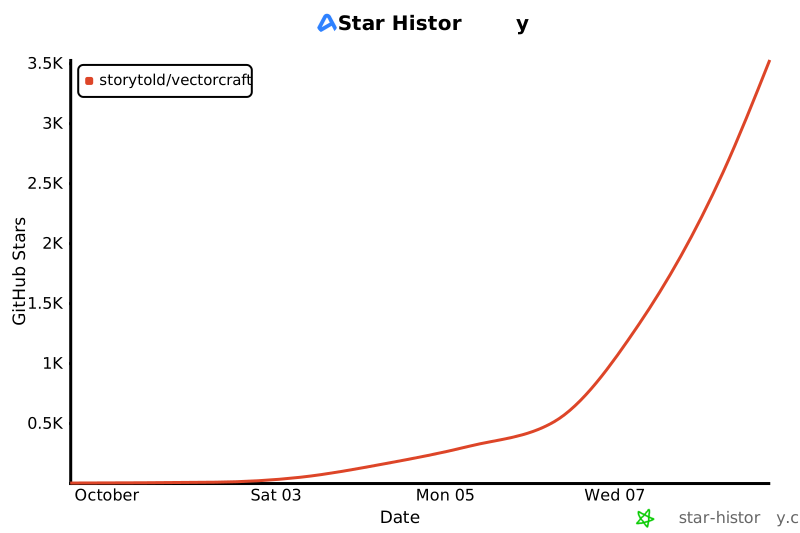](https://www.star-history.com/?repos=storytold%2Fvectorcraft&type=date&legend=top-left)
## License and credits
VectorCraft is dual-licensed under [MIT](LICENSE-MIT) or [Apache-2.0](LICENSE-APACHE), at your option.
@@ -247,8 +343,8 @@ Copyright (c) 2026 ArtCraft Team and the VectorCraft contributors. Required noti
Bundled fonts, icons, images and other assets keep their own open licenses; each one is listed
with its author, source and license in [ASSETS.md](ASSETS.md). Release builds also embed the
Japanese fonts of [craft-fonts](https://github.com/storytold/craft-fonts/blob/main/ATTRIBUTION.md)
(SIL Open Font License 1.1).
fonts of [craft-fonts](https://github.com/storytold/craft-fonts/blob/main/ATTRIBUTION.md) (Japanese,
Simplified Chinese and Arabic faces; SIL Open Font License 1.1).
The app icon (an engraved dragon on VectorCraft red, `#e8573f`) is the owner's original artwork; its
palette and files are in [`assets/app-icon/`](assets/app-icon/README.md).
VectorCraft is a clean-room, open-source, pure-Rust reimplementation of the Adobe Illustrator workflow. It runs on macOS, Windows, Linux and the web (WASM), and agents can drive it fully over a JSON control channel and MCP.
- UI.5: Shared docking adds tab reordering, docking into other groups, dock splits and resizable floating panel groups. Panel positions and return locations persist with workspaces; the native icon rail and Tools panel remain available.
This file tracks **how far we are and what's left**. Time estimates are wall-clock hours of continuous Claude Opus 5.5 agent work (including builds and the CI gate), given both for **one agent** and for **4–6 parallel agents** on disjoint crates. They are counted from the remaining work (see [Parity estimate](#parity-estimate)), calibrated against measured throughput, and updated as work lands.
- UI.4: Dock and floating-panel headers use shared accessible tabs with bounded overflow. Widget-state theme application uses `craft-ui`; all four palettes, font stacks and preferences remain app-owned.
_Last updated: 2026-10-07 (after M4.14–M4.98, M8.1–M8.20, M14.4–M14.7 and the MCP prompts, resource templates, completions and logging; see [Honest assessment](#honest-assessment-2026-10-05))._
**Stage: alpha** · next: beta, ~13 points (ready for real work ~62% → ~75%, and reliable `.ai` exchange) and ~170–270 h away
## Where we are
> **Last reviewed:** 2026-10-10 · **Last updated:** 2026-10-13 · **Change:** minor (community PRs and fixes of late 2026-10-12: type that does not fit its frame is reported, #1471; Tabs panel drags, #1458; template layers in Outline view, #1486; dialog slider rails, #1483; Direct Selection anchor precedence, #1508; print-size images, #1517; French catalog complete again, #1511; headline numbers unchanged; Image Trace colour and photo presets, measured in `docs/image-trace-quality.md`, headline numbers unchanged; community PRs and fixes of 2026-10-12: Split Into Grid options, #1462; Transform Objects and Reflect across an angle, #1448 and #1460; Pathfinder on a group, #1450; unknown parameter keys refused, #1442; grayscale TIFFs with alpha, #1466 in part; many-object edits, #1429 in part; headline numbers unchanged; Image Trace places edges to a fraction of a pixel, measured in `docs/image-trace-quality.md`, headline numbers unchanged; Transform dialogs preview and the transform tools act on direct-selected anchors, #1412 and #1408; `.ai` compound path paint, #1410, overprint, #1388, and text-only PDF parts, #1387; community PRs: strokes wider than their shape, corner drags without the bounding box, pasted pictures, compound paths in `document.inspect`, MCP guide; headline numbers unchanged; community PRs: `.ai` editing-data follow-ups (gradient stops, type of objects with an appearance, short area-type frames), PDF bleed with editing data, dialog keyboard focus, art flush with an artboard, font rescan, symbol instance redraw, `--control` port check; headline numbers unchanged; Rectangular Grid and Polar Grid tool options, #1377 in part; `.ai` files with placed (linked) pictures open from their editing data, #1264; community PRs: `.ai` and PDF bleed and editing-data import, gradient shapes imported as paths, ruler origin, Align To, Live Corners corner selection; headline numbers unchanged; G2: Film Grain added; Photoshop effects 29/57; 28 filters remain; community PRs: graph designs, Graph Data worksheet and Graph Type options; Align both centres; Pen endpoint fixes; earlier: Effect › Brush Strokes landed: Photoshop-style filters 28 of 57, raster effects 40% → 48%; `.ai` gradients, meshes and artboard names from the editing data; headline numbers unchanged; `.ai` art styles and clipping fills from the editing data; headline numbers unchanged; `editingData: "always"`; headline numbers unchanged) · **Target:** Adobe Illustrator 2026 (30.x)
| Feature surface vs full Illustrator (weighted, see below) | **~75%** on the rubric · **69–75%** honest range (self-graded, see [Honest assessment](#honest-assessment-2026-10-05)) |
| Parity including interaction fidelity and hardening ("a power user can't tell the difference, but faster") | **~40–55%** |
| Time to **feature parity** (every menu item, tool, panel, effect and dialog functional) | **~210–330 h** one agent · **~55–95 h** with 4–6 agents |
| Time to **full parity** (feature parity + interaction-fidelity pass + hardening) | **~320–500 h** one agent · **~80–145 h** with 4–6 agents |
VectorCraft is a clean-room, open-source, pure-Rust reimplementation of the Adobe Illustrator workflow. It runs
on macOS, Windows, Linux, FreeBSD and the web (WASM), and agents can drive all of it over MCP, the CLI and a JSON
control channel. This page is the summary; the evidence is in [`docs/target-app-parity.md`](docs/target-app-parity.md)
and the work list in [`docs/gaps.md`](docs/gaps.md).
## Honest assessment (2026-10-05)
**Why alpha:** the core workflows exist end to end (drawing and path editing, Pathfinder, paint and appearance,
type, SVG/PDF/EPS, print, export) and feature depth is ~75%, but a professional can't yet switch: Illustrator's
own `.ai` files open with a wrong layer structure in real cases and can't be saved back with Illustrator's
editing data, the interaction details have never been checked side by side, and some machines fail to start the
app. Beta needs those closed (the beta list in [gaps.md](docs/gaps.md)). It passes the core-workflow
gate: all six core workflows (path drawing and editing, paint and style, type, layers/artboards/export, print
production, file exchange) work end to end on macOS with save and reopen, and only the last is partial, without
blocking it ([Alpha gate](docs/roadmap.md#alpha-gate)).
**In one line:** about two-thirds to three-quarters of Illustrator's features exist and work, and for everyday
vector illustration (drawing, paths, paint and appearance, SVG/PDF/print) VectorCraft is close to usable. Measured
against "a power user can't tell the difference", it is closer to 40–55%. What stands between here and "anyone can
switch" is a handful of large subsystems plus a fidelity pass, not a long tail of small fixes.
## Headline numbers
**How much to trust the numbers:** area scores are graded by the agents that built the features, from behaviour docs
(`plan/illustrator/`) and tests, not by side-by-side use of Illustrator. Treat them as upper bounds. Look & feel is
the only dimension measured against the reference app. Performance budgets haven't been re-run on an idle machine
since 2026-10-01.
### By dimension
| Dimension | Estimate | Evidence and what's missing |
| | Value | Kind |
|---|---|---|
| **Breadth:**menus, tools and panels exist | ~90% | 16 menu items still stubbed; every tool implemented except Touch Type; 51 panel modules |
| **Depth:**each feature behaves like Illustrator | ~69–75% | Strong: paint, appearance and colour (M3), Pathfinder and booleans, selection, drawing, files (M4). Weak: advanced type (~45%), brushes and symbols (in progress), raster effects (~20%) |
| **Large missing subsystems** | 0–20% | 3D & Materials (0%), Photoshop-style raster effects and the Effect Gallery (~1 of ~56 filters), SVG Filters, CJK composition (vertical type with kinsoku and tate-chu-yoko; ruby, mojikumi and vertical metrics open), Variables (data merge), scripting |
| **Interaction fidelity:**modifiers, cursors, small behaviours | ~30–40% | The dedicated pass hasn't started, and there has been no side-by-side session with Illustrator yet. A power user notices this first |
| **Look & feel** | ~75–80% | Measured against Illustrator 2026 screenshots (2026-10-02); the panels added since haven't been re-measured |
| **File interop** | ~85% | SVG/SVGZ, PDF and PDF-compatible `.ai`, EPS, DXF, EMF/WMF, raster formats, PSD export, Place and Links, Package, Print, clipboard flavours. Native `.ai` private data is out of scope by design; DWG has no open spec |
| **Bundled content:** brush, symbol, style and swatch libraries | ~30% | Ours are original and generated in code, and far fewer than Illustrator ships; brush and symbol libraries are still missing |
| **Performance** | unverified | Multithreaded, off-thread rendering and caches are in place. The last budget run (2026-10-01, loaded machine) measured 290 ms for a 50k-path fit against a 16 ms budget. Re-run `vectorcraft-cli perf` on an idle machine |
| **Robustness** | good, new | ~2,840 tests, property tests, no panics in shipped code (lints, the `guard` safety net, import fuzzing), Data Recovery. Missing: a corpus of real-world files, Windows/Linux/browser QA |
| **Platforms and 1.0 polish** | ~60% | The macOS app and the web build work; Windows/Linux packaging and accessibility are pending |
| **Agent automation** | beyond Illustrator | Every command, gesture and dialog is drivable over MCP, the CLI and the control channel |
| **Feature breadth**(Illustrator's menu items, tools, effects, formats exist) | **~88%** | measured in part: menu items 348/375 wired (92.8%), tools 89/92, Illustrator effects 44/50, Photoshop effects 29/57, 3D 4/4 (initial types, no materials) |
| **Feature depth**(weighted by use, scored by behaviour) | **~75%** | estimated |
| **To beta** | **~170–270 h** one agent · ~50–80 h with 4–6 agents | estimated |
| **To full parity**| **~360–590 h** one agent · ~95–165 h with 4–6 agents | estimated |
### Where we're lacking (in priority order)
**Readiness by audience** (all estimated; method in [target-app-parity.md](docs/target-app-parity.md#ready-for-real-work)):
Ordered by how much each gap blocks someone from switching. Sizes are one-agent hours from the parity table.
| Audience | Ready % | Opus 5.5 agent hours to ~95% (one agent) | With 4–6 agents | Work that dominates |
|---|---:|---:|---:|---|
| **Full Illustrator** (ready for real work; decides the stage) | **~62%** (57–67%) | **~340–560 h** | ~95–160 h | the mainstream work below, plus 3D (50–85 h), raster effects (23–39 h), advanced type (20–28 h), generative AI (30–60 h), localization (55–90 h) and ecosystem |
| **Mainstream illustrator** | **~65%** (60–70%) | **~230–380 h** | ~65–110 h | the interaction-fidelity pass (60–90 h), hardening and QA (30–50 h), stability (20–35 h), performance budgets (15–25 h), `.ai` exchange (10–20 h), the remaining depth of the everyday areas |
| **Essentials user** | **~75%** (70–80%) | **~60–105 h** | ~25–45 h | launch and stability on Windows (20–35 h), in-app help and onboarding (8–15 h), basic QA (10–15 h), Shape Builder regions (4–8 h), UI polish |
1.**Interaction fidelity:** go tool by tool and panel by panel against `plan/illustrator/05-tools.md`,
`06-panels.md` and `09-shortcuts.md`, covering modifier keys, cursors, the Properties panel per context and
isolation mode. Do it side by side with Illustrator where the owner allows. 60–90 h.
2.**Photoshop-style raster effects and the Effect Gallery:** about 55 filters (Artistic, Brush Strokes, Distort,
Pixelate, Sketch, Stylize, Texture, Video) on the raster pipeline that drop shadows already use, applied at
Document Raster Effects Settings resolution. Parallelizes well across agents. 28–42 h.
3.**3D and Materials:** Extrude & Bevel, Revolve, Inflate and Rotate with lighting and materials, using a software
renderer in its own crate (layering allows it below L6), with output in SVG/PDF as rasters or projected vectors.
The largest single gap. 50–80 h.
4.**Advanced type:** CJK composition for vertical type (ruby, mojikumi, vertical font metrics, manual
tate-chu-yoko), Optical Margin Alignment, the composer/hyphenation options, tab leaders, a
spell-check dictionary (open licence), Touch Type and Snap to Glyph. Vertical point, area and path type have
initial support. 35–48 h across type core and advanced.
5.**Brushes, symbols and libraries:** brush options depth; original brush, symbol and graphic-style libraries
generated in code (never Adobe's); dynamic symbols; Start Global Edit. 14–22 h.
6.**Automation:** Variables (data merge), a scripting surface over the command registry, batch. 8–12 h.
7.**Views and windows:** multiple windows and arrange, Consolidate All Windows, video
rulers. 15–25 h.
8.**Hardening at scale:** a corpus of real-world SVG/PDF/EPS files, idle-machine perf budgets, Windows, Linux and
browser QA, accessibility, packaging. 50–80 h.
Hours are Opus 5.5 agent wall-clock hours, calibrated from this repo's merged-PR timestamps (e.g. 0.7–1.2 h per
Photoshop-style filter, ~0.8 h per medium feature); see [calibration](docs/target-app-parity.md#calibration).
The installed Illustrator was **not** inspected: the clean-room rule in [`AGENTS.md`](AGENTS.md) forbids it, so
everything is measured from our code against Illustrator's public documentation.
### Where we're going
## By dimension
- **Next:** start the interaction-fidelity pass (1) in parallel with the raster-effects package (2). Both are broad,
so they split well across agents, and they move the "can't tell the difference" number most.
- **Then:** 3D (3) and advanced type (4), each a focused milestone with its own plan in `plan/` before coding.
- **Alongside:** keep closing the stubbed menu items. Run `vectorcraft-cli perf` on an idle machine, and fix any
budget it misses before 1.0.
- **1.0:** feature parity plus the fidelity pass, hardening (8) and packaging for all three desktop OSes and the web.
| Dimension | % | One agent (h) | Doc |
|---|---:|---:|---|
| Features (depth) | 75% | 220–360 | [target-app-parity.md](docs/target-app-parity.md) |
**For agents:** pick work from the list above (or the milestone rows below), and write a task plan before coding.
When a task lands, update this section, the parity table and "Shipped so far" in the same PR. Keep the scores honest:
grade by behaviour against `plan/illustrator/`, not by whether a menu item exists.
The dimension hours overlap (feature rows hold some UI, format and AI work), so they don't add up to the total.
## Shipped so far
- **Architecture:** 19+ crates with enforced layering (`cargo xtask layers`). Every action is a command (~400 engine + ~50 UI). Undo is unlimited via structural sharing. `command.batch` runs several commands as one transaction.
- **Automation:**
- Actions panel (record/playback, persisted), generic parameter dialogs for every "…" command.
- JSON-lines control channel with real egui pointer and keyboard injection.
- MCP server with 25 tools (drawing, text, effects, Pathfinder, transforms, graphs, text wrap, export, screenshots, any command), attached to the running app or headless.
- MCP protocol: five prompts (`prompts/list` / `prompts/get`: poster, icon set, recolour, trace-and-style, export set), `completion/complete` for prompt arguments and template variables read from the live catalogues (formats, effect ids, command ids, trace presets, swatch and object ids), four resource templates (`vectorcraft://object/{id}`, `//command/{id}`, `//effect/{id}`, `//swatch/{name}`) so an agent reads one thing instead of the whole document, and `logging/setLevel` with `notifications/message`. `docs/mcp.md` has a Protocol section covering the capability table and what is deliberately absent (subscriptions, progress, cancellation, sampling, elicitation, Streamable HTTP — all of which need the transport to interleave reads).
- Actions panel that records and plays back commands.
- **UI:** Illustrator 2026 layout restyled to measured values:
- Medium Dark theme, categorized and Advanced toolbars, 35 pt document tabs, 33 pt panel tabs.
- Hint bar, contextual task bar, 19 dock panels with ≡ menus.
- Localised UI: menus (in-window and native), panels, dialogs, toolbar and Preferences read from per-language catalogs (`crates/ui-egui/src/i18n`, see `docs/development.md`); Traditional Chinese (Taiwan) ships complete, Czech covers every menu label and Japanese the main menus, with system-locale detection on macOS, Windows and Linux, a VectorCraft ▸ Language menu and a Language preference.
- Native macOS menu bar, vector tool cursors, a ⌘K command palette, middle-button panning with any tool.
- A canvas context menu: right-click selects the object under the pointer and lists what applies to the selection (Undo/Redo, clipboard, group, isolation, join, masks, compound paths, guides, Transform, Arrange, Select, Export Selection), or the view commands on empty canvas.
- Save / Don't Save / Cancel before closing or quitting with unsaved documents (tabs, Close, Close All, Quit, window close).
- Four brightness themes, persistent preferences.
- On Windows and Linux the app bar is the window's title bar (its own minimize, maximize and close buttons, drag to move, edges to resize), with the dragon app icon as the brand mark; dialogs and menus size to their content.
- **Shapes:** all shape tools (including Flare) and the line, arc, spiral and grid tools.
- **Cutting:** Eraser, Scissors, Knife, Mirror & Cut, Line Cut and Rectangle Cut (real geometry, compound paths keep their holes).
- **Transform:** Rotate, Reflect, Scale, Shear (click or Alt-click snaps the reference point to anchors and centres), Reshape, Free Transform (distort/perspective).
- **Live Corners:** drag a live rectangle's corner widgets (Selection or Direct Selection) to round all corners, with a radius readout.
- **Graphs:** Column, Stacked Column, Bar, Stacked Bar, Line, Area, Scatter, Pie and Radar graph tools with Graph Data and Graph Type.
- Live effects with previewing dialogs: Distort & Transform, Path, Convert to Shape, 15 Warp styles, Round Corners, Scribble, Effect → Pathfinder (all 10 operations, live on groups), Color Adjustments (Brightness/Contrast, Curves, Levels, Hue/Saturation, Shift to Color, Temperature/Tint, on vectors, live type and embedded images), and raster drop shadow, glows and feather. SVG and PDF export keep live effects (geometry baked; SVG raster effects as filters).
- **Type:** Text Wrap, Type on a Path effects (Rainbow/Skew/3D Ribbon/Stair Step/Gravity), Character and Paragraph Styles (override-preserving redefine), Area Type Options (rows/columns/inset/first baseline), threaded text across any closed shapes, Fit Headline.
- **Interface languages, vertical type:** VectorCraft ▸ Language (or Preferences ▸ User Interface) picks Automatic (the system locale) or a registered language, persisted as `interfaceLanguage`. Translations come from per-language catalogs (`i18n/*.tsv`): Traditional Chinese covers the whole interface, Czech every menu label (tested) and Japanese the main menus; untranslated text stays English. Japanese and Chinese glyphs come from the craft-fonts build input (release builds) or the installed fonts, Czech ones from the bundled UI fonts. Vertical Type, Vertical Area Type and Vertical Type on a Path create vertical text (columns right to left, upright CJK glyphs and marks with `vert` alternates, Latin and longer numbers on their side, two- and three-digit numbers set as tate-chu-yoko, upright glyphs centred on the column, point type's anchor on the first column's centre line); kinsoku (the strict set) applies to horizontal and vertical Japanese; Type ▸ Type Orientation switches existing text; caret, selection, hit testing and arrow keys follow the writing direction. Vertical text exports to PDF as real text and to SVG as outlines.
- **Transparency:** opacity masks (clip/invert/disable/link), exported as SVG `<mask>` and PDF soft masks.
- **Advanced art:** live Blends (steps/distance/smooth colour, editable spine, anchor-targeted Blend tool, faithful interpolation, knockout), Envelope Distort (warp/mesh/top object, Reset, full Envelope Options, mesh handles, Edit Contents; type, images, symbols, gradients, patterns and appearance distorted everywhere), Liquify tools with options and pen pressure, Puppet Warp with rotating pins, Perspective Grid with presets, movable planes and projected type, Gradient Mesh, Shape Builder, Live Paint (every path an edge, open lines included), Image Trace (12 presets), pattern swatches with pattern editing mode, live Repeat (radial/grid/mirror).
- **Paint and appearance (M3):**
- **Swatches:** names follow the colour model and are unique; Swatch Options (process/spot, Global, Gray/RGB/HSB/CMYK/Web, live preview); editing a global or spot swatch recolours every linked fill, stroke and text run in one undo step; multi-select and delete with confirmation; New Swatch and New Color Group dialogs (a group from the selected artwork's colours); swatches in colour groups convert, separate and count like any other. The Swatches panel selects ranges and whole groups, has a find field, and drags swatches to reorder, regroup or paint art; Add Used Colors, Select All Unused, Merge, Ungroup and Sort by Kind; a CMYK document keeps applied colours in CMYK. Swatch libraries: nine generated colour libraries and five gradient libraries in a library panel, saved and loaded as `.vcswatches`, `.gpl` or CSS. Tints of global and spot colours ("Name 40%") stay linked and separate as a percentage of their plate. Spot colours can be defined in Lab (Spot Colors options). A built-in [Registration] swatch prints on every plate.
- **Colour:** a Color Picker (colour field, H/S/B/R/G/B channel slider, HSB/RGB/Lab/CMYK fields, hex, web-only snapping, out-of-gamut correction); the Color panel follows each colour's own model and Alt-click paints the other proxy; proxies look through groups and show "?" for mixed paint; Invert, Complement, Apply Last Color (`,`) and Apply Last Gradient (`.`) keep the colour model; every paint command feeds the recent colours. The Color Guide has 21 harmony rules, Steps and Variation options and Limit to Library. Adjust Color Balance (its Global mode shifts tints) and Saturate preview live; Edit Colors and Recolor also reach meshes, images and patterns. Recolor Artwork has colour reduction, five recolour methods, presets, Limit to Library, a colour-wheel Edit tab and Edit Color Group; a local Color Themes panel saves five-colour themes. Fill/Stroke chips open swatch and mixer popovers, panels have their shortcuts, and Eyedropper Options pick up and apply chosen attributes (Alt and Shift+Alt, image pixels). Fills and strokes can overprint (Attributes panel, Overprint Black options), and CMYK documents blend in inks on screen, in PDF and when flattening.
- **Gradients:** lossless, validated gradient params; gradients follow rotate, reflect, shear, non-uniform scale and distortions; the Gradient tool edits the fill or stroke of the active proxy, type included; an interactive on-canvas annotator (move, length/angle, rotate, add/move/delete/duplicate stops, midpoints, a stop popover, Delete and arrow keys). The Gradient panel has the Fill/Stroke proxy, a gradient-swatch dropdown with Save to Swatches, midpoint locations, Alt-drag to copy or swap stops, swatch drops on the ramp and a stop eyedropper; copied appearances and graphic styles place gradients on each target's own bounds; gradient handles snap and honour Constrain Angle. Gradient stops stay linked to global and spot swatches. Freeform gradients (points and lines) are edited on the canvas; radial gradients have an extent ellipse, an aspect handle and an off-centre focal point (SVG `fx`/`fy`, PDF two-point radials). A stroke's gradient runs within, along or across it. Object ▸ Expand turns gradients into N objects or a gradient mesh.
- **Strokes:** one stroke-geometry module shared by the canvas, SVG, PDF and Outline Stroke; dotted lines (zero-length dashes draw dots or squares); arrowheads with hollow outlines, tip-on-end or extend-past-end alignment and one opacity for line and head. SVG and PDF export arrowheads, width profiles, brushes and aligned strokes exactly as the canvas draws them; Outline Stroke and the live Outline Stroke effect outline every stroke item as drawn (dashes, heads, profiles, alignment); dashes can be fitted to corners and path ends; width profiles carry through dashes, and their corners take the join. The Stroke panel edits type's character strokes, follows the stroke units, shows mixed values blank and opens from the Control bar. A width profile library, thirty more arrowheads, and Width Point Edit with multi-select and discontinuous points. Visual bounds and clicks cover the whole painted stroke. Scale Strokes & Effects, Scale Corners and Use Preview Bounds work everywhere, and new art inherits stroke options, a graphic style or the whole last appearance.
- **Appearance:** the Appearance panel's selected row drives every paint, stroke, gradient and transparency edit (`item` on the commands); effects apply to one fill or stroke; per-item Opacity popups; Mixed Appearances, Layers target dots and basic-appearance rules. Effects can be reordered, moved between items and copied by dragging; Show All Hidden Attributes; clicking an effect edits it in place; the object thumbnail drags onto art; effects render on type, images, symbols, blends, envelopes, meshes and repeats, and per-item raster effects export. Groups, layers and type have their own fills, strokes and effects (Contents and Characters rows); the Layers panel's target circles target layers, groups and objects; Expand Appearance turns fills, strokes, effects and brushes into objects.
- **Masks and clipping:** opacity-mask controls work while the mask is being edited; transparency commands take ids and work without a selection; clipping sets clip by compound paths, even-odd paths, text and groups on screen and in raster export, matching SVG/PDF. Alt-click shows only the mask; SVG masks keep Clip and Invert; the transparency grid is per-document state; a clipping path's own fill and stroke paint behind and over the clipped art; layers can be clipping masks.
- **Transparency:** three-state Knockout Group (on, neutral, off), Opacity & Mask Define Knockout Shape, Page Isolated Blending and Page Knockout Group, on screen and in SVG/PDF. Blend modes match the standard formulas on screen, in SVG and in PDF, and non-isolated groups blend with the art below. Flatten Transparency with presets, a dialog and a Flattener Preview panel.
- **Graphic styles:** styles keep opacity and blend mode, capture groups and type, apply on top with Alt, and link to the objects using them; Redefine, Break Link, Graphic Style Options, Select All Unused, Sort by Name, and Select > Same Graphic Style / Appearance Attribute. The panel has list and thumbnail views with rendered previews, merge, reorder and drag and drop, plus a Control bar Style picker; six generated style libraries save and load as `.vcstyles`.
- **Neutral wording:** labels, MCP tool text, docs and packaging use neutral names, and `cargo xtask brands` (part of `cargo xtask ci`) fails on vendor names.
- **Colour, type and file workflows:** Recolor Artwork (dialog with harmonies), Edit Colors, Find & Replace, Change Case, Smart Punctuation, Guides, Lock/Hide Above, Transform Each, Rasterize.
- **Fonts:** a font is found by any of its names (family and style in every language of its name table, legacy family/style pairs, PostScript name), so documents from other apps open with the font they name; Find Font and `text.fonts` say for each font whether it was found exactly, by another name, substituted or missing, and how many glyphs are missing.
- **Files (M4):**
-`.vectorcraft` (lossless JSON, compressed, atomic saves, save down to v1), Save As with a format chooser, Save a Copy, Revert, templates, Data Recovery after a crash, background save and export.
- SVG/SVGZ in and out with SVG Options, Preserve Editing, symbols, filters, rich text and physical units; PDF and PDF-compatible `.ai` in and out (layers, masks, editable text, spot colours, presets, security, marks and bleed, ICC output intents, raster effects, subset fonts, PDF/X, PDF layers, overprint, page thumbnails, fast web view, PDF 1.3).
- EPS and DXF in and out, EMF/WMF in and out; PNG (with PNG-8), JPEG, WebP, GIF, TIFF, BMP, Targa and layered PSD export.
- Place and the Links panel, Package, File Info, Print with print presets, PostScript output and print tiling, slices and Save for Web, Export for Screens and Asset Export, CSS Properties, PNG/PDF/SVG/text clipboard flavours.
- **Performance:** 20k shapes + 1k texts render in 27 ms per full-retina frame (7.8 ms zoomed), 7× faster than the first version. The UI thread never blocks. The web build is 7.1 MB gzipped.
- **Tests and robustness:** ~2,840 automated tests: model-based property tests, a junk-parameter sweep over every command, import fuzzing (SVG, PDF, libraries), golden renders, and MCP end-to-end tests over stdio. Shipped code never panics (workspace lints and a rollback safety net; see `docs/development.md`).
| # | Milestone | Status | Est. remaining, one agent (h) |
|---|---|---|---|
| M0 | Skeleton + vertical slice | ✅ done | — |
| M1 | Selection, transform, layers, MCP | ✅ mostly done (transform reference point snaps to anchors/centres; rotated objects keep a rotated bounding box and their angle; Free Transform, Scale and Reflect along a rotated box pending) | 4–6 |
| M3 | Paint & appearance (swatches, color, gradient, stroke, appearance, transparency, styles) | ✅ done (M3.7–M3.98): swatches, groups, libraries, tints, Lab spots and Registration; Color Picker, Color panel, Color Guide, Color Themes, Edit Colors and Recolor Artwork; gradients that follow every transform, the annotator, linked stops, freeform gradients, focal points, gradients on strokes and Expand; stroke geometry, arrowheads, dashes fitted to corners, stroke on type, width profiles and the Width tool, Scale Strokes and preview bounds; Appearance targeting, container appearance, target circles, Expand Appearance; knockout, isolation, blend accuracy, CMYK blending, overprint, Attributes, masks and clipping, Flatten Transparency; graphic styles, links and libraries. Left: freeform and mixed spot/process gradients export as stops or process colours to SVG/PDF; confirm the Scale Strokes & Effects default | 4–8 |
| M4 | Files (native, SVG, PDF, raster, Export for Screens, clipboard interop) | ✅ done (M4.14–M4.98 on 2026-10-05): Save As/Save a Copy/Revert/templates, Data Recovery and background save, SVG import and export fidelity (units, text, symbols, filters, SVGZ, Preserve Editing, SVG Options), PDF import (colours, layers, masks, editable text, security) and export (presets, marks, bleed, ICC and output intent, raster effects, subset fonts, PDF/X-1a, X-3 and X-4, PDF layers, overprint, page thumbnails, fast web view, PDF 1.3), Place and Links, Package, EPS and DXF in and out, EMF/WMF, TIFF/BMP/Targa/PSD/GIF/PNG-8 export, Print and print presets, slices, Save for Web, Asset Export, clipboard flavours, File Info. Left: DWG (use DXF), PSD placement as layers, overprint read back from PDF, polish | 3–6 |
| M5 | Performance | 🟡 background render + caches + MT done; `vectorcraft-cli bench` and `vectorcraft-cli perf` (budget suite); file format v2 opens 3× faster (50k paths: 722 → 244 ms); raster effects (glows, shadows, blur, feather) no longer force the whole frame single-threaded (filtered offscreen per effect, verified equal to the single-threaded reference); effect-heavy demos need a clean-machine benchmark; dirty-region rendering, GPU backend spike pending | 15–25 |
| M6 | Path operations (Pathfinder, Shape Builder, offset…) | ✅ mostly done (Boolean precision on almost-horizontal edges fixed and the property tests made deterministic; Shape Builder edge erase, large-offset bug open) | 3–6 |
| M7 | Type (point/area/path, editing, styles, OpenType, threading, glyphs) | 🟡 Character/Paragraph Styles, Area Type Options, threaded text, Fit Headline, Glyphs, OpenType panel, Find Font, installed system fonts in every font menu (searchable) and found by name on open/import, CJK names in the UI, input methods (marked text in place, candidate window at the caret; Japanese IME), Text Wrap (offset, invert, both sides of an object; follows edits), Type on a Path effects, tab stops + Tabs panel done; tab leaders, spell check, vertical type pending | 45–60 |
| M8 | Transform & distort (Puppet Warp, Liquify tools, Envelopes, Blends, Perspective Grid) | ✅ done (M8.1–M8.20 on 2026-10-06, fidelity pass): Liquify Tool Options with one shared brush, pen pressure, hold-to-apply, a safe scope and incremental strokes; tool options that last; Puppet Warp rotation, multi-select, Control bar and a rest-shape session that follows Undo; Width tool on compound paths; Envelope dialogs with preview, Reset with Warp/Mesh, full Envelope Options, type/images/symbols/appearance/gradients/patterns distorted on canvas and in every export, warps that keep their frame, Edit Contents, mesh handles and Control bar; Blend Options, anchor-targeted Blend tool, editable spine, keys picked on the canvas, faithful interpolation and knockout; Perspective Grid with Define Grid, presets, lock/snap/rulers, widgets, the 1–4 plane switch, movable planes, Perspective Selection scale/copy/perpendicular/Transform Again, and type and symbols truly projected with Edit Text. Left: Anti-Alias and Preserve Shape output, warp-envelope point editing, brush interpolation in blends, Free Transform/Scale/Reflect along a rotated box | 2–4 |
| M9 | Live effects (+ 3D & Materials) | 🟡 2D effects done incl. Effect → Pathfinder and Color Adjustments; SVG Filters, Document Raster Effects Settings, 3D pending | 86–135 |
| M14 | 1.0 polish (preferences, shortcut editor, workspaces, accessibility, packaging for all OSes) | 🟡 Preferences, shortcut editor, workspaces, a custom title bar on Windows/Linux with a Home button, content-sized dialogs and menus that scroll when longer than the window done; accessibility, Windows/Linux packaging pending | 18–28 |
| | **Total to full parity** (one agent; re-derived from the [Parity estimate](#parity-estimate) table) | | **~320–500** |
Weights, evidence and the missing items per area: [target-app-parity.md](docs/target-app-parity.md#feature-areas).
## Parity estimate
## Languages
_Method (2026-10-02; M3 rows re-derived 2026-10-04, file, export, print, links and UI-chrome rows after M4 on 2026-10-05):_ Illustrator's feature surface is split into 22 areas, weighted by how much of the app (and of
real users' work) each represents. Each area is scored by depth of behaviour, not by presence of a menu item: an area
is 100% only when every feature in it behaves like Illustrator. Feature parity = Σ weight × score / Σ weight. Remaining
time is counted per area from what is missing, calibrated on measured throughput: in the last session one agent landed
about 20 medium features (Text Wrap, Graphs, Effect → Pathfinder, export baking…) in ~16 h wall clock including builds
and CI on a heavily loaded machine — about 0.8 h per medium feature; large subsystems (3D, raster filters, vertical type)
are counted bottom-up. The M3 rows (colour, strokes, appearance) come from a detailed 92-task M3 plan whose review
found more missing depth than the first estimate; all 92 tasks landed on 2026-10-04 and 2026-10-05 with 6–8 agents in parallel; its packages, planned at 5–11 h each, took
about 1–1.5 agent-hours each, so the other rows (estimated on the older scale) are likely high.
| Language | Code | Status | Translated |
|---|---|---|---:|
| English | `en` | full | 100% |
| Simplified Chinese | `zh-hans` | partial (messages in English) | 85% |
| Type advanced | 4 | 48% | CJK composition for vertical type (ruby, mojikumi, vertical metrics, manual tate-chu-yoko), tab leaders, spell check (open dictionary), Touch Type, Retype; vertical point/area/path type and Type Orientation have initial support | 20–28 |
| Symbols, blends, envelopes, Repeat, perspective | 5 | 88% | symbol libraries (original), dynamic symbols, envelope Anti-Alias/Preserve Shape output and warp point editing, brush interpolation in blends (M8 fidelity pass done) | 5–8 |
- **Speed:** off-thread multithreaded rendering, instant startup, a responsive UI on huge files.
- **Robustness:** exact curve booleans (no "cannot perform operation"), property-tested undo/redo and file round trips.
- **Openness:** a documented native format, first-class SVG, and the same app in the browser.
- **Automation:** every command, gesture, dialog and widget is drivable by agents (JSON channel + MCP), with headless batch mode.
| Date | What landed |
|---|---|
| 2026-10-13 | Image Trace's colour presets trace flat art with its own colours however many are asked for (noise no longer shatters it: 16 Colors 70 → 4 paths on the harness's flat art; no slivers of in-between colour along anti-aliased edges), and the photo presets trace a photo into smooth tones without specks or hairlines (High Fidelity Photo 3,653 → 121 paths, colour error 2.30 → 1.75; 16 megapixels traced where 4 were refused) ([`docs/image-trace-quality.md`](docs/image-trace-quality.md)). |
| 2026-10-13 | Image Trace traces anti-aliased and blurred images to a fraction of a pixel in Black and White, Grayscale and Color, with corners put back, straight edges as lines and round outlines as circles; a harness measures every preset before and after ([`docs/image-trace-quality.md`](docs/image-trace-quality.md)): outlines 0.31 → 0.09 px off on average (Default), 0.27 → 0.06 (Black and White Logo). |
| 2026-10-13 | Effect › 3D and Materials: Inflate takes Twist, Taper and Cap (Hollow leaves the back open), as the 3D docs list for every type. |
| 2026-10-12 | Effect › 3D and Materials: Extrude & Bevel (depth, twist, taper, solid or hollow caps, five bevel shapes with repeat, spacing, inside and both sides), Inflate (volume, both sides) and Rotate, with Position presets and the rotation and light gizmos; live, exported as vector faces, expandable (#1407). |
| 2026-10-12 | `convert --editing-data` (`editingData: "always"`) opens a `.ai` from its editing data even where its page, which can be older, draws differently, with a note. |
| 2026-10-12 | `.ai` import reads an object's art style (a fill and a stroke, variable widths too, with an Outer Glow or Drop Shadow) as its own appearance, paints a clipping path's own fill under what it clips and keeps a group's transparency as its PDF part draws them. |
| 2026-10-12 | `.ai` import reads gradients with their matrix (radials and skew too), focal point and stop order, gradient meshes and the artboards' names from the editing data. |
| 2026-10-12 | The Rectangular Grid and Polar Grid tools take their options: a click opens the size, the divider counts with a skew slider each, Use Outside Rectangle As Frame (rectangular) or Create Compound Path From Ellipses (polar) and Fill Grid; the choices stay with the tool, so dragging draws with them, and scripts and agents pass them to `shape.rectangularGrid` and `shape.polarGrid` (#1377, in part). |
| 2026-10-12 | A `.ai` file with placed (linked) pictures opens from its editing data, with its guides, sublayers and hidden objects: each picture is a linked image in its place, showing the low-resolution preview the file keeps until its file is found or relinked (#1264). Scores unchanged. |
| 2026-10-12 | Desktop printing adopts the shared `craft-print` spooler with exact physical sheet sizes. Windows 7 retains its WMI/viewer transport and excludes the shared backend; compatibility CI checks the dependency tree and PE imports. Scores unchanged. |
| 2026-10-12 | Graphs: Object › Graph › Design… and Marker… (designs with a preview, New Design, Rename, Delete Design, Paste Design, Select Unused, and markers drawn with a design or None) (#1092); Graph Data opens as a worksheet with Import Data…, column width and decimals (#1138), and takes Transpose, Switch x/y, `|` line breaks in labels and the pie Legend, Position and Sort options (#1115); Graph Type adds Add Drop Shadow and Add Legend Across Top (#1119), widths past 100%, First Row and First Column in Front, and Draw Filled Lines (#1136); graphs keep their label formatting when drawn again (#1137). Align: a Horizontal & Vertical Align Center button (#1073); Align to Key Object makes the topmost selected object the key (#1221), and the palette's key entry reads Cancel Key Object (#1224). Pen: the nearest end wins over snapping, Alt on the last anchor edits it, and Enter, Escape or a tool switch finish a handle preview as one undo step (#821). Direct Selection: a click on an anchor of an already selected path selects that anchor alone (#1237). Make Compound Path keeps the backmost object's paint, and a selected member reads and changes the compound's fill rule (#1225). Shape Builder and Live Paint no longer turn a line's loose end past a crossing into a piece that runs out and back (#1230). Art moved or duplicated with an artboard follows Transform Pattern Tiles (#1219). A click with the Rectangular Grid tool opens its options dialog (#1169). Commands that change nothing (Lock, Hide, Transform Each, Rearrange Artboards and others) add no undo step (#1233). Saving with missing placed files keeps their relink data, and .ai export honours the chosen artboards (#718). SVG export keeps Unicode data-attribute names, and SVG Options refuses an invalid artboard range (#989). CMYK colours given in percent with a component under 1 keep their scale (#1249). Colour Image Trace keeps close dark tones apart (#1247). macOS: the Save sheet has a Format menu (#1235). The Hand and Zoom tools show drawn cursors on every platform (#1238). Czech: the remaining strings are translated, and Pathfinder's Add reads "Sjednotit" (#1226). MCP: a lost reply reports that the edit may have happened instead of replaying it (#1246); `select.key` checks its id and agents can read the key object (#1222). Tests: the command sweeps and import fuzz tests fail on a panic caught by the engine's guard (#1218), and the envelope export test ignores PDF dates and file IDs (#1220). Effect › Artistic › Film Grain (Grain, Highlight Area, Intensity; Photoshop-style filters 29/57) (#1282), and Craquelure, Mosaic Tiles and Stained Glass redraw 25–30% faster with identical pixels (#1265). Direct Selection: clicking a segment selects only that segment, and Delete removes just it (#1300); Shift-click deselects one anchor of a path selected whole (#1263). Pen + Alt converts anchors of paths inside a selected group or compound path (#1306). The Curvature tool shows circular point markers without direction handles (#1284). Snap to Point: pressing near an anchor drags by that anchor, with Smart Guides on or off (#1313). Transform Again repeats the options of the transform it repeats (#1303). Aligning anchors that are already aligned adds no undo step (#1276), and type commands that change nothing record none either (#1316). Simplify keeps the path selected with its new anchors, and its dialog previews and shows the anchor count (#1305). Adding a stroke colour to an unpainted zero-width stroke gives it a visible 1 pt width (#1256). The Eyedropper samples locked objects, template layers and art outside isolation mode (#1260), and shows a pipette cursor (#1288). Fonts named by their full name resolve to the right face (#1267), and Proportional Metrics brings the matching kerning (`apkn`, `vkrn`, `vapk`) (#1291). Artboards: Escape leaves Artboard editing (#1296), Document Setup's Edit Artboards switches to the Artboard tool (#1294), and the Artboard tool starts on the active artboard (#1309). New and imported documents use the Gridline every and Subdivisions preferences (#1314). Send to Current Layer refuses a hidden or locked current layer (#1301), and layer row commands check explicit ids (#1255). Links: Find in Folder… finds missing linked files in a folder and its subfolders and can copy them into the document's folder (#1287). Image Trace traces images over 64 megapixels scaled down instead of refusing them (#1315). DXF export marks closed curves as closed SPLINE entities (#1320). EPS import: closepath respects the path size limit (#1311). The interface is available in Hungarian (#1302), and more Czech labels are translated (#1259). Linux RPMs declare shared-library capabilities (#1290). CI pins every third-party action to a verified commit (#1321). Select menu commands skip hidden and locked art and stay inside the isolated group in isolation mode (#1325). Fill, stroke, gradient and Appearance panel commands that change nothing add no undLine truncated
| 2026-10-11 | Effect › Brush Strokes: Accented Edges, Angled Strokes, Crosshatch, Dark Strokes, Ink Outlines, Spatter, Sprayed Strokes, Sumi-e (G2). Command parameters from agents and files checked before anything changes (paint, place, cuts, dashes, crop, asset ids, anchors, paths, distort; #984–#999); command dialogs keep whole numbers whole, so Create Object Mosaic takes the tiles typed (#1000); stepper arrows take Shift (×10) and Ctrl/Cmd (÷10) like the arrow keys (#991). Exports and Rasterize supersample Art Optimized edges, so shapes meeting edge to edge leave no seam (#983). Character and paragraph styles take leading, kerning, mojikumi and the other attributes left out at their defaults (#1001). Drawing, typing and pasting with no layer shown and unlocked is refused instead of adding art to a hidden or locked layer (#1002). MCP `add_text` gives type on or in a path the colour asked for (#1003). MCP `screenshot` of a connected app renders the artboard asked for (#1004). `vectorcraft-cli run` ends quietly when its reader closes early (#1005). Select › All on Active Artboard selects on the artboard made active, not always the first (#1006). Reverse Gradient keeps off-centre midpoints, mirrored (#1007). A polar grid with no radial dividers draws none (#1008). Use Precise Cursors also covers the Pen's join pointer (#1009). SVGs with one absolute and one unitless root side import at their size, unstretched (#1010). DXF US survey inches, yards and miles open at their size and name (#1011). A file placed into a document with no other links follows its first change even while the app sits idle (#1031). PDF import keeps the style a font name says when the file doesn't embed the font (#1023). Shift selects ruler guides and art together, and Delete removes both (#1022). Open filled paths are hit by their fill on every side, the rotate cursor bows around the corner it is at, the flip icons match their flips, the Color Picker previews on the selection, and Properties › Transform reaches Scale Corners and Scale Strokes & Effects (#1036). Offset Path and the other booleans finish on outlines where the sweep used to loop until memory ran out (linesweeper 0.5, #1028). Floating panel groups stack into sets that move together, collapse to their tabs and dock as extra dock columns that scroll (#1020). Ruler guides live on layers: listed in the Layers panel, shown, hidden, locked, duplicated, merged and deleted with their layer, and moved between layers (#1021). A `.ai` whose editing data uses global process colours (`Xk`/`XK`) or pattern fills keeps its sublayers: the colours come in as global swatches at their tint, the patterns as pattern swatches (#1025). A `.ai` in PostScript form opens through its layers, read from the program itself, also when it names the prolog defining its operators without including it, as Rhino and other CAD apps write it (#1027). A fill or stroke chosen while the Type tool has characters selected colours just those characters (#1063). Scaled type shows its scaled font size, leading, baseline shift and horizontal scale in the Character panel, and a size typed there is the size you get (#1034). Character panel menu › Proportional Metrics sets Japanese and Chinese full-width glyphs on the font's proportional widths in horizontal type (#966). Align, Distribute, Move, Arrange, Lock, Hide, Ungroup and other Object commands that would change nothing no longer record an undo step or mark the document changed (#1060). Spot colours defined in Lab open with their Lab values from `.ai` and PDF files, instead of as wrong RGB colours or their CMYK equivalents (#1032). Build scripts leave a generated source they wouldn't change untouched, so the next build doesn't compile most of the workspace again where file times lose their sub-second part (#1051). A fill colour recolours the gradient mesh point last clicked with the Mesh tool or Direct Selection, and a Mesh tool click on a mesh's point selects that mesh (#1052). The All Tools drawer stays two tools wide instead of filling a wide window (#1054). Text Wrap's Make, Release and Options refuse a list of object ids with a malformed or unknown id instead of skipping it (#1055). A freeform gradient line with a malformed point index is refused instead of being shortened to the indices that are valid (#1056). The Corners dialog (`ui.corners`) refuses a malformed object id or a listed anchor that isn't a corner instead of editing the selection or the other corners (#1057). New View refuses a centre that isn't exactly [x, y] and a rotation that isn't a number, instead of trimming the one and saving the other as 0° (#1058). The command sweeps try junk scale, spacing and artboard values too, which they had skipped since before those bugs were fixed (#1059). EPS and PostScript `arc` and `arcn` with huge angles no longer hang the import, and an arc whose angles are whole turns apart is empty, as the PostScript reference defines it (#1062). Align and DisLine truncated
| 2026-10-10 | Initial live Revolve (Effect › 3D and Materials, #846, #605), in its own `three-d` crate. Progress docs re-measured and restructured to the craftrules standard (this page, `docs/target-app-parity.md`, `gaps.md`, `ui-parity.md`, the format, hardware, localization, effects and type checklists). Same day: v0.8.0; Effect › Distort, Pixelate and Texture filters (13); German interface; Variables (data merge); Graph Type value axes and tick marks; restart when the first frame never reaches the screen (#964) |
| 2026-10-09 | Radial Blur, Smart Blur, Unsharp Mask (gap 2 begins); 340 commits, the busiest day |
| 2026-10-08 | v0.5.0–v0.7.0; community contributions: Pen and shape-tool modifiers, Layers, Artboards, Japanese composition, Hebrew/Arabic type, interface languages, saved selections |
| 2026-10-05 | M4 files done (M4.14–M4.98); M3 paint and appearance done (92 tasks over two days) |
| 2026-10-02 | First weighted parity estimate (22 areas); look and feel measured against public screenshots |
| 2026-10-01 | Renamed from DrawCraft to VectorCraft |
| 2026-09-30 | Repository history begins |
## How to update this file
After each milestone task lands, update the status column and remaining estimates, and move items into "Shipped so far". Keep estimates honest: re-derive them from what remains, never from wishful velocity.
The full pre-standard record of what landed is kept in [docs/roadmap.md](docs/roadmap.md#progress-log-before-the-progress-docs-standard).
## Revision history
| Date | Change | Summary |
|---|---|---|
| 2026-10-10 | minor | Method aligned with the standard, no new evidence: full ready for real work is the additive weighted sum, ~62%; hours per audience; beta ~13 points away |
| 2026-10-10 | minor | Added the essentials-user readiness score (~75%) |
| 2026-10-10 | minor | Ready for real work re-examined against the issue tracker and user feedback: 50% → 55% (full), 65% mainstream added; see target-app-parity.md |
| 2026-10-10 | minor | Applied the core-workflow gate (docs/roadmap.md › Alpha gate): passes, stage stays alpha |
| 2026-10-10 | major | Re-measured against Illustrator 2026 (30.x) from code counts, 71 open issues and public docs; stage set to alpha; moved the parity estimate, honest assessment and "Shipped so far" to `docs/target-app-parity.md`, the gap list to `docs/gaps.md`, milestones to `docs/roadmap.md`, the `.ai` scope to `docs/file-format-parity.md` |
| 2026-10-05 | major | Honest assessment by dimension and the prioritized gap list |
| 2026-10-02 | major | First 22-area weighted parity estimate |
returnErr("--automation-read-root and --automation-write-root confine the headless server; a running app enforces its own roots: start it with `vectorcraft --control <port> --automation-read-root <dir> --automation-write-root <dir>`"
An independent, bounded Rust reader for native Affinity documents: `.af` from Affinity 3 and
`.afdesign`, `.afphoto` and `.afpub` from Affinity 1 and 2 (container versions 8 to 12). It reads
the archive, the tagged object stream in `doc.dat` and the part of the document model listed below,
and hands the engine a document in pixels with every transform composed. It does not write
Affinity files.
## What is imported
| Affinity | VectorCraft |
|---|---|
| Pages, Publisher spreads (one or two pages) | artboards, spreads side by side |
| Artboards (legacy `ABEn` or Affinity 3 `phrp`/`aprp`), with name, paint and any transform | artboards plus a clip group with the actual vector outline, background and stroke |
| Layers (`Scop`), groups (`Grup`), pass-through or isolated | layers and sublayers, groups |
| Curves (`PCrv`): cubic subpaths, closed flags, live corners (`CnrD`) | paths (multi-subpath curves fill even-odd) |
| Rectangles with corner radii (relative or absolute, locked or per corner) and round or straight corners, ellipses, polygons (smooth too), stars, square stars, pies, triangles, trapezoids | paths |
| Compound shapes (`Comp`, add and subtract) | one even-odd path |
| A shape or curve with children clips them | clip group whose clipping path keeps its fill (behind) and stroke (over) |
| Vector masks (`AdCh` curves and shapes) | clip group |
| Pixel masks (`MRst`, attached or as a layer in a group) | opacity mask |
| Solid fills: RGBA, HSLA, CMYK, grey, Lab (D50) | fill appearance (alpha as fill opacity) |
| Linear, elliptical and radial gradients with Affinity's midpoint bias | gradients (the bias as the midpoint where the blend is half way) |
| Strokes: weight, scale with object, dash pattern and phase, alignment, miter limit, behind the fill | stroke appearance |
| Fill layers (`FRst`) | filled rectangles |
| Artistic and frame text: Unicode scalar-indexed runs, stored fallback font, family/weight/style, boolean OpenType features, all caps, size, tracking, fixed leading, colour, paragraph alignment, first baseline | point type and area type |
| Placed images (`ImgN`): the original JPEG/PNG embedded in the file | embedded images |
| Pixel layers (`Rstr`): RGBA 8/16-bit and CMYK 8-bit tiles, cropped to their content; source-backed RGBA8 JPEG/PNG tiles with matching dimensions and zero origin | embedded PNG images |
| Embedded documents and symbols (`EmbN`) | the picture Affinity cached of them |
| Opacity, visibility, lock, names, the blend modes VectorCraft has | the same |
Everything else is reported in the import warnings, one line per kind with a count, never
dropped silently: layer effects, adjustment layers and live filters, brush and pressure strokes,
special shapes (cloud, heart, cog, callouts, arrows…, imported as their bounding ellipse), corner
types other than round or straight, stars with rounded points, several fills or strokes on one object (the
active one is used), outlined or scaled text, text fields such as page numbers, frames with
columns or a curved outline, paragraph indents/spacing, mixed paragraph alignments, unsupported font selectors, grey/Lab/32-bit pixels, CMYK pixels (converted to RGB without the
document's profile) and Affinity-only blend modes (Add, Linear Light… as Normal).
When the native document can't be read at all, the engine opens the embedded PNG preview instead,
with a warning that names the reason; that preview can't be placed, used as a template or mined
for swatches and styles. Save never writes back over the Affinity file.
## Provenance and clean-room
Affinity has no published file-format specification, so this reader is built only from a public
description of the format and from public files, never from Affinity itself. This is how the sibling app PhotoCraft already treats formats that
are only partly documented:
its PSD reader fills the gaps in Adobe's specification from the MIT-licensed psd-tools and
ag-psd, and its camera raw decoder recovered Nikon's compression tables by black-box analysis
of CC0 sample files.
* **No Affinity software.** Affinity was never downloaded, installed, run, scripted, screenshotted or
disassembled for this work, and nothing from an Affinity installation (program code, resources,
presets, fonts, colour profiles) was read. No file was made with Affinity for it: every sample
is a document its author published.
* **A public, permissively licensed description.** The container and object-stream layout was
learned from [VMDevCpp/afread](https://github.com/VMDevCpp/afread) (MIT, at
`04b672334a43e3e37ded6b5ffc57af231d589774`, written for container versions 7–11) and re-described
in our own words before this Rust code was written; no code was translated. No GPL/AGPL code (such
as Inkscape's Affinity extension) was read.
* **Every structure checked against public files.** afread doesn't say how its author learned the
format, so nothing here rests on it alone: each structure the reader relies on is confirmed by
the public documents. Every archive entry carries a CRC-32 that must match, and every field in
the object stream names its own type, so a misread layout fails loudly instead of producing
plausible wrong data.
* **Meaning fitted to Affinity's own pictures.** What shapes, paints, text and pixel data mean was
worked out by comparing our render with the thumbnail every Affinity document embeds (Affinity's
render of itself), on 176 public documents saved by Affinity 1.x, 2.x and 3.0/3.1 on Windows,
macOS and iPad. The collection has since grown to 189 distinct documents, and the reader opens
all of them. Most are published under CC0, MIT, BSD, Apache-2.0 or CC BY (-SA); the others
(no licence stated, or GPL or non-commercial terms) were only opened locally to compare
pictures, never committed or redistributed. The corpus test keeps the comparison for the pinned
files, which are CC0, MIT or Apache-2.0 only.
* **Nothing of Affinity's is in this repository**: no program code, assets or documents. The test
files are fetched at pinned commits and sha256-verified, never committed.
* **Read-only.** Nothing is written in Affinity's format; export waits until someone can check
written files in Affinity itself.
The reader also has an independent copy in PhotoCraft's `photocraft-affinity`.
## Validation
* Unit tests on synthetic containers built by the `synth` feature (stored, zlib and zstd entries,
checksums, budgets, cycles, hostile streams, every truncation) and property tests of random
mutations.
* `cargo xtask corpus --affinity` fetches 51 public CC0/MIT/Apache-2.0 documents at pinned
commits, SHA-256 verified against `xtask/affinity-corpus.sha256`, with upstream license notices.
Of these, 33 are current `.af`: four CC0 vector illustrations and 28 original Affinity 3.2.3
feature probes plus one separately identified derived regression input from
[SethRobinson/Patchy](https://github.com/SethRobinson/Patchy). Only document data and provenance
notices were inspected, never that project's importer or authoring scripts.
* `tests/real_files.rs` parses every file and freezes the modeled features of all 33 current
patchy-text-caps.af dpi=72;spreads=1;model_crc32=b5527e72;counts={"depth": 1, "nodes": 2, "text_chars": 21, "text_runs": 2, "texts": 2};boards=[];fonts={"Arial:ArialNarrow:400:false"};warnings=["font width variants (exact face depends on the installed PostScript font) (2×)"]
patchy-text-frame.af dpi=72;spreads=1;model_crc32=7a2cd32d;counts={"depth": 1, "nodes": 1, "text_chars": 11, "text_runs": 1, "texts": 1};boards=[];fonts={"Arial:ArialMT:400:false"};warnings=["paragraph indents or spacing (imported with defaults)"]
patchy-text-indent.af dpi=72;spreads=1;model_crc32=30ee834c;counts={"depth": 1, "nodes": 2, "text_chars": 104, "text_runs": 2, "texts": 2};boards=[];fonts={"Arial:ArialNarrow:400:false"};warnings=["font width variants (exact face depends on the installed PostScript font) (2×)", "paragraph indents or spacing (imported with defaults) (2×)"]
patchy-text-para-spacing.af dpi=72;spreads=1;model_crc32=3d580ad2;counts={"depth": 1, "nodes": 1, "text_chars": 13, "text_runs": 1, "texts": 1};boards=[];fonts={"Arial:ArialNarrow:400:false"};warnings=["font width variants (exact face depends on the installed PostScript font)", "paragraph indents or spacing (imported with defaults)"]
patchy-text-rotated.af dpi=72;spreads=1;model_crc32=ad77772a;counts={"depth": 1, "nodes": 1, "text_chars": 7, "text_runs": 1, "texts": 1};boards=[];fonts={"Arial:ArialNarrow:400:false"};warnings=["font width variants (exact face depends on the installed PostScript font)"]
patchy-text-runs.af dpi=72;spreads=1;model_crc32=a8da3052;counts={"depth": 1, "nodes": 1, "text_chars": 7, "text_runs": 5, "texts": 1};boards=[];fonts={"Arial:ArialNarrow:400:false", "Courier New:CourierNewPSMT:400:false", "Segoe UI Emoji:SegoeUIEmoji:400:false", "Times New Roman:TimesNewRomanPSMT:400:false"};warnings=["font width variants (exact face depends on the installed PostScript font)", "paragraph indents or spacing (imported with defaults)", "text uses a stored fallback font (imported with that font)"]
Loaded 100 of 913 files, more files were not shown because too many files have changed in this diff.
Show more
Reference in new issue
Block a user
Blocking a user prevents them from interacting with repositories, such as opening or commenting on pull requests or issues. Learn more about blocking a user.
 bflatastic
 Gert Pellin

 EricKuckandClaude Opus 5.5
 fortesnow
 Tomasz LewandowskiandClaude Opus 5.5
 Anders Brownworth
 Ayberk A.
 dotCooCoo
 fastmikey99andClaude Opus 5.5
 Florent Siegenthaler
 Marco Arnulfo
 Trần Nhật Duy
 webdevtodayjason
 Fabio LussiandClaude Opus 5.5
 Skaywalker
 LosminekandClaude Opus 5.5
 Giang Nguyen
 Fabio William Conceição
 Vikram Bhaskaran
 RealtaNua
 Brandon ThomasandClaude Opus 5.5


 Diego Ospina
 callmeBallochandClaude Opus 5.5
 FredApps
 zakariayacineandClaude Fable 5.1
 Ikki Nishihara
 Aaron GuoandClaude Opus 5.5
 Omar Saidahmed
 Johau91andClaude Opus 5.5
 skylar taylor-barrick
 arhammusheerandClaude Opus 5.5
 Royce
Royce
 Dylan M. Taylor
 Fabian GrajalesandClaude Opus 5.5
 FredApps
 Tevinhead
 imachusandClaude Opus 5.5
 japbcoelhoandClaude Opus 5.5
 KnottyDyes

 Murat Vural
 IHAGI-c
 Atos Lins
 Wladmir Júnior
 Matthew FarrowandClaude Sonnet 5.5
 Hiroshi InukaiandClaude Opus 5.5
 piero-83
 Biromedic
 mateususaandClaude Opus 5.5
 Nigel Ihza Firdausy
 Michael GiesonandClaude Opus 5.5
 Alejandro LondonoandClaude Opus 5.5
 EmlembowandClaude Opus 5.5
 MarekSpodBiedry
 lollinoo
 redrun6767andClaude Opus 5.5
 lloydandClaude Opus 5.5
 KattandClaude Opus 5.5
 alpha-rock
 Fahri Meral
 dwetscherandClaude Opus 5.5
 rafi612
 Michał Kosior crqch
 seldoms
 Reinhard SchuererandClaude Fable 5.1
 SawizzleandClaude Opus 5.5
 David Campos

 Juan Manuel Verges SolanasandClaude Opus 5.5
 shmuelbiller1
 Dmytro MatviichukandCodex
 DWAA1660
 Ahmed Moussa
 Hal GoffandClaude Opus 5.5
 HTandClaude Opus 5.5
 callmeBallochandClaude Opus 5.5
 Jax SpenserandClaude Sonnet 5.5
 llduyll10andClaude Opus 5.5
 storybored379andOpenAI Codex
 haven
haven
 heojunfoandClaude Opus 5.5
 Simon LeblancandClaude Opus 5.5
 Diego Gomez Garcia
 David Whiting
 Emad Fussi
 MaksPV
 David PanuschandClaude Opus 5.5
 Oscar Sebastián Mellado Bustos
 FryandClaude Opus 4.8
 Brandon ThomasandClaude Opus 5.5
 Xus BadiaandClaude Opus 5.5
 wstockandClaude Fable 5.1
 Eliezer Hernandez
 raytheengineerandClaude Opus 4.7
 theironchefandClaude Sonnet 5.5
 njmueller
 Coy Geek
 Pengjingyu1992
 Daniel Efrat
 RicSchonfelder
 midasdf
 EthanSuquetandClaude Opus 5.5
 Elias Witt
 Sarah Wesker

 Luskish


