The proxy's largest visible error against the original was the JPEG encoder's
quantised 8x8 DCT DC - each block's own mean, luma and chroma - which shows as
block steps across the frame and a small constant colour shift, and grows with
saturation. Quality 92 -> 97 shrinks those quantisers to about a third (block
-mean dE76 0.138 vs 0.202 on the fidelity test's smooth scene), at about twice
the file size; what remains is the 8-bit sRGB quantisation both encoders share,
which only a lossless proxy format can close.
The header gains an `enc` field (encode version 2) and the folder's look marker
becomes "<look> <enc>": a proxy or marker from before the encode version is
rebuilt/rescanned once, so existing libraries pick the new quality up without
any command. Old files still decode bit-identically (the scale mapping is
untouched, decode ignores `enc`), and a new proxy read by an older build is
left alone by its staleness check.
The fidelity test pins the gain with a frozen copy of the old encoder and a
block-mean dE76 metric (per-pixel dE is dominated by the shared 8-bit floor);
the 0.8 bound is the geometric midpoint between the no-op ratio 1.000 and the
0.632 floor cap the 8-bit quantisation sets on this scene.
A drag tick requested the loupe's draft and the frame ended; the draft,
done in 1.5-3 ms on the GPU, was picked up at the start of the next frame,
a frame after the slider moved. Now, in a drag, the loupe waits up to 40 %
of a frame for its draft when the last loupe render took well under that
(not with a render offload, nor zoomed in, where what changes on screen is
the window's draft). A CPU render, which would only make the frame late, is
not waited for.
JobPool::wait waits for the next finished job, which try_recv then hands
out; Renderer::poll's collection of finished jobs is split out so the wait
can turn the draft into the texture.
Co-Authored-By: Claude <noreply@anthropic.com>
The semibold family had a semibold Inter but, for other scripts, the same
regular craft-fonts faces as regular text, so a heading or the chosen tab
in Arabic was drawn at regular weight beside bold Latin.
A fallback face with a weight axis (today Noto Sans Arabic, 100 to 900)
is now registered a second time for the semibold family at weight 600,
through epaint's FontTweak::coords. The bytes are borrowed from the
embedded font, not copied. Faces with one fixed weight, regular and
monospace text, the order of fallbacks and Latin are unchanged.
Co-Authored-By: Claude Opus 5.5 <noreply@anthropic.com>
With GPU rendering on and no graphics adapter at all (wgpu: "no GPU adapter among …", e.g. no
Vulkan loader: a `cargo run` outside `nix develop` on NixOS), every render ran on the CPU, much
slower, and only Settings ▸ Performance, Help ▸ System Info and `perf.gpuReason` said why.
The desktop app now queues one start-up notice per session once the device has been tried
(`gpu::ready()`, never blocking): "No graphics processor found: LightCraft renders on the CPU, which
is much slower. Details in Help → System Info.", on Linux with "On NixOS, start it from `nix
develop`." (→, not ▸: no installed font paints ▸.) `panels::notices::gpu_notice` decides from the
reason: nothing when the GPU was turned off (preference, LIGHTCRAFT_GPU, LIGHTCRAFT_GPU_BACKEND=off),
only a software adapter was skipped, or it failed later. Headless sessions and tests never show it
(`app.gpu_notice` is set by the desktop app only). Translated in all nine catalogs; one README
sentence in the Nix section.
Co-Authored-By: Claude <noreply@anthropic.com>
egui gives the opening release's click to the readout, so the field under it surrenders the focus. Only the field's first two frames took it back: a click held any longer ended the edit, and the value could only be typed while holding the button.
MediaCache::enforce_budget never evicts the original of the photo on screen (set_on_screen), but it still
counted it. A 64 MP original (Sony A7R VI: 9984×6656 linear float, 760 MiB) nearly fills the default cache
share (768 MiB) alone, so the loop evicted everything else instead: the photo's preview and thumbnail sources,
the rendered previews and the prefetched neighbours. Every edit at 1:1 (the whole-frame render and the
thumbnail), every zoom out and every step to the next photo then decoded the raw again.
The pinned original is now left out of what is compared with the budget. The rest still fits the share; the
original sits over it, as the first commit of this PR already allowed.
Co-Authored-By: Claude <noreply@anthropic.com>
Each drag tick changed the edited photo's settings, so the filmstrip asked
for a new thumbnail render every frame. For an unedited raw shown with its
embedded preview, the thumbnail-level source had never been decoded, so each
of those renders decoded the whole raw (a 64 MP ARW: over a second), several
side by side, and the loupe's drafts queued behind them.
- The edited photo's thumbnail is not re-rendered during a slider drag while
it has one; it follows once the drag ends.
- A thumbnail of a photo whose preview-level source is decoded (the one in
the loupe) is cut from that source (SourceRef::Fit) instead of decoding the
file again; not when the photo has a denoised picture.
Co-Authored-By: Claude <noreply@anthropic.com>
The D90 writes 4352 x 2868 samples whose last 42 columns (from 4310) are
filler at a flat ~254, above its dark image samples (black 0). The
masked-column test only trims columns near zero, so they stayed in the
image and developed as a pink band on the right. Measured on 10 of 550
NEFs from one body: the camera's 4288 x 2848 JPEG sits at (10, 10), and
green saturates at 3840-3851 while red and blue run on to 4095, so one
white level of 3830 keeps clipped highlights white. The D90 joins the D4
in MEASURED_BODIES; other bodies are unchanged.
Co-Authored-By: Claude Opus 5.5 <noreply@anthropic.com>
A wipe drew its line through the middle of the photo. Zoomed in, that
point is usually off screen, so the whole view fell on one side of it
and showed only the Before (the original) or only the After. The line
now goes through the middle of the part of the photo on screen: the same
place at Fit, and in view at any zoom.
The close button let eframe drop the window while AppKit's run loop was
still running; AccessKit restored the content view's class and AppKit's
Touch Bar KVO observer threw on the next display cycle. on_exit now ends
the process on macOS once settings and library are saved and background
work has stopped, as #444 does for Quit from the menu bar. Same fix as
storytold/gridcraft#117.
Sony ARWs of cameras without measured colour matrices were edited on the
relative scale (6500 K / 0 = as shot). Their SR2SubIFD stores the
multipliers of the camera's presets at 2500, 3200, 4500, 6000 and 8500 K;
lightcraft_raw::kelvin_presets reads the as-shot multipliers on the curve
through them and they take the spectral matrices' place in the #730
design (as-shot Kelvin and tint only; look, Bradford adaptation and the
pixel-identical legacy upgrade unchanged).
Covered: ILCA-99M2, ILCA-77M2, SLT-A33, DSC-RX10, ILCE-3500, ILCE-7S.
Kelvin-dial shots read back 3400 -> 3396, 5200 -> 5193, 4700 -> 4708,
5600 -> 5594 K; Shade 7493 K. Off-curve constants (isotherm tilt 0.74,
tint spacing 1) measured from the 14 Sony bodies with both spectral
matrices and presets.
Co-Authored-By: Claude Opus 5.5 <noreply@anthropic.com>
Document polling of selection/settings/control ranges and shared edit
interactions. Clarify explicit-photo reads, empty selection and navigation,
and correct photo-tool ID descriptions and MCP initialization guidance.
Partial documentation work for issue 251;
hardware feedback remains outside this change.
Co-authored-by: Codex <codex@openai.com>
Add correlated dark holdouts that reject misleading training and accept
matching training. Check finite, monotone curves in both cases. Confirm
the regression fails with the error gate removed and passes when restored.
Qualify the improvement claim when no original curve can be fitted, and
explain the source-look process policy and offline smart preview refresh.
Co-Authored-By: Codex <noreply@openai.com>
Use separate luminance pairs for tone fitting so the camera look follows
its JPEG into deep shadows. Keep colour pairs and holdouts unchanged.
Require enough correlated shadow samples and lower held-out error, with
noise and compression floors and the existing median curve fit.
Add synthetic regressions, bump look and render cache versions, and
record the public multi-make and private numeric validation in the docs.
Fixes#1307
Co-Authored-By: Codex <noreply@openai.com>
Resize::apply rounds the size, then the render fit the frame into that box
again: on a frame a hair under 3:2 the refit gave 1333 x 1.4999999 = 1999.49
and lost a pixel of the long edge. Frame::fit now keeps a box that already has
the frame's aspect up to rounding, and output_size rounds the native size to
whole pixels first so float noise can't decide a half-pixel tie.
Masked lines are measured against the outermost line's level when it sits
just above BlackPoint (K-70, K-1), saturated outer lines count when dark
ones follow (645Z), and a frame whose interior is within the tolerance
keeps its whole area. Line means read samples with get(). Render cache
version 62: PEF frames change size.
The spawning thread ran /bin/true, which is /usr/bin/true on macOS, so
it never spawned a child and the test failed there.
Co-Authored-By: Claude Opus 5.5 <noreply@anthropic.com>
Cargo.lock now pins storytold/craft-libs by git revision, so the flake failed at
evaluation with "No hash was found while vendoring the git dependency"
(cargoLock.allowBuiltinFetchGit fixes it).
rfd dlopens libdbus-1 for the xdg-desktop-portal file chooser and wgpu may
fall back to libEGL: neither is on NixOS's default library path, so add dbus
and libglvnd to the wrapper's LD_LIBRARY_PATH.
Co-Authored-By: Claude Sonnet 5.5 <noreply@anthropic.com>
An uncompressed Leaf Aptus 22 MOS keeps its 16-bit mosaic in IFD0
(compression 1, BlackIsZero, one sample per pixel) with no Make tag and
no CFA photometric, so `probe` returned None and the file imported as a
greyscale image of the mosaic. Leaf's data block, tag 0x8606 (LeafData
in the ExifTool EXIF tag-name documentation), now marks such an IFD0 as
a raw: OtherTiff, preview only with the reason, as the lossless-JPEG MOS
already is. A rendered RGB image that kept the block stays an image.
The Hasselblad Lunar is a Sony NEX-7 that writes an ARW under Make
HASSELBLAD; only SONY files reached the ARW reader, so it opened as its
preview. A HASSELBLAD file with Sony's raw coding (an IFD with
compression 32767 or the tone-curve tag 0x7010, which no 3FR / FFF has)
now goes there and decodes like a NEX-7: black 512, the SR2SubIFD white
balance. The Tag2010 white-balance fallback, the one table arw.rs keys
by model, takes the body from the maker note's SonyModelID (0xb001)
when the file is not Sony-branded.
Docs: the Lunar is verified in docs/raw/evidence.tsv (236 verified),
raw-parity.md, parity-checklist.md, gaps.md and whats-new.md.
RENDER_CACHE_VERSION 61 -> 62: a Lunar's thumbnails were rendered from
its preview.
Co-Authored-By: Claude Opus 5.5 <noreply@anthropic.com>
The job pool replaced a slot's queued job, but a newer job for a slot whose job was
already running started beside it on another worker. A slider drag submits faster
than renders finish, so one view had several renders on the GPU at once and about
30 % of finished renders were thrown away (61 MP raw, 1:1 Exposure drag). Now a
slot's next job waits until its running one ends (a newer submission still
replaces it in the queue); other slots are not held up, and a job that panics
frees its slot.
Measured on a 61 MP raw at 1:1, 8 s Exposure drags (M4 Max): thrown-away renders
roughly halved, and frames over 20 ms 0 % in every one of 4 runs (one run of the
overlapping pool dropped 10 %).
Co-Authored-By: Claude Opus 5.5 <noreply@anthropic.com>
With "Leave them", the review refused every click on a file whose photo is in
Recently Deleted, and its "In Recently Deleted" badge was drawn over the
checkbox. Leave them now only keeps such files out of the default selection
(Check All and the file-type toggles skip them); a click checks one and it is
restored, as the import does by default. The badge goes under the checkbox
when it doesn't fit beside it.
Simplify review: the photo menu's Delete Photo now calls
menubar::run_item, the one place a user's menu click is run (it already
asks before photo.delete), instead of a second copy of the check. The
test uses the file's right_click / click / exec helpers and drops a
redundant settle; shorter doc comment on the setting.
Co-Authored-By: Claude Opus 5.5 <noreply@anthropic.com>
eframe 0.36's App::on_exit takes the glow context as a second argument.
The macOS-only menu-bar Quit path still called on_exit(self), so the
0.7.0 macOS release job failed with E0061. Pass None; our on_exit ignores
it. macOS isn't built in CI, so only the release build caught it.
Co-Authored-By: Claude Opus 5.5 <noreply@anthropic.com>
Without a path, file.addFromDevice took the first device found, so with
two cards connected the album menu imported from whichever came first.
Like File ▸ Import from Device, the album's Import from Device is now a
submenu with one entry per camera or card (or "No Camera or Card
Found"), each passing its path along with the album.
Co-Authored-By: Claude Opus 5.5 <noreply@anthropic.com>
The projection radio labels, the merge kind inserted into the merge toasts and the
panorama preview summary were shown without tr(); the catalogs already had them.
Refs #911
Co-Authored-By: Claude Opus 5.5 (1M context) <noreply@anthropic.com>
An album's context menu gets Import ▸ with File ▸ Import's ways in
(Import Photos…, Import from Folder…, Import from Device). file.addPhotos,
file.addFolder and file.addFromDevice take {album}; the scan task carries
it and the review chooses it when the scan is done, if it still offers
that album (not deleted, not a folder or smart album).
Co-Authored-By: Claude Opus 5.5 <noreply@anthropic.com>
library.up / library.down (Up / Down) go to the cell above / below in the
grids (nearest by position in justified rows; the top / bottom row stays
put), and step one photo in the filmstrip.
Sources: own design.
Co-Authored-By: Claude Opus 5.5 (1M context) <noreply@anthropic.com>
New Album always put the selection into the new album. Like Lightroom's
Create Collection, the dialog now has an "Include selected photos"
checkbox: ticked by default (today's behaviour), shown only when
something is selected and never for a folder. dialog.newAlbum takes
includeSelected; album.create already had addSelected.
Co-Authored-By: Claude Opus 5.5 <noreply@anthropic.com>
The toast was painted straight onto the layer with painter.galley(), and
painted text is never hit-tested: nothing in it could be selected or
copied. A toast often carries the path or the command the user needs
elsewhere ("Exported frame to /path"), and egui's selectable labels —
on by default — only work on real widgets.
Draw it as an Area with a Frame and a wrapping Label instead, keeping the
same centring, 6 px radius, 20/11 padding and the 0.25 s fade-out.
The new tests assert the toast has an area of its own, that the pointer
reaches the text (egui offers the text cursor over it), and that a long
message still wraps within the canvas. All three fail when the toast is
painted, which is what they are for.
Go to History Step (and new Previous/Next History Step commands) loads the
step's settings and moves a per-photo cursor (`Photo.history_cursor`,
`Op::SetHistoryCursor`, catalog format v8; older catalogs open at the latest
step) instead of appending "History: …". Later steps stay listed, greyed in
the History panel, and can be returned to; a new edit made behind the end
drops them first. Each move is one undo step; undoing an edit restores the
dropped steps and the cursor. `history.list` returns `cursor`.
Also: spots.rs uses as_chunks (clippy chunks_exact_to_as_chunks).
Sources: own design (Lightroom Classic / Photoshop History panel behaviour, observed).
Co-Authored-By: Claude Opus 5.5 (1M context) <noreply@anthropic.com>
Cause: Settings > General > "Confirm before moving photos to Recently
Deleted" defaulted to off, so Delete never asked unless the person found
the setting; and the grid/filmstrip photo menu's Delete Photo ran
photo.delete directly, skipping menus::confirm_delete even with the
setting on.
Fix: the setting is on by default; the photo menu's Delete Photo goes
through menus::confirm_delete like the key and the menu bar. The setting
is now saved as `askBeforeDelete`: every earlier version wrote
`confirmDelete: false` for people who never opened Settings, so that key
is no longer read and those installs ask too. Turning it off still works
and survives a restart. ui.menu.invoke / engine.execute (agents) still
run the command directly.
Test: tests_panels::deleting_a_photo_asks_first_from_the_key_the_menu_and_
the_right_click_menu (failed: off by default, then the right-click menu
deleted without asking) and tests_appearance::delete_asks_first_by_default_
also_for_settings_saved_by_earlier_versions (failed: default off).
Co-Authored-By: Claude Opus 5.5 <noreply@anthropic.com>
A drag renders drafts, which have no HDR histogram, so an HDR edit's histogram dropped to the
SDR layout until the drag ended. Now, during a drag of an HDR edit, a small full-quality render
(Slot::HdrHistogram, 192 px, its own stage cache) runs beside the drafts and feeds the panel at
its own pace: the drafts don't wait for it. The panel also keeps an HDR edit's last HDR histogram
when a render without HDR bins arrives (a draft, a cached thumbnail or stand-in), so it never
swaps to the SDR layout mid-drag.
Co-Authored-By: Claude Opus 5.5 <noreply@anthropic.com>
Rust 1.99's clippy rejects `chunks_exact(3)` with a constant size
(`chunks_exact_to_as_chunks`, -D warnings), which failed `cargo xtask ci` on
main. Same behaviour: the completed pixels are copied as [f32; 3].
Co-Authored-By: Claude Opus 5.5 <noreply@anthropic.com>
The idle trim (3 s without renders) released the shared device copy of the original a zoom
window is cut from, so pausing between pans made the next pan upload it again: 800 MB for a
64 MP raw, ~1.4 s of "gpu sample" measured (5 ms when it is still there). While a Detail window
texture is held the renderer is not idle; once the windows are gone (zoomed out, another photo,
or another view, which now frees the Detail view's windows) the trim runs as before.
The Before window waited for the original only when the After's window job was already pending,
but side by side the Before is asked for first in the frame, so both decoded the 64 MP raw at
once; and a window asked for again while the first was still decoding (a pan, the layout
settling at startup) started another full decode beside it (three decodes seen at startup).
Any window now waits while a window job is pending and the original isn't held, and follows
from the decoded original.
A decoded 64 MP original (Sony A7R VI: 9984×6656 linear float, 797 MB) is bigger than the
default cache share (half of 1.5 GiB). MediaCache::enforce_budget evicted it as soon as the
render handed it over, so every pan of a 1:1 view and every slider move while zoomed decoded
the raw again (and lost the shared GPU copy, keyed by the CPU Arc).
The frontend now tells the cache which photo Detail shows (MediaCache::set_on_screen, set per
frame in panels::compare::prepare); that photo's original is not evicted for the budget and is
let go as soon as another photo or view is shown. Keying it on "no newer preview of another
photo" instead does not work: the neighbour prefetch stores previews after the original.
The decoders keep the alpha plane, but to_working converted only the
colour, so transparent pixels kept the black most encoders store under
them: renders, previews, exports and contact sheets showed it. The
working image is now flattened onto white, in linear light like the
rest of the pipeline.
- Files with no capture date in their metadata or sidecar (e.g. exports saved without
metadata) take the file's modification time, as Lightroom does, instead of all landing
under "Unknown Date" (the loupe overlay showed the import date for them). The import
review and its folder/rename templates use the same date.
- The import review counted files with the same bytes as another file in the source as
"already in the library" (8 on a brand-new, empty library); they are now shown apart as
"identical copies".
- View > Grid Info captions are drawn on Square Grid only; choosing one from Photo Grid now
switches to Square Grid instead of seeming to do nothing.
Co-Authored-By: Claude Opus 5.5 (1M context) <noreply@anthropic.com>
With XMP auto-write on, photo.readMetadataFromFile committed what it read
and the command handler then wrote the sidecar back, adding lc:settings to
a sidecar that had only another app's crs: settings. Later reads prefer
lc:settings, so LRTimelapse's next crs: edits were ignored. The read now
sets the existing one-command skip_auto_write switch (as photo.removeRegion
does); edits made afterwards are still auto-written.
Tests: a read leaves the sidecar byte for byte and a later develop edit is
still written; the issue's crs:Exposure2012 0.5 -> 1.2 round trip is read.
Co-Authored-By: Claude Opus 5.5 <noreply@anthropic.com>
For Overlay::AllMasks, the masks buffer already holds each visible mask's
alpha back-to-back in the same order the single-mask overlay uses
(cx.slice(all, mi*n, n)). Read the whole buffer once with cx.read instead
of one synchronous read_plane per mask, then split it into per-mask Planes
on the CPU. Same bytes, but the pipeline stalls once instead of N times.
The wheels had Shift (keep the hue, change saturation). Lightroom's other
two modifiers are now there too:
- Cmd/Ctrl-drag keeps the puck's saturation and changes only the hue, so it
moves round its circle; the circle is drawn as the guide, as Shift draws
the spoke. Shift wins when both are down (keeping both would freeze the
puck).
- Alt/Option-drag fine-adjusts: the puck moves a tenth as far as the pointer
from where it was grabbed (the slider's fine-adjust factor), counted from
the press so no travel is lost to egui's drag threshold. It combines with
Shift and Cmd/Ctrl.
- Pressing or releasing a modifier mid-drag re-grabs the puck as it is at
that moment (WheelGrab); wheel_pick takes a WheelLock (Hue / Sat) and
returns finite values for any input.
- A puck at the centre has no hue, so a Shift-drag from there now takes the
angle where the pointer pressed, not where egui first reported a drag.
- The wheel has a hover tooltip naming the modifiers.
Shift-drag already kept the puck's own hue whenever its saturation was 1 or
more; shift_drag_keeps_the_pucks_hue_wherever_the_pointer_grabs pins that.
Tests (tests_grading.rs) drive the wheel through ui.dragWidget with each
modifier and check the develop values and one undo step per drag, plus unit
tests of wheel_pick (lock, clamp, centre, NaN/inf) and WheelGrab.
After `lightcraft --control 7980` was running, the natural next thing to type
was `lightcraft-cli run --connect 7980 ui.inspect`. The CLI's argument parser
only consumed the value if it contained a colon (it was looking for a full
`HOST:PORT`), so `7980` fell through and was parsed as a command id, producing
`{"error":"unknown command `7980`","ok":false}`. The default address was used
behind the scenes, but only by coincidence matched `127.0.0.1:7980`.
The parser now also consumes a token that is all digits (a bare port) and
formats it as `127.0.0.1:<port>`. Non-numeric, non-`HOST:PORT`-shaped tokens
(e.g. `ui.inspect` after `--connect`) keep falling through so the existing
`--connect ui.inspect` form (use the default address, then run ui.inspect)
still works.
Two parser sites have the same shape — the global `--connect` in `cli()`
and the per-step `--connect` in `run_step()` — and both are updated.
Test: connect_bare_port_is_treated_as_loopback_port. cargo test -p
lightcraft-cli: 21 passed, 0 failed. cargo clippy -p lightcraft-cli
--no-deps clean.
- view.maskOverlayAll: Cmd+O clashed with library.open; rebind to Cmd+Shift+O
- Masking panel tooltip now derives the key label from the binding (platform
aware: Cmd vs Ctrl) instead of hardcoding Ctrl+O; base string localized
- gpu/render.rs: rewrite the AllMasks alpha gather as a for-loop so it passes
cargo fmt --check (max_width 150)
- docs/parity-checklist.md: add LR-MASK-OVERLAYALL row
- locales: add 'Show All Mask Overlays' and 'Show all overlays' to de, es, fr,
ja, pt-br, ru, uk, zh-hans, zh-hant
Adds the 36 face-recognition entries Spanish lacked, translates 100 that
still held the English text (AI Denoise and its messages), and applies
docs/localization-es.md: infinitive instructions instead of tú, Upright
as «Vertical», Grab bag and Develop corrected.
AI-assisted, native review welcome.
Models: Opus 5.5, Terra 5.6, DeepSeek V4 Flash
Hands each selected photo's original file itself (a raw stays a raw: no
render, no copy, nothing added to the library) to the editor set in
Settings ▸ External Editing ▸ Other editor, e.g. DxO PhotoLab. Also on a
photo's right-click menu (Edit In).
- `photo.openOriginalInExternal {ids?, app?}` (UI command, menus.rs): up to
50 photos; demo photos and missing files are skipped with the reason; when
none has a file it fails saying why (toast + error, no panic). Enabled when
the active photo has a file and the host can start programs (not the web).
- Several photos go to one start of the editor (`Services::open_all_with`,
editors.rs `open_all_with`): a single-window editor such as DxO PhotoLab
drops the files that arrive while it is still starting when started once
per file. The system default ("" editor) still opens them one by one.
- Settings hint, translations of the two new toasts, parity rows
LR-EXP-PSD / MENU-FILE-PHOTOSHOP.
Tested by hand on Windows with DxO PhotoLab 8 (one and several raws).
Co-Authored-By: Claude Opus 5.5 <noreply@anthropic.com>
`cargo xtask ci` failed at clippy on Windows with Rust 1.98.1 before any
feature work:
- crates/pipeline/src/spots.rs: clippy::chunks_exact_to_as_chunks (new lint);
`as_chunks::<3>()` is what crates/codecs already uses, same behaviour, no
indexing.
- crates/catalog/src/lock.rs: `descriptor_copy` is only used by a
`#[cfg(unix)]` test, so it was dead code in Windows test builds.
Co-Authored-By: Claude Opus 5.5 <noreply@anthropic.com>
Finish the initial UI layout and assert font readiness before timing the existing views. Preserve the 300 ms limit and final probe assertions.
Co-authored-by: Codex <codex@openai.com>
Compare and Reference View are where focus is checked at 1:1, and their panes show the same
stand-ins as the loupe: a thumbnail while the photo renders, the last render after an
edit, the magnified frame under a window not in yet. Each pane now shows the loupe's
"Rendering…" pill once that has lasted half a second with nothing new (widget
`compare:rendering:<pane>`), and its failed pill ("This photo can't be opened", or
"Original offline · no smart preview", the reason on hover) when the render failed behind
a thumbnail (`compare:renderFailed:<pane>`). Survey's small fit tiles don't.
Compare panes have no draft renders, so a slider drag on the photo would leave its pane
saying "Rendering…" for the whole drag: the photo being dragged doesn't count until the
drag ends. Each pane's wait belongs to the photo in it, so one that moves in (swap, Make
Select) starts its own. A retry of a failed render keeps the failed pill, as in the loupe.
Co-Authored-By: Claude <noreply@anthropic.com>
A photo whose render failed while the loupe showed its embedded JPEG or a thumbnail kept
that stand-in up as if it were the photo; "This photo can't be opened" only showed when
nothing at all could be drawn. Now a caution pill at the "Rendering…" spot says so:
"Original offline · no smart preview" when that is why, else "This photo can't be opened",
with the reason on hover and for screen readers (widget `loupe:renderFailed`). Agents see
it as `ui.inspect` → `loupe.failed`, so one waiting for a finished loupe knows when there
won't be one.
A library change retries failed renders; while the retry of the same key runs, the pill
stays and "Rendering…" doesn't take over. The renderer remembers which photo a failure
belongs to (`failure_of`): the centre message no longer shows the previous photo's error
for a moment after a step. Tests share one render offload (`headless::RenderGate`) that
holds renders and can fail chosen slots.
Co-Authored-By: Claude <noreply@anthropic.com>
The DNG CFAPattern describes the top-left of the ActiveArea, but RawImage::cfa is sensor-anchored (the crop to the active area shifts it by the area's offset). The DNG reader now moves the tag's pattern out to the sensor origin, and the DNG writer states the pattern back at the ActiveArea. A DNG whose area starts on an odd row or column (the Canon EOS 60D DNG of #1086, top 51) no longer reads RGGB as GBRG.
Cause: a floating-point CFA DNG is read as stored (no check of its float
samples). AHD and PPG clamp each green estimate between its two neighbouring
greens with `est.clamp(a.min(b), a.max(b))`; when both greens are NaN the
bounds are NaN and `f32::clamp` panics (ppg.rs:45, ahd.rs green pass). Any
float DNG with two adjacent NaN greens crashed decode + develop. Infinities
alone did not panic but turned into NaN in the demosaic arithmetic.
Fix, at two layers:
- demosaic: a `clamp_between` helper replaces the three clamps. With finite
or infinite bounds it is the same `f32::clamp` call (bit-identical
results); with NaN bounds it returns the estimate unclamped, so the panic
is gone whatever puts NaN into the mosaic.
- DNG decode: non-finite float samples are replaced where the white level is
known. NaN and -inf read as black (0), +inf as the white level (a clipped
highlight). No sensor records NaN or infinity, so a valid file is never
touched; finite samples, negative or above white included, stay as stored.
Tests: `demosaic::tests::non_finite_samples_do_not_panic` (NaN block, +/-inf
and an all-NaN mosaic through Bilinear, PPG and AHD; plus `clamp_between`
equal to the old clamp bit for bit over finite, signed-zero and infinite
values) and `non_finite_float_samples_decode_and_develop` (a float CFA DNG,
uncompressed and Deflate, with NaN and +/-inf samples: decoded values
checked, develop with all three methods gives a finite image). Both panicked
before the fix at ppg.rs:45 / ahd.rs.
Co-Authored-By: Claude <noreply@anthropic.com>
A panic inside RenderJob::run or QuickJob::run (a raw decoder or pipeline bug) unwound the
job pool's worker without sending a result. The slot stayed pending and its key was never
asked for again, so the loupe or the thumbnail rendered forever; and the pool never
replaces a dead worker, so after as many such panics as it has workers (2–6) no photo
rendered until LightCraft was restarted.
Both now catch the panic (guard::catch) and return it as the job's failure, answering the
request it came from, so the renderer records it like any failed render: no retry until
the catalog changes, and the workers live on. run() is the one place every render goes
through (the pool, export, Build Previews, contact sheets, face and AI-mask workers);
callers that had their own guard keep working, and the watermark preview's, now
redundant, is gone. The web build aborts on panic, so nothing changes there.
Co-Authored-By: Claude <noreply@anthropic.com>
A lensfun profile is scaled by the crop factor of the recorded frame. `lookup` took the body's from the
database whenever the camera was in it, so a full-frame body shooting a crop of its sensor (APS-C /
Super 35 mode, or switched there by an APS-C lens) had the profile applied as if the crop were the full
frame: the crop's corners got the full frame's corner distortion and vignetting. On a Sony ILCE-1M2 in
APS-C mode with the FE 100-400mm F4.5-5.6 GM OSS at 400 mm, the warp's r³ coefficient was the full
frame's 0.0215 instead of 0.0096.
The 35 mm equivalent focal length shows the crop: when it implies a crop factor more than 10 % above the
body's, that wins (`frame_crop_factor`); within 10 % the difference is the tag's whole-millimetre
rounding and the body's value stands. Without the body in the database the 35 mm equivalent is used, as
before.
Tests: `in_camera_crop_mode_uses_the_frames_crop_factor` (fails on main: in its profile the APS-C frame's
vignetting gain is 0.40 instead of 0.18) covers APS-C mode, full frame, a 35 mm equivalent rounded by a
millimetre, no body in the database and a hostile focal length. Checked on 19 private ILCE-1M2 ARWs
(FE 100-400mm GM, Sigma 24-70mm F2.8 DG DN | Art, full frame and APS-C, firmware 2.01-4.00): every
APS-C coefficient is the full-frame one scaled by 1/1.5².
Co-Authored-By: Claude Opus 5.5 <noreply@anthropic.com>
Photo Merge decoded each raw itself and wrote the reference frame's own colour
tags into the merged DNG. A CR2 (and NEF, ARW and the other raws whose colour is
fitted from the camera JPEG) has none, so an HDR merge of CR2s rendered with no
camera colour: green and about 16 L* dark.
`lightcraft_merge::load_frame_with` takes the raw's colour tags from the caller,
and the engine passes `starting_colour_tags`: the colour the raw opens with
(`starting_colour`) as DNG tags. That is one forward matrix with a colour matrix
and AsShotNeutral that agree with it at the as-shot white, the look's hue/sat
table as ProfileHueSatMap and its tone curve as ProfileToneCurve. Raws with
their own matrices (DNG) keep their tags. The look's chroma curve has no DNG
tag and is left out.
On two CC0 CR2s (EOS 550D, 40D) an HDR merge of three copies against the photo
alone: mean CIE76 dE 26.15 -> 1.07 and 22.89 -> 0.47.
Co-Authored-By: Claude Opus 5.5 <noreply@anthropic.com>
expand_paths kept its own PHOTO_EXTENSIONS list, which had fallen behind
lightcraft_engine::import::EXTENSIONS. It now filters with
import::is_supported, so folder walks and library.import take the same files.
Fixes#1080
Co-Authored-By: Claude Opus 5.5 <noreply@anthropic.com>
Conflicts in crates/ui-egui/src/lightroom_import.rs: main moved the
Lightroom import's progress from its own window to the shared activity
stack, and this branch had added a second bar to that window.
Resolved by keeping main's activity row and feeding it this branch's
step-by-step progress (LightroomProgress): the row counts the step under
way (the catalog, reading the photos, adding them) and names it, so it
moves while the photos are read. The progress window stays removed; the
whole-import fraction is still in the task's status.
The engine half of this branch merged without conflict and is what main
still lacks: reading the photos is counted, and Cancel stops it.
main's two activity tests now drive the task through LightroomProgress.
"Reading photos…" and "Adding photos…" are added to the language
catalogs, cut from the existing "… N of M" translations.
Co-Authored-By: Claude Opus 5.5 <noreply@anthropic.com>
Review follow-up on the keyword sidebar fix:
- The skip is a shared helper, `out_of_sight`, that Keywords and Folders
call before a row's work; a row out of sight still takes its room, is
listed for the control channel (agents and tests find it as before) and
asks for its measured width, so the content no longer widens and
narrows as rows scroll by.
- The scroll to a keyword made from the header is a per-frame request
for any row id (`SCROLL_TO_ROW`), set before the sections are drawn and
cleared after: no frame stamp, nothing left behind.
- keyword_rows/folder_rows are skip-or-draw then recurse (the drawn row
is keyword_row/folder_row); leaves no longer look up an open state.
- keyword_tree builds children lists as levels are made and sorts by the
lower-case name it already computed; empty_hint uses ROW_HEIGHT; the
test reuses tests_panels::scroll_sidebar.
58,000 photos / 4,000 keywords, release: 1.6 ms per unchanged frame
(7.4 ms before the fix), keyword_tree 14 ms (156 ms).
Co-Authored-By: Claude Opus 5.5 <noreply@anthropic.com>
Cause: the sidebar's Keywords section drew every keyword row on every
frame (layout, text measuring, widget registration, hover text, context
menu), even the thousands out of sight, and every catalog edit rebuilt
the keyword tree from all photos with several String allocations per
keyword level. On a 58,000-photo library with 4,000 keywords an
unchanged frame took 7.4 ms in the sidebar alone and the frame after a
rating 220 ms (156 ms of it the tree), release build on Apple Silicon.
Fix:
- Keywords rows out of sight only take their height (open children are
still walked, so the layout is unchanged), as the grid already does
(#35). A keyword made from the header's + is always drawn and the
sidebar scrolls to it, so it is in sight even at the end of a long list.
- Catalog::keyword_tree works out each distinct keyword string's levels
once and then only counts (a per-level "last photo" stamp replaces
the per-photo HashSet of Strings).
Now: 0.55 ms per unchanged frame (7 rows drawn instead of 4,000),
keyword_tree 17 ms, the frame after a rating 44 ms.
Test: tests_keyword_sidebar::keywords_section_draws_only_the_rows_near_
the_screen (failed before: "2000 of 2000 keyword rows drawn"; now the
rows near the screen, and scrolling reaches the last keyword), an
ignored timing probe at the report's library size, a catalog test for a
keyword repeated on one photo, and the_keywords_header_creates_a_keyword
now checks the new keyword is in sight.
Co-Authored-By: Claude Opus 5.5 <noreply@anthropic.com>
heic-rs 0.1.2 to 0.1.4 fix six panics on malformed files, found by fuzzing:
four in release builds (a uuid box too small for its extended type, a
block starting right of the picture, a conformance window larger than the
picture, and a reference row below the picture) and two with overflow
checks on (a PCM bit depth above the sample bit depth, a slice QP out of
range). The API, MSRV and output are unchanged.
Mirrors the same change in PhotoCraft's photocraft-heif.
Local lists a folder once per place it is in: Pictures as a place of its
own and again inside Home. Each Local row keyed its open state and its
triangle's egui id by the folder's path alone, so once Home was open the
two Pictures triangles shared one id: the copy drawn last took the clicks
of the copy drawn first, and the first Pictures could not be collapsed.
The open state was shared too, so both copies opened and closed together.
The tree now keys both by the top-level place it hangs from as well, so
every row opens and closes by itself. Regression test: two Local places,
one inside the other, and a click on each copy's triangle.
Co-Authored-By: Claude Opus 5.5 <noreply@anthropic.com>
First non-Apple GPU verification: 16 tests / 135 cases pass, 124 at
max 1 LSB, 10 bit-identical, one at max 2 LSB (0.0002% of pixels), worst
mean 0.0003 LSB. Recorded in gpu-pipeline.md, hardware-parity.md and
gaps.md. Also as_chunks in spots.rs for the newer clippy lint.
Co-Authored-By: Claude Opus 5.5 (1M context) <noreply@anthropic.com>
Version 66 keeps version 64's as-shot white balance and black level
offsets; its word 661 is below where the sensor clips, so the white
level stays measured from the data. Checked on 33 R6 Mark III files
from 12 shoots: all now open with their as-shot white balance, black
levels match the masked columns.
Co-Authored-By: Claude <noreply@anthropic.com>
Claude-Session: https://claude.ai/code/session_017JKdR4oZ3jRSPPwMLLTa2U
On Wayland a window on a hidden workspace or minimized gets no frame
callbacks, so queued control requests waited 60 s and then ran when the
window came back, doubling retried work. The server now abandons a request
the app hasn't started after 5 s without a frame, says why, and the app
skips abandoned requests. Running requests keep the full 60 s. Also
as_chunks in spots.rs for the newer clippy lint.
Co-Authored-By: Claude Opus 5.5 (1M context) <noreply@anthropic.com>
A Color Mixer Hue/Saturation/Luminance (or curve) targeted-adjustment tool
left on takes over every click and drag on the photo, so click-to-zoom and
panning stopped working and the canvas looked frozen (user report). Esc
already turned it off, but nothing said the tool was on: the mixer's
buttons look like tabs. Turning one on now shows a toast: drag up or down
on the photo, Esc to stop.
A mouse wheel notch scrolled egui's default 40 points; an open Edit panel
is 2000+ points tall. Lines now scroll 100 points (theme::WHEEL_LINE_POINTS,
set in apply_kind so every theme has it), about Lightroom's step; trackpads
report points and are unaffected. What assumed a 40-point notch keeps its
per-notch behaviour: wheel zoom (Ctrl+wheel and the loupe's plain wheel)
uses theme::WHEEL_ZOOM_PER_POINT so a notch still zooms ~1.22x, and a
focused slider's wheel nudge counts one notch (WHEEL_LINE_POINTS) per step.
Tests: the tool announces itself and Esc leaves it (view unchanged); three
wheel notches scroll at least 300 points (120 before); every theme sets the
notch and keeps the zoom per notch; wheel nudges in notch units; the
slider wheel-nudge test lets egui's smoothing deliver its 120 points.
Co-Authored-By: Claude Opus 5.5 <noreply@anthropic.com>
While no monitor profile is chosen, the Linux app reads the profile the
desktop assigns to the display in colord (org.freedesktop.ColorManager,
system bus, via zbus) on a background thread every 3 s, and shows
previews through it. With several displays it is used only when they all
share one profile; without colord the view stays sRGB. Windows' WCS
needs FFI and stays manual. Also satisfies clippy 1.99's
chunks_exact_to_as_chunks in spots.rs.
Sources: the colord D-Bus API documentation; own design.
Co-Authored-By: Claude Opus 5.5 (1M context) <noreply@anthropic.com>
New export format `rendereddng` (export dialog: Format DNG, "DNG of: Rendered
photo"; `app.export`; MCP export tool): the rendered photo, with the edit,
crop, size, output sharpening and watermark baked in, written by the new
`lightcraft_raw::write_rendered_dng` as a LinearRaw DNG of 16-bit float Deflate
tiles in the export colour space. ColorMatrix1 (XYZ -> space), ForwardMatrix1
(space -> XYZ D50), a neutral AsShotNeutral and an identity ProfileToneCurve
make raw converters show it as rendered. HDR edits keep highlights above white.
Bad input (wrong sample count, zero or huge sizes, NaN/inf, out of half-float
range) gives an error or is clamped, never a panic.
Also fixes the Rust 1.99 clippy lint chunks_exact_to_as_chunks in
pipeline/spots.rs that fails `cargo xtask ci` on main.
Sources: Adobe DNG Specification 1.4+ (LinearRaw, ColorMatrix/ForwardMatrix,
ProfileToneCurve); own design.
Co-Authored-By: Claude Opus 5.5 (1M context) <noreply@anthropic.com>
`preview_plan`'s assertions sat inside the `header_plan == Ready` branch, so a NEF, an ORF or a PEF
— whose header probe reads samples and whose header plan is therefore `Whole` — never had its
preview plan looked at, and neither did any file the header plan declines. The display path wants
exactly that answer, so both plans are now asked for every corpus file, and the preview the plan
hands on must be the whole file's with the skipped bytes `0` and again `0xFF`; `Whole` stays a
legitimate answer (that format reads whole for a preview too) and is counted. The test prints what
each format reads for both plans.
Co-Authored-By: DeepSeek V3.2 <noreply@deepseek.com>
The header-only path added in #755 answers for a Fuji RAF, whose preview pointer sits in the first
bytes. A Canon CR3 keeps its preview in a JPEG track, and a TIFF raw (CR2, ARW, DNG, RW2, 3FR …) can
keep its preview tag in an IFD the prefix cuts short: both fell back to `std::fs::read` of the whole
file — tens of megabytes for a JPEG of a few, on the format of the largest bucket in gaps.md (Canon,
33 % of photographers).
`preview_window` now asks `lightcraft_raw::sparse::preview_plan` — the module #961 added for the
import path, which had no production caller — which ranges `embedded_preview` reads, and reads
exactly those: `planned_preview` fills a buffer of the file's length, reads the ranges the plan names
and asks again until it says `Ready`. The buffer is the file's length, which the memory gate counted
already, and its untouched pages stay zero, so what this path costs is the bytes read — on macOS a
freed buffer of that size may sit in the allocator's cache rather than go back to the OS (measured on
a 38k-photo import, #832). The loop gives up past 60 % of the file, the bound step 2's partial read
uses, and a plan that does not fit, a file past 1 GiB or a window that does not decode all end in the
whole-file fallback.
The quick path hands the JPEG to the decoder alone, so two container facts the whole-file path applies
have to be visible in the bytes it is handed, or the file declines and the whole file keeps the
preview:
- a preview colour space of Adobe RGB (`decode_raw_preview` applies it; a JPEG-only decode has the
JPEG's own space, else sRGB). A container that says sRGB does not decline — that is what the decode
assumes anyway, and declining it took the fast path away from a real Sony ARW;
- the file's own EXIF orientation, when the preview JPEG carries none of its own: the plan's header is
a bounded 64 KiB (the header route grows its prefix to the preview's declared extent instead), and
an orientation tag it cannot see would show the preview unrotated.
Measured over the whole CC0 corpus (111 raws): 52 files take this route, reading a median 7.8 % of
their bytes (0.9-27.7 %) — RW2 3.3 %, Leica RWL 4.1 %, ARW 7.5 %, CR3 8.4 %, DNG 9.7 %, CR2 14.3 % —
while the 21 RAFs stay on the header route (median 4.5 %). The other 38 read whole: NEF, NRW, ORF, PEF
and SRW because the planner does not describe them (an SRW plans to the whole file, which the 60 %
budget then declines), plus the ARWs, CR2s, CR3s and DNGs that declare Adobe RGB or whose plan wants
more than that budget — the bytes they read are the ones the plan would have read anyway. Across all
111 files the plan handed on the same preview as the whole file, with the skipped bytes zeroed and
again 0xFF. `LIGHTCRAFT_PROFILE=1` prints
[profile] preview …/arw-sony-a7rm4a-compressed.arw: read 688128 of 61832192 bytes (plan, window 483441)
Tests: a synthetic TIFF/DNG whose preview only its tags locate (identical pixels to the whole-file
path, the CFA strip unread), the same structure without the tag that makes it a raw, a file whose
orientation only the whole file shows, and a file that states Adobe RGB against one that states sRGB;
the opt-in real-file test reports which path answered.
Co-Authored-By: DeepSeek V3.2 <noreply@deepseek.com>
A raw's embedded JPEG, a thumbnail, the previous render after an edit or the magnified
frame under a 1:1 window all look like the finished photo. Once a render has been on its
way for 0.5 s with nothing new on screen, a pill at the bottom of the photo (widget
`loupe:rendering`) says so; above the Navigator when that is in the way.
The wait starts when the render starts coming (an idle app draws no frames), so a quick
render never shows it, nor does a drag whose drafts keep up; once up it stays until
nothing is coming, so slow drafts don't make it blink. It watches what is on screen: the
After or the Before, and the windows in use. Not an activity row: it says the pixels
aren't final (docs/background-tasks.md).
Co-Authored-By: Claude <noreply@anthropic.com>
With a display profile set, the 1:1 (and closer) Detail and Compare views
showed only the whole-frame render magnified, not the sharp window cut
from the photo's own pixels. The renderer gives a display-profile render
its own key (RenderJob::with_display), but the window tiles were recorded
under the key the job had before, so draw_window never found the texture.
The tiles are now keyed with the job as the renderer runs it
(Renderer::job_for), in Detail and in Compare.
Tests: a_display_profile_keeps_the_sharp_window_at_one_to_one and
a_display_profile_keeps_the_compare_windows_at_one_to_one check that the
window is painted over the whole-frame render; both failed before the fix.
Co-Authored-By: Claude Opus 5.5 <noreply@anthropic.com>
Claude-Session: https://claude.ai/code/session_01WEuxxPyG8t6KcADbZSEAUj
A Lightroom collection imported whole (11 113 presets, a 42 MB presets.json)
made every interaction take seconds:
- Session::persist ran after every command and serialized the whole preset
list to compare it with the last write: 609 ms per slider tick (release,
the real collection). Session::presets is now a PresetList whose generation
changes on mutable access; persist serializes only when it (or the profile
lists) changed, and skips the write when the bytes hash the same.
develop.set: 609 ms -> 2.3 ms; preset.apply: 598 ms -> 3.1 ms.
- The Presets panel deep-cloned every preset into a BTreeMap, built a row,
widget id and (with thumbnails) a variant render job for each of them every
frame. Grouping is cached per generation and only rows in view are laid
out: 5041 -> ~20 rows a frame, 2.3 ms with 5000 presets.
- The preset pickers (Import dialog, Settings > Import) build only the rows
in view.
- add_presets and opening a library compared every preset with every other
(quadratic); both use hash indexes now. Opening no longer serializes the
list once just to remember it.
Tests: develop commands don't re-serialize unchanged presets (and a change
is still saved), generation semantics, a 20 000-preset import, and the
panel building only visible rows (fails on the old code: 5041 rows).
An ignored bench (presets_scale_bench, LIGHTCRAFT_BENCH_PRESETS) times a
real presets.json.
Co-Authored-By: Claude Opus 5.5 <noreply@anthropic.com>
desktop_exec treats a freedesktop Exec path as absolute when it starts
with '/' on every platform (Path::is_absolute wants a drive letter on
Windows); fill_box uses as_chunks (clippy::chunks_exact_to_as_chunks);
LibraryLock::descriptor_copy is cfg(all(test, unix)) like its only test.
Co-Authored-By: Claude Opus 5.5 <noreply@anthropic.com>
20 engine tests failed on Windows on clean main. Three real bugs on
case-insensitive volumes (Windows, default macOS APFS) caused most of them:
- Renaming a photo probed `a.XMP` before `a.xmp`. On a case-insensitive
volume the upper-case spelling "exists" when only `a.xmp` is there, so the
sidecar was moved as `Trip.XMP` (and its retained-packet record was taken
under the wrong spelling). Upper-case candidates are now used only when the
folder lists them exactly (new `MoveFs::listed`).
- `RealFs::same_file` on Windows (no file id in std) depended on argument
order: `same_file("Trip.XMP", "Trip.xmp")` was false when `Trip.xmp` is the
real entry, so saving after a partial rename reported a phantom collision.
It is now symmetric, and also requires the names to differ only by case
(two different files with equal size and mtime were "the same").
- Saving metadata picked the sidecar spelling by `is_file()`, lower case
first, so the atomic write renamed an existing `Trip.XMP` to `Trip.xmp`.
The spelling the folder lists now wins.
The rest were fixtures: FakeFs fault paths, catalog paths and expected
paths spelled with `/` while the code joins with the host separator.
Regression tests: case_insensitive_renames_keep_each_sidecars_spelling
(FakeFs, every platform; fails without the fix) and
same_file_spellings_are_symmetric_on_windows. Linux behaviour unchanged.
Co-Authored-By: Claude Opus 5.5 <noreply@anthropic.com>
tests/accessibility.rs walks the AccessKit tree headless in every view,
Develop tool and 13 dialogs and fails on unnamed controls, sliders without
value/range and untitled dialogs. Fixes what it found: text fields are
named by caption or hint, develop sliders expose min/max/step/value text
and take Increment/Decrement, Tab-focused sliders take the arrow keys,
Auto Stack's slider is named. Also as_chunks in spots.rs for the newer
clippy lint. Docs: ui-parity audit section, checklist, gaps, ROADMAP.
Sources: own design.
Co-Authored-By: Claude Opus 5.5 (1M context) <noreply@anthropic.com>
The horizontal box pass gave each thread 16+ consecutive pixels to slide
a running sum over, so a workgroup's threads read pixels 16 apart. On a
Radeon 780M (DX12) that pass took 9-15x as long as the vertical one, and
it sits under every GPU Gaussian and guided filter (NR, texture, dehaze,
clarity/base). Each thread now sums one pixel's 2r+1 window: adjacent
threads read adjacent pixels. Same 64x4 workgroups, parameters and
bindings; box_v unchanged.
Measured on the Radeon 780M (6000x4000): guided filter at sigma 1.75
828 -> 146 ms, colour-NR Gaussian 495 -> 104 ms. Full-size heavy-edit
export of the CC0 Sony ARW: GPU 3.6-4.0 s -> 1.9-2.0 s (CPU 1.9-2.1 s);
GPU-vs-CPU output distance unchanged.
Adds gaussian_matches_cpu (GPU blur vs lightcraft_raster::blur::gaussian,
1-3 channels, partial workgroups, windows wider than the image) and
per-pass rows to bench_kernels.
Co-Authored-By: Claude Opus 5.5 <noreply@anthropic.com>
AVIF HDR export takes hdrTransfer = pq | hlg (export dialog: HDR curve;
MCP export schema lists it). HLG writes CICP transfer 18 and no clli box.
The window logs whether it shows HDR; today always SDR (eframe configures
an 8-bit surface), with the platform / surface format / headroom / opt-out
rules unit-tested. Also satisfies clippy 1.99's chunks_exact_to_as_chunks
in spots.rs.
Part of #868.
Sources: ITU-R BT.2100 (HLG OETF, inverse OOTF with system gamma 1.2),
ITU-R BT.2408 (203 cd/m2 reference white at 75 % HLG); own design for
the display decision.
Co-Authored-By: Claude Opus 5.5 (1M context) <noreply@anthropic.com>
export_dialog_is_unchanged_in_a_tall_window expected 846 pt on every platform.
a6431c15 (add exported files to Apple Photos, #236) put a macOS-only checkbox at
the end of the dialog, so on macOS it is 876 pt tall at 1600x1000 (measured:
[[492 62] - [1107.2 938]]). The test failed on macOS on upstream main (76b53778)
with no other change; it is unchanged on other platforms.
Run on macOS (rustc 1.99.0): the five tests in tests_dialog_fit pass, cargo fmt
is clean, clippy over lightcraft-ui-egui with --all-targets is clean. Not run on
Linux or FreeBSD, where the expectation stays 846.
Co-Authored-By: Claude Sonnet 5.5 <noreply@anthropic.com>
The tests were written for a case-sensitive disk. rename.rs sidecars() offers both
.XMP and .xmp per naming and keeps those that exist; on case-insensitive APFS
a.XMP "exists" for a file stored as a.xmp, so the code renames a.XMP while the
fault injectors (Faults twice, PartialRename) compared exact paths with the
lowercase one: the injected failure never fired and the rename the tests expect
to be refused succeeded.
Fault injectors now match by same_path_or_file (equal path, or the same file by
identity); two assertions that compared an exact spelling use same_path_for_volume
(equal, or equal ignoring ASCII case on a case-insensitive volume), and one that
required the lowercase packet to be absent is skipped there, where both spellings
are one file. Helpers live in tests_xmp.rs. Production code is not touched.
Run with rustc 1.99.0 on macOS: case-insensitive APFS, the ten failed before and
pass now; case-sensitive APFS (a disk image), the original tests pass and so do
these. All 13 sidecar::tests_repair tests pass on both. cargo fmt is clean and
clippy over lightcraft-engine with --all-targets is clean. Not touched: the
.xmp -> .XMP spelling change on rename, and the Lightroom folder test (its own PR).
Co-Authored-By: Claude Sonnet 5.5 <noreply@anthropic.com>
Photos that tie on the sort key (equal ratings, one import batch, a
burst within a second) now sort by file name before id, in
Catalog::query, Recently Added and auto-stack. Split out of #641.
Co-Authored-By: Claude Opus 5.5 <noreply@anthropic.com>
APFS refuses names that are not valid UTF-8 (EILSEQ, os error 92), so the test's
create_dir_all(...).unwrap() panicked on macOS. The test now probes once with a
\xff folder; where that fails, the non-UTF-8 folder case and the non-UTF-8 entry
are skipped and the catalog-folder and symlink cases still run on a plain-named
folder. Where the probe succeeds (Linux, FreeBSD) the test is unchanged.
Run on macOS (case-insensitive APFS, rustc 1.99.0): the five tests in
tests_lightroom_folder pass, cargo fmt is clean, and clippy over lightcraft-engine
with --all-targets is clean. The ten sidecar tests of item 3 are not touched.
Co-Authored-By: Claude Sonnet 5.5 <noreply@anthropic.com>
Item 4 of #989. Same elements and the same ignored remainder as chunks_exact(3),
checked on lengths 0-9 in a scratch file; the 13 spots tests pass and clippy over
the workspace without the desktop app package is clean under -D warnings. Items
1-3 of #989 (the macOS app build, the /bin/true lock test, eleven engine tests)
are not touched here.
Co-Authored-By: Claude Sonnet 5.5 <noreply@anthropic.com>
All 38 files decode from sensor data and develop at full size (9520x6336 and
6336x9520) without error; mean CIE76 dE to the camera JPEG is 6.3-13.9 at 400 px.
The files are not committed and the evidence entry carries no path. Leica is now
14 verified / 47 unverified, the Leica bucket on a verified body 5% -> 21%; the
weighted shares (85% decode, 42% on a verified body) do not move.
Co-Authored-By: Claude Sonnet 5.5 <noreply@anthropic.com>
On merge: the HDR histogram is applied in develop_reporting (#712 split develop), is skipped for
draft renders (a second render per drag tick), and HdrBins::bin clamps a hand-built split so it
can't underflow (test hdr_bins_with_any_split_stay_in_range).
#884 focuses a develop slider on click so the wheel and arrows adjust it, but a focused widget
owned the whole keyboard, so after touching a slider no shortcut fired (O for the mask overlay,
caught by mask_adjustments_hide_overlay_without_disabling_the_mask). Now a selected slider owns
the arrow keys only. The wheel test opens the Edit panel explicitly (the demo may start on it, and
panel.edit then toggles it shut), and the Export dialog snapshot is 546 px wide since #833's
nine watermark positions.
Co-Authored-By: Claude Opus 5.5 <noreply@anthropic.com>
Claude-Session: https://claude.ai/code/session_01BKWB9TCnvzJHV6xMLAj2J4
photo.editExternal takes the selection (or ids, at most 50): each photo gets its own -Edit copy
stacked on its original, the copies are selected and returned in copies (path / id / original
still name the first). Photo ▸ Edit In opens each copy in the editor.
Co-Authored-By: Claude Opus 5.5 <noreply@anthropic.com>
Claude-Session: https://claude.ai/code/session_01BKWB9TCnvzJHV6xMLAj2J4
On merge: Lightroom's default profiles (Adobe Standard, Adobe Color), named by nearly every sidecar,
give no camera-profile warning; other profiles still do (test default_lightroom_profiles_are_not_reported).
The import help string keeps main's onDeleted wording and gains warnings.
On merge: the quick preview path orients like the whole-file path (preview_orientation with the
raw's header prefix, so a portrait raw whose embedded JPEG carries no orientation is not sideways),
and its doc links point at preview_window.
- Settings ▸ General ▸ External Editing: the PhotoCraft location and Other editor
fields move from egui::TextEdit to TextField (edit menu, Esc restores).
- Edit In with the system default on Windows starts explorer.exe with the file
as one argument instead of cmd /C start, which read & ^ % | in file names as
shell syntax.
- psd::packbits walks the row with first()/get()/split_at_checked instead of
direct indexing and slicing.
Co-Authored-By: Claude Opus 5.5 <noreply@anthropic.com>
Claude-Session: https://claude.ai/code/session_01BKWB9TCnvzJHV6xMLAj2J4
move_across_volumes read both whole files into memory to compare them; it now
compares lengths first, then streams 1 MiB chunks. The grid's Move to Folder…
asks through pick::ask (background dialog where the host has one) like the
other folder pickers.
Co-Authored-By: Claude Opus 5.5 <noreply@anthropic.com>
Claude-Session: https://claude.ai/code/session_01BKWB9TCnvzJHV6xMLAj2J4
Check the target (Lightroom catalog, file, unreadable folder, locked by another
program) with Session::check_library before closing the open library, and if
opening still fails, reopen the previous one (both errors reported if that fails
too). New Library names reject Windows-reserved characters and trailing dots.
Co-Authored-By: Claude Opus 5.5 <noreply@anthropic.com>
Claude-Session: https://claude.ai/code/session_01BKWB9TCnvzJHV6xMLAj2J4
On merge: the XWayland default goes in front of the catch_unwind-wrapped launch (#951), and the
README's Linux section names the LIGHTCRAFT_WAYLAND=1 opt-out.
Turning on AI Denoise without a model opens Settings > AI Denoise and
keeps a pending request, so the switch showed checked and Settings
offered "Cancel pending action". Closing the setup with no model
download or installation running now drops that request: the switch
goes back off and nothing claims to be pending. A download started
before closing still turns AI Denoise on when it finishes.
Co-Authored-By: Claude Opus 5.5 <noreply@anthropic.com>
Claude-Session: https://claude.ai/code/session_01BKWB9TCnvzJHV6xMLAj2J4
File > Import Profiles & Presets... now builds one toast for both halves
(a second toast replaced the first, so a .cube-only import said "No new
presets"). The preset half is skipped when no preset files were picked,
and profile.import's failures are shown with their reason. profile.import
also reports .cube files and zips it couldn't read instead of dropping
them silently. The command's result carries the profile half under
"profiles".
Co-Authored-By: Claude Opus 5.5 <noreply@anthropic.com>
Claude-Session: https://claude.ai/code/session_01BKWB9TCnvzJHV6xMLAj2J4
On merge: metadata.downloadPlaceNames accepts plain http only for the loopback address itself
(http://127.0.0.1.example.com/ and http://127.0.0.1@host/ are refused; test
download_base_is_https_or_loopback_only).
- Filter empty EXIF values and join with ' · ' separator (matches grid.rs pattern)
- Single centered text element — no overlap possible
- Fixes 'ISO 1000200mm' visual collision when focal length or aperture missing
(cherry picked from commit 44a29d7fc7)
- Filter empty EXIF values instead of rendering empty strings at fixed positions
- Distribute remaining items evenly across available width using (i + 0.5) / count
- Apply left/center/right alignment dynamically based on item position
- Fixes 'ISO 1000200mm' visual collision when focal length or aperture missing
(cherry picked from commit 28ab23e633)
`lightcraft_raw::sparse::header_plan` says which byte ranges of a raw file the header
probe (`probe_info`, `lightcraft_meta::extract`) reads, given a buffer of the file's length
in which only some ranges are loaded: everything but the bulk sample data (large TIFF
strips/tiles minus the first chunk's coding headers, a CR3's image tracks minus the raw
track's CRX headers and QP maps, a RAF's CFA strip, an RW2's raw data). `preview_plan`
also reads what `embedded_preview` needs, for raws shown from their preview. NEF, ORF and
PEF (their header probe looks at samples) and anything else are read whole.
The corpus test checks, for every raw.pixls.us sample the plan describes, that probing the
partly loaded buffer gives exactly what the whole file gives, with the skipped bytes zero and
again 0xFF: CR3 2.7 %, DNG 2.4 %, CR2 3 %, RAF 6 %, RW2 7 %, ARW 8 % of their bytes.
Co-Authored-By: Claude Opus 5.5 <noreply@anthropic.com>
With the Masking panel open the loupe routes clicks to mask_overlay, so the
colorRange eyedropper armed by the Pick button (handled only in
general_interaction) never ran and no sample was taken. mask_overlay now
handles the eyedropper (crosshair cursor, click samples, shift-click adds)
through a shared color_range_pick helper.
Fixes#954
Co-Authored-By: Claude Opus 5.5 (1M context) <noreply@anthropic.com>
Preserve upstream compact-toolbar layout and keyboard regressions alongside the rating and flag padding regression.
Co-Authored-By: GPT-6.1 Sol <noreply@openai.com>
Honor Enter/Escape on the completed opening release, release focus for a
cancelled opening click, and keep a numeric Escape batch out of app shortcuts.
Defer the Edit panel's clicked Reset until after its controls so the normal
click-away commit precedes the explicit reset. Retain the original Numeric
regressions and the single active-draft Reset regression.
Co-authored-by: Codex <codex@openai.com>
On some Windows machines FXC fails to compile egui's own shaders on DX12
("The parameter is incorrect. (0x80070057)" in egui_pipeline) and wgpu's
default error handler panicked. Each renderer (DX12, Vulkan, GL, glow) is
now probed with error scopes and a logging error handler before the window
opens; the one that works is remembered; a start that dies leaves a marker
and relaunches with the next renderer. LIGHTCRAFT_GPU_BACKEND=glow added.
Sources: own design.
Co-Authored-By: Claude Opus 5.5 (1M context) <noreply@anthropic.com>
Port of storytold/photocraft#2445. Each theme in Settings > Interface gets a
star; starred themes are saved with the settings and listed in a right-click
menu on the title bar's appearance button, next to Appearance Settings, so
switching between favorites takes one click. The theme cards now list one
theme per row to make room for the stars, so the settings dialog test
scrolls further to reach the controls below them.
- A failed, cancelled or finished place-names download is reported once
as a toast (failures as an error toast that says what to do), and
metadata.placeNamesStatus reports downloading / lastDownload / lastError.
- The parsed GeoNames data is cached in the session and re-read only when
the cities file's size or modification time changes.
- End-to-end download test against a fake HTTP server on 127.0.0.1:
a synthetic zip, a garbage zip, a truncated body and 404s.
- Info panel: Fill Location gets its own row (it was clipped beside
Show on Map in a narrow panel).
Co-Authored-By: Claude Opus 5.5 (1M context) <noreply@anthropic.com>
- New Library… from the menu asks for a name (default prefilled), then the location.
- The open library's name shows under My Photos in the left panel (hover: its path), so it
is visible on macOS too, where the window title isn't.
- Switching also remembers the library being left (e.g. the one opened at launch).
- whats-new entry and parity row LRC-LIB-CATALOG-SWITCH.
Co-Authored-By: Claude Opus 5.5 (1M context) <noreply@anthropic.com>
New crate lightcraft-geocode (L1): parses the GeoNames cities dump and finds the
nearest place within 50 km through a 1-degree cell index; NaN / out-of-range
positions and malformed lines find nothing. Engine commands
metadata.reverseGeocode (Photo menu, Info panel "Fill Location"; fills only
empty fields unless overwrite, one undo step, activity row for batches),
metadata.downloadPlaceNames (background download of the CC-BY 4.0 GeoNames
files into the settings folder, cancellable activity row) and
metadata.placeNamesStatus. No data is bundled; NOTICE records the licence.
Fixes#582.
Sources: GeoNames dump readme (prose); haversine (textbook); PKWARE APPNOTE
(ZIP, prose); cell index own design.
Co-Authored-By: Claude Opus 5.5 (1M context) <noreply@anthropic.com>
folder.create {parent, name} makes a folder on disk (one undo step; undo
removes it again while it is empty). photo.moveToFolder {folder, ids?}
moves the photos' files with their XMP sidecars into another folder and
relinks them as one undo step (undo moves them back); virtual copies
follow their master. It never overwrites: a name already taken in the
destination refuses the whole move with an actionable error. Missing or
offline originals and Local photos are refused. Across volumes a file is
copied, compared byte for byte and only then removed. The move holds a
row in the activity stack.
UI: New Folder on Disk… and Move Selected Photos Here on a Folders row,
Move to Folder… in the photo context menu; strings in every catalog.
Co-Authored-By: Claude Opus 5.5 (1M context) <noreply@anthropic.com>
- app.newLibrary {path?, name?}: create a library (in a chosen location, or a given folder)
and switch to it; refuses an existing library, a non-empty folder, a file or a bad name.
- File ▸ Open Recent Library: the last 8 libraries (app settings), missing ones greyed out;
opening a gone one is an error that forgets it instead of creating an empty library.
app.recentLibraries / app.clearRecentLibraries for CLI and MCP.
- The window title names the open library; Settings ▸ General gains New Library….
- A library that can't be opened leaves the current one open.
Co-Authored-By: Claude Opus 5.5 (1M context) <noreply@anthropic.com>
`lightcraft-cli run --library <dir>/catalog.snap` failed with the OS's "File exists"
(creating a folder over the file). Session::open_library now opens the folder that holds
catalog.snap / catalog.log / catalog.lock, and says "is a file; a library is a folder"
for any other file.
Co-Authored-By: Claude Opus 5.5 (1M context) <noreply@anthropic.com>
View > Lights Out (view.lightsOut) cycles On -> Dim (80 %) -> Off; Esc turns
the lights back on; {mode: on|dim|off} sets a state directly. The panels stay
where they are: a black veil is painted over everything but the loupe's photo
(or the grid / Compare / Survey area). Shift+L, since L is Linear Gradient.
Fixes#611. Sources: own design.
Co-Authored-By: Claude Opus 5.5 (1M context) <noreply@anthropic.com>
Brings the branch up to date with main (#869 shared docking and the docs it
added); no conflicts.
Co-Authored-By: Claude Opus 5.5 <noreply@anthropic.com>
Photo > Edit In > Edit in PhotoCraft (Cmd+Shift+E, also on the photo
context menu) renders a copy with the edits as a flat 16-bit PSD, which
PhotoCraft saves back to in place, stacks it on the original and opens
it in PhotoCraft, found where its installers put it. Edit in Other
Editor (Cmd+Alt+E) keeps the configured program. Per-editor format,
colour space and bit depth in Settings > External Editing. Export gains
a flat PSD format.
Co-Authored-By: Claude Opus 5.5 (1M context) <noreply@anthropic.com>
Claude-Session: https://claude.ai/code/session_01T4kqvR9KVCPia3SSXyB8WG
A raw shot in a monochrome picture style records full colour, but its
camera JPEG is grey: neither the full look nor the partial look has
colour to fit, so the photo started from the spectral matrices or the
neutral fallback with the default tone curve, about 1.3 EV darker than
the same body's colour-shot photos. The grey JPEG still shows the
camera's tone curve.
When no look was fitted and the JPEG is black and white (`monochrome`),
fit the quantile tone curve alone on top of the colour the photo gets
otherwise: the camera profile's (in `fit_preview`), else the spectral
matrices or the fallback (`monochrome_look`, after the spectral step).
The chroma curve stays neutral; the partial look's checks apply. A
tone-only look keeps the file's colour model for white balance.
LOOK_VERSION 2 -> 3, RENDER_CACHE_VERSION 42 -> 43.
Co-Authored-By: Claude Opus 5.5 <noreply@anthropic.com>
export_progress_and_cancel failed every time on a fast machine (M5 Max, 4
export lanes): the 8 demo photos exported within the 100 ms progress
throttle, so the first progress above 0 was the final 8/8 and the cancel
arrived after the export had finished (a reply to the cancelled request,
or all 8 files on disk).
The test now wraps Headless in a test-only backend that, at the first
photo boundary, keeps polling the server's real progress hook (which
answers pings and reads cancels) until the cancel is read or the test
releases it, bounded at 20 s so a broken cancel fails rather than hangs.
The first export is released once the mid-batch ping is answered (that
was the same race), the second only ends by the cancel. That makes the
outcome exact, so the check tightens from "1..7 files" to "exactly the
one completed photo", which also proves the photos the other lanes had
already rendered are never written. No production code changes.
Co-Authored-By: Claude Opus 5.5 <noreply@anthropic.com>
Soft Proofing's Profile menu takes a printer / paper ICC profile (Other…;
`view.softProof {profile, intent, paperInk}`), RGB or CMYK, matrix or LUT.
The CMS (moxcms) builds a 33^3 proof table over the working space: forward with
the chosen intent (Perceptual / Relative), back relative colorimetric; the
destination gamut warning comes from the colorimetric round trip. Simulate
Paper & Ink renders absolute colorimetric: the profile's media white replaces
screen white and the ink black is unscaled. The pipeline gets the table by id
(`Proof::profile`, `register_proof_profile`), so Proof stays Copy and render
keys include it. Proof copies are named after the profile.
Sources: ICC.1:2022 (rendering intents, media white point, absolute
colorimetric); own design for the proof table.
Co-Authored-By: Claude Opus 5.5 (1M context) <noreply@anthropic.com>
New `inpaint` crate (L1): multi-scale patch-based completion with a PatchMatch
nearest-neighbour field, seeded by a membrane fill. Deterministic, no panics on
hostile sizes, cancellable. Ported from PhotoCraft (MIT OR Apache-2.0).
Remove tool: a fourth spot mode, `fill` ("Content-Aware"), rebuilds the spot
from patches of its surroundings instead of one source; coarse-to-fine, so the
structure is chosen at a scale set by the spot size and preview and export agree
(tested). spot.add leaves its source unset.
Sources: C. Barnes et al., PatchMatch (SIGGRAPH 2009); Y. Wexler, E. Shechtman,
M. Irani, Space-Time Completion of Video (TPAMI 2007); P. Perez et al., Poisson
Image Editing (SIGGRAPH 2003) for the membrane fill; code ported from PhotoCraft
crates/algo/src/inpaint.rs + poisson.rs (a680ed22).
Co-Authored-By: Claude Opus 5.5 (1M context) <noreply@anthropic.com>
HsvTable::apply took the value through linear -> sRGB -> linear even when the table's value
scale is 1 (every hue/saturation-only table, as fitted camera looks are), and wrapped hues with
rem_euclid (an fmodf call) three times per pixel. The value is now kept as it is for a unit
scale and the sRGB-encoded value is reused otherwise; hues are wrapped by a helper that equals
rem_euclid bit for bit (tested) without the call for values within one period.
2048 px render of a 24 MP ARW, single thread: 16.4 -> 15.1 G instructions, 4.94 -> 4.76 G cycles.
Sources: own design.
Co-Authored-By: Claude Opus 5.5 (1M context) <noreply@anthropic.com>
library.buildPreviews rendered one photo at a time, and each photo's thumbnail job decoded the
file again at thumbnail level after (before, in fact) the view job had decoded it at preview
level. Now the view renders first and its decoded source serves the thumbnail, and photos
render in as many lanes as an export batch (two for 1:1 previews, a full-size source each);
a panic in one photo counts as that photo's failure.
100 24 MP ARWs, standard previews, loaded machine: 49.4 s -> 38.4 s (CPU 3m28 -> 2m49).
Sources: own design.
Co-Authored-By: Claude Opus 5.5 (1M context) <noreply@anthropic.com>
A noise-reduction change invalidated the scene-linear stage and with it every spatial
plane (base, clarity, dehaze, chromaticity), so each tick of an NR drag on the CPU rebuilt
all of them. The plan now also carries the linear key without the NR settings; a draft
render whose image differs from the cached one only in NR keeps those wide blurs and redoes
only log luminance and the fine texture band. Full-quality renders never take them.
Draft NR drag, single thread: prepare 18.7 -> 7 ms (render ~135 -> ~125 ms CPU).
Sources: own design.
Co-Authored-By: Claude Opus 5.5 (1M context) <noreply@anthropic.com>
No location in the XMP sidecar or the DNG's packet; exporting an original
that embeds GPS with the option on is refused instead of leaking it.
Sources: own design.
Co-Authored-By: Claude Opus 5.5 (1M context) <noreply@anthropic.com>
Raws without an embedded lens correction look their EXIF lens up in the
user-supplied database; the profile goes through the existing Enable Profile
Corrections path (amount sliders, CPU/GPU geometry stage, DNG export).
Synthetic-grid test renders a distorted chart through the pipeline.
Sources: own design (see lightcraft-lensdb for the model sources).
Co-Authored-By: Claude Opus 5.5 (1M context) <noreply@anthropic.com>
Profiles are interpolated in focal length (vignetting also in aperture and
focus distance), scaled by crop factor, and converted by least squares to the
DNG WarpRectilinear / FixVignetteRadial polynomials the pipeline already
applies. The lensfun database (CC-BY-SA) is only read from a directory the
user supplies; nothing is bundled.
Sources: lensfun's published database format and lens calibration
documentation (no lensfun code read), PanoTools wiki (a, b, c distortion
model), DNG specification 1.6 (WarpRectilinear, FixVignetteRadial);
interpolation and fitting: own design.
Co-Authored-By: Claude Opus 5.5 (1M context) <noreply@anthropic.com>
Between a kept luminance share of 0.15 and 0.25 the table colour is now blended in with a smoothstep,
so noisy shadows show no step between pixels that get the table colour and pixels that keep theirs.
At 0.25 and above pixels render exactly as before.
Co-Authored-By: Claude Opus 5.5 <noreply@anthropic.com>
Previously the masking overlay showed only the selected mask's region
(toggled by O). This adds a new Overlay::AllMasks variant that paints
the evaluated alpha of every visible mask that has components in one
tint, wired to a new "Show All Mask Overlays" command (Ctrl+O on
Windows/Linux, Cmd+O on macOS) reachable from the View menu, the
masking panel header (stack icon), and the keyboard shortcut.
Both the CPU and GPU render paths evaluate all visible masks and hand
their alpha planes to visualize::apply, which layers each mask's
region so multiple masks are visible at once. The all-masks overlay
takes precedence over the single-mask overlay so the shortcut is not
shadowed by the always-on per-mask view.
The CRX 0x200 QP map opens with its first symbol as a 32-bit literal; every
later symbol is Rice coded with a limited-length escape: 23 zeros, the
terminating 1 and the symbol in 8 bits (the ITU-T T.87 layout for a 32-bit
limit and 8-bit symbols, without its minus-one offset). The old rule (an
escape after 16 zeros with a 16-bit literal) matched only the first symbol,
which is all the R8 and R7 maps need. R5 Mark II maps (QP 150-162) jump by up
to 12 where the Rice parameter is 0, giving 18- to 22-zero prefixes that
misparsed ("Canon CRX adaptive QP value -21087"): 174 of 306 sampled files
from a private R5 Mark II library opened as previews. Every QP map of its
33,665 C-RAW files now decodes to the exact end of its entropy stream; the six
oracle fixtures are unchanged. Established by black-box analysis of the
bitstream; no third-party decoder source consulted.
Adds the four CC0 R5 Mark II samples (raw.pixls.us 7881-7884) to the corpus
with pinned sensor hashes (the crop-mode framing is left to #754), bumps
RENDER_CACHE_VERSION to 43, and updates cr3.md, raw-parity (235 verified
models), coverage, gaps, the checklist rows, ROADMAP, target-app-parity and
What's New.
Co-Authored-By: Claude Opus 5.5 <noreply@anthropic.com>
Rebased onto the activity stack (#601). An export adding its files to
Photos keeps its row through that step, with "Adding to Apple Photos…" as
the detail. The worker turns the row's ✕ off (TaskHandle::set_cancellable)
before its last look at the cancel flag and reports what it saw, so a
cancel either stops the export before Photos is asked or is refused, never
both "cancelled" and imported. activity: a per-task gate orders a cancel's
decision against a step switching cancelling off, so a cancel can't be
accepted between the switch and the step's look at the flag and then be
ignored. An import of its own (export.addToPhotos, or
the Photos step left running after a foreground app.export) holds a row of
kind applePhotos while Photos works: no ✕, no count, the album as detail.
The desktop app refuses export.addToPhotos {wait: true}: its window's
thread never waits for Photos. The label is in every catalog; tests assert
the rows, the refused cancel and the refused wait.
Co-Authored-By: Claude Opus 5.5 <noreply@anthropic.com>
- Ten minutes plus five seconds a file per import (was one minute): the
first live run timed out while macOS's permission prompt was still up,
and Photos' duplicates question waits for a person too.
- Files go to osascript 200 at a time, all within the import's one time
limit: one run with every path went over macOS's 1 MiB argument limit
at about 10,000 files, and Photos got nothing. A failed later batch says
how many files Photos had added.
- The progress line "Adding to Apple Photos…" is translated on the UI
thread; on the export worker it was always English.
- docs/apple-photos.md: who can add what (the control port is reachable by
any local program, other users' included), batching, the new limit, and
tested end to end (macOS 26.6.2, Photos 11.0, packaged app). The parity
row says so; What's New has an entry.
Co-Authored-By: Claude Opus 5.5 <noreply@anthropic.com>
The Export dialog gets "Add to Apple Photos" with an optional album (macOS
only). app.export takes addToPhotos / photosAlbum (dialog, Export with
Previous, presets, MCP, lightcraft-cli run and render --opt); the new
export.addToPhotos {paths, album?, wait?} adds files already on disk and
export.photosImports {job?} reports how imports went.
A constant AppleScript run by /usr/bin/osascript asks Photos' import
command (Apple Events, not synthetic input) to import the files into a
top-level album of exactly that name (made when missing; albums in folders
are never used; several of that name: refused), skip check duplicates
false, and returns the media item ids. Album names and paths are passed
only as separate arguments (on run argv), never spliced into the script.
The runner is injectable (Session::apple_photos): with_fs installs the real
one on macOS only, and tests use fakes, so no test starts osascript or
Photos.
Imports are jobs (Session::apple_photos_imports), one at a time. The
desktop app (Session::apple_photos_background, set in open_session) never
waits for Photos on its UI thread: the background export adds on its
worker, app.export without background and export.addToPhotos answer with
the running job, and the app announces the outcome. Without a window (MCP,
lightcraft-cli) imports wait by default, and both headless front ends (the
MCP/CLI backend and the snapshot UI) wait for a running one before the
process ends, on every exit path, through one engine helper
(Session::wait_for_photos_imports) whose deadline follows the job: a
writing allowance while an export still writes, then the import's own
time limit from when Photos was asked, under an overall cap. A runner that panics, waiting or on a
worker, ends its import as failed and frees the slot (panic guard plus a
completion guard). Session::after_export reserves
the import slot before an export writes anything and frees it on every
exit path (handed the files, cancelled, failed, dropped), so a competing
import is refused with the export's job number instead of the export
failing its Photos step after writing. Permission (-1743), missing Photos,
cancel, timeouts, ambiguous albums, busy imports, other osascript failures
and partial imports produce actionable messages; the export's files are
kept either way. Hidden on other platforms; the web build compiles it out.
Packaging: the hardened-runtime entitlements gain
com.apple.security.automation.apple-events (app and CLI) and Info.plist
gains NSAppleEventsUsageDescription, without which macOS refuses the
events without asking.
Not yet tested end to end against a real Photos library: manual steps,
with the packaged app, in docs/apple-photos.md. Parity row LR-EXP-PHOTOS is
now partial.
Co-Authored-By: Claude Opus 5.5 <noreply@anthropic.com>
Open Library given a Lightroom Classic catalog folder, one of its .lrdata /
.lrcat-data folders, Backups/, the .lrcat or its -wal/-shm/.lock files used to
create an empty LightCraft library inside Lightroom's folder (or, for the
.lrcat file, close the current library and then fail). Now:
- engine: lightroom_folder::lightroom_catalog_at (names only, top-level scan
bounded to 10 000 entries, never fails); Session::open_library refuses those
places with EngineError::LightroomCatalog {path, catalog} before creating
anything. A LightCraft library (catalog.snap / catalog.log) always wins.
- app: app.openLibrary checks before closing the current library, keeps it,
returns {opened: false, lightroomCatalog, path} and shows a dialog with
Import Lightroom Catalog… (file.importLightroom with the catalog found) and
Cancel. The library problem window gets the error instead.
- Lightroom import status keeps the catalog path after the task ends.
- CLI --library explains how to import instead.
Compare and Reference drew each pane from a whole-frame render of at most
2560 px, so 1:1 was a magnified preview and focus could not be checked.
Each pane now also renders the window on screen from the photo's own
pixels (Slot::CompareRegion), as the loupe does (#323). The media cache
keeps up to two full-size originals while either view is open, so one
pane's window does not evict the other's source.
Docs: gaps.md entry 4 shrinks to overlays and soft proofing; checklist
LR-VIEW-ZOOM / LR-VIEW-COMPARE and ui-parity zoom row updated.
Co-Authored-By: Claude Opus 5.5 (1M context) <noreply@anthropic.com>
Claude-Session: https://claude.ai/code/session_01UyHnpE9573a7nJFQqnGNex
Lightroom's Light panel "HDR" switch (`crs:HDREditMode`, `1`/`True` on,
`0`/`False` off) now sets `hdr.enabled` when importing XMP sidecars, presets,
DNG presets and Lightroom catalogs, instead of being reported as unmapped (an
off value was already silent). The rest of the HDR settings keep their
defaults. Follow-up to #646, ported from #466.
Co-Authored-By: Claude Opus 5.5 <noreply@anthropic.com>
HDR editing is switched with an HDR button in the Edit panel header, beside
Auto and B&W and drawn the same way (the shared text_button: highlighted
while on), instead of a checkbox at the top of the Light panel. While HDR is
on, the Light panel still shows Visualize HDR and the headroom slider above
the light sliders; with HDR off they're hidden.
Co-Authored-By: Claude Opus 5.5 <noreply@anthropic.com>
An HDR edit's preview shows its SDR rendition, so its histogram said nothing
about the highlights above SDR white. Now it shows the HDR rendition:
`pipeline::hdr_histogram` renders the edit small (384 px, float HDR, same
framing) and bins it with SDR on the left half and the HDR range on the right
(`Histogram::of_hdr`, `HdrBins`), on a fixed scale of Hdr::MAX_EV_LIMIT (5)
stops above SDR white so it doesn't rescale when the headroom limit changes.
The engine's `develop()` (CPU and GPU renders) and the web worker swap it in
for HDR edits; high-bit-depth, windowed and proofed requests keep the image's
histogram, and a display profile's histogram doesn't replace it. Web workers
carry the HDR bins across their wire (`Histogram::to_words` / `from_words`).
The panel draws it in Lightroom's layout: a solid line at SDR white, dashed
lines between the stops, the headroom limit as an orange line with the range
past it dimmed, a bar under the plot (white; one band per stop in Visualize
HDR range's colours while that is on), SDR / HDR labels and an info tooltip.
Follow-up to #646, ported from #466.
Co-Authored-By: Claude Opus 5.5 <noreply@anthropic.com>
Readers that don't read the PNG cICP chunk show the PQ samples as if they
were sRGB (flat, washed out): expected for PQ PNG, but it surprises people.
Noted in What's new (with the gain map JPEG as the look-right-everywhere
choice), as the export dialog's HDR PNG hint, and in the option and encoder
docs. Review suggestion on #664.
Co-Authored-By: Claude Opus 5.5 <noreply@anthropic.com>
With HDR output on, a photo edited in HDR exports as a 16-bit PNG with the PQ
curve in Rec. 2020 (SDR white at HDR_REFERENCE_WHITE_NITS), described by a
`cICP` chunk (PNG third edition: BT.2020 primaries, PQ, RGB, full range) and
a `cLLI` content light level chunk (the levels the HDR AVIF records). EXIF,
XMP and print resolution are kept; no ICC profile next to cICP. Photos without
an HDR edit, and HDR edits with HDR output off, export as before.
`codecs::encode_png_pq` sits next to `encode_avif_pq` and takes the same
input. Follow-up to #646, ported from #466.
Co-Authored-By: Claude Opus 5.5 <noreply@anthropic.com>
Add a What's New entry for keeping the install folder when upgrading from a
pre-0.6 Windows installer, and describe the new Windows MSI job in the
Packaging lint workflow header.
Co-Authored-By: Claude Opus 5.5 <noreply@anthropic.com>
The App Paths directory search doesn't check that lightcraft.exe exists, and
when the old installers' unquoted path is gone, Windows Installer falls back
to the text before the first space: a deleted
C:\Program Files\LightCraft\lightcraft.exe resolved to C:\, so an upgrade
would install into the drive root. Gate the fallback on a second search of
the same value with a FileSearch for lightcraft.exe.
The install-folder test gains legacy-folder-deleted (failed before this fix)
and legacy-exe-deleted cases, and removes its empty parent registry key.
Co-Authored-By: Claude Opus 5.5 <noreply@anthropic.com>
storytold/craftrules is not a public repository, so the standards link in the
Chinese/Japanese fonts note was a 404 for anyone outside the maintainers. The
rule the sentence states lives with the font repo it points at anyway.
Fall back to the parent directory of the App Paths executable when an
older installer did not write InstallFolder. Keep explicit destinations
and the newer stored folder ahead of the legacy fallback.
Exercise the real MSI searches and actions with isolated per-user probes
on x64 and x86, including legacy paths with spaces and Unicode.
Co-Authored-By: GPT-6 Astra <noreply@openai.com>
Raws with a fitted camera look (e.g. Nikon NEF) rendered HDR with the
generic tone curve instead, more than a stop darker through the midtones
than the SDR render: PQ JPEG XL / AVIF exports looked dark everywhere,
and gain map JPEGs carried negative gains, so they went dark on HDR
displays. ToneMap::camera_hdr keeps the camera curve up to 1.5 EV over
grey and lifts highlights as ToneMap::hdr does.
Co-Authored-By: Claude <noreply@anthropic.com>
Exercise both separator directions for folder and individual-file imports.
Verify duplicate detection, stable photo IDs, added/deleted file detection,
and reuse of a confirmed scan when the folder spelling changes.
Co-Authored-By: GPT-6 Astra <noreply@openai.com>
Rebuild fixture path components with native separators so expected paths
match directory scans on Windows, including files that have been removed.
This is a prerequisite for Windows validation and overlaps the path-helper
fix in upstream PR #660; it can be dropped once that change lands.
Co-Authored-By: GPT-6 Astra <noreply@openai.com>
The grid already showed the camera's embedded preview first, then queued a render of the whole raw
to replace it. For a 512 px thumbnail that render decodes 50 of a 56 MB Fuji RAF's bytes for a
picture the 4 416 × 2 944 embedded JPEG already covers — 45 s a photo on the 1.2 MB/s share this was
measured on, 8.3 GB of traffic for a 149-photo folder, and a queue that delayed the render the user
was actually waiting for (measured: the first loupe render of a cold photo finished 174 s after the
click, most of it spent behind thumbnails). Idle for a minute afterwards, the same folder read 12
previews (26.9 MB) and decoded zero raws for thumbnails, against 638 MB of whole-file reads before.
- `Session::embedded_thumb_is_final` answers whether a photo is an unedited raw whose camera JPEG the
viewer is showing — the same `has_import_look` gate the preview path uses.
- `grid::skips_the_real_render` is the decision (unit-tested): a cached render as stand-in, an edited
photo and a raw without an embedded JPEG all still render, because their thumbnail must show the
pipeline's output rather than the camera's.
- `Renderer::remember_embedded_thumb` records the quick render's key and the bucket, and
`thumb_quick_is_final` / `thumb_quick_pending` let the per-frame grid request stop at the embedded
preview instead of rebuilding the render job (and its cache key) every frame.
- The thumbnail key still follows the settings hash, so editing a photo re-renders its thumbnail
through the ordinary background path.
`docs/raw-preview-reads.md` and the `LR-IMP-PREVIEW-READ` parity row record the behaviour and the
numbers.
Co-Authored-By: DeepSeek V3.2 <noreply@deepseek.com>
ROADMAP.md: take main's restructured version; JPEG XL export is now
recorded in docs/file-format-parity.md and docs/gaps.md (gap 25).
Co-Authored-By: Claude <noreply@anthropic.com>
HueSat::apply restores luminance with before / after. Near black, where noise makes some channels
negative, the hue/saturation table can bring after close to 0, and the gain turned single pixels
white (isolated white dots in dark areas, most visible at fit). Luminance is now restored only if
the table kept at least 25 % of it; such colours keep their colour, like black and non-finite ones.
Co-Authored-By: Claude Opus 5.5 <noreply@anthropic.com>
The preview was capped at 348 × 200 pt, so a portrait photo showed about
130 pt wide. It now spans the dialog for any photo shape. The cached 512 px
thumbnail still shows at once; a render at the preview's own pixel size
(in 128 px steps) then replaces it, so the wider preview stays sharp. The
web build, which has no worker thread, keeps the thumbnail only.
Co-Authored-By: Claude Opus 5.5 <noreply@anthropic.com>
The crop tool's rotate pointer always bulged up, which only reads right
above the box. It now turns to bulge away from the nearest point of the box
outline: right beside the right edge, down below it, left beside the left
edge, diagonally off a corner, and following a box that is already rotated.
icons::paint_turned draws an icon turned about its centre; icons::paint is
unchanged.
Co-Authored-By: Claude Opus 5.5 <noreply@anthropic.com>
A Sony body shot in Adobe RGB writes ColorSpace Uncalibrated with InteropIndex R03 in the raw's EXIF and leaves the
embedded JPEG untagged, so the look was fitted against the JPEG decoded as sRGB. The EXIF fallback now applies to
all makes (the Nikon maker note still wins); DNGs are skipped, since their previews come from the converter.
- release.yml: new linux-riscv64 job (ported from GridCraft): cross-compiles on
ubuntu-24.04 against ports.ubuntu.com riscv64 libs, packages a tar.gz with
package.sh --formats tar, smoke-tests lightcraft-cli under QEMU. The release
job needs it, so its tarball lands in the draft and SHA256SUMS.
- packaging/linux/package.sh: CROSS_ARCH/CROSS_TARGET/CROSS_COMPILE/EMULATOR
support (target dir, cross strip, emulated --version).
- README Downloads and docs/releasing.md list the riscv64 tarball.
Co-authored-by: Claude Opus 5.5 <noreply@anthropic.com>
A watermark (text, horizontal or vertical, or a graphic) can be turned 0,
90, 180 or 270 degrees clockwise, like Lightroom Classic's rotate buttons.
It is sized before it is turned and placed and inset by the turned box; the
shadow still falls down and to the right. New watermark key `rotation`
(other values are errors); settings without it draw unturned. The Export
dialog gets a Rotate row.
Co-Authored-By: Claude Opus 5.5 <noreply@anthropic.com>
Watermark.inset becomes inset_x (from the left or right edge) and inset_y
(from the top or bottom edge), like Lightroom Classic's watermark editor.
The watermark keys are insetX and insetY; the old inset key still reads as
both, so saved presets and existing MCP calls keep working.
The Export dialog's Inset slider becomes Horizontal inset and Vertical
inset, each greyed out when the position is centred along its axis.
cargo fmt reflows WM_POSITIONS and its test from the previous commits.
Co-Authored-By: Claude Opus 5.5 <noreply@anthropic.com>
With Watermark on, the Export dialog shows the first photo it will export
(its cached thumbnail) with the watermark drawn as the file will have it.
The watermark is redrawn on a copy only when it or the output size changes.
draw_watermark_preview scales the 6 px minimum text size and the 1 px
minimum shadow offset by the preview size over the export size, so a small
watermark doesn't look bigger in the preview than in the file. Exports draw
with a scale of 1 and are unchanged.
Co-Authored-By: Claude Opus 5.5 <noreply@anthropic.com>
In the side-by-side and top/bottom Before/After layouts a click in the
Before view was mapped to image coordinates through the After view's
rectangle, so the White Balance Selector sampled the wrong point (at Fit,
the photo's edge). The click tools in general_interaction now use the
Before view's image rectangle when the pointer is in the Before view's
pane; the pane decides, since zoomed in an image reaches past its pane.
New headless test tests_before_after.rs clicks the same image point in
the After and Before views (side by side, top/bottom; Fit and 100 %) and
expects the same white balance. Without the fix: Before 8202 K / +116,
After 2710 K / +33.
Co-Authored-By: Claude Opus 5.5 <noreply@anthropic.com>
In Compare a filmstrip click made the clicked photo active without
showing it, so the Edit panel and the rating keys acted on a photo on
neither side (a headless test rated the hidden photo 2 -> 3 stars). The
click now puts the photo into the active side (the candidate after
entering Compare, the select after clicking the select's photo); a photo
already on the other side swaps the two. The active photo is always one
of the two shown. Other views keep the usual selection clicks.
New UI command compare.set {id, side?: "select" | "candidate"} for the
same through the control channel and MCP.
New headless tests in tests_compare.rs: the active photo stays on screen
and no hidden photo is rated (Fit and 100 %), and replace / swap /
explicit side / unknown side.
Co-Authored-By: Claude Opus 5.5 <noreply@anthropic.com>
lightcraft-web-<version>.zip carried Cargo host build output next to the site: deps/ (81 files, 90.6 MB), build/ (149 files, 22.4 MB) and .fingerprint/ (297 files), ~113 MB that the app never references and that leaked build paths and crate names to anyone hosting the zip.
Cause: xtask wrote the bundle to <target>/web (SITE in packaging/web/package.sh) while building with --profile web. Cross-compiling with --target wasm32-unknown-unknown makes Cargo write the selected profile host artifacts (build scripts, proc-macros, deps/, build/, .fingerprint/) to <target>/<profile>/, so they landed in the bundle directory and package.sh copied the whole tree into the zip.
Fix: write the bundle to <target>/web-site, a directory that is not a Cargo profile name, and point SITE at it. The wasm32/web/ target artifacts and the web profile are unchanged, so the rust-cache keys and the CI web job keep working.
Guard: package.sh now fails if deps/, build/ or .fingerprint/ exists in $SITE, and a unit test asserts the bundle directory is not a Cargo profile name, so the collision cannot come back silently.
Reference (#793)
The White Balance Selector button in the Edit panel only armed the tool,
so in Compare (which doesn't handle on-image tools) it did nothing while
W opened the photo in Detail with the selector armed. The button now runs
tool.wbPicker like W; a second click still disarms it.
New headless test tests_wb_selector.rs clicks the button in Compare and
expects Detail with the selector armed on the photo that was active; it
fails without the fix (the view stays Compare).
Co-Authored-By: Claude Opus 5.5 <noreply@anthropic.com>
Color Grading gets 3-Way / Shadows / Midtones / Highlights tabs (3-Way by
default). 3-Way shows three equal wheels; a range tab shows one large wheel
with that range's Hue, Saturation and Luminance sliders. Blending and Balance
are in every tab.
Precision (#559):
- Shift-drag on a wheel locks the hue and changes saturation only; the whole
spoke is drawn as a guide. Shift can be pressed or released mid-drag.
- A white dot marks each wheel's neutral centre.
- The large wheel has dashed 25/50/75 % saturation rings.
- 3-Way shows the hovered wheel's hue and saturation above it.
Each wheel has an eye (bottom-left, on hover) that hides its effect for
viewing only: RenderJob::with_hidden_grading renders those wheels neutral
under their own key, never cached as the photo's preview. Not an edit, not
saved, reset on another photo; export is unaffected.
Co-Authored-By: Claude Opus 5.5 <noreply@anthropic.com>
Canon EOS R50 C-RAW files reach QP 168 (quant 44, step 102, measured about 100). The quantization step and the adaptive QP map range accept it; anything above stays rejected. Bumps RENDER_CACHE_VERSION since such files change from the embedded preview to a raw decode.
view.back (Esc) closed dialogs, the keyword painter, full screen and an
armed on-image tool, but not the crop tool (a right panel, not
app.ui.tool), so Esc with the crop tool open went straight to the grid.
It now closes the crop tool like C does (the crop stays); the next Esc
goes back to the grid.
Esc that ends an edit in a text field (the crop tool's Angle field) also
ran Back: egui drops the field's focus as Esc arrives, before
shortcuts::handle checks egui_wants_keyboard_input(). The app now
records whether a text field had the keyboard at the end of the last
frame (LightcraftApp::text_focus); that Esc is then left to the field,
like one that closes a popup.
New headless tests in tests_crop_tool.rs; both fail without the fix
(the existing escape_in_the_angle_field_keeps_the_angle fails with only
the crop step).
Co-Authored-By: Claude Opus 5.5 <noreply@anthropic.com>
The frame dropped the flips together with the crop (flip_h: apply_crop &&
...), so the crop tool's uncropped view (render and screen <-> image
mapping) ignored Flip H / Flip V until the tool was closed. A flip isn't
part of the crop: the frame now keeps it without the crop. Cropped
renders and exports are unchanged.
The crop overlay's dimming paired the photo's corners with the crop
box's corners in data order; flipped, the box reaches the screen
mirrored and the photo was dimmed inside the box. It now takes the box's
corners in screen order (flipped_corners). Box, handles, drags and guides
already go through the frame's mapping.
Tests: geometry uncropped_frame_keeps_the_flips (fails without the fix)
and detail flipped_crop_box_corners_come_in_screen_order; headless
screenshots for H, V and H+V checked.
Co-Authored-By: Claude Opus 5.5 <noreply@anthropic.com>
Measured with RawNIND on a 20.8 MP raw: an Apple M3 does a tile in 116 ms, an
RTX 3060 Ti over Tailscale 345 ms there and back; sharing blindly made the
export take 34 s instead of 6.4 s while the photo waited for the server's last
tiles. The greeting now times a check tile there and back, and tiles are
shared only when that beats this computer's own time per tile (the card's, or
the CPU's with its threads counted as `card_is_faster` does). Otherwise
`denoise.status` → `device.remote` says `slower` with both times. With the
server configured but slower the export takes 7.2 s (greeting + check tile).
Co-Authored-By: Claude Opus 5.5 <noreply@anthropic.com>
Zoomed in, each view's photo reaches past its pane. The whole-frame renders
were drawn unclipped (only the window renders were clipped to their pane),
so the After's magnified whole-frame render covered the Before pane's margins
and the gap between the panes with a blurred picture, and the Before side
looked like it didn't fill its pane. Both whole-frame renders are now clipped
to their pane, like the windows over them; the Before / After labels stay
under the pane instead of moving off screen with the photo's bottom edge.
Co-Authored-By: Claude Opus 5.5 <noreply@anthropic.com>
Preserve Target-aware sidecar operations, add French/Ukrainian warnings, and ensure omitted diagnostic fields decode in the native UI.
Generated with Codex.
- `lightcraft_denoise::remote`: protocol v1 over TCP (JSON lines + byte-shuffled,
deflated half-float tiles), a `Remote` client (connection pool, four slots,
greeting checks the model's SHA-256 and tile size, gives up after three failed
tiles) and `serve` (shared token compared in constant time, size caps including
payloads that inflate past their tile, connection limit, timeouts).
- Engine: with LIGHTCRAFT_DENOISE_URL / LIGHTCRAFT_DENOISE_TOKEN set, the loaded
model greets the server on first use and adds its slots to this computer's
tiles at once; a tile goes to a free server slot, else runs here, and a tile
the server fails runs here too. `denoise.status` → `device.remote` says where.
- `lightcraft-cli denoise-serve` serves the installed, selected model on this
computer's card (checked against the CPU, as in the app) or CPU.
- docs/denoise.md: setup, safety (unencrypted: VPN/LAN only) and the protocol.
Tested: protocol round trips, refusals (token, model, tile size, hostile
payloads), fallback and give-up; the engine model with a live, a mismatched
and a dead server; the CLI binary serving a synthetic model end to end.
Co-Authored-By: Claude Opus 5.5 <noreply@anthropic.com>
The 2668-entry table read off the black-box oracle's output is gone.
arw6_curve.rs now builds the 4096-entry table at first use from our own
measurement: piecewise linear through knots u_k = 128 k, c_k = u_k for
k <= 11 and 356.89 + 655.646 ln(k - 6) above, rounded half up, fitted to
the 7 same-exposure lossless (LJ92) / ARW6 pairs of the CC0 ILCE-7RM6 set.
A unit test pins the whole table (sum 27776336, weighted 92792980288),
its anchors, the identity through 1408 and strict monotonicity.
The corpus sums become regression values of the new output; the 12-bit
codes before the curve stay verified against the oracle (Phase 0).
docs/arw6-compression.md describes the curve, how it was measured, its
uncertainty, the structure and x2-scale evidence, why it is not in the
file, and the after-the-fact comparison with the oracle's curve; the
tracker and docs no longer call the output bit-exact against LibRaw.
Co-Authored-By: Claude <noreply@anthropic.com>
docs/superpowers/ held the working spec and plan, which pointed at the
local plan/ folder. The ARW6 module docs now cite the sections of
docs/arw6-compression.md, which gains the facts they relied on from the
spec: the NP field of word 0, the stream header word layout and how the
first half's residual lines are counted.
Co-Authored-By: Claude <noreply@anthropic.com>
`cargo xtask corpus --download` now fetches one full-frame Compressed and
one APS-C Compressed HQ file (about 94 MB) instead of all 12 (about
630 MB); the corpus test checks those two and the lossless-sibling
regression test is gone, since nothing would download those files.
docs/arw6-compression.md keeps the full table with source paths and
SHA-256, says which two xtask fetches and how to fetch the rest with
`curl -L`, and records the CC0 1.0 statement of RawDB's set record
(accessed 2026-10-10).
Co-Authored-By: Claude <noreply@anthropic.com>
The RawDB entries in xtask carry their SHA-256 as the third field, which
`cargo xtask corpus --download` checks; the corpus test keeps only the
sensor sum checks.
Co-Authored-By: Claude <noreply@anthropic.com>
A notched wheel (line/page units, no modifiers) zoomed nothing; only
double-click and pinch/Ctrl+wheel did. Trackpad scrolls still pan.
Co-Authored-By: Claude Sonnet 5.5 <noreply@anthropic.com>
Progress docs per craftrules standards/progress-docs.md: target-app parity, gaps, roadmap with alpha gate, readiness by audience (full / mainstream / essentials) with Opus 5.5 hours, model-by-model RAW coverage against Adobe's camera list (docs/raw/), and format, hardware, UI and localization parity docs.
Co-Authored-By: Claude Opus 5.5 <noreply@anthropic.com>
Reset Edits rebuilt a photo without a default-preset look from DevelopSettings::default(),
so a raw imported with capture sharpening 40 and colour noise reduction 25
(DevelopSettings::for_raw) came back with both at 0, and with its embedded lens
corrections off. It now starts from the photo's own built-in defaults
(Photo::camera_defaults, the same as import) and keeps the white balance of its
current as-shot reference, as before. Rendered files are unchanged (their defaults
are DevelopSettings::default()). Reported in #763's notes.
Previews looked more saturated than the exported files on Mac screens. The
pixels are the same: preview and export match to within one level on the CPU
and GPU paths, and exports embed a correct sRGB profile. But wgpu leaves the
window's Metal layer without a colour space for sRGB surfaces, and Core
Animation shows such a layer without colour matching ("If nil, no
colormatching occurs", CAMetalLayer.h). On a P3 screen the sRGB previews
were therefore shown too saturated, while Preview and Photos convert the
exports properly.
While no monitor profile is chosen in Settings > Display, the desktop app now
shows previews through the profile of the screen the window is on
(NSWindow.screen.colorSpace.ICCProfileData, safe objc2 calls), through the
existing display-profile path. It is read again about once a second, so
moving the window to another screen is followed. A chosen profile still wins;
"Use Screen Profile" goes back to it. app.displayProfile reports it as
path: null, screen: true. Other platforms and headless sessions are
unchanged.
Co-Authored-By: Claude Opus 5.5 <noreply@anthropic.com>
The highlights/shadows base (fast guided filter of log luminance, eps 0.35)
followed thin high-contrast detail, so the per-pixel shift flattened twigs,
lines and texture in bright areas (and dark ones under Shadows); Exposure
kept them.
This changes how every existing edit with Highlights or Shadows renders, so
it ships as a new rendering process (docs/process-versions.md):
- Process::V2 (version 2) is added and made LATEST. New photos and Reset get
it; existing edits stay on V1 until Update to Current Process. Settings
saved without the field still load as V1.
- From V2 the base is the same guided filter of a separable median of log
luminance (radius 0.15 % of the long edge, <= 24 px): fine detail takes its
surroundings' shift and keeps its contrast, region steps stay put (no new
halos). V1's base is untouched: local::tone_base_detail is 0 under V1 and
tone_base then is exactly guided_fast(l, sigma, BASE_EPS), as before.
- CPU (local::prepare) and GPU prepare (median_h / median_v kernels, bit for
bit with the CPU median) both branch on it via PlaneSigmas::base_detail.
- The base plane's cache key is now (sigma, process, median radius)
(local::BaseKey), so a warm cache never serves one process the other's
base. plane_at is shared with the GPU crate.
- finish::base_tone: V2 uses V1's tone map.
Tests: V2 keeps twig/local contrast (>= 0.9 of Exposure's) with no halo; V1
plane sigmas have no median and its base equals guided_fast bit for bit; V1
and V2 render alike without Highlights/Shadows; warm-cache renders across
V1/V2 switches equal fresh ones (fails if the key drops the process); GPU
matches CPU on both processes at 720 and 2400 px, cached and not.
Pentax 645D 2401 at 4000 px: main and V1 renders bit-identical (plain,
Highlights -100, Shadows +100). Highlights -100 bright rel. detail
0.095 (V1) -> 0.147 (V2), Exposure -1: 0.124; Shadows +100 dark rel. detail
0.126 -> 0.148.
RENDER_CACHE_VERSION 54 (adjust at merge).
A keyword made from Keywords' + is shown (the section and its parents open); a
press on a header button never starts a section drag; a section dragged to the
top edge scrolls past a pinned header again (only a drag picked up by the
pinned header waits until it has left it). Tests that could not fail are
replaced, and the parity rows say what the code does.
Co-Authored-By: Claude Opus 5.5 <noreply@anthropic.com>
Albums' + is no longer a special case of the header: header_button says which
section has a button and whether it acts or opens a menu, and the frame draws
it in the header and its pinned copy.
Co-Authored-By: Claude Opus 5.5 <noreply@anthropic.com>
Every dialog but Import draws its options in a vertical scroll area capped at the
window height minus the title bar, frame and button row (measured on the previous
frame), so on a 1366x768 screen the Export dialog's title and Cancel / OK stay on
screen. Dialogs that fit keep their size. Lists that scroll on their own (What's
New, All Metadata, shortcuts, smart-album rules, credits) get shorter first rather
than scrolling inside a scrolling dialog. Import keeps its resizable window.
An album or photos released on the pinned Albums header went to the row
scrolled under it. Folding from the pinned header keeps the sideways scroll,
its hand-off to the next frame can't go stale, and a section picked up by the
pinned header doesn't start scrolling at once.
Co-Authored-By: Claude Opus 5.5 <noreply@anthropic.com>
Their confirm does nothing, so they join About, Shortcuts and Settings in the
footer's informational list: one Close, no Cancel / OK. System Info keeps Copy
to Clipboard; Esc still closes them.
Pinned header at the top of the sidebar, hairlines between sections, the fold
chevron in the rows' triangle column, a count on folded sections, fainter zero
counts. From review: a move nobody could see is no move, ui.set refuses
`sidebar` together with `collapsedSidebar` and unknown names in the latter.
Translations and What's New for the sidebar work.
Co-Authored-By: Claude Opus 5.5 <noreply@anthropic.com>
view.sidebarMoveSection; a section with nothing to list stays with a note
instead of disappearing (so every move is one you can see). ui.set reads
`sidebar` strictly and still takes the older collapsedSidebar list; an album
folder's triangle and row can no longer toggle twice in one click.
Co-Authored-By: Claude Opus 5.5 <noreply@anthropic.com>
view.sidebarSection / view.sidebarReset; the same list opens from a section
header's and the My Photos title's context menu. A new album brings a hidden
Albums section back.
Co-Authored-By: Claude Opus 5.5 <noreply@anthropic.com>
Albums, Local, By Date, Folders and Keywords are drawn by one section frame from
SidebarLayout (order, hidden, collapsed per section), which is whole whatever a
settings file says. The folded sections of older settings files stay folded.
Co-Authored-By: Claude Opus 5.5 <noreply@anthropic.com>
Export as JPEG XL from the dialog, CLI, MCP and control channel (format jxl): lossy with
quality or lossless, 8/16-bit, effort fast/normal, progressive, EXIF/XMP boxes; HDR edits
as 16-bit Rec. 2020 PQ. Encoder: jixel (pure Rust, BSD-3-Clause OR Apache-2.0, native
only: it spawns its own threads), wrapped in catch_unwind. Lossy files declare an enum
encoding (sRGB / P3 / Rec. 2020; Adobe RGB and ProPhoto written as Rec. 2020); lossless
files embed the ICC profile.
Decoder fix: jxl-oxide desaturated colours outside sRGB when rendering XYB images to
wider primaries; lossy wide-gamut JXL now renders to linear sRGB primaries and is
converted to Rec. 2020 here. jixel's slowest effort is left out: jxl-oxide misdecodes
its (valid) files.
Co-Authored-By: Claude Opus 5.5 <noreply@anthropic.com>
On a 2015 MacBook Pro (Intel Iris/Metal), 0.5.0 never opened its window, even with
LIGHTCRAFT_GPU=0: wgpu's indirect-call validation builds an internal compute pipeline when the
window's device is created, Metal's compiler fails on it ("Compiler encountered an internal
error"), the device is lost and eframe exits. That validation only guards indirect draws and
dispatches, which neither LightCraft nor egui issue.
backend::instance_flags clears InstanceFlags::VALIDATION_INDIRECT_CALL for every instance
LightCraft creates (the window's, Gpu::new and the denoise device), unless
WGPU_VALIDATION_INDIRECT_CALL asks for it. Tests: the flag rule, and that the window's instance
descriptor goes without it.
Since #281, probe takes a Sony file as a raw only with raw evidence, and
two layouts have none of the kinds has_raw_ifd looks for: SRF (DSC-F828,
an RGB-looking IFD0 of 14-bit samples) and the DSLR-A100 (raw data
addressed by SubIFDs). Both were "not a readable photo". For Sony, IFD0
samples of 12 or 14 bits, or model DSLR-A100 with an old-style JPEG IFD0
(compression 6) and SubIFDs, now count too; an 8- or 16-bit camera TIFF,
or an exported A100 TIFF with a SubIFDs thumbnail, stays an image. The public F828 and
A100 samples open through their previews as on main 5436951; 133 other Sony files unchanged.
Co-Authored-By: Claude Opus 5.5 <noreply@anthropic.com>
A stationary hold recorded one pointer sample per frame and each sample laid
another dab at the same spot, so flow accumulated with hold time and the
feathered edge hardened. brush_dabs now lays no dab for a sample that hasn't
moved from the last one, and the canvas no longer records repeated samples at
the same position. Moving strokes and passes back over an area are unchanged.
While the button was held the Detail view drew one hard tinted circle per
pointer sample, so a fast stroke showed separate dabs; the committed stroke
interpolates dabs a quarter radius apart with feather and flow. The live
stroke now uses the pipeline's dab placement (push_dabs, shared with
brush_dabs), dab falloff and flow accumulation in an incremental screen
buffer (crates/ui-egui/src/brush_live.rs): each frame stamps only the new
samples' dabs and uploads only the rectangle they touched. push_dabs also
caps the dabs of a hostile segment instead of looping without bound.
Return presses OK in Choose Edit Settings to Copy and Paste Selected
Settings when no widget has the keyboard focus (a Tab-focused button or
checkbox takes Return itself, as egui does). Esc already cancelled them;
tests now cover both keys.
A grid thumbnail and a loupe preview of an unedited raw show the camera's embedded JPEG, which
sits near the start of the file — for a 24 MP Fuji RAF, 5.6 MB of a 56 MB file (measured:
DSCF9492.RAF). The loader read the file whole and threw the sensor data away, so every preview
paid for 50 MB nobody looked at. On a local disk that is merely wasteful; on a network share,
where photographers keep libraries, it is the wait: the same preview took 10 s over a GVFS/SMB
Wi-Fi share against 0.96 s after this change.
- `lightcraft_raw::bounded_preview(bytes)` locates the preview from the header alone and reports
its byte range; `embedded_preview_from_range` extracts it, byte for byte what `embedded_preview`
returns for the whole file (the pointer is read from the RAF header's fixed u32s at 84/88).
- `engine::files::preview_window` reads a 4 KiB prefix, then — because the container reader clamps
a slice to the buffer it was given, so a short prefix reports a plausible but truncated 3948
bytes — re-reads exactly the extent the header declares, and takes the window out of the prefix
rather than reading those bytes twice. `LIGHTCRAFT_PROFILE=1` prints what each preview cost.
- Formats whose preview only the whole file reveals (CR3 boxes, TIFF pointer tags past the prefix,
CRW/MRW/X3F scans), a lying pointer, a short read and a file that changes underneath us all fall
back to the whole-file path: a damaged header never costs the user their preview.
- Tests: the header range matches `embedded_preview` byte for byte, with a clamped prefix, a padded
extent, a late pointer, a lying pointer and a non-JPEG window covered; on a synthetic RAF with a
200 KB tail the quick path and the whole-file path produce identical pixels and the read stays
under half the file; `crates/engine/tests/preview_read.rs` (opt-in, `#[ignore]`) measures a real
file on a share. No raw fixture is committed.
- `docs/raw-preview-reads.md` records the mechanism and the numbers.
Co-Authored-By: DeepSeek V3.2 <noreply@deepseek.com>
The R5 Mark II's APS-C crop-mode files (5376 x 3574) state an IAD1 active area of x 132..5243,
but columns 132..~256 sit at the black level and the image runs to the right edge (measured on
raw.pixls.us 7883/7884), while their recommended crop, x 272..5359 (5088 x 3392, the camera JPEG's
size), lies on the image. The recommended crop didn't fit inside the stated active area, so the
whole active area was kept: a black band down the left and ~130 image columns lost.
When the recommended crop doesn't fit inside the stated active area, it is now the valid area.
On 7883 the render's high-pass correlation with the camera JPEG goes from -0.13 to 0.99. The
active area and crop of the other 108 decodable CC0 CR3s on raw.pixls.us are unchanged.
RENDER_CACHE_VERSION 49.
Raws without matrices in the file (ARW, NEF, RW2, RAF, CR2, CR3, PEF, SRW,
ORF) were all edited on the relative white-balance scale (6500 K / 0 = as
shot), even when lightcraft_raw::spectral has measured matrices for the
camera. Those 52 bodies (ILCE-7M3, ILCE-7M4, D850, EOS 5D Mark III...) now
edit in Kelvin like a DNG and like Lightroom.
Design:
- One decision on both sides: spectral::find_camera("Make Model") backs
catalog::relative_wb_camera (Photo::relative_wb); files::WbScaleOf decides
the same from the decoded file. A corpus test asserts they agree.
Photo::fitted_look keeps the old predicate for smart previews.
- The matrices only convert: As Shot is the file's multipliers read through
the model's ColorMatrix1/2 (spectral::as_shot_white_through). The look
(JPEG fit / profile / spectral fallback) is unchanged, and the slider
adapts from that white with Bradford. The camera-space rebalance stays
reserved for files with their own matrices.
- Presets resolve to their Kelvin values (WbMode::preset, sources cited).
- The Color panel shows the white balance in effect (effective_wb).
- XMP: crs::Target::for_file takes the camera; matrix cameras read
crs:Temperature as Kelvin (marked "scale": "kelvin"), others keep the
#510 as-shot shift.
Migration (no look changes):
- WhiteBalance.scale: WbScale { Legacy (absent in JSON), Kelvin }. A
white balance without a scale keeps its old meaning. On a spectral-Kelvin
raw (SourceInfo.legacy_relative_wb) the pipeline composes the old
adaptation (6500 -> value) with the new one (as shot -> ...) in Bradford
cone space (local::legacy_white). Von Kries scalings compose exactly, so
the matrix matches to f32 and the pixels are identical
(pipeline legacy_relative_white_balance_renders_as_before_on_a_kelvin_raw,
media old_relative_white_balance_on_a_kelvin_camera_keeps_its_look...).
- Every white-balance writer (develop.set/adjust/quickAdjust/wb/wbPick/
reset) first runs local::normalize_wb: a legacy value becomes the Custom
Kelvin value with the same look and is marked Kelvin. Partials without a
scale (old presets, develop.merge) stay legacy.
- Catalog format 7: Op::SetAsShotWb replaces the 6500/0 as-shot recorded
by older imports when the file is next decoded or reloaded (system op,
not an undo step). Format-version test updated.
- The web wire carries legacy_relative_wb.
Docs: parity (LR-EDIT-COLOR-TEMP), camera-preview-colour, xmp-interop,
lightroom-catalog-import, control-protocol, mcp, whats-new.
white_from_data anchored the plateau search on the absolute maximum, so a
handful of stray samples above saturation (Canon EOS 70D CR2: 83 of 20.6M,
up to 14426 vs. a plateau at 13583) made it fall back to 2^bits-1. The
image rendered ~0.3 EV dark and clipped highlights were never seen as
clipped. Skip up to half a plateau's worth of strays when locating the top.
Co-Authored-By: Claude Opus 5.5 <noreply@anthropic.com>
develop.set / develop.adjust / develop.quickAdjust / develop.resetControl on crop.angle
(MCP set_develop, the control channel, lightcraft-cli render --set) and crop.set {angle}
now turn the crop as crop.straighten does, through the new CropGeometry::with_angle:
kept if it still fits, else the largest crop of its aspect inside the rotated photo.
Before, they left the full rect, and the export took in smeared edge pixels in the corners.
Thai folder and file names drew boxes: the UI fell back only on craft-fonts' CJK faces, so a
Thai face (craft-fonts #15) or the Arabic one already there was never used. fonts::ui_fallback
keeps the CJK faces first, in their per-language order, then appends every face of another
non-Latin script, whatever the interface language (a Latin-only face is no fallback: Inter covers
Latin). theme.rs builds the Proportional, SemiBold and Monospace families from it.
Tests: the fallback order on synthetic faces; with a craft-fonts build that has a Thai face,
every UI family falls back on it, and the shipped Thai and Arabic faces have their script's glyphs.
The interface ships in nine languages but the README only read in English, so a
Chinese reader met the project in a language it does not have to use.
README.zh-hans.md follows README.md section by section (569 lines, 27 headings,
7 tables, 8 code blocks), keeping every link, image, command, shortcut and
identifier byte-identical; only prose, alt text, code comments and table headers
are translated. Terminology follows the shipped interface catalog
(crates/ui-egui/locales/zh-hans.json) so the README and the app agree:
曝光, 白平衡, 颜色混合器, 胶片窗格, 留用, 正方形网格, 垂直校正.
Both files gain a language switcher at the top.
The D4 records no CropArea. Its 4992 x 3292 data keeps 2 columns of optical
black left of the image and 42 right of it (then 8 empty ones), which showed
as purple stripes on both sides; the camera's own 4928 x 3280 JPEG sits at
(8, 6). Green saturates at 15546-15672 while red and blue run on to 16383,
so the data's own top left clipped highlights magenta; one level of 15520
keeps them white without moving the white balance.
Measured on 148 uncompressed 14-bit NEFs from one body by aligning the
sensor data with the embedded camera JPEG.
Co-Authored-By: Claude Opus 5.5 (1M context) <noreply@anthropic.com>
The dimming outside the crop box was four quads, each joining a side of the
photo to the matching side of the box. Aligned, that is the photo minus the
box; rotated, the quads cross themselves and each other, so wedges inside the
box were dimmed and wedges outside doubly dark, growing with the angle (the
reporter's -45° shows it best). The export was never affected: the overlay
alone was wrong.
The dimming is now `outside_crop_mesh`: the photo's rectangle minus the box,
as one mesh of four disjoint half-strips (outside edge i, inside edge i+1,
clipped to the photo). A flat or non-finite box dims nothing.
Tests: a coverage test over several box sizes and angles (every photo point
outside the box in exactly one triangle, none inside the box or outside the
photo), a degenerate-box test, and a headless pixel test at -45° (inside the
box the frame matches the 0° frame; the photo's corner is dimmed), which
failed on the old mesh.
Fujifilm RAFs carry per-shot GeometricDistortionParams (0xf00b) and VignettingParams (0xf010)
in the raw IFD. Derived by measurement against the cameras' own JPEGs and LightCraft's
uncorrected renders: [scale, n knots, n values], scale x n = half diagonal of the recorded image,
last knot = farthest corner, distortion in percent indexed by the source radius with the
frame-filling zoom, vignetting as 100/V gain. They become a WarpRectilinear and a
FixVignetteRadial for 59 validated bodies (same path as the Sony ARW and Panasonic RW2
corrections); unmatched bodies and tables with another scale stay uncorrected.
On 67 body/lens combinations the corrected render's radial shape error against the camera JPEG
falls from a median of 0.72 % to 0.05 % of the half diagonal. The lateral CA table (0xf00f) is
real but is not applied: our demosaic already registers the colour planes and the stored shift
over-corrects. See docs/fuji-lens-corrections.md.
RENDER_CACHE_VERSION 48.
The denoise worker saves the picture, then tears down its rayon pool and
returns before it writes its outcome. A `denoise.pump` in that window saw the
file on disk (`denoise_check_photo` for the selected photo, or a reindex),
marked the photo Ready and still held the job as running: `PhotoState::Ready`
and `denoise_busy()` at once, the activity row up for a photo that said it was
done, and the flaky `a_photo_waits_for_its_turn…` assertion on a loaded
machine.
The disk checks now leave the running photo to its job: `denoise_poll` makes
it Ready in the same pump that clears `running`. A test blocks the worker in
the model loader, writes the picture in its place and shows the photo stays
Running until the worker reports, then Ready and idle together.
`probe_info` (every file an import adds) ran the whole Nikon Huffman
decode on a compressed NEF because `nef::decode` had no header mode and
the masked-trailing-column test wanted the samples: 386 ms per 24 MP
file, the full decode time, where every other format probes in < 1 ms.
The header has no source for those columns (the D5100 and D7000 write 8
masked columns at value 0, compressed and uncompressed alike, with no
CropArea or other maker-note tag), so the probe cannot skip the test.
Instead both modes now judge the active width from the first 128 rows
(`nef::MASK_ROWS`) against the nominal white level: the header probe
decodes only those rows (`nefc::decode_rows`, the stream is sequential;
uncompressed files read only the strips holding them) and the full
decode uses the same rule, so `probe_info == RawImage::info` still
holds. On every corpus NEF/NRW the answer is the same for 8 to 512 rows
as for the whole frame. The whole-image size and truncation checks still
apply in both modes; the "lossy after split" end-of-strip rule is only
checked when the whole strip is decoded.
Release, same files: probe 66 -> 3.4 ms (D5100 lossless), 72 -> 3.2 ms
(D7000 lossy 12), 88 -> 3.1 ms (D7500 lossless 12), 92 -> 3.7 ms (Z f
lossless), 23 -> 1.5 ms (D5100 uncompressed), 54 -> 2.7 ms (B700 NRW).
Tests: a synthetic lossless NEF whose stream is cut off after two
thirds of the rows probes to the same info as the whole file while the
full decode reports the truncation; synthetic uncompressed NEFs with
masked columns in the top rows, lower rows, all or none give the same
active area in both modes. Both failed before the fix. Docs: the
`probe_info` doc comment, docs/parity.md (LR-IMP-FORMATS),
docs/gpu-pipeline.md.
Import a photo, delete it, import the same file again: the import skipped
it as a duplicate "already in the library" while the grid showed it in
Recently Deleted, and the user was stuck (issues #298, #706). The default
for a file whose photo is in Recently Deleted is now to restore the photo,
with its edits, rating and albums (`onDeleted: restore`; `skip` keeps the
old behaviour, `fresh` imports a clean copy). A photo matched by content
whose file is gone is relinked to the imported file. The import review
checks such files, badges them "Will be restored", counts them as "in
Recently Deleted" and starts its choice on Restore them; dropped files
say "Restored 1 photo from Recently Deleted".
Browsing a folder in Local, Auto Import and a Lightroom catalog import
keep skipping: only an import the user asked for brings a photo back.
Issue #705 (Linux, Nikon `.JPG` hidden by the Add Photos dialog) is the
symptom of #342, fixed by e2d35de8 after the 0.4.0 release and shipped in
0.5.0: 0.4.0 handed GTK / the desktop portal `*.jpg`-style globs, which
they match case-sensitively. Every dialog filter now goes through
`add_filter_nocase` (`*.jpg`, `*.JPG`, `*.[jJ][pP][gG]`).
An audit of every other extension match (folder scan, Browse Folder,
drag-and-drop, the CLI, `codecs` sniffing, the XMP sidecar lookup,
raw+JPEG stems, export format by extension) found them all folding case
already. This adds the regression test that proves it: a folder with
`a.JPG`, `b.Jpg`, `c.JPEG`, `d.PNG`, `e.NEF`, an `a.XMP` sidecar and a
`b.Jpg.xmp` sidecar imports all five (both sidecars read) and
`library.browse` shows all five. Docs note what was case-sensitive and
when it was fixed.
crop.drag gains an optional keepRatio param that constrains the drag to
the frame's current aspect even when the lock is off. The crop panel
sends it while Shift is held.
Closes#614
Co-Authored-By: Claude Opus 5.5 <noreply@anthropic.com>
Every rfd dialog is built from one template that has the main window as
its parent (set once in `services` from the `CreationContext`). Without
a parent the xdg-desktop-portal picker on Wayland is a stray top-level
("Failed to associate portal window with parent window"): tiling
compositors put it beside the app, and a fullscreen window hides it
entirely, so Import Photos… looks like a hang. rfd exports the Wayland
surface through xdg_foreign; `FileDialog` is `Clone` and `Send`, so the
template also serves the picker on its own thread (#191). Not set on
macOS (sheet) or Windows (modal), which this does not change.
Co-Authored-By: Claude Fable 5.1 <noreply@anthropic.com>
`export_falls_back_to_the_cpu_when_gpu_work_is_lost` asserted on
`lightcraft_gpu::last_fallback()`, one value for the whole process that
every other engine test's GPU render overwrites between the export and
the assertion (out of device memory under parallel load, once "a GPU
render panicked"). It also switched the GPU off for the whole process
through the injected fault and cleared everyone's state with
`reset_failures()`.
A render now reports its own fallback: `lightcraft_gpu::try_render`
returns `Result<Rendered, Fallback>` (`NotTried` when the GPU was not
used, `Failed(reason)` when it was tried and the CPU must render), and
`render` is a thin `.ok()` over it. `media::develop_reporting` passes
the reason on as `RenderResult::gpu_fallback`, an export carries it as
`Exported::gpu_fallback`, and each file in an `app.export` batch result
has `gpuFallback` when its render fell back. `last_fallback()` stays as
the process-wide diagnostic for `ui.inspect` → `perf.gpuFallback`.
A simulated failure (`inject_fault`) is thread-local, and so are its
consequences now: a fatal injected fault stops GPU use on the injecting
thread only (`available()` false, `unavailable_reason()` set there);
`reset_failures()` clears that and nothing else, so neither reaches the
other tests in the process. Real failures still stop the whole process.
The engine test asserts on its own export's reason and checks that
another thread still has the GPU; `crates/gpu/tests/fallback.rs` uses
`try_render` and checks the same; a new batch test checks `gpuFallback`
lands on the file whose render fell back. Docs: gpu-pipeline.md,
control-protocol.md (app.export result), parity.md.
Issue #697 (ILCE-7CM2 lossless compressed M-size ARW "washed out" in 0.4
and 0.5) is the 512-vs-1024 YCbCr pedestal of #535 item 3, fixed on main
by 3100cc1a after v0.5.0. Measured on the reporter's file: 0.5.0 renders
the darkest half of the dusk scene +11 L* and blue against the camera
JPEG, with the lamplight turned white (mean dE 11.8); main is within
+3 L* (dE 8.9). Its darkest 0.1 % per channel sits at 1017/1020/1024,
confirming the 1024 pedestal on a fifth body.
- Corpus: two CC0 raw.pixls.us ILCE-7CM2 files, lossless L and the
compressed "M-size" coding, which is Bayer at 4736x3132 with black 512
(only the lossless M/S codings are YCbCr), so a size-based pedestal
rule would break it.
- Tests: corpus_sony_a7cm2_codings (model, layout, levels, crop, as-shot
gains, header/full agreement) and both files in the #535 data-floor
test.
- docs/parity.md: the ILCE-7CM2 verification on the Sony coverage row.
LibraryLock freed the library by letting its File close. On Unix the
flock lock belongs to the open file description and lasts while any
descriptor on it is open. When another thread spawns a process,
posix_spawn copies the whole descriptor table into the child and
O_CLOEXEC only closes the copies at execve, so a LibraryLock dropped in
that window stayed locked until the child exec'd. Re-acquiring the
library then failed with LockError::InUse(None) ("already open in
another LightCraft program") although nobody had it open. That is the
flake in tests_lock::second_opener_is_refused_until_the_first_lets_go,
whose neighbour lock_held_by_another_process_is_released_when_it_dies
spawns the test binary on a parallel libtest thread.
Drop now removes the owner note while still holding the lock (so it
can't delete the next holder's), then calls File::unlock(): LOCK_UN
through our descriptor frees the lock whatever copies a child still
holds. An unlock error is logged, never a panic; the handle still closes
right after, which releases the lock once every copy is gone, as before.
Tests: the_library_is_free_once_dropped_even_if_a_child_holds_a_copy
holds a try_clone of the lock's descriptor across the drop (the same
open file description a child gets between fork and exec) and
re-acquires; dropping_the_lock_frees_the_library_while_another_thread_
spawns_processes runs a thread spawning /bin/true against two seconds of
acquire/drop cycles. Both fail every run without the fix (the first
deterministically) and pass with it; the flaky pair went from 3/100 to
0/100 failed runs here. Both are cfg(unix): Windows handles aren't
inherited by CreateProcess.
A sibling of spot.findDust for portraits: with the YuNet detector installed, small
round spots on each face's skin that are darker or redder than the surrounding skin
become heal spots (one undo step). The detector's box and landmarks define the skin
(ellipse, skin-colour gate, eye band / brows / nostrils / mouth cut out); a candidate
must stand out from a blurred copy beyond the sensitivity threshold and 2.5x the local
texture, then grow into a small roundish blob. Conservative: faces under 160 px get
nothing, faces with more than 12 candidates (stubble, freckles, pores) get nothing, at
most 6 per face (maxPerFace). Classical, no model beyond the detector.
Tests (synthetic, no model): cheek spots found at their positions, clean face empty,
spots on features ignored, small face ignored, speckled face treated as texture,
hostile boxes and an empty image do not panic. New LR-REM-BLEMISH parity row, Find
Blemishes section in docs/faces.md.
Co-Authored-By: Claude Fable 5.1 <noreply@anthropic.com>
Heal and clone spots stored as crs:RetouchAreas (Mask/Ellipse, Mask/CircularGradient
or a brushed Mask/Paint target; SourceX/OffsetY as the source's absolute position,
honoured only when the source was set explicitly; Opacity and Feather 0..1) and the
legacy crs:RetouchInfo list become our spots when a sidecar, embedded XMP, XMP preset
or .lrtemplate is read. Width fractions are converted to long-edge fractions with the
target's aspect, like radial masks. Unsupported spot masks are reported as
`Spot: <kind>`. Format established by observing what a sidecar written for a healed
photo contains; clean-room.
Tests: heal with explicit source, clone with automatic source, brushed removal,
circular-gradient spot, unsupported mask reported, portrait-target scaling, legacy list
on its own, and a render test. docs/xmp-interop.md gains a Spot removal section;
LR-META-XMP row updated.
Co-Authored-By: Claude Fable 5.1 <noreply@anthropic.com>
Settings ▸ Faces let the switch be turned on with no recognition model
chosen or installed: the box ticked, Settings closed without a word, and
recognition was on with nothing to run. Now the box is enabled only with a
chosen, installed recogniser (and a build that can run models), says
"Choose a model below (Use) to start." on hover, and that hint stays under
it on or off; a box left on by an older build can still be switched off.
faces.enable {enabled: true} refuses without such a model, so the control
channel and MCP cannot reach that state either, and removing the last
recogniser switches recognition off instead of leaving it on with nothing
chosen. Installing a model still chooses it and switches recognition on.
Tests: tests_face_models::recognition_cannot_be_turned_on_without_a_chosen_model
and tests_panels::recognise_faces_stays_off_until_a_model_is_chosen (fails
on main at the first click). Docs: faces.md, parity LR-PREF-PEOPLE.
A menu taller than the room under the menu bar scrolls inside an egui
ScrollArea whose floating scrollbar is drawn over the rows' right edge,
where the shortcut text ends. At 1.0x the 2-point handle grazes the last
glyph; at 1.75x the bar is in its wide hovered state with a semi-opaque
background and hides the last character of every shortcut, which reads as
clipping. The scroll content, its clip and the rows are the level's width
in both modes (instrumented), so nothing else needs to move: the scroll
area hides its bar. The up/down strips, the wheel and dragging were already
the designed ways to scroll a menu, like native menus; the native macOS
menu bar does not go through this code.
Test: tests_menubar::a_scrolled_menu_draws_no_scrollbar_over_its_shortcuts
(a 700 pt and a 1400 pt window: no tall narrow rectangle along the level's
right edge, equal widths), via a new HeadlessView::painted_shapes; fails on
main with the bar's track [512, 59]-[514, 660] and handle.
Keep image framing inside the validated 3:2 scope even when DefaultCrop retains native geometry. Cover all 23 Sony fixtures, preserve crop precedence, invalidate old renders, and record fresh Sony reference measurements.
Co-authored-by: Codex <noreply@openai.com>
Album views list library photos only, but album.create {addSelected},
album.addPhotos and album.toggleTarget (B) took the selection as is, so a
browsed Local photo became an album member that never shows: count 1, an
empty album, a cover that can't render.
Engine: the three commands drop Local photos from their targets and report
`skipped`; a selection of nothing but Local photos is an error that says to
Add to My Photos first; album.addPhotos and album.toggleTarget use a new
has_library_selection enabler. album.create still makes the album, minus
the Local photos.
UI: for a Local-only selection the grid's right-click Add to Album is off
with a hover hint, Photo ▸ Add to Album starts with a disabled "Add to My
Photos First" item and its entries and New Album… are off, a folder row's
Add Selected Photos is off, and a drag over an album row shows not-allowed
and toasts the hint on release. A mixed selection runs and toasts how many
Local photos were skipped (drop, context menu, folder row, New Album
dialog). Context-menu album entries are button:contextAlbum:<id>.
Messages added to every locale catalog. Tests: tests_albums_local.rs
(engine) and tests_panels::local_photos_cannot_be_added_to_albums_until_
they_join_my_photos (UI, fails on main). Docs: parity rows LR-LIB-ALBUM,
LR-IMP-LOCAL, MENU-PHOTO-ADDTOALBUM.
quick-xml's own duplicate-attribute check is quadratic. Switch it off and
refuse a repeated name with a per-element set instead, so scan keeps its
behaviour on malformed packets without the quadratic cost.
Co-Authored-By: Claude Sonnet 5.5 <noreply@anthropic.com>
FixBadPixelsConstant listed every pixel equal to its constant, and the
FixBadPixelsList cap was checked only after a whole rectangle was pushed.
Cap both at the number the list arm already used (1 << 22).
Co-Authored-By: Claude Sonnet 5.5 <noreply@anthropic.com>
The grid context menu's Add to Album submenu listed only the existing plain
albums, so in a library without one it came up empty. The Photo menu's
submenu already ends with New Album…, and album.create adds the selection
by default; the context menu now has the same entry (after a separator
when albums exist). The submenu and the entry are registered as
button:contextAddToAlbum / button:contextNewAlbum for the control channel.
Test: right_click_add_to_album_offers_a_new_album_when_there_is_none
deletes every plain album, right-clicks a thumbnail, hovers Add to Album,
clicks New Album…, names and confirms it; the album exists and holds the
photo. Fails on main with "no widget button:contextAddToAlbum".
There was no zoom/pan reset on main to fix: what this PR changes is that a
zoomed view with the mask overlay shown is now a canvas-sized frame plus a
sharp window carrying the overlay, as without it, instead of a whole-frame
render at the zoomed size. Tests: the overlay on a window matches the same
pixels of the whole render for radial, refined linear and sky masks in
three views (pipeline tests_window.rs), and at 1:1 the loupe uses a window
with the overlay, keeps zoom and pan, and swaps tiles when the overlay is
hidden or shown (ui-egui tests_preview_limit.rs). Parity row updated. No
render output change (no cache bump).
Co-Authored-By: Claude Opus 5.5 <noreply@anthropic.com>
tests_lock::second_opener_is_refused_until_the_first_lets_go failed now and
then on macOS with InUse(None): the child process that
lock_held_by_another_process_is_released_when_it_dies spawns briefly holds
copies of the test process's file descriptors, lock files included, until its
exec closes them, so a lock dropped in that moment stays held. The three tests
that hold a lock in the test process now take one mutex. Under parallel load:
6 of 400 runs failed before, 0 of 400 after. Test-only.
Co-Authored-By: Claude Opus 5.5 <noreply@anthropic.com>
A bad remembered value (a hand-edited settings file) made begin_crop fail,
which cancelled every crop drag on an untouched photo for good. Now the value
is dropped with a status message and the drag goes ahead. Regression test in
tests_masking.rs.
Co-Authored-By: Claude Opus 5.5 <noreply@anthropic.com>
Merge origin/main into #480 and apply the review:
- the Samsung-with-a-Pentax-maker-note -> PEF rule now also needs raw evidence; its test fixture
gets a CFA photometric, and the same RGB file without it is not a raw;
- for the Pentax family the Exif CFAPattern (0xa302) counts as raw evidence, as main's PEF reader
takes its layout from it (uncompressed / PackBits PEFs);
- Samsung's private raw compressions 32769..=32773 count for SRW (NX1 / NX500 use 32773);
- the engine fallback in files.rs is dropped (main's version kept): a corrupt raw without a
preview stays an import error; the engine regression test for camera-authored TIFFs is kept.
Co-Authored-By: Claude Opus 5.5 <noreply@anthropic.com>
Merge origin/main into #555. The decode_hasselblad doc comment records how the coding rule was
established (first hypothesis recalled by the AI author from training data that includes other
converters, corrected for byte order and confirmed by a black-box search over 17,280 layout
hypotheses on the CC0 files; the code is original). The LR-IMP-FORMATS row on main's text now
lists the decoded FFF and lossless-JPEG 3FR files instead of preview-only. RENDER_CACHE_VERSION
37 -> 38.
Co-Authored-By: Claude Opus 5.5 <noreply@anthropic.com>
Main's reconstruction (#607) replaces this branch's rewrite of highlight::reconstruct. Kept from the
branch: develop_binned_masked (clipping decided per sample before averaging) and the denoised twin
using the same mask. New: highlight::reconstruct_masked, #607's reconstruction with the clipped
channels told by the mask (block means as lower bounds), shared with reconstruct_with through a
generic clip test (no slowdown on full-size images), and CameraColourModel::rebuild_highlights_masked
so binned previews keep the colour model's clipped white. RENDER_CACHE_VERSION 38.
Co-Authored-By: Claude Opus 5.5 <noreply@anthropic.com>
A catalog copied from another computer (e.g. Windows to Linux) records
root folders at paths that don't exist here, so every original was
imported as missing. When a root's absolutePath isn't a folder, use the
relativePathFromCatalog Lightroom stores for roots on the catalog's
volume, resolved against the catalog's folder, and report the remapping
as a warning.
Co-Authored-By: Claude Opus 5.5 <noreply@anthropic.com>
CLAUDE.md gains the rule (a TaskGuard for every job that runs off the UI
thread and can take more than a moment; no progress window, panel or
toast of its own), and docs/background-tasks.md says how: kind, label,
progress, units, detail, the three ways to cancel, examples and tests.
Photo Merge's and the face scan's docs no longer describe the old
progress toast.
Co-Authored-By: Claude Opus 5.5 <noreply@anthropic.com>
Merge origin/main into #560 (fit_preview / camera-look refactors of #528, #583, #568, #616).
`starting_colour` now tries the per-file camera-JPEG fit (with the camera profile when there is
one) first and uses the spectral-sensitivity matrices only when that fit fails, before the neutral
fallback, so no photo with an accepted JPEG fit changes. Tests pin the order through an injectable
fit; docs, parity, ROADMAP and what's new describe it. RENDER_CACHE_VERSION 37 -> 38.
Co-Authored-By: Claude Opus 5.5 <noreply@anthropic.com>
Synchronize Folder (#604) shows its scan ("Looking for changes", while
its dialog is open) and its run ("Synchronizing folder") as rows: the
scan's cross stops it and closes the dialog, the run's stops it like
Cancel did (what was done stays, as one undo step; the end says Stopped).
Its progress window is gone. The contact-sheet PDF export (#563), which
went through the export task already, gets a test for its row.
Co-Authored-By: Claude Opus 5.5 <noreply@anthropic.com>
Only proxies of raws that take the per-file camera look (Photo::relative_wb) go stale: JPEG/PNG/DNG proxies are never rebuilt for the look. The opening scan runs once per LOOK_VERSION (a look-version marker in the smart previews folder), not at every library open; Build Smart Previews still refreshes stale proxies. Each proxy is checked and written under one lock, so the background refresh and library.smartPreviews never write the same file at once. LOOK_VERSION 2: main's DRO / ILCE-7CR camera-look changes (#528, #583, #568, #616).
Co-Authored-By: Claude Opus 5.5 <noreply@anthropic.com>
Main (#575, #580) rewrote default_crop. The image crop now keeps main's
order for every Sony body (Sony's crop tags, then DefaultCrop, then the
recorded-size crop), so framing does not change. Only the ILCE-7RM4A
distortion warp takes its centre and normalization from DefaultCrop when
the file has one, which keeps the geometry validated against Sony's
exports (centre x 4783.5 on the A7R IVA sample). The DNG round-trip test
now checks both: Sony's crop on the image, the warp centred on the
default crop. RENDER_CACHE_VERSION 38.
Co-Authored-By: Claude Opus 5.5 <noreply@anthropic.com>
Rendered the old and new heuristic over the 24 procedural demo scenes: the
rewrite sharpens edges on blue skies (beach, dunes, canyon), but drops warm
sunset and dark night skies to nothing, punches a hole around the sun, and
selects lavender rows, a flower and lit mountains as sky. It also changes the
render of every existing Sky mask without a process version. Back to main's
heuristic; the masking-view part of this PR stays.
Co-Authored-By: Claude Opus 5.5 <noreply@anthropic.com>
Main's SR2SubIFD white balance (#575) already reads the A900's applied
levels (2688 / 1024 / 1024 / 1516, the same 2.625 / 1.480 gains), so the
hard-coded maker-note 0x0020 block at offset 188 is dropped. The centred
crop now goes through #580's recorded_size_crop (a `centred` flag, only
for the packed 12-bit layout); every other body keeps main's framing.
Adds the CC0 A900 sample to the corpus with checks for its white balance,
black level, bit depth and crop. RENDER_CACHE_VERSION 38.
Co-Authored-By: Claude Opus 5.5 <noreply@anthropic.com>
A cross clicked in the frame its task ended no longer puts "no task N"
in the status bar: the row's cancel goes to the engine directly instead
of through the app's command runner, which reports every error there.
The face-scan row test scans demo photos no other scan test uses, so it
no longer joins the scan deadlock of #630 (with one of the existing pump
tests it hung 13 of 20 runs; now 0 of 20).
Co-Authored-By: Claude Opus 5.5 <noreply@anthropic.com>
LR-BEHAV-BG-TASKS now cites activity.list / activity.cancel and lists
every job on the stack; the import and Build Previews rows no longer
describe progress windows and toasts; a what's-new entry.
Fixes the stack not growing when tasks arrive while it already shows a
row (an egui area lays out in last frame's size, and the scroll area took
that as all the room, so later rows were cut off), and adds the Russian
"Quit Anyway".
Co-Authored-By: Claude Opus 5.5 <noreply@anthropic.com>
Find Missing Photos shows a row (a sweep: the amount of work isn't known,
no cross) while it searches; the auto-import folder listing, which runs
every few seconds, stays quiet.
Co-Authored-By: Claude Opus 5.5 <noreply@anthropic.com>
While a photo's AI Denoise picture is being made or waits its turn, the
stack shows "AI Denoise" with the running photo's tiles as a percentage
and its file name (no cross: what is made follows the Denoise amounts and
Settings). The row goes when the queue is idle.
Co-Authored-By: Claude Opus 5.5 <noreply@anthropic.com>
While photos are left to search for faces the stack shows "Finding
faces" with how many are done (no cross: the scan is switched off in
Settings). The engine keeps the scan's peak, so Settings and the stack
agree. Also translates the "Downloading model" label.
Co-Authored-By: Claude Opus 5.5 <noreply@anthropic.com>
Downloading the SAM 3, face and AI Denoise models shows a row with the
model's name and the megabytes so far; its cross stops the download like
the Settings button. The denoise download tests get their own scratch
folders (they shared the face tests' names and could delete each
other's files).
Co-Authored-By: Claude Opus 5.5 <noreply@anthropic.com>
The final HDR / panorama merge shows a row with its percentage and stage
instead of the progress toast, and stops from its cross ("HDR merge
cancelled"). The activity tests now let the first renders finish before
they run, and the half-second check tolerates a slow frame.
Co-Authored-By: Claude Opus 5.5 <noreply@anthropic.com>
Inspecting and importing a Lightroom catalog show a row instead of the
progress window; reading the catalog stops from its cross, adding the
photos and saving the index run to the end.
Co-Authored-By: Claude Opus 5.5 <noreply@anthropic.com>
Build Previews, Build Smart Previews and Discard Smart Previews show a row
with the photo count and stop from its cross; the start toast goes, the
finish toast stays.
Co-Authored-By: Claude Opus 5.5 <noreply@anthropic.com>
The import review's folder scan (and reading a folder for Local) is a
row in the activity stack: "Looking for photos…" while the folders are
listed, then the files read of the total. Its cross drops the scan at
once, without waiting for the file being read, as the old Cancel did.
The separate Scanning window is gone.
Co-Authored-By: Claude Opus 5.5 <noreply@anthropic.com>
The cross sits at the right edge of its row (the name's area kept only
the text's width, so the cross followed short names). Seen in the
running app; a test pins it.
Co-Authored-By: Claude Opus 5.5 <noreply@anthropic.com>
An import (and Auto Import, and reading a folder for Local) registers in
the activity stack with the files done of the total; its cross and
activity.cancel set the import's cancel flag, so nothing new starts and
the result still reads "Import cancelled · N added" as one undo step.
The separate Importing window is gone.
Co-Authored-By: Claude Opus 5.5 <noreply@anthropic.com>
A background export registers in the activity stack with the photos done
of the total and the file in progress; its cross and activity.cancel set
the export's own cancel flag. The separate export panel at the bottom
left is gone; the result toast is unchanged.
Co-Authored-By: Claude Opus 5.5 <noreply@anthropic.com>
Quitting while an import, an export or another task that can be
cancelled is running asks first: Quit Anyway cancels them (then any
unsaved changes still get their own question), Cancel keeps working.
Tasks without a cross (the face scan, AI Denoise) pick up again on the
next launch and don't ask.
Co-Authored-By: Claude Opus 5.5 <noreply@anthropic.com>
Every task in the engine's activity registry floats as a row under the
top bar once it is half a second old: its name, a progress bar (a sweep
while the amount of work isn't known), the count and what it is working
on, and a cross for the ones that can be cancelled. Three rows, then
"+N more". ui.inspect reports the same list as activity.
Co-Authored-By: Claude Opus 5.5 <noreply@anthropic.com>
The registry is reachable as commands, so the UI, the control channel,
the CLI and MCP list and cancel background tasks the same way.
Co-Authored-By: Claude Opus 5.5 <noreply@anthropic.com>
A registry of the background tasks in flight on Session: a job holds a
TaskGuard while it runs (dropping it, also during a panic unwind, removes
the row), adopts its existing cancel flag, and reports done/total in a
unit the frontend words. Groundwork for one progress stack for imports,
exports, preview builds and the other long jobs.
Co-Authored-By: Claude Opus 5.5 <noreply@anthropic.com>
Testing the first version on ILCE-7RM4 photos found a partly clipped sky between
bare branches leaning cyan to teal under #523's edit, where Lightroom shows white.
Where only green clipped, red and blue say such a sky is a pale cyan-blue; the
rebuild kept that colour until halfway to full clipping, and darkening and a camera
profile showed it. Colour borrowed from another surface (bright foliage below the
sky) could also push green up, with a small step where green first clips.
- highlight::reconstruct_with: the colour of a pale partly clipped pixel
(saturation relative to the colour model's white below 0.2, easing off by 0.4)
fades to the clipped neutral from the first clip on instead of from halfway;
brightness and strongly coloured pixels keep the old schedule.
- Borrowed colour counts less and less as both the pixel's own channels and the
rim's colour contradict it (0.15 to 0.4 stop); either alone can be wrong.
- Right past the rim every estimate continues the rim's colour (it used to hold
the clipped channels at their clip, for the neutral estimate only), so the first
clip has no step whatever lent the estimate. The rim is built whenever there is
clipping.
- Nothing jumps where a later channel clips: in the rim distance and the
contradiction, a clipped channel counts as the lower bound it is, and a channel
goes over to that from 0.75 of its clip; a channel about to clip is a floor
capped like the clip floor it becomes.
- Tests: a pale sky above yellow-green foliage with thin dark branches in it (no
step where green clips, no green from the foliage, the same beside the branches,
neutral well past the clip); the fringe test compares the sky beside the branch
with the sky away from it, on its way to neutral; a band whose red clips second
next to a rim of another colour renders without a step, in six layouts.
- docs/parity.md: the Highlights note. Render cache version 28.
Co-Authored-By: Claude Opus 5.5 <noreply@anthropic.com>
A render still running on a worker thread while the process exits crashes in the
driver (SIGSEGV in the NVIDIA Vulkan driver on Linux), where neither the panic
hook nor catch_unwind helps: pool workers were detached, the devices are statics
that are never dropped, and nothing on the way out waited for GPU work.
- gpu: every entry into a device (render, device creation, pool trim, denoise
runner and tiles) is counted as work in flight (exit.rs). begin_shutdown()
lets nothing new in; wait_idle(timeout) waits for what is inside.
- preview: JobPool keeps its workers. shutdown(timeout) and Drop discard the
queued jobs and wait, bounded, for the running ones (2 s on drop); never for
the calling thread, and not twice.
- engine: a render job caught by the shutdown gives up instead of rendering on
the CPU, so quitting doesn't wait for it.
- app: on_exit ends with LightcraftApp::shutdown (2 s for everything), after
settings and library are saved; the macOS menu-bar Quit goes through on_exit.
Not changed: the export, merge, denoise and import threads are still detached;
their GPU work goes through the gate, their CPU work is cut off at exit as before.
Tests: pool drop waits / is bounded / survives a panicked job and its own job
dropping it; the gate; GPU renders refused and the device not created after
begin_shutdown; the app's shutdown leaves no render worker. The crash itself
needs Linux + NVIDIA and was not reproduced here (Windows, DX12): 9 of 9 quits
of the app mid-render exit with code 0 in under 0.8 s.
Co-Authored-By: Claude Opus 5.5 <noreply@anthropic.com>
`profiles.list` enumerated only the built-in `PROFILES`, so a `.cube` LUT
imported with `profile.import` never appeared in it, although the command
promises every profile and `develop.profile` points clients to it for ids.
`profiles.menu` already listed them.
List the built-in profiles first, then the imported LUT profiles marked
`"imported": true` (as in `profiles.menu`), with the same favourite flag.
Test: `cube_luts_become_profiles` now checks the imported profile is listed
with its name, group and favourite flag, still listed after the library is
reopened, gone after `profile.deleteImported`, and that built-ins stay
listed (fails before this change, passes after).
Co-Authored-By: Claude Opus 5.5 <noreply@anthropic.com>
Testing the first version on ILCE-7RM4 photos found a partly clipped sky between
bare branches leaning cyan to teal under #523's edit, where Lightroom shows white.
Where only green clipped, red and blue say such a sky is a pale cyan-blue; the
rebuild kept that colour until halfway to full clipping, and darkening and a camera
profile showed it. Colour borrowed from another surface (bright foliage below the
sky) could also push green up, with a small step where green first clips.
- highlight::reconstruct_with: the colour of a pale partly clipped pixel
(saturation relative to the colour model's white below 0.2, easing off by 0.4)
fades to the clipped neutral from the first clip on instead of from halfway;
brightness and strongly coloured pixels keep the old schedule.
- Borrowed colour counts less and less as both the pixel's own channels and the
rim's colour contradict it (0.15 to 0.4 stop); either alone can be wrong.
- Right past the rim every estimate continues the rim's colour (it used to hold
the clipped channels at their clip, for the neutral estimate only), so the first
clip has no step whatever lent the estimate. The rim is built whenever there is
clipping.
- Nothing jumps where a later channel clips: in the rim distance and the
contradiction, a clipped channel counts as the lower bound it is, and a channel
goes over to that from 0.75 of its clip; a channel about to clip is a floor
capped like the clip floor it becomes.
- Tests: a pale sky above yellow-green foliage with thin dark branches in it (no
step where green clips, no green from the foliage, the same beside the branches,
neutral well past the clip); the fringe test compares the sky beside the branch
with the sky away from it, on its way to neutral; a band whose red clips second
next to a rim of another colour renders without a step, in six layouts.
- docs/parity.md: the Highlights note. Render cache version 28.
Co-Authored-By: Claude Opus 5.5 <noreply@anthropic.com>
The two new catalogs landed alongside PRs that added ~127 strings; the per-language
tests require them in every catalog.
Co-Authored-By: Claude Opus 5.5 <noreply@anthropic.com>
The loupe read the GPU's texture limit from the frame's raw input
(`i.raw.max_texture_side`). A native host (egui-winit) reports it in the
first frame's input only, so from the second frame on the loupe fell back
to 2048: every window render of a zoomed view was cut to 2048 x 2048 px,
and on a canvas wider than that (HiDPI, 4K, a large window) the strips
beside it showed the magnified whole-frame render. The whole-frame render
and the second-window and compare renders were capped the same way.
Read the limit egui keeps (`InputState::max_texture_side`) instead.
The headless host reported the limit in every frame, which is why no test
saw this: it now reports it once (and again when it changes), as a window
does. Two regression tests: the limit outlives the frame it was reported
in, and at 1:1 on a 2600 px canvas the window covers the canvas.
Co-Authored-By: Claude Opus 5.5 <noreply@anthropic.com>
`encode_avif_pq`: linear Rec. 2020 with SDR white at 1.0 → PQ (SDR white at
203 cd/m², BT.2408), BT.2020 NCL YCbCr 4:4:4, 10-bit, with CICP nclx
(9/16/9, full range) and a clli box. ravif fixes the sRGB curve, so this
drives the rav1e + avif-serialize it already uses (no new crates).
Export: AVIF with `hdr` renders the HDR edit in Rec. 2020 and writes PQ.
Photos without an HDR edit export as before, in every format. CoreImage
decodes the file as HDR (same 3.1 % of the frame above SDR white as the gain
map JPEG of the same edit).
Co-Authored-By: Claude Opus 5.5 <noreply@anthropic.com>
- Light panel: HDR switch, headroom limit and an SDR Rendition flyout
(shown with HDR on); Visualize HDR beside the switch.
- `Overlay::HdrRange` / `view.visualizeHdr`: the SDR render dimmed to grey,
with pixels the HDR rendition puts above SDR white painted in four bands by
stops above it. Rendered on the CPU from the float HDR render.
- Export dialog: "HDR output" for JPEG (gain map) and 32-bit TIFF.
- Parity (Q. HDR 2 ✅ 3 🟡, LR-EDIT-HDR-MODE ✅, LR-EXP-HDR 🟡), README, ROADMAP.
Co-Authored-By: Claude Opus 5.5 <noreply@anthropic.com>
- `ExportOptions.hdr` (`hdr` param): photos edited in HDR export as ISO
21496-1 gain map JPEGs (the SDR rendition as the base, the gain map measured
against it as written) or 32-bit float TIFF with highlights above 1.
Other formats and SDR edits export as before.
- Output sharpening and watermarks apply to both renditions.
- `develop.hdr {enabled?, maxEv?}` turns HDR editing on/off and sets the
headroom limit.
Checked on macOS: ImageIO reports both the ISO and the Apple gain map, and
CoreImage's HDR decode of a 3 EV edit reaches 2.95 EV.
Co-Authored-By: Claude Opus 5.5 <noreply@anthropic.com>
Sensor-clipped pixels are rebuilt at raw decode. The tone map rolls them off to
white at Neutral, so any colour they carry shows only when Highlights, a negative
Exposure or Whites darkens them. They took colour from the nearest unclipped pixel
(dark foliage, lens fringes along branches, pixels demosaiced from clipped samples),
left two clipped channels at their white-balance-scaled clip levels (red or pink),
and were neutral only in camera RGB, not after the colour model (a look fitted to
the camera's JPEG, a camera profile).
- highlight::reconstruct_with: chromaticity only from bright unclipped content away
from edges and from the clip, through a normalised push-pull pyramid; a neutral
estimate blended in where reliable content is scarce at every scale up to a
quarter of the long edge, applied only as far as the pixel lies past the nearest
near-clip unclipped pixels (so a surface still runs into clipping without a
step); clipped pairs keep the estimate's ratio at their clip floors; partly
clipped pixels fade into the clipped neutral on their way from the first channel
clipping to the last; fully clipped pixels become the colour model's neutral.
Pixels without a clipped channel are left exactly as they were.
- engine: the decode colour step as CameraColourModel, with clipped_white, which
keeps the camera's neutral for nearly singular or implausible models.
- Tests in raw (continuity along a ramp through every clip, also as lines 1 to 16
rows thick with no reliable colour, on canvases 32 to 1024 rows), engine
(pipeline renders at Highlights -100, #523's edit and Exposure -2 through the
first clip, over the same sweep; a CC0 ILCE-7RM4 corpus file added to
RAW_SAMPLES) and the GPU equivalence suite.
- Render cache version 27.
Co-Authored-By: Claude Opus 5.5 <noreply@anthropic.com>
Part of #535 (item 4).
Pre-2017 bodies without Sony crop tags shot in the camera's 16:9 mode now get
the 16:9 crop of their camera JPEG: width from FullImageSize, anchored left as
before (drops the ILCE-7SM2's 32 padding columns); height from FullImageSize
(ILCE-7SM2) or from an Exif image size of the same width (DSLR-A580, whose
FullImageSize still says 3:2); centred vertically at an even offset, as measured
by registering each camera JPEG on its raw. The aspect now matches the JPEG, so
the camera-look fit runs: ILCE-7SM2 dE 15.2 -> 4.8, DSLR-A580 dE 26.7 -> 3.9.
Only these 2 of 140 Sony decodes change; render cache version 26 (23-25 are
taken by #568, #542, #575).
Tests: crop helper (3:2 unchanged, both 16:9 sources, even offsets, hostile
sizes) and a corpus test of the two crops against their camera JPEGs; both
samples added to the corpus list.
Co-Authored-By: Claude Opus 5.5 <noreply@anthropic.com>
`lightcraft_codecs::gainmap`:
- `compute` measures a gain map (luminance or RGB, log2, block-averaged)
from an SDR and an HDR rendition; `apply` rebuilds the HDR rendition.
- ISO 21496-1 metadata: writer (fixed denominator) and reader (also the
common-denominator form; refuses unknown versions, backward maps and zero
denominators). Adobe `hdrgm` XMP reader and writer, per-channel values as
rdf:Seq; Apple's HDRGainMap/HDRToneMap description of the same map.
- `encode_jpeg`: base with CIPA DC-007 MPF index (gain map typed 0x050000),
the ISO marker and Container XMP merged into the user's packet, followed by
the gain map JPEG. `read_jpeg` / `is_gain_map_jpeg` find and decode the map.
Also: gain map images are no longer picked as embedded thumbnails (an Ultra
HDR JPEG could show its greyscale gain map in the grid). The JPEG APP-segment
building is shared with `encode_jpeg`. Fuzzed with the other decoders.
Co-Authored-By: Claude Opus 5.5 <noreply@anthropic.com>
- `DevelopSettings.hdr`: enabled, headroom limit (`max_ev`) and SDR-rendition
offsets (brightness, contrast, highlights, shadows, whites, clarity), with
control specs (`hdr.maxEv`, `hdr.sdr*`) and copied with the Light group.
- `ToneMap::hdr` / `display_hdr`: the SDR curve through the midtones, with
highlights lifted up to `2^max_ev`; identical to the SDR tables at peak 1.
- `OutputDepth::F32Hdr`: unclamped linear output up to the peak. The finish
stage carries the peak through highlight desaturation, gamut mapping,
encoding, curves, grain and LUT profiles; with HDR off every branch is the
SDR code path, bit for bit.
- `settings_for`: every non-HDR render (CPU and GPU) uses the SDR rendition.
Co-Authored-By: Claude Opus 5.5 <noreply@anthropic.com>
Uncompressed 16-bit words are read in the other byte order only when the
file's order leaves more than 1% of sampled words at or above
1 << max(bits, 14) and the other order leaves none. Measured on the CC0
DSC-R1 (raw.pixls.us 3221). Crop and white balance (SR2SubIFD) are not
addressed. RENDER_CACHE_VERSION 31 (adjust at merge).
Single-strip ORFs at 12.8 bits per pixel are 16-byte blocks: ten little-endian
12-bit samples in bytes 0..14 plus a zero pad byte. Main routed them through the
XZ-2 12-bit word path (stripes, magenta cast). New branch before it; the exactly
12.0 bpp XZ-2 branch is unchanged. Layout measured on CC0 files (log and scripts in
data/testing/retry-olympus-e300 and tools/retry-olympus-e300).
RENDER_CACHE_VERSION bumped to 30 (open PRs use up to 29; adjust at merge).
- #540's crs::Target replaces the raw flag: #597/#604's folder sync and sidecar_op and #533's
process tests pass the photo's target instead of a bool.
- #568's DRO test fits through #528's fit_look (proxies now return the clipped mask).
- #541 (French) and #564 (Ukrainian) gain the 15 keyword format strings #578-#592 added.
Co-Authored-By: Claude Opus 5.5 <noreply@anthropic.com>
The CLI snapshot test and the headless resize test sent Cmd+Plus to change egui's
interface scale; with the keys handed to View > Zoom they no longer did. A
ui.zoomFactor control request (0.5-3, documented) sets the scale explicitly.
Co-Authored-By: Claude Opus 5.5 <noreply@anthropic.com>
A label added by another PR (Decrease Rating, Display Profile, …) no longer fails the
Ukrainian test; it shows in English until translated, as for the other languages.
Co-Authored-By: Claude Opus 5.5 <noreply@anthropic.com>
Auto was a percentile rule that set Exposure about 1.4 EV higher than
Lightroom's Auto on the same photos (mean +1.81 against +0.44 EV) and
barely used Shadows: on 24 Sony raw photos its results were further from
Lightroom's Auto results (median dE76 22.0) than leaving the photo
unedited (7.9), about 18 L* too bright.
Auto is now Lightroom's shape of rule with values chosen for our results:
- Exposure = -0.58 - 0.41 * the scene's log-average luminance (EV from
middle grey, scene-linear, under the photo's white balance, so it does
not depend on the base tone curve), clamped to -2..3 EV. The slope is
Lightroom's: its Auto's chosen Exposure against our log average, r -0.92;
- Highlights -66 and Shadows +52: Lightroom's own average Auto values;
- Contrast +68 and Vibrance +30 (our scales; our base tone is flatter);
Whites, Blacks and Saturation 0.
The exposure offset, Contrast and Vibrance were fitted jointly so our
renders match Lightroom's Auto exports on the 16 photos whose starting
look Sony's DRO doesn't brighten (#568 changes the other 8). Held out one
photo at a time, each fold fitted from its own training photos only:
median dE76 6.38 on those 16 (8.28 unedited, 18.81 with the old rule),
12 of 16 closer than unedited; 7.70 on all 24 (7.92 unedited); on the 8
DRO photos 9.39 (7.00 unedited), their brighter start showing through.
Freeing Highlights and Shadows too (5 fitted values) did no better held
out (6.51) and left them poorly determined across folds.
The log average skips pixels that aren't finite (a damaged decode) through
the proxy's resampling and white balance; with no valid pixel, Exposure 0.
Values are black-box observations of Lightroom (the settings its Auto
chose and its exports), as in #514. Auto only applies when asked for, so
existing edits keep their look; HDR merges with Auto Settings use the
same rule.
Co-Authored-By: Claude Opus 5.5 <noreply@anthropic.com>
Under a fully loaded test run a single queued click could arrive while
the dialog was still settling into place and miss the box. The helper
now clicks again at the box's current place until it is ticked.
Co-Authored-By: Claude Opus 5.5 <noreply@anthropic.com>
Canon's SensorInfo left border is not where light starts: on every corpus
body 10-36 columns left of it already hold image (EOS 6D: masked columns
0-70, border 84), and the black level was averaged over all of them. The
6D read 2591 instead of 2047 (4 % of the range), so CR2s rendered dark with
crushed shadows; 40D +141, 5DS R +131, 5D Mark II +73. The masked run is
now measured from the data: columns whose mean stays within 1/256 of the
range of the leftmost columns', minus a two-column margin.
Against Lightroom Classic (EOS 6D still life, 2000 px, ΔE00): base 7.63 ->
5.23 (p95 24.7 -> 11.3); mean over 86 edit variants abs 9.13 -> 6.19,
effect 3.09 -> 2.75.
RENDER_CACHE_VERSION 23.
Co-Authored-By: Claude Opus 5.5 <noreply@anthropic.com>
The ORF decoder supplies the as-shot white balance (ImageProcessing
WB_RBLevels) and no colour matrix, like ARW, NEF, RW2, RAF, CR2/CR3, PEF
and SRW, but ORF was left out of camera_preview::file_local_look and the
catalog's relative_wb, so it rendered with the neutral fallback matrix:
flat, grey and dark. It now gets the same guarded fit to its camera JPEG
and white balance relative to the as-shot look. Corpus (held-out RMS
against the fallback, all accepted): E-1 0.126 -> 0.014, E-400 0.087 ->
0.022, XZ-2 0.061 -> 0.023; compressed ORFs still open from their preview.
Against Lightroom Classic (CC0 E-1 kit, 2000 px, ΔE00): unedited render
11.25 -> 8.30; mean over 86 variants abs 12.10 -> 9.48, effect 3.44 ->
2.80. Every other kit's unedited render is byte-identical.
RENDER_CACHE_VERSION 23.
Co-Authored-By: Claude Opus 5.5 <noreply@anthropic.com>
The relink check counted only the photos still to relink, so when some
moved files were gone again the bar stopped short of its total. The
module docs now name the writes that stay on the UI thread after each
step (the durable save; auto-written sidecars), and a test that only
showed the work checks files again is named for that.
Co-Authored-By: Claude Opus 5.5 <noreply@anthropic.com>
Session::sidecar_naming builds the catalog's sidecar owners (a pass over
every photo) for each photo it is asked about, so readying a synchronize
(on the UI thread) with M sidecar updates in an N-photo library cost
M·N — seconds for thousands of updates in a large library. The folder
scan had the same pattern. Session::sidecar_namings works them out once
for a list of photos; both use it.
Co-Authored-By: Claude Opus 5.5 <noreply@anthropic.com>
Each readies its files against the library as it was when it started,
so with the synchronize in the background, dropping the same folder on
the window (or Auto Import) while it ran could add the same files twice.
Imports (the review, dropped paths, Auto Import) wait while a folder is
being synchronized, and Synchronize waits for a running import.
Co-Authored-By: Claude Opus 5.5 <noreply@anthropic.com>
The end of a run threw away execute_fn's result, so a step that went
into the catalog but couldn't be saved (a full disk) went unmentioned,
and a run stopped with Cancel, or ended by a panic in its worker, with
nothing done toasted "The library is up to date with this folder."
The toast now leads with Stopped / Stopped by an error, adds Not saved
with the reason (both logged, and the toast stays longer), and only
says "up to date" when the run finished with nothing to do.
Co-Authored-By: Claude Opus 5.5 <noreply@anthropic.com>
With the work in the background, File › Open Library during a run sent
its remaining steps into the newly opened catalog, where the same photo
ids are other photos: removals, relinks and sidecar reads hit unrelated
photos. SyncCommit now remembers the library it was readied for
(library_identity, as the Lightroom import job does) and drops steps for
any other, saying so in the report.
An Undo (or an edit) made between two of the run's steps was merged
into the "Synchronize Folder" step, so undoing it undid that earlier,
unrelated step too. The run's steps are merged only while they are
contiguous on the history; otherwise each stays its own step.
Co-Authored-By: Claude Opus 5.5 <noreply@anthropic.com>
A click is queued input: under a loaded test run it could land after the
stale confirm had replaced the dialog, on a box that was disabled while
scanning, so the choice the test checks was never made.
Co-Authored-By: Claude Opus 5.5 <noreply@anthropic.com>
Synchronize used to run folder.synchronize on the UI thread: the import
of the new files, the existence checks and the sidecar reads all made
the window wait. Confirming now only takes the dialog's scan and hands
its SyncWork to a worker thread; the dialog closes at once, a progress
window ("Synchronizing… n / m", Cancel) shows while it runs, the steps
are committed between frames through execute_fn (auto-write, durable
save, panic guard) and the whole run is one undo step, with a toast
saying what was done. Cancel stops before the next piece; what was done
stays. A stale scan is still refused and made again. Headless `busy`
now waits for the scan and the run.
Co-Authored-By: Claude Opus 5.5 <noreply@anthropic.com>
SyncJob::start readies a synchronize from the session without any
file-system call; SyncWork::run does all of the file work (the import's
probes in batches, whether moved and missing files are still as the scan
found them, reading the sidecars) and hands over SyncSteps; SyncCommit
applies each to the catalog without touching the disk and finish()
makes them one undo step. The app runs the work on a worker thread;
folder.synchronize runs the same halves in turn. Progress (done/total)
and cancel go through SyncProgress, one task from start to end.
Co-Authored-By: Claude Opus 5.5 <noreply@anthropic.com>
Sensor-clipped pixels are rebuilt at raw decode. The tone map rolls them off to
white at Neutral, so any colour they carry shows only when Highlights, a negative
Exposure or Whites darkens them. They took colour from the nearest unclipped pixel
(dark foliage, lens fringes along branches, pixels demosaiced from clipped samples),
left two clipped channels at their white-balance-scaled clip levels (red or pink),
and were neutral only in camera RGB, not after the colour model (a look fitted to
the camera's JPEG, a camera profile).
- highlight::reconstruct_with: chromaticity only from bright unclipped content away
from edges and from the clip, through a normalised push-pull pyramid; a neutral
estimate blended in where reliable content is scarce at every scale up to a
quarter of the long edge, applied only as far as the pixel lies past the nearest
near-clip unclipped pixels (so a surface still runs into clipping without a
step); clipped pairs keep the estimate's ratio at their clip floors; partly
clipped pixels fade into the clipped neutral on their way from the first channel
clipping to the last; fully clipped pixels become the colour model's neutral.
Pixels without a clipped channel are left exactly as they were.
- engine: the decode colour step as CameraColourModel, with clipped_white, which
keeps the camera's neutral for nearly singular or implausible models.
- Tests in raw (continuity along a ramp through every clip, also as lines 1 to 16
rows thick with no reliable colour, on canvases 32 to 1024 rows), engine
(pipeline renders at Highlights -100, #523's edit and Exposure -2 through the
first clip, over the same sweep; a CC0 ILCE-7RM4 corpus file added to
RAW_SAMPLES) and the GPU equivalence suite.
- Render cache version 27.
Co-Authored-By: Claude Opus 5.5 <noreply@anthropic.com>
The import reused the review's probes for every file it had seen, even
one deleted (or rewritten) since: such a file was added as a photo of a
file that isn't there. A cached probe is now used only while the file
is there with the same size (checked in prepare_files, on the import's
worker thread; the web's files keep their probes).
Co-Authored-By: Claude Opus 5.5 <noreply@anthropic.com>
read_sidecar_op = read and parse the packet (file I/O) + sidecar_op
(build the op from what it says). The split lets a worker thread do the
reading while the UI thread only builds and commits the op. No change in
behaviour.
Co-Authored-By: Claude Opus 5.5 <noreply@anthropic.com>
When a stale scan was made again, the dialog came back with the default
choices, so a ticked "Remove missing" or "Read metadata" was silently
dropped before the next click. The choices now carry over. A saved
dialog without `relink_moved` reads it as on, the engine's default.
Co-Authored-By: Claude Opus 5.5 <noreply@anthropic.com>
A scan was current only while the folder's photo records were the very
same; the face search adding regions in the background replaced them,
so confirming could keep failing as stale while it worked through the
folder. A photo now counts as changed only when something synchronizing
depends on changed: its file, its place in the library, or what a
sidecar is compared with (regions aside).
Co-Authored-By: Claude Opus 5.5 <noreply@anthropic.com>
Moved-file matching only knew photos with a content hash, one per hash:
a photo taken over from a Lightroom catalog (no hash on record) that was
renamed still showed as missing with its file as new, so Remove missing
+ Import new swapped it for a bare copy; a Photo › Duplicate (hash
"<h>:dup<id>") never matched; and of two missing files with the same
content only the first was found.
Hashes now match by the content they stand for, each missing file
claiming one file; a photo with no hash matches by file size and
dimensions, only when exactly one missing file and one unclaimed file
agree. A Local record listed as new no longer carries its
"duplicate"/"existing" marks in the scan.
Co-Authored-By: Claude Opus 5.5 <noreply@anthropic.com>
High Efficiency NEFs (HE / HE★, Z 8, Z 9, Z 6III, Z f) keep compression
34713 but carry a JPEG XS-based codestream (SOC + CAP, FF10 FF50) and no
maker-note 0x0096 table. They fell through to "Nikon compressed NEF
without a linearization table", so the Preview only notice gave Z f users
no hint why their raw wasn't decoded or that Lossless compressed NEFs work.
Detect the codestream before asking for the table and report "Nikon High
Efficiency NEF" with the workaround. Add a synthetic regression test, CC0
Z f HE + Lossless samples to the corpus (raw.pixls.us) with a corpus test,
and list HE NEF among the format gaps in parity.md and ROADMAP.md.
No decoder: the format has no public specification and the existing
decoders (LibRaw, rawler) are LGPL and derived from Nikon's binaries.
Co-Authored-By: Claude Opus 5.5 <noreply@anthropic.com>
Claude-Session: https://claude.ai/code/session_011bbmJTxYJyYqKfNH8uXRC6
The docs claimed only a sidecar written here before auto-write was
turned off could be mistaken for an update; in fact the library only
knows when a photo came in or was last developed, so any later rating,
label or metadata change made here can be. Says so, with the headless
fixed clock, the sidecar naming fallback and the walk's limits; the
parity row and what's new also cover relinking moved files, Local
files, offline folders and the `disk` guard. Adds the test that a
sidecar the library auto-wrote is never an update.
Co-Authored-By: Claude Opus 5.5 <noreply@anthropic.com>
The dialog's "Scanning… n / m" counted only the files probed, so it
could sit at m / m while the library's photos were still being checked.
SyncProgress counts both halves (its `files.cancel` still stops the
whole scan).
Co-Authored-By: Claude Opus 5.5 <noreply@anthropic.com>
A scan went stale on any catalog change anywhere (a background import,
a rating elsewhere), and folder.synchronize then scanned again inline:
on the UI thread, and acting on results the person never saw. A scan
now stays current while the folder's own photos are the same records
(Session::take_folder_changes compares them by identity). The dialog
asks with `scanned: true`, which refuses a stale scan instead of
redoing it; the dialog then stays open and scans again in the
background. Agents that just call folder.synchronize still get a fresh
scan.
The app dropped session.folder_changes every frame no dialog was open,
so an agent's folder.scanChanges never reached its folder.synchronize
in the running app; it now only lets go of a scan its dialog made.
Co-Authored-By: Claude Opus 5.5 <noreply@anthropic.com>
Highlight reconstruction rebuilds clipped channels from the chromaticity of
unclipped pixels nearby. Three changes to that colour:
- an unclipped pixel counts by its brightness ((m / 0.8 clip)^4, at most 1),
filled coarse to fine by push-pull, so dark wires across a bright cloud no
longer tint it (the iPhone frame of #548 turned cyan at Highlights -100);
- pixels within 6 px of clipping (partly demosaiced from clipped samples, 25 %
greener than the sky on that frame) give no colour unless nothing else does;
- the rebuilt colour is drawn toward neutral at its brightest channel as more
channels clip ((n - 1 + s) / 2, s rising as the next channel nears its clip).
Binned previews keep each channel the mean of its block and mark blocks with a
clipped sample in a mask (develop_binned_masked, reconstruct_masked), instead
of taking the block maximum: one clipped specular sample no longer becomes a
green speckle at 500 px (HUAWEI PRA-LX1, WAS-LX1A). The denoised twin uses the
same mask. Camera-colour fitting keeps the old binning.
RENDER_CACHE_VERSION 26 (adjust at merge).
The steps to merge were counted from the undo history's length, which
stops growing at its 1000-step limit: with a full history nothing merged,
or only the last part was relabelled "Synchronize Folder" while the
import stayed behind it. Session now counts committed steps
(Session::commits) and Synchronize merges by that count.
Once the import is in, a later part that fails is listed in `failed`
instead of aborting with the import left as a separate step.
Co-Authored-By: Claude Opus 5.5 <noreply@anthropic.com>
A file only browsed in Local was counted as already in the library and
silently dropped; it is now new, and synchronizing brings it into the
library, as an import does.
A photo whose file was renamed or moved within the folder showed as
missing while its file counted as a skipped duplicate, so "Remove
missing" sent the photo and its edits to Recently Deleted and imported
nothing. The scan now matches a missing photo's content hash among the
folder's files and lists it as moved; synchronizing relinks it (on by
default, "Relink photos whose file was renamed or moved"), in the same
undo step.
Co-Authored-By: Claude Opus 5.5 <noreply@anthropic.com>
A folder that isn't there (moved whole, or on a disk that isn't
connected) used to scan as "every photo missing", one tick away from
moving a whole disk to Recently Deleted. The scan (on its worker, so an
asleep share never stalls the UI) now reports it as offline and both
commands refuse it; the dialog says so. A whole disk or a folder holding
disks needs `disk: true`, as Remove Disk from Library does; the disk rows
pass it.
Co-Authored-By: Claude Opus 5.5 <noreply@anthropic.com>
scan_with ran the import scan beside the photo checks in a thread scope
on every target; on wasm32 a thread can't be spawned and Scope::spawn
panics, so Synchronize Folder… crashed the web build. There the two run
one after the other, like the other file work in the engine.
Co-Authored-By: Claude Opus 5.5 <noreply@anthropic.com>
Right-click a folder (or a disk other than the startup disk) in the
sidebar's Folders section ▸ Synchronize Folder…: the dialog opens at
once and scans on a worker thread (with progress), then offers Import
new photos / Remove missing photos / Read metadata updates with their
counts (Lightroom Classic's defaults: import only). Synchronize runs
folder.synchronize on exactly the scan shown; closing the dialog
cancels a running scan and lets go of the result. New strings are
translated in every shipped language.
Co-Authored-By: Claude Opus 5.5 <noreply@anthropic.com>
The scan waits on the disk, not the CPU, so its two halves now run at
once: the look for new files (which probes on its own threads) beside
the checks of the library's photos (missing file, newer sidecar), which
run on several threads like the import probes do. A cancelled scan stops
checking. Results keep the photos' order.
Co-Authored-By: Claude Opus 5.5 <noreply@anthropic.com>
folder.scanChanges keeps its result in the session; folder.synchronize
uses it (once) while it is of the same folder and the catalog has not
changed since, so a scan made on a worker thread is not repeated on the
UI thread and files that arrive after the dialog was shown are left for
the next synchronize. Otherwise it scans again.
Co-Authored-By: Claude Opus 5.5 <noreply@anthropic.com>
A scan compares a library folder (and the folders inside it) with the
disk without changing anything: new files (the import scan's duplicate
rules), missing photos (the Missing Photos rule) and metadata updates
(XMP sidecars saved after the photo came in or was last edited here
that say something the library doesn't). It runs without the session
(SyncInput + scan_with) so the app can scan on a worker thread.
folder.synchronize imports the new files in place and, when asked,
moves missing photos to Recently Deleted and reads the updated
sidecars, all as one "Synchronize Folder" undo step. Only folders the
library holds photos in are accepted, never the startup disk.
Co-Authored-By: Claude Opus 5.5 <noreply@anthropic.com>
Rows below the split row use the existing lossy Huffman path; from the split
row on every pixel is a (bits - 4)-bit word: a complete prefix code for the
difference category followed by the top bits of the T.81 extra bits, dequantised
to the centre of the kept bin, with the usual two-left predictor and an
unclamped running value. The rule was derived by black-box analysis of the 11
CC0 samples (all decode to the same samples as the analysis decoder).
The decoder checks that the fixed-rate section ends within the last byte of the
strip (whole rows plus 0..7 padding bits) and otherwise keeps refusing the file
(preview only), so a file that does not follow the rule is never decoded wrongly.
RENDER_CACHE_VERSION 28 (main is 22, open PRs use 23-27): adjust at merge.
LRC-LIB-LIBFOLDERS lists folder.label and the Set Color Label menu, with
its limits (no filter or sort by folder label; labels don't follow a
folder moved outside LightCraft). What's new describes the feature and
catalog format v4. The roadmap notes folder records as the first step
towards Classic's folder-id model and when the next step would pay off.
Co-Authored-By: Claude Opus 5.5 <noreply@anthropic.com>
Review fixes. folder_records_follow now drops records left at the
destination even when the moved folder carries none, so an unlabelled
folder renamed onto an old path no longer inherits that path's label.
folder.label {label: none} works once the folder's photos are gone (a
label can no longer get stuck); setting a label still needs photos.
Adds tests for both, undo/redo of a labelled move, and labels replayed
from the journal without a snapshot.
Co-Authored-By: Claude Opus 5.5 <noreply@anthropic.com>
heic-rs reconstructs iPhone HEVC tiles bit-exactly (checked against libde265), but
its colour stage was 2-27 code values off libheif on every iPhone photo: it ignores
the HEVC VUI and assumes BT.709 limited range. lightcraft-heif now converts YCbCr
itself (nclx, else VUI, else H.265 defaults; nearest chroma, bilinear for odd clap
offsets, as libheif), inherits tile ICC/nclx on grids, follows libheif's imir axis
and clap rounding, and outputs 16-bit RGB. Measured on 30 real and synthetic
files: within 1 code value of libheif (pillow-heif 1.8 / libheif 1.23).
Also: HEIF header reader for import (no pixel decode), embedded thumbnail for small
decodes, nclx/VUI colour hint (shared CICP mapping with PNG), clear 4:2:2/4:4:4
Unsupported error, Format::not_decodable as the one source of "why not" (import
reports "HEIC/HEIF support isn't included in this build"), `.heif` imports.
Release packaging and Nix build with the heif feature, as whats-new promised.
lightcraft_heif::testdata writes lossless (PCM) synthetic HEICs for the tests.
Co-Authored-By: Claude Opus 5.5 <noreply@anthropic.com>
Right-click a folder or disk row in the sidebar's Folders section ▸
Set Color Label ▸ a colour or None (folder.label). A labelled row shows
the label's dot before its count, and its spoken name includes the label.
The colour items are shared with the photo menu (grid::label_items):
each is now a control-channel widget (photoLabel:/folderLabel:<colour>),
and choosing None closes the photo menu like choosing a colour does.
Co-Authored-By: Claude Opus 5.5 <noreply@anthropic.com>
folder.label {path, label} gives a library folder a colour label (or
takes it off) as one undo step; only folders the library holds photos in
are accepted. library.folders reports each row's label. folder.rename and
folder.move commit the folder records with the photos' relinks, so the
labels of the folder and the folders inside it go along and undo/redo
carry them back and forth.
Co-Authored-By: Claude Opus 5.5 <noreply@anthropic.com>
Library folders can now carry what the library knows about them beyond
their photos: FolderRecord (for now a colour label), kept in
Catalog.folder_records under the folder's identity (folder_key) and
changed through Op::SetFolderRecord, one undo step. An empty record is
never kept; a path that names no folder is refused.
folder_records_follow builds the ops that carry a folder's records and
those of its subfolders to its new place on rename or move (dropping
stale records left at the destination), so they can be committed with
the photos' relinks. FolderNode reports the label.
Co-Authored-By: Claude Opus 5.5 <noreply@anthropic.com>
C5060WZ, C7070WZ, SP-510UZ, SP-550UZ, SP-565UZ and SP-570UZ files say
uncompressed 12-bit with many strips whose byte counts sum to exactly
width x height x 1.5. main refused them because the 12-bit branch wanted a
single strip, so they fell to "Olympus compressed ORF" and opened
preview-only. The samples are packed MSB-first, the strips hold two fields
(even output rows, then odd ones) with one gap at the seam, and the last row
of the second field sits right after the last strip. Accepted only when all of
that holds exactly. CFA comes from the Exif tag, white balance from maker-note
entries 0x1017/0x1018, black 0. RENDER_CACHE_VERSION 27 (adjust at merge).
A keyword with a line break in its name split the export toast in two.
Names left out now show escaped (Line\nbreak).
Co-Authored-By: Claude Opus 5.5 <noreply@anthropic.com>
Export now leaves out only what it must, and its counts are exact:
- A name starting with a byte-order mark is left out. On the first
line, the reader would take the mark for the file's own.
- A synonym in braces is written, since it reads back. An empty
synonym, or one that repeats another in a different case, is
skipped quietly, as the reader would drop it anyway.
- keyword.export counts and checks for Capture One the keywords it
actually wrote, now returned with the text. It used to guess from
the lines, so a name starting with a brace was missed.
Co-Authored-By: Claude Opus 5.5 <noreply@anthropic.com>
What's New now says that an unreadable list names its line or asks for
UTF-8, and that export names any keyword it had to leave out.
Co-Authored-By: Claude Opus 5.5 <noreply@anthropic.com>
"Se añadieron 1 palabra clave" and "1 Stichwort/Stichwörter" didn't read
right. The counts now follow a label ("Palabras clave añadidas: 1",
"Stichwörter hinzugefügt: 1"), which reads right for any number, as the
Portuguese toasts already do.
Co-Authored-By: Claude Opus 5.5 <noreply@anthropic.com>
A list that couldn't be written, for example to a folder that's gone,
used to fail silently from the menu. Its error now shows as a toast, as
Import Keywords…'s already does.
Co-Authored-By: Claude Opus 5.5 <noreply@anthropic.com>
Like the other menu commands, Auto-Tag from Tracklog stamped its toast
with a throwaway context whose clock starts at zero. A while into a
session, the toast had already expired by the time it was drawn. It now
uses the app's context. Lightroom catalog import gets the app's context
too, so its background work repaints the window it belongs to.
Co-Authored-By: Claude Opus 5.5 <noreply@anthropic.com>
A list saved as UTF-16, as Windows' Notepad can, now says to save it as
UTF-8 instead of only "not UTF-8 text". Text passed to keyword.import is
capped at 16 MB, like a file.
Co-Authored-By: Claude Opus 5.5 <noreply@anthropic.com>
The list format can't hold some names. A name in brackets or braces
would read back as a left-out keyword or a synonym. A line break or a
leading space would split it or break the indentation. A keyword nested
deeper than 64 levels won't read back either. These keywords, and those
inside them, are now left out of the file. keyword.export names them as
`unwritable`, and the toast says which.
Co-Authored-By: Claude Opus 5.5 <noreply@anthropic.com>
Reading a list looked each line up in all the lines before it, and
importing looked each keyword up among every photo's keywords: a
40,000-line list into a 20,000-photo library took nearly two minutes.
Both now use an index built once, and the same import takes about a
second.
Co-Authored-By: Claude Opus 5.5 <noreply@anthropic.com>
- Classic Mac line ends (a lone carriage return) are lines: a whole
file used to become one keyword holding them.
- Indenting with spaces is refused at its line: the levels are tabs,
and space-indented files (hand edits, editors that turn tabs into
spaces) used to come in flat without a word.
- Control characters in a name, and "|" in a synonym, are refused.
- A keyword repeated in another case keeps its first spelling for the
keywords inside it.
Co-Authored-By: Claude Opus 5.5 <noreply@anthropic.com>
The parity row covers File ▸ Import / Export Keywords… and the apps
that share the format, and lists what stays open (IPTC keywords in
exported files, hierarchy from other apps' XMP fields); What's New
explains it.
Co-Authored-By: Claude Opus 5.5 <noreply@anthropic.com>
The File menu (beside the presets) imports a keyword list file
(Lightroom Classic's, Capture One's, Photo Supreme's .utf8) and exports
LightCraft's, with native file dialogs off the UI thread like the
other file commands; the desktop app gives the synchronous ones too.
Import says how many keywords it added and how many gained synonyms;
export says how many it wrote and names the keywords Capture One won't
import (; , < or > in a name).
Co-Authored-By: Claude Opus 5.5 <noreply@anthropic.com>
The UI's menu commands made their toasts with a fresh egui context,
whose clock starts at 0, while the app checks a toast's end against its
own clock: once the app had run a few seconds, every such toast (Auto
Advance On, presets imported or exported, the keyword painter, …) was
over before it was drawn. They use the app's context now.
Co-Authored-By: Claude Opus 5.5 <noreply@anthropic.com>
- `keyword.export {path?}` writes the keyword list file (Lightroom
Classic's format, which Capture One, Photo Supreme and Bridge read),
or gives its text, and names the keywords Capture One's importer
refuses (none of ; , < > may be in a list it reads).
- `keyword.import {path | text}` reads one (Photo Supreme's Formatted
Vocabulary File too) as one undo step → {added, updated}. A line it
can't read is named and nothing is taken; a file larger than 16 MB or
not UTF-8 is refused.
Co-Authored-By: Claude Opus 5.5 <noreply@anthropic.com>
Photo Supreme's Formatted Vocabulary File (Data ▸ Export to Formatted
Vocabulary File) turns out to be Lightroom Classic's keyword list
format: plain text with Windows line ends, a top-level category in
square brackets, keywords a tab further in at each level. A test with
a file of that shape pins it down; a real export of 118 keywords read
and wrote back line for line. (Photo Supreme reads Lightroom keyword
files too: Data ▸ Import from Lightroom Keywords file.)
Co-Authored-By: Claude Opus 5.5 <noreply@anthropic.com>
A smart preview keeps the colour and tone curves the camera-look fit gave it, so a
fit change (#499, #528, #583) left existing previews with the old look. They now
record LOOK_VERSION in the header; an older one is rebuilt from its original when the
library is opened or Build Smart Previews runs, and kept as it is while the original
is offline.
Lightroom Classic's keyword list files (Metadata ▸ Import / Export
Keywords): a keyword a line, those inside it one tab further in, a
synonym in braces on a line of its own under its keyword, a keyword
left out of export in square brackets.
- `Catalog::keyword_list_text` writes the whole tree that way, by name.
- `keywords::parse_keyword_list` reads one: Windows line ends, a
byte-order mark and blank lines are fine; a line it can't read (two
levels down at once, a synonym of nothing, a "|" in a name, nesting
past 64 levels: a file is input) is an error naming its line.
- `Catalog::import_keywords_ops` adds the keywords the library doesn't
have, with the file's attributes and in the library's spelling of
the levels it has; those it has keep their attributes and gain the
file's synonyms. One undo step.
Co-Authored-By: Claude Opus 5.5 <noreply@anthropic.com>
"Set name" (Edit Keyword Set, Save Keyword Set) read 标签集名称 /
標籤集名稱, the colour label sets' term; it is 关键字集名称 /
關鍵字集名稱, as the rest of the dialog says. "Edit Set…" says what it
edits: 编辑关键字集… / 編輯關鍵字集….
Co-Authored-By: Claude Opus 5.5 <noreply@anthropic.com>
- Edit Set… on Recent Keywords saves a new set (`new: true`): a name
another set has is refused, where it used to replace that set.
- The dialog checks names before saving and says why in the user's
language ("There is a keyword set “…” already"; Recent Keywords is
built in), instead of showing the engine's message.
- A set deleted while its dialog was open is saved again, as a new set,
rather than refused with no way out but Cancel.
- Save as a new set (Lightroom Classic's Save as New Preset) keeps the
edited set and saves the edits under the new name.
Russian gets "Recent Keywords", which showed in English.
Co-Authored-By: Claude Opus 5.5 <noreply@anthropic.com>
Saving compared set names by any letter's case while using, deleting
and the current set compared ASCII case only: "été" saved over "ÉTÉ"
but couldn't use or delete it. Every set command (and Recent Keywords)
now compares names one way, as keywords are compared.
Co-Authored-By: Claude Opus 5.5 <noreply@anthropic.com>
Saving Recent Keywords as a set under the name of an existing one
(Edit Set… on Recent Keywords) replaced that set's keywords without a
word, while renaming onto a taken name was refused. `keyword.saveSet`
takes `new: true` for a set that must be new, and refuses a name
another set has.
Co-Authored-By: Claude Opus 5.5 <noreply@anthropic.com>
`keyword.saveSet {name, replace}` without `keywords` took the current
set's keywords, so renaming a set that wasn't current gave it another
set's nine. The keywords default to the renamed set's own now (the
current nine only for a new set), and an empty `replace` is no rename.
Co-Authored-By: Claude Opus 5.5 <noreply@anthropic.com>
The nine fields took their width from what the dialog had while it
found its size: the first two columns came out squeezed ("ceremony"
showed "ceren") and the third wide. They are now equal columns of a
set width.
Co-Authored-By: Claude Opus 5.5 <noreply@anthropic.com>
The Keyword Set menu gets Edit Set… (Lightroom Classic's Edit Keyword
Set): the set's name and its nine keywords, one field per ⌥ key, typed
in place. Editing Recent Keywords and naming them saves a new set and
makes it current; editing a named set renames it in its place. An
empty field is an empty slot, shown as an idle button so the others
keep their keys. Return in any field saves; a set without a name says
so and the dialog stays open. Russian gets "Set name", and the label
check covers the new labels.
Co-Authored-By: Claude Opus 5.5 <noreply@anthropic.com>
For Edit Keyword Set (Lightroom Classic's), `keyword.saveSet`:
- keeps each slot in its place: an empty one ("") is an empty slot, so
the keywords after it keep their ⌥ keys (empty ones were dropped and
the rest moved up); trailing empty slots go, nine at most;
- holds each keyword once, whatever its case: a second one leaves its
slot empty;
- with `replace`, renames that set in its place among the sets and
keeps it current; a name another set has is refused.
⌥ on an empty slot does nothing.
Co-Authored-By: Claude Opus 5.5 <noreply@anthropic.com>
A DNG can state a white level the sensor never reaches (an iPhone 15 Pro Max Bayer DNG states 4095 but clips at 3567), so clipped highlights were not recognised and white balance tinted them magenta. On decode, samples that form a plateau clearly below the white level, with nothing above it, are raised to the white level. RENDER_CACHE_VERSION 25 (needs adjusting at merge).
German says "Es werden keine Stichwörter exportiert", the natural word
order; Japanese names the view "書き出されるキーワード" (the keywords
that will be exported) rather than the vaguer "書き出される内容".
Co-Authored-By: Claude Opus 5.5 <noreply@anthropic.com>
Lightroom Classic's Keywording box has three views; the box had two.
The switch now offers Keywords, & Containing (the selection's keywords
with the keywords containing them, flat and read only) and Will Export,
the two read-only views cached per selection. The label check covers
the box's other labels passed through variables too.
Co-Authored-By: Claude Opus 5.5 <noreply@anthropic.com>
The box emptied itself on Esc, on top of the shared field's own undo of
the edit: text left there by an earlier edit (ended by clicking away)
went too. Esc now gives back what the box held before the edit, as
every text field does.
Co-Authored-By: Claude Opus 5.5 <noreply@anthropic.com>
`chips_stay_on_one_line` held by construction once chips were drawn at
a fixed height with their × on their own line. It now checks that every
chip is on one line inside the panel and that none overlaps another,
with a keyword longer than the panel among them.
Co-Authored-By: Claude Opus 5.5 <noreply@anthropic.com>
Drawn as one widget, a chip and its × lost the names a button gave
them: screen readers met unlabeled buttons. The chip is now named after
its whole keyword (even when cut short on screen) and the × "Remove
“…”". Both answer under ids made from their keyword rather than their
place in the row, so a chip's open menu stays with its keyword when the
chips change underneath it (an undo, a sync).
Co-Authored-By: Claude Opus 5.5 <noreply@anthropic.com>
- A photo listed twice in the selection counted twice, and an id the
library doesn't have counted in "of": the chips, Will Export and the
Keyword List's tick boxes now count the distinct selected photos.
- The chips looked each keyword's spelling up by scanning every photo
(178 ms with 20,000 photos and 2,000 keywords selected, at every
change while selected): they now take the keyword list's spelling
(`Catalog::listed_path`) or the first one seen, 26 ms.
Co-Authored-By: Claude Opus 5.5 <noreply@anthropic.com>
A chip too long for its row was cut with the file-path shortener, which
keeps the start: "Places › Portugal ›…" lost the keyword's own name and
the asterisk of a partial one. `chip_label` now cuts from the front
("…Lisbon › Belém tower *"). A chip also had two tooltips (its whole
name, and how many selected photos have it); it has one with both.
Co-Authored-By: Claude Opus 5.5 <noreply@anthropic.com>
`keyword.toggleFromSet` checked whether every target photo had the
keyword by ASCII case, while the set's buttons and the rest of the
keyword code match any letter's case: with "ÄRZTE" and "ärzte" on the
photos the button showed on, but ⌥N added the keyword (a no-op) instead
of taking it off, so it could never be toggled off.
Co-Authored-By: Claude Opus 5.5 <noreply@anthropic.com>
Keyword commands act on the selected photos, or on the active photo
when the selection is empty (`Session::targets`), but the Keywording
box, the keyword set's buttons, the suggestions and the Keyword List's
tick boxes read the selection only: with just an active photo the box
showed nothing while typed keywords went to it. They now all use the
photos the commands use.
Co-Authored-By: Claude Opus 5.5 <noreply@anthropic.com>
The keyword rows of the parity tracker describe the box and the chip
menu; What's New explains the chips, Will Export and what follows the
selection.
Co-Authored-By: Claude Opus 5.5 <noreply@anthropic.com>
A chip was a frame laid out in what was left of its line: one that
didn't fit wrapped its own text, down to a letter a line, and pushed
its × to the next line. A chip is now one widget measured before it is
placed (its name cut short to fit the row), so the row moves it whole
to the next line; the Will Export names alike.
Co-Authored-By: Claude Opus 5.5 <noreply@anthropic.com>
Suggestions were worked out from the active photo's keywords: a keyword
it had wasn't suggested though other selected photos lacked it. They
now leave out only the keywords every selected photo has, and build on
those for keywords used with them.
Co-Authored-By: Claude Opus 5.5 <noreply@anthropic.com>
"Keyword to paint" gets the Cut / Copy / Paste / Select All menu and
Esc, and Return starts painting as the Paint button does. It stays
fixed while painting.
Co-Authored-By: Claude Opus 5.5 <noreply@anthropic.com>
Lightroom Classic's Keywording box can show the keywords that will be
exported rather than those entered. A Keywords / Will Export switch
under the box now does the same for the selection: the names exported
files carry as the keyword tag options say (a keyword left out of
export goes, parents and synonyms come), one only some of the photos
carry marked with an asterisk. Read only; cached per selection.
Co-Authored-By: Claude Opus 5.5 <noreply@anthropic.com>
The nine buttons showed "on" when the active photo had the keyword,
while their ⌥1–⌥9 toggle acts on every selected photo. A button is now
on when every selected photo has its keyword, and marked with an
asterisk when only some do, as the chips are.
Co-Authored-By: Claude Opus 5.5 <noreply@anthropic.com>
It gets the Cut / Copy / Paste / Select All menu (paste a list of
keywords from elsewhere), Return gives the keywords to every selected
photo as before, and Esc gives up what was typed.
Co-Authored-By: Claude Opus 5.5 <noreply@anthropic.com>
The chip menu offered Delete Keyword, which takes the keyword off every
photo in the library, beside "Remove from Photo". It now acts on the
selected photos only: Add to All Selected Photos (for a keyword only
some have), Remove from Selected Photos, Show Photos with Keyword, and
Edit Keyword Tag… (the Keyword List's dialog, for renaming too).
Deleting a keyword from the library is the Keyword List's.
Co-Authored-By: Claude Opus 5.5 <noreply@anthropic.com>
Lightroom Classic 15.6 imports an XMP packet's channel curves only when it holds
ToneCurvePV2012 and all three of ToneCurvePV2012Red/Green/Blue; any partial set
(master + one or two channels, channels without the master) imports without
channel curves. #416 read them whenever the master curve was present.
Co-Authored-By: Claude Opus 5.5 <noreply@anthropic.com>
The chips at the top of the Keywords panel showed the active photo's
keywords, while adding and removing applied to every selected photo:
with several selected they misreported what the selection had. They
are now the keywords of every selected photo, each once whatever its
case (`panels::keywording`, cached per selection), and one only some
of them have is marked with an asterisk ("On 1 of 2 selected photos").
Only the × removes a keyword, from every selected photo: a click on
the chip itself used to remove it too.
Co-Authored-By: Claude Opus 5.5 <noreply@anthropic.com>
Part of #535 (items 4 and 5).
- Pre-2017 bodies without Sony crop tags shot in the camera's 16:9 mode now get
the 16:9 crop of their camera JPEG: width from FullImageSize, anchored left as
before (drops the ILCE-7SM2's 32 padding columns); height from FullImageSize
(ILCE-7SM2) or from an Exif image size of the same width (DSLR-A580, whose
FullImageSize still says 3:2); centred vertically at an even offset, as
measured by registering each camera JPEG on its raw. The aspect now matches
the JPEG, so the camera-look fit runs: ILCE-7SM2 dE 15.2 -> 4.8,
DSLR-A580 dE 26.7 -> 3.9 (vs main 88ea1a8).
- The DSC-R1's SR2 (maker-note FileFormat 1 0 0 0) stores encrypted samples and
decoded to noise; it is now Unsupported in full and header mode and imports
preview-only with that reason.
- Only these 3 of 140 Sony decodes change; render cache version 26 (23-25 are
taken by #568, #542, #575).
- Tests: crop helper (3:2 unchanged, both 16:9 sources, even offsets, hostile
sizes), synthetic Sony file with FileFormat SR2 vs ARW, corpus test of the
two crops and the SR2 refusal; three samples added to the corpus list.
Co-Authored-By: Claude Opus 5.5 <noreply@anthropic.com>
The parity row said Person shapes exported files: it is stored only.
It now also covers the list without a selection, the default parent's
reach (typed keywords too) and keywords' hierarchy on import. The
synonyms' doc no longer says search finds them, which it doesn't yet.
What's New follows.
Co-Authored-By: Claude Opus 5.5 <noreply@anthropic.com>
With nothing selected a tick box still offered "Add to Selected
Photos", and while a filter holds the levels open the triangle lit up
on hover though a click does nothing. Neither does now.
Co-Authored-By: Claude Opus 5.5 <noreply@anthropic.com>
The toast said every dropped photo got the keyword, those that had it
already included. It now counts the photos that didn't have it.
Co-Authored-By: Claude Opus 5.5 <noreply@anthropic.com>
Lightroom Classic puts new keywords typed for photos inside the keyword
marked Put New Keywords Inside This Keyword; only + did here. The
Keywords panel's box now does too (`Catalog::typed_keyword`): a new
name goes inside the default parent, while a keyword the library has,
or a path typed whole, stays as typed.
Co-Authored-By: Claude Opus 5.5 <noreply@anthropic.com>
- Russian had no "Person": the option showed in English (it reaches
`tr` through a variable). A test now checks that every label the
Keyword List passes that way is in every language's file.
- The merge confirmation's button said "Merge", which some languages
translate as merging photos (HDR, panorama): it says "Merge Keywords".
- Traditional Chinese uses 匯出 for Export, as everywhere else in the
file, not 轉存; "Export Containing Keywords" means the parent
keywords in both Chinese files (上層 / 上级), not "included" ones.
Co-Authored-By: Claude Opus 5.5 <noreply@anthropic.com>
The Keyword List ended a keyword drag only while it was drawn: with
another panel opened mid-drag, the drag lingered until the list came
back. `keyword_list::drag_feedback` now runs every frame, like the
album drag's: the drag ends with the button's release wherever it is,
or with Esc. A press on a tick box that moves no longer picks the
keyword up. The test that a keyword can't be dropped inside itself
now checks that no move was even tried.
Co-Authored-By: Claude Opus 5.5 <noreply@anthropic.com>
After a rename (Edit Keyword Tag), a drag or a merge made in the list,
the picked keyword still named the old path (the highlight went and −
was greyed out for a keyword that was there) and the renamed levels
closed. The pick and the open levels now follow the keyword, and the
levels containing it open, so a keyword dropped into another stays in
sight.
Co-Authored-By: Claude Opus 5.5 <noreply@anthropic.com>
Part of #535 (item 1). Stacked on #542 (SR2 black levels); supersedes its
positional keystream tables.
- White balance is WB_RGGBLevels (0x7313), the gains the camera applied:
the raw IFD's plain copy when present, else the copy in the encrypted
SR2SubIFD, which every ARW from the DSLR-A200 on carries (identical to
the plain one on all 57 CC0 files that have both). The maker note's
Tag2010 gains stay only as a last resort.
- 14 bodies had no white balance and rendered green whenever the camera
look was rejected (A450 ... A700, NEX-3/5/C3, SLT-A33/A35/A55,
ILCE-6001, UMC-R10C). On others Tag2010 missed the applied gains by up
to 100 % (ILCE-3500 at 5600 K: R -31 / B +101 % against the camera
JPEG's neutral pixels, now +4 / +0 %; ILCE-7S on Shade -9 / +15 ->
-1 / +1 %; SLT-A57 -25 / +26 -> -6 / -3 %).
- New vendor/sr2.rs decrypts the whole SR2SubIFD, found black-box:
exiftool -v5's decrypted dump as known plaintext gives the keystream
(key 11 22 33 44, the same at every position in 126 CC0 ARWs from 97
bodies, 15 layouts); an exhaustive search over lag pairs found
k[n] = k[n-63] ^ k[n-127] on 32-bit words, so the first 127 words
generate the rest, matching all 126 files (5.2 MB of keystream).
- The SR2 black level (0x7310) is now read through the same decryptor,
replacing #542's head and per-position keystream tables: one SR2
decryption path. Identical results on all 131 Sony files (every
value #542 decoded; the 51 it could not are the files' plain 0x7310).
Unit tests pin the keystream against answers recorded without the
generator: every byte #542 and #148 had recovered, the SHA-256 of the
whole 62112-byte keystream recovered from the CC0 DSLR-A700 sample, and
the encrypted WB_RGGBLevels of four CC0 files (one per layout) with the
levels ExifTool decrypts.
- Sweep (4f350c4 -> this): gains equal ExifTool's decrypted
WB_RGGBLevels on all 100 decoded CC0 CFA files; on 83 files with
>= 200 JPEG-neutral pixels, within 10 % of the camera's applied gains
71 -> 83, over 10 % 5 -> 0. Accepted fits unchanged (max 0.15 dE);
forced fallback median dE 18.50 -> 18.06, neutral-area cast on the 22
changed files 8.8 -> 1.2.
- Corpus test for five CC0 samples (A500, A33, A700, ILCE-3500 5600 K,
ILCE-7S Shade; three added to RAW_SAMPLES); the pre-2017 test's gains
move to WB_RGGBLevels (RX100 III, RX100, ILCE-7RM2: within 2.6 % of
the old Tag2010 values in Auto). Synthetic tests for decryption,
directory parsing, source precedence, black level through the full
DNGPrivateData chain, and hostile input; #542's layout tests (incl.
the A700 trap) now run through the decryptor.
- Render cache version 25.
Co-Authored-By: Claude Opus 5.5 <noreply@anthropic.com>
In Create / Edit Keyword Tag only the name field answered Return: typed
synonyms followed by Return did nothing. Return in Synonyms now creates
(or saves) the keyword too, as a dialog's default button does.
Co-Authored-By: Claude Opus 5.5 <noreply@anthropic.com>
With no photo active the whole right panel said "No photo selected",
so the library's Keyword List disappeared: keywords couldn't be made
or organized before choosing a photo. The Keywords panel now shows the
list without a selection (its tick boxes wait for one), under a note
that selecting photos gives them keywords.
Co-Authored-By: Claude Opus 5.5 <noreply@anthropic.com>
The Keyword List took a drop wherever the pointer was inside a row's or
the title's rectangle, even where the panel had scrolled it out of
sight: a keyword released over the app's top bar, where the list's
title was hidden, went to the top level. Drops now need the pointer on
the visible part of the panel too; photos dropped from the grid alike.
Co-Authored-By: Claude Opus 5.5 <noreply@anthropic.com>
Part of #535 (items 2 and 3).
- SR2SubIFD black level: decrypt the directory's first entry (always the
black level, 0x7310) to find where its value sits, and decrypt it with the
keystream known for that position (1638, 2166, 2418, 2510). The fixed read at
2510 gave 354-365 on the DSLR-A450/A500/A550 and 975 on the DSLR-A700, where
ExifTool and the data floor say 512 (A700 render: dE 20.1 -> 8.8,
dL* -9.8 -> 0.0). Keystreams recovered black-box (plain 0x7310 and exiftool -v3
as known plaintext), consistent over 115 ARWs from 97 bodies, 15 layouts.
- Downsized lossless M/S ARWs (linear YCbCr): black 1024 and white 16895, i.e.
the recorded 512 plus 512, measured against same-scene full-size codings on
12 files from 4 bodies (offset 1015-1052, scale 0.98-1.02). The 512 pedestal
lifted shadows by ~3 % of white; M/S renders now match their full-size twins
(7RM5 M dE 6.7 -> 3.1).
- Only these 16 of 140 Sony files change; render cache version 24.
- Tests: synthetic SR2 blocks for every known layout (incl. the A700 trap),
YCbCr black/white; corpus test of black levels against the data floor;
A500 and A700 samples added to the corpus list.
Co-Authored-By: Claude Opus 5.5 <noreply@anthropic.com>
Every row worked out its tick box from every selected photo's keywords,
every frame: with 20,000 photos selected a frame took seconds. `Ticks`
now counts each keyword over the selection once, cached by library
revision and selection, and each row looks its count up: 2.8 ms a
frame for 20,024 selected photos. The check that the picked keyword
still exists reads the cached tree instead of scanning every photo.
Co-Authored-By: Claude Opus 5.5 <noreply@anthropic.com>
Fitted with `lightcraft-cli calibrate` to 125 usable ILCE-7CR ARWs (of 131,
September 2025 to September 2026, Standard creative style) and their
in-camera JPEGs; aggregate colour statistics only.
Without it, 8 of the 131 photos fail the fit gates and open with the
neutral matrix (dE76 6-26 against the camera JPEG). On 26 withheld photos
(profile fitted to the other 105) mean dE76 goes 4.07 -> 3.29 and both
withheld rejections are accepted (26.0 -> 6.1, 6.2 -> 5.5); the 24
withheld photos whose own fit was accepted are about unchanged (12
improve, mean 3.06 -> 3.08, worst regression 1.8). With the final profile
all 131 are accepted. The nine public raw.pixls.us ILCE-7CR codings stay
accepted (mean 1.59 -> 1.99).
A corpus test checks the public lossless-L sample's fit keeps exactly the
built-in profile's matrix and table.
Co-Authored-By: Claude Opus 5.5 <noreply@anthropic.com>
Rename, merge and delete answered `changed` with every change they
made, so with the keyword list it no longer meant photos (renaming a
keyword no photo has said 2). `changed` is photos again, and `listed`
counts the keyword list's changes (what Purge reports).
Co-Authored-By: Claude Opus 5.5 <noreply@anthropic.com>
The YCbCr M coding's pedestal is corrected separately (#535, item 3), so
this test no longer depends on which change lands first.
Co-Authored-By: Claude Opus 5.5 <noreply@anthropic.com>
Three CC0 raw.pixls.us files of one ILCE-7CR (61 MP) scene: lossless
compressed L and M (subsampled YCbCr) and compressed ARW2. A raw corpus
test pins model, colour-filter layout, black level, white level, as-shot
gains and default crop, and checks that the lossless and compressed
mosaics agree inside the crop (green block correlation 0.9976). An engine
corpus test checks each gets a fitted camera look, not the neutral
fallback. All nine public codings decode and fit (mean dE76 1.59 against
their camera JPEGs).
Co-Authored-By: Claude Opus 5.5 <noreply@anthropic.com>
Suggestions came from the photos' keywords only, so a keyword created
in the Keyword List was never offered while typing. Those only the list
has are suggested too.
Co-Authored-By: Claude Opus 5.5 <noreply@anthropic.com>
Editing a keyword without changing it listed it (when it wasn't) and
made an undo step. The attributes are now set only when they change
something: a keyword only photos have, renamed with the default
attributes, stays unlisted.
Co-Authored-By: Claude Opus 5.5 <noreply@anthropic.com>
Creating "TRAVEL|Rome" next to "travel|italy" listed it as typed, and
the tree, which takes a level's spelling from the list first, showed
"TRAVEL". A new keyword now takes the library's spelling of each level
it shares with a keyword there.
Co-Authored-By: Claude Opus 5.5 <noreply@anthropic.com>
`photo.setMeta` stored keywords as given: " beach " showed in the tree
as "beach" but couldn't be found there (Edit, Move, Delete said there
was no such keyword), and duplicates were caught by ASCII case only.
Keywords are now stored cleaned (`a | b ` is `a|b`, empty ones are
dropped), each once whatever the case of any letter, and removing one
matches it the same way.
Co-Authored-By: Claude Opus 5.5 <noreply@anthropic.com>
Exports now write names to `dc:subject` and paths to
`lr:hierarchicalSubject`, as Lightroom Classic does, but import and
sidecars read only `dc:subject`: an exported `travel|Italy|Rome` came
back as three keywords, Rome, Italy and travel. They now take the
paths of `lr:hierarchicalSubject` and the names of `dc:subject` that
aren't levels of those paths (`keywords::from_file`); without paths,
the names as they are, so LightCraft's own sidecars read as before.
Co-Authored-By: Claude Opus 5.5 <noreply@anthropic.com>
`keyword.move` worked out where the keyword landed from the parent's
spelling in the library, and fell back to the top level when the
parent didn't exist yet, while the catalog made that parent: the
keyword filter stayed on the old path and the grid showed nothing. It
now lands the filter where the catalog puts the keyword.
Co-Authored-By: Claude Opus 5.5 <noreply@anthropic.com>
"Put New Keywords Inside This Keyword" was a session preference that
followed renames by hand: undo and redo never moved it back, so after
undoing a rename it named a keyword that no longer existed and the
next new keyword silently made that parent again. It is now a mark on
the keyword in the catalog's keyword list (`new_keywords_inside`, one
keyword at most): it moves with its keyword (into a merge too), goes
with it, comes back with undo and redo, and is kept with the library.
Setting it is one undo step.
Co-Authored-By: Claude Opus 5.5 <noreply@anthropic.com>
Merging `a|b` and `a|c` into `a` moved the listings one at a time: the
`a|b|c` listing landed on `a|c` before that one left for `a`, merged
into it, and its attributes were lost. Every moving listing now leaves
first, then each lands. Each keyword also moves by the closest keyword
merged (`a|b` before `a`), so the order they are given in doesn't
change the result; the keyword filter follows the same way.
Co-Authored-By: Claude Opus 5.5 <noreply@anthropic.com>
The tree and the counts leave out photos in Recently Deleted (and those
only browsed), but `keyword_path`, `has_keyword` and purging read every
photo: a keyword only a deleted photo had couldn't be created again,
wasn't purged, and could lend its spelling. They now read library
photos only, as the tree does.
Co-Authored-By: Claude Opus 5.5 <noreply@anthropic.com>
The LRC-LIB-KEYWORDS row lists the Keyword List, its commands and what
isn't there yet; LR-LIB-KEYWORD no longer says keywords can't be
dragged. What's New describes the list, its dialogs, drag and drop and
the export options.
Co-Authored-By: Claude Opus 5.5 <noreply@anthropic.com>
In the Keyword List:
- dragging a keyword onto another nests it there, with the keywords
below it and its photos; dropping it on the list's title (which
says "Drop here for the top level" during the drag) takes it to the
top level;
- a keyword is never outlined, nor dropped, inside itself or one of
its children;
- where a keyword of its name is already, a dialog asks before merging
the two;
- photos dragged from the grid onto a keyword get it.
The dragged keyword's name follows the pointer; the drag ends with the
button's release, wherever it is.
Co-Authored-By: Claude Opus 5.5 <noreply@anthropic.com>
Right-clicking a keyword offers Create Keyword Tag Inside it, Edit
Keyword Tag, Put New Keywords Inside This Keyword (the list marks that
keyword with a dot), Add to / Remove from Selected Photos, Show Photos
with Keyword, Purge Unused Keywords and Delete Keyword.
Co-Authored-By: Claude Opus 5.5 <noreply@anthropic.com>
"Events" of a listed "Events|Weddings" is in the tree, but
`has_keyword` and `keyword_path` only looked at photos and the listing
itself: it couldn't be renamed, moved or made the default parent. They
now find a keyword through the listed keywords below it as well.
Co-Authored-By: Claude Opus 5.5 <noreply@anthropic.com>
- The + button opens Create Keyword Tag: a name, synonyms, "Put inside"
the keyword picked in the list (or the default parent), "Add to
Selected Photos", and the keyword tag options (Include on Export,
Export Containing Keywords, Export Synonyms, Person). Return creates
it; a name that is taken says so and keeps the dialog open.
- Double-clicking a keyword opens Edit Keyword Tag with its name and
attributes; a new name and options apply in one undo step.
- The − button deletes the picked keyword after saying how many photos
lose it.
The name takes the focus once when the dialog opens: the one-field
dialogs' `dialog_field` takes it back every frame, which would steal it
from Synonyms.
Co-Authored-By: Claude Opus 5.5 <noreply@anthropic.com>
Reuse the landed current-view deletion selection logic for photo.deletePermanently, retaining survivors or choosing the next neighbour and the previous at the end. Preserve catalog-only deletion and existing undo/persistence behavior.
Refs #441, #451, #545.
Previews were always sRGB, which wide-gamut monitors show oversaturated.
Settings > Display > Choose Profile... (and the UI command
app.displayProfile) now shows photos through the monitor's ICC profile,
matrix/TRC or LUT-based.
- codecs: DisplayProfile (moxcms): the display's primaries (colorant tags,
or measured through the A2B tables of a LUT-only profile), the proxy ->
device correction (per-channel curve tables for matrix/TRC profiles, a
CMS transform for LUT profiles) and sRGB <-> display transforms.
- pipeline: DisplaySpace / RenderRequest::display: the per-pixel stage
renders into the display's primaries and gamut maps into its gamut
(CPU and GPU: only to_out / out_luma change). Soft proofing's display
gamut warning uses the display's gamut.
- engine: RenderJob::with_display; display::present converts sRGB
results (thumbnails, cached previews, embedded JPEGs). Histograms and
the preview caches stay sRGB; exports are unchanged.
- ui: the loupe, Before, Compare, hover and second window render for the
display; everything else is converted on the render workers. Settings >
Display tab, ui.json setting, file picker opening in the system's ICC
folder.
Tests: profile parsing and transforms (sRGB, P3, gamma 2.2, a synthetic
LUT-only profile, corrupted files), display renders equal 8-bit renders
into the matching output space, sampled histograms, and a headless UI test
of the whole flow. docs/display-profiles.md describes the design.
Co-Authored-By: Claude Opus 5.5 <noreply@anthropic.com>
Claude-Session: https://claude.ai/code/session_01WEuxxPyG8t6KcADbZSEAUj
The Keywords panel ends with Lightroom Classic's Keyword List: every
keyword of the library, those without photos too, as a tree with photo
counts (`panels::keyword_list`).
- A filter box keeps the keywords whose name holds the text, with the
keywords containing them opened down to them.
- The triangle opens a level (kept with the UI state).
- The tick box says whether every, some (a dash) or none of the
selected photos have the keyword, and gives it to all of them or
takes it away.
- The arrow shown on hover shows the photos with the keyword.
- A click picks a row, for the actions that follow.
Co-Authored-By: Claude Opus 5.5 <noreply@anthropic.com>
`is_under` and `dedupe` compared names by lower-casing them, but other
checks used `eq_ignore_ascii_case`: changing only the case of "Ärzte"
was refused as a clash with itself, and moving a keyword where it is
wasn't seen as staying put. Every comparison now uses
`keywords::same`.
Co-Authored-By: Claude Opus 5.5 <noreply@anthropic.com>
egui's zoom_with_keyboard was left on, so at the end of every frame it took the
same keys as View ▸ Zoom In / Zoom Out / Zoom to Fit for its browser-style
interface zoom. On macOS the native menu bar got the keys first; on Windows and
Linux the whole UI scaled. theme::apply turns the option off for every context
(desktop, headless, tests).
Headless tests that pressed Cmd+Plus / Cmd+Minus to exercise the interface
zoom's viewport handling set the zoom factor directly; the CLI snapshot test
that did the same is dropped (the unit tests cover the mechanism). New
tests_zoom_keys.rs: the shortcuts step the photo zoom while the zoom factor
stays, and Ctrl+wheel over the photo zooms it in the Edit view.
Export wrote each keyword's `a|b` path into `dc:subject` and nothing
into `lr:hierarchicalSubject`. It now writes what
`Catalog::export_keywords` gives: names flat in `dc:subject` (with the
keywords containing them and synonyms, as their options say), full
paths in `lr:hierarchicalSubject`, and nothing of a keyword left out
of export. `export_metadata` takes the catalog for the keyword list.
Co-Authored-By: Claude Opus 5.5 <noreply@anthropic.com>
- `keyword.create {name, parent?, attributes…, addToSelected?}`: a
keyword inside a parent with its attributes, given to the selection
at once; one undo step.
- `keyword.edit {keyword, name?, attributes…}`: what isn't given keeps
its value.
- `keyword.move {keyword, parent | null, merge?}`: onto a taken name
it says so, and merges only with `merge: true`.
- `keyword.purgeUnused`, `keyword.info` (attributes, listed, count).
- `keyword.setDefaultParent` (Lightroom Classic's "Put New Keywords
Inside this Keyword"): new keywords go inside it unless `parent` is
given (null = the top level). It is kept with the library, follows
its keyword's rename or move, and goes when the keyword is deleted.
Co-Authored-By: Claude Opus 5.5 <noreply@anthropic.com>
Sony's Dynamic Range Optimizer (factory default Auto) brightens the darker
regions of the camera JPEG, not the raw. The tone curve fitted to that JPEG
carried the brightening into the raw's starting look: on 8 ILCE-7CR photos
with DRO on, LightCraft rendered +6.4 L* from Lightroom's default (median
dE76 7.5), against -0.2 L* (3.6) for the 16 with DRO off.
- lightcraft_raw::embedded_preview_dynamic_range_optimized reads Sony
maker-note tag 0xb025 (every documented value: 0 off; 1-3, 8-12 and
16-23, i.e. up to Lv8, on). It was present on all 264 Sony raws checked
(98 bodies); 0xb04f only says on/off and is missing on older bodies.
- With DRO on, the look keeps the colour fitted to the JPEG and its tone
curve is lowered, knot by knot, to Sony's curve without DRO wherever that
is darker (assets/camera-tone/sony-dro-off.json, pooled from 12 CC0
raw.pixls.us ARWs of 10 interchangeable-lens bodies; sources and
derivation in the file and assets/ATTRIBUTION.md). The second-last knot
is lowered only as far as keeps the shoulder past the last knot at or
below the fitted curve, so the result is never brighter anywhere.
Compacts that map raw values darker keep their own curve.
- DRO off, unknown and other makers: unchanged (byte-identical renders on
71 + 35 photos). Render cache version 23.
DRO-on photos now land at +0.8 L* from Lightroom (median dE76 3.3), band by
band like the DRO-off ones. Docs: camera-preview-colour.md, parity row.
Co-Authored-By: Claude Opus 5.5 <noreply@anthropic.com>
When a keyword was renamed or merged, the keyword filter followed it by
cutting the old name off by bytes: names match whatever their case, and
where a letter's case changes its length (ẞ / ß) the cut could land
inside a letter and panic (`ẞẞA` → `Road` with the filter on `ßßa|é`).
It now uses the catalog's level-based `reparent`.
Co-Authored-By: Claude Opus 5.5 <noreply@anthropic.com>
`Catalog::export_keywords` applies Lightroom Classic's keyword tag
options: a keyword left out of export goes nowhere; otherwise its name
and the keywords containing it that are exported themselves (unless
"export containing keywords" is off) and its synonyms (unless "export
synonyms" is off) go out flat, for `dc:subject`, and its full path for
`lr:hierarchicalSubject`. Each name once, whatever its case.
Co-Authored-By: Claude Opus 5.5 <noreply@anthropic.com>
The keyword list's own actions, each one undo step:
- create a keyword with its attributes, and tag photos with it at once;
one that exists already (listed or on a photo) is refused;
- move a keyword (with those below it) inside another or to the top
level; never inside itself or its children, and onto a name that is
taken only when merging is allowed (`CatalogError::KeywordExists`
otherwise, so the UI can ask);
- edit: rename its last level and set its attributes together; a taken
name is refused, merging being its own action;
- purge: take off the list the keywords no photo has.
Typed in any case, keywords keep the spelling the library has
(`keyword_path`).
Co-Authored-By: Claude Opus 5.5 <noreply@anthropic.com>
Renaming a keyword cut the keywords below it at the byte length of the
name as typed. Names match whatever their case, but some letters change
length with it (ẞ is three bytes, ß two): `STRAẞE` → `Road` turned
`straße|nord` into `Roadnord`, and a cut inside a letter would panic.
The levels below are now kept whole.
Co-Authored-By: Claude Opus 5.5 <noreply@anthropic.com>
Renaming or moving a keyword takes its listing and its listed children
along, photos or not; a keyword only the list holds can be renamed too.
Merging keeps the target's attributes and gathers the synonyms (a
target not listed yet takes the merged keyword's attributes). Deleting
takes the keyword and those below it off the list. Each is still one
undo step: the list's changes join the photos' in the batch.
Co-Authored-By: Claude Opus 5.5 <noreply@anthropic.com>
Keywords existed only as `a|b|c` strings on photos: one couldn't be
created before a photo had it, nor a parent made to organize under.
The catalog now has a keyword list (`Op::SetKeyword`, format version
4): a keyword listed on its own is in the tree with no photos, its
parents too, and carries Lightroom Classic's keyword tag options
(`KeywordInfo`: synonyms, include on export, export containing
keywords, export synonyms, person), exported by default. Undo restores
what was listed, as it was written. Version 3 libraries open and are
rewritten as 4.
Co-Authored-By: Claude Opus 5.5 <noreply@anthropic.com>
Compression 32767 with BitsPerSample 12 and one strip of exactly width x height x 1.5 bytes is plain packed 12-bit data: two pixels per three bytes, least-significant-bit first (measured on the DSLR-A900 sample by same-colour neighbour smoothness, 12x smoother than the other orders). RGGB per the file's pattern tag (checked against the camera JPEG), black 128, crop = FullImageSize centred in the frame, white balance from the plain maker-note block. Any other strip size stays Unsupported. RENDER_CACHE_VERSION 22 -> 24 (adjust at merge).
A raw whose camera look fails the acceptance gates fell back to the neutral
rendering: dark (9-22 L* below the camera JPEG), about a third of its
colourfulness, hues from the generic camera = sRGB matrix. Before falling
back, fit a partial look: the quantile tone curve (registration-free), the
chroma curve and, on a scene with enough colour, the photo's own matrix at
half weight (no hue/saturation table). It is used only when it cuts the
held-out error to below 0.7 of the neutral fallback's (linear and encoded)
and the JPEG's luminance ranks the pixels like the scene's (Spearman >= 0.5).
The full look's gates and search are unchanged. Render cache version 24.
New Album, Rename Album, New Smart Album, Merge Keywords and the text
prompts (rename a preset or a version, …) had Rename Keyword's bug:
their field took the focus back on every frame, so egui never reported
the focus Return gives up, and Return did nothing; only OK confirmed.
All six now use one `dialog_field`: a shared text field that keeps the
focus except while its own menu has it, opens with its text selected
and reports Return. They get the Cut / Copy / Paste / Select All menu.
Co-Authored-By: Claude Opus 5.5 <noreply@anthropic.com>
It gets the Cut / Copy / Paste / Select All menu and opens with the
name selected, so typing replaces it. Return now renames: the field
took the focus back on every frame, so egui never reported the focus
Return gives up and only the OK button renamed. The field still keeps
the focus, except while its own menu has it; Esc still cancels the
dialog.
Co-Authored-By: Claude Opus 5.5 <noreply@anthropic.com>
Title, Caption, Alt Text, Extended Description, Copyright, the usage
terms, the creator and the place fields get the Cut / Copy / Paste /
Select All menu. Esc now gives an edit up: it used to save the typed
text, since the field saved whenever it lost the focus. The caption and
other multi-line fields keep taking Return as a new line and save on
leaving; the shared field gains `rows` for them.
Co-Authored-By: Claude Opus 5.5 <noreply@anthropic.com>
What's New and the KEY-CLIPBOARD row overstated the Windows / Linux
fix: Ctrl+V reaches the app only while the system clipboard holds text
(egui-winit drops it otherwise), and it never worked before, so not
"again". The text field's module doc says what it depends on, that its
widget id must be unique on screen, and that new text boxes use it; MCP
`click` lists `button`.
Co-Authored-By: Claude Opus 5.5 <noreply@anthropic.com>
With no text field focused, `ui.clipboard` (and MCP `clipboard`) sent
the clipboard event to the app's shortcuts: it pasted edit settings on
Windows, Linux and in headless runs, and did nothing on macOS, whose
menu bar takes ⌘V. It is now refused there; agents run `develop.copy`
and `develop.paste` instead. The docs also say that cut and copy write
the system clipboard in the desktop app.
Co-Authored-By: Claude Opus 5.5 <noreply@anthropic.com>
egui-winit also sends a paste for Windows' Shift+Insert (and a cut for
Shift+Delete): read with the Shift held, it matched ⇧Ctrl+V and opened
Paste Selected Settings. A clipboard event with no Ctrl/⌘ held is now
the plain command.
Co-Authored-By: Claude Opus 5.5 <noreply@anthropic.com>
Select-on-focus selected everything on the press that took the focus,
after egui had placed the drag's anchor there: a drag then selected
from the start of the text. With a press, the field now waits for the
release and selects everything only after a plain click, as a
browser's address bar does.
Co-Authored-By: Claude Opus 5.5 <noreply@anthropic.com>
A field hidden while its menu had the focus (its panel collapsed, its
slider turned off) came back with that state: it reported a spurious
Away when shown again, kept the text from before an edit that was cut
short, and would have replayed a menu choice picked on its last frame.
A field not drawn in the previous frame now starts afresh.
Co-Authored-By: Claude Opus 5.5 <noreply@anthropic.com>
`Response::has_focus` is false while the window is in the background,
so switching to another app mid-edit forgot the text from before (Esc
then gave back the half-typed text), a select-on-focus field selected
everything again on coming back, and `editing` went false: a slider's
typed value applied and closed. The field now follows egui's own focus,
which the window's doesn't change.
Co-Authored-By: Claude Opus 5.5 <noreply@anthropic.com>
Return with the menu open left the edit hanging (the field gave up the
focus, taken for a click in the menu) and it ended later as Away: a
name field that submits on Return never submitted. It now ends the edit
as Return and closes the menu. Esc with the menu open, or with the
focus in the menu, cancelled the whole edit; it now closes only the
menu, as native menus do, and the field takes the focus back.
Co-Authored-By: Claude Opus 5.5 <noreply@anthropic.com>
The field's menu closed on any click, a greyed-out Cut or Copy too, and
the press had already taken the focus: the edit ended as if the user
had clicked away (a slider applied its half-typed value). The menu now
closes only on a choice or a click outside it. The test that said Cut
and Copy need a selection could not fail (egui copies nothing from an
empty selection anyway); it now checks the greyed-out items.
Co-Authored-By: Claude Opus 5.5 <noreply@anthropic.com>
A parity row (🟡: three fields use it so far, the rest still use
egui's own) with the summary refreshed, and What's New for the menu,
Esc and Ctrl+C / Ctrl+V on Windows and Linux.
Co-Authored-By: Claude Opus 5.5 <noreply@anthropic.com>
egui-winit turns Ctrl+C / Ctrl+X / Ctrl+V (with any other modifiers)
into clipboard events and drops the key press, so outside text fields
Copy Settings, Paste Settings and ⇧Ctrl+V (Paste Selected Settings)
never fired there; macOS was spared because its menu bar takes ⌘C / ⌘V
first. The shortcuts now read those events as the keys they were, as
the keymap editor already did when recording a shortcut.
Co-Authored-By: Claude Opus 5.5 <noreply@anthropic.com>
It gets the Cut / Copy / Paste / Select All menu, and Esc in it now
clears the selection as Clear does, as the code meant: it checked the
field's focus on the Esc frame, which egui has already taken away, so
Esc only left the field.
Co-Authored-By: Claude Opus 5.5 <noreply@anthropic.com>
The value typed after clicking a slider's number gets the Cut / Copy /
Paste / Select All menu (`sliderField:<control>`), and using the menu no
longer closes the field: it used to close as soon as anything took the
focus. Selecting the old value and Esc now come from the shared field;
`TextFieldResponse::editing` says an edit is under way, the menu
included.
Co-Authored-By: Claude Opus 5.5 <noreply@anthropic.com>
Search Photos gets the Cut / Copy / Paste / Select All menu, and Esc
gives back the search from before the edit (and filters by it again).
The field gains the builder options it needs (no frame, font, colour,
alignment, margin) and `text_field::id` for ⌘F to focus it.
Co-Authored-By: Claude Opus 5.5 <noreply@anthropic.com>
`ui.click` took `button`, `ui.clickWidget` ignored it: MCP `click
{widget, button: "right"}` passes it on, and silently left-clicked.
Co-Authored-By: Claude Opus 5.5 <noreply@anthropic.com>
`ui.clipboard {action, text?}` does what the system does for ⌘X / ⌘C /
⌘V in the focused text field (egui-winit sends clipboard events, not
key presses, so `ui.key` with ⌘C could not), and `ui.inspect` reports
`copied`, the text the UI last put on the clipboard. MCP has the same
as the `clipboard` tool when the app is attached.
Co-Authored-By: Claude Opus 5.5 <noreply@anthropic.com>
`text_field::TextField` is a standalone text field for every text box in
the app:
- right-click for Cut, Copy, Paste and Select All, shortcuts shown,
acting on the selection the right-click would otherwise move (the
browser build has no Paste item: a page cannot read the clipboard on
request);
- Esc gives back the text from before the edit, also after using the
menu;
- the caller learns how an edit ended (Return, focus away, Esc) and
decides what that means; using the menu is not leaving the field;
- optionally everything is selected when it takes focus;
- an edit cut short when the field goes away is forgotten.
The menu replays egui's own Cut and Copy events and asks the host for a
paste, so passwords, character limits and undo work as egui does them.
Co-Authored-By: Claude Opus 5.5 <noreply@anthropic.com>
Text the UI copies lands in `HeadlessView::clipboard`, and a cut, copy
or paste request (`ViewportCommand::RequestCut/Copy/Paste`) comes back
as that event on the next frame, as egui-winit does on the desktop. UI
tests can now check copying and pasting in text fields.
Co-Authored-By: Claude Opus 5.5 <noreply@anthropic.com>
- "photo(s){}" printed "photos(s)s"-style text: the plural suffix now follows the noun ("photo{}"),
as the Spanish catalog does; smart previews repeat it ({0}).
- Menu triangles (▸) in translations replaced by → (the shipped fonts have no ▸ glyph; test
translated_catalogs_do_not_use_missing_menu_triangles).
- "{:.0} %" -> "{:.0}%" so the Merging progress test matches every language.
- Translate the two strings main added since the branch (Camera local tone mapping).
- README, docs/localization.md and the LR-BEHAV-LOCALE parity row list French.
- Test: French plural formatting.
Co-Authored-By: Claude Opus 5.5 <noreply@anthropic.com>
A raw without colour matrices of its own now gets DNG ColorMatrix1/2 and
ForwardMatrix1/2 for its model when the model is one of the 52 cameras
in rawtoaces-data (Academy Software Foundation, Apache-2.0): 22 Canon,
11 Nikon, 11 Sony, 3 Fujifilm and 5 others, plus the other names its
alias list gives (Rebel T3i and Kiss X5 for the EOS 600D; bodies it
lists as sharing a sensor). tools/spectral_camera_table.py fits, under
Standard Illuminant A and D65, a white-preserving 3x3 to the measured
spectral sensitivities over rawtoaces-data's 190 training reflectances
and writes crates/raw/src/spectral_table.rs. No number comes from Adobe
or from a raw decoder. lightcraft_raw::spectral looks a camera up by
Exif make and model; the DNG colour model does the rest.
camera_preview::starting_colour takes the first available of: the
file's own matrices, a camera profile for the model (fitted to the
JPEG for tone), the spectral matrices, the file-local JPEG fit, the
neutral fallback. A profiled model whose profile fit fails takes its
spectral matrices. White balance stays relative to the as-shot look for
every raw without matrices of its own, so Photo::relative_wb and the
controls are unchanged; calibrate still pools covered models.
Tests: one per precedence step (synthetic), the table's lookup, aliases
and DNG shape, and a corpus test of the order on ILCE-7M4 (profile),
EOS 5D Mark III and D5100 (spectral), EOS 7D (own fit) and a DNG. The
ILCE-7RM2 and GFX100S corpus tests now expect the spectral matrices.
Attribution in assets/ATTRIBUTION.md and NOTICE. RENDER_CACHE_VERSION 23.
Co-Authored-By: Claude Opus 5.5 <noreply@anthropic.com>
Demo scene pixels were generated inside `OnceLock::get_or_init` on the
caller's thread, and the render runs on rayon. A rayon worker that waits
for rows another worker took runs queued jobs on top of itself; when one
of those asked for the same scene, it waited in `get_or_init` on the
generation further down its own stack, and every other request for that
scene waited behind it, forever. The faces scan's pool threads hit it (two
tests_face_recognize tests sat in `Once::wait` for 30 minutes); any rayon
worker loading demo photos could.
Each (scene, size) slot now has one generation at a time: the first caller
renders, with no lock held, and later callers wait on a condvar for that
generation's outcome. The render never needs a thread that waits:
- a rayon worker (the faces scan, merges) renders on its own thread alone,
without rayon (`Scene::render_fit_serial`, the same pixels), so it never
runs other jobs mid-render, and the work stays within its pool and that
pool's limits (scan pace, LIGHTCRAFT_FACE_THREADS);
- other callers (the render workers, plain threads) render in parallel on a
pool of rayon's default size (RAYON_NUM_THREADS, else the available
parallelism), whose threads only render; where it can't start, they
render alone too (no rayon, so no deadlock). Generating a scene never
touches the global rayon pool (asking its size would start it, which
panics where its threads can't start).
The scan's first render of a demo scene now takes 1 to 2.3 s on one
thread instead of 0.5 to 1.3 s on its light pace's two (M3 Max, 2560 px
preview source); interactive loads are unchanged.
A generation number gives each waiter the outcome of the generation it
waited for, even when a retry starts first. A render that panics is an
error for its callers (`scene_pixels` returns a Result) and the next
request tries again. No duplicates, no unbounded threads.
Tests (each waits with a timeout, so a deadlock fails instead of hanging):
rayon workers keep asking a 4-thread pool for a scene while it is generated
(24 replies counted, at least 4 overlapping; times out at 120 s on the
OnceLock code); a scene is rendered once however many ask (the first
version of this fix rendered 5 copies at once); a rayon worker renders
alone on its own thread; callers wait for the generation running; a failed
generation is an error and the next request retries; a retry never changes
the outcome waited for (state-level, and a racing retrier: 60 of 60
waiters got the retry's pixels on the previous version); in a process
whose global pool failed to start, a scene is still generated; the serial
render is the parallel one, pixel for pixel.
Co-Authored-By: Claude Opus 5.5 <noreply@anthropic.com>
A catalog written before the lens data was read at import (RW2/RWL from
v0.4.0) has none stored, and the lens correction stays off. Reload now
stores the fresh probe's lens data (new journaled, undoable
Op::SetEmbeddedLens; catalog format 4) and, for photos still at import
settings, switches the correction on as import does. Edited photos and
photos with a default-preset look keep their settings.
The readout and the slider said "+2.50" where the field said "2.50";
it now writes the angle through crop_angle_label too. The test that
said the readout's "0.00°" matched the slider at rest (it shows "0")
says what it does match.
Co-Authored-By: Claude Opus 5.5 <noreply@anthropic.com>
The parity rows cite panels/right.rs, where the field lives, and say
that it applies on Return or leaving it, that Esc keeps the old angle
and that it takes a decimal comma; the Angle slider row points to it.
Co-Authored-By: Claude Opus 5.5 <noreply@anthropic.com>
zh-hans says 单击 and zh-hant 點擊 almost everywhere ("Click to clear
these filters"); the new "Click to type a value" used 点击 and 按一下.
Co-Authored-By: Claude Opus 5.5 <noreply@anthropic.com>
egui's own parser dropped "-3,25" silently, while the Straighten value
takes it (issue #322). The field now reads a typed angle through the
same `typed_value`: a decimal comma, a trailing degree sign, and an
angle past ±45° held at the limit.
Co-Authored-By: Claude Opus 5.5 <noreply@anthropic.com>
Closing the crop tool in the middle of a rotation (Return, Esc) left the
rotate gesture set, as only the canvas's drag-stopped cleared it. Once
the rotation pointer and angle readout were derived from it, reopening
Crop showed both everywhere, over the side panels too, until the next
drag. A crop gesture with no button held is now over.
Co-Authored-By: Claude Opus 5.5 <noreply@anthropic.com>
The box stops at the photo's edge, so a move or resize drag can carry
the pointer outside it, where the rotation glyph replaced the move or
resize cursor and said the drag rotated. The drag's own cursor now
holds until it ends.
Co-Authored-By: Claude Opus 5.5 <noreply@anthropic.com>
Esc applied the typed angle: egui takes the focus away on the Esc frame
and parses the leftover text on the next one, when Esc is no longer
pressed. The field now remembers the Esc for that frame, as the
slider's typed value already keeps the old value on Esc. Leaving the
field another way still applies the angle.
Co-Authored-By: Claude Opus 5.5 <noreply@anthropic.com>
The field applied every keystroke: an undo step and a render per key,
and half-typed angles (-3° on the way to -3.25°). It now applies on
Return or when focus leaves, as one undo step, and ignores changes that
leave the angle as it is.
Co-Authored-By: Claude Opus 5.5 <noreply@anthropic.com>
The readout was bounded by the photo's rect, so rotating in the margin
beside a narrow photo pinned it to the photo's edge, far from the
pointer (the earlier commit said "kept on the canvas" but used the
photo). It is now bounded by the canvas. Placing it also no longer
panics on NaN or empty bounds (f32::clamp panics on NaN).
Co-Authored-By: Claude Opus 5.5 <noreply@anthropic.com>
The issue asks for a numeric field for an exact, repeatable rotation.
Typing into the Straighten value worked, but it was hidden behind a
hover hint. The Crop panel now has an Angle field under Straighten (a
drag value in degrees, −45° to 45°, two decimals): click and type, or
drag it. A drag is one undo step, like the slider's
(begin / endInteraction). "Angle" is translated in all seven locales.
Headless tests: typing -3.25 into the field sets exactly -3.25°; a
six-step drag on it adds one undo step (it added five before the
interaction was wrapped).
Co-Authored-By: Claude Opus 5.5 <noreply@anthropic.com>
From review:
- With ⌘ held a drag draws a level line, but outside the crop box the
pointer showed the rotation arrow (the crosshair was set, then
overwritten in the same frame). The crop tool now leaves the
straighten crosshair alone while ⌘ is held and nothing is rotating.
- The angle readout ran past the canvas (and the window) near its
right or bottom edge. It now flips to the pointer's other side and is
kept inside the canvas (readout_rect).
- The readout showed the angle from before this frame's rotation. It is
now drawn after the drag is applied, with the angle just set.
Headless tests: ⌘ held outside the box gives the crosshair and no
glyph; rotating at the canvas's corner keeps the readout on the canvas.
Co-Authored-By: Claude Opus 5.5 <noreply@anthropic.com>
Every slider's value already takes a typed number when clicked, which
is how to enter an exact crop angle (#534), but nothing said so.
Hovering a slider value now shows "Click to type a value", translated
in all seven locales. A headless test hovers the Straighten value and
finds the hint painted.
Co-Authored-By: Claude Opus 5.5 <noreply@anthropic.com>
Dragging outside the crop box rotates the photo, but the pointer there
was egui's generic Alias arrow, so nothing showed that a drag would
rotate (issue #534).
- Outside the box, and throughout a rotation drag, the system cursor is
hidden and a curved double arrow (new code-drawn Icon::RotateDrag) is
drawn at the pointer on a dark disc, on the tooltip layer
(`cropRotateCursor`). No system cursor has a rotate shape.
- While rotating, the angle is shown next to the pointer
(`cropAngleReadout`), formatted like the Straighten value
(crop_angle_label, reusing widgets::shown_value), every zero as
"0.00°".
- Headless tests: the cursor outside vs inside the box, the readout
during a drag and gone after it, the label format, and typing an
exact angle into the Straighten value (which already worked; now
guarded).
Co-Authored-By: Claude Opus 5.5 <noreply@anthropic.com>
For the crop tool's rotation pointer tests (#534): Headless::last_cursor
is the pointer cursor the last frame asked for (what a real host would
show), and painted_text lists every text the last frame painted,
tooltips included. An import test already did the latter inline. Both
let UI tests check what a person sees.
Co-Authored-By: Claude Opus 5.5 <noreply@anthropic.com>
browse_a_local_folder compared the browsed folder with backslashes replaced
by slashes, but library.browse keeps the platform's separators; compare
paths instead. A breadcrumb now opens the path cut from the original string,
so a UNC share keeps its leading \ and a bare drive opens its root (C:\)
rather than the current folder on that drive.
Co-Authored-By: Claude Opus 5.5 <noreply@anthropic.com>
Added a function to check if an overlay supports window rendering. Updated overlay handling in various contexts to ensure compatibility with new overlay support logic.
A Custom white balance from a Lightroom catalog or XMP sidecar was taken as absolute Kelvin for every
raw. Raws LightCraft develops relative to their as-shot look (ARW, NEF, RW2, RAF, CR3, CR2, PEF; 6500 K
means as shot) then read a small tweak as a large blue shift: ΔE 22 against Lightroom's export on the
photos of issue #510.
The crs mapper now takes a `Target` (preset, rendered, raw with a measured illuminant, relative-WB raw)
instead of a bool. For relative-WB raws, and rendered files with only `Temperature`, a Kelvin value is
converted to the same mired shift from the packet's `AsShotTemperature` / `AsShotTint`. Without that
reference (Lightroom catalogs keep none for Custom photos) the photo stays As Shot and the import
report lists `Temperature, Tint` as not carried over. Import, sidecar read and catalog import decide
the target the same way through `lightcraft_catalog::relative_wb_format`.
Tests: shift from the issue's numbers (3650 → 3578 K lands at ~6275 K), the As Shot fallback with its
report entry, target selection per file, and the catalog mapper's Custom-WB case.
Each photo's develop settings record the rendering process they are
interpreted by (`DevelopSettings::process`). There is one process, V1, the
pipeline as it is; nothing renders differently (180 CPU 8/16-bit and GPU
renders of procedural scenes, and the saved settings JSON and hash64, are
byte-identical to main).
Settings saved without the field load as V1 (a field-level serde default),
new settings get the latest (`Default`), and V1 is left out when saving, so
files and preview-cache keys stay as they were. A damaged value (anything
but a whole number up to 2^32 - 1) reads as V1 too, so it never costs the
rest of the settings (an unparsable `lc:settings` sidecar is ignored). Reset moves a photo to the
latest process, section and slider resets don't; virtual copies inherit
it; copy / paste / sync / Auto Sync / presets don't carry it; a number from
a newer LightCraft is kept and renders with the newest known process. The
process is not an edit (Edited badges, import-look checks). The base tone
map is chosen per process in one place (`finish::base_tone`, shared by CPU
and GPU). Photo > Update to Current Process (`develop.updateProcess`) moves
selected photos on an older process to the latest as one undo step. Its
menu enablement follows the selection; a call that names photos (`ids` /
`id`) is validated on those instead, through a new opt-in
`CommandSpec::explicit_targets` (execute checks enablement before the
handler sees `ids`). `develop.get` reports the process. The rule and how to add V2:
docs/process-versions.md.
Co-Authored-By: Claude Opus 5.5 <noreply@anthropic.com>
proxies() fitted the decoded camera JPEG into the sensor proxy's box,
which keeps the JPEG's own aspect and can round a pixel short: an
ILCE-7RM4's 1616x1080 preview, decoded at 384x257, fits a 192x128
profile proxy as 191x128, and collect_pairs rejected the mismatch. So
`lightcraft-cli calibrate` skipped every file from this camera and no
profile could be written.
Resize the JPEG to exactly the sensor proxy's size instead; proxies()
has already rejected references whose aspect differs by more than 2%.
Where fitting already landed on the proxy's size the result is
identical (fit is resize at a rounded size), so working renders don't
change: 34 real ILCE-7RM4 ARWs render bit-identically. On 923 files
from one trip calibrate goes from 0 to 843 accepted.
Refs #515
Co-Authored-By: Claude Opus 5.5 <noreply@anthropic.com>
From final review: the problem-message example ("rule 2.1: rating is
0–5, not 9") predated the rating check's rewording ("no rating 0–5 is
9"); two doc comments still said Album rules take a plain album; and
What's New described the Album rule's old flat list.
Co-Authored-By: Claude Opus 5.5 <noreply@anthropic.com>
From final review: the field menu mixed languages. The new fields (Copy
Name, In a Stack, File Extension, Video Duration, Keyword Count, People
Count, Shutter Speed, Cropped) and four group headings (Keywords &
People, Description, Camera Info, Develop) were English in every
locale. Russian also lacked fifteen older labels (Pick Flag, Any
Searchable Text, Filename, Color Label, Has GPS…).
All are translated, following each locale's existing terms (Stapel /
Pila / スタック / 堆叠 for stacks, Цветовая метка as in Russian's
other colour-label messages). The i18n test now requires every field
and group label in every language, as it does for choice values and
problem texts. pt-br's album search reads "Pesquisar", like its other
searches.
Co-Authored-By: Claude Opus 5.5 <noreply@anthropic.com>
From final review:
- Every non-number "between" got date pickers, so a text or choice rule
written with "between" (by an agent; the check marks it) offered
calendars that would write dates into it. Only date fields get them
now; a test checks a "Title between" rule.
- An "in the last" N stored as text ("7") showed as 30, and changing
only the unit wrote 30. It is now read as the catalog reads it.
- take_escape's comment no longer claims later egui passes see the key
press (they don't); keying it to the frame just lets it lapse.
Co-Authored-By: Claude Opus 5.5 <noreply@anthropic.com>
From final review: while the rule dialog was open it ran the rule check
several times, the full query for the live count (sorting every match
only to count them) and rebuilt the album list with a loop walk per
album, on every repaint, including pointer moves over a picker. The
sidebar re-checked every smart album's rules on every frame.
Caches::rules_view keeps the dialog's problems, count and album list
until the catalog revision, the rules, the language or (for "in the
last…" rules) the minute changes. Caches::smart_album_problems keeps
the sidebar's ⚠ problems per catalog revision. Both count their scans,
like the album counts, and a test checks that unchanged frames reuse
them and that rule and catalog changes don't.
Co-Authored-By: Claude Opus 5.5 <noreply@anthropic.com>
From final review:
- Cost: ancestors and paths were found by scanning every album for each
row, which grows with the square of the album count (about 1.1 s for
20,000 albums). An id→position index built once per call or frame
makes it cost the folder depth. A test lays out and searches 20,000
albums in nested folders well under its 1 s limit.
- Focus: clicking a folder, or pressing Enter when nothing can be
picked, took the keyboard from the search box, so typing went
nowhere. Both hand it back; a headless test types after a folder
click.
- Scrolling: the highlighted result was scrolled into view every frame,
fighting the mouse wheel. It now scrolls only when ↑ / ↓ moved to it.
The headless harness stops rendering once input is handled, so this
snap-back can't be reproduced there; a test I wrote passed with and
without the fix and was dropped rather than kept as a false guard.
- Folder rows carry widget info (name, open or not) for assistive
tools. Dead code (an unused stack) and a test assertion that couldn't
fail are gone.
Co-Authored-By: Claude Opus 5.5 <noreply@anthropic.com>
From final review: photo.setCaptureTime quietly skipped photos whose
shifted date would leave years 0000–9999. It reported success, with
the photo missing from `captured`. Such a shift is now refused for the
whole selection with how many photos it concerns, and nothing changes.
A date that doesn't read at all is still skipped, as before.
Co-Authored-By: Claude Opus 5.5 <noreply@anthropic.com>
From final review: I had refused a time zone or fractions of a second
in rule dates on the premise that capture times are stored local and to
the second. They aren't. Imports write DateTime::to_iso, which carries
EXIF SubSecTime and OffsetTime ("2026-08-14T10:00:00.250+02:00"), so a
rule like "is 2026-08-14T10:00:00.250" did match those photos and was
wrongly refused; saved albums holding such dates would have shown ⚠
too.
rule_date now accepts, after whole seconds, a fraction (1–9 digits)
and a zone (Z or ±hh:mm). Anywhere else ("2026-08-14Z") they are no
date. Issue::DateWithZone and its translations are gone; such values
are NeedsDate. The test matches a photo captured with a fraction and a
zone, and the docs no longer say zones are refused.
Co-Authored-By: Claude Opus 5.5 <noreply@anthropic.com>
From final review: loop detection only followed Album rules. A smart
album's own album field (Filter.album, as set by the filter bar or
album.setRules {rules: {album}}) was ignored, so
"album.setRules {id: A, rules: {album: A}}" was accepted and A became
silently empty. On main it would have recursed to a stack overflow; the
guard already stops that.
Filter::albums_tested covers both, and album_reaches follows it.
Catalog::album_filter_problem reports a loop through the album field;
smart_album_problems (sidebar ⚠, albums.list) and album.setRules
(including fromView) use it. A problem with no rule position displays
without the "rule …:" / "#…" prefix.
Co-Authored-By: Claude Opus 5.5 <noreply@anthropic.com>
From final review: library.filter and album.setRules (without replace)
merged a change onto the current rules and re-checked all of them.
Once a rule stopped checking later (the album it tests was deleted, a
custom label renamed), every later change was refused: the search box,
keyword clicks and the filter bar silently stopped working, since the
UI doesn't show those errors, and partial edits of the album were
refused.
Only rules a change sets ("ruleSet" present) are checked now. Rules
that went stale still show in the dialog and the sidebar's ⚠ until
they're fixed. A regression test deletes the album a filter rule tests,
then changes the rating, edits the album, and still gets refused for a
bad new rule.
Co-Authored-By: Claude Opus 5.5 <noreply@anthropic.com>
From final review: the loop guard bounded the depth of smart albums
testing smart albums, but not repeated work. Each album tested by the
next one twice ("all of: album is X(k-1), album is X(k-1)") doubled the
cost per level, so 25 levels meant 2^25 evaluations per photo, enough
to freeze the sidebar's counts. Any agent or catalog file could build
such a chain.
rules::smart_album_holds remembers each smart album's answer for each
photo during one outermost question, and forgets them when it ends (a
drop guard, however it ends). A regression test counts a 26-deep
doubled chain in well under its 2 s limit; before the fix it ran for
minutes.
Co-Authored-By: Claude Opus 5.5 <noreply@anthropic.com>
A flat dropdown doesn't scale to the hundreds of albums and smart
albums a library grows. crates/ui-egui/src/album_picker.rs is a
reusable picker:
- A button opens a popup with a search field, focused on open.
- With nothing typed it shows the sidebar's tree in the sidebar's order
(entries_from uses Catalog::album_children_by_parent): folders with
painted disclosure triangles and folder icons, album / smart-album
icons. Folders are closed except those holding the current choice.
- Typing lists the albums whose "Folder / Name" path holds every word,
in any case, names starting with the query first. ↑ / ↓ move, Enter
picks, Esc closes just the popup.
- Albums that can't be picked stay visible but greyed, the reason on
hover, instead of vanishing.
- Pure, unit-tested helpers: path_label, ancestors, visible_tree,
search, set_depths. Widget ids albumPicker / albumPickerSearch /
albumPickerFolder / albumPickerItem.
The rule editor's Album value uses it. The album being edited and
albums that would loop back are blocked with a reason ("This is the
album you're editing", "It tests this album, so testing it back would
loop"). This also removes the stray divider the old dropdown drew above
"Smart Albums" when no regular album preceded it. New strings are
translated in all seven locales, and the strict i18n test lists them;
the unused "Smart Albums" heading is dropped. Headless tests: browsing
the tree, typing with ↑ / Enter, greyed loops.
Co-Authored-By: Claude Opus 5.5 <noreply@anthropic.com>
A file-path rule test and a sidebar long-name test used a real person's
name as their example. They now use "Lake Como Wedding-Day" and keep
what they check: a multi-word folder name, word order that must not
match, and a hyphen a space must not match.
Co-Authored-By: Claude Opus 5.5 <noreply@anthropic.com>
From review: a loop saved anyway doesn't "match nothing". Inside it, the
album being evaluated counts as empty, so an "isn't" rule on it matches
every photo; the sidebar marks it. Also: Album rules take plain or smart
albums (not "plain" only), the picker lists both, an album that is
smart is no longer a problem, and a broken sentence in the parity row
is mended.
Co-Authored-By: Claude Opus 5.5 <noreply@anthropic.com>
From review: album.setRules with fromView saved the current view
unchecked. Showing smart album A ("Album isn't B") and updating B from
that view made B test itself, which the rule check is meant to refuse.
The view is still saved as it is, but a loop for the album being
updated is refused (Issue::AlbumLoop), and the sidebar's menu item
shows the reason instead of ignoring the result.
Co-Authored-By: Claude Opus 5.5 <noreply@anthropic.com>
From review: the walk through smart-album references kept its seen-set
in a Vec, which is quadratic over long chains. The loop test's comment
now says what a saved loop does: inside it, the album being evaluated
counts as holding no photos.
Co-Authored-By: Claude Opus 5.5 <noreply@anthropic.com>
Summaries showed an Album rule's id ("album isn't 9"): the sidebar
tooltip, the "Rules:" filter chip and albums.list's rulesText for
agents.
RuleSet::describe_with(&Catalog) and Filter::describe_with name the
album ("album isn't “Excluded Photos”"). One that is gone shows as #9
(rules::album_name). The engine's rulesText and Rules chip use them, and
i18n::rules_label takes the catalog for the translated summaries.
Tests at all three levels: catalog (nested groups, a missing album),
engine (rulesText), UI (German summary).
Co-Authored-By: Claude Opus 5.5 <noreply@anthropic.com>
- The Album rule's list offers smart albums under a "Smart Albums"
heading (translated in all seven locales). It leaves out the album
being edited and any smart album that tests it, since that would loop
back (album_choices, Catalog::album_reaches).
- The dialog checks rules for the album being edited
(RuleSet::check_for), so a loop set by other means is marked under its
row, OK is disabled, and confirm refuses it.
- Esc with any popup open in a dialog (a dropdown, a menu, a date
picker) closed the dialog with its edits. The dialog now claims Esc
for an open popup before drawing (widgets::take_escape), so only the
popup closes. New headless test for a dropdown, next to the
calendar's.
Co-Authored-By: Claude Opus 5.5 <noreply@anthropic.com>
An Album rule may now name a smart album: "Keywords contain travel"
and "Album isn't Excluded Photos" (red or rejected) leaves out whatever
Excluded Photos matches, as its rules change. Smart albums used to be
refused for this.
Loops:
- RuleSet::check_for(cat, owner) refuses an Album rule that would make
the owner include itself, directly or through other smart albums
(Issue::AlbumLoop). Catalog::album_reaches walks the references with
a seen-set; RuleSet::albums_tested lists them. album.setRules checks
for the album being edited, and smart_album_problems reports a loop
saved anyway.
- Matching never recurses without end: album_contains evaluates a smart
album's rules through rules::evaluating, a thread-local stack of
albums being evaluated with a 32-deep cap. An album already on it (a
saved loop) holds nothing, and the stack is restored by a drop guard
however evaluation ends. A test builds A → B → C → A and checks that
every album returns and reports the loop.
The issue "can't test a smart album" is replaced by the loop issue in
all seven locales. The sidebar counts already refresh while any smart
album uses "in the last…", so an album testing one is covered.
Co-Authored-By: Claude Opus 5.5 <noreply@anthropic.com>
From review:
- Esc with the calendar open also closed the rule editor and lost its
edits. The shortcut layer runs before the UI, and Esc's command (Back)
closes any dialog. Shortcuts now leave Esc to an open popup (any
menu or calendar). The picker marks Esc as handled for the frame
(widgets::take_escape / escape_taken; the mark lasts the whole frame,
since egui may run more than one pass), and the dialog's own Esc
check defers to it. New headless test: Esc closes only the calendar.
- Paging wrapped at the ends (‹ on January 0000 showed December 0000).
step() is now a pure function that stops at years 0000 / 9999; year
pages are aligned blocks of twelve, and the last one holds 9996–9999.
View::open clamps a caller's year and month, so a huge `today` can't
overflow.
- PickedDate::parse reads a time after the day only if it is one
(T10, T10:00, T10:00:00), as the rule check does; "2026-08-14Tjunk"
is no longer shown as a valid day.
- Today is marked in the month and year views too (holds_today).
- Documented: ids must be unique among the pickers on screen; the
picker picks dates, not times (picking a day replaces a typed time).
The i18n test also covers Year / Month / Day.
Co-Authored-By: Claude Opus 5.5 <noreply@anthropic.com>
From review: "2026-08-14Z" (a zone after a date with no time) was
reported as "needs a date" rather than as the time-zone issue it is.
Co-Authored-By: Claude Opus 5.5 <noreply@anthropic.com>
Each date field in the smart-album rule editor has a DatePicker beside
its text field. It opens on the rule's date at its precision (or on
today, from the session's clock, passed in rules_editor::Env), and
writes what is picked as 2026, 2026-08 or 2026-08-14. Typing still
works, and opening never changes a rule. In a "between", each date's
picker stops at the other, so the two stay in order.
Headless tests pick a day, a month and a year, move between months and
year pages, keep a "between" in order from both ends, and open an
unreadable date on today without rewriting it.
Co-Authored-By: Claude Opus 5.5 <noreply@anthropic.com>
crates/ui-egui/src/date_picker.rs: a calendar button that opens a popup
to pick a year, a month or a day. egui_extras' DatePickerButton was
considered and left: its weekday names, month names, "Week", "Cancel"
and "Save" are hard-coded English, it only picks whole days, and it
needs a Save click and the jiff crate.
- PickedDate { year, month?, day? } keeps a value's precision (2026
means the whole year): parse / iso / precision / first_day /
last_day. days_in_month, a Monday-first month_grid and in_bounds (any
day of the value in range) are pure and unit-tested.
- DatePicker::new(id, &mut Option<PickedDate>) with precisions(), min(),
max() and today(). It opens on the value at its precision (else
today, on days) and returns a response that is changed() when a date
is picked. Out-of-range cells are disabled.
- It follows the UI language: Year / Month / Day, month titles and
labels from the date headings (date_group_label), and weekday headers
(Mo…Su) translated in all seven locales with "Pick a date". A test
requires them.
- Widget ids for tests and agents: datePicker:<id>,
datePickerPrecision:<p>:<id>, datePickerPrev/Next:<id>,
datePickerCell:<iso>:<id>.
- A code-drawn Calendar icon in icons.rs (original work, covered by its
attribution entry).
Co-Authored-By: Claude Opus 5.5 <noreply@anthropic.com>
Some date values passed the check but never matched. "2026-10-01 10:00"
(a space, not T) and "…T10:00:00+02:00" (a zone) were accepted, while
the matcher compared them as written against capture times stored as
"2026-10-01T10:00:00".
rules::rule_date is now the one reading for the check and the matcher:
2026, 2026-08, 2026-08-14, then T10 / T10:00 / T10:00:00, with a space
working as the T, and a real date and time (25 o'clock and minute 61 are
refused too). A time zone or fractions of a second can never match a
local, whole-second capture time. They get their own issue,
DateWithZone, translated in all seven locales, instead of matching
nothing silently.
Co-Authored-By: Claude Opus 5.5 <noreply@anthropic.com>
From review:
- Keywords and People say "are empty" / "aren't empty", but their
empty-text hint said "is empty". New issues NeedsNamesOrEmpty /
NeedsNamesOrNotEmpty quote their operators, translated in all seven
locales with each locale's own label (sind leer, están vacíos, が空…).
- Russian had none of the 20 smart-album operator labels, so its
editor showed every operator in English and the new hints named
«пусто», which wasn't on screen. All 20 are translated now, and a
test requires every operator label in every language.
- Japanese and Chinese join a field and its problem with the full-width
colon their catalogs use ("タイトル:…").
Co-Authored-By: Claude Opus 5.5 <noreply@anthropic.com>
i18n::problem_text shows a problem as the field's label and the issue
in the current language ("Titel: braucht einen Suchbegriff (oder „ist
leer“)"); problem_line puts the rule's position first ("#2 Title: …")
for the sidebar's tooltip. The editor's row notes and the sidebar use
them.
All 20 issue texts are translated in the seven locales, each quoting
its own operator names ("ist leer", «пусто», 「が空」), with あり / なし
for Japanese yes/no. A test requires every issue to be translated in
every language and checks English and German output.
Also corrects the zh-hant sidebar tooltip to name the menu as it is
(編輯智慧型相簿…).
Co-Authored-By: Claude Opus 5.5 <noreply@anthropic.com>
A Problem carried only an English sentence with the field's id
("`title` needs something to look for…"), which the editor showed
as-is in every language.
Problem now also has `field` (None for a group) and `issue`, an Issue
kind with a short English text for translation catalogs (Issue::text,
Issue::ALL). The English `message` and the `rule 2.1: …` Display stay
as they were for agents and logs. A test covers the field and issue of
each kind of problem and that each issue reads differently.
Co-Authored-By: Claude Opus 5.5 <noreply@anthropic.com>
A smart album whose rules no longer check shows ⚠ before its name
(`albumProblem:<id>`). Its tooltip adds "Some rules need fixing (Edit
Smart Album…):" and each problem under the rule summary, in one
tooltip. i18n::problem_text is the one place problems become display
text. The new line is translated in all seven locales.
Also: the album menu's Edit Smart Album… built the dialog itself and
skipped RuleSet::upgrade. It now goes through dialog.smartAlbum like
every other way in.
Co-Authored-By: Claude Opus 5.5 <noreply@anthropic.com>
Rules are checked when they are made, but a saved smart album can go
bad later. The usual case is a rule testing an album that is then
deleted; it silently matches nothing.
Catalog::smart_album_problems(id) checks a saved album's rules as they
are now (RuleSet::upgrade, then RuleSet::check). It is empty for a sound
smart album, a plain album or no album. albums.list reports `problems`
for every smart album, e.g. ["rule 1: no album 8"].
Co-Authored-By: Claude Opus 5.5 <noreply@anthropic.com>
The rule editor renamed an album (album.rename) and then set its rules
(album.setRules) as two commits. If the second failed (refused rules
before the dialog checked them, or a save error), the album kept the new
name without the rules, and undo needed two steps.
album.setRules takes an optional `name` (blank keeps the album's) and
commits the rename and the rules as one Op::Batch: both or neither, one
undo step. The dialog edits through it.
Co-Authored-By: Claude Opus 5.5 <noreply@anthropic.com>
From review: the number spinner was fixed, but the "in the last" spinner
still clamped a stored N on first draw ("0 days" became 1, hiding the
problem and saving a different rule; 20,000 became 10,000). Values
that weren't an {n, unit} object or a two-item "between" were replaced
by the defaults as soon as they were drawn.
- In the last: shown as stored ({n, unit}, any case, or a plain number
of days) and written only when the N or the unit is changed, with
clamp_existing_to_range(false).
- Between: anything but a pair is shown as the default pair but kept
until one bound is edited, so the check marks it. A slice pattern
replaces the [0] / [1] indexing.
- Album picker: reads the id as the catalog does; names albums with
their folder ("Trips / Rome") and sorts them by name.
- Opening an album's rules applies RuleSet::upgrade.
- New tests: drawing leaves five unreadable values as stored and marks
the three that can't match, and an edit with bad rules doesn't rename
the album (neither OK nor confirm). The parity note no longer
overclaims.
Co-Authored-By: Claude Opus 5.5 <noreply@anthropic.com>
From review:
- rules::album_rule_id reads an Album rule's id as a whole number,
written as 3, 3.0 or "3". The check, the matcher and the editor now
agree; the picker showed a valid "1" as unset.
- A folder holds albums, not photos, so an Album rule naming one matched
nothing. The check now refuses it ("is a folder; choose an album in
it").
- Smart albums saved while Album was a number field could use ≥, ≤ or
between, which the matcher always read as "isn't". Since Album became
is / isn't only, editing or filtering with them was refused.
RuleSet::upgrade rewrites them to the "isn't" they meant; merge_filter
(album.createSmart / setRules) and library.filter apply it before
checking.
Co-Authored-By: Claude Opus 5.5 <noreply@anthropic.com>
The dialog showed only the first problem, in place of the match count,
without saying which rule it was about. OK stayed clickable, and an
edit renamed the album before its rules were refused.
- Each rule with a problem gets the message right under its row, in the
caution colour; inside groups too, and on an empty group's frame. The
rules_editor::Env carries the problems from RuleSet::check, and each
row finds its own by path. Markers register `ruleProblem:<salt>`.
- The summary reads "Fix the marked rules to save this album." and OK is
disabled while any problem remains.
- confirm_dialog refuses problems before anything changes (not even the
name), and the control channel's ui.dialog.confirm keeps the editor
open on that error, as the button does.
- Album is its own field kind: is / isn't only (it was a number field
that offered ≥ and between). It picks its album from a list of the
plain albums (`ruleAlbum:` / `ruleAlbumItem:<id>:`) and starts with
none chosen ("choose an album"). album.ruleFields reports kind "album".
- Found while testing: the number editor's spinner clamped a stored
value outside its range as soon as it was drawn, so "Rating is 9"
quietly became "Rating is 5". It now uses
clamp_existing_to_range(false): the range limits dragging, and a
stored value stays as it is, marked by the check.
New labels (Choose an album…, No albums yet, Fix the marked rules…) are
translated in all seven locales.
Co-Authored-By: Claude Opus 5.5 <noreply@anthropic.com>
From review: view_rules merged the filter bar's settings onto a smart
album's rules through merge_rules, which now also checks the rules, and
fell back to the bare album rules on any problem. A smart album testing
an album that was later deleted therefore lost the filter bar (e.g.
Rating ≥ 3) from Create Smart Album from Filter and the dialog's count,
without a word.
merge_filter does the merge alone; merge_rules is merge_filter plus the
check, for album.createSmart / setRules. view_rules uses merge_filter.
Co-Authored-By: Claude Opus 5.5 <noreply@anthropic.com>
From review of the value checks (false rejections and one silent
mismatch):
- In-the-last units: one table (unit_secs) for check and matcher. Any
case, singular or plural; no unit means days. An unknown unit is
refused and now matches nothing, where the matcher used to read it as
days, so "week" meant one day.
- Rating: refused only when no rating 0–5 could meet the rule, tested
with the matcher's own comparison ("is 9", "≥ 7", "between 6 and 9").
"< 6" is broad but valid. Message: "no rating 0–5 is ≥ 7".
- Catalog::label_from_name compares with Unicode lowercase, as rules
do, so a custom label "Été" is found as "été".
- Empty text hints at the operator that fits: "isn't empty" for
isn't / doesn't contain, "is empty" otherwise.
Co-Authored-By: Claude Opus 5.5 <noreply@anthropic.com>
RuleSet::problems only checked that a field and operator exist (and,
lately, yes/no values). Any other value was accepted and silently
matched nothing or everything: "Rating ≥ abc", a date of "banana" or
"2026-13", "Color Label isn't pink" (everything), "Title contains ''"
(everything), "in the last 0 days", an album that is gone.
RuleSet::check(&Catalog) -> Vec<Problem> replaces it. Each Problem has
the rule's position (path [1, 0]; shown as "rule 2.1: …"), so the
editor can point at the row. It checks:
- numbers (rating 0–5), shutter speeds (1/250, 2)
- dates: 2026, 2026-08, 2026-08-14 or a full time; real dates only
- between: two bounds; dates in order (2026-08-14 … 2026-08 is fine)
- in the last: N > 0 and a known unit
- choices: the ids, the flag's picked / rejected, a colour label's
custom name (from the catalog), copyright-status spellings
- text and keyword / people rules: something to look for, or "is empty"
- album: exists and is a plain album
- no empty groups (an empty rule list at the top stays "all photos")
album.createSmart, album.setRules and library.filter report every
problem. The editor's date defaults move from "" (which, as "between",
matched every dated photo) to the current year, and its test now
requires every default to be valid, except text and album rules, which
wait for input.
Co-Authored-By: Claude Opus 5.5 <noreply@anthropic.com>
Crash fix. photo.setCaptureTime turned `shift` / `hours` into seconds
with a saturating cast and added them with plain `+`. A shift of 1e30
seconds overflowed. Only the last-resort panic guard caught it,
reporting "failed unexpectedly: attempt to add with overflow". A large
but not overflowing shift reached the catalog as a date like
-114079456599-08-23.
A shift that isn't a number or is more than 10,000 years either way is
now refused up front ("the shift is more than 10,000 years") and
nothing changes. The regression test requires that message, so a
caught panic no longer passes.
Co-Authored-By: Claude Opus 5.5 <noreply@anthropic.com>
Crash fix. A huge or negative "in the last N" from an agent or a saved
file ({"n": -1e30}) panicked with "attempt to negate with overflow" in
debug builds. Release builds wrapped instead, and the rule matched the
wrong photos.
- last_secs: a zero, negative, NaN or unreadable N is None (the rule
matches nothing, either way round). Spans are capped at 10,000 years,
which means "ever": every dated photo is in it and none is outside it.
- dates::shift_iso: checked_add, and a result outside years 0000–9999
(which iso_seconds can't read back) is None. It never overflows,
whatever the seconds.
Regression tests cover both and panicked before the fix.
Co-Authored-By: Claude Opus 5.5 <noreply@anthropic.com>
Megapixels used the original width × height, while Long Edge, Short
Edge and Aspect Ratio measure the photo as shown (oriented and
cropped). One rule set could disagree with itself: a 24 MP photo
cropped to a 4000 × 4000 square had a long edge of 4000 but still
counted as 24 MP. Megapixels now uses Photo::shown_size too, so that
crop is 16 MP. Rotation doesn't change it.
Behaviour change: a smart album with a Megapixels rule can now leave
out heavily cropped photos it used to include.
Co-Authored-By: Claude Opus 5.5 <noreply@anthropic.com>
With the values now あり / なし, the labels "Has Edits" (編集あり) and
"Has GPS" (GPS情報あり) read "edits: yes … none". They are only
used as smart-album field labels, so they become 編集 and GPS情報 ("編集 …
あり / なし"). The untranslated In a Stack and Cropped become スタック and
切り抜き. A test requires every yes/no field to have a Japanese label
without あり / なし.
Co-Authored-By: Claude Opus 5.5 <noreply@anthropic.com>
localization.md explains "<context>|<English>" catalog keys and the one
context today (smart album value); localization-ja.md notes あり / なし.
Co-Authored-By: Claude Opus 5.5 <noreply@anthropic.com>
Yes/no rule values used the shared "Yes" / "No" messages, which
Japanese translates as the answers はい / いいえ. As the value of a
condition ("編集あり … いいえ") that reads oddly; あり / なし ("has" /
"has none") is natural.
Messages are keyed by their English text, so the same English word
can't carry two Japanese translations. A small context lookup fixes
that: tr_ctx_in tries "<context>|<source>" first and falls back to the
plain message. Only ja.json adds "smart album value|Yes" / "|No"; the
shared Yes / No (はい / いいえ) stay as they are elsewhere, and every
other language keeps its plain Ja / Sí / Да. A test rejects contextual
keys that name no real value, so a typo can't silently fall back.
Co-Authored-By: Claude Opus 5.5 <noreply@anthropic.com>
From review: the editor rewrote a yes/no value that was neither yes nor
no (written by an agent or an older version) to true on every frame, so
the dialog never showed the problem and OK silently saved "Yes",
turning a rule that matched nothing into one that matches. The dropdown
now shows such a value as written and changes it only when the user
picks Yes or No. Until then the dialog reports the problem and OK
refuses it.
Co-Authored-By: Claude Opus 5.5 <noreply@anthropic.com>
From review: album.createSmart and setRules refuse an unknown field, a
missing operator or a yes/no value that is neither yes nor no, but
library.filter applied such a rule set and showed an empty grid. It now
returns the same problems as an error and leaves the current filter in
place.
Co-Authored-By: Claude Opus 5.5 <noreply@anthropic.com>
From review: an agent sending a float (1.0) was refused while 1 was
accepted. Any number equal to 1 or 0 now reads as yes or no; other
numbers (2, 0.5, -1) are still refused.
Co-Authored-By: Claude Opus 5.5 <noreply@anthropic.com>
Yes/no fields (Has Edits, Cropped, Has GPS, Virtual Copy, In a Stack,
Best of Similar Shots) showed "true" / "false" in the editor and
summaries, and Russian had no translation for either. Matching read the
value with as_bool().unwrap_or(true), so an agent's "false" (a string)
or any other non-boolean counted as yes, while the summary said
"false".
- catalog: bool_value is the one reading. true / "yes" / "true" / 1 /
no value mean yes; false / "no" / "false" / 0 mean no (strings in any
case). Anything else matches nothing, and RuleSet::problems reports it
("`edited` is yes or no, not \"maybe\""), so album.createSmart and
setRules refuse it. bool_label gives "Yes" / "No"; describe() reads
"has edits is yes".
- ui: i18n::bool_text for the editor's dropdown and translated
summaries (Ja / Nein…, existing keys in all locales). The editor
stores the value back as a plain boolean.
Co-Authored-By: Claude Opus 5.5 <noreply@anthropic.com>
From review: the treatment choice "Color" reused the shared "Color" key,
which zh-hans and ru translate as the colour noun (颜色, Цвет) for the
Color panel, giving "Treatment is colour". The colour-label choice
"None" was masculine in Spanish (Ninguno) next to the feminine
"etiqueta". They are now "In Color" and "No Label", translated in all
seven locales (彩色, Цветное, Sin etiqueta…).
Also moves display_label_gaps_are_reported's doc comment back onto it;
the new choice test had been inserted between them.
Co-Authored-By: Claude Opus 5.5 <noreply@anthropic.com>
Choice values showed their rule ids in English ("Copyright Status is
publicDomain", "Treatment is monochrome"), and Russian had no
translation for any of them. Kind::Choice now carries (id, label) pairs
like the operators: rules still store and accept the ids, and people
see the labels.
- catalog: choice_label(field, id); RuleSet::describe uses the label
("copyright status is public domain").
- engine: album.ruleFields keeps `choices` as ids and adds
`choiceLabels` {id: label}. A test pins the ids, since the new tuple
type would otherwise serialize as pairs.
- ui: i18n::choice_text is the one path for the editor's value dropdown
and translated summaries. Aspect labels are "Landscape (wide)" /
"Portrait (tall)", because the existing "Landscape" / "Portrait" keys
mean scenery and people. Seven locales gain Video, Copyrighted, Public
Domain, Unknown, the aspect labels and Square (ru also Raw). A test
requires every choice label to be translated in every language.
Co-Authored-By: Claude Opus 5.5 <noreply@anthropic.com>
The field-menu UI test now clicks a group row instead of hovering it,
guarding against the combo popup closing on that click (touch input,
fast clicks). default_values_make_valid_rules now checks each default
value's shape (none, pair, choice, number, a real shutter time) as its
earlier commit message claimed; before, it only checked operators.
Co-Authored-By: Claude Opus 5.5 <noreply@anthropic.com>
From review: `.hidden` reported the extension "hidden", so it matched
"File Extension is hidden". A name whose only dot leads has no extension
now. Photo::is_cropped uses the existing CropGeometry::is_identity
instead of comparing against a default crop.
Co-Authored-By: Claude Opus 5.5 <noreply@anthropic.com>
parity.md: LRC-LIB-SMARTCOLL lists the 47 fields by menu group and what
Classic has that is still missing. LR-LIB-SMARTALBUM no longer claims
"match-all only, no rule editor". What's New describes the grouped menu
and the new fields.
Co-Authored-By: Claude Opus 5.5 <noreply@anthropic.com>
The any-text rule already searched the city and country but skipped the
state / province. It now also searches the alt text, the people on faces
and a virtual copy's name, so it agrees with the dedicated fields.
Co-Authored-By: Claude Opus 5.5 <noreply@anthropic.com>
New smart-album fields, each in its menu group:
- Source: Copy Name, In a Stack
- File: File Extension (case and leading dot ignored), Video Duration
- Description: Alt Text
- Location: City, State / Province, Country (Location still matches all)
- Size: Long Edge, Short Edge, Aspect Ratio (landscape / portrait /
square within 1 %), measured on the photo as shown (oriented and
cropped)
- Develop: Cropped (crop or straighten), Treatment (color / monochrome)
Photo::extension, Photo::shown_size and Photo::is_cropped hold the
domain rules. A crop rectangle that is NaN or outside the frame is
clamped, so hostile settings can't produce NaN sizes.
Co-Authored-By: Claude Opus 5.5 <noreply@anthropic.com>
Camera Info gains Shutter Speed, compared in seconds and written as the
camera shows it: "≤ 1/60" finds faster exposures, "between 1/1000 and
1/125" works, and a value that isn't a time matches nothing. The editor
takes it as text (1/250, 0.5, 2").
The shutter parser moves from engine export into the catalog
(parse_shutter_seconds) so export and the rule share it. A new
rules-editor test checks that every field × operator default value
makes a valid rule.
Co-Authored-By: Claude Opus 5.5 <noreply@anthropic.com>
Smart albums can test how many keywords a photo has ("2 or more", "2 or
fewer", "exactly 2" via the number operators), who is in it (People: the
names on face regions, with the keyword operators) and how many people.
Photo::keyword_count counts a hierarchical keyword once and ignores case
and blank entries; Photo::people is the domain rule for "people in a
photo" (named face regions, trimmed, case-insensitive, pets and unnamed
faces excluded), now shared by the existing person filter. Keyword and
people rules share one name-list matcher.
Co-Authored-By: Claude Opus 5.5 <noreply@anthropic.com>
The rule editor's field dropdown shows Rating, Pick Flag, Color Label and
Any Searchable Text at the top, then a separator and one submenu per
field group instead of one long flat list. The group holding the current
field is shown in bold. Picking a field from a submenu closes the menu
and keeps the operator only when the new field has it. Widget ids
ruleField / ruleFieldGroup / ruleFieldItem let the control channel drive
it, and group names join the i18n display-label gap report.
Co-Authored-By: Claude Opus 5.5 <noreply@anthropic.com>
FIELDS is now listed in field-menu order, with TOP_LEVEL_FIELDS (rating,
pick flag, colour label, any searchable text) followed by FIELD_GROUPS
(Source, File, Date, Keywords & People, Description, Camera Info,
Location, Size, Develop, Assisted Culling). field_group / field_label
look a field up. album.ruleFields reports each field's group so agents
see the same structure as the editor. Rule ids are unchanged, so saved
smart albums keep working.
Co-Authored-By: Claude Opus 5.5 <noreply@anthropic.com>
Lossless JPEG scans whose SOS gives predictor selection value 8 (which T.81 leaves undefined) are read as Hasselblad codes them (ljpeg::decode_hasselblad): 32-bit little-endian words read from their most significant bit, no byte stuffing; each row in pairs of samples, both Huffman categories before both differences; category 16 is followed by 16 ignored bits and means -32768; each sample is the previous sample of its column parity in the row plus the difference, modulo 2^16, both starting at 32768 on every row. Only the layout measured is accepted (one component, 16 bits, no point transform or restarts, even width); other layouts and selection values above 8 stay Unsupported. The rule was measured on 14 CC0 files with the ljpeg-explorer tool. RENDER_CACHE_VERSION 23.
scale_patch interpolated every JSON number as a float, including the
integer grain seed; the fractional seed failed to deserialize, merged()
failed and apply_partial returned the photo unchanged, so a preset with
the Grain group (in the default copy groups) did nothing at any amount
other than 100 %. Integer fields are now discrete like strings and
booleans; float settings and integer literals in preset files still
interpolate.
Co-Authored-By: Claude Opus 5.5 <noreply@anthropic.com>
The interactive installer now walks Welcome -> Destination Folder ->
Ready -> progress -> Completed (from #79). Destination Folder is WiX's
InstallDirDlg: Program Files\LightCraft by default, Change... browses,
and WixUIValidatePath refuses a folder that can't be used.
The chosen folder is written to HKLM\Software\LightCraft\InstallFolder
and read back (into PREVIOUSINSTALLFOLDER, then INSTALLFOLDER after
AppSearch unless given on the command line), so a major upgrade stays in
the user's folder instead of moving back to Program Files. Silent and
passive installs show no dialogs and take INSTALLFOLDER=....
packaging-lint fails if lightcraft.wxs loses the folder page, the
remembered folder or the completion page's launch action.
Tested with wix 5.0.2 (x64, arm64, x86 build) and msiexec /qn: upgrade
from 0.4.0 stays in Program Files; a custom INSTALLFOLDER install, an
upgrade without it (stays), an upgrade with another INSTALLFOLDER (moves
there), and uninstall (files, folder and registry value removed).
Co-Authored-By: Claude Opus 5.5 <noreply@anthropic.com>
Interactive MSI installs now walk Welcome -> Ready to install -> progress
-> "Completed the LightCraft Setup Wizard" (Finish) with "LightCraft has
been installed" text and a checked-by-default "Launch LightCraft"
checkbox. Failure and cancellation end on WiX's standard FatalError /
UserExit pages; silent (/qn) and basic-UI (/passive) installs show no
dialogs and launch nothing.
- lightcraft.wxs: custom UI set = WixUI_Minimal without the licence page
(MIT OR Apache-2.0 asks nothing of installers), maintenance dialogs for
repair/remove, ARPNOMODIFY. Launch uses the Util extension's
WixUnelevatedShellExec via Explorer (runs as the signed-in user, never
elevated), Return="ignore", only when NOT Installed and the box is ticked.
- package.ps1: add WixToolset.UI/Util.wixext 5.0.2 to the global cache,
pass -ext ... -culture en-us, and generate plain side/banner bitmaps
(brand blue / white) so the MSI carries no WiX sample artwork.
Co-Authored-By: Claude Opus 5.5 <noreply@anthropic.com>
(cherry picked from commit 1c5feb7ab3)
A clipped raw pixel no longer records the scene's colour (one channel held at
the clip level turns a white sky magenta or blue through the matrix while the
camera JPEG keeps it white). As training pairs such pixels pulled the fitted
colour matrix toward grey and made the chroma curve remove colour at their
display luminance: on the CC0 Z 6II forest sample every chroma sample above
display luminance 0.36 was clipped, and the curve cut colourfulness there to
13-19%.
The proxies now carry a per-pixel clip mask (any covered sensor sample at or
above 0.99, aligned with the CR3 framing). The search on all pixels still
decides whether a photo gets a look and which attempt gives it; only that
attempt is refitted without the clipped pixels, and the look on all pixels is
kept when the refit misses the gates, so no photo loses its look or switches
attempt. Photos without a look get one when the search without the clipped
pixels finds it. Camera-profile pairs leave clipped pixels out too.
Render cache version 20 -> 22.
preset, background, resize, subfolder, conflict, tiffCompression and
dngCompression were in the export tool's schema (and so passed the new
argument check) but were dropped before reaching app.export.
Co-Authored-By: Claude Opus 5.5 <noreply@anthropic.com>
std::process::exit skipped eframe's on_exit (ui.json, close_library) and the
may_close check, so changes still in memory could be lost on Cmd+Q.
Co-Authored-By: Claude Opus 5.5 <noreply@anthropic.com>
A batch ran its photos strictly one after another: each render is
row-parallel inside, but a photo's decode, its PNG/TIFF/WebP encode and
the wait on a GPU render are mostly serial, so a 32-core machine averaged
~9.5 busy cores on the CPU path and 1-2 with the GPU.
run_batch now keeps export_parallelism() photos in flight (cores / 4,
1..=4; one on wasm32) on scoped lane threads plus the calling thread.
Each holds an estimate of its working memory from a new export_gate
(twice the memory budget, separate from the decode gate it nests over),
so full-size 24 MP exports (~1.2 GB each) run two at a time by default.
Lanes run at most `lanes` photos past the last one placed, which also
bounds the finished files waiting for their turn. Paths, conflict
handling, original protection, writes, results and progress stay in
batch order (Placer), so the files are the same as one at a time; a
panic in a lane becomes that photo's error.
render_bench's batch scenario now goes through export_batch. 8 x 24 MP
JPEGs, 32 cores + RTX 4080 Laptop: CPU 3.87 s -> 2.35 s, GPU 4.21 s ->
1.82 s.
Co-Authored-By: Claude Opus 5.5 <noreply@anthropic.com>
The earlier text quoted the 13 investigation files (held-out RMS within 0.005); the whole CC0 archive shows a worst increase of 0.013 and 7 files that need the conditional-median fallback.
With a CropAngle, Lightroom's CropLeft/CropTop and CropRight/CropBottom
are the top-left and bottom-right corners of the tilted crop on the
stored image, and its angle turns the other way to LightCraft's. The
import treated the edges as an axis-aligned rectangle in the rotated
frame and kept the angle's sign, so straightened crops came out the
wrong shape and size.
Carry the two corners through the orientation and then LightCraft's
straighten rotation (angle = -CropAngle, mirrored orientations flip it
back), using the stored image's aspect from fileWidth/fileHeight. On a
real catalog every one of 223 straightened crops now matches the frame
of Lightroom's export, and the content difference falls to that of
unstraightened crops.
Refs #483
Co-Authored-By: Claude Opus 5.5 <noreply@anthropic.com>
Quantile matching fits the held-out pixels slightly worse than the conditional-median fit it replaced. On 7 of 1023 archive files (compacts, bridge cameras, early Micro Four Thirds) the look passed the acceptance gates only with the old curve, and the quantile curve lost it. The search now runs with the quantile fit first (all pixels, away from edges, with and without the camera profile) and, only when no look passes, runs again with the earlier conditional-median plus isotonic fit, restored as fit_tone_conditional. The gates are unchanged, so no file loses its look relative to the previous fit, and the quantile curve is used wherever it passes. Tests: the flat-step test stays; a synthetic photo whose JPEG carries per-pixel noise misses the gates with the quantile fit and passes with the fallback, and the order of the two is checked.
crs crop edges are normalized to the stored (unrotated) image, while
LightCraft's crop rectangle lives in the oriented frame. Catalog import
applied them unchanged, so crops on portrait photos (EXIF 6 or 8) landed
along the wrong axes.
Read Lightroom's orientation code (Adobe_images.orientation: AB, BC, CD,
DA and the mirrored BA, CB, DC, AD) and map the rectangle into the
oriented frame with Orientation::map_norm_rect; a mirrored orientation
also mirrors the straighten angle. The code comes from the catalog, so
this works while the originals are still missing at import time.
Refs #483
Co-Authored-By: Claude Opus 5.5 <noreply@anthropic.com>
Explorer only selects a file when the path after /select, is quoted. Rust's argument quoting wraps the whole "/select,C:\My Photos\a.jpg" switch in quotes as soon as the path has a space, so Explorer opened Documents. Build the switch as /select,"<path>" (backslashes, verbatim \\?\ and \\?\UNC\ prefixes stripped) and pass it with raw_arg on Windows. The library folder tree's context menu now shows the platform's reveal label too, and the Russian catalog gains "Show in Explorer" and "Show in File Manager".
Lightroom Classic catalogs store the crop edges and straighten angle in
their develop settings but, unlike XMP, never a HasCrop flag. The shared
crs mapper only applies a crop when crs:HasCrop is True, so every crop in
an imported catalog was dropped and reported as unmapped.
Infer HasCrop in the catalog path when any crop field is present. The XMP
path is unchanged: there HasCrop="False" with crop fields means the crop
is switched off.
Refs #483
Co-Authored-By: Claude Opus 5.5 <noreply@anthropic.com>
The per-photo look fitted its tone curve as the camera JPEG's median per
scene-luminance bin followed by isotonic pooling. On lens-corrected, sharpened
JPEGs of busy scenes neighbouring bins disagree by more than the gap between
them, so pooling produced flat steps: 13 of 31 segments on a CC0 Z 6II sample,
flat segments in 9 of 13 fitted Nikon Z / ILCE-7 samples. Each step maps a
range of scene tones to one output tone, which renders as posterised patches
with hard edges (issue #475, also #211, #454), and the conditional medians
flatten both ends of the curve.
Quantile matching (sorted scene quantiles against sorted JPEG quantiles) is
increasing by construction and insensitive to misregistration. On the same 13
files no fit has a flat segment, all still pass the gates, held-out RMS within
0.005 of before. Regression test: a misregistered synthetic JPEG.
wgpu's default DX12 compiler (Auto) loads whichever dxcompiler.dll the DLL
search path finds first. LightCraft ships none, so it picked up another
program's copy; one without dxil.dll beside it (e.g. DXC 1.7) warns that
the DXIL is unsigned, wgpu treats that as a compile error, its
indirect-validation pipelines fail, the device is lost and the window
never opens ("Parent device is lost", exit code 1).
Every wgpu instance (window and both compute devices) now uses
lightcraft_gpu::backend::backend_options(): wgpu's env options with the
DX12 compiler pinned to FXC (d3dcompiler_47.dll, part of Windows), unless
WGPU_DX12_COMPILER asks for another.
Co-Authored-By: Claude Opus 5.5 <noreply@anthropic.com>
The one-strip Sony ARW layout was accepted when the raw strip was 1.00-1.25x width x height bytes. The DSLR-A200, A230 and A350 sample files carry strips of 1.06x, 1.23x and 1.04x, passed that test and decoded as colour noise. Every file that decodes correctly (108 in the test archive) has a strip of exactly width x height bytes, so the layout is now accepted only then; the rest report "Sony ARW version 1 / packed compressed variant" and open from the embedded preview like the A290/A380. Part of #461 (not a decoder). RENDER_CACHE_VERSION 16 -> 19.
Renders a raw's DNG ProfileGainTableMap (Apple ProRAW's local tone mapping)
when the photo's Profile option "Camera local tone mapping" is on
(`profile.camera_local_tone`, off by default: Lightroom Classic renders
ProRAW without it). Built on #427's parser; supersedes the decode-time
applier of the first version of #273.
- raw/gaintable: GainTableMap::gain / evaluator (GainEval) per DNG 1.7.1:
bilinear between tables with edges replicated, input clamp(weights .
(R,G,B,min,max))^gamma in linear ProPhoto after the baseline exposure,
index input x MapPointsN clamped to the last point. Saturating cell
math; maps whose sizes don't match their gains aren't evaluated.
SourcePlacement: where a developed source sits in the active area.
- pipeline/local_tone: the gain per output pixel in the scene-linear
stage, before the white balance, mapped back through the frame (crop,
user orientation, warp) and the EXIF orientation. lin_needs_cpu routes
the stage to the CPU when it's on (CPU and GPU match); lin_key includes
it. SourceInfo::local_tone carries the map from the decoder.
- develop: Profile::camera_local_tone (omitted from JSON when off, so
existing settings and their hashes are unchanged); Profile row checkbox
when the source has a map; translations.
- RENDER_CACHE_VERSION 17. Docs: parity row and What's New as an opt-in.
Off renders pixel-identical to main on two iPhone 15 Pro ProRAWs (12 and
48 MP). On adds ~60-75 ms to the scene-linear stage at 1536x2048 on a
2-core VM, the same for both files (cost follows output pixels).
Co-Authored-By: Claude Opus 5.5 <noreply@anthropic.com>
Claude-Session: https://claude.ai/code/session_01VFqow2P1EtDxt6nRjjQoTA
Each RAW_SAMPLES entry now carries its SHA-256 (computed from the file as downloaded; the ProRAW value was only a comment). cargo xtask corpus --download hashes every file, new or already present, deletes any mismatch so the next run fetches it again, and fails listing the actual and expected hashes. A unit test keeps names unique and hashes well-formed.
The 512 floor and its ColorDataVersion 3 keying rested on one file.
Versions without a known black-level position now fall back to black 0
for the white level, so the 40D sRAW renders with slightly raised blacks.
The Huffman-compressed Pentax files (compression 65535) assumed BGGR from
the array origin. The K10D, K200D, K2000 and every body from the K-3 on are
RGGB, so red and blue were exchanged before demosaicing. They now use the
Exif CFAPattern from the first sample of the stored array, like the other
compressions; BGGR stays the fallback for files without the tag. Extends the
CFA test to compression 65535. RENDER_CACHE_VERSION 17 to 18.
An odd-height adaptive QP map (EOS R7: 4732 sensor rows, 1183 QP rows)
was rejected as unsupported, so R7 C-RAW files opened from their embedded
JPEG. The map decodes to the exact end of its entropy stream; the last
row of the second-level high-frequency bands has no partner row and its
QP is used alone. Even-height maps never reach this rule, so the six
verified M50/R100/R8 fixtures are unchanged.
Checked on paired R7 RAW and C-RAW captures (ISO 100 and 6400): all
six C-RAW files decode, developed images match their RAW counterparts
visually, and ISO 6400 sensor means agree within 0.1%.
Co-Authored-By: Claude Opus 5.5 (1M context) <noreply@anthropic.com>
Claude-Session: https://claude.ai/code/session_01Gs6roPby7THvteijZwptQt
The pattern was shifted by the image-area origin for compression 1 and
32773. The *ist D (area origin 19, 11, tag RGGB) fits RGGB from the array
origin in a mosaic-level fit against its camera JPEG, so the shifted reading
exchanged red and blue. The six 32773 files have an even origin and keep
their layout. Adds a hand-made-bytes test with an odd area origin for both
compressions.
1.Added Simplified Chinese font support for web and desktop builds.
2.Kept Inter as the default font, with Chinese used only as a fallback.
3.Verified Chinese glyph tests and a macOS universal build.
Signed-off-by: supper_yijie <syj794844854@163.com>
Samsung SRW raws whose raw IFD (private compression 32769 or 32770) stores the samples uncompressed are decoded from the sensor data: 12-bit samples packed two in three bytes (bit order told apart from the samples; NX5, NX10, NX11 and NX20, NX200, NX210, NX1000, NX1100) and 16-bit little-endian words (EX1, WB2000). CFA layout from the raw IFD's CFAPattern; framing, white balance, black and saturation levels from the maker note (value offsets relative to the note; the vectors are stored offset by its EncryptionKey); a one-direction Exif picture size crops to the centre of the framing; black from dark rows or columns when the file states none; saturation plateau below the stated level wins. Compressed codings (32770 with fewer bytes, 32772, 32773) stay preview only with that reason. srw is imported from folders; SRW takes the file-local camera look. RENDER_CACHE_VERSION 17.
sRAW and mRAW store subsampled YCbCr in a lossless-JPEG frame cut into
slices of whole MCUs. Reuse the subsampled lossless decoder added for
Sony M/S ARW with Canon's per-component sequential prediction, re-chop
the stream into image planes, and convert to linear white-balanced RGB
with chroma gains measured per file against the camera's own IFD2 RGB.
Render cache version 17.
Compression 32773 is accepted in the PEF reader only when every strip has exactly the packed size of its rows at the declared bit depth, and is then read as uncompressed MSB-first samples. Any other 32773 size stays unsupported. Uncompressed PEFs take their colour filter from the Exif CFAPattern as seen from the image area origin. A Samsung-branded TIFF whose maker note has the Pentax layout is probed as PEF. RENDER_CACHE_VERSION 16 to 17.
The unknown-tab error now names every Settings tab (it missed AI Denoise after the
faces merge). lightcraft-sam3-worker (#359) only builds its server off wasm32, so
`cargo xtask wasm` passes again.
Co-Authored-By: Claude Opus 5.5 <noreply@anthropic.com>
Every demo-photo source load evaluated the procedural scene from scratch. A 24 MP demo
original costs ~200 CPU-seconds (AlpineLake, the photo the Detail tests open), and #323
added ~30 loupe tests that each load it at 1:1, Before and After separately. On the 4-vCPU
FreeBSD VM the ui-egui lib tests went from 1198 s to 3046 s, and the tests' 120 s/300 s
waits expired (loupe windows, fixture thumbnails starved of the shared rayon pool, the demo
detail snapshot).
Demo scene pixels are now generated once per (scene, size) and shared: concurrent loads
wait for one generation (Before/After at 1:1 no longer generate the original twice) and
the most recent results are kept up to half the memory budget. Locally, pinned to 4 CPUs,
the ui-egui lib suite now finishes in 155 s; without the change it had done 231 of 338
tests after 25 minutes.
Co-Authored-By: Claude Opus 5.5 <noreply@anthropic.com>
### Summary
When selecting "Quit LightCraft" from the native macOS menu bar, the application occasionally crashes with an `EXC_BAD_INSTRUCTION` (SIGILL) error report during shutdown.
### Root Cause
1. The native menu action triggered `ctx.send_viewport_cmd(egui::ViewportCommand::Close)`.
2. Forcing an explicit viewport close via the command queue while macOS and AppKit are initiating their own termination sequence creates a race condition with `winit`.
3. This conflict during native window, view, and observer teardown leads to an illegal instruction fault.
### Solution
- Replaced the manual `ViewportCommand::Close` trigger on `QUIT` with a clean `std::process::exit(0)`.
- This bypasses the problematic `winit`/AppKit teardown race condition on macOS, allowing the application to shut down instantly and cleanly without generating crash reports.
One config-dir helper (engine::config::config_dir; camera_profiles re-exports it) with both
the face-models and denoise-models defaults; hosts set up both model folders; Settings has
Faces and AI Denoise tabs; both command sets registered; both model dialogs; locale entries
from both; one [features] table per app manifest; Cargo.lock regenerated by cargo; the
DecodedSource cache cost counts both segmentation mattes and the denoised twin.
Co-Authored-By: Claude Opus 5.5 <noreply@anthropic.com>
TIFF raws that describe a full-resolution CFA IFD with DNG's tags (levels, crop, AsShotNeutral) but carry no DNG version tag are read by the DNG reader (RawFormat::CfaTiff, dng::decode_as). RGGB when the file states no CFAPattern. Lossless JPEG scans with a predictor selection value above 7 are rejected with that reason and stay preview-only. .3fr and .fff are imported from folders. RENDER_CACHE_VERSION 17.
Decode every JPEG XL tile with wide (32-bit) modular buffers: the
modular_16bit_buffers header flag does not hold on real lossy files (68
of 108 tiles failed with narrow buffers).
Lossy (XYB) tiles are taken from the decoder as linear sRGB primaries
and restored to the declared primaries with a plain 3x3 matrix, instead
of the decoder's gamut-mapped, [0, 1]-clipped conversion. Lossy tiles
whose declared encoding cannot be restored faithfully (ICC profile,
non-linear transfer function, non-D65 white point, intensity target
above 255 nits, single plane) are unsupported. Lossless output is
unchanged.
A JPEG XL tile that fails to decode is now an error for the image
(the file falls back to its embedded preview) instead of a zero tile.
Render cache version 17.
The worker binary gets the never-crash deny list and forbid(unsafe_code) like
every production crate root. docs/ai-masks.md spells out who can reach the
unauthenticated loopback listener.
Co-Authored-By: Claude Opus 5.5 <noreply@anthropic.com>
Resolve the docs/parity.md conflict, keep the HEIC rows. `cargo xtask ci` gets
a heif step (clippy + tests for lightcraft-codecs with --features heif), since
the workspace build leaves the feature off. The Cargo.toml comments no longer
say official builds enable it; the web one notes that wasm32 aborts on panic.
Co-Authored-By: Claude Opus 5.5 <noreply@anthropic.com>
The Canon maker note's AspectInfo (tag 0x009a: aspect code, cropped width,
height, left, top) holds the rectangle of the shot, measured from the
recommended image crop. Use it as the CR3 default crop, so 3:2, 4:3, 16:9 and
1:1 shots develop in the shape the photographer chose. The tag is ignored when
it is missing, does not fit, or the recommended crop itself is inconsistent.
RENDER_CACHE_VERSION 15 -> 16. The M50 C-RAW corpus sample (raw.pixls.us 2663)
was shot at 1:1 and now develops at 4000 x 4000.
Port the original Escape return and last-person shortcut behavior, keeping current translations and a no-wrap chip. The existing headless regressions and all seven quality gates pass with the hosted fonts on the refreshed recognition dependency chain.
Generated with Codex.
Keep current upstream UI behavior and the later detector contract checks. Validate candidate models before replacing working weights and records, with a synthetic regression that failed before the fix. Remove the unrelated GPU equivalence-test relaxation. All seven quality gates pass with the pinned hosted fonts.
Generated with Codex.
Photo > Detect Faces runs the YuNet detector (a small pure-Rust interpreter over the ONNX graph, no
runtime dependency) and adds the faces it finds as unnamed face regions in one undo step. The detector
and the recognition models are opt-in downloads: Settings > Faces shows each model's licence and
training-data note, Download stays disabled until the terms are accepted, and the file is fetched over
https with lightcraft-fetch from the model's own repository at a commit-pinned address, checked against
its recorded size and SHA-256 and then installed. Detect Faces offers the detector's download the first
time it is used. No model file is part of the repository (the real-model tests read LC_YUNET_MODEL; two
ignored tests download from the real hosts).
Co-Authored-By: Claude Opus 5.5 <noreply@anthropic.com>
Recover the unpublished denoise work against current upstream. Preserve later opt-in model setup, shared Rust HTTPS downloads, pending-photo resume and an Amount-independent switch. Keep original RAWs unchanged and share the current color finish between ordinary and denoised sources.
Bound public tiling inputs, refuse corrupt-cache exports, and retain synthetic/real-model coverage. Include two Windows path spelling fixes in existing tests. No model weights, face code, media or Tract runtime are included.
Validation: cargo xtask ci (all seven gates); installed RawNIND CPU/GPU agreement 1.38e-6; native CPU preview/export on a public 24 MP Sony RAW, unchanged original SHA-256.
Co-authored-by: Codex <noreply@openai.com>
Co-authored-by: Claude Sonnet 5.5 <noreply@anthropic.com>
Generated with Codex.
Keep upstream tests and the fixed SAM worker, refresh the workspace version and parity summary, and route the model picker through the case-insensitive native filter helper. Carry the shared translated font-symbol correction; validation includes the pinned hosted fonts and all seven CI gates.
Generated with Codex.
The model list marked the YuNet detector as bundled with LightCraft and installed, but no model ships
inside LightCraft (the weights are opt-in downloads or files the user adds). Drop the notion: a
model is installed when its folder is, it can be removed like any other, and the licence notice no
longer says it is bundled.
Co-Authored-By: Claude Sonnet 5.5 <noreply@anthropic.com>
An off-by-default "Recognise faces" toggle and the face model list in Settings,
with a one-drop install: pick a .onnx (Add a model file…) or drop one on the
window. The engine inspects it (recognised by hash, or described from its
shape), a dialog shows its licence, whether commercial use is allowed, what it
was trained on and what LightCraft had to assume, and Install stays disabled
until "I accept" is ticked. "Get…" opens a model's own page in the browser:
LightCraft never fetches a model itself. A file it cannot use says why.
The models folder is shared by the app, the CLI and the MCP server
(`engine::config`, `$LIGHTCRAFT_FACE_MODELS` overrides `<config>/models`), so a
model installed from one is there for the others. A session has none until a host
asks (`with_default_face_models`), which keeps tests hermetic.
Nothing runs a model yet, and the tab says so. Headless tests cover the whole
flow (the dialog, refusing until accepted, installing, a file it cannot use).
Co-Authored-By: Claude Sonnet 5.5 <noreply@anthropic.com>
`faces.models.list / inspect / install / remove / select` and `faces.enable`, all
reachable from the UI, CLI, control channel and MCP. Models live in a folder the
host provides (`Session::face_models_dir`): one subfolder each with the model, its
manifest and a record of what the user accepted, plus settings.json.
- install needs `acknowledged: true` (the user has been shown the licence), copies
the file under a .part name, checks the copy's SHA-256 against the original, then
renames; a failure leaves nothing behind.
- ids are validated before they become folder names (and a manifest that disagrees
with its folder is ignored); remove only ever deletes a folder that has a model
manifest. A manifest id can no longer be `.`, `..` or start with a dot.
- inspect describes any .onnx without writing anything; unusable files are an
answer ("unsupported" with the reason), not a crash.
- the list says plainly that running a model is not built in yet.
`faces::synthetic` makes a minimal valid ONNX for tests (and the later self-check).
Co-Authored-By: Claude Sonnet 5.5 <noreply@anthropic.com>
New L1 crate `lightcraft-faces`, the base of a one-drop model install:
- `ModelManifest` (role, licence with a commercial yes / no / unknown flag and a
plain-language notice, provenance, input preprocessing, output, thresholds)
with strict validation: sizes capped, numbers finite and sane, https-only
addresses, bounded text. A manifest from any source is untrusted.
- `known`: models recognised by SHA-256 (YuNet, SFace, AuraFace v1), with what is
and is not known about their licences and training data.
- `onnx`: a streaming, hostile-input-safe protobuf probe of a model's graph
inputs and outputs. It reads a 248 MB model in about 4 ms and never loads the
weights; truncation at every length and random corruption never panic.
- `suggest`: known hash -> its manifest; an unknown model shaped like a face
embedder -> a draft manifest with the assumptions spelled out; anything else
-> a plain reason it is not supported yet.
- `hash`: streamed SHA-256.
Checked against the real model files with an opt-in test (LC_FACE_MODELS). It
found an old exporter listing every weight as an input, now handled. Running a
model (tract) is not part of this crate yet.
Co-Authored-By: Claude Sonnet 5.5 <noreply@anthropic.com>
a_window_job_crosses_the_wire_and_renders_the_same_window compared the worker's
CPU render with the engine job's render bit for bit. On a machine with a GPU the
engine job renders there, so the test failed by 1 LSB (on main too); without a
GPU (CI) both run on the CPU. It now checks both sizes and a maximum channel
difference of 3, the bound docs/gpu-pipeline.md documents.
Co-Authored-By: Claude Opus 5.5 <noreply@anthropic.com>
In NRW data version 0104 the u32 at byte 0x20 is the black level in sample units: 200 where the darkest samples of the B700, P950, P1000 and P1100 sit, 0 for the A1000 whose samples reach 0. Used when the maker note has no 0x003d.
Raw-IFD flag 0xf006 = 1 marks RAF samples packed MSB-first into 32-bit little-endian words at any depth; 12-bit files with it (FinePix S1, X-A10, SL1000) were read as an LSB-first stream. Nikon uncompressed 12-bit strips of exactly 1.5 bytes per pixel in a file whose maker note has an NRW data block (COOLPIX B700, P950, P1000, P1100) use the same words in file byte order; without the block (E5700, E8400, E8800) they stay an MSB-first byte stream. Shared unpack_words32_msb and Packing::Words32Msb. RENDER_CACHE_VERSION 15 to 16.
A custom white balance on a raw with a colour matrix (DNGs, and other raws
without a file-local look) re-develops the pixels for the chosen white
through the file's own colour model: lightcraft_raw::color::rebalance
re-evaluates the camera transform at the new white and maps the as-shot
development onto it, so a neutral lit by that white renders neutral and
saturated colours move as the camera's matrices say (DNG spec ch. 6, as
Lightroom does). The decoder passes the colour tags and the white the
pixels were developed for in SourceInfo::camera_color; other photos, and
relative white balances, keep the Bradford adaptation. The eyedropper and
Auto invert the same model (color::neutral_white), so a picked grey card
renders neutral.
The Tint sign is main's (#349): unchanged here. Render cache version 15.
Co-Authored-By: Claude Opus 5.5 <noreply@anthropic.com>
ColorData::baseline_sharpness holds the file's BaselineSharpness (raw IFD
or IFD 0; zero, negative, non-finite or above 16 is ignored) and the DNG
writer writes it back, so a conversion or smart preview keeps it. Merge
outputs leave it unset. Rendering doesn't use it yet.
Co-Authored-By: Claude Opus 5.5 <noreply@anthropic.com>
Read DNG 1.6 semantic masks (SemanticName, SemanticInstanceID,
MaskSubArea; any coding the tile/strip reader decodes, e.g. ProRAW's
lossy-JPEG matte) with lightcraft_raw::semantic_masks, map them onto the
developed image, and carry Apple's sky / portrait / skin / hair / teeth /
glasses mattes in SourceInfo::mattes (SourceInfo is no longer Copy).
Sky, Subject, Background and People components sample them through
orientation, warp (Warp::frame, as geometry.rs) and crop like the image,
so preview = export, instead of the heuristics; files without mattes
render as before. Malformed mask IFDs are skipped, and only the first
MAX_MASKS mask IFDs are decoded, so a file full of them costs bounded
work. The render cache version is bumped once, in the white-balance commit.
The corpus test reads corpus/raw/dng-apple-iphone12pro-proraw.dng, the
name `cargo xtask corpus` downloads it under.
Co-Authored-By: Claude Opus 5.5 <noreply@anthropic.com>
Parse ProfileGainTableMap (DNG 1.6) and ProfileGainTableMap2 (DNG 1.7):
both versions, DNG 1.7 precedence (version 2 in IFD 0, then the raw IFD;
version 1 in the raw IFD, then IFD 0), u8/u16/f16/f32 gains, gamma.
Malformed tags (wrong size, zero or huge grids, non-finite or negative
gains, bad spacing or gamma) are ignored, never allocated for.
Byte order: the specification gives this tag no byte order of its own,
unlike opcode lists, so the payload is read in the file's byte order with
a big-endian fallback; a wrong-order read can't pass the size checks.
The module docs quote the DNG 1.6 "Byte Order" rule.
The map is kept in ColorData, written back by the DNG writer (version 1,
or version 2 when its gamma isn't 1) and dropped from merge outputs, whose
geometry no longer matches the capture's active area. It is not applied
to the render: Lightroom Classic renders Apple ProRAW without it.
Supersedes the parser of #273.
The CC0 iPhone 12 Pro ProRAW from raw.pixls.us joins the corpus.
Co-Authored-By: Claude Opus 5.5 <noreply@anthropic.com>
Compression 52546 tiles and strips decode through jxl-oxide (new
default-on `jxl` feature of lightcraft-raw): bare codestreams and
ISO-BMFF containers, 1 or 3 planes, 8-16-bit integers scaled back
exactly from the codestream's own bit depth, 16-bit floats. Edge tiles
may be coded at their nominal or in-image size. Headers are checked
against the IFD in header-only probing too. A single-chunk JPEG XL
preview IFD (RGB or grey) is offered as the embedded preview.
The decoder's memory is bounded by the tile: 16 bytes per sample (three
times that for a lossy grey tile, which the decoder expands to three
channels) plus 64 KiB; jxl-oxide 0.12 was measured at <= 10.3 bytes per
sample for lossless and <= 13.5 per colour sample for lossy tiles. A
codestream needing more (e.g. extra channels) is an error.
Lossless tiles are checked bit-exact on synthetic CFA and LinearRaw
files (zune-jpegxl as a test-only encoder); lossy tiles are unverified
on a real file.
Co-Authored-By: Claude Opus 5.5 <noreply@anthropic.com>
It replaces the strip under the tree, which could be scrolled out of view
and shifted the rows when it appeared; the header is always visible and
nothing moves.
Co-Authored-By: Claude Sonnet 5.5 <noreply@anthropic.com>
Dropping on the edge of a row places the album there (album.reorder) with
a line showing where; a folder's middle still means inside. A closed folder
opens only when the drop would go inside it. Sort Contents A–Z and Sort
Albums A–Z (album.sort) appear once a folder is ordered by hand.
Co-Authored-By: Claude Sonnet 5.5 <noreply@anthropic.com>
Place an album or folder before a sibling of its kind (also in another
folder), or last of its kind, in one undo step; album.sort goes back to
by name for one folder.
Co-Authored-By: Claude Sonnet 5.5 <noreply@anthropic.com>
Album.order and Op::SetAlbumOrder; album_children lists folders first, then
by place, then by name. Moving an album drops its place and undo restores it.
Co-Authored-By: Claude Sonnet 5.5 <noreply@anthropic.com>
A folder under the pointer is outlined when the drop is allowed and opens
after resting there; a drop zone under the tree takes an album back to the
top level. The move is album.move, so it is one undo step.
Co-Authored-By: Claude Sonnet 5.5 <noreply@anthropic.com>
Show a dialog's error and keep it open instead of closing it, open the
folder menu from the triangle too, draw a triangle only on folders that
hold something, reveal even when the section is folded, reuse the
translated Create … labels, and fix a misplaced doc comment.
Co-Authored-By: Claude Sonnet 5.5 <noreply@anthropic.com>
The dialog.new* commands take the folder to create in, the dialogs
remember it, and the Albums tree opens the folders down to the new row.
Co-Authored-By: Claude Sonnet 5.5 <noreply@anthropic.com>
- With no window (a mask or point-colour overlay, Visualize Spots, soft
proofing, a window refused for a far read) the loupe renders the whole
frame at the size it is drawn. While a slider drags that meant the
photo's every pixel each draft frame at 1:1 and beyond (24 MP per tick
where 2.5 MP was rendered before #351; mask overlays are on by
default). A drag now drafts at most the canvas size, as the windowed
path does; at rest the zoomed frame is rendered as before.
- The Preview size hint in German, Spanish and Russian; the replaced
'Largest long edge…' text removed from those catalogs.
Co-Authored-By: Claude Opus 5.5 <noreply@anthropic.com>
Claude-Session: https://claude.ai/code/session_01912WaK6Rmew3wxZuPyX7E8
The desktop app keeps logs/lightcraft.log in its settings folder (#286)
and a failed start names it (#370), but a user still had to find the
folder by hand. The host now hands the UI its log file (Services
.log_file) and Help ▸ Open Log Folder (app.openLogFolder) reveals it
through the existing reveal service: Finder and Explorer select the
file, Linux opens the folder. Off where no log is kept (the web,
--memory, LIGHTCRAFT_NO_PREFS). Translated in de, es, ja, pt-br, ru,
zh-hans and zh-hant; parity row MENU-HELP-LOGFOLDER; What's New and
README note it.
Co-Authored-By: Claude Fable 5.1 <noreply@anthropic.com>
With Shader Cache Size disabled in NVIDIA Control Panel, the driver walks
the whole system drive inside D3D12CreateDevice (traced by the reporter
to NvMemMapStoragex.dll!TotalDiskUsage), before the window's first
frame; Driver Default fixes it (confirmed in #374, PhotoCraft too). The
launch-argument walk found on the way was fixed in #394.
Co-Authored-By: Claude Opus 5.5 <noreply@anthropic.com>
Claude-Session: https://claude.ai/code/session_01912WaK6Rmew3wxZuPyX7E8
The desktop showed rfd's synchronous dialogs on the UI thread, so the
window stopped answering the compositor while one was up: GNOME marked
LightCraft "not responding", the File menu stayed drawn and the control
channel went quiet. Services.picker lets the host start a dialog
elsewhere and answer through a channel; a command that needs a path
asks for one and returns, and runs again with the answer when the
dialog closes (pick.rs). Import Photos, Import from Folder, Open
Library, Import Lightroom Catalog, Find Missing Photos, the preset and
curve-preset imports and exports, Auto-Tag from Tracklog and Locate
Missing File use it; hosts without a picker (the web, tests) keep the
synchronous dialogs. ui.inspect lists the waiting commands as
fileDialogs. Same cause as storytold/photocraft#574.
Co-Authored-By: Claude Fable 5.1 <noreply@anthropic.com>
A full-size load asks the decoder for the largest box (`SourceLevel::Full` is
`usize::MAX`, cast to `u32::MAX`). `jpeg::decode` then computed `2 * u32::MAX` to
decide on DCT scaling: an overflow panic in debug builds (caught, so every
full-size JPEG load failed with "decoder panicked"), and a wrap that happened to
give the right answer in release. The comparison saturates now, and the engine
converts its `usize` edge with `u32::try_from` instead of a truncating `as`.
Found decoding camera JPEGs (no JFIF/EXIF header) at full size.
Co-Authored-By: Claude Opus 5.5 <noreply@anthropic.com>
Lightroom Classic reads `ToneCurvePV2012Red/Green/Blue` only together with
`ToneCurvePV2012`: a packet with a channel curve and no master curve leaves the
photo unchanged there (rendered on a chart: the channel curve alone has no
effect, with an identity master curve it applies). Imports now do the same.
The preset-packet test helper uses made-up as-shot values.
Co-Authored-By: Claude Opus 5.5 <noreply@anthropic.com>
XMP presets usually say LensProfileEnable=0, which turned optics.lens_profile
off and with it the DNG-embedded WarpRectilinear / FixVignetteRadial
corrections (iPhone ProRAW and other files that carry them). Lightroom
applies a file's built-in corrections whatever that switch says (our
inference), and LightCraft's profile corrections are only those embedded
ones, so crs import now carries over only an enabling switch. The Enable
Lens Corrections checkbox and the amount sliders keep working as before.
Co-Authored-By: Claude Opus 5.5 <noreply@anthropic.com>
XMP presets carry fields that describe the preset or the photo rather than
an adjustment (Cluster, SupportsAmount2, RequiresRGBTables, SortName,
Description, CropConstrainToWarp, OverrideLookVignette, AsShotTemperature /
AsShotTint). preset.import listed them as settings that couldn't be carried
over; so did an HDREditMode of 0 and PointColors slots that are all -1.
They are now treated as bookkeeping; an HDR edit, a used Point Color slot and
unknown adjustments are still reported.
Co-Authored-By: Claude Opus 5.5 <noreply@anthropic.com>
clippy 1.98's manual_chunks lint fails `cargo xtask ci` on main at psd.rs:170/191/201
(chunks_exact with a constant size). The fixed-size chunks also drop the per-sample
indexing. No behaviour change; the codecs tests pass.
Co-Authored-By: Claude Opus 5.5 <noreply@anthropic.com>
CR2 and PEF decode without a camera colour matrix, like ARW, NEF, RW2,
RAF and CR3, but camera_preview::file_local_look (and the catalog's
relative white balance) left them out, so they rendered with the neutral
fallback matrix: the camera preview showed first, then a flat,
desaturated render replaced it. They now use the same guarded fit and
relative WB; a fit that fails the gates keeps the fallback, so a file can
only stay as it was or move closer to its camera JPEG. Not measured on
the corpus here (raw.pixls.us is blocked from this environment).
RENDER_CACHE_VERSION 15 re-renders cached CR2/PEF thumbnails.
Co-Authored-By: Claude Opus 5.5 <noreply@anthropic.com>
Claude-Session: https://claude.ai/code/session_01912WaK6Rmew3wxZuPyX7E8
egui keeps a popup inside the window, so a menu taller than the room
under the bar (Photo, on a short window) was slid up over the bar: the
titles vanished under it, and the pointer left on the title rested on
the first row and opened its submenu by itself. Every level now gets
the room it has below the bar (a submenu: from its row down, or up to
the bar when egui opens it upward) and scrolls inside it, with wheel,
drag and ▲/▼ strips that scroll while the pointer rests on them, as in
PhotoCraft's menu bar (storytold/photocraft#337). Menu levels and
submenu rows are registered for the control channel and tests.
Co-Authored-By: Claude Fable 5.1 <noreply@anthropic.com>
A review measured 1 GB of GPU stages for a Before/After at 1:1 on a 2800 px
canvas against a 400 MB budget, with nothing bounding it. The open photo's window
and before caches are now cut (the before side first) past four times the budget,
the whole-frame view's never; idle caches still go at the budget. The one shared
device copy of a big original is reported (sharedSourceBytes in the renderer's
memory report) and a misleading comment about it is corrected.
Co-Authored-By: Claude Sonnet 5.5 <noreply@anthropic.com>
At first open of Before/After the two window jobs were asked for together, each
decoded its own 24 MP copy of the original (a review saw two decodes and three
uploads for one photo) and the shared device copy was swapped between them. The
Before's window now waits until the After's job has handed the original to the
session (region::defer_before_window, Session media has_source); later windows
of both share the one copy.
Co-Authored-By: Claude Sonnet 5.5 <noreply@anthropic.com>
The window of the Before view alone was clipped to the wipe's left half while the
picture drawn was the Before on the whole canvas, leaving the right half the
low-resolution stand-in. The clip follows the effective mode.
Co-Authored-By: Claude Sonnet 5.5 <noreply@anthropic.com>
A review showed the wipe test asserted on a hand-written list of labels (deleting
the stand-in draw calls still passed) and nothing tested the clip at the call
site (replacing it with the canvas still passed). The tests now read the meshes
the frame painted: the Before window comes after the stand-in and stays inside
its side of the line, and side by side each window is painted inside its pane.
Both mutations of the code now fail them.
Co-Authored-By: Claude Sonnet 5.5 <noreply@anthropic.com>
A review measured the drag at 100 % on a 2800 px canvas taking 87 ms a tick
against 24 ms with a bigger budget: the open photo's caches were over the budget
(a 5 MP window alone is 230 MB) and a "hard" budget cleared them every frame, so
every tick rebuilt them. The whole-frame, zoom window and before caches are what a
drag reuses; only idle caches (hover, compare tiles, second window) are trimmed
now, the least useful first, and the open photo's are counted and reported. The
drag test no longer waits on a tick count.
Co-Authored-By: Claude Sonnet 5.5 <noreply@anthropic.com>
Keeping a 288 MB upload with each view's stages made them thrash against the stage
budget; not keeping it made every new window (a pan crossing a snap, the first
window of the Before side, any control that invalidates the sampled pixels) upload
and convert the source again, about 64 ms against 6-12 ms. A source too big for a
view's stages is now kept once for all views of the photo (shared_source), outside
the views' stages, and given back when the app idles (trim_pool(0)).
source_uploads and shared_source_bytes expose it for tests and diagnostics.
Co-Authored-By: Claude Sonnet 5.5 <noreply@anthropic.com>
Review findings on region::plan:
- a drag at fit on a 4K or 5K display switched the window off (the whole-frame
draft shrinks, the preview-source cap does not): the window decision now
compares against the undrafted whole-frame render;
- overlays, soft proofing and windows refused for reading too far (a spot or Auto
Mask stroke) left the 1:1 view a canvas-sized upscale: those modes render the
whole frame at the size it is drawn, as before windows (a refusal is remembered
per photo, look and frame, and retried when any changes);
- the 3840 and 5120 preview sizes had become no-ops: a limit above the preview
source level is honoured;
- windows were limited to 8192 px frames: they now reach the photo's own pixels
(65536 px at most), so a medium-format photo is sharp at 1:1;
- a pinch out from a deep zoom asked for an ever wider window every frame: windows
already there are kept, magnified, until the gesture has been quiet.
The unused region::needed is gone.
Co-Authored-By: Claude Sonnet 5.5 <noreply@anthropic.com>
An adversarial review found that (1) in a wipe the Before window was drawn
before, so under, the low-resolution Before stand-in; (2) the windows of side by
side and stacked views were clipped to the canvas, so their margins spilled into
the neighbouring pane; (3) with identical Before and After looks (a fresh,
unedited photo) both windows had the same job key and the After tile replaced the
Before one in the tile table. Windows are now drawn over the stand-ins and under
the wipe line, clipped to their pane or their side of the line (region::window_clip,
pure and tested), and tiles are keyed by side and job key.
Co-Authored-By: Claude Sonnet 5.5 <noreply@anthropic.com>
profile_slider_drag prints the milliseconds from a slider tick to the loupe
showing it at fit, 100 % and 400 % of the demo library's 24 MP photos.
Co-Authored-By: Claude Sonnet 5.5 <noreply@anthropic.com>
A drag supersedes every request before it finishes, and the source a superseded
draft had decoded was thrown away with it, so a window cut from a full-size
original decoded it again for every tick. A view slot's superseded draft that is
newer than what the view shows now also hands its source to the session (late
results of other slots stay ignored, as before). Render results become textures
with a plain copy for the opaque case instead of egui's per-pixel premultiplying
conversion, on the UI thread.
Co-Authored-By: Claude Sonnet 5.5 <noreply@anthropic.com>
Profiling a slider drag at 100 % and 400 % found each tick of the window render
taking about 60 ms: the 24 MP source (288 MB) uploaded to the device was kept with
the view's stages, counted against the stage budget, and the stages cleared every
frame, so every tick uploaded and resampled again. A source over 96 MB is now
uploaded for the render only; the stages keep the window's own sampled pixels.
A tick costs 7-12 ms instead. equivalence.rs covers it.
Co-Authored-By: Claude Sonnet 5.5 <noreply@anthropic.com>
A continuous trackpad pinch changes the zoom every frame, and with it the sizes
the loupe plans, so it would have been a stream of re-renders of every size in
between. SizeHold (pure, tested) keeps the plan from before the gesture while it
runs and for a quarter of a second after; the view is drawn from the renders it
has, magnified by the GPU, and planned afresh when the gesture is quiet (a repaint
is asked for at that moment). Another photo resets the hold.
Co-Authored-By: Claude Sonnet 5.5 <noreply@anthropic.com>
The Before image was a stand-in capped at 2560 px beside an After at full
resolution, so a 1:1 comparison misled. Both sides now get the same treatment:
the same whole-frame size and, once zoomed, a window each (Slot::RegionBefore
beside Slot::Region) cut from the same frame, in side by side, top/bottom, the
\ original view and both wipes (the Before window is clipped to its side of the
line). Each side's windows and tiles are tracked apart, a side is freed when it
is no longer shown, and ui.inspect reports regionBefore.
Co-Authored-By: Claude Sonnet 5.5 <noreply@anthropic.com>
The loupe's, the zoom window's and the before / hover renders' stage caches hold
decoded-image sized buffers that the engine's budget did not count. A quarter of
the memory budget is now theirs: each frame the renderer clears what exceeds it,
the least reusable first (hover, before, compare, second window, the zoom window)
and the open photo's own view last (stage_trim_order, pure and tested). The
inspector's memory report shows the budget and how often caches were trimmed.
Co-Authored-By: Claude Sonnet 5.5 <noreply@anthropic.com>
At 8:1 on a 24 MP photo every drag frame rendered the whole 24 MP frame, and a
Retina fit view (about 2800 px) decoded the original of every photo stepped to.
A new render plan (region::plan, pure and tested) makes the cost follow the
canvas, not the zoom:
- the whole-frame render is canvas-sized and never above the preview source
level, the preview size limit or the texture side (a drag drafts that);
- once the view is zoomed past it (by more than 25 %) the visible window is
rendered, cut from a frame that is at most the photo's own pixels, so beyond
100 % the GPU magnifies it instead of a bigger render being made; this also
ends the duplicated second render above 100 %;
- a window is drafted during a drag and a draft of an older value still draws;
- a user who capped the preview size keeps the whole-frame render at fit;
- no window where the picture on screen isn't the frame's own aspect (an
unsupported raw's embedded JPEG cropped differently, #280).
Co-Authored-By: Claude Sonnet 5.5 <noreply@anthropic.com>
The Automatic preview size let the loupe texture reach 8192 px on every
platform. The browser build draws with egui_glow, which panics on a texture
larger than the GPU takes, and many WebGL devices allow only 2048 or 4096.
Every render size the loupe asks for (loupe, neighbour prefetch, hover and
Before stand-ins, compare tiles, the second window) and every zoom window is now
clamped to the context's max_texture_side (2048 when the host reports none,
512 at the least). Headless drivers can pretend a small GPU for tests.
Co-Authored-By: Claude Sonnet 5.5 <noreply@anthropic.com>
Review findings: window growth for spots was capped silently and then rendered
wrongly; Auto Mask growth took the whole stroke's bounding box; hidden masks grew
windows; the wasm window memory cap was not enforced. window_for_reads_checked
returns None when what a window reads would need more than 8192 px (4096 on
wasm) along an axis, Session::region_job returns None then (the loupe keeps the
whole-frame render), Auto Mask growth is per dab near the request (once, not
chained along the stroke) and ignores hidden masks. Docs say what the limits are.
Co-Authored-By: Claude Sonnet 5.5 <noreply@anthropic.com>
An adversarial review found that sizing the loupe render from the cropped frame
(previous commit) left the source level chosen from the output edge alone: a
crop whose own long edge is under 2560 px was drawn from the 2560 px preview of
the whole photo, soft though sized right. The level now follows the pixels the
output needs along the source's long edge (output edge / crop fraction); grid
thumbnails keep their cheap level.
Co-Authored-By: Claude Sonnet 5.5 <noreply@anthropic.com>
The GPU renderer renders windows (no more CPU fallback): the vignette gets the
window's offset and the whole output's size (VIG_VIEW), the airlight and noise
reduction scale come from the whole frame, and a window grown for spots or
strokes is cut back after the readback. equivalence.rs renders every settings
case as a window plus a corner vignette and a spot reading from outside, within
the existing 1 LSB. Auto Mask strokes join spots in growing the window (they read
the pixel under each dab). An Auto Mask dab's reference pixel is chosen from its
position at f32 precision, like the GPU kernel: an f64 rounding error that
depended on the window's start could put a boundary dab on either pixel.
Co-Authored-By: Claude Sonnet 5.5 <noreply@anthropic.com>
WireJob carries the request's window (an old job without one has none), and the
browser build asks for window renders like the desktop; windows there are capped
at 3072 px a side to respect wasm memory.
Co-Authored-By: Claude Sonnet 5.5 <noreply@anthropic.com>
Spot removal reads outside the spot and its automatic source depends on the
pixels at hand. A windowed render now fixes automatic sources from a fixed-size
render of the whole frame and grows the window it works on to hold every spot
that touches the requested one and the patch it reads (bounded at 8192 px),
cutting the result back to the request, so photos with spots get sharp windows
too. The wide stages (dehaze, clarity, highlights/shadows) are checked at depth
on hard-edged blocks: the cut kernels cost at most a few levels, so they are not
computed from a whole-frame proxy.
Co-Authored-By: Claude Sonnet 5.5 <noreply@anthropic.com>
fit_rect measured Percent zoom against the uncropped, unrotated photo, so a
cropped photo at 1:1 showed stretched and a rotated one used the wrong axis. The
loupe, its neighbour prefetch and the compare view now use the frame's
cropped-and-rotated size, which also stops a small crop being rendered above its
own pixels.
Co-Authored-By: Claude Sonnet 5.5 <noreply@anthropic.com>
An adversarial review found that a slider drag at any zoom started a window
render (the 0.6-scale draft looked stretched), that a tile made for an earlier
look kept being drawn and that the tile table was cleared mid-drag, that the
fixed 256 px margin was far below the wide stages' kernels at depth, that spot
removal reads outside the window, and that the window texture stayed resident
after zooming out. Window renders now wait for the drag to end, a tile is drawn
only while photo, zoom and look match, the margin grows with the zoom (768 px
cap) and the window is capped at 6144 px, photos with spots keep the whole-frame
render, the texture and stages are freed when unneeded, and wasm never asks.
Co-Authored-By: Claude Sonnet 5.5 <noreply@anthropic.com>
An adversarial review found local::denoise and Refine Edges scaled with the
window's own size, so their strength changed with pan and zoom. Frame::output_long
gives the whole output's long edge to both; tests on a noisy source cover them.
Co-Authored-By: Claude Sonnet 5.5 <noreply@anthropic.com>
When the whole-frame render is smaller than the zoomed view (a 1:1 or 8:1 view
of a large photo, or a capped Preview size) the loupe also requests a window
render (Slot::Region) of the pixels on screen plus a margin, and draws it over
the whole-frame render at its place of the frame. Stateless, grid-snapped
windows mean small pans reuse the render. Not used in the browser build, while
comparing, hovering a look, soft-proofing or showing an overlay. ui.inspect's
loupe reports the window.
Co-Authored-By: Claude Sonnet 5.5 <noreply@anthropic.com>
Session::region_job renders one PixelWindow of the loupe's frame from the source
level that frame size needs, with a key of its own and no cache writes.
ui-egui::region decides when a window is needed (the whole-frame render is
stretched) and which one: the visible pixels plus a margin, snapped to a 256 px
grid so small pans reuse the render, bounded in size, clamped into the frame.
Co-Authored-By: Claude Sonnet 5.5 <noreply@anthropic.com>
A zoomed view needs the pixels it shows at the zoom scale, not a whole-frame
texture stretched over them. RenderRequest gains an optional PixelWindow of the
virtual full output that max_w x max_h describes; only the window is
materialized. It is Frame:🪟 the crop rectangle narrows to the window
(flips as drawn), so sampling, masks, spots, red eye and the lens warp need no
change. The post-crop vignette keeps the whole frame's geometry (Frame::view)
and dehaze uses the whole frame's airlight (estimated on a 384 px render), so a
window matches the same pixels of the full render. The GPU renderer declines
windowed requests (CPU for now).
Co-Authored-By: Claude Sonnet 5.5 <noreply@anthropic.com>
An adversarial review found that with Automatic the neighbour prefetch asked for
the full source level, whose single cache slot then evicted the open photo's
source, and that hover / Before renders and every window-resize pixel produced
full-size renders. Prefetch and stand-ins are now capped at the preview source
level and the loupe size is rounded up to a 64 px step.
Co-Authored-By: Claude Sonnet 5.5 <noreply@anthropic.com>
The loupe capped every render at the "Preview size" setting (default 2560 px),
then stretched the texture over the on-screen rect, so 1:1 and Retina fit views
of larger photos looked soft or pixelated.
The setting is now a limit: Automatic (default) renders at the drawn size, up to
the photo's own pixels and an 8192 px ceiling; 1600–5120 px still cap it. The
domain rule is AppSettings::loupe_edge (NaN/zero/huge inputs are clamped). The
saved key changes from previewEdge to previewLimit so existing installs, whose
2560 was the old default, move to Automatic. Build Standard-Sized Previews keeps
a numeric edge via standard_preview_edge().
Co-Authored-By: Claude Sonnet 5.5 <noreply@anthropic.com>
The fixture wrote each row as one literal run of w bytes, which PackBits
can't express past 128 (a 160-pixel row's header byte read as a repeat
run). The old decoder clipped such rows silently; with the PSD fix in
this batch an overrun is an error, as it should be, and the fixture now
splits rows into valid runs.
Co-Authored-By: Claude Opus 5.5 <noreply@anthropic.com>
Claude-Session: https://claude.ai/code/session_01912WaK6Rmew3wxZuPyX7E8
A tiny hostile PSD could abort the process on out-of-memory in
`psd::decode` (allocation failure doesn't unwind, so catch_unwind
can't save it):
1. The RLE row byte-count table (channels x rows entries, from the
header) was reserved with Vec::with_capacity before checking that
the file holds it: 56 channels x 2^30 rows asked for ~480 GB from a
~40-byte file. The table is now taken as a slice of the input with
checked size math and read lazily, so nothing is allocated from it.
2. RLE rows were zero-padded / run-expanded to the declared width with
no tie to the input size, so all-zero row counts on a 1 Gpx (the
DecodeOptions::max_pixels limit, already enforced by check_size)
32-bit image expanded to 4 GiB per channel. A PackBits row expands
at most 64x (2-byte repeat run -> 128 bytes), so each decoded row
must now declare at least ceil(row_bytes / 128) * 2 encoded bytes,
and the decoded channels' data must be present in the file, before
any plane is allocated. Decoded planes are thus bounded by 64x the
file size as well as by max_pixels. PackBits now decodes into a
pre-sized, zeroed row and a run that would write past the declared
width is an error instead of being silently clipped.
Also: size math (width x height x bpc, samples) is checked; image
buffers are allocated with try_reserve_exact (TooLarge on failure);
only the colour (+ alpha) planes are decoded, extra channels are
skipped; the PSB layer-section length no longer truncates on 32-bit
targets; interleaving uses iterators instead of indexing.
Valid PSDs (raw and RLE, 8/16/32-bit) decode identically; regression
tests cover a huge RLE header with a truncated table (aborted with a
481 GB allocation before), all-empty RLE rows, counts larger than the
file, a repeat run past the row width (was Ok before) and a 16-bit
gray RLE file with an extra channel.
Co-Authored-By: Claude Opus 5.5 <noreply@anthropic.com>
Claude-Session: https://claude.ai/code/session_01912WaK6Rmew3wxZuPyX7E8
The import probe of a non-raw image decoded it (at a 64 px fit, which for
JPEG still entropy-decodes every block and for PNG inflates everything)
only to learn its stored size and orientation: ~95 % of import CPU.
lightcraft-codecs gets `read_header(bytes) -> Header { format, width,
height, orientation }`: JPEG from its markers (EXIF orientation), PNG from
its chunks (IHDR, eXIf anywhere), TIFF from the first IFD (tiff crate,
no strips read), WebP from its RIFF chunks / bitstream header (image-webp),
PSD from its header and image resources. GIF, BMP and JPEG XL keep the
small decode. `files::probe_bytes` uses it; raw handling is unchanged.
The TIFF colour-layout check is shared with the decoder (`layout`).
Measured (release, 4 cores, throwaway benchmark, per file, bytes in
memory): 200 generated 4000x3000 JPEGs (3.6 MB): 72.7 ms -> 2.1 ms
(read_header alone 1.05 ms; the rest is the content hash and metadata);
20 PNGs (30.8 MB): 236-265 ms -> 9.0-9.6 ms.
Corrupt files (behaviour note): the header readers also refuse what a
decode refuses before the pixels (unsupported layout, compression, frame
type, bad IHDR, ...) and truncated files: a JPEG whose markers don't reach
its EOI, a PNG cut before the chunk after its IDAT run, TIFF strips/tiles
that start past the end, a WebP image chunk or PSD merged data past the
end. So truncated files (interrupted copies, partial downloads) are still
marked `error` in the import review, as before; tests check that whenever
the old decode accepted a (cut or byte-mutated) file the header agrees.
Changed: damage *inside* compressed data that is all present (flipped or
garbled bytes) was refused at scan and is now imported, and shows as
unreadable ("!" in the grid) when rendered. Also: tiny JPEGs (< 128 px)
were decoded leniently by the old probe, so a truncated one imported; it
is now refused. A TIFF truncated inside its last strip is not detected
(StripByteCounts are often overstated, so only strip starts are checked).
Tests: header readers vs decode on generated JPEG/PNG/TIFF/WebP/PSD/BMP
with and without EXIF/TIFF orientation; truncations and random mutations
agree with decode; hostile headers (zero/absurd sizes, bad lengths,
truncation, garbage) are errors; read_header added to the fuzz tests;
probe_bytes oriented dims match the decode-based values.
Co-Authored-By: Claude Opus 5.5 <noreply@anthropic.com>
Claude-Session: https://claude.ai/code/session_01912WaK6Rmew3wxZuPyX7E8
C-RAW is quantised wavelet coding: next to clipped highlights its
reconstruction overshoots the sensor range by a few quantisation steps.
On 17 CC0 CR3 files (SX70 HS, G5 X Mark II, M6 Mark II, EOS R, RP, 90D,
M200, R5 Mark II, R6 Mark II, R6 Mark III, R8) samples reached 16384 to
16419 at 14 bits, never below 0, and decoding failed with "decoded
sample outside its bit depth". Lossless files of the same bodies clip at
exactly 16383. Wavelet samples are now clamped to the CMP1 bit depth;
lossless samples outside it are still corrupt data.
The other 93 CR3 files have no sample outside the range and render
pixel-identically. Render cache version 13 -> 14.
scan_for_jpeg walks every JPEG-like start in a container it can't parse;
each walk runs through the marker segments that follow (up to 4096) and
their entropy data. A crafted CRW/MRW/X3F (or unsupported TIFF raw) of
fake starts one after another makes every walk cover most of the file:
quadratic, about a minute for 40 MB, on the import's probe thread. The
walks now report how far they read and share a budget of eight times the
file's size (at least 1 MiB); real files' candidates fail within a few
bytes or are the preview itself. Test: 200,000 fake starts, 0.15 s.
Co-Authored-By: Claude Opus 5.5 <noreply@anthropic.com>
Claude-Session: https://claude.ai/code/session_01912WaK6Rmew3wxZuPyX7E8
Root cause (in 0.2.1 and still on main): files and folders named on the
command line were imported from the eframe app-creator closure with
`app.run("library.import", …)`, which runs the engine command synchronously:
`import::expand` walked the folder recursively (one `is_dir()` open per entry,
no depth or count bound, following links) and probed every file before the
first frame could be drawn. An argument that resolves to a drive root (`.` or
`..` with a launcher's working folder at `C:\`, `/` or `\` on Windows) or to
the home folder therefore walked the whole drive with the window stuck as a
black "not responding" box. The library-problem banner's pending import had
the same synchronous call. Every other recursive walk (Local's Include
Subfolders, Find Missing Photos, preset and LUT folders, MCP) was also
unbounded, which is the "Local folders with subfolders: not responding"
pattern of filmcraft#23, and a link loop recursed until the stack overflowed.
- engine `walk::files_in`: one bounded, iterative walker (32 folder levels,
1,000,000 entries; `Walked::truncated` says it stopped), folder or file
taken from the directory listing (no open per entry), links and junctions
to a folder followed once. `import::expand` (+ `expand_within`), preset and
LUT folder expansion and MCP `expand_paths` use it.
- engine `import::launch_path`: an empty launch argument is ignored; a
relative one is resolved against the working folder; a drive or file-system
root becomes its memory card's DCIM folder or is refused, and so is the home
folder (a notice says why and to use File > Import Photos).
- desktop: launch arguments go through it and are imported with
`import::start_paths` (the import worker), like dropped files; so does the
library-problem banner's pending import.
Not verified on Windows (no machine here). The report says PhotoCraft 0.5.0
and `--memory` hang the same way with no arguments; nothing in LightCraft
walks the disk at startup without arguments (strace of a headless demo run
with HOME=/ and cwd /: no recursive listing), so that part may be outside
this code.
Co-Authored-By: Claude Opus 5.5 <noreply@anthropic.com>
Claude-Session: https://claude.ai/code/session_01912WaK6Rmew3wxZuPyX7E8
Under load (the full workspace suite) the photo grid was captured before
its thumbnails rendered, darker than the export dialog dimmed over them,
and the dimming comparison failed; it passes alone. Each screenshot now
follows ui.settle.
Co-Authored-By: Claude Opus 5.5 <noreply@anthropic.com>
Claude-Session: https://claude.ai/code/session_01912WaK6Rmew3wxZuPyX7E8
With several file types among the candidates, the Import Photos review
shows a toggle per type (ARW · 120, JPG · 120): unchecking JPG leaves
the JPEGs kept beside the raws out of the import, checking a type checks
its importable files (duplicates stay unchecked). JPEG/JPG and TIFF/TIF
are one type; a file whose probe named no format goes by its extension.
Co-Authored-By: Claude Opus 5.5 <noreply@anthropic.com>
Claude-Session: https://claude.ai/code/session_01912WaK6Rmew3wxZuPyX7E8
The tests from @QuirkyTurtle94's #376, a duplicate fix for #372 opened
while #379 was in review: they read the painted text shapes (not the
registered rects) at 1x and 2x scale, in English, German and Brazilian
Portuguese, at panel widths 250-520, and check that tile labels fit
unelided inside their tiles, that a long mask name is elided before the
eye, and that a long Describe prompt keeps Select inside the panel.
They pass unchanged against main's implementation.
Co-Authored-By: Elliot Graham <elliotgraham94@gmail.com>
Co-Authored-By: Claude Opus 5.5 <noreply@anthropic.com>
Claude-Session: https://claude.ai/code/session_01912WaK6Rmew3wxZuPyX7E8
Import -> Copy (and Move, and Copy as DNG) handled one file after another
on the import worker: copy, fsync, read back and hash, optionally decode
and re-encode the raw as DNG. Every other CPU-heavy step of an import was
already parallel (the probes, up to 8 threads), so with the probes cached
by the review dialog's scan the transfer phase ran on one core.
ImportJob::prepare_files now plans each file in order, as before
(duplicates by path and content, sidecars, rename sequence numbers,
folders, Kept notes) and collects the copies/moves, which then run on up
to 8 threads (std::thread::scope; sequential on wasm32). Outcomes keep
their places, so results, order, names and failure messages are those of
a one-by-one import:
- a file whose content matches a transfer still pending, or whose name
could collide with one (same folder, same name family: IMG.jpg,
IMG-1.jpg, img.dng), waits until that one has finished;
- cancel stops before the next file; transfers not started leave no item;
- a panic in one transfer fails that file instead of the batch;
- Copy as DNG holds a memory-gate permit (6x the file size) while it runs.
Copy verification and crash safety are unchanged (same copy_new / place).
The desktop's import worker prepares batches of 2 x workers files (8..16,
lightcraft_engine::import::batch_size) instead of 8, so a batch's slowest
file holds back fewer threads; the browser build keeps 8.
Measured (4-core shared VM, 200 procedural 3.7 MB JPEGs = 754 MB, warm
page cache, throwaway benchmark not committed):
- probe: ~80 ms CPU per file is the JPEG decode (DCT-scaled to 64 px),
1.2 ms the content hash; the dialog's scan: 4.4 s, 3.6 cores busy.
- Copy, probes cached: copy+fsync+verify 1.59 s at 0.43 cores before,
0.94 s at 0.81 cores after. Copy, not cached: 6.45 s -> 5.51 s.
- Add, probes cached: 2 ms prepare; nothing to parallelize.
- commit of a batch on the UI thread (journal append + fsync): ~4 ms,
flat for libraries of 0, 5k, 20k and 50k photos (~0.7 s for 1300).
Copy as DNG could not be measured (no raw corpus here); it is the most
CPU-heavy per-file step and was sequential.
Test: copies_run_side_by_side_with_the_same_outcome (copies under the
test fault Slow run on more than one thread; names, order and in-batch
duplicates match a one-by-one copy; the outcome assertions also pass on
the old code, the thread assertion fails there).
Co-Authored-By: Claude Opus 5.5 <noreply@anthropic.com>
Claude-Session: https://claude.ai/code/session_01912WaK6Rmew3wxZuPyX7E8
The folder tree writes paths with forward slashes and its widget ids
carry them; the test put the temp folder in the id with backslashes.
Found running cargo xtask ci on Windows.
Found running cargo xtask ci with the corpus on Windows. The two changes
landed on the same day: the Fujifilm test (#282) expected the compressed
X-T20 file to keep the neutral fallback because its fit failed the gates
on all pixels (held-out RMS 0.114 against 0.10). The retry away from
edges (#263, issue #232) fits it (0.056), so the fit is accepted at both
sizes. Expect true.
follow_library_folder rebuilt the chosen subfolder from the lower-cased
folder_key on Windows and joined it with '/', so after a move the folder
shown in the sidebar came back as c:\archive\trip/day1 with its names in
lower case. Add folder_rest (compares by folder_key, returns the names as
spelled) and join them with the platform's separator. Tests compare
folders by identity where they only mean the same folder, and a new test
fails on Windows without the fix.
The progress, result and menu strings of the Lightroom catalog import in
the ja, pt-br, zh-hans, zh-hant, de and ru catalogs. The formats catalogs
held English copies of the seven new format messages; they are
translated, and German and Russian (which the PR predates) get them too,
so the formats build check passes.
Co-Authored-By: Claude Opus 5.5 <noreply@anthropic.com>
Claude-Session: https://claude.ai/code/session_01912WaK6Rmew3wxZuPyX7E8
Folder import, drag and drop and MCP folder expansion skipped these extensions, so
the preview-only fallback for these containers was only reachable by naming a file.
Adds exactly the containers that now import as preview only to import::EXTENSIONS and
the headless PHOTO_EXTENSIONS. 3FR, FFF, DCR and STI still fail and stay out.
Widens the preview-only fallback. A recognised raw whose decode fails now falls back
to its embedded JPEG for any decode error (unsupported, corrupt, limit, TIFF
structure), not only an unsupported variant, and the preview search covers more
containers:
- Canon CRW, Minolta MRW and Sigma X3F are recognised by their magic (RawFormat
Crw, Mrw, X3f) instead of failing as "RawOther files are not supported yet".
- A TIFF whose IFD0 has no ImageWidth/ImageLength but a JPEG pointer or SubIFDs
(Kodak KDC) is a raw container, not a malformed image. TIFF compression 99
(Leaf MOS) counts as a raw compression.
- When no tag points to a preview, a recognised raw we cannot decode is scanned
for the largest complete three-component DCT JPEG. A preview whose first byte
was overwritten (Minolta, Epson) is restored. A one-component JPEG is skipped
(a PowerShot CRW stores its mosaic that way).
Files with no JPEG at all still fail with "without an embedded preview".
Phase One / Leaf IIQ, Canon EOS-1D / 1Ds and Kodak DCS TIFFs keep their raw data in
a private block. IFD0 is only a 160-640 px RGB copy and no IFD is marked as raw, so
they opened as an ordinary TIFF of that size (a 150 MP file rendered 296x220) with
no preview-only label.
probe() now recognises such a file from its structure (OtherTiff): a picture at
least 4x larger than IFD0 in both directions is declared by a SubIFDs child, or by
Exif PixelXDimension/PixelYDimension together with enough bytes outside every IFD's
strips and tiles to hold it at one bit per pixel. decode() reports the sizes as the
reason. A raw we cannot decode now falls back to its embedded JPEG, else to the TIFF
reader's view of its first image, so it imports preview-only with that reason.
RENDER_CACHE_VERSION 12: these files render differently.
- The keymap editor's strings, the fixed-key labels and the two new
command labels in the ja, pt-br, zh-hans, zh-hant, de and ru catalogs;
'Restore {}' and 'Removed from {}' go through tr_format!.
- The Presets and Soft Proofing rows say what their key does in the
Library grids (Flag as Pick and advance / expand or collapse the
stack), which main's static Shortcuts list showed as a separate label.
- The macOS menu publishes no shortcuts while a key is being recorded
(merged with main's owned_by_menu).
Co-Authored-By: Claude Opus 5.5 <noreply@anthropic.com>
Claude-Session: https://claude.ai/code/session_01912WaK6Rmew3wxZuPyX7E8
A Spanish (es) catalog and formats catalog covering the same messages as
the Brazilian Portuguese, Japanese and Simplified Chinese catalogs (1595
messages, 180 formats), an Edit > Language > Español command
(app.language.spanish), es tag tests (es, es-ES, es_MX.UTF-8, es-419),
docs/localization-es.md with the terminology used, and the language
lists in docs/localization.md, parity and What's New.
Instructions use infinitives or impersonal forms (no usted). Plural
endings follow the existing convention: the English "s" passes through
where Spanish adds one, else {:.0} swallows it.
Co-Authored-By: Claude Opus 5.5 <noreply@anthropic.com>
Claude-Session: https://claude.ai/code/session_01912WaK6Rmew3wxZuPyX7E8
With no mirror configured the dialog was titled "Download the SAM 3
Model?", only said to put "the files" in the folder (see
docs/ai-masks.md) and offered Close. It is now titled "Install the SAM 3
Model", names the three files (model.safetensors, vocab.json,
merges.txt from facebook/sam3), and has a Show in Finder / Explorer /
File Manager button that creates and shows the model folder, plus a link
to the installation guide. Object and Describe work as soon as the files
are there.
The download location itself (a hosted mirror) is still a maintainer
decision: DEFAULT_MIRRORS stays empty.
Co-Authored-By: Claude Opus 5.5 <noreply@anthropic.com>
Claude-Session: https://claude.ai/code/session_01912WaK6Rmew3wxZuPyX7E8
The Create New Mask tiles painted their (untranslated) labels with an
unconstrained Painter::text into tiles capped at 52 pt, so Background and
Luminance ran past their tiles, and translations would more so. The grid
now measures the translated labels: four 52 pt tiles when they fit (at
10.5 pt, or 9.5 pt before dropping a column), else three or two, a tile
growing past 52 pt for a long label; only in a panel too narrow for even
that is a label cut short (full text on hover).
A mask row's name is cut short with an ellipsis before the eye (full name
on hover). The Describe field places the translated Select button first
and gives the field what is left, instead of reserving a fixed 64 pt.
Status lines wrap explicitly.
The painted label and name rects are registered (maskNewLabel:*,
maskName:*), so the sidebar test checks the text, not just the widgets,
at four panel widths with a long name and a long prompt.
Co-Authored-By: Claude Opus 5.5 <noreply@anthropic.com>
Claude-Session: https://claude.ai/code/session_01912WaK6Rmew3wxZuPyX7E8
The ⌘/ dialog is now a keymap editor: click a shortcut and press the new
keys (Esc cancels), × removes it, ↺ restores the default, Reset All clears
every change. A key another command had moves to the new command, with a
toast. Changes go through the new app.setShortcut / app.resetShortcuts
commands into AppSettings.keymap (saved in ui.json) and show up in the
menus, the native macOS menu and the control channel's command list.
Modifier keys alone never record (holding ⌘ waits for the key it
modifies), ⌘C/⌘X/⌘V are recorded from the copy/cut/paste events, and
saved entries that don't parse fall back to the default shortcut.
Co-Authored-By: Claude Opus 5.5 <noreply@anthropic.com>
Main already had Fujifilm RAF in relative WB, the file-local look, the
docs and the corpus lists; CR3 is added next to it. RENDER_CACHE_VERSION
was already 12 on main (from #255/#258/#282), so CR3 thumbnails rendered
by main from embedded previews would not be redone: 13.
Co-Authored-By: Claude Opus 5.5 <noreply@anthropic.com>
Claude-Session: https://claude.ai/code/session_01912WaK6Rmew3wxZuPyX7E8
When eframe could not open the window (no usable graphics device, a
broken driver), main returned the error to standard error, which a
Windows release build (no console) or an app started from Finder never
shows: the app just vanished. The error now goes to the log (the file
#286 added) and into a native message box, in the user's language, that
names the log file. The saved UI language is applied before the window
starts so the message uses it. Scripts and tests (LIGHTCRAFT_NO_PREFS)
get no dialog.
Co-Authored-By: Claude Opus 5.5 <noreply@anthropic.com>
Claude-Session: https://claude.ai/code/session_01912WaK6Rmew3wxZuPyX7E8
When catalog.lock can't be locked (a file system without locks, such as
some network shares), the library opens unprotected, as documented, but
the promised warning went only to the log. It is now the first of the
library's warnings: library.info lists it under settingsWarnings, the
app shows it once in its notices, and lightcraft-cli run / mcp print the
library's warnings on stderr (stdout stays results / protocol only). A
normally locked library shows none.
Co-Authored-By: Claude Opus 5.5 <noreply@anthropic.com>
Claude-Session: https://claude.ai/code/session_01912WaK6Rmew3wxZuPyX7E8
Decode lossless CRX and version 0x100/0x200 C-RAW in portable Rust,
including sensor geometry, timed white balance and black/white levels.
Verify all sensor samples against six independent M50/R100/R8 references.
Any CR3 decode error falls back to the embedded JPEG, as CR3 files did
before this decoder. The full sensor buffer is allocated only after the
first plane decodes, and plane buffers grow row by row. Tile planes
decode in parallel with a windowed bit reader (24 MP: 424 -> 89 ms
lossless, 519 -> 138 ms C-RAW on an M4).
Add guarded CR3 camera-JPEG colour fitting with independent framing
validation, relative white balance and cache invalidation.
Validation: cargo xtask ci.
The pending counter was decremented when the job's guard dropped at the
end of the loop iteration, after the reply was sent, so a waiting caller
(CLI / MCP mask.add) could see the segmenter still busy right after its
answer arrived. Under a loaded test run that made
tests_segment::waiting_requests_with_a_damaged_model_are_errors fail on
assert!(!busy()). The guard is now dropped just before each reply.
Co-Authored-By: Claude Opus 5.5 <noreply@anthropic.com>
Claude-Session: https://claude.ai/code/session_01912WaK6Rmew3wxZuPyX7E8
After an undo or redo that changed one photo (its edit, rating, flag,
label, metadata or versions), that photo becomes the active one, as in
Lightroom Classic, so the change is on screen instead of happening to a
photo out of sight. It joins the selection if it isn't in it; steps that
touch several photos, albums or files, and photos outside the current
view, leave the selection alone.
Co-Authored-By: Claude Opus 5.5 <noreply@anthropic.com>
Claude-Session: https://claude.ai/code/session_01912WaK6Rmew3wxZuPyX7E8
The rows count every photo in the library, but choosing one filtered
whatever source was open (an album, a folder, Picks), so it often showed
nothing. Choosing a row now switches to All Photos first; clearing it
leaves the source alone.
Co-Authored-By: Claude Opus 5.5 <noreply@anthropic.com>
Claude-Session: https://claude.ai/code/session_01912WaK6Rmew3wxZuPyX7E8
The eye was drawn only while the header itself was hovered; with the
pointer on the eye, egui reports the eye (on top) as hovered and not the
header, so the eye vanished under the pointer and could not be clicked.
Co-Authored-By: Claude Opus 5.5 <noreply@anthropic.com>
Claude-Session: https://claude.ai/code/session_01912WaK6Rmew3wxZuPyX7E8
The pipeline honoured a section's eye only where it applies Effects,
Optics, Geometry and Calibration, so turning the eye off on Light, Color
or Detail changed nothing. DevelopSettings::effective() resets the
switched-off sections to their defaults (Light with the tone curve; Color
with white balance, mixers, grading and point colour; Detail), and both the
CPU and GPU renderers render those. Borrowed, so free, when every section
is on.
Co-Authored-By: Claude Opus 5.5 <noreply@anthropic.com>
Claude-Session: https://claude.ai/code/session_01912WaK6Rmew3wxZuPyX7E8
rfd turns each extension into a *.ext glob that GTK and the desktop portal
match case-sensitively, so DSC_1234.NEF was hidden. One helper
(dialog_filter) gives every dialog filter the lower, UPPER and bracket
forms on Linux; the Add Photos filter uses import::EXTENSIONS.
Click the value next to a slider's name to edit it: the old value starts
selected, Return or clicking away applies the typed number on the
control's steps and range as one undo step (like a keyboard nudge), and
Esc or text that isn't a number keeps the old value. A decimal comma,
a leading + and a % or K unit are accepted. The keys typed go to the
field, not to the shortcuts.
Co-Authored-By: Claude Opus 5.5 <noreply@anthropic.com>
Claude-Session: https://claude.ai/code/session_01912WaK6Rmew3wxZuPyX7E8
release.yml (five jobs) and freebsd.yml pinned craft-fonts abb83316, from
before Noto Sans CJK SC landed there, so v0.4.0 embedded only the Japanese
faces and most of the Simplified Chinese UI was tofu. The pin is now
8dcdacd5 (craft-fonts HEAD: Noto Sans CJK SC and Noto Sans Arabic), which
the Noto CJK exception merged from #203 allows. docs/releasing.md says when
to bump the pin and how to check it before a release.
flake.nix / flake.lock (community-maintained, not in CI) still pin the old
revision: the lock's narHash needs nix to recompute.
Co-Authored-By: Claude Opus 5.5 <noreply@anthropic.com>
Claude-Session: https://claude.ai/code/session_01912WaK6Rmew3wxZuPyX7E8
New crate `lightcraft-heif` (a port of PhotoCraft's photocraft-heif): a thin,
panic-guarded wrapper around heic-rs (pure Rust, pinned =0.1.1) - 8/10-bit,
alpha, grid tiles, container irot/imir/clap, ICC/EXIF/XMP. `lightcraft-codecs`
decodes HEIF behind its non-default `heif` feature (HEVC patents are the
distributor's call, the same policy as PhotoCraft); the apps forward it. HEIC
files stay recognised without the feature: opening one is a clear
"isn't included in this build" error. Fuzz-found heic-rs panics arrive as
regression fixtures (inline bytes, no media committed).
Verified end-to-end on real iPhone HEICs (lightcraft-cli render, rotation and
metadata correct). Note for reviewers: measured here, the engine currently
ignores the decoded image's source-space matrix on export for ANY format (a
true Display-P3 PNG round-trips unchanged); the ICC and space are carried for
all codecs, so this inherits - and does not worsen - existing behaviour.
Co-Authored-By: opencode <noreply@opencode.ai>
Maintainer decision: Noto Sans/Serif CJK is Google-branded Source Han
(Adobe co-developed); nearly every OFL Chinese face derives from it, and the
Simplified/Traditional Chinese UI (#184, #198) uses Noto Sans CJK SC from
craft-fonts. Record it as a narrow, explicit exception to the Adobe-asset rule.
Co-Authored-By: Claude Opus 5.5 <noreply@anthropic.com>
2026-10-07 09:16:43 -04:00
569 changed files with 143262 additions and 5949 deletions
@@ -5,12 +5,18 @@ LightCraft is a clean-room, open-source, pure-Rust photo library + non-destructi
## Start every session here
1. Read `plan/STATUS.md` (current milestone, next unchecked task, blockers).
2. Read the task in `plan/execution-plan.md` §3, the relevant section of `plan/architecture.md`, and the README/docs of the crate you touch. Behaviour/visual reference: `plan/lightroom/` (incl. `10-observed-ui.md` + screenshots).
3.**Know where we stand:** read [`ROADMAP.md`](ROADMAP.md) → *Where we stand* (honest assessment by dimension and
by kind of user) and *Where we're going* (ordered priorities). The checklist counts features that*exist*; the real
gaps are quality and coverage: camera colour calibration, CR3 / compressed raws, per-model verification, render
fidelity against Lightroom, AI models, HDR / video / Classic modules. A ✅ row is not proof of parity — if you find a
✅ feature that is wrong or incomplete, downgrade it to 🟡 with a note.
4.**Pick work** from [`docs/parity.md`](docs/parity.md) → *Top gaps* (ordered by user impact; the tracker has one row per feature, menu item and shortcut). When you land a feature, update its row(s) and the gap list in the same commit, and the *Where we stand* / *Where we're going* sections of `ROADMAP.md` when a listed gap closes; `cargo xtask parity` (part of `ci`) checks that every `cmd:`/`ctl:` id and path the tracker cites still exists, and `cargo xtask parity --write` refreshes its summary.
3.**Know where we stand:** read [`ROADMAP.md`](ROADMAP.md) (stage, headline numbers, every dimension) and, for
method and evidence, [`docs/target-app-parity.md`](docs/target-app-parity.md). The checklist counts features that
*exist*; the real gaps are quality and coverage: camera colour calibration, CR3 / compressed raws, per-model
verification, render fidelity against Lightroom, AI models, HDR / video / Classic modules (raw detail:
[`docs/raw-parity.md`](docs/raw-parity.md)). A ✅ row is not proof of parity — if you find a ✅ feature that is
wrong or incomplete, downgrade it to 🟡 with a note.
4.**Pick work** from [`docs/gaps.md`](docs/gaps.md) (ranked by user impact; `B` marks beta blockers). The row-by-row
tracker is [`docs/parity-checklist.md`](docs/parity-checklist.md) (one row per feature, menu item and shortcut).
When you land a feature, update its row(s) and the gap entry in the same commit, and the numbers in `ROADMAP.md` /
`docs/target-app-parity.md` when a listed gap closes (bump each doc's *Last updated* line and revision history, per
craftrules `standards/progress-docs.md`); `cargo xtask parity` (part of `ci`) checks that every `cmd:`/`ctl:` id and
path the tracker cites still exists, and `cargo xtask parity --write` refreshes its summary.
5. Follow the autonomous operation protocol (`plan/execution-plan.md` §7). Don't stop to ask unless §7 lists the decision as the user's.
`plan/` is gitignored (local-only).
@@ -63,7 +69,10 @@ of it. Full standard: `../craftrules/standards/never-crash.md`
- **Never use any iconography, image, artwork, font, sound or other asset from Adobe products** (no Lightroom/Creative Cloud icons, no screenshots, no presets/profiles/LUTs, no UI bitmaps — not even as a temporary placeholder or "reference copy"). Observing Adobe's UI to imitate *layout and behaviour* is allowed; copying or tracing its assets is not.
- **This includes Adobe's open-licensed assets**: no Source Sans/Serif/Code or Source Han fonts, no Adobe Fonts, no
Adobe-published icon sets, sample photos, colour profiles or LUTs — even when OFL/MIT. The UI font is Inter (OFL);
Japanese fonts come from craft-fonts (below).
Japanese and Chinese fonts come from craft-fonts (below). **One exception (maintainer decision, 2026-10-07): Noto
Sans/Serif CJK** (Google-branded, OFL, co-developed with Adobe as Source Han) is allowed via craft-fonts for Chinese
text, because nearly every OFL Chinese face derives from it. Use it unmodified under its OFL; this does not open the
door to Source Han under Adobe's name or to any other Adobe asset.
- Every asset in the repository must be one of: **our own original work** (e.g. icons drawn in code as vectors, procedurally generated demo photos), **public domain / CC0**, **Creative Commons** (CC-BY / CC-BY-SA with attribution honoured), **OFL** (fonts), or **permissive open-source** (MIT/Apache-2.0/BSD/ISC) — or contributed by a person who created the asset and licenses it openly.
- **Exception: `docs/brand/`.** The ArtCraft name, wordmark and logos there are ArtCraft Team trademarks, not open source and not covered by LightCraft's MIT OR Apache-2.0 licence (`LICENSE-MIT`, `LICENSE-APACHE`, `NOTICE`); their terms are in `docs/brand/LICENSE-brand.txt`. Use them only unmodified and never redraw, recolour or derive from them.
- **Every asset must have an entry in `assets/ATTRIBUTION.md`** (path, title, author/creator, source URL or "original work", licence, date added, modifications) and its licence text when required (e.g. `assets/fonts/OFL-*.txt`). Add the entry in the same commit as the asset. Assets without an attribution entry must not be committed.
@@ -71,9 +80,10 @@ of it. Full standard: `../craftrules/standards/never-crash.md`
font files here (Inter, already in `assets/fonts/`, is the one exception); add new fonts to craft-fonts. LightCraft
uses it as the optional build input `CRAFT_FONTS_DIR`: `git clone https://github.com/storytold/craft-fonts ../craft-fonts`
then `CRAFT_FONTS_DIR=../craft-fonts cargo run -p lightcraft` (or any cargo/xtask command). `crates/engine/build.rs`
embeds the manifest's fonts as `lightcraft_engine::CRAFT_FONTS` (wasm32: BIZ UDPGothic Regular only); the UI
(`theme::font_definitions`) and the export watermark renderer use its Japanese faces as fallbacks after Inter. Unset,
`CRAFT_FONTS` is empty: everything builds, tests and runs, but Japanese text has no glyphs. Releases always build
embeds the manifest's fonts as `lightcraft_engine::CRAFT_FONTS` (wasm32: BIZ UDPGothic Regular only); `cargo xtask web`
ships Noto Sans CJK SC Regular as a separate asset loaded by the UI before startup. The UI
(`theme::font_definitions`) and the export watermark renderer use CJK faces (picked by script) as fallbacks after Inter. Unset,
`CRAFT_FONTS` is empty: everything builds, tests and runs, but Chinese and Japanese text lack glyphs. Releases always build
with it (`release.yml`, `CRAFT_FONTS_REQUIRED=1`) and ship the fonts' OFL licences. Tests that need these fonts skip
without it; the FreeBSD CI job runs them with it. Rules: craftrules
@@ -5,12 +5,18 @@ LightCraft is a clean-room, open-source, pure-Rust photo library + non-destructi
## Start every session here
1. Read `plan/STATUS.md` (current milestone, next unchecked task, blockers).
2. Read the task in `plan/execution-plan.md` §3, the relevant section of `plan/architecture.md`, and the README/docs of the crate you touch. Behaviour/visual reference: `plan/lightroom/` (incl. `10-observed-ui.md` + screenshots).
3.**Know where we stand:** read [`ROADMAP.md`](ROADMAP.md) → *Where we stand* (honest assessment by dimension and
by kind of user) and *Where we're going* (ordered priorities). The checklist counts features that*exist*; the real
gaps are quality and coverage: camera colour calibration, CR3 / compressed raws, per-model verification, render
fidelity against Lightroom, AI models, HDR / video / Classic modules. A ✅ row is not proof of parity — if you find a
✅ feature that is wrong or incomplete, downgrade it to 🟡 with a note.
4.**Pick work** from [`docs/parity.md`](docs/parity.md) → *Top gaps* (ordered by user impact; the tracker has one row per feature, menu item and shortcut). When you land a feature, update its row(s) and the gap list in the same commit, and the *Where we stand* / *Where we're going* sections of `ROADMAP.md` when a listed gap closes; `cargo xtask parity` (part of `ci`) checks that every `cmd:`/`ctl:` id and path the tracker cites still exists, and `cargo xtask parity --write` refreshes its summary.
3.**Know where we stand:** read [`ROADMAP.md`](ROADMAP.md) (stage, headline numbers, every dimension) and, for
method and evidence, [`docs/target-app-parity.md`](docs/target-app-parity.md). The checklist counts features that
*exist*; the real gaps are quality and coverage: camera colour calibration, CR3 / compressed raws, per-model
verification, render fidelity against Lightroom, AI models, HDR / video / Classic modules (raw detail:
[`docs/raw-parity.md`](docs/raw-parity.md)). A ✅ row is not proof of parity — if you find a ✅ feature that is
wrong or incomplete, downgrade it to 🟡 with a note.
4.**Pick work** from [`docs/gaps.md`](docs/gaps.md) (ranked by user impact; `B` marks beta blockers). The row-by-row
tracker is [`docs/parity-checklist.md`](docs/parity-checklist.md) (one row per feature, menu item and shortcut).
When you land a feature, update its row(s) and the gap entry in the same commit, and the numbers in `ROADMAP.md` /
`docs/target-app-parity.md` when a listed gap closes (bump each doc's *Last updated* line and revision history, per
craftrules `standards/progress-docs.md`); `cargo xtask parity` (part of `ci`) checks that every `cmd:`/`ctl:` id and
path the tracker cites still exists, and `cargo xtask parity --write` refreshes its summary.
5. Follow the autonomous operation protocol (`plan/execution-plan.md` §7). Don't stop to ask unless §7 lists the decision as the user's.
`plan/` is gitignored (local-only).
@@ -55,6 +61,10 @@ of it. Full standard: `../craftrules/standards/never-crash.md`
- **Pure Rust** in the product. No C/C++ dependencies.
- **Layering** (`plan/architecture.md` §3, enforced by `cargo xtask layers`): nothing below L5 depends on egui/eframe/winit/rfd.
- **Everything is a command** (`crates/engine`): id, label, menu path, shortcut, params, enabled(), run(). UI, CLI, control channel and MCP all dispatch by id. Every slider is a `develop` control spec.
- **Long-running work shows in the activity stack** ([`docs/background-tasks.md`](docs/background-tasks.md)): anything
that runs off the UI thread and can take more than a moment holds a `TaskGuard` from `session.activity.start(kind,
label, cancel)` for its whole run. It adopts the cancel flag the job already checks (`Cancel::Flag`), or uses
`Cancel::No` when the job can't stop. No progress window, panel or progress toast of its own; its tests assert the row.
- **Resolution independence:** settings use normalized image coordinates and relative radii; previews and exports must match.
- **Quality gates** before every commit: `cargo xtask ci` (fmt, clippy -D warnings, tests, layers, assets, wasm).
- **Commits:** one task id per commit (`M2.3: local Laplacian highlights/shadows`). Only green states. End messages with the attribution line required by the environment.
@@ -63,7 +73,10 @@ of it. Full standard: `../craftrules/standards/never-crash.md`
- **Never use any iconography, image, artwork, font, sound or other asset from Adobe products** (no Lightroom/Creative Cloud icons, no screenshots, no presets/profiles/LUTs, no UI bitmaps — not even as a temporary placeholder or "reference copy"). Observing Adobe's UI to imitate *layout and behaviour* is allowed; copying or tracing its assets is not.
- **This includes Adobe's open-licensed assets**: no Source Sans/Serif/Code or Source Han fonts, no Adobe Fonts, no
Adobe-published icon sets, sample photos, colour profiles or LUTs — even when OFL/MIT. The UI font is Inter (OFL);
Japanese fonts come from craft-fonts (below).
Japanese and Chinese fonts come from craft-fonts (below). **One exception (maintainer decision, 2026-10-07): Noto
Sans/Serif CJK** (Google-branded, OFL, co-developed with Adobe as Source Han) is allowed via craft-fonts for Chinese
text, because nearly every OFL Chinese face derives from it. Use it unmodified under its OFL; this does not open the
door to Source Han under Adobe's name or to any other Adobe asset.
- Every asset in the repository must be one of: **our own original work** (e.g. icons drawn in code as vectors, procedurally generated demo photos), **public domain / CC0**, **Creative Commons** (CC-BY / CC-BY-SA with attribution honoured), **OFL** (fonts), or **permissive open-source** (MIT/Apache-2.0/BSD/ISC) — or contributed by a person who created the asset and licenses it openly.
- **Exception: `docs/brand/`.** The ArtCraft name, wordmark and logos there are ArtCraft Team trademarks, not open source and not covered by LightCraft's MIT OR Apache-2.0 licence (`LICENSE-MIT`, `LICENSE-APACHE`, `NOTICE`); their terms are in `docs/brand/LICENSE-brand.txt`. Use them only unmodified and never redraw, recolour or derive from them.
- **Every asset must have an entry in `assets/ATTRIBUTION.md`** (path, title, author/creator, source URL or "original work", licence, date added, modifications) and its licence text when required (e.g. `assets/fonts/OFL-*.txt`). Add the entry in the same commit as the asset. Assets without an attribution entry must not be committed.
@@ -71,9 +84,10 @@ of it. Full standard: `../craftrules/standards/never-crash.md`
font files here (Inter, already in `assets/fonts/`, is the one exception); add new fonts to craft-fonts. LightCraft
uses it as the optional build input `CRAFT_FONTS_DIR`: `git clone https://github.com/storytold/craft-fonts ../craft-fonts`
then `CRAFT_FONTS_DIR=../craft-fonts cargo run -p lightcraft` (or any cargo/xtask command). `crates/engine/build.rs`
embeds the manifest's fonts as `lightcraft_engine::CRAFT_FONTS` (wasm32: BIZ UDPGothic Regular only); the UI
(`theme::font_definitions`) and the export watermark renderer use its Japanese faces as fallbacks after Inter. Unset,
`CRAFT_FONTS` is empty: everything builds, tests and runs, but Japanese text has no glyphs. Releases always build
embeds the manifest's fonts as `lightcraft_engine::CRAFT_FONTS` (wasm32: BIZ UDPGothic Regular only); `cargo xtask web`
ships Noto Sans CJK SC Regular as a separate asset loaded by the UI before startup. The UI
(`theme::font_definitions`) and the export watermark renderer use CJK faces (picked by script) as fallbacks after Inter; the UI also falls back on the faces of other scripts (Thai, Arabic, …). Unset,
`CRAFT_FONTS` is empty: everything builds, tests and runs, but Chinese and Japanese text lack glyphs. Releases always build
with it (`release.yml`, `CRAFT_FONTS_REQUIRED=1`) and ship the fonts' OFL licences. Tests that need these fonts skip
without it; the FreeBSD CI job runs them with it. Rules: craftrules
@@ -99,6 +113,9 @@ of it. Full standard: `../craftrules/standards/never-crash.md`
the running app). See `docs/mcp.md`. Quick non-UI checks: `lightcraft-cli render in.jpg -o out.jpg --set light.exposure=1`.
- Export goes through `lightcraft_engine::export` (one encoder for app, CLI, MCP and web); UI-only commands live in
`crates/ui-egui/src/menus.rs`.
- Text boxes use `crates/ui-egui/src/text_field.rs` (`TextField`), not `egui::TextEdit`: it gives every field the
Cut / Copy / Paste / Select All menu, Esc restoring the text, and reports how an edit ended. Give each a widget id
that is unique on screen. Older fields still on `TextEdit` move over as they are touched.
- Shell gotcha: `mv`/`cp` are aliased interactive here — use `/bin/mv -f` / `/bin/cp -f`.
- Parallel agents: separate git worktrees and `CARGO_TARGET_DIR=target/agent-<name>`; each agent uses its **own control port** (pick one in 18000–19999, never the default 7980) and its own scratch subfolder (`<scratch>/<agent-name>/`) — never `rm -rf` shared paths; delete your target dir when done (disk is shared); keep every `Cargo.toml` valid at all times (the `crates/*` glob means one broken manifest breaks everyone).
- Test corpora: `cargo xtask corpus --download` into `corpus/` (gitignored, CC0 only). Never commit media.
- **As a day-to-day Lightroom replacement we're nearer 61% for the whole product, ~49% for a typical working photographer and ~64% for
casual use.** It's great for JPEG/DNG and most Sony / Panasonic /
Fujifilm / Nikon / older-Canon raws on one machine; see [docs/raw-parity.md](docs/raw-parity.md) for your camera.
- **The biggest gaps:**
- **camera colour calibration:** Sony, Nikon, Panasonic and Fujifilm raws have guarded estimates from their camera JPEGs, with built-in ILCE-7M4, X-H2S and X-T4 profiles; measured calibration is missing, and other raws or rejected fits retain a neutral matrix;
- **CR3 and compressed Olympus raws:** these open as embedded previews only. Fujifilm lossless/lossy compressed RAF now decodes sensor data; [verification and existing-library reload instructions](docs/raf-compression.md);
- **camera colour calibration:** Sony, Nikon, Panasonic, Fujifilm and Canon CR3 raws have guarded estimates from their camera JPEGs, with built-in ILCE-7CR, ILCE-7M4, X-H2S and X-T4 profiles; measured calibration is missing, and other raws or rejected fits retain a neutral matrix;
- **compressed Olympus raws and unsupported CR3 variants:** these use embedded JPEG previews when present. Fujifilm lossless/lossy compressed RAF now decodes sensor data; [verification and existing-library reload instructions](docs/raf-compression.md);
- **AI masks and denoise:** subject and sky selection are classical heuristics;
- **HDR, video and the Classic Print / Book / Map modules.**
- **What's next:** see [where we're going](ROADMAP.md#where-were-going).
- **network libraries:** a preview reads the raw's header — or, for a CR3 or a TIFF raw whose preview tag sits past it, exactly the ranges the sparse planner names — and its embedded JPEG only (56.5 MB → 5.9 MB, 10 s → 1 s on the test share), but the *developed* picture still needs the sensor data over the wire; see [docs/raw-preview-reads.md](docs/raw-preview-reads.md);
- **on-screen HDR display, video and the Classic Print / Book / Map modules.**
- **What's next:** see [the ranked gaps](docs/gaps.md) and [the roadmap](docs/roadmap.md).
| Area | Status |
|---|---|
@@ -302,12 +326,13 @@ LightCraft is young and moving fast. **Where we honestly stand** (details in the
| Masking: brush, linear, radial, luminance/colour range, add/subtract/intersect | ✅ (AI subject/sky use classical heuristics for now) |
| GPU pipeline (wgpu compute, CPU-exact within 1/255), CPU fallback on device limits / errors | ✅ · WebGPU in the browser 🚧 |
| AI: segmentation masks, AI denoise, super resolution, faces; HDR editing; video | ⬜ (see [roadmap](ROADMAP.md#where-were-going)) |
| AI: segmentation masks, AI denoise, super resolution, faces; video | 🚧 (see [gaps](docs/gaps.md)) |
| Web build (same UI in the browser via WASM): persistent library in OPFS/IndexedDB, Web Worker rendering, export downloads | ✅ · WebGPU, Safari/Firefox testing 🚧 |
<sub>✅ works today · 🚧 in progress · ⬜ not started</sub>
@@ -324,6 +349,8 @@ LightCraft is young and moving fast. **Where we honestly stand** (details in the
## Quick start
Workspace builds, including the desktop, web and CLI applications, require Rust 1.95 or newer.
```sh
git clone https://github.com/storytold/lightcraft && cd lightcraft
cargo run --release -p lightcraft # opens your library (~/Pictures/LightCraft Library; a new one starts with demo photos)
@@ -351,15 +378,16 @@ CRAFT_FONTS_DIR=../craft-fonts cargo run --release -p lightcraft
```
Without it LightCraft builds and runs the same, but Chinese and Japanese text have no glyphs. Fonts are never committed to this
repo; see [craftrules `standards/fonts.md`](https://github.com/storytold/craftrules/blob/main/standards/fonts.md).
repo — the standard for what goes there lives with it: see the [craft-fonts README](https://github.com/storytold/craft-fonts#readme).
**Interface language:** **Edit → Language** (English, 简体中文, 繁體中文(台灣), 日本語, Português (Brasil), Deutsch) or **Settings → General →
**Interface language:** **Edit → Language** (English, 简体中文, 繁體中文(台灣), 日本語, Português (Brasil), Español, Deutsch, Русский, Français) or **Settings → General →
Language**; the choice applies immediately and persists. See [docs/localization.md](docs/localization.md).
**Logs:** the desktop app writes its log to standard error and to `logs/lightcraft.log` in its settings folder
(Linux `$XDG_CONFIG_HOME/lightcraft/logs/`, by default `~/.config/lightcraft/logs/`; macOS
`~/Library/Application Support/LightCraft/logs/`; Windows `%APPDATA%\LightCraft\logs\`), never in the library. A
launch from a desktop menu or the Dock has no terminal, so attach this file to a bug report. Each start moves the
launch from a desktop menu or the Dock has no terminal, so attach this file to a bug report (**Help ▸ Open Log
Folder** shows it in the file manager). Each start moves the
previous log to `lightcraft.1.log` and that one to `lightcraft.2.log`, so the log of a run that crashed survives the
next start; the file stops growing at 16 MiB, `--version` and `--help` write none, and runs with
`LIGHTCRAFT_NO_PREFS` log to standard error only. By default LightCraft's own crates log at `info` and everything else
RISC-V (riscv64): `lightcraft-<ver>-linux-riscv64.tar.gz`, a tarball only (glibc 2.39 or newer, e.g. Ubuntu 24.04+).
On a Wayland desktop LightCraft runs through XWayland when it is available, because only X11 gives
windows file drag-and-drop; set `LIGHTCRAFT_WAYLAND=1` to use native Wayland (sharper fractional scaling, no drop).
### FreeBSD
| Build | File |
@@ -547,3 +585,5 @@ Forks and modified versions must remove them.
## Star history
[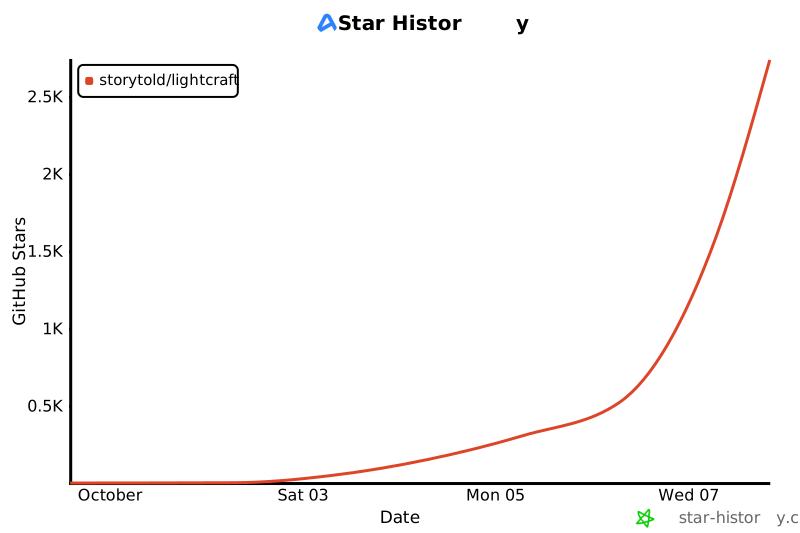](https://www.star-history.com/?repos=storytold%2Flightcraft&type=date&legend=top-left)
Library, Tools, and Presets panels can be regrouped, split, floated within the app window, closed, and reopened. Tools keeps the current Edit/Crop/Masking mode; the photo view and filmstrip stay together. Drag a panel header to a target edge or another header. Its context menu offers Float panel, Move to group, and Close panel. Existing panel toggles reopen panels at their saved location; Reset Panel Layout restores the app layout. Floating panels remain inside the current app window.
<img alt="macOS, Windows, Linux and Web" src="https://img.shields.io/badge/macOS%20%C2%B7%20Windows%20%C2%B7%20Linux%20%C2%B7%20Web-8a5800?style=flat-square">
<img alt="MCP server included" src="https://img.shields.io/badge/MCP-ready-8a5800?style=flat-square">
<img alt="License: MIT OR Apache-2.0" src="https://img.shields.io/badge/license-MIT%20OR%20Apache--2.0-8a5800?style=flat-square">
<a href="ROADMAP.md"><img alt="Status: young and moving fast" src="https://img.shields.io/badge/status-young%20%26%20moving%20fast-f2a516?style=flat-square"></a>
</p>
<p align="center">
<a href="https://discord.gg/artcraft"><img alt="Join the ArtCraft community on Discord" src="https://img.shields.io/badge/Join%20us%20on%20Discord-5865F2?style=for-the-badge&logo=discord&logoColor=white" height="40"></a>
以及 [**ArtCraft**](https://getartcraft.com/) 本身,我们为想要真正掌控力的创作者打造的 AI 图像与视频工作室。
<br>
<p align="center">
<a href="https://discord.gg/artcraft"><img alt="Join the ArtCraft community on Discord" src="https://img.shields.io/badge/Join%20us%20on%20Discord-5865F2?style=for-the-badge&logo=discord&logoColor=white" height="40"></a>
[](https://www.star-history.com/?repos=storytold%2Flightcraft&type=date&legend=top-left)
| **RAW coverage** (formats people shoot) | ~55% | DNG (all kinds), CR2, ARW, NEF (uncompressed + Huffman lossless/lossy), RAF (uncompressed, lossless/lossy compressed Bayer and X-Trans), uncompressed ORF, RW2 / RWL / Panasonic RAW (every raw format, checked on 178 files from 118 Panasonic and Leica bodies), PEF; every container's embedded preview (incl. CR3) | **CR3** (every Canon since ~2018), compressed ORF, Nikon lossy-after-split, Canon sRAW, HEIC/AVIF. NEFs labelled compressed but stored uncompressed (Z 6 packed 14-bit, D850 12-bit uncompressed). Per-model verification is thin (~55 corpus files vs >1,000 models) |
| **Colour & image quality** | ~55–65% | Pipeline is complete and fast; GPU path CPU-exact within 1/255 | **No measured camera calibration database**: ARW, NEF, RW2 and RAF have guarded camera-JPEG colour estimates, with bundled ILCE-7M4, X-H2S and X-T4 profiles (docs/camera-preview-colour.md); other non-DNG raws and rejected estimates use a neutral matrix. Colour fidelity remains incomplete. No lens-profile database. No measured fidelity against Lightroom (tone, highlights, texture/clarity, NR, sharpening are tuned by eye) |
| **AI & computational** | ~15–20% | Assisted culling (focus, bursts), auto tone, HDR/panorama merge; subject/sky/background masks as classical heuristics | Real segmentation masks (subject, sky, people, objects, landscape, depth), AI denoise, super resolution, lens blur, generative remove, faces/people, natural-language search. **Blocked on a model strategy** (licensable weights or our own training; pure-Rust inference is feasible) |
| **Workflow & library** | ~85% (single machine) | Robust catalog (journal + snapshots, background compaction, crash-tested), 85k-photo libraries stay responsive, Local browsing with automatic cleanup, XMP interop, keywords, smart albums, Move import | Opening an 85k library takes 1.7–4.7 s; no cloud sync (out of scope), no tablet companion (#74, roadmap), shared albums, publish services, tethering |
| **Platform & robustness** | ~70% | macOS native; Windows/Linux builds; web via WASM; no-panic lints workspace-wide, `unsafe` confined to `crates/sysmem`; failed saves are reported; GPU errors fall back to CPU | Windows installer UI unverified on Windows (PR #79); GPU path proven only on Apple + user reports; English, Simplified/Traditional Chinese, Japanese, Brazilian Portuguese and German UI (see docs/localization.md); remaining technical errors; Traditional Chinese uses the Simplified Chinese font until craft-fonts has a TC face; accessibility partial; headless UI tests time out under machine load |
### By kind of user
| User | Readiness | What blocks them |
| | Value | Kind |
|---|---:|---|
| JPEG / DNG shooter, single machine | ~85% | Fidelity polish, AI masks |
| Nikon / Sony / Panasonic / older-Canon raw shooter | ~65% | Camera colour fidelity and coverage (ARW, NEF and RW2 preview estimates are only a starting point); Panasonic compacts and kit zooms also miss their embedded distortion correction |
| Fujifilm raw shooter | ~65% | Uncompressed and lossless/lossy compressed RAF decoded; camera colour calibration remains missing. Verified on 13 bodies, including 14/16-bit GFX; see `docs/raf-compression.md` |
| Canon CR3 / Olympus compressed-raw shooter | ~35% | Their raws open as embedded previews only (CR3: the full-size JPEG with full metadata) |
| Lightroom Classic power user | ~45% | Print, Book, Map, publish, tethering |
| Relies on AI (masks, denoise) | ~25% | Object / Describe masks via optional SAM 3 (download not yet hosted); no AI denoise |
Each audience with its own hours (Opus 5.5 agent wall-clock hours to ~95%):
Priorities, in order. Each points at tracker rows in [`docs/parity.md`](docs/parity.md) → *Top gaps*.
| Audience | Ready | Opus 5.5 agent wall-clock hours to ~95% | Work that dominates |
|---|---:|---:|---|
| Full target (ready for real work) | **~61%** | **1,000–1,800 h** (~70% parallelizes) | raw colour, lens and camera data; AI models; Classic output modules; localization; plug-in ecosystem |
| Localization | ~52% of the 12 key languages | 7 of 12 present | 130–210 h (+145–255 h new scripts) | [localization-parity](docs/localization-parity.md) |
| Cloud-Lightroom parity without AI or Classic modules | ≈ 130–255 h | ≈ 35–65 h |
| Full parity incl. AI, video and the Classic modules | ≈ 270–505 h | ≈ 65–125 h |
## Progress log
The milestone estimates in the table above were made before work started and are kept for calibration (M0–M13 took
≈ 25 active hours with parallel agents against an estimate of ≈ 110–170 h for those milestones).
- 2026-10-11: Leica Q3 verified by a recorded check of 38 private DNGs (all decode and develop at full
size; mean ΔE to the camera JPEG 6.3–13.9). 236 models verified; headline numbers unchanged.
- 2026-10-11: Canon EOS R5 Mark II C-RAW decodes from sensor data (57% of its files opened as a
preview): the CRX QP map's first-symbol literal and limited-length escape; four CC0 R5 Mark II files
pinned, the QP maps of 33,665 private C-RAW files decode exactly ([cr3.md](docs/cr3.md)). 235 models
verified; RAW decoding 76% → 77%; headline numbers unchanged.
- **2026-10-10 (UI docking):** Library, Tools, and Presets panels can be regrouped, split, floated within the app window, closed, and reopened. Tools keeps the current Edit/Crop/Masking mode; the photo view and filmstrip stay together. Panel moves and reset are available as UI commands, and saved UI preferences retain arrangements. Widget state styling uses the shared `craft-ui` theme helper, retaining the dark palette, typography, spacing and per-state borders. No readiness percentage change.
- 2026-10-10 (RAW): RAW measured model by model against Adobe's 1,446-model list (234 verified, 943
unverified, 233 preview-only, 36 unsupported; ~84% of photographers' cameras decode, ~40% on a
Decoded (CC0 corpus from raw.pixls.us, `cargo xtask corpus --download`, `crates/raw/tests/corpus.rs`): DNG (uncompressed,
LJ92, lossy JPEG / Smart Previews, Deflate, float, linear), CR2, ARW (uncompressed, ARW2, LJ92; as-shot white balance and black level of pre-2017 bodies from the enciphered
maker-note `Tag2010` and the encrypted `SR2SubIFD`, both recovered by black-box analysis, `crates/raw/src/vendor/arw.rs`), NEF/NRW uncompressed and Huffman-compressed (lossless, lossy type 1/2, 12/14-bit), RAF uncompressed and lossless/lossy compressed (Bayer and
X-Trans, 14/16-bit real-file verification), RW2 / Leica RWL / Panasonic RAW in every raw format (compressed formats 4 and 6, the prefix-coded strips of format 8,
packed formats 2, 5 and 7, the 16-bit words of the 2005–2007 bodies; all recovered by black-box analysis of 178 CC0 files from
118 bodies, `crates/raw/src/vendor/rw2.rs`), PEF (uncompressed and Huffman), ORF uncompressed (16-bit and 12-bit packed). Every
supported container also yields its embedded JPEG preview (CR3 too), and the engine shows that preview for raw variants
it can't decode yet.
Not decoded yet — preview only (no permissively licensed description; black-box analysis incomplete):
- **Nikon "lossy after split" NEF** (non-zero split row in maker note `0x0096`, e.g. some D3400/D5000/D5200/D5500/D5600
files): rows above the split decode with the regular lossy table; from the split row on a different code is used
that our black-box analysis has not recovered yet (none of the four regular tables fits, also not with byte
alignment or reset predictors at the split row). The other Nikon Huffman variants are decoded (`crates/raw/src/vendor/nefc.rs` documents the analysis).
**Camera colour matrices:** ARW, NEF, RW2 and RAF files can use guarded, separate chromaticity and tone estimates from their own embedded JPEG (see `docs/camera-preview-colour.md`); this is a per-file camera-look estimate with relative WB, not measured calibration or absolute-Kelvin WB. Other non-DNG raws and rejected fits use the documented neutral fallback (camera RGB ≈ linear sRGB, flagged
`matrix_is_fallback`) with the file's as-shot white-balance multipliers. Clean sources to evaluate next: manufacturer
matrices stored in the files themselves (Olympus ImageProcessing `ColorMatrix`, Pentax equivalents; Panasonic RW2 files carry none) and our
own chart-based calibration (M11.4). Adobe matrices are never used.
## Log
- 2026-09-30: roadmap created; M0 in progress; research docs (Lightroom reference, Rust imaging ecosystem) complete.
- 2026-09-30 (later): app running with the full Lightroom-style UI; pipeline v0; DNG/CR2/ARW; README showcase. ≈ 8 h elapsed.
- 2026-10-08: Fujifilm camera colour: guarded JPEG matching and relative WB, plus bundled X-H2S/X-T4 profiles from 201/545 photos. On 150 withheld files the pooled profiles improve mean ΔE slightly over per-file fitting (X-H2S 1.70 → 1.62, X-T4 2.43 → 2.34); dark X-H2S samples 8.74 → 2.25. Measured calibration remains open.
- 2026-10-08: Fujifilm lossless/lossy compressed RAF: pure-Rust striped decoder; full sensor arrays verified against a black-box reference on 17 CC0 files and 7 supplied X-H2S / X-T4 files (13 camera bodies, 14/16-bit Bayer and X-Trans). Camera colour calibration remains a separate gap.
- 2026-10-01: RAW II formats: RAF (uncompressed Bayer + X-Trans), RW2 (packed), PEF (incl. Huffman), ORF (uncompressed); embedded previews for every container incl. CR3; raw corpus test with 37 CC0 samples.
- 2026-10-03 – 10-05: community PRs (#42–#51, #60) and 25+ issues landed: compressed NEF, Move import, folder templates,
Local roots and cleanup, 85k-photo grid and catalog performance, background compaction, failed-save errors, GPU
export hardening, clippy 1.99. Added the honest *Where we stand* assessment and *Where we're going* priorities; added
tracker rows for camera colour, camera coverage and render fidelity.
- 2026-10-07: Panasonic RW2 / Leica RWL / Panasonic RAW decode in every raw format (compressed 4/6/8, packed 2/5/7,
16-bit words), black levels, in-camera aspect crops and mapped-out defects established on 178 CC0 files from 118
bodies; RW2 gets the file-local camera look (accepted on 140 of 174 files with a preview).
## Chinese and Japanese interfaces, and text watermarks
English, Simplified Chinese, Traditional Chinese (Taiwan) and Japanese interface languages are persisted in UI state, and the
language table (`crates/ui-egui/src/i18n.rs`) drives the menus, settings and fonts, so another
language is a table entry plus two catalogs (docs/localization.md). Core menus and panels are
translated; untranslated text retains English. CJK glyphs (Chinese: Noto Sans CJK SC; Japanese UI:
BIZ UDPGothic; watermarks: BIZ UDMincho) come from storytold/craft-fonts, embedded by builds made
with the optional `CRAFT_FONTS_DIR` input (all releases), so no system fonts are needed. Text watermarks now accept
`vertical: true` in export JSON/presets and expose an orientation selector. Japanese
characters stay upright in top-to-bottom columns, with newlines starting columns to the
left. This is basic lettering, without tate-chu-yoko, ruby, kinsoku, or general vertical
OpenType shaping. The same coverage renderer serves 8/16/32-bit exports.
| Date | Change | Summary |
|---|---|---|
| 2026-10-12 | minor | UI/UX remaining 40–70 h → 34–58 h (accessibility audit landed); headline numbers unchanged |
| 2026-10-11 | minor | EOS R5 Mark II CR3 verified: CR3 on four verified bodies, RAW decoding 76% → 77%; headline numbers unchanged |
| 2026-10-10 | minor | RAW measured model by model; RAW decode and colour as explicit rows: full 59% → 61%, mainstream 51% → 49%, essentials 63% → 64%; beta ~14 points |
| 2026-10-10 | minor | Full ready restored to the additive weighted sum (~59%; method aligned with the standard, no new evidence); hours per audience; beta ~16 points away |
| 2026-10-10 | minor | Mainstream practitioner and essentials user numbers; full ready 55% → 46% (method written down); beta 340–600 h |
| 2026-10-10 | major | Restructured to the progress-docs standard; re-measured; *Where we stand*, *Parity estimate* and *Totals* moved to docs/target-app-parity.md, milestones and risks to docs/roadmap.md, raw coverage to docs/raw-parity.md, catalog migration to docs/file-format-parity.md, CJK notes to docs/localization-parity.md |
| 2026-10-08 | minor | *Where we stand* by dimension and by kind of user |
| 2026-10-02 | major | Parity estimate and effort table |
"{dir}: {why}\nTo work with the library while the app has it open, start the app with `--control PORT` and use `lightcraft-cli mcp --connect 127.0.0.1:PORT`."
"The saved panel layout in {} couldn't be restored. Other settings were loaded; the original file is preserved and settings won't be saved this session.",
path.display()
);
(Some(ui.sanitized()),Some(msg),true)
}
Err(e)if!set_aside_damaged=>{
letmsg=format!("The app settings ({}) are damaged ({e}). Defaults are used; nothing is saved in this session.",path.display());
@@ -12,7 +12,10 @@ covers a whole directory), or if a licence file referenced in the Licence column
| `assets/app-icon/` (`lightcraft.svg` and the PNG/ICNS/ICO/SVG files derived from it) | LightCraft app icon (lynx) | LightCraft project owner (drawn in ArtCraft) | original work (vectorised from the owner's drawing; see `assets/app-icon/README.md`) | MIT OR Apache-2.0 (`assets/app-icon/LICENSE.txt`) | 2026-10-02 | vectorised to SVG; rendered to PNG/ICNS/ICO by `packaging/icons.sh` |
| `assets/camera-profiles/*.json` | Camera colour profiles (matrix + hue/saturation/value table), built into LightCraft | ILCE-7M4: Harald Hoyer | original work: fitted by `lightcraft-cli calibrate` to the contributor's own raw photos and their in-camera JPEGs (597 ILCE-7M4 photos, 2026); aggregate colour statistics only, no image content; no Adobe or third-party profile data | MIT OR Apache-2.0 | 2026-10-07 | none |
| `packaging/macos/dmg/` (`background.svg`, the `background.tiff` rendered from it by `generate.py`, and the `dmg-layout.DS_Store` layout file) | LightCraft macOS DMG window background | @XusBadia | original work for this repository, derived from the LightCraft app icon (`assets/app-icon/lightcraft.svg`, referenced via `<image>`, not copied); text is outlined Inter / JetBrains Mono glyph paths | MIT OR Apache-2.0 | 2026-10-08 | none (original); used for the Finder window of the macOS DMG, `packaging/macos/dmg/generate.py` renders it to `background.tiff` |
| `assets/camera-profiles/ILCE-7CR.json` | Sony ILCE-7CR camera colour profile (matrix + hue/saturation/value table), built into LightCraft | LightCraft contributors; source photographs supplied by @AlexChambers | original work: fitted by `lightcraft-cli calibrate` to 125 usable ILCE-7CR ARWs (of 131, September 2025 to September 2026, Standard creative style) and their in-camera JPEGs; aggregate colour statistics only, no image content; no Adobe or third-party profile data | MIT OR Apache-2.0 | 2026-10-09 | none |
| `assets/camera-profiles/X-H2S.json`, `assets/camera-profiles/X-T4.json` | Fujifilm camera colour profiles (matrix + hue/saturation/value table), built into LightCraft | LightCraft contributors; source photographs supplied by Sebastian Pfluegelmeier | original work: fitted by `lightcraft-cli calibrate` to 201 X-H2S and 545 X-T4 RAFs and their in-camera JPEGs; aggregate colour statistics only, no image content; no Adobe or third-party profile data | MIT OR Apache-2.0 | 2026-10-08 | none |
| `crates/raw/src/spectral_table.rs` | Camera colour matrices (DNG ColorMatrix1/2 and ForwardMatrix1/2 for Standard Illuminant A and D65) for 52 camera models, and the model alias list | Derived by LightCraft contributors from rawtoaces-data (Academy Software Foundation): camera spectral sensitivities measured by Weta Digital (44 cameras), scitech (7) and Jonathon Irons at the National Physical Laboratory (Nikon D5100); training reflectances; CIE 1931 colour-matching functions (CIE, CC-BY-4.0, as shipped in rawtoaces-data) | https://github.com/AcademySoftwareFoundation/rawtoaces-data, tag v1.1.0, commit 5cfa53707b053594b2d0d48e8019fb56e6582d6c | Apache-2.0 (`LICENSE-APACHE`); the colour-matching functions CC-BY-4.0 | 2026-10-08 | generated by `tools/spectral_camera_table.py`: a 3×3 matrix per illuminant fitted to the spectral data (no measurement copied verbatim); aliases copied from `data/aliases.json`; no Adobe or third-party camera matrix |
| `assets/camera-tone/sony-dro-off.json` | Sony global tone curve with the Dynamic Range Optimizer off (32 knots), built into LightCraft for ARWs shot with DRO on | LightCraft contributors; source photographs by raw.pixls.us contributors | original work: tone curve quantile-matched over the pooled pixel pairs of 12 CC0 raw.pixls.us ARWs (DRO off, Standard creative style; ILCE-3500, -5000, -6600, -7CR, -7M3 ×3, -7S, -9M2, ILCA-77M2, SLT-A57, NEX-F3) and their embedded camera JPEGs; the file lists each source URL and SHA-256 and how the curve was derived (see also `docs/camera-preview-colour.md`); aggregate tone statistics only, no image content; no Adobe or third-party profile data | MIT OR Apache-2.0 (sources CC0) | 2026-10-09 | none |
| `crates/scenes/` (generated images) | Procedural demo photographs | LightCraft contributors | original work (generated at runtime, no source imagery) | MIT OR Apache-2.0 | 2026-09-30 | n/a |
| `crates/ui-egui/src/icons.rs` | UI icons drawn as vector paths in code | LightCraft contributors | original work | MIT OR Apache-2.0 | 2026-09-30 | n/a |
| `docs/images/*-tetons.jpg`, `docs/images/grid-pd.jpg` (screenshots containing it) | "The Tetons and the Snake River" | Ansel Adams (1942), U.S. National Archives | https://commons.wikimedia.org/wiki/File:Adams_The_Tetons_and_the_Snake_River.jpg | Public domain (U.S. federal government work) | 2026-09-30 | developed in LightCraft; shown inside app screenshots |
@@ -21,12 +24,13 @@ covers a whole directory), or if a licence file referenced in the Licence column
| `docs/images/*-blue-marble.jpg`, `docs/images/grid-pd.jpg` | "The Blue Marble" (AS17-148-22727) | NASA, Apollo 17 crew (1972) | https://commons.wikimedia.org/wiki/File:The_Earth_seen_from_Apollo_17.jpg | Public domain (NASA) | 2026-09-30 | developed in LightCraft; shown inside app screenshots |
| `docs/images/*.jpg` (UI) | LightCraft application screenshots | LightCraft contributors | original work (captured with `docs/showcase/`) | MIT OR Apache-2.0 | 2026-09-30 | n/a |
| `docs/brand/` (artcraft-logo and artcraft-mark, SVG and PNG) | ArtCraft wordmark and mark | ArtCraft Team | original work (https://getartcraft.com/) | ArtCraft trademark, see `docs/brand/LICENSE-brand.txt` (not open source) | 2026-10-01 | none |
| craft-fonts: optional build input, not files in this repository | BIZ UDPGothic (Regular, Bold), BIZ UDMincho Regular, Shippori Mincho Regular | Morisawa Inc. / The BIZ UDGothic and BIZ UDMincho Project Authors; The Shippori Mincho Project Authors (per craft-fonts' attribution) | https://github.com/storytold/craft-fonts/blob/main/ATTRIBUTION.md | SIL Open Font License 1.1 (each font's OFL.txt in craft-fonts; release packages ship it as OFL-<family>.txt) | 2026-10-06 | none; embedded only in builds made with `CRAFT_FONTS_DIR` (all official releases); the web (wasm32) build embeds BIZ UDPGothic Regular only |
| craft-fonts: optional build input, not files in this repository | BIZ UDPGothic (Regular, Bold), BIZ UDMincho Regular, Shippori Mincho Regular, Noto Sans CJK SC Regular | Morisawa Inc. / The BIZ UDGothic and BIZ UDMincho Project Authors; The Shippori Mincho Project Authors; Google and Adobe (Noto Sans CJK, maintainer-approved exception; see AGENTS.md) (per craft-fonts' attribution) | https://github.com/storytold/craft-fonts/blob/main/ATTRIBUTION.md | SIL Open Font License 1.1 (each font's OFL.txt in craft-fonts; release packages ship it as OFL-<family>.txt) | 2026-10-06 | none; native builds made with `CRAFT_FONTS_DIR` embed the manifest fonts (all official releases); the web build embeds BIZ UDPGothic Regular and ships Noto Sans CJK SC Regular as a separate font file |
| `crates/ui-egui/locales/uk.json`, `crates/ui-egui/locales/uk-formats.json` | Ukrainian interface catalogs | @dmatviichuk with Codex; PhotoCraft, FilmCraft and VectorCraft translation contributors for reused labels | original translations from English source; 337 initial English-key matches reviewed from [PhotoCraft 69c41f3](https://github.com/storytold/photocraft/blob/69c41f3523e147eb215da8c7b4c29b18b35d1c63/crates/ui-egui/src/i18n/uk.tsv), [FilmCraft 4854c27](https://github.com/storytold/filmcraft/blob/4854c277536fe8118257362304b6a7d82d8e704b/crates/ui-egui/src/i18n/uk.tsv), [VectorCraft 4b44265](https://github.com/storytold/vectorcraft/blob/4b44265965fdd6ffedfd6182a892c1a6c360d344/crates/ui-egui/src/i18n/uk.tsv) | MIT OR Apache-2.0 (`LICENSE-MIT`, `LICENSE-APACHE`, also the source repositories' licences) | 2026-10-09 | adapted to LightCraft photo-development context, completed catalogs, reviewed spelling and placeholders |
Notes
- Fonts authored or published by Adobe (Source Sans/Serif/Code, Source Han, …) are not used, even though some are
OFL-licensed: the asset rule excludes anything from Adobe. Source Sans 3 was removed on 2026-09-30 and replaced by Inter.
- Japanese fonts (BIZ UDPGothic, BIZ UDMincho, Shippori Mincho) are not in this repository. They live in
- CJK fonts (BIZ UDPGothic, BIZ UDMincho, Shippori Mincho, Noto Sans CJK SC) are not in this repository. They live in
[storytold/craft-fonts](https://github.com/storytold/craft-fonts), with their licences and attribution in its
`ATTRIBUTION.md`, and are embedded only in builds made with the optional `CRAFT_FONTS_DIR` build input (all official
releases). Never commit font files here; add new fonts to craft-fonts (craftrules `standards/fonts.md`).
"description":"Sony's global tone curve with the Dynamic Range Optimizer (DRO) off, Standard creative style: knots of scene luminance (white-balanced camera RGB with baseline exposure, through the colour model) to display-linear luminance. The camera look of an ARW shot with DRO on is lowered to it wherever it is darker (crates/engine/src/camera_preview.rs, docs/camera-preview-colour.md, issue #244).",
"derivation":"Each source raw was paired with its own embedded camera JPEG at the 96-pixel proxy of the per-photo fit (camera_preview::collect_pairs). The pairs of all 12 files were pooled as one model, as lightcraft-cli calibrate pools a camera profile: a colour matrix and hue/saturation table were fitted to the pool, and the tone curve was quantile-matched (camera_preview::fit_tone) between the pooled scene luminances through that colour model and the JPEG luminances. Knots rounded to 5 decimals. Aggregate statistics only, no image content.",
| Gain map JPEG (HDR) | gain map found and decoded (`gainmap::read_jpeg`): ISO 21496-1 metadata, else Adobe `hdrgm` XMP | yes (`gainmap::encode_jpeg`) | CIPA DC-007 MPF index (gain map typed `0x050000`), ISO 21496-1 APP2 on both images, `hdrgm` + Container XMP for Android/Chrome, Apple `HDRGainMap`/`HDRToneMap` XMP; gain maps are never used as thumbnails |
## Colour
@@ -79,6 +88,7 @@ All pure Rust, verified with `cargo info` / `cargo tree`:
| image (gif, bmp only) | MIT OR Apache-2.0 | GIF/BMP |
assert!(!net.fits_tile(64),"no depth-to-space: the output is not at twice the resolution");
}
}
Loaded 100 of 569 files, more files were not shown because too many files have changed in this diff.
Show more
Reference in new issue
Block a user
Blocking a user prevents them from interacting with repositories, such as opening or commenting on pull requests or issues. Learn more about blocking a user.
 Brandon Thomas

 BFlat
BFlat
 eliets2
 dev-null-undefinedandClaude
 Nathaniel LedfordandClaude Opus 5.5
 Marco Arnulfo
 MennoandClaude Opus 5.5
 PiMinusMaxandClaude Opus 5.5

 sanyamsingh001andCodex

 Alex ChambersandCodex
 untypequicodeandClaude Sonnet 5.5
 Matthew James Sivak
 Markus FriedelandClaude Opus 5.5
 Andrew FrahnandClaude Opus 5.5
 Christos SidiropoulosandCodex GPT-5.6 Sol
 Gert Pellin
 Vikram Bhaskaran
 JordyUSAandClaude Opus 5.5
 Robert Woldberg
 树洋 陈
树洋 陈
 Atmik Shetty
 Royce
Royce
 Diego Ospina
 radialmonster
 ChippedWandClaude Opus 5.5
 Nigel Ihza Firdausy
 DennisandClaude Opus 5.5
 lloydandClaude Opus 5.5
 Fabio LussiandClaude Opus 5.5
 s17sh70x2jfl031ag
 Wladmir Júnior
 Bobby JoseandClaude
 OneSlipsandClaude Opus 5.5

 goujichengandDeepSeek V3.2
 kelannaandClaude Opus 5.5
 THEtheChadandClaude Opus 5.5
 Alfons HoogervorstandClaude Sonnet 5.5
 squareSphere29
 xristosmoug
 ingolfteetzandClaude Opus 5.5
 Lucas LepskiandGPT-6.1 Sol
 Luniiya
 MarekSpodBiedry
 cookingwithsimonandClaude Opus 5.5
 PiMinusMaxandClaude Opus 5.5
 Jason Baldwin
 Chad ElliottandClaude Opus 5.5
 robmdunnandClaude
 skylar taylor-barrick
 john01px2022andClaude Opus 5.5
 Sajidur RahmanandClaude Opus 5.5
 Wondarkus
 Wondarkus
 akvaithiandClaude Opus 5.5
 Adrian D'souza
 PierrunoYTandClaude Sonnet 5.5
 Steffen SauderandClaude Sonnet 5.5
 TicT4xandClaude Opus 5.5
 lzjtugjc
 UnemarsandClaude Opus 5.5
 Dylan M. Taylor
 Twdhsi-666
 jazzautomationsandClaude Fable 5.1
 Jason Baldwin
 aayush113002andClaude Fable 5.1
 Elliot GrahamandCodex
 Ikki NishiharaandClaude Sonnet 5.5
 Daniel Spruce
 Mark ParienteandClaude Opus 5.5
 Andrey VyrodovandClaude Opus 5.5
 hxwandClaude Opus 5.5
 srikrishna-00andClaude Opus 5.5
 SawizzleandClaude Opus 5.5
 KitsuneSemCalda
 Exalted5373andClaude Opus 5.5
 Garrett Gonzalez-Rivas
 Hendrik
 midasdf
 Dmytro MatviichukandCodex
 ROSSAandClaude Opus 5.5
 David Campos
 Enzo FLAYAC
 rock-meisterandClaude Opus 5.5
 AeRo
AeRo
 BuonBredaandClaude Opus 5.5
 peiyan0
 supper_yijie
 storybored379andOpenAI Codex
 Hanmo
Hanmo
 onemannoplan
 Daniel Voshart
 ragtuxandClaude Fable 5.1
 parkerHurstandClaude Opus 5.5
 Иван Лапочкин
 Orthic LabsandCodex
 Joshua Warren

 Walter Boringandopencode