 Tanish Manku
61311028e2
Replaces the four-hop signal-stub pattern (drop -> store-only update,
engine never told) with explicit action helpers that mutate the engine
and the store in one step.

actions/:
- addObject / addCharacter / addShape: call editor.sceneManager.create
  to load the THREE.js object, then update the Zustand store. addCharacter
  also stamps userData.isCharacter on the loaded object
- deleteObject: thin wrapper over editor.deleteObject (which already
  goes through SceneUtils to update the store)
- selectObject / deselectObject: invoke sceneManager.select_object;
  Editor.publishSelect already writes the selection to the store
- setTransformMode: drives editor.change_mode + store + the legacy
  selectedMode signal during the migration window
- setCameraAspect: drives editor.changeRenderCameraAspectRatio + store +
  the legacy cameraAspectRatio signal
- index.ts barrel

Wiring updates:
- PageEditor drop handler (gallery -> 3D) now calls actions/addObject
  and actions/addCharacter with the editor and world position
- DragAndDrop/DndAsset takes the editor at pointerdown time and calls
  actions/* on drop. ItemElement passes the editor in via EngineContext
- AspectRatioMenu calls actions/setCameraAspect; PageEditor's bottom-bar
  aspect-ratio select uses the action too
- Controls3D's mode toggle (move/rotate/scale) goes through
  actions/setTransformMode and the four little redundant handlers are
  collapsed into one
- ImageTo3DExperience's "Open in 3D Editor" button uses getActiveEditor
  to pick up the live editor across pages

Plumbing:
- New module-level activeEditor handle in EngineContext (with
  getActiveEditor / setActiveEditor) so non-React callers and cross-page
  actions can reach the engine; EngineProvider sets it on init and
  clears on unmount
- Drop the now-orphaned signals/objectGroup, signals/characterGroups,
  signals/shape entirely. Their job (store update + engine call) lives
  in actions/. signals/index.ts loses the corresponding re-exports
- Remove the placeholder addLocalSplat onSuccess in Controls3D (a
  developer-test path for direct splat loading; the real splat upload
  goes through GlobalFileDropHandler) and delete the now-confirmed-dead
  recordScene method in editor.ts
- video_generation.ts zipBlob: type as Blob | null (matches the
  UploadStudioShot signature; pre-existing TS error)

Net effect on typecheck: 144 -> 147 errors in PageEnigma + experiences;
zero errors introduced in actions/, PageEnigmaStore, or DragAndDrop. All
new errors are pre-existing issues in adjacent files surfaced by the
edits, not regressions.
The IDE for artists.


ArtCraft
ArtCraft is the IDE for interactive AI image and video creation. We turn prompting into crafting, so your ideas become a form of tangible expression and computing. This is Adobe Photoshop for everyone, and we're giving away the source code!
Show, Don't Tell: Advanced Crafting Features
Text-to-image is great, but artists need control. It's important to know what your image will look like before you generate it, and it's vitally important to achieve consistency and repeatability.
| Feature | Demo + Explanation |
|---|---|
| Image to Location | |
| 3D Image Compositing | |
| 2D Image Compositing | |
| Image to 3D Mesh | |
| Character Posing | |
| Scene Blocking w/ Kit Bashing | |
| Character Identity Transfer | |
| Background Removal | |
| Mixed Asset Crafting | 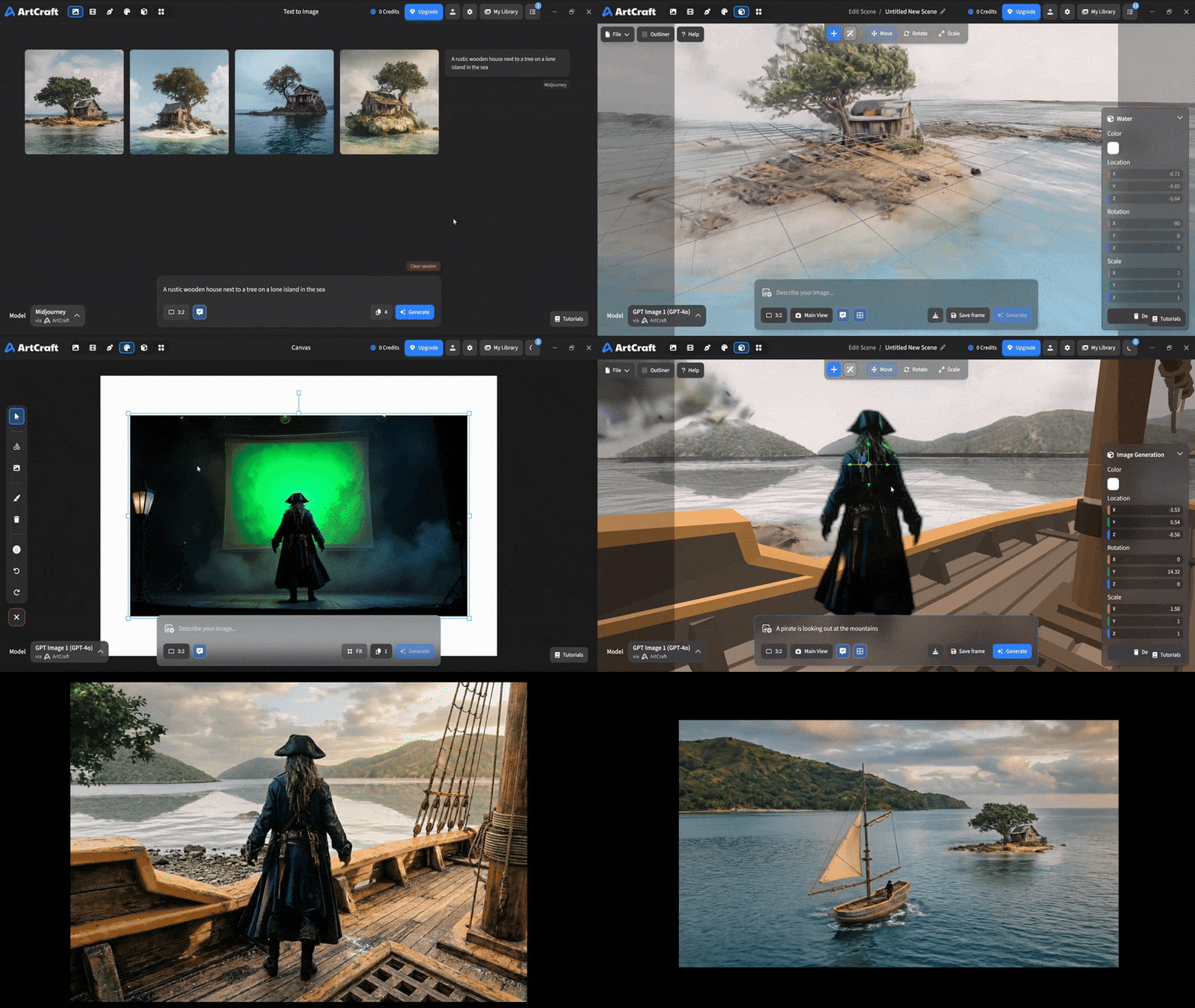 You can use image cutouts, worlds, and simple 3D meshes all together to precisely and intentionally lay out your scenes. |
| Scene Blocking | (preview coming soon) |
| Canvas Editing | (preview coming soon) |
| Scene Relighting | (preview coming soon) |
Note: all of the above videos were generated for free with Grok Video; the cost to build this README was negligible.
Quick and Easy Prompting
We haven't abandoned text-to-asset generation for quick prototyping and ideation. We support every popular workflow in a first class fashion.
| Feature | Demo + Explanation |
|---|---|
| Text to Image | |
| Image Editing | |
| Image Editing | |
| Image to Video | |
| Image Inpainting | (preview coming soon) |
| Image Ingredients | (preview coming soon) |
Models and Providers Supported within Artcraft
| Provider | Features |
|---|---|
| Artcraft | Nano Banana, Nano Banana Pro, GPT-Image-1 / 1.5, Seedance 1.0 Lite / 1.5 Pro / 2.0, Seedream 4 / 4.5, Flux 1.1 / Kontext, Veo 2 / 3 / 3.1, Kling 1.6 / 2.1 / 2.5 / 2.6, Sora 2 / Pro, Hunyuan 3d 2 / 3 |
| Grok | Grok Imagine, Grok Video |
| Midjourney | Image Gen (all versions) |
| Sora | Sora 1, Sora 2, GPT-Image-1 |
| WorldLabs | Marble (Gaussian Splat World Generation) |
We're going to be adding the following providers soon: Kling (via Kling website accounts), Google (via API keys), Runway (via website account), Luma (via website account).
We're potentially interested in adding other aggregators for those who already have subscriptions and credits at those providers, for example: OpenArt, FreePik, etc.
Downloads
- Visit our website for the stable Windows and MacOS releases
- Or you can grab a more recent Windows and MacOS build directly
- Linux requires building from source for now