 BFlat
77cee77258
BFlat
77cee77258
- Tags editor in LightboxDetails (lightbox + /media/:id): chip input
with autocomplete over the user's existing tags, comma/paste splitting,
duplicate rejection, owner gating via session, and serialized+coalesced
SetMediaFileTags snapshot saves with optimistic chips and error revert
(components/tags/TagChipInput.tsx, TagsSection.tsx)
- Tag browser: "Tags" tab in the library with name/most-used sort, tag
view at /library/tag_… reusing the media grid, breadcrumb header with
rename (FolderNameDialog) and delete (confirm modal), tag context menu
- Sidebar: tags rows under the Assets group below folders, with
expand/collapse chevrons on both Folders (default open) and Tags
(default closed), animated via framer-motion; tag icons use violet to
distinguish them from folders
- New library-tags-store mirroring the folders store (cursor-paged media
caches, optimistic rename/delete with toast revert); shared item mappers
extracted to library-media-map.ts to avoid a circular import; media
deletion now purges tag caches; bulk-selection bar resolves thumbnails
from tag caches too
- Topbar breadcrumbs map /library/tags and tag views to "Tags"
- Tags show as word cloud
The IDE for artists.




ArtCraft
ArtCraft is the IDE for interactive AI image and video creation. We turn prompting into crafting, so your ideas become a form of tangible expression and computing. This is Adobe Photoshop for everyone, and we're giving away the source code!
Show, Don't Tell: Advanced Crafting Features
Text-to-image is great, but artists need control. It's important to know what your image will look like before you generate it, and it's vitally important to achieve consistency and repeatability.
| Feature | Demo + Explanation |
|---|---|
| Image to Location | |
| 3D Image Compositing | |
| 2D Image Compositing | |
| Image to 3D Mesh | |
| Character Posing | |
| Scene Blocking w/ Kit Bashing | |
| Character Identity Transfer | |
| Background Removal | |
| Mixed Asset Crafting | 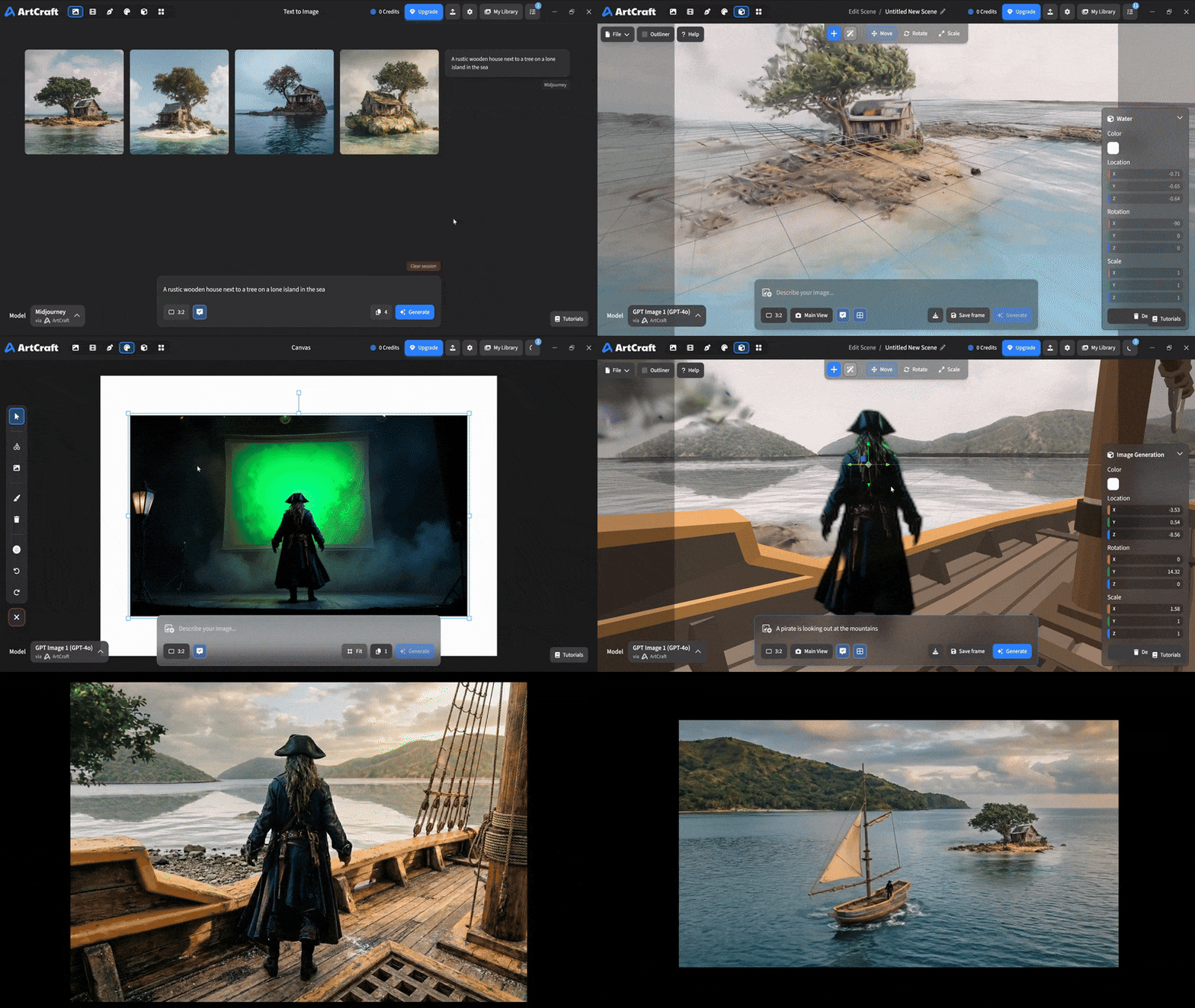 You can use image cutouts, worlds, and simple 3D meshes all together to precisely and intentionally lay out your scenes. You can use image cutouts, worlds, and simple 3D meshes all together to precisely and intentionally lay out your scenes. |
| Scene Blocking | (preview coming soon) |
| Canvas Editing | (preview coming soon) |
| Scene Relighting | (preview coming soon) |
Note: all of the above videos were generated for free with Grok Video; the cost to build this README was negligible.
Quick and Easy Prompting
We haven't abandoned text-to-asset generation for quick prototyping and ideation. We support every popular workflow in a first class fashion.
| Feature | Demo + Explanation |
|---|---|
| Text to Image | |
| Image Editing | |
| Image Editing | |
| Image to Video | |
| Image Inpainting | (preview coming soon) |
| Image Ingredients | (preview coming soon) |
Models and Providers Supported within Artcraft
| Provider | Features |
|---|---|
| Artcraft | Nano Banana, Nano Banana Pro, GPT-Image-1 / 1.5, Seedance 1.0 Lite / 1.5 Pro / 2.0, Seedream 4 / 4.5, Flux 1.1 / Kontext, Veo 2 / 3 / 3.1, Kling 1.6 / 2.1 / 2.5 / 2.6, Sora 2 / Pro, Hunyuan 3d 2 / 3 |
| Grok | Grok Imagine, Grok Video |
| Midjourney | Image Gen (all versions) |
| Sora | Sora 1, Sora 2, GPT-Image-1 |
| WorldLabs | Marble (Gaussian Splat World Generation) |
We're going to be adding the following providers soon: Kling (via Kling website accounts), Google (via API keys), Runway (via website account), Luma (via website account).
We're potentially interested in adding other aggregators for those who already have subscriptions and credits at those providers, for example: OpenArt, FreePik, etc.
Downloads
- Visit our website for the stable Windows and MacOS releases
- Or you can grab a more recent Windows and MacOS build directly
- Linux requires building from source for now