 BFlat
3886253ffa
### Prompt box
- Fix prompt box overflowing past the viewport at some desktop widths
(Generate button hidden) - removed `w-full` so it sizes to the content
area beside the sidebar (create-image + create-video).

### Recreate action
- Add **Recreate** to in-progress jobs in the create-page gallery (grid
+ list) and the task queue - previously only on completed/failed.
- Task queue had no Recreate at all; added it to all three states
(in-progress/completed/failed) for consistency.
- Recreate on the in-progress grid card sits bottom-right inline with
the prompt; in-progress list row reveals it on hover (matching completed
rows).
- Extract shared `useRecreateFromPromptToken` hook; refactor
FailedCard/FailedRow onto it (DRY).

### Model display names
- Consolidate to a single source of truth: webapp `getModelDisplayName`
now delegates to `@storyteller/model-list` (removed the duplicate local
map). Gallery, task queue, and lightbox now agree.
- Fix missing names: `gpt_image_1` (gallery) and Midjourney in the
lightbox - added `midjourney_7` / `midjourney_7_niji` / `midjourney_8`
to the model-list name + creator-icon maps; aligned `veo_2` → "Google
Veo 2".

### Sticky prompt settings across model switches
- Prompt-box settings no longer reset when switching models - the user's
choice persists and is resolved against the new model (kept if
supported, else falls back for display/generation only, without losing
the preference).
- Covers aspect ratio, count, resolution, quality (image) and aspect
ratio, resolution, count, duration, sound (video).
- Add `lib/resolve-model-setting.ts` (`resolveModelOption` /
`resolveModelCount`); `handleModelChange` now only switches the model (+
capability-bound input mode on video).
The IDE for artists.


ArtCraft
ArtCraft is the IDE for interactive AI image and video creation. We turn prompting into crafting, so your ideas become a form of tangible expression and computing. This is Adobe Photoshop for everyone, and we're giving away the source code!
Show, Don't Tell: Advanced Crafting Features
Text-to-image is great, but artists need control. It's important to know what your image will look like before you generate it, and it's vitally important to achieve consistency and repeatability.
| Feature | Demo + Explanation |
|---|---|
| Image to Location | |
| 3D Image Compositing | |
| 2D Image Compositing | |
| Image to 3D Mesh | |
| Character Posing | |
| Scene Blocking w/ Kit Bashing | |
| Character Identity Transfer | |
| Background Removal | |
| Mixed Asset Crafting | 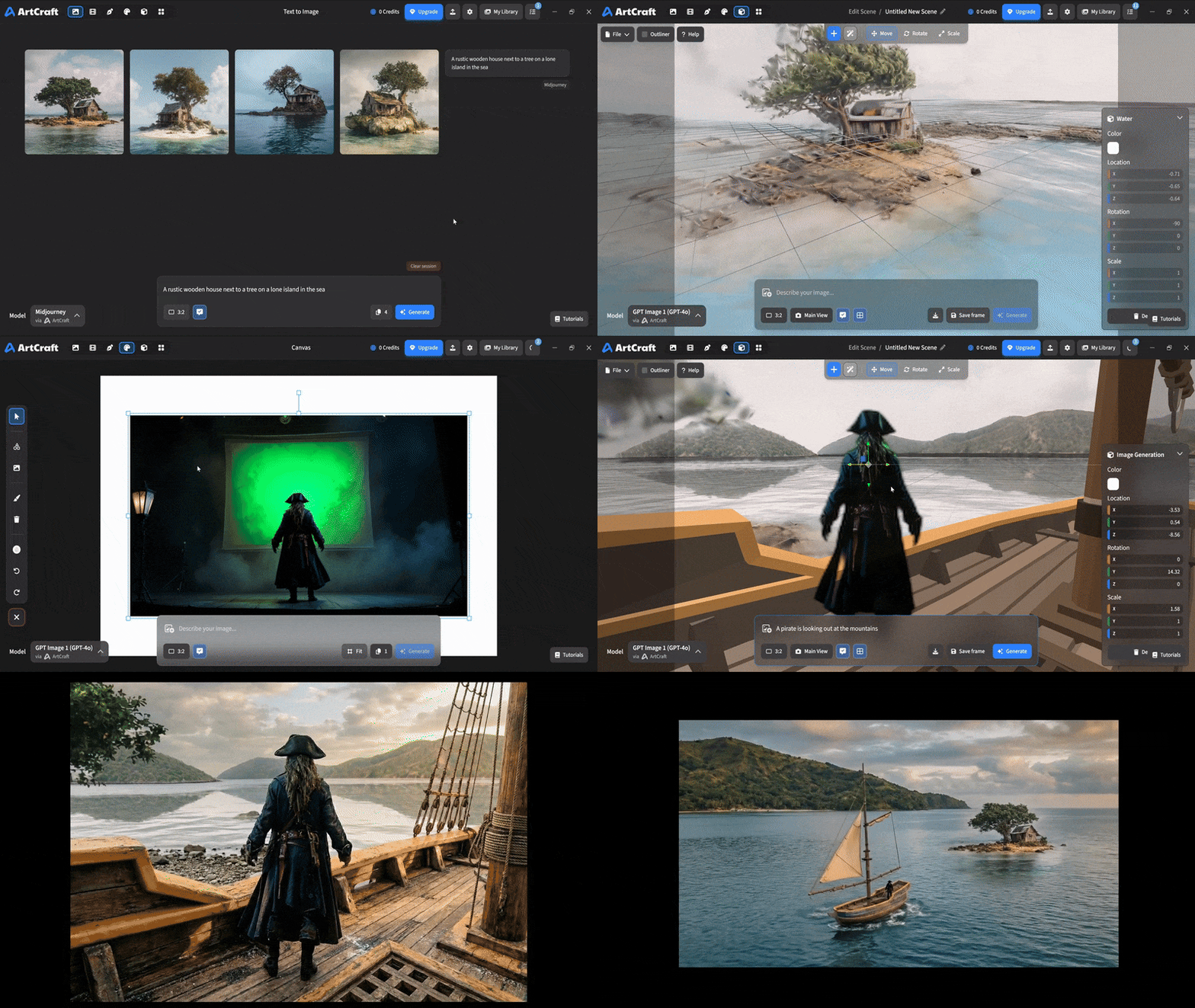 You can use image cutouts, worlds, and simple 3D meshes all together to precisely and intentionally lay out your scenes. |
| Scene Blocking | (preview coming soon) |
| Canvas Editing | (preview coming soon) |
| Scene Relighting | (preview coming soon) |
Note: all of the above videos were generated for free with Grok Video; the cost to build this README was negligible.
Quick and Easy Prompting
We haven't abandoned text-to-asset generation for quick prototyping and ideation. We support every popular workflow in a first class fashion.
| Feature | Demo + Explanation |
|---|---|
| Text to Image | |
| Image Editing | |
| Image Editing | |
| Image to Video | |
| Image Inpainting | (preview coming soon) |
| Image Ingredients | (preview coming soon) |
Models and Providers Supported within Artcraft
| Provider | Features |
|---|---|
| Artcraft | Nano Banana, Nano Banana Pro, GPT-Image-1 / 1.5, Seedance 1.0 Lite / 1.5 Pro / 2.0, Seedream 4 / 4.5, Flux 1.1 / Kontext, Veo 2 / 3 / 3.1, Kling 1.6 / 2.1 / 2.5 / 2.6, Sora 2 / Pro, Hunyuan 3d 2 / 3 |
| Grok | Grok Imagine, Grok Video |
| Midjourney | Image Gen (all versions) |
| Sora | Sora 1, Sora 2, GPT-Image-1 |
| WorldLabs | Marble (Gaussian Splat World Generation) |
We're going to be adding the following providers soon: Kling (via Kling website accounts), Google (via API keys), Runway (via website account), Luma (via website account).
We're potentially interested in adding other aggregators for those who already have subscriptions and credits at those providers, for example: OpenArt, FreePik, etc.
Downloads
- Visit our website for the stable Windows and MacOS releases
- Or you can grab a more recent Windows and MacOS build directly
- Linux requires building from source for now